
Power 99 Pro - Rechargeable Battery COLBOR - Free user manual and instructions
Find the device manual for free Power 99 Pro COLBOR in PDF.


| Product Type | Portable Power Station |
| Model | Power 99 Pro |
| Brand | COLBOR |
| Battery Capacity | 99Wh (approx. 27,000mAh at 3.7V) |
| Battery Type | Lithium-ion (Li-ion) |
| Input Ports | D-TAP (14.4V-16.8V, 3A) and USB-C PD (5V/3A, 9V/3A, 12V/2.5A, 15V/2A) |
| Output Ports | 2x D-TAP (14.4V, 8A each), 2x USB-A (5V/2.4A), 1x USB-C PD (max 60W), 1x DC 2.5mm (12V/3A) |
| Charging Time | Approx. 2.5 hours via D-TAP, 3 hours via USB-C |
| Operating Temperature | -10°C to 50°C (charging), -20°C to 60°C (discharging) |
| Dimensions | Approx. 150 x 80 x 55 mm |
| Weight | Approx. 600 g |
| Display | LED indicators for battery level and output status |
| Protection Features | Overcharge, over-discharge, short circuit, overcurrent, temperature protection |
| Recharge Cycles | Over 500 cycles (≥80% capacity) |
| Compatibility | Cameras, LED lights, laptops, smartphones, and other 14.4V/12V devices |
| Maintenance | Store at 50% charge in cool, dry place; recharge every 3 months |
| Accessories Included | D-TAP to D-TAP cable, USB-C cable, carrying case |
Frequently Asked Questions - Power 99 Pro COLBOR
User questions about Power 99 Pro COLBOR
0 question about this device. Answer the ones you know or ask your own.
Ask a new question about this device
Download the instructions for your Rechargeable Battery in PDF format for free! Find your manual Power 99 Pro - COLBOR and take your electronic device back in hand. On this page are published all the documents necessary for the use of your device. Power 99 Pro by COLBOR.
USER MANUAL Power 99 Pro COLBOR
Thank you for choosing COLBOR product. Please read this manual carefully before use and follow all instructions mentioned herein.
Tips for Battery Maintenance Appearance
COLBOR Power 99 Pro is made with eight units of Grade-A 18650 battery cells runs under BMS chips (Battery Management System). It is perfectly safe with Over Charge/Discharge, Over Current/Voltage, Over Heat and Short Circuit protection.
With Unique Balance Cell Algorithm, each battery cell is tuned to same voltage level during charging /discharging process to ensure a long recycle life. Please follow the below instructions to better extend the longevity of COLBOR Power B9 Pro:
-
Please Store the battery at temperatures between 5 °C and 20 °C (41 °F and 68 °F).
-
The battery will provide a best recycle life keeping between 10% to 90% capacity, please remain more than 50% of power when stored or unused for an extended period and do not always charge to 100%
-
The runtime of your battery will vary depending on the powered devices and the applications that you run, you may also refer to the remaining percentage of the battery to get an accurate assumption of time.
-
Consider replacing the battery with a new one if you note either of the following conditions:
- The battery runtime drops below 80% compare to original runtime. - The change time of battery (in thousands significantly) for more than 80%
- The charge time of battery increases significantly for more than 50%. 5. If the battery is stored or otherwise unused for an extended period,
be sure to follow the storage instructions in this manual. • Charge or discharge the battery to approximately 50% of capacity
before storage.
- Charge the battery to approximately 50% of capacity at least once every six months
- Store the battery at temperatures between 5 °C and 20 °C (41 °F and 68 °F)

① USB-C Input&Output
② USB-A Output
③ D-tap Input&Output ④ U-Meyst
⑤ BP Electrode Interface
⑦ OLED Screen
⑦ Switch Button
U-15UV → U: Battery Voltage
10.00A → I: Charging and Discharging Current
T: Remaining Time of Charge/Discharge
Current Battery Power
* Notice about Remaining Time
- Notice about remaining time - The Remaining Time is calculated based on current of all room
- The remaining time is calculated based on content for all gears powered by the battery, the algorithm will capture data every 100ms
and average the result in last few seconds
- The predicted Remaining Time is accurate given stable current, you may check the time again by pressing the switch button after adding/
removing gears.
● The deviation of the Remaining Time could be significant if the
battery has power lower than 10% or more than 90%, please also refer to the remaining percentage to get an accurate assumption of time.
Charging Instructions
Charging through Electrode Interfaces
It is recommended to use professional V-Mount charger to charge this battery.
Charging through D-Tap
It is recommended to use professional charger to charge through the D-TAR interface. Please note that the positive and negative poles of
D-TAP Interface. Please note that the positive and negative the D-TAP interface should not be reversed when charging.
Charging through USB-C
It is recommended to use 65W charger with PD protocol to minimize
the charging time.
Discharge Instruction
- It is recommended to use in the temperature of 0–40°C to ensure the
● D-Tap outputs DC 14.8V, maxim
- 16.850V, 24.7kV, maximum output 2.7kV. While the battery is used on the camera, it can also output 14.4V DC to power other
devices such as interview lights.
- Standard USB outputs DC 5V 2A, maximum output 16W. - USB=C outputs DC 20V(max), maximum output 65W.
• 2018 - 2 August 2017 (Pty.193) – September 2017
Specifications
| VoltageCapacity | 14.4V98Wh,6875mAh | |
| BP | 14.4V = 15A (Max) | |
| D-TAP | 14.4V = 15A (Max) | |
| OutputPower | USB-C | 5V / 9V / 12V / 20V(Max) = 3.25A, 65WProtocol:1.BC1.2, IOS and SAMSUNG2.GC2.0,GC3.0,GC3+3.FCP,SCP,APC,VOCC4.PD3.0 |
| USB | 5V = 2.1A | |
| DimensionsWeight | 73mm*55mm*100mm | |
| 540g | ||
Package List


[Non-Text]


Warranty
Warranty rules
- From the date of purchase, the product will be warranted for two
years for any problem related to product quality.
- You may contact the retailer for refund of replacement if you are not satisfied of the performance of the product within 30 days from the
date of purchase
Please note the following circumstances are not within the
scope of free maintenance.
-
Product malfunction of damage caused by failure to install, use, maintain or store according to the instructions.
-
Product damage caused by disassembly / maintenance without
authorization.
-
The warranty period has expired.
-
Product damage due to force majeure factors (such as earthquake,
hood, thru, lightning strike, etc.) of artificial damage.
Disclaimer
We will not take responsibility for product damages or accidents caused by product due to several issues, behaviour, such as overhanging sheet.
by product due to users' misuse behavior such as overheating, short circuit intentionally, dispose of in fire, etc.
Guangzhou Zhiying Technology Co., Ltd
Room 2401, 24/F, South Tower, Lisheng Plaza, No. 68 Huadi
Avenue, Liwan District, Guangzhou, China, 510000
support@
www.colborlight.com
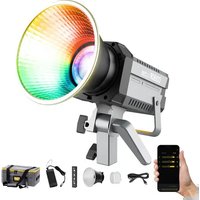
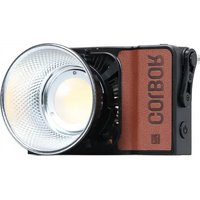
Brand : COLBOR
Model : Power 99 Pro
Category : Rechargeable Battery