NF-2040 - Measurement Noyafa - Free user manual and instructions
Find the device manual for free NF-2040 Noyafa in PDF.


| Product Type | Laser Distance Meter |
| Brand | Noyafa |
| Model | NF-2040 |
| Measurement Range | 0.05 - 40 m |
| Accuracy | ±2 mm |
| Laser Class | Class 2, < 1 mW, 635 nm |
| Units of Measurement | m, ft, in, ft+in |
| Functions | Distance, Area, Volume, Pythagorean (indirect measurement), Continuous measurement, Addition/Subtraction |
| Display | Backlit LCD, 4-line |
| Power Supply | 2 x AAA batteries (included) |
| Battery Life | Up to 8,000 measurements |
| Auto Shut-off | After 90 seconds of inactivity |
| Operating Temperature | 0°C to 40°C |
| Storage Temperature | -20°C to 60°C |
| Dimensions | 120 x 50 x 25 mm |
| Weight | 100 g (without batteries) |
| Material | ABS plastic, rubberized grip |
| Included Accessories | Carrying pouch, manual, batteries, lanyard |
| Cleaning Instructions | Clean lens with a soft, dry cloth; avoid solvents |
| Safety Precautions | Do not point laser at eyes; avoid reflective surfaces |
| Repairability | No user-serviceable parts; contact support for issues |
| Warranty | 1 year limited warranty |
Frequently Asked Questions - NF-2040 Noyafa
User questions about NF-2040 Noyafa
0 question about this device. Answer the ones you know or ask your own.
Ask a new question about this device
Download the instructions for your Measurement in PDF format for free! Find your manual NF-2040 - Noyafa and take your electronic device back in hand. On this page are published all the documents necessary for the use of your device. NF-2040 by Noyafa.
USER MANUAL NF-2040 Noyafa
| Measurement range | 0.05~40/60m | Bluetooth 4.0 | x |
| Measurement precision | ± 2mm | Electronic level | x |
| Display type | FSTN LCD screen | Au-off time of the laser | no operation with 30s |
| Unit options | m/ft/in/ft+in | Au-off time of the device | no operation with 120s |
| Benchmark setting | √ | Test time | 0.1~3s |
| Signal measurement | √ | Laser type | A=630~670nm, P<1mW |
| Continuous measurement | √ | Working temperature | 0°C ~40°C |
| Area measurement | √ | Storage temperature | -10°C ~60°C |
| Volume measurement | √ | The type of battery | NF-2240; 2x1.5V AAA NF-2260L; Lithium battery |
| Pythagorean measurement | x | ||
| Beep | √ | Protection level | |P|5-4 |
| Voice function | √ | Dimension | 80*42*78mm |
| Tape measurement range | 5m | Weight | 240g(no battery) |
4.STANDARD PACKING
| No | Item | Unit | QTY | Note |
| 1 | Main tester | pcs | 1 | NA |
| 2 | Lithium battery | pcs | 1 | Only for NF-2260L |
| 3 | Sponge | pcs | 1 | NA |
| 4 | Color box | pcs | 1 | NA |
5.CODE ERROR DISPLAY AND SOLUTIONS
| Code | Reasons | Solutions |
| 203 | Exceeding temperature | Use the device under the working temperature range. |
| 220 | Low battery | Charge or replace battery |
| 254 | Data overflow | Remeasure after reading the user manual |
| 255 | Weak signal or measuring for long time | Test strong reflection ability of target |
| 256 | Strong signal | Test weak reflection ability of target |
| 257 | Exceeding measuring range | Use the device under the max measuring distance range. |
| 300 | Hardware error | Restart,please contact the dealer when try that fail. |

- Avoid to operate in such conditions (such as the environment light is too strong, or the diffuse coefficient of measuring points is too large or too small), otherwise, themeasuring accuracy will have large error. - Avoid to operate in such conditions (such as the environment light is too strong, or the diffuse coefficient of measuring points is too large or too small), otherwise, themeasuring accuracy will have large error.
* Please use the dam-board when in strong sunlight and week reflection condition.
- DIAGRAM OF SERIES PRODUCTS
| NF-2050 NF-2330NF-2030 | |
| NF-2240 NF-2260L | |
| NF-271 Series | |
| NF-272L Series | |
| NF-273L eriesS NF-274L eriesS |

Your excellent helper in cable test!
Your excellent helper in cable test!
INSTRUCTION MANUAL
2-in-1 Laser distance measuring tape NF-2240/NF-2260L

natural_image
Illustration of two measuring tape and a child's drawing tool on yellow background (no text or symbols)Your excellent helper in cable test! Your excellent helper in cable test? Your excellent helper in cable test!
REV1.0

Before operating or repairing, please read
and remember the safety precautions.
Thank you for purchasing up 2 in 4 loss distance
Thank you for purchasing our 2-in-1 laser distance measuring tape series products!
⚠️ Please read all of the operational guide and safety regulations in this manual before operation. Improper operations without complying with this manual guided could cause damage to the device, influence on measurement result or bodily injury to the user.
The instrument is not allowed to disassemble or repair on any ways. it is forbidden to do any illegal modification or performance change for laser emitter. Please keep it out of reach of children and avoid using by any irrelevant personnel.
It is strictly prohibited to shoot eyes or other parts of body with the laser, it is not allowed to take the laser to shoot any objects' surface with strong reflecting.
Due to electromagnetic radiation interference to other equipment and devices, please don't use the meter in the plane or around medical equipment, don't use it in inflammable, explosive environment.
Discarded batteries of meter device shall not process just like househ garbage. please handle them in line with related law and regulations.
Any quality issues or any questions on the meter please contact local distributors or manufacturer in time, we are ready to offer solutions for you.
1. OUTLINE
2-in-1 Laser distance measuring tape NF-2240/NF-2260L can measure length, height, width, area and volume, and NF-2260L has voice broadcast function. Please read this manual carefully for more details. This series of measuring instruments have 2-in-1 functions: laser ranging measure and self-locking steel tape measure, which is applied to the measurement scenes in various occasions.

①Metal Buckle ⑤Usb Charging Port(only for NF-2260L) ②Self locking Button ⑥Screen ③Laser Emission Port ⑦Modes/Unit Switch ④Tape ⑧On/Off/Measuring
2.INSTRUCTIONS
1. Turn on /Turn off
Under off state of the device, press second to turn on the device.
Under on state of the device, long press for 3 seconds to turn off the device. (The Back light will be off if no operation within 15sec; the laser will be off if no operation with 30sec. the device will be auto-off if no operation within 120sec.
2. Single measurement
Short press 📋 to turn on the laser,re-press 📋 for single measurement of distance, then the measured results will display on the screen.
3. Continuous measurement
Short press 📄 to turn on the laser, re-press 📄 for 1 second to start continuous measurement. The Main display screen indicates the very measured result, and the Max and Min measurement results will display on the top two lines of the screen. The main line displays real-time measured result. Press 📄 to exit the mode.


4.Area measurement
Turn on the device, then short press 📋 to enter the area measurement mode, the result will show □ one of the edges will flash. Compete The following operations as below:
Short press 📄 to measure the first edge(length) Short press 📄 to measure the second edge (width) Area. will be calculated automatically by the device, and the result will show on the main display screen.
5.Volume measurement
Turn on the device, then short press to enter the area measurement mode, the result will show one of the edges will flash. Compete The Following operations as bellow: Short press to measure the first edge the L1
Short press to measure the first edge, the L1 data is length Short press to measure the second edge, the L2 data is width Short press to measure the second edge, the L3 data is height Volume will be calculated automatically
by the device, and the result will show on the main display screen.
6.Unit switching
Under on state of the device, long press for 1 second to set the unit. (0.000m → 0.00m -θ.00ft 0°θ0" 0.0in → 0.0in→0in)


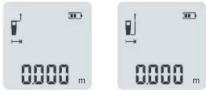
7. Measurement benchmark setting
Under on state of the device, simultaneously press and into setting of switching between front benchmark and end benchmark. System usually takes end benchmark as default.
8.Settings
Under off state of the device, press 📋 and hold for 5 seconds to enter the setting mode, the screen flashes: Set 1: beep/voice switch
Set 2: Calibration settings (adjustable range-9mm\~9mm) Note: Short press to switch the current setting items; Short press to switch set1 or set2

Your excellent helper in cable test!
Your excellent helper in cable test!
Your excellent helper in cable test!
Your excellent helper in cable test!
Your excellent helper in cable test!
Brand : Noyafa
Model : NF-2040
Category : Measurement