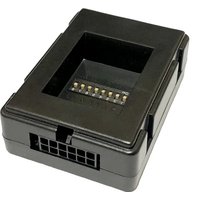
SWR-A - Car control interface CRUX - Free user manual and instructions
Find the device manual for free SWR-A CRUX in PDF.


| Product Type | Vehicle Interface Module |
| Brand | CRUX |
| Model | SWR-A |
| Dimensions | 1.5 x 2.5 x 0.8 inches |
| Weight | 0.2 lbs |
| Power Input | 12V DC |
| Current Draw | < 500 mA |
| Operating Temperature | -20°C to 60°C |
| Connection Type | Plug-and-play harness |
| Primary Function | Signal conversion for aftermarket radios |
| Compatibility | Select vehicles (see manual) |
| Installation | Professional installation recommended |
| Maintenance | Keep dry and dust-free |
| Safety | Disconnect battery before installation |
| Spare Parts | Not available separately |
| Repair | Non-user serviceable |
| Warranty | 1 year limited |
| Certification | CE, RoHS |
| Manual Language | English |
| Package Contents | Module, wiring harness, manual |
Frequently Asked Questions - SWR-A CRUX
User questions about SWR-A CRUX
0 question about this device. Answer the ones you know or ask your own.
Ask a new question about this device
Download the instructions for your Car control interface in PDF format for free! Find your manual SWR-A - CRUX and take your electronic device back in hand. On this page are published all the documents necessary for the use of your device. SWR-A by CRUX.
USER MANUAL SWR-A CRUX
- Retains Steering Wheel Controls via built-in, pre-programmed interface.
- Retains VR Command (Voice Recognition) function on select OEM steering wheel controls to activate CarPlay and Android Auto compatible devices.
- Also works on the new generation Sony Radio with CarPlay function.
PARTS INCLUDED:
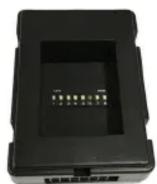

natural_image
Coiled electrical connector with black, red, and brown wires (no visible text or symbols)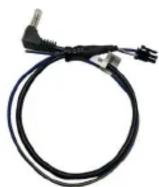
SWR-A Module SWR-A Harness SWC Cable
VEHICLE APPLICATIONS:
| 1991-2006 | BMW | 2003-2013 | Honda | 2005-2012 | Nissan |
| 2003-2012 | Ford | 2006-2014 | Kia | 2007-2015 | Subaru |
| 2006-2018 | Hyundai | 2003-2015 | Mazda | 2003-2018 | Toyota |
SUPPORTED RADIOS:
| Alpine | Dual | JVC | Power Acoustik |
| Boss | Fahrenheit | Kenwood | Sony |
| Clarion | Jensen | Pioneer | Soundstream |
and Most off brand Radios
INSTALLATION DIAGRAM:
LED TROUBLESHOOTING ON MODULE
| LED LIGHT | LED MODULE FEEDBACK | |
| BLUE LED OFF | NO POWER | CHECK VOLTAGE |
| RED LED FLASHES | WHEN PRESSING SWC BUTTONS | |


AFTERMARKET RADIO DIP SWITCH SETTINGS:
| Radio Brand | DIP Switch | |||
| 1 2 3 4 | ||||
| Alpine | OFF | OFF | OFF | OFF |
| Boss | OFF | OFF | ON | ON |
| Clarion | OFF | ON | ON | OFF |
| Dual | OFF | OFF | ON | ON |
| Fahrenheit | OFF | OFF | ON | ON |
| Jensen | OFF | OFF | ON | ON |
| JVC | OFF | ON | OFF | ON |
| Kenwood | OFF | ON | ON | ON |
| New Sony | OFF | OFF | ON | OFF |
| Old Sony | OFF | ON | OFF | OFF |
| Pioneer | OFF | OFF | ON | ON |
| Power Acoustik | OFF | OFF | ON | ON |
| Soundstream | OFF | OFF | ON | ON |
| Most off brand radios | OFF | OFF | ON | ON |
NOTE: For Blaupunkt, Dual, Farenheit, Power Acoustik, Soundstream, and most off-brand radios, check the aftermarket radio's manual to see if the SWC buttons need to be programmed.
VEHICLE WIRING CONNECTIONS AND DIP SWITCH SETTINGS:
For vehicle specific wiring diagram and connections, please visit: www.crxinterfacing.com/wiring or click on the QR code.

Brand : CRUX
Model : SWR-A
Category : Car control interface