
ZM-NC3000S - Laptop cooler ZALMAN - Free user manual and instructions
Find the device manual for free ZM-NC3000S ZALMAN in PDF.


| Product Type | Laptop Cooling Pad |
| Brand | Zalman |
| Model | ZM-NC3000S |
| Dimensions (L x W x H) | 350 x 260 x 30 mm (approx.) |
| Weight | 500 g (approx.) |
| Power Supply | USB 5V, 0.5A (from laptop USB port) |
| Fan Configuration | Dual 80 mm silent fans |
| Fan Speed | Adjustable via built-in control |
| Max Laptop Size | Up to 17 inches |
| Material | Aluminum mesh surface with plastic frame |
| Additional Functions | Ergonomic tilt angle, anti-slip pads, USB hub pass-through |
| Noise Level | < 25 dBA (at lowest speed) |
| Compatibility | Most laptops with USB port |
| Maintenance | Clean dust from fans and surface regularly with a soft dry cloth |
| Safety Precautions | Do not expose to liquids; ensure proper ventilation; unplug before cleaning |
| Spare Parts & Repairability | Fans are not user-replaceable; contact Zalman support for repairs |
| General Information | Designed to prevent overheating and improve ergonomics |
| Package Contents | Cooling pad, USB cable, user manual |
Frequently Asked Questions - ZM-NC3000S ZALMAN
User questions about ZM-NC3000S ZALMAN
0 question about this device. Answer the ones you know or ask your own.
Ask a new question about this device
Download the instructions for your Laptop cooler in PDF format for free! Find your manual ZM-NC3000S - ZALMAN and take your electronic device back in hand. On this page are published all the documents necessary for the use of your device. ZM-NC3000S by ZALMAN.
USER MANUAL ZM-NC3000S ZALMAN
natural_image
Black ZALMAN portable electronic device with perforated grille and base (no text or symbols visible)To ensure safe and easy installation, please read the following precautions.
www.ZALMAN.com
1. Precautions
1) Check the components list and condition of the product before use. If any problem is found, contact the retailer to obtain a replacement.
2) Zalman Tech Co., Ltd. is not responsible for any damages due to improper product use.
3) Excessive force exerted on the product may cause critical damage to the product and/or system.
4) To prevent damages, do not allow objects to obstruct fan rotation.
5) To prevent shorting and/or damage of the fans, do not spill liquids on the unit.
6) Do not obstruct the air inlets.
7) Use on a flat and vibration-free surface.
8) Do not use in humid or dusty, under direct sunlight, or other heat sources.
9) Please seal the unit airtight when storing for prolonged periods to prevent buildup in the inlets.
10) Product designs and specifications may be revised without prior notification to improve quality and performance.
Disclaimer) Zalman Tech Co., Ltd. is not responsible for any damages due to external causes, including but not limited to, improper use, electrical power, accident, neglect, alteration, repair, improper installation, or improper testing.
- Specifications
| Model Spec. | ZM-NC3000S ZM-NC3000U | ||
| Material Aluminum, Plastic | |||
| Weight 1.2 Kg 1.2 Kg | |||
| Dimensions 365(L) × 400(W) × 60(H) mm | |||
| Noise 17 ~ 23.3 dBA | |||
| Fan | Type Axial Fan | ||
| Qty 1 ea. | |||
| Dimensions ∅ 220mm | |||
| Bearing-type Sleeve Bearing | |||
| RPM 620 ~720 rpm ±10% | |||
| Functions | Fan Power Button ○ | ○ | |
| USB Port 2 ea. | 4 ea. (USB Power 1ea. / USB Hub 3ea.) | ||
| Adjustable Height ○ | ○ | ||
| DC In 5V X ○ | |||
3. Components
Common Components
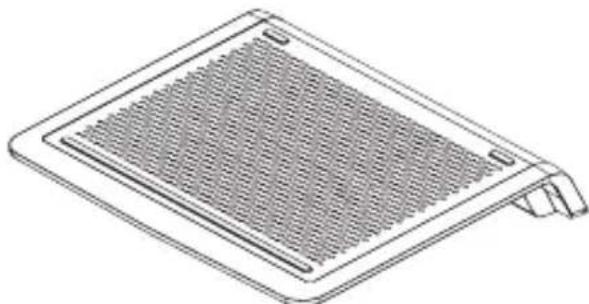
natural_image
Line drawing of a flat-panel fan or vent with mesh grille and side clip (no text or symbols)ZM-NC3000
Manual
User's Manual
ZM-NC3000S ZM-NC3000U
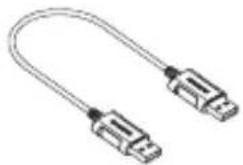
natural_image
Illustration of a U-shaped cable with two metallic connectors (no text or symbols)USB Power Cable
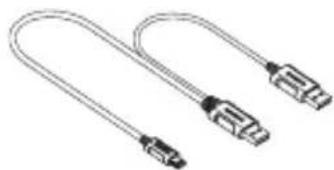
natural_image
Illustration of two U-shaped USB connectors with metallic leads (no text or symbols)Y-type USB Power Cable
4. Functions
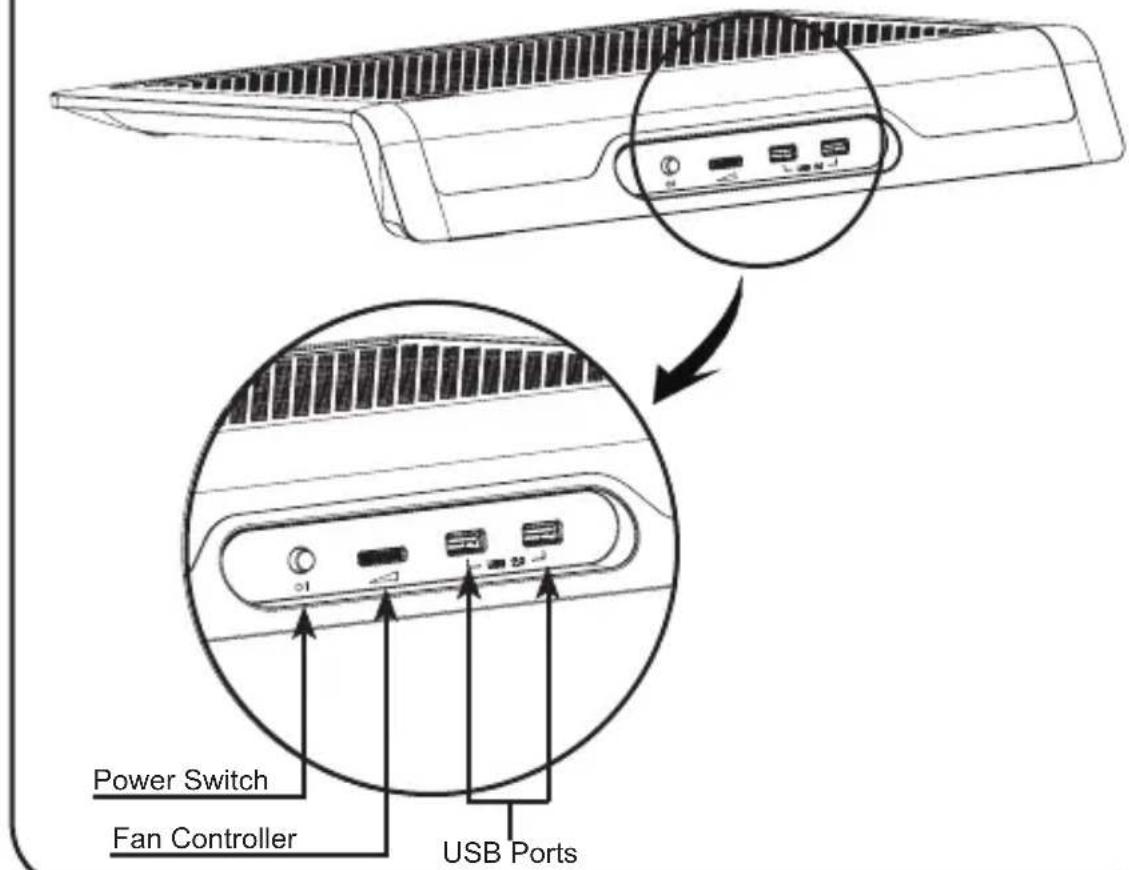
(1) Ports
ZM-NC3000S
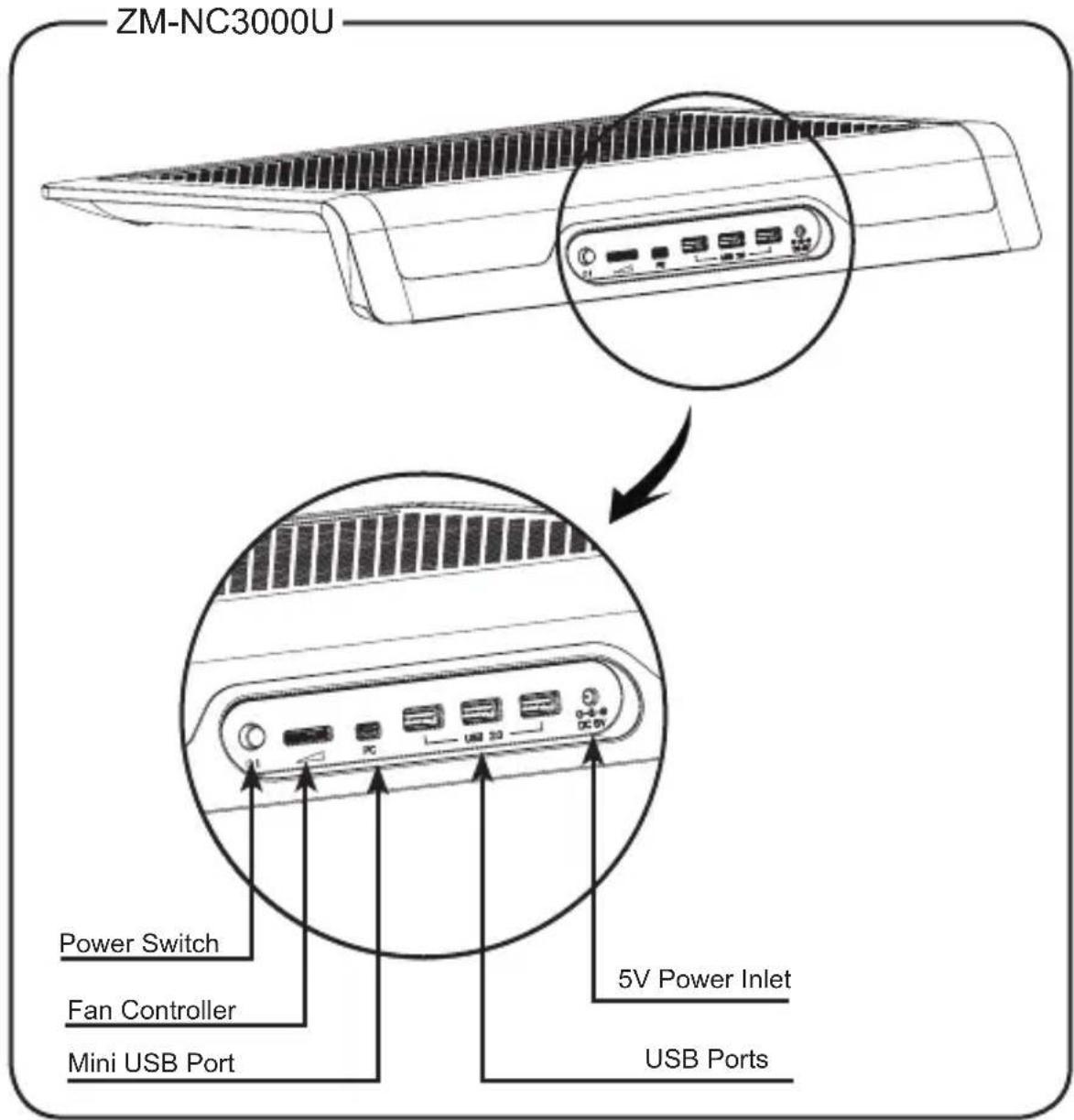
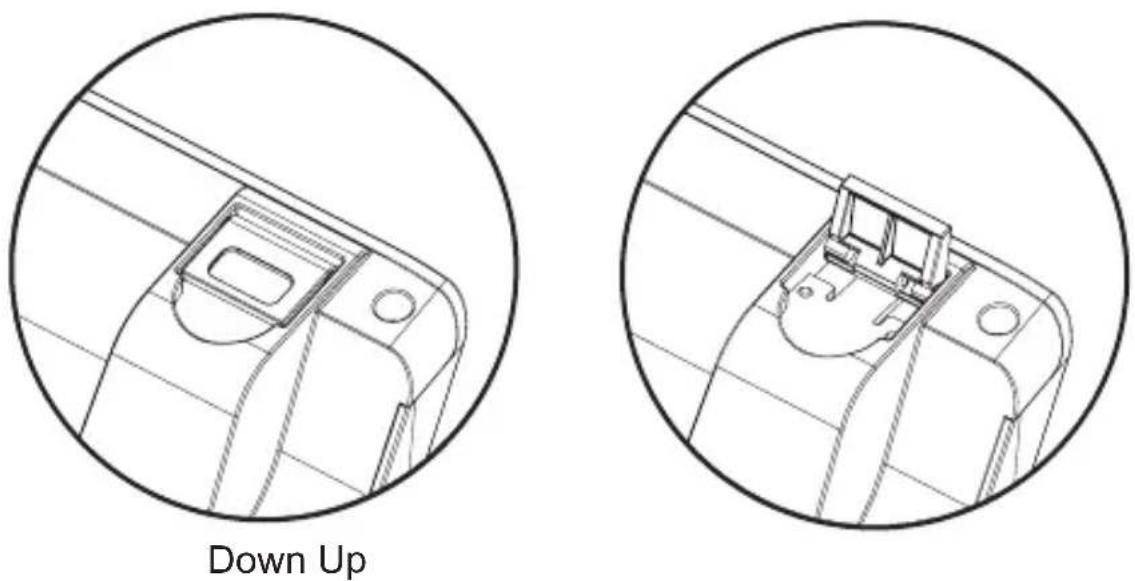
(2) Height Adjustment

5. Recommended Use
ZM-NC3000S
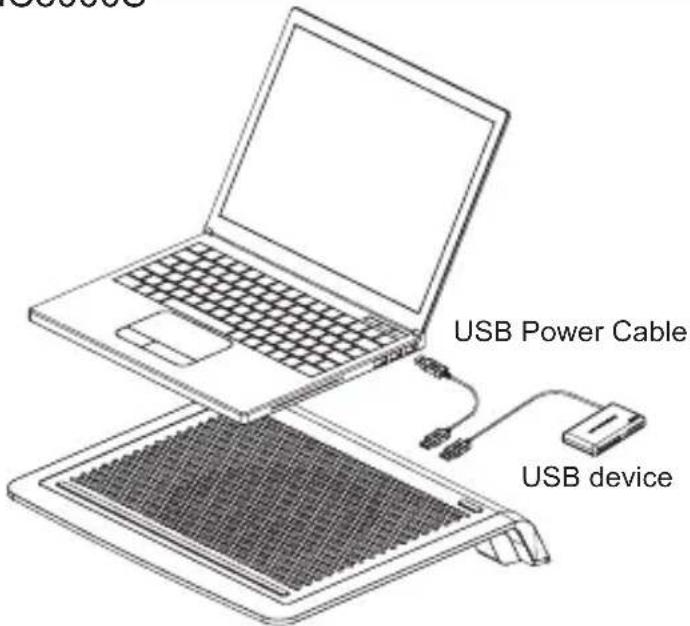
① Connect the Notebook PC and Cooler with the included Power Cable.
② Set the Notebook Cooler's Power Switch to the 'ON' position.
③ Use the Fan Controller to adjust the desired RPM and noise level.
※ The extra USB ports can be used to connect additional USB peripheral devices.
ZM-NC3000U
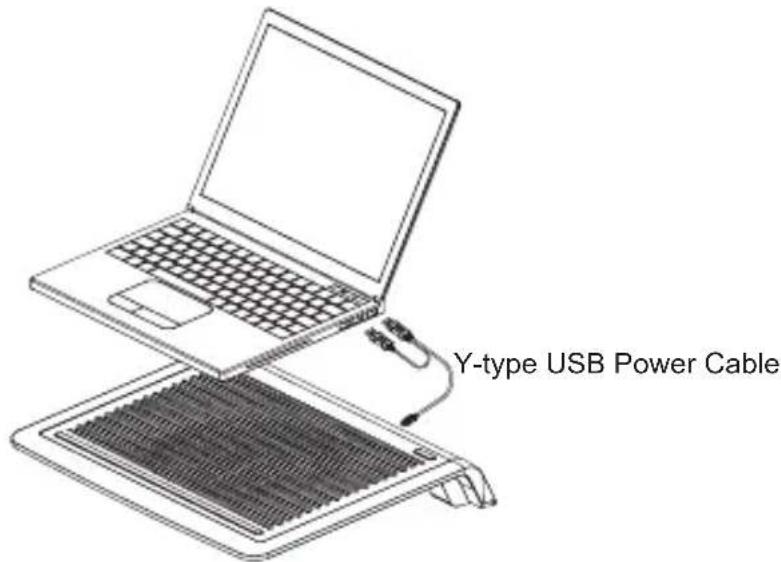
① Connect the Notebook PC and Cooler with the included Power Cable.
② Set the Notebook Cooler's Power Switch to the 'ON' position.
③ Use the Fan Controller to adjust the desired RPM and noise level.
※ When using a USB hub, to ensure adequate power supply, use the Y-type USB Power Cable to connect the Notebook PC and Cooler.

Caution
▶ When using the NC3000 USB port for data transfer, use devices that draw 1.9W or less.

Tip
▶ ZM-NC3000U supports up to 5V when a USB hub is used (adaptor sold separately).
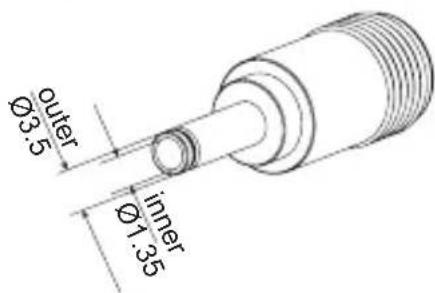
▶ Adaptor Specifications
Voltage: DC In 5V / Amps: 2A
Adaptor connector size: see diagram
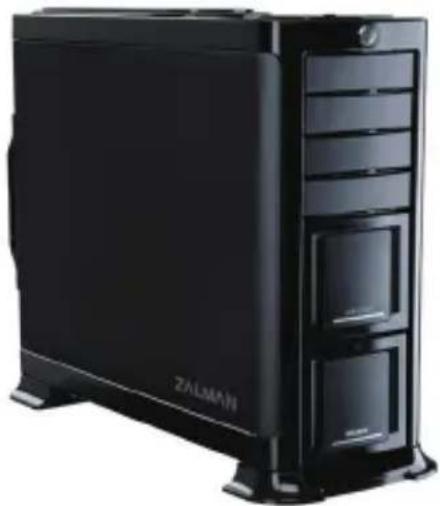
GS1000 / GS1000SE
• E-ATX / Standard ATX / microATX Compatible
* Supports Intel Dual Xeon server motherboards
• UP to 6 Hot Swap HDD Bays
* GS1000(3 Standard / 3 Optional)
* GS1000 SE(Optional)
- Tool-Free HDD Installation
• Airflow Optimized Design
• Vibration Absorbing HDD Dampers and Feet
- The World's First Roller Rails for Smooth & Easy PSU Installation
- Cable Compartment Behind the Motherboard for Cable Management
• Dedicated Fan Compartment for Fanless PSU Users
- Up to a Total of 8 HDD Bays
* 2 Adaptors & Bezels included for use of two 5.25" bays as 3.5" Internal(HDD)/External(FDD) Bays
natural_image
Black ZALMAN desktop computer tower with visible drive bays and front panel (no text or symbols on main body)GT1000
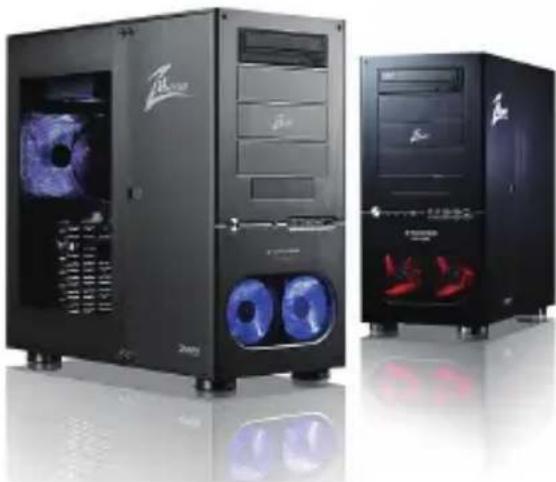
• High-End Gaming Enclosure Built with Sturdy All Aluminum Panels
- Three Tool-Free Hinged Magnetic Panels (2 Left, 1 Right) for Easy Installation and Access to Components
- Tool-Freelnstallation of Disk Drives, Fan Controlles, Audio Interfaces etc.
• Accommodates up to 6 Hard Drives
• Luxurious and Cool Aesthetics.
• Color Option: Black (Red LED Fans), Titanium (Blue LED Panel).
natural_image
Two black desktop computer cabinets with blue circular headsets and a logo, displayed against a reflective surface (no visible text or symbols on the cabinets themselves)For more information, please visit our website.
Brand : ZALMAN
Model : ZM-NC3000S
Category : Laptop cooler