KASMKALMRFA - Smoke detector Kogan - Free user manual and instructions
Find the device manual for free KASMKALMRFA Kogan in PDF.


| Brand | Kogan |
| Model | KASMKALMRFA |
| Product Type | Smoke Detector |
| Sensor Type | Photoelectric |
| Power Source | 9V DC battery (included) |
| Alarm Loudness | 85 dB at 3 meters |
| Dimensions (Diameter x Height) | 100 mm x 40 mm |
| Weight | 150 g (without battery) |
| Test Button | Yes, for function testing |
| Low Battery Indicator | Chirping sound every 30-60 seconds |
| Mounting | Ceiling mount with included screws and anchors |
| Operating Temperature Range | 0°C to 40°C |
| Humidity Range | 10% to 95% non-condensing |
| Compliance | UL 217, CE, AS 3786 |
| Warranty | 1 year limited |
| Maintenance | Vacuum clean monthly to remove dust |
| End of Life Warning | Audible chirp after approximately 10 years |
| Interconnectivity | Standalone, not interconnectable |
| Included Accessories | Mounting bracket, screws, anchors, 9V battery |
| Color | White |
Frequently Asked Questions - KASMKALMRFA Kogan
User questions about KASMKALMRFA Kogan
0 question about this device. Answer the ones you know or ask your own.
Ask a new question about this device
Download the instructions for your Smoke detector in PDF format for free! Find your manual KASMKALMRFA - Kogan and take your electronic device back in hand. On this page are published all the documents necessary for the use of your device. KASMKALMRFA by Kogan.
USER MANUAL KASMKALMRFA Kogan
natural_image
Simple hand-drawn diagram of a teardrop shape with two vertical lines and a red vertical line above it, no text or symbols present.KOGAN SMARTERHOME™ INTERCONNECTED SMOKE ALARM
KASMKALMICA
Safety & Warnings 3
Overview 4
Getting Started 5
Installation 6
Connect to SmarterHome™ app 10
Connecting Several Units 13
Functions 13
Cleaning & Care 14
Specifications 15
Troubleshooting 16
SAFETY & WARNINGS
WARNING: In case of an emergency, contact your local fire department.
• Australia: Call 000 for Police, Fire and Ambulance services.
- New Zealand: Call 111 for Police, Fire and Ambulance services.
Limitations of Smoke Alarms:
- Smoke alarms have played a key role in reducing deaths resulting from home fires worldwide. However, like any warning device, smoke alarms can only work if they are properly located, installed and maintained and if smoke can reach the alarms.
- Smoke alarms may not wake all individuals.
- Smoke alarms cannot detect fires if the smoke does not reach the alarms. Smoke from fires in chimneys or walls, on roofs or on the other side of closed doors may not reach bedroom or sleeping area - especially if the bedrooms or sleeping area doors are closed at night.
- Smoke alarms may not have time to sound before the fire itself causes damage, injury, or death, since smoke from some fires may not reach the unit immediately. Examples of this include persons smoking in bed, children playing with matches, or fires caused by violent explosions resulting from escaping gas.
- Smoke alarms are not foolproof. Like any electronic device, smoke alarms are made of components that can wear out or fail at any time. You must test the unit weekly to ensure your continued protection. Smoke alarms cannot prevent or extinguish fires. They are not a substitute for property or life insurance.
- Smoke alarms have a limited life. The unit should be replaced immediately if it is not operating properly. You should always replace a smoke alarm after 10 years from date of purchase. Write the purchase date on the space provided on back of unit.
OVERVIEW
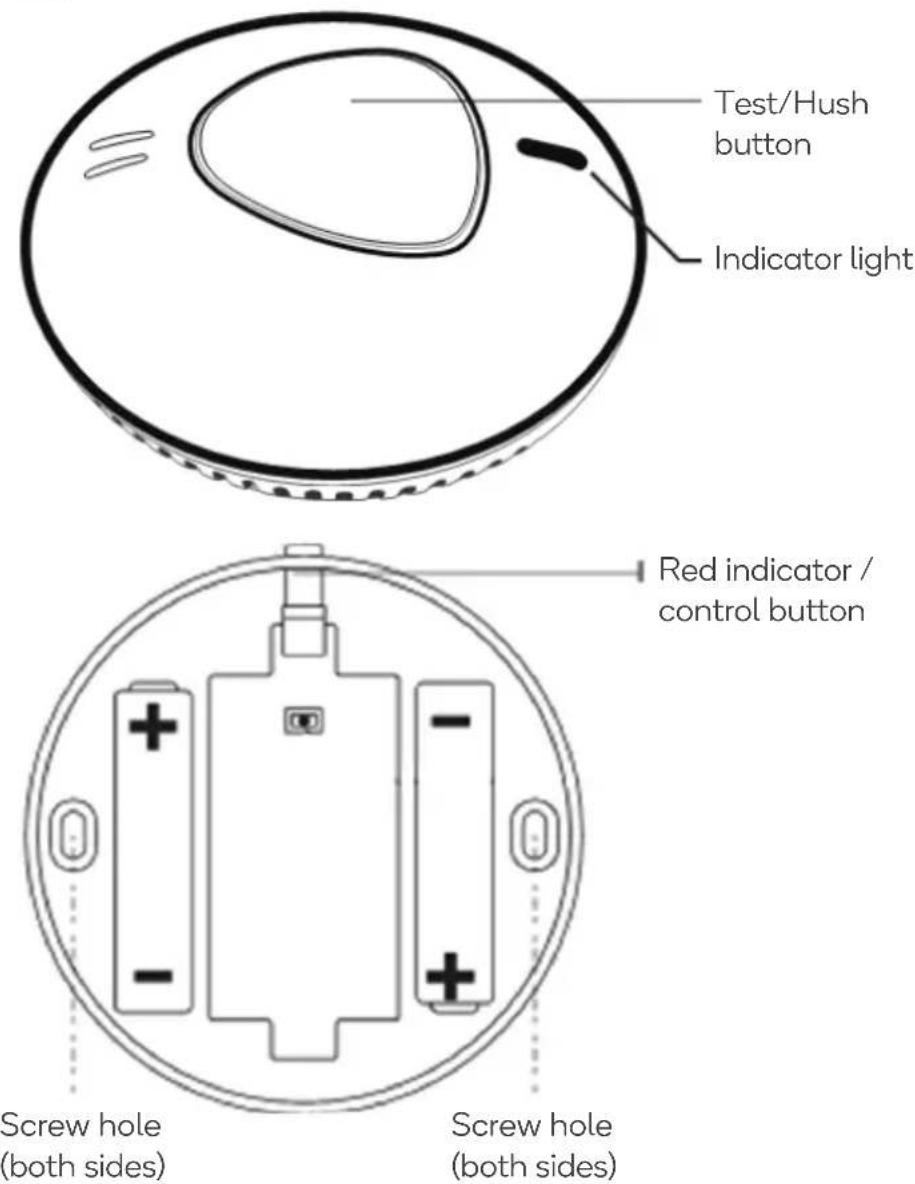
Additional components:
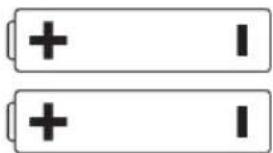
x2 AA 3V Li-ion Battery
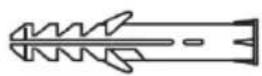
x2 Anchor Plugs
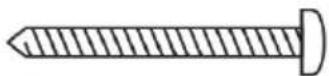
x2 Screws
(Before installing this product, check which plugs and screws are best suited for the surface)
GETTING STARTED
Preparing the battery
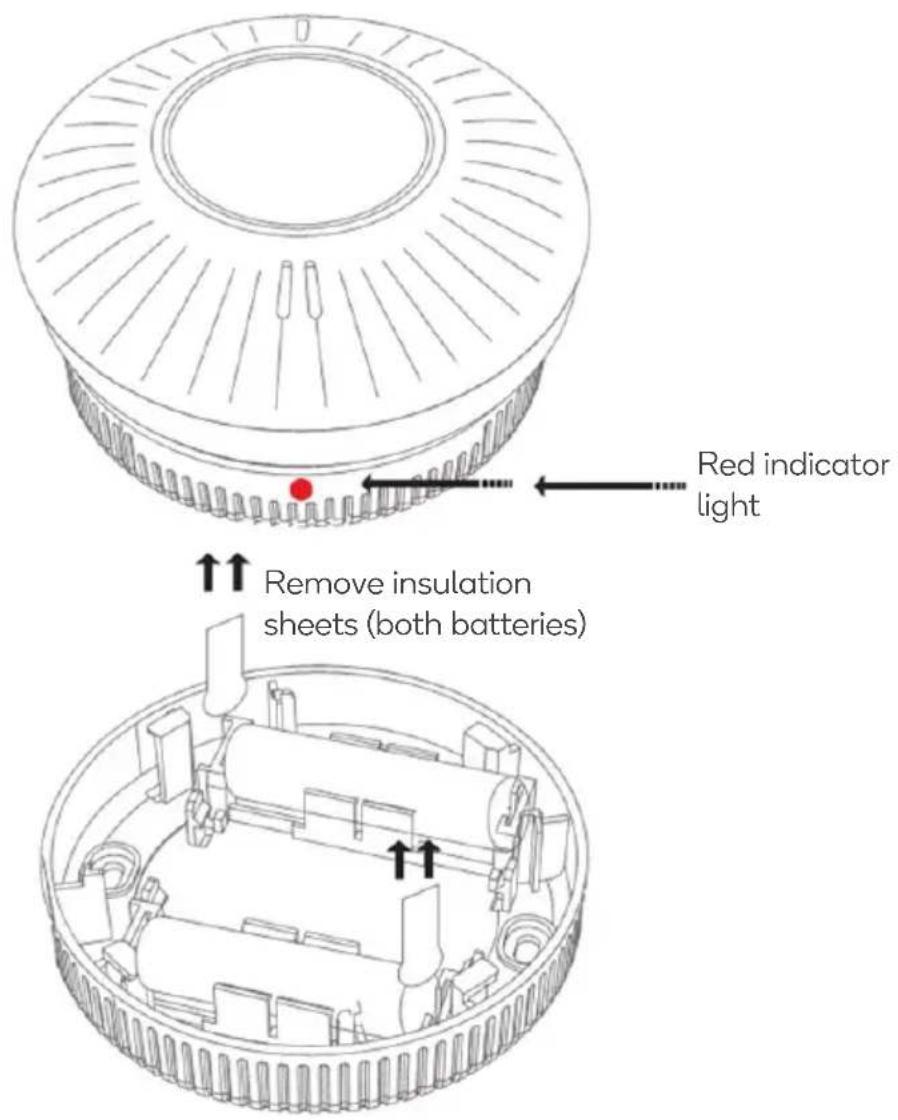
Press the battery cover and remove the insulation sheets between both batteries and the battery terminals – this will provide power to the alarm. The red indicator light will flash twice, showing that it is receiving power.
INSTALLATION
Be careful not to press the Test/Hush button on top of the alarm module unless you intend to do so. Pressing this button will cause the alarm to sound, the sound is very loud and may cause harm to your hearing.
Preparation
Determine how many alarms you need and where best to install them. Refer to the following pages for more information on recommended locations and locations to avoid.
Note: Before installing this product, check which plugs and screws are best suited for the mounting surface.
Installation
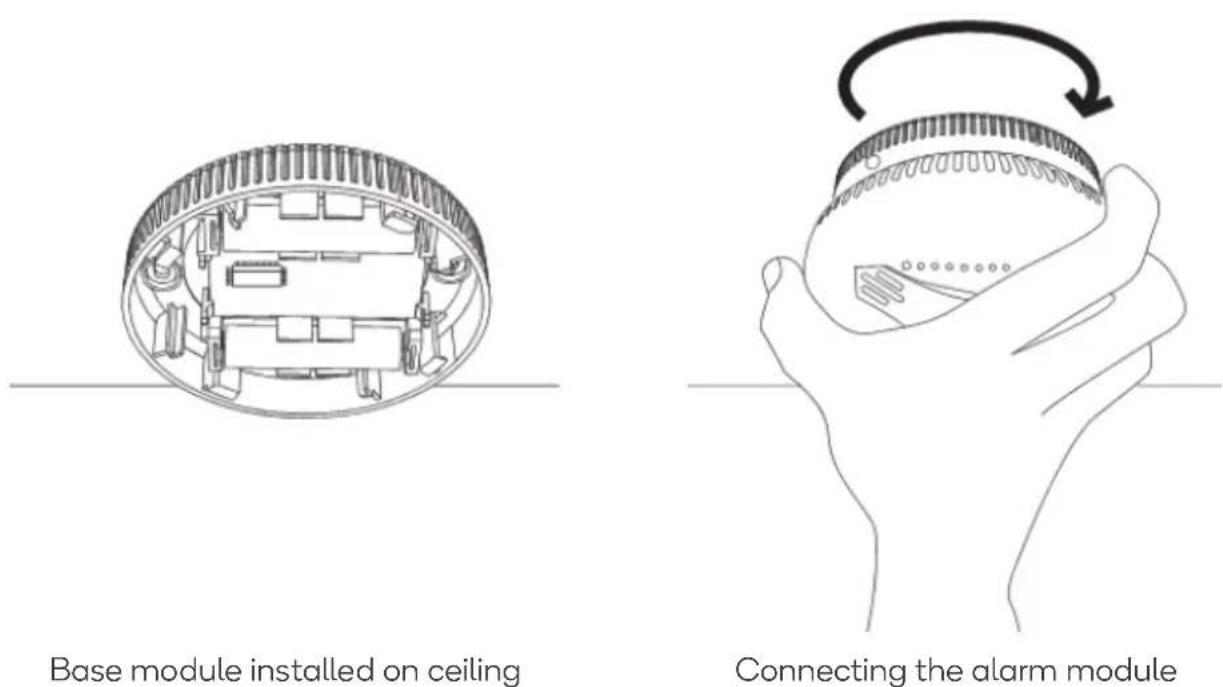
Disconnect the alarm module from the base module by twisting the base module counterclockwise. Remove the insulation sheet found at the batteries to power on the detector.
Where to install smoke detectors
We recommend at least one smoke alarm per floor, per room.
As a minimum, smoke alarms should be located between sleeping areas and potential sources of fire such as living rooms and kitchens.
In single storey homes with one sleeping area, a smoke alarm should be installed in the hallway, as close as possible to the living accommodation. To ensure audibility in bedrooms, no smoke alarm should be further than 3m away from any bedroom door. It may be necessary to install more than one smoke alarm, particularly if the hallway is more than 15m long.
In single storey homes with two separate sleeping areas, a minimum of two smote alarms is required, one outside each sleeping area. In multilevel or split-level homes, as a minimum one smoke alarm should be installed on the ground floor between the staircase and any rooms in which a fire might start along with each storey in circulation areas which form part of an escape route (normally hallways and landings).
Additional alarms should be installed in bedrooms in anticipation of fires caused by faulty wiring, lights, appliances or other hazards.
For best protection, smoke alarms should be installed in every room in your home.
Single Story one sleeping area
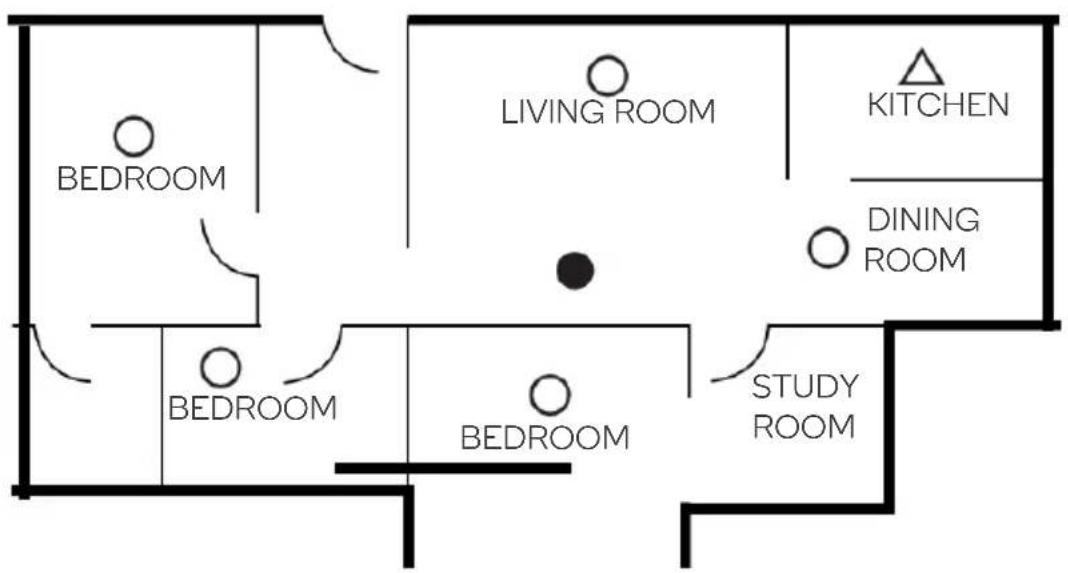
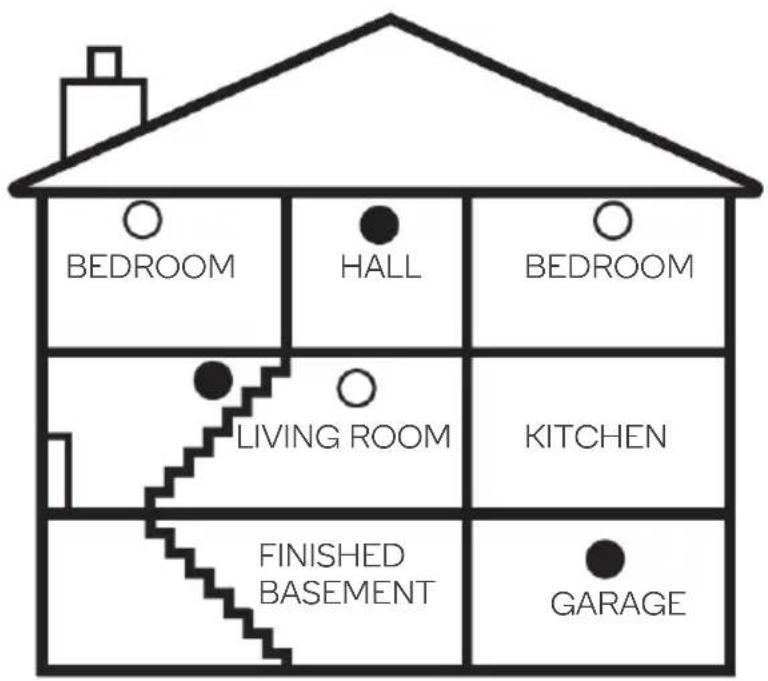
 | Additional smoke alarms for better protection |
 | Smoke alarms for limited protection |
 | HEAT ALARM |
Locations to avoid
Do not locate smoke alarms:
- In turbulent streams of air such as near fens, heaters, doors and windows, etc. These can draw smoke away from the alarm.
- In high humidity areas such as bathrooms and shower rooms as high humidity can trigger the alarm, or where temperature exceeds 40°C or below 0°C.
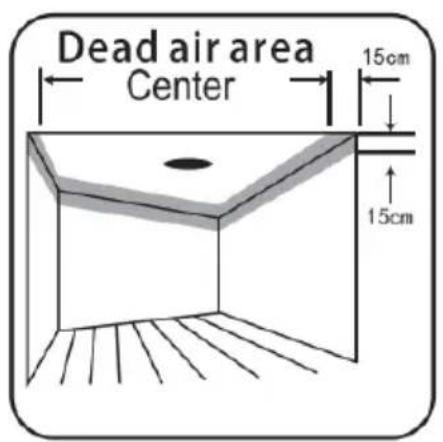
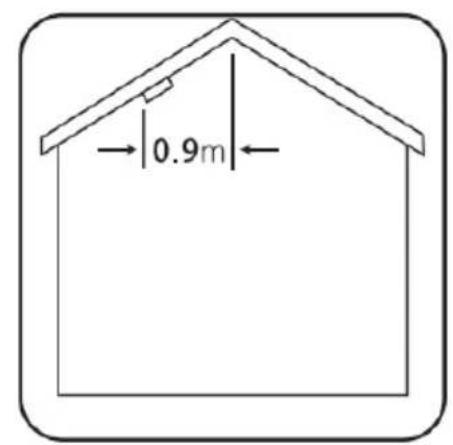
- At the apex of an “A” frame ceiling. “Dead air” at the top may prevent smoke from reaching the alarm in time to provide early warming.
• Less than 300mm (12 inches) from the wall when mounted on the ceiling. - In insect-infested areas, tiny insects may affect performance.
- In kitchens, boiler rooms, laundry rooms, garages. Combustion particles from cooking or car exhausts and dust and moisture could trigger the alarm.
• In very dusty or dirty areas, dirt and dust can build up and impair performance. - Within 300mm (12 inches) of light fittings or room corners.
- In locations which would make routine testing or maintenance hazardous (eg, over a stairwell).
- On poorly insulated walls or ceilings.
- Near objects such as ceiling decorations which might impede the path of smoke to the alarm.
- Within 1500mm (5 feet) of fluorescent light fittings.
CONNECT TO SMARTERHOME™ APP
Install App
Download the “Kogan SmarterHome” app from the Play Store (Android) or App Store (iOS).
Play Store (Android)

App Store (iOS)

To register:
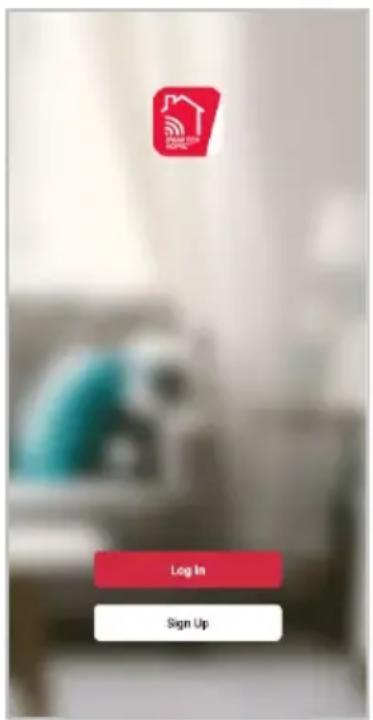
- If you already have a SmarterHome account, select 'Log In'. To register a new account, select 'Sign Up'.
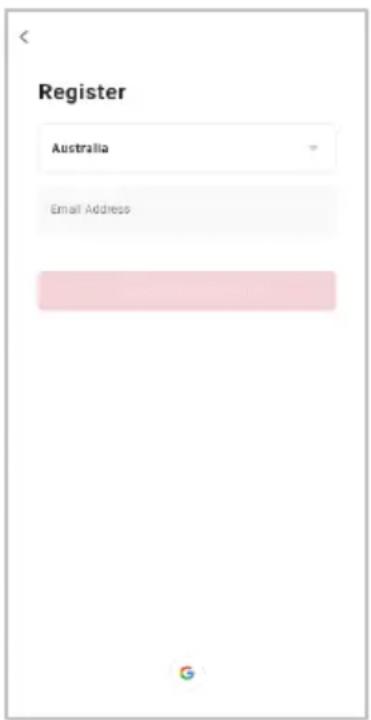
- The system will automatically recognise your country. If needed, you can manually select your country from the drop-down box. Enter your email address and tap 'Get Verification Code' to continue.
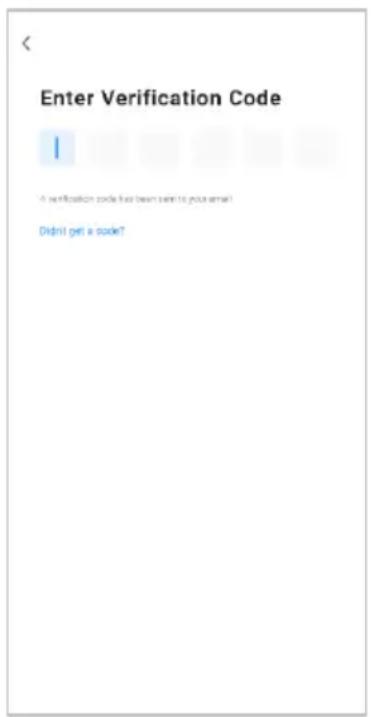
- A 6-digit code will be sent to the submitted email address. Enter this code before the one-minute timer expires.
- Continue to the next page and complete your SmarterHome profile.
Set device in pairing mode
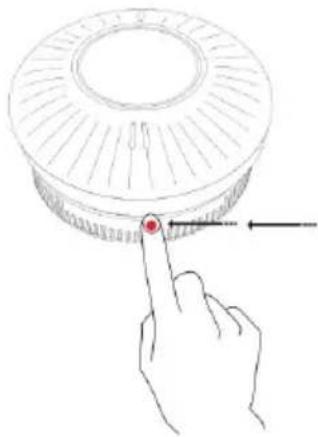
You can manually set the device in pairing mode by long-pressing the control button until the red indicator light flashes five times, then continues flashing rapidly.
Add device through network
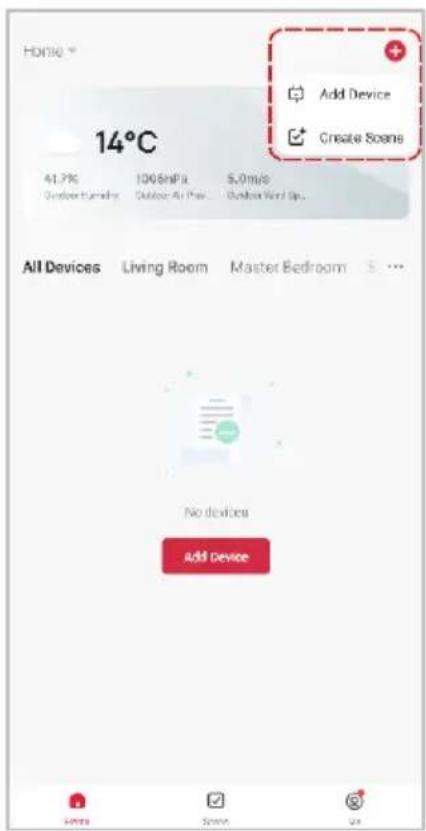
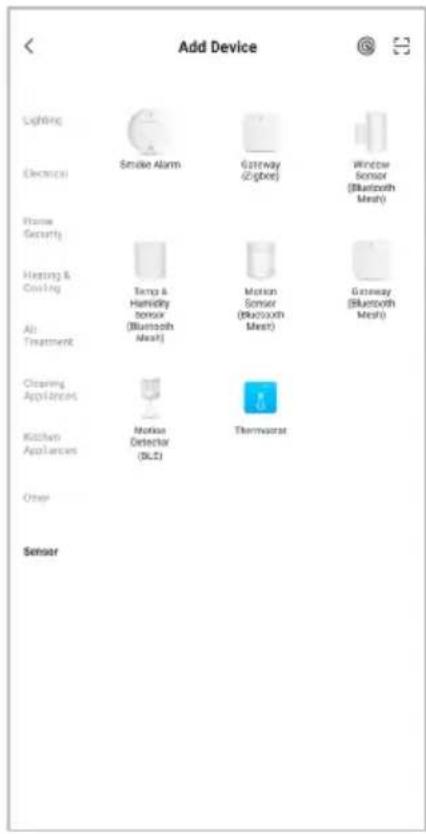
- Once registered, tap "Add Device" on the app's home page, or the "+" in the upper right corner, to add a new device through the network.
- Select the product type from the list of options in the app (Sensor > Smoke Alarm).
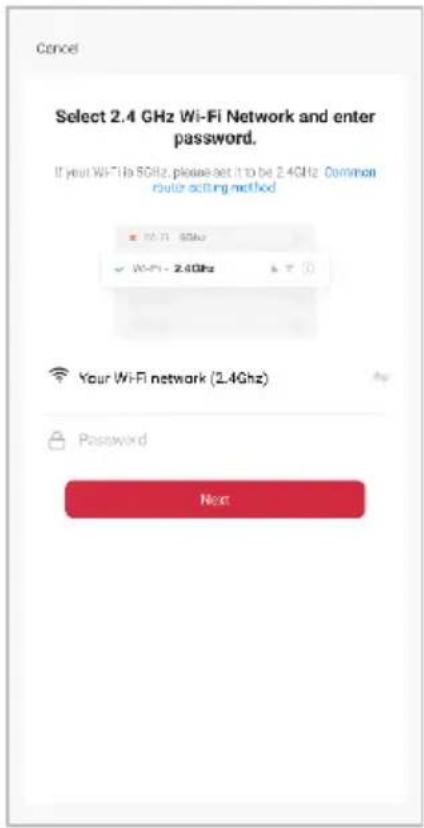
- Enter your Wi-Fi details. It is important that your SmarterHome™ device and the app are connected to the same Wi-Fi network during setup.
Notes:
The device and the app have to use the same Wi-Fi network.
• The device is only compatible with 2.4Ghz networks.
• Depending on the product, Steps 3 and 4 may be in opposite order.
natural_image
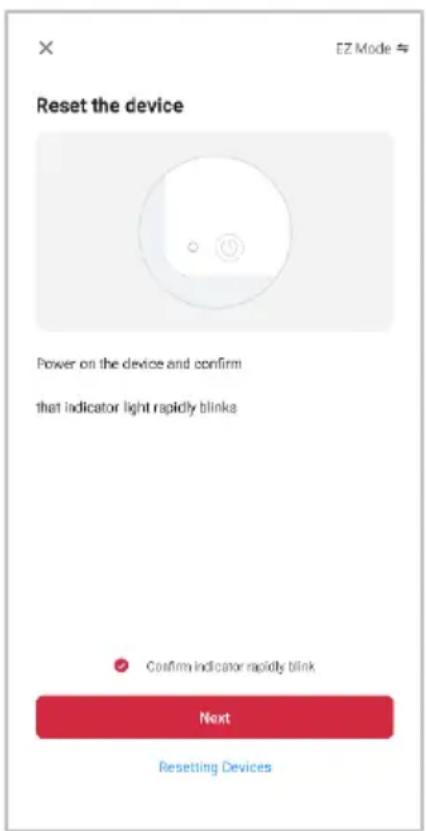
Hand pointing at a red circular object on a circular base, with an arrow indicating direction (no text or symbols)- Ensure that the device is in pairing mode, with the red indicator flashing rapidly, and tap "Confirm light is rapidly flashing".
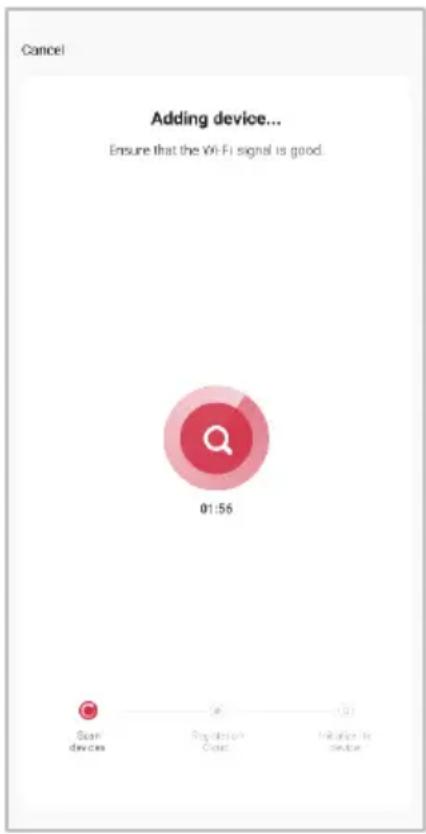
- The device will commence the pairing process and connect to the app. Ensure your Wi-Fi router, mobile phone, and the SmarterHome™ device are kept close until connection is complete.
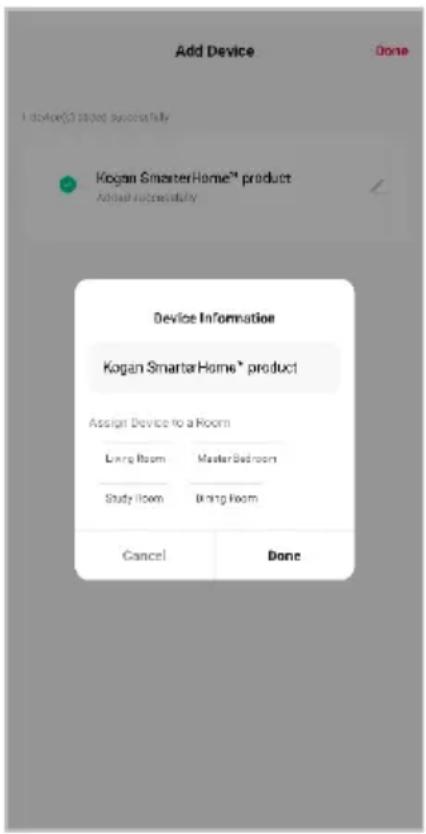
- After successfully being added, you will have the option to rename the device and assign it to a location. It will now be listed on the app's home page. Tap the device listing to enter its control page.
Note:
Once connected, you can select Create Scene from the “+” in the upper right corner (or from the Scene tab) to group connected SmarterHome™ products and automate their functions.
CONNECTING SEVERAL UNITS
Interconnecting smoke detectors
To connect several smoke detectors, press and hold the base button on all individual units until the red lights flash three times. The red indicator lights will continue to flash for one minute while waiting for other devices to pair. If you need to end the pairing in advance, press the button again.
Press and hold the base button on the second smoke alarm. After the red light flashes twice, release the button. At this time, the red light will flash slowly. If the pairing is successful, the light will flash three times.
If the products have been paired with other groups before, it will exit directly after the red light flashes quickly four times. For a successful match, you should clear paired data first.
Note: The equipment has been matched before delivery.
Clearing paired data: press and hold the base button and wait for the red light to blink four times, release the button. If the paired data is cleared successfully, it will flash three times slowly and exit. Otherwise, repeat the above steps to clear.
FUNCTIONS
Low voltage alarm:
When the built-in battery voltage of the smoke detector is below 2.7V, the red indicator light flashes once every 50 seconds, accompanied by a beep sound. The app will also show a warning in the status bar.
Smoke alarm fault:
The LED of the smoke alarm flashes once every 8 seconds and is accompanied by a buzzer. The app status will display an alarm fault.
If the device operates normal the red LED indicator flashes once every 55 seconds.
CLEANING & CARE
This unit has been designed to be as maintenance-free as possible, but there are a few simple things you must do to keep it functioning properly.
Test each alarm at least once a week
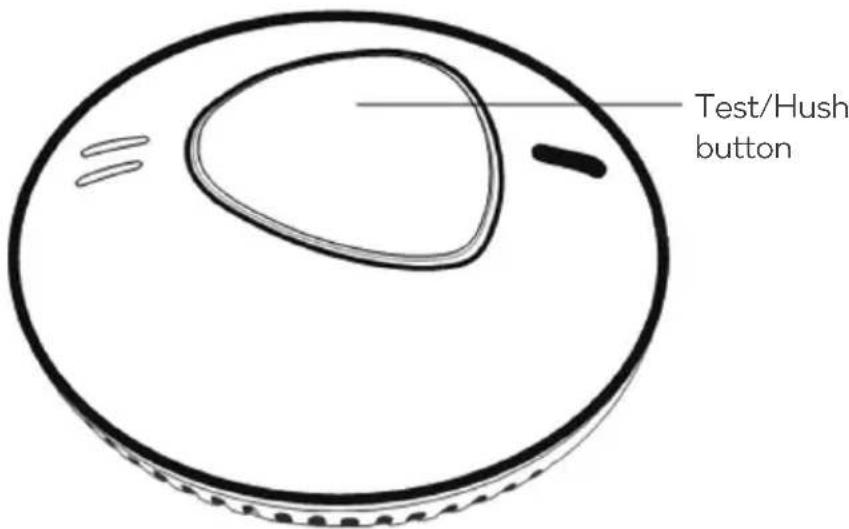
Keep at arm's length distance to the alarm during the test The alarm is loud in order to alert you in case of an emergency and can be harmful to your ears, Press the Test/Hush button for a duration of two seconds, The alarm will sound a few short loud beeps, upon releasing the button, the sound will stop, The app will receive a test signal after 10 seconds.
Reset the alarm
If the test does not function properly, reset the alarm.
If the test does not function properly after completing these steps, contact help.Kogan.com for support.
Cleaning
Clean the smoke alarm at least once a month; gently vacuum the outside of the smoke alarm using your household vacuum's soft brush accessory. Test the smoke alarm after cleaning. Never use water, cleaners or solvents since they may damage the unit.
If the smoke alarm becomes contaminated by excessive dirt dust and/or grime and gives unwanted alarms, replace the unit immediately.
SPECIFICATIONS
Working Voltage DC 3V Li-ion battery (non-replaceable, built into detector)
Battery x2 DC 3V Li-ion battery (replaceable, located in wireless base)
Standby current <12uA
Alarm current <35mA
Low voltage threshold 2.7V
Product lifespan 10 years
Alarm sound >85dB
Wireless frequency 2.4GHz
App Kogan SmarterHome™
Alarm mode LED, buzzer, app.
Size 110mm x 57mm
Fire protection grade V-0
Execute Criterion EN14604:2005
EN 300 328 V2.1.1 (2016-11)
TROUBLESHOOTING
WARNING: In case of an emergency, contact your local fire department.
Australia: Call 000 for Police, Fire and Ambulance services.
New Zealand: Call 111 for Police, Fire and Ambulance services.
Reset procedure: If the device fails to access the network or crashes due to incorrect operation, long-press the middle button to reset the Wi-Fi connection. Follow the SmarterHome™ connection steps to reconnect.
| Problem Possible solution | |
| Red LED flashes and the alarm sounds one beep every 50 seconds | The batteries are flat – replace the batteries. |
| “NO BATTERY” alert, but batteries are inserted. | Ensure the plastic insulation sheets are removed between the batteries and their terminals. |
| No response during app operation. | Check that the network and the power supply are correctly operating. |
| The app battery indicates red. | The batteries are flat – replace the batteries. |
| Smoke alarm is being triggered when the residents are cooking or showering. | Clean the detector, refer to Cleaning & Care section of this user guide.Install the detector in another location, follow the guidelines for recommended locations and locations to avoid as stated in this user guide (“Installation” section). |
NOTES
Need more information?
We hope that this user guide has given you the assistance needed for a simple set-up.
For the most up-to-date guide for your product, as well as any additional assistance you may require, head online to help.kogan.com
kogan.com
- KOGAN SMARTERHOME™ INTERCONNECTED SMOKE ALARM
- SAFETY & WARNINGS
- Limitations of Smoke Alarms:
- OVERVIEW
- GETTING STARTED
- Preparing the battery
- INSTALLATION
- Preparation
- Where to install smoke detectors
- We recommend at least one smoke alarm per floor, per room.
- Locations to avoid
- Do not locate smoke alarms:
- CONNECT TO SMARTERHOME™ APP
- Install App
- To register:
- Set device in pairing mode
- Add device through network
- Notes:
- Note:
- CONNECTING SEVERAL UNITS
- Interconnecting smoke detectors
- FUNCTIONS
- Low voltage alarm:
- Smoke alarm fault:
- CLEANING & CARE
- Test each alarm at least once a week
- Reset the alarm
- Cleaning
- SPECIFICATIONS
- TROUBLESHOOTING
- NOTES
- Need more information?
Brand : Kogan
Model : KASMKALMRFA
Category : Smoke detector