
WCH05CB01 - Mobile Device Charger GoGen - Free user manual and instructions
Find the device manual for free WCH05CB01 GoGen in PDF.


| Type | Wall charger |
| Brand | GoGen |
| Model | WCH05CB01 |
| Input voltage | 100-240 V AC, 50/60 Hz |
| Output voltage | 5 V DC |
| Output current | 2.1 A (max) |
| Total output power | 10.5 W |
| Number of USB ports | 1 |
| USB port type | USB-A |
| Charging technology | Standard USB charging |
| Compatibility | Smartphones, tablets, and other USB devices |
| Protection features | Overcurrent, overvoltage, short-circuit, overtemperature |
| Material | ABS plastic |
| Color | White |
| Cable length | 1.0 m (integrated) |
| Weight | 50 g |
| Dimensions (L x W x H) | 60 x 40 x 30 mm |
| LED indicator | Yes, blue when charging |
| Certifications | CE, RoHS |
| Operating temperature | 0°C to 40°C |
| Storage temperature | -20°C to 60°C |
Frequently Asked Questions - WCH05CB01 GoGen
User questions about WCH05CB01 GoGen
0 question about this device. Answer the ones you know or ask your own.
Ask a new question about this device
Download the instructions for your Mobile Device Charger in PDF format for free! Find your manual WCH05CB01 - GoGen and take your electronic device back in hand. On this page are published all the documents necessary for the use of your device. WCH05CB01 by GoGen.
USER MANUAL WCH05CB01 GoGen
natural_image
Abstract white line logo on black background, enclosed in a circle (no text or symbols)GoGEN
WCH05CB01
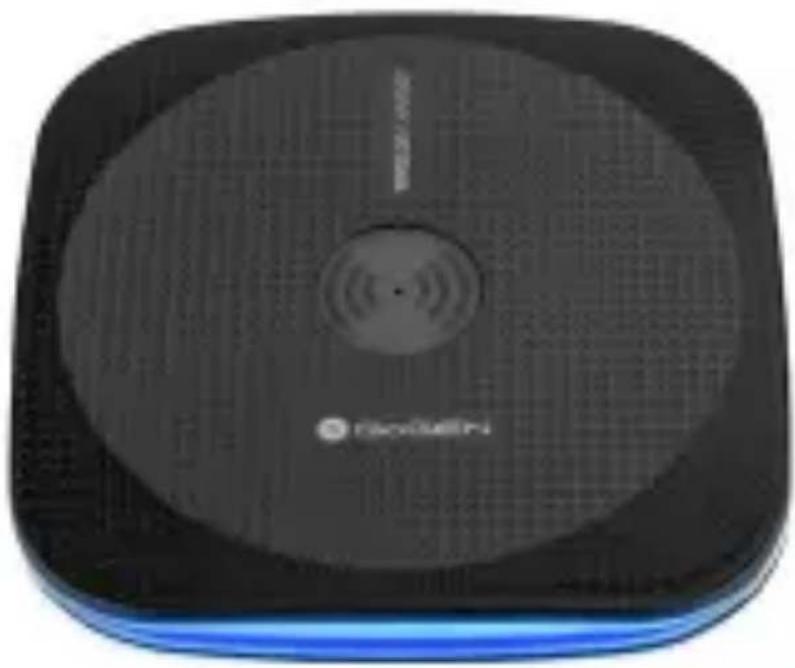
natural_image
Black square electronic device with a circular display and 'RANOSAETI' logo, no visible text or symbols on the device itself.
NÁVOD K POUŽITÍ
NÁVOD NA POUŽITIE
USER MANUAL
HASZNÁLATI UTASÍTÁS
INSTRUKCJA OBSŁUGI
NÁKRES ZAŘÍZENÍ

natural_image
Diagram of a CD or DVD connected to a power plug, showing cable and connector (no text or symbols)CZ-4
natural_image
Illustration of a smartphone and a CD/DVD device with a cable inserted (no text or symbols)CZ
UPOZORNÉNÍ
natural_image
Warning symbol of a lightning bolt inside a triangle (no text or numbers)VAROVÁNÍ: NEVYSTAVUJTE SPOTŘEBIČ DEŠTI NEBO VLHKOSTI ABYSTE PŘEDEŠLI VZNIKU POŽÁRU NEBO ÚRAZU ELEKTRICKÝM PROUDEM. VŽDY SPOTŘEBIČ VYPNĚTE ZE ZÁSUVKY KDYZ JEJ NEPOUŽÍVÁTE NEBO PŘED OPRAVOU. V PŘÍSTROJI NEJSOU ŽÁDNÉ ČÁSTI OPRAVITELNÉ SPOTŘEBITELEM. VŽDY SE OBRACEJTE NA KVALIFIKOVANÝ AUTORIZOVANÝ SERVIS. PŘÍSTROJ JE POD NEBEZPEČNÝM NAPĚTÍM.


NEBEZPEČÍ UDUŠENÍ. PE SÁČEK ODKLÁDEJTE MIMO DOSAH DĚTÍ. SÁČEK NENÍ NA HRANÍ. NEPOUŽÍVEJTE TENTO SÁČEK V KOLÉBKÁCH, POSTÝLKÁCH, KOČÁRCÍCH NEBO DĚTSKÝCH OHRÁDKÁCH.
natural_image
Diagram of a CD or DVD connected to a plug, showing cable and connector (no text or symbols)SK-9

natural_image
Illustration of a smartphone above a circular device with a cable inserted, showing no text or symbols.UPOZORNENIE
natural_image
Warning symbol of a lightning bolt inside a triangle (no text or numbers)VAROVANIE: NEVYSTAVUJTE SPOTREBIČ DAŽĐU ALEBO VLHKOSTI, ABY STE PREDIŠLI VZNIKU POŽIARU ALEBO ÚRAZU ELEKTRICKÝM PRÚDOM. PRED PRAVOU ALEBO VŽDY, KEĐ SPOTREBIČ NEPOUŽIVATE, VYPNITE HO ZO ZÁSUVKY. V PRÍSTROJI NIESÚ ŽIADNE ČASTI OPRAVITELNĚ SPOTREBITELOM. VŽDY SA OBRACAJTE NA KVALIFIKOVANY AUTORIZOVANY SERVIS. SPOTREBIČ JE POD NEBEZPEČNYM NAPĂTÍMJTE NA KVALIFIKOVANY AUTORIZOVANY SERVIS. PRÍSTROJ JE POD NEBEZPEČNYM NAPĚTÍM.


NEBEZPEČENSTVO UDUSENIA. PE VRECKO ODKLADAJTE MIMO DOSAHU DETÍ. VRECKO NIE JE NA HRANIE. NEPOUŽIVAJTE TOTO VRECÚŠKO V KOLÍSKACH, POSTIELKACH, KOČÍKOCHALEBO DETSKÝCH OHRÁDKACH
Thank you for buying our new product. Before the first use of the device, please, read carefully this manual for your safety. We would like to ask you to read all the warnings before using it.
ACCESSORIES
USB cable
TECHNICAL SPECIFICATIONS
Input voltage 5V / 2A
Output power 5W
Charging frequency 110-205 kHz
WARRANTY
Our product is warranted for 2 full year from the date of purchase. The warranty is provided on all material defects and workmanship.
WARNING
EN
IF YOU USE A PACEMAKER OR A SIMILAR MEDICAL DEVICE, CONSULT THE USE OF THIS PRODUCT WITH A DOCTOR.
Always keep a pacemaker more than 22 cm from the wireless charger. Electromagnetic waves of the charger could interfere the pacemaker.
In order to protect persons against injury and damage to property we further give explanation what you should observe:
- Do not immerse the device in water or another liquid. The charger must not get wet.
- Do not handle with the charging adapter if your hands are wet.
• Do not expose the charger to a direct sunshine long. - Do not use or keep the charger in places exposed to high humidity or dustiness.
- Remove regularly dust from the supply adapter.
- When charging do not leave the charger or charged device covered with fabric.
- Do not use supply adapter if it is mechanically damaged.
- Do not use a damaged cable or a cable with the connector, which is not hold firmly in the charger.
- Do not use the travel adapters (for foreign wall outlets) for charging adapter (for foreign countries' wall outlets).
- If you do not use the charger, do not keep the supply adapter in the wall outlet.
• Do not throw this product into fire - Use the charger at temperature -10°C to 40°C.
CHARGING
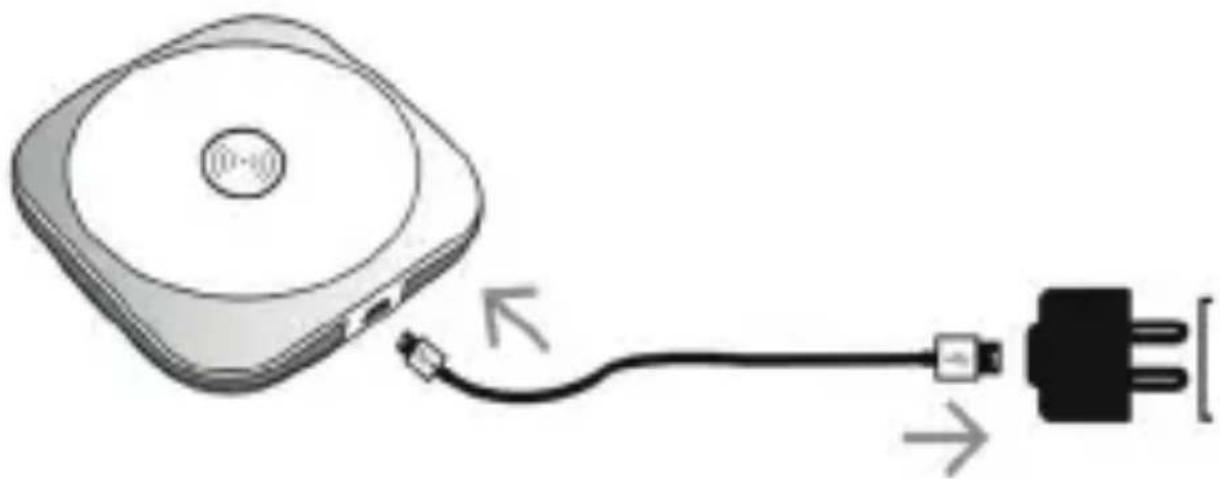
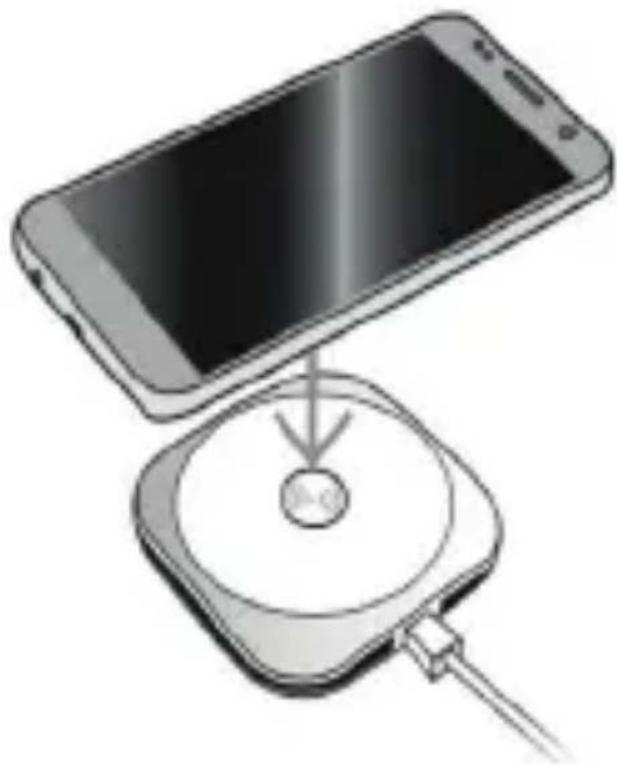
1) Connect USB cable to wireless charger.
Note: Please, make sure that feeder cable is firmly connected to the charger.
2) Connect USB cable to power supply adapter. Connect power supply adapter to wall plug.
3) After connected, the standby LED light in center of charging area turns on red.
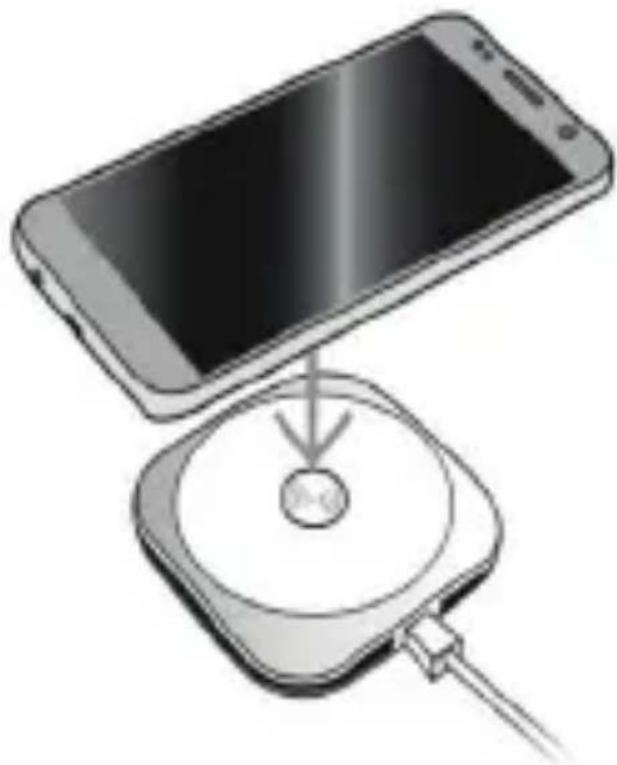
4) Place a supported mobile device in the centre of the charging area. After placing device to the charging area the charging will start automatically and the blue LED light flash slowly.
5) After removal the device from the charging area the wireless charger will turn off automatically and LED light will turns off.
Note: If LED light starts flashing, please move the phone a litter until the LED light will turn on blue again.
natural_image
Diagram of a CD or DVD connected to a plug, showing cable and connector (no text or symbols)EN-14

natural_image
Illustration of a smartphone and a CD/DVD device with a cable inserted (no text or symbols)EN
WARNING
- Do not place any metal object or aluminium stickers on the charger.
• Do not place any objects between the charged device and the charging plate. - Do not place too close to the magnetic stripe or chip card to avoid magnetic failure.
Notes:
- If after completing of charging process the device is not 100% charged, it is not a defect of the charger or device.
- In charging the charger should be placed at least 1m far from a television set or radio receiver.
- Mobile phone cases can interfere charging. If possible take the case away.
WE RESERVE THE RIGHT TO CHANGE TECHNICAL SPECIFICATIONS.

natural_image
Warning symbol of a lightning bolt inside a triangle (no text or numbers)WARNING: DO NOT USE THIS PRODUCT NEAR WATER, IN WET AREAS TO AVOID FIRE OR INJURY OF ELECTRIC CURRENT. ALWAYS TURN OFF THE PRODUCT WHEN YOU DON'T USE IT OR BEFORE A REVISION. THERE AREN'T ANY PARTS IN THIS APPLIANCE WHICH ARE REPARABLE BY CONSUMER. ALWAYS APPEAL TO A QUALIFIED AUTHORIZED SERVICE. THE PRODUCT IS UNDER A DANGEROUS TENTION.


TO AVOID DANGER OF SUFFOCATION, KEEP THE PLASTIC BAG AWAY FROM BABIES AND CHILDREN. DO NOT USE THIS BAG IN CRIBS, BEDS, CARRIAGES OR PLAYPENS. THIS BAG IS NOT A TOY
Disposal of old Electrical & Electronic Equipment (Applicable in the European Union and other European countries with separate collection systems)
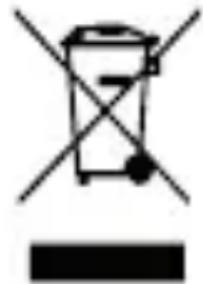
This symbol on the product or on its packaging indicates that this product shall not be treated as household waste. Instead it shall be handed over to the applicable collection point for the recycling of electrical and electronic equipment. By ensuring this product is disposed of correctly, you will help prevent potential negative consequences for the environment and human health, which could otherwise be caused by inappropriate waste handling of this product. The recycling of materials will help to conserve natural resources. For more detailed information about recycling of this product, please contact your local Civic Office, your household waste disposal service or the shop where you purchased the product.
Hereby, ETA a.s. declares that the radio equipment type WCH05CB01 is in compliance with Directive 2014/53/EU. The full text of the EU declaration of conformity is available at the following internet address:
http://www.gogen.cz/declaration_of_conformity
KÉSZÜLÉK LEÍRÁSA

natural_image
Diagram of a CD or DVD connected to a plug, showing cable and connector (no text or symbols)HU-19
HU
natural_image
Illustration of a smartphone and a CD/DVD device with a cable inserted (no text or symbols)FIGYELEM
natural_image
Warning symbol of a lightning bolt inside a triangle (no text or numbers)FIGYELEM: TÜZ VAGY ÁRAMÜTÉS ELKERÜLÉSE ÉRDEKÉBEN NE TEGYE KI A KÉSZÜLÉKET ESÖ VAGY NEDVESSÉG HATÁSÁNAK. HASZNÁLATON KÍVÚL VAGY JAVÍTÁS ELÖTT MINDIG HÜZZA KI A KÉSZÜLÉKET AZ ELEKTROMOS HÁLÓZATBÓL. A KÉSZÜLÉK NEM TARTALMAZ A FELHASZNÁLÓ ÁLTAL JAVÍTHATÓ ALKATRÉSZEKET. MINDIG FORDULJÓN SZAKSZERVIZHEZ. A KÉSZÜLÉK VESZÉLYES FESZÜLTSÉG ALATT VAN.


FULLADÁSVESZÉLY. TARTSAAPE ZACSKÓT GYERMEKEKTÓL ELZÁRTHELYEN. AZACSKÓNEM JÁTÉKSZER. NE HASZNÁLJA EZT A ZACSKÓT BÖLCSÖKBEN, KISÁGYAKBAN, BABAKOCSIKBAN, VAGY GYEREK JÁRÓKÁKBAN.
natural_image
Diagram of a CD or DVD connected to a plug, showing cable and connector (no text or symbols)PL-24

natural_image
Illustration of a smartphone and a CD/DVD device with a cable inserted (no text or symbols)FL
OSTRZEŻENIA
natural_image
Warning symbol of a lightning bolt inside a triangle (no text or numbers)OSTRZEŻENIE: ABY UNIKNĄĆ NIEBEZPIECZEŃSTWA POŻARU LUB PORAŻENIA PRADEM ELEKTRYCZNYM, NIE WOLNO WYSTAWIAĆ SPRZĘTU NA DZIAŁANIE DESZCU BADŹ WILGOCI. URZĄDZENIE ODBIORCZE ZAWSZE WYŁĄCZYĆ Z GNIAZDKA, KIEDY NIE JEST UŻYWANE LUB PRZED NAPRAWA. W URZĄDZENIU NIE MA ŻADNYCH CZEŚCI, KTÓRE BY MÓGŁ ODBIORCASAMODZIELNIE NAPRAWIAĆ.NAPRAWĘ SPRZĘTU NAŁEŻY ZLECIĆ ODPOWIEDNIO PRZYGOTOWANEMU SERWISU AUTORYZACYJNEMU. URZĄDZENIE ZNAJDUJE SIE POD NIEBEZPIECZNYM NAPIĘCIEM..


NIEBEZPIECZEŃSTWO UDUSZENIA. TOREBKE Z PE POŁOŻYĆ W MIEJSCU BĘDĄCYM POZA ZASIĘGIEM DZIECI. TOREBKA NIE SŁUŻY DO ZABAWY! TEGO WORKA NIE NALEŻY UŻYWAĆ W KOŁYSKACH, ŁÓŻECZKACH, WÓZKACH LUB KOJCACH DZIECIĘCYCH.
natural_image
Abstract black and white geometric logo with a stylized 'S' or wave-like shape inside a circle (no text or symbols)GoGEN
www.GoGEN.cz


Brand : GoGen
Model : WCH05CB01
Category : Mobile Device Charger