PRV65OPT - Monitor Primeview - Free user manual and instructions
Find the device manual for free PRV65OPT Primeview in PDF.


| Product Type | 65-inch LED Professional Monitor |
| Brand | Primeview |
| Model | PRV65OPT |
| Screen Size | 65 inches (diagonal) |
| Resolution | 3840 x 2160 (4K UHD) |
| Panel Type | LED-backlit LCD |
| Aspect Ratio | 16:9 |
| Brightness | 500 cd/m² (typical) |
| Contrast Ratio | 4000:1 (typical) |
| Viewing Angle | 178° horizontal / 178° vertical |
| Refresh Rate | 60 Hz |
| Input Interfaces | HDMI (2), DisplayPort (1), VGA (1), USB 2.0 (2), RS232 (1), Audio In (1) |
| Output Interfaces | Audio Out (1), Speaker (2 x 10W) |
| Built-in Speakers | Yes, 2 x 10W |
| VESA Mount | Standard 400 x 400 mm |
| Dimensions (W x H x D) with stand | 1465 x 895 x 300 mm |
| Dimensions (W x H x D) without stand | 1465 x 845 x 80 mm |
| Weight (with stand) | 28.5 kg |
| Weight (without stand) | 26.0 kg |
| Power Consumption (typical) | 180 W |
| Power Supply | AC 100-240 V, 50/60 Hz |
| Standby Power | < 0.5 W |
| Operating Temperature | 0°C to 40°C |
| Cleaning Instructions | Use a soft, dry, lint-free cloth. Do not use liquid cleaners or abrasive substances. |
Frequently Asked Questions - PRV65OPT Primeview
User questions about PRV65OPT Primeview
0 question about this device. Answer the ones you know or ask your own.
Ask a new question about this device
Download the instructions for your Monitor in PDF format for free! Find your manual PRV65OPT - Primeview and take your electronic device back in hand. On this page are published all the documents necessary for the use of your device. PRV65OPT by Primeview.
USER MANUAL PRV65OPT Primeview
ADVANCED DISPLAY SOLUTIONS
PRV650PT
65" 1080P 120Hz LCD Touch Screen Monitor

natural_image
Desktop computer displaying a scenic mountain lake with reflection, no visible text or symbols on the image itself.Primeview's OPT line utilizes the best technologies to provide a professional LCD touch screen with the most sensitive optical touch technology on the market. Fitted with a professional metal bezel this monitor is truly top of the line.
Highlights
- New 65" LCD for professional environments
• Built in protective (tempered) glass
• Digital Information Display
• Optical Touch Screen
- Upgraded power supply for long term reliability
• 1080P screen with native 1920 x 1080 resolution
• RS232 – For professional setup
• 16:9 Aspect Ratio
PRIMEVIEW
ADVANCED DISPLAY SOLUTIONS
PRV650PT
65" 1080P 120Hz LCD Touch Screen Monitor
| Panel | Applied Panel | 65” DID LCD 120Hz |
| Aspect Ratio | 16:9 | |
| Resolution | 1920 x 1080 | |
| Color Depth | 8 bit color (16,256 Color Palette) | |
| Brightness | 500 cd/m2 | |
| Viewing Angle | 178° / 178° | |
| Contrast Ratio | 4000:1 | |
| Response Time | 5.5ms (gray to gray) | |
| Connectivity | DVI-1 | Digital / Analog DVI (3.5mm JACK Stereo) |
| Component | Y-Cb/Pb-Cr/Pr RCA (with L/R RCA audio) | |
| HDMI | High Definition Multimedia Input | |
| RS232-C | Control input | |
| Composite Video | RCA composite video input (with L/R RCA audio) | |
| S - Vidco | S – Vidco input (with L/R RCA audio) | |
| Supply Voltage | AC 110 V - 240 V (60/50 Hz) | |
| Power Consumption | 450W | |
| Optical Touch | Via USB, see specs below | |

natural_image
Illustration of a red apple, a golden pear, and a banana with a green leaf, all against a plain background (no text or symbols)
natural_image
Exterior view of the Great Pyramids of Giza under a clear blue sky, with no visible text or symbols on the pyramids themselves.PRIMEVIEW
ADVANCED DISPLAY SOLUTIONS
PRV65OPT
65" 1080P 120Hz LCD Touch Screen Monitor
| Characteristics | Conditions | Min | Typ. | Max | Units | ||
| Electrical | |||||||
| Supply Voltage (USB supplier) | 4.9 | 5.0 | 6 | V | |||
| Supply Current | 90mA | mA | |||||
| Power Dissipation | Normal Mode idle Mode | 460 100 | mW | ||||
| Environment | |||||||
| Temperature | Operation Storage | -40 -55 | +70 +125 | °C | |||
| Humidity | 10 | 90 | % | ||||
| ESD | Contact discharge Air discharge 15 kV | 8 15 | KV KV | ||||
| General | |||||||
| Resolution | 9 | M | |||||
| Touch accuracy | 1 | 0.5 | 0.3 | mm | |||
| Frame Rate | 100 | Hz | |||||
| Response latency | 20 | ms | |||||
| lifetime | 50,000 | Hours | |||||
| Transparency (with glass) | 92% | ||||||
| Haze | 0% | ||||||
| Clarity | 100% | ||||||
| Interface | USB-HID-standard mouse | ||||||
| USB / Serial connectivity with drivers - NOW WITH DUAL TOUCH CAPABILITIES | |||||||

natural_image
Exterior view of the Eiffel Tower at dusk with illuminated arches and purple sky (no signage)
flowchart
graph TD
    A["Top Section"] --> B["Left Column"]
    B --> C["Right Column"]
    C --> D["Bottom Section"]
    D --> E["Left Column"]
    E --> F["Right Column"]
    F --> G["Bottom Section"]
    G --> H["Left Column"]
    H --> I["Right Column"]
    I --> J["Bottom Section"]
    J --> K["Left Column"]
    K --> L["Right Column"]
    L --> M["Bottom Section"]
    M --> N["Left Column"]
    N --> O["Right Column"]
    O --> P["Bottom Section"]
    P --> Q["Left Column"]
    Q --> R["Right Column"]
    R --> S["Bottom Section"]

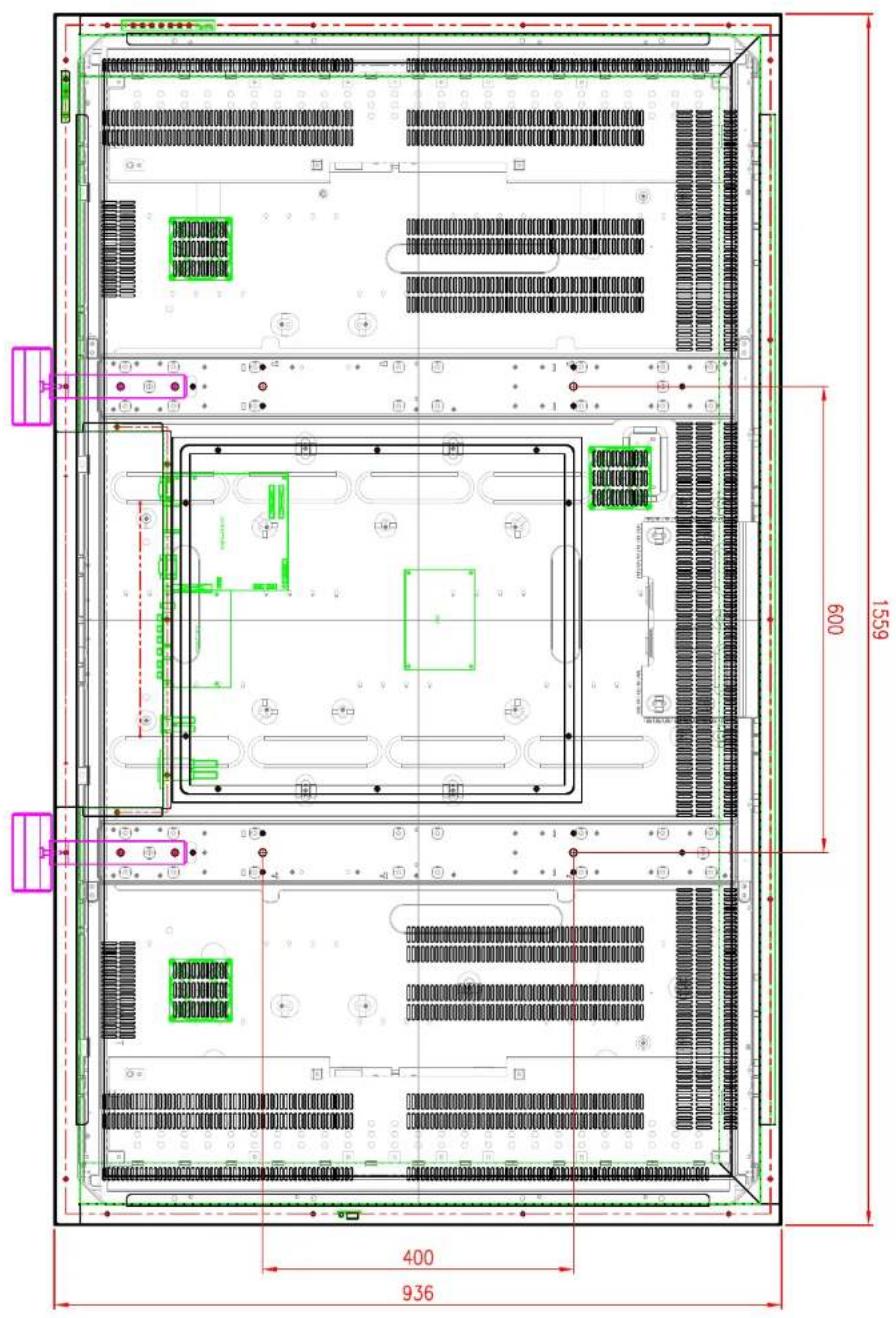

natural_image
Pure schematic diagram of a vertical structure with internal components and no text or symbols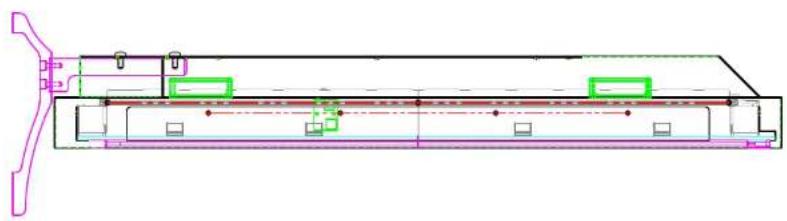
natural_image
Technical schematic of a mechanical assembly with no visible text or symbolsBrand : Primeview
Model : PRV65OPT
Category : Monitor