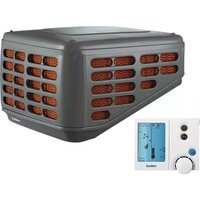
KL22 - Air conditioner Kaden - Free user manual and instructions
Find the device manual for free KL22 Kaden in PDF.


| Product Type | Portable Air Conditioner |
| Brand | Kaden |
| Model | KL22 |
| Cooling Capacity | 12,000 BTU |
| Energy Efficiency Ratio (EER) | 10.5 |
| Power Supply | 220-240V ~ 50Hz |
| Power Consumption (Cooling) | 1150W |
| Refrigerant | R410A |
| Airflow (High Speed) | 400 m³/h |
| Noise Level (Low/High) | 45/55 dB(A) |
| Dimensions (W x D x H) | 45 x 35 x 70 cm |
| Net Weight | 25 kg |
| Operating Modes | Cool, Dehumidify, Fan, Sleep |
| Timer | 24-hour programmable |
| Remote Control | Yes (included) |
| Air Filter Type | Washable pre-filter |
| Filter Cleaning Interval | Every 2 weeks |
| Self-Evaporating System | Yes |
| Installation Kit Included | Exhaust hose, window bracket |
| Safety Features | Auto shut-off, overload protection |
| Warranty | 1 year |
Frequently Asked Questions - KL22 Kaden
User questions about KL22 Kaden
0 question about this device. Answer the ones you know or ask your own.
Ask a new question about this device
Download the instructions for your Air conditioner in PDF format for free! Find your manual KL22 - Kaden and take your electronic device back in hand. On this page are published all the documents necessary for the use of your device. KL22 by Kaden.
USER MANUAL KL22 Kaden
The Manual Wall Control requires you to manually control Pump (and Pre-Wet cycle) operations, fan operation and the fan speed. On days of high humidity for ventilation the fan may be operated without operating the pump.
To run the Cooler
- Push the ON/OFF button (1) to turn the controller ON, the Power indicator (2) will illuminate.
- Slide the COOL switch (3) to the ON position. This will operate the pump.

After sliding the COOL switch (3) ON allow 5–10 minutes to Pre-Wet the filter pads before sliding the FAN switch (4) ON. Doing this will provide for the maximum cooling immediately when the fan is switched ON.
- Slide the FAN switch (4) to the ON position.
- Rotate the FAN SPEED dial (5) to set the desired airflow level.
To turn OFF
- Push the ON/OFF button (1) to turn the controller OFF, the Power indicator (2) will go out.
To run the Fan for ventilation
- If already cooling, slide the COOL switch (3) to the OFF position, this will turn off the pump and use the fan for ventilation only.
OR
- When OFF, push the ON/OFF button (1) to turn the controller ON, the Power indicator (2) will illuminate.
- Slide the Fan switch (4) to the ON position.
- Rotate the Fan Speed dial (5) to set the desired airflow level.
Brand : Kaden
Model : KL22
Category : Air conditioner