
4560 CORE - Microphone DPA - Free user manual and instructions
Find the device manual for free 4560 CORE DPA in PDF.


| Product Type | Condenser Microphone |
| Brand | DPA |
| Model | 4560 CORE |
| Category | Microphone |
| Dimensions | Length: 42 mm, Diameter: 5.4 mm |
| Weight | 7.5 g (0.26 oz) |
| Power Requirement | 48V Phantom Power (P48) |
| Frequency Response | 20 Hz - 20 kHz |
| Polar Pattern | Omnidirectional |
| Maximum SPL | 136 dB SPL peak |
| Dynamic Range | > 100 dB |
| Impedance | 32 Ω |
| Connector Type | MicroDot (compatible with DPA adapters) |
| Key Features | CORE amplifier technology, compact design, low distortion, compatible with various adapters |
| Material | Steel and reinforced plastic |
| Finish | Matte black |
| Maintenance | Clean with soft cloth; mild detergent if needed. Avoid solvents. |
| Safety Precautions | Keep dry; avoid extreme temperatures. Turn off phantom power before connecting/disconnecting. |
| Spare Parts | Replacement grilles, MicroDot cables, windscreens, adapters |
| Repairability | Serviceable by authorized DPA service centers |
| General Information | Professional miniature microphone suitable for broadcast, film, theater, and live sound. |
Frequently Asked Questions - 4560 CORE DPA
User questions about 4560 CORE DPA
0 question about this device. Answer the ones you know or ask your own.
Ask a new question about this device
Download the instructions for your Microphone in PDF format for free! Find your manual 4560 CORE - DPA and take your electronic device back in hand. On this page are published all the documents necessary for the use of your device. 4560 CORE by DPA.
USER MANUAL 4560 CORE DPA
4560 CORE Binaural
Headset Microphone
User's manual
dpamicrophones.com/4560
Introduction
Congratulations on your new 4560 CORF Binaural Headset Microphone.
Immersive sound is an emerging market and there are many possible uses for the 4560 CORE Binsural Headset, Microphone. The 4560 is an appealing solution for applications such as sound system documentation, soundscape analysis, sound quality assessment, as well as sound for theatrical productions, podcasts and gaming.
The 4560 is made from a handpicked stereo pair of 4060 Miniature Omnidirectional Microphones. With the use of our head and ears as natural spacers/shadows and reflectors we can create a sonic 3D print of the sound around us. This is based on the theory of the HRTE, which also means that the recorded materia must be listened to via headphones or converted to a relevant 3D format that includes the height information.
Learn more: dpamicrophones.com/binaural-recording-techniques

core by DPA
The two 4060 mics are mounted on a flexible, unobtrusive headset, which is ergonomically designed to fit comfortably. The headset adjusts easily to fit any ear size as well as head shape.

natural_image
Pair of black headsets with coiled cable and connectors, no visible text or symbolsGetting started Adjusting frame size

natural_image
Close-up of medical stethoscope and two black oval objects on a white background (no text or symbols visible)Two sizes of foam windscreens are supplied with the 4560 to secure the mics' position in the ears and to offer extra damping of wind noise. Gently place the desired size onto the microphones.

natural_image
Close-up of hands holding a black cable with a white arrow pointing to it (no text or symbols visible)Before adjusting the frame size, you need to loosen the braided sleeving covering the cable. Remove the clothing clip, grab the bottom of the sleeving and pull it gently upwards, smoothing it up the entire length of the cable to make it loose at the top.

natural_image
Two-step diagram showing hands holding a cable with circular connectors, connected by arrows to a car (no text or symbols)To increase the frame size, hold the cable and frame behind the earhooks and slowly pull the ear hooks away from each other to the desired size.
To decrease the frame size, hold the coils on the headset frame and slowly pull the coils away from each other to the desired size. After making the frame adjustments, starting from the top, smooth the entire braided sleeving back down the cable. Replace the clothing c.p.
Cube management and additional adjustment, options see dpa-microphones.com/4560

natural_image
Close-up of a mechanical component with a curved handle and circular end (no visible text or symbols)Place the microphones gently in your car canals. They should not be pressed lightly into the ears because this might affect the sound.

natural_image
Close-up grayscale photo of a human face with earphones and nose (no text or symbols visible)Make sure the carhooks sit comfortably and securely around the ears.
Adjusting the cableMounting on the head

natural_image
Close-up of a black plastic connector with wires, no visible text or symbolsTo make sure the microphones stay in place, use the clothing clip. This relieves the weight of the cable on the headset.

natural_image
Close-up of a person's neck and shoulder with a coiled cable, no visible text or symbolsMake a little loop with the cable so there is enough slack to turn your head from side to side.
Connecting the 4560

The 4560 needs bias voltage (DC supply) and connects to any audio device (like the MMA A Digital Audio Interface) or transmitter via MicroDot connections. Please note: The white MicroDot corresponds to the mic with the white marker (near the car).

natural_image
Close-up of a black medical or laboratory tool with a coiled metal loop (no text or symbols visible)Make sure you correctly plug the connections into the right/left device inputs. (If the mix with the white marker is in your right ear, the white connection should be plugged into the right input.)
Specifications
Directional pattern
Omnidirectional
Cartridge type
Pre polarized condenser
Effective frequency response
20 Hz - 20 kHz
Sensitivity, nominal ±3 dB at 1 kHz
20 mVPa; -34 dB rc. 1 VPa, ±1.5 dB pair
Equivalent noise level, A-weighted
Typ. 23 dB(A) re. 20 μPa (max. 26 dB(A))
Distortion, THD < 1%
26 dB SPL RMS, 129 dB SPL peak
Dynamic range
105 dB
Max. SPL, THD 10%
134 dB SPL peak
Connector
MicroDo.

line
| X-Axis Label | Y-Axis Value | | :--- | :--- | | 21.4.08.15:20 | 0 | | 30 | 0 | | 10a-2 | 0 | | 12a | 0 | | 17a | 0 | | 40 | -1 |Typical frequency response
Polar patternFrequency response

Foam windbnatural
FILK5318
Foam windsteers

714059

Advers for MinaCal in 3-pie X1R
DADSCOL-BC
Cp,104

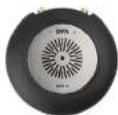
MMA.A
Digital Audio interface
Cuiwai
General maintenanceAccessories
This headset: microphone is resistant to high levels of humidity and water. For optimal performance, the microphone capsule should be kept dry. Keep the microphone away from cleaning fluids. Do not use sprays or fluids containing chemicals that could remove static electricity on or close to the microphone. Doing this could cause permanent damage.
Only demineralized water should be used when rinsing the microphone capsule. Afterwards, the microphone should be left to air-dry.
Please refer to our instructions and videos explaining the cleaning process.
dpamicrophones.com/wash-miniature

1 W:095F 6K3
Warranty
The 4560 Binaural Headset Microphone is covered by a two-year limited warranty.
Service & repair
If you are not satisfied with the characteristics exhibited by this product, please contact your nearest DPA Microphones representative for support.
CE marking
This product conforms to all relevant directives approved by the European Commission.
Product features and specifications are subject to change without notice.

© Copyright 2019

dpa microphones.com/4560
Brand : DPA
Model : 4560 CORE
Category : Microphone