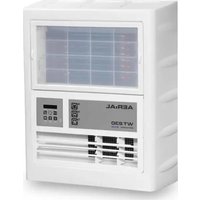
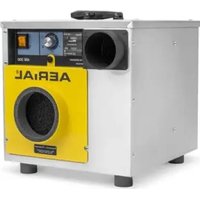
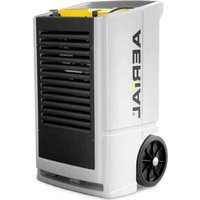
SD 2 - Dehumidifier Aerial - Free user manual and instructions
Find the device manual for free SD 2 Aerial in PDF.


| Product Type | Dehumidifier |
| Brand | Aerial |
| Model | SD 2 |
| Dimensions (H x W x D) | 50 x 30 x 25 cm |
| Weight | 5 kg |
| Power Supply | 220-240 V ~ 50 Hz |
| Power Consumption | 25 W |
| Water Tank Capacity | 1.5 L |
| Dehumidification Capacity | 10 L/day (at 30°C, 80% RH) |
| Air Flow | 100 m³/h |
| Noise Level | ≤ 40 dB(A) |
| Refrigerant | R-290 |
| Operating Temperature Range | 5°C - 35°C |
| Main Functions | Automatic defrost, full tank indicator, adjustable humidistat, continuous drainage option |
| Filter Type | Washable anti-dust filter |
| Maintenance | Clean filter every 2 weeks; clean water tank with mild detergent regularly |
| Safety Features | Automatic shut-off when tank full, thermal overload protection |
| Spare Parts | Filter, water tank, continuous drain hose (optional) |
| Repairability | Replaceable filter and tank; professional repair recommended for refrigeration system |
Frequently Asked Questions - SD 2 Aerial
User questions about SD 2 Aerial
0 question about this device. Answer the ones you know or ask your own.
Ask a new question about this device
Download the instructions for your Dehumidifier in PDF format for free! Find your manual SD 2 - Aerial and take your electronic device back in hand. On this page are published all the documents necessary for the use of your device. SD 2 by Aerial.
USER MANUAL SD 2 Aerial
natural_image
Exterior view of a battery pack assembly with labeled components (no readable text or symbols)This instruction manual shall not be reproduced, copied and distributed, neither in parts nor completely, without the manufacturer's written permit.
All rights reserved
The instruction manual is based on the technical and product-specific parameters. The manufacturer reserves the right to add supplementary information to the instruction manual.
Using a device outside the specified conditions and contrary to its designated use will lead to the forfeiture of all warranty claims.
As of: 01_2016
CONTENTS
1 Notes on this instruction manual ____ 2
Target groups 2
Conventions 2
Designated use 3
2 Safety 3
Safety devices 3
Hazards from accessories 4
Authorised operator ____ 4
User 4
Safety instructions 4
3 Construction 5
4 Transport and installation ____ 6
Transport 6
Scope of delivery 6
Operating conditions 6
Installation 6
5 Operation and operator control ____ 7
6 Maintenance and service 8
Filter change 8
7 Troubleshooting 9
Storage 9
Disposal 9
8 Specifications 9
1 Notes on this instruction manual
This instruction manual is part of the product. It contains all important information on how to transport, install, operate, store and dispose of the device from AERIAL properly and safely. Therefore keep this instruction manual in a safe place.
Target groups
This instruction manual addresses the users and operators of the devices manufactured by AERIAL. They must have read and understood the instruction manual. The physical and psychological preconditions for proper and safety-conscious handling of the devices must always be guaranteed.
Conventions
Warnings
In this instruction manual you will find information intended to warn you of possible hazards at the beginning of a specific action.

DANGER
Type and source of hazard
This symbol in connection with the signal word "DANGER" refers to a life-threatening situation. Failure to observe this warning will result in serious, fatal injury.
This arrow marks precise steps to avert danger which must always be performed.

WARNING
Type and source of hazard
This symbol in connection with the signal word "WARNING" refers to a dangerous situation. Failure to observe this warning can result in life-threatening injury and death.
This arrow marks precise steps to avert danger which must be performed.

CAUTION
Type and source of hazard
This symbol in connection with the word "CAUTION" warns of minor or moderate injury and potential material damage.
Measures to prevent personal injury or material damage are described here.

In this box you find tips and information concerning the use of the device.
Designated use
The sound absorber SD2 is intended to be used as additional equipment to minimise the noise of side channel compressors and noise boxes during drying of the screed insulation layer using a vacuum technique.
The sound absorber SD2 is designed exclusively for use at atmospheric pressure. Operating the adsorption dryers within the limits of designated use also involves observing the specified operating conditions (refer to page66). Any use of the device going beyond the designated use specified above is considered contrary to its designated use.
Misuse is concerned if the sound absorber SD2 is used for purposes not included in designated use. In these cases the manufacturer does not assume any liability for personal and material damage.
2 Safety
Safety devices
The sound absorber SD2 was subjected to thorough safety testing. Improper operation or misuse will cause danger to
the operator,
■ the machine and other material property of the user,
■ efficient operation of the machine.
All persons involved in the installation, commissioning, operation, maintenance and servicing of the devices must
■ be properly qualified,
- closely observe the instructions set out in this manual.
Hazards from accessories
Air hoses and air filters must be properly installed, and must not disable the protection devices of the SD2. The operating elements must always be accessible.
Authorised operator
The sound absorber SD2 may only be operated by persons commissioned and instructed by the user. In the working area the operator is responsible to third parties. For all activities on the device the responsibilities must be clearly defined and observed. Unclear competences are a safety risk.
User
The user must
■ make the instruction manual accessible to the operator,
■ make sure that the operator has read and understood the instruction manual.
Safety instructions
The devices must not be used under the following conditions:
in rooms with potentially explosive atmospheres
in rooms with aggressive atmospheres, e.g. ammonia, wood acids.
in rooms with water with a pH value outside the range from 4 to 9.
In rooms with salt or liquids with a salt content > 1%.
in rooms with high solvent concentration
■ in rooms with extreme dust load
In addition the following must be observed when using the sound absorber SD2:
■ Original spare parts or spare parts approved by the manufacturer shall exclusively be used.
3 Construction
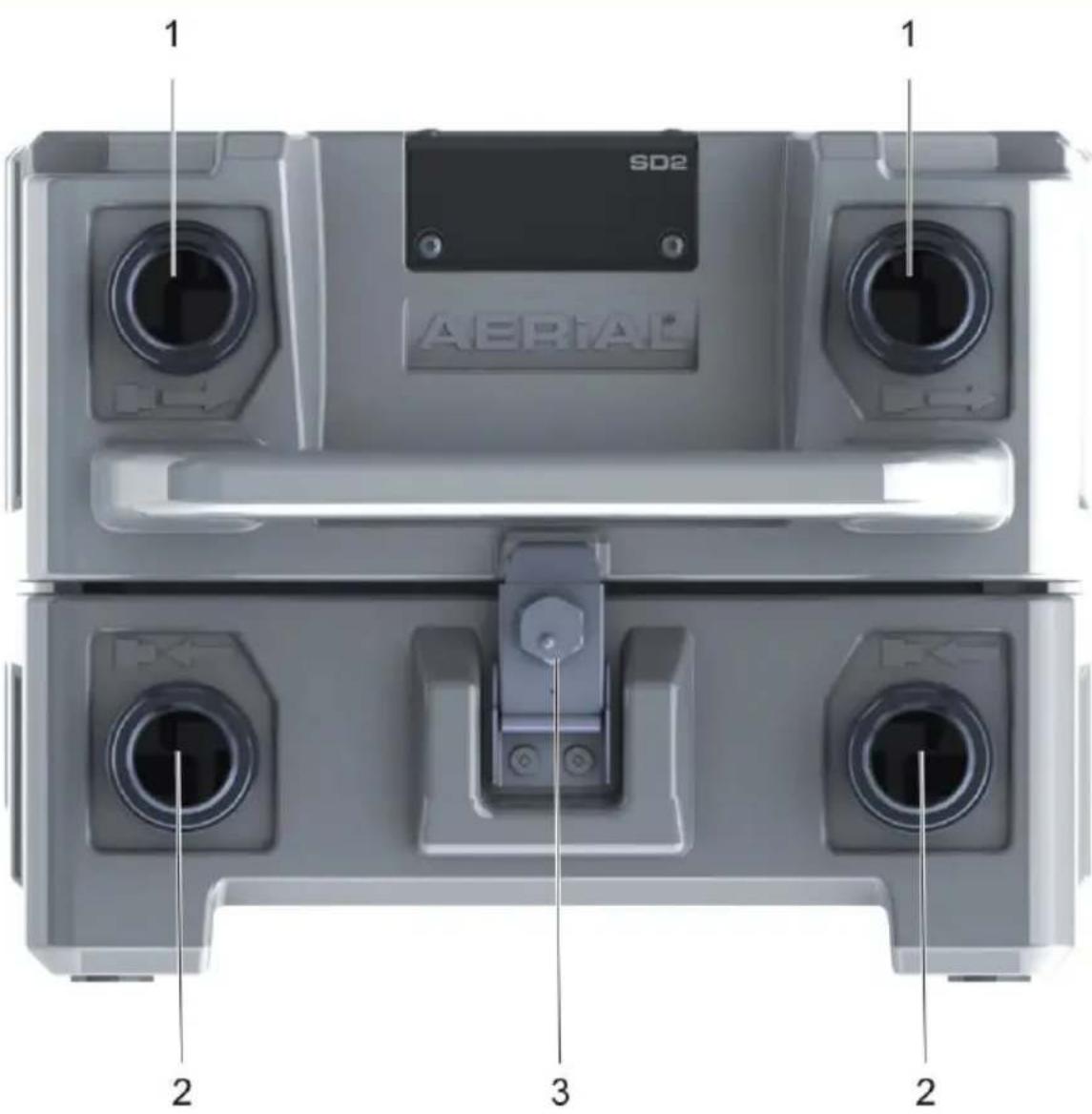
Fig. 1: AERIAL sound absorber series SD2 - overview
| 1 | Outlet side connection pipe∅38/∅50 mm or ∅50 pipe | 3 | Tension lock |
| 2 | Intake side connection pipe∅38/∅50 or ∅50 pipe | not shown: screw cap |
Optionally the sound absorber SD2 is provided with an integrated, exchangeable active carbon filter. It has no separate fan, and is used
exclusively in connection with a side channel compressor, the noise box VP2/VP3 or a similar device.
4 Transport and installation
Transport
- Remove the packaging material completely and dispose of according to the local regulations.
- Check the delivery for completeness.
- Use the handle in the cover or the two handle recesses in the bottom to transport the sound absorber SD2 to the place of installation.
Scope of delivery
Sound absorber SD2 (4x tube connector, 2x screw cap, 6x gasket)
■ One instruction manual
Operating conditions
The sound absorber SD2 is designed for use with a side channel compressor or the noise box VP2/VP3 as additional equipment to minimise the noise during drying of the screed insulation layer using a vacuum technique. It works without problems in the temperature range from -10 °C to +40 °C.
natural_image
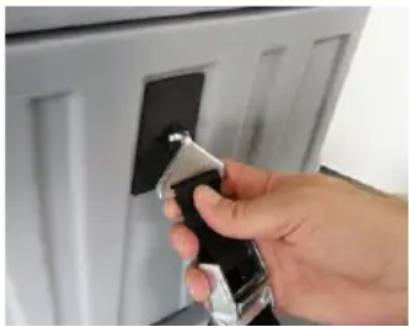
Hand holding a handheld device with a black clip, next to a white door frame (no visible text or symbols)Fig. 2: Fixing points for belt system
Installation
The devices can be stacked, and are provided with fixing points for a belt system on the right and left.
5 Operation and operator control
Danger of injury and damage to appliance
Inadmissible ambient conditions and improper operation of the device may constitute a risk.
Read the instruction manual before commissioning the sound absorber SD2.
In the vacuum mode: Connect the pressure connection of the side channel compressor or of a noise box (VP2/VP3) via a hose with the connection on the intake side (see fig. 1.2). Optionally you can insert an active carbon filter into the sound absorber for neutralising the odour.
In the pressure mode: Connect the suction connection of the side channel compressor or of a noise box (VP2/VP3) via a hose with the connection on the outlet side (see fig. 1.1). Optionally you can insert an air filter into the sound absorber to protect the side channel compressor from soiling.
6 Maintenance and service
Filter change

Damage to the device
Cleaning agents can cause damage to surfaces.
→ Use only mild detergents.
The cleaning intervals depend largely on the operating conditions. Therefore check your sound absorber SD2 after each drying operation.
In order to guarantee trouble-free functioning of the device it must be regularly cleaned, and in particular the active carbon filter or air filter must be checked at regular intervals. Proceed as follows:
natural_image
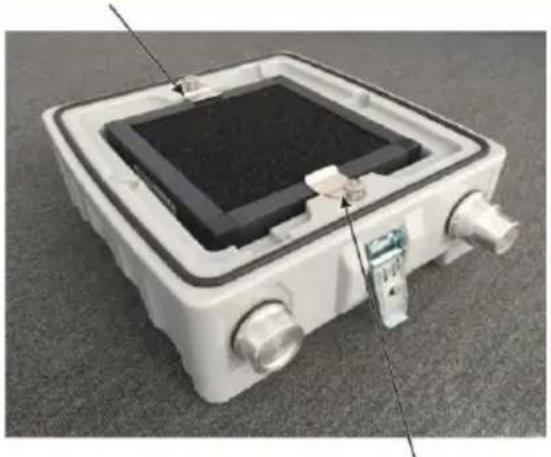
White rectangular electronic device with black top and multiple ports, mounted on a gray surface (no visible text or symbols)Fig. 3: Active carbon filter with knurled screws
natural_image
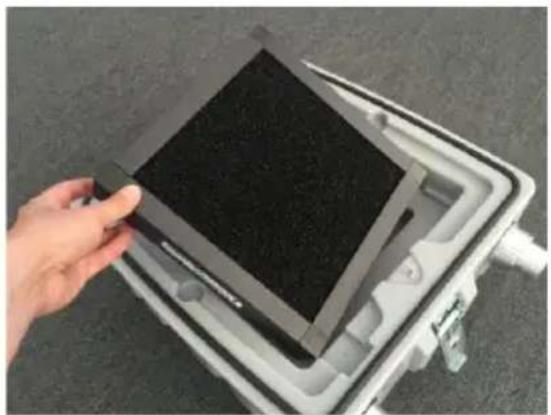
Hand holding a black rectangular device inside a white plastic tray (no visible text or symbols)Fig. 4: Changing the active carbon filter
The active carbon filter is fixed with knurled screws (see arrows). Loosen and remove knurled screws, as required.
■ Remove and exchange active carbon filter (see fig. 4).
- Insert new active carbon filter or air filter. Use only original filters to guarantee proper functioning of the sound absorber SD2.
■ Clean casing on the outside with a moist cloth.
7 Troubleshooting
Storage
Store the sound absorber SD2 in conformity with the specified safety instructions (see page 4).
Disposal
natural_image
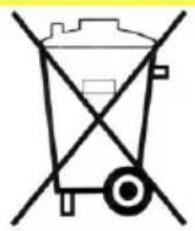
Simple line drawing of a wheel with diagonal lines crossing it, no text or symbols presentPlease do not dispose of this device with the domestic waste. Dispose of the device in accordance with the legal regulations.
8 Specifications
| General data | ||
| Operating conditions | -10 °C to +40 °C | |
| Type | Unit | SD2 |
| Air circulation rate | cbm/h | up to 300 |
| DimensionsH x W x D | mm | 300/390/490 |
| Weight | kg | 6 |
Händlerstempel:
AERIAL®
THE DRYING EXPERTS
Dantherm GmbH
Oststrasse 148 · D-22844 Norderstedt
Phone 0049 (0) 40 526 879 0 · Telefax 526 879 20