
EO 6474 BG - Oven LERAN - Free user manual and instructions
Find the device manual for free EO 6474 BG LERAN in PDF.


Pick your language and provide your email: we'll send you a specifically translated version.
| Product Type | Electric Oven |
| Brand | LERAN |
| Model | EO 6474 BG |
| Dimensions (H x W x D) | 595 x 595 x 550 mm |
| Weight | 32 kg |
| Power Supply | 220-240 V ~ 50/60 Hz |
| Total Power Consumption | 2.8 kW |
| Energy Class | A |
| Oven Capacity | 70 L |
| Temperature Range | 50 °C – 250 °C |
| Cooking Functions | Conventional, Fan-assisted, Grill, Defrost |
| Timer | Digital, up to 120 minutes |
| Display | Digital LED |
| Interior Material | Enamel |
| Cleaning | Easy-clean enamel interior |
| Safety Features | Child lock, Cool touch door |
| Spare Parts & Repairability | Use only original parts; repair by authorized service |
| Warranty | 2 years |
Frequently Asked Questions - EO 6474 BG LERAN
How do I preheat the oven?
Turn the function selector to the desired mode (e.g., fan-assisted) and set the temperature using the thermostat knob. Wait until the indicator light goes out, indicating the set temperature is reached.
What should I do if the oven does not heat?
Check that the oven is plugged in and the circuit breaker is on. Ensure the timer is set (if digital). If it still doesn't heat, contact an authorized service center.
How do I clean the oven?
Allow the oven to cool completely. Remove racks and trays. Wipe interior with a damp cloth and mild detergent. Avoid abrasive cleaners. The enamel interior is easy to clean.
Can I use aluminum foil in the oven?
Yes, but do not cover the heating elements or the bottom of the oven. Use it only on trays or dishes to avoid heat reflection and damage.
How do I set the timer?
Press the timer button, then use the +/- buttons to set the desired time. The oven will automatically switch off after the set time expires.
What is the maximum weight I can place on the oven shelf?
Each shelf can support up to 15 kg. Do not exceed this limit to avoid damage.
How do I replace the oven light bulb?
Disconnect the oven from power. Remove the glass cover by turning it counterclockwise. Replace with a 25W, 300°C resistant bulb. Refit the cover.
Why is the oven door hard to open?
This is normal after cooking as the door seal expands. Wait a few minutes for the oven to cool slightly before opening.
Can I use the oven with a timer delay?
Yes, you can set both cook time and end time using the timer functions. Refer to the manual for detailed instructions.
What do the symbols on the control panel mean?
The symbols represent different cooking functions: a fan for convection, a grill symbol for grilling, a light bulb for interior light, etc. See the manual for a complete list.
User questions about EO 6474 BG LERAN
0 question about this device. Answer the ones you know or ask your own.
Ask a new question about this device
No questions yet. Be the first to ask one.
Download the instructions for your Oven in PDF format for free! Find your manual EO 6474 BG - LERAN and take your electronic device back in hand. On this page are published all the documents necessary for the use of your device. EO 6474 BG by LERAN.
USER MANUAL EO 6474 BG LERAN

natural_image
Diagram of a door frame with arrows indicating direction, no text or symbols present
natural_image
Diagram showing a screw and a circular component with a dot, enclosed in a dashed circle (no text or symbols)natural_image
Pure technical line drawing of a rectangular metal frame with diagonal bracing (no text or symbols)Решетка
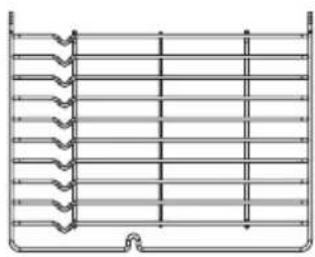
natural_image
Pure technical diagram of a heat exchanger or cooling unit with no text, numbers, or symbolsНаправляющие

natural_image
Technical line drawing of a rectangular frame with internal hexagonal structure (no text or symbols)Противень
natural_image
Technical line drawing of a mechanical oven or enclosure with internal compartments and housing (no text or symbols)или
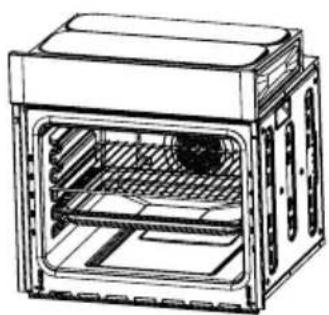
natural_image
Technical line drawing of a multi-tiered oven or storage unit with internal shelves and ventilation ducts (no text or symbols)
natural_image
Technical line drawing of a mechanical component with an arrow indicating direction (no text or symbols present)natural_image
Pure technical line drawing of a rectangular device with two internal compartments and a top panel, no text or symbols present.natural_image
Simple line drawing of a mechanical component with a circular arrow indicating rotation (no text or symbols)natural_image
Diagram of a car seatbelt mechanism with a black arrow indicating clockwise motion (no text or symbols)Рисунок 1

natural_image
Diagram of a door frame with an 15-degree angle indicator and directional arrows (no text or symbols)Рисунок 2

natural_image
Illustration of two hands exchanging an open book with arrows pointing upward (no text or symbols)Рисунок 3

Рисунок 4

natural_image
Abstract 3D diagram of layered rectangular blocks with a black arrow pointing upward (no text or symbols)Рисунок 5

natural_image
Technical diagram showing a mechanical assembly with a highlighted component (no text or symbols present)
natural_image
Diagram of a wall-mounted panel with 30-degree angle标注, showing directional arrows (no text or symbols beyond the angle marker)
natural_image
Line drawing of a rectangular frame with decorative corner legs (no text or symbols)
natural_image
Pure technical diagram of a mechanical component with no text, numbers, or symbols
natural_image
Pure technical line drawing of a mechanical component or frame structure without any text, numbers, or symbolsНаправляющие


Table of contents
Click a title to access it
Manual assistant
Powered by Anthropic
Waiting for your message
Product information
Brand : LERAN
Model : EO 6474 BG
Category : Oven