
H 135 MB - Microwave MIELE - Free user manual and instructions
Find the device manual for free H 135 MB MIELE in PDF.


| Product Type | Built-in Microwave Compact Oven |
| Brand | Miele |
| Model | H 135 MB |
| Dimensions (H x W x D) | Approx. 382 x 596 x 500 mm |
| Mains Voltage | 230-240 V, 50 Hz |
| Rated Load | 3000 W |
| Microwave Power Levels | 80 W, 150 W, 300 W, 450 W, 600 W, 850 W, 1200 W (Solo) |
| Operating Modes | Microwave, Fan Heat, Auto Roast, Grill, Fan Grill |
| Combination Programmes | Microwave + Fan Heat, Microwave + Auto Roast, Microwave + Grill, Microwave + Fan Grill |
| Automatic Programmes | Cooking, Reheating, Defrosting (by weight) |
| Memory Function | Up to 5 cooking steps |
| Short Step System | Store 5 frequently used microwave settings |
| Display | Digital with time of day, data entry, and selected settings |
| Controls | Function selector switch and touch controls with lamps |
| Safety Features | Door lock, programming lock, safety cut-out, door contact switch |
| Energy Saving | Night time dimming, residual heat use, optional interior light off |
| Cleaning | Stainless steel interior; removable glass rear panel; grease filter dishwasher safe |
| Accessories Included | Rack, glass tray, boiling rod, grease filter |
| Installation | Built-in tall or base unit, must be operated only as built-in |
Frequently Asked Questions - H 135 MB MIELE
User questions about H 135 MB MIELE
0 question about this device. Answer the ones you know or ask your own.
Ask a new question about this device
Download the instructions for your Microwave in PDF format for free! Find your manual H 135 MB - MIELE and take your electronic device back in hand. On this page are published all the documents necessary for the use of your device. H 135 MB by MIELE.
USER MANUAL H 135 MB MIELE
Operating Instructions
Microwave- Compact Oven H 135 MB
Description of the appliance
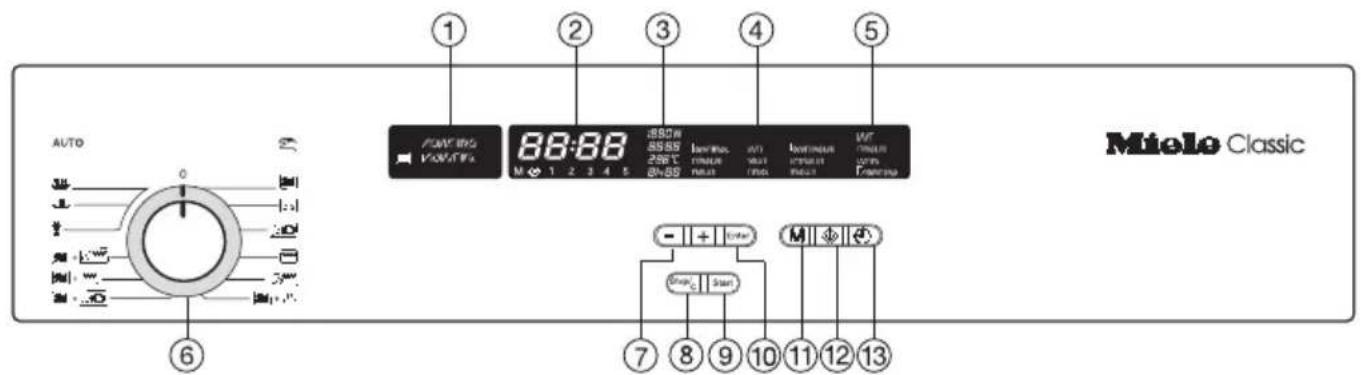
Operating modes Manual
Automatic-Programmes AUTO
Microwave
ssss Cooking
Fan Heat
Reheating
Auto Roast
*Defrosting
Grill
Fan Grill

① Display Manual / Automatic
② Display for entering data
③ Display for selected settings
④ Display for: - Food groups - Automatic-Programmes -
⑤ Digital display for the clock
⑥ Function selector: Setting the operating mode / Setting the programmes
⑦ -/+ Touch controls with lamp for selecting a microwave setting or temperature, time, food group, weight
⑧ Touch control for interrupting, cancelling a cooking process
⑨ Touch control with lamp for starting a cooking process
⑩ Touch control with lamp for confirming selected setting
⑪ Touch control for memory function M
⑫ Touch control for the short step system
⑬ Touch control for entering times
⑭ Grill elements
⑮ Oven interior lighting
⑯ Second shelf support for rack
⑰ First shelf support for rack
⑱ Removable glass rear panel
① Rack, ② Glass tray, ③ Boiling rod
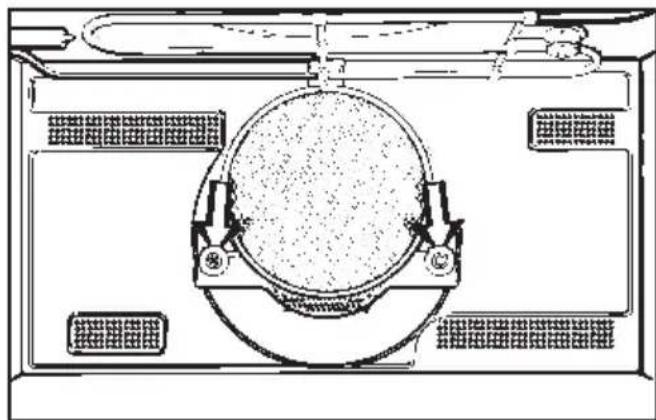
Grease filter
Remember to insert the grease filter when roasting on the rack using the Fan Heat (hot air), Auto Roast and Fan Grill systems - both solo and in combination with the microwave.
natural_image
Technical line drawing of a circular mechanical component with mounting brackets and structural supports (no text or symbols)The grease filter will trap any excess droplets of fat keeping the oven interior and the area behind the rear wall cleaner.
Contents
Description of the functions 5
Caring for the environment 7
Warning and Safety instructions 8
Before using for the first time.... 14
Operating modes, Programmes 15, 17
Suitable containers for microwave ovens 18
Operation / Use
Controls 22
Time of day 24
Notes on use / Operating modes. 25, 27
Combination programmes 28
Automatic programmes 30
Altering entered data 33
Memory function 35
Short step system, Automatic pre-selection 36, 38
Opening the door. 39
When the time has elapsed 40
Minute Minder, Energy saving functions, Programming lock. . . . . . . . . 41, 42, 44
Methods of Use
Defrosting, Re-heating, Cooking 45-56
Grilling, Roasting 57, 59
Baking 62
Maintenance
Cleaning and care 66
Problem solving guide 68
After sales service 73
Installation
Electrical connection IRL, U.K., ZA 74
Electrical connection IRL, U.K. 75
Electrical connection AUS, NZ. 76
Installation 77
Functions
User responsive
The appliance is designed to be “user responsive”. When the user presses a function control the relevant display and control lamp will automatically light up.
Operating modes
You can choose from the following operating modes:
- Microave
For defrosting, reheating and cooking food in a short time
- Fan Heat (hot air)
For baking, cooking food using hot air circulation.
- Auto Roast
For automatic browning and continued cooking.
- Grill
For grilling flat food.
Grilling takes place with the door shut.
- Fan i l l
For grilling thick cuts, e.g. rolled meat, poultry.
Grilling takes place with the door shut.
Combination programmes
For combining the microwave with a normal oven operating mode.
Automatic programmes
For cooking , reheating , and defrosting * selected food groups using the microwave.
The automatic programmes are dependent on weight, i.e. after selecting the appropriate food group, you then enter the weight of the food and the microwave power setting and time will be calculated automatically.
Memory function
For storing in the memory up to 5 steps for a cooking process, e.g. for initial and continued cooking.
Short step system
For storing in the memory the microwave power setting and the time for cooking processes you use frequently.
Automatic timer
For programming a process up to 23 hours and 59 minutes beforehand.
Minute minder
For monitoring other kitchen activities, e.g. boiling an egg on a hob.
Time of day display
When the appliance is switched off the time of day is shown in the digital display.
You can also turn off this display.
Safety features
Door lock
Once a cooking process using the microwave has begun, the door will remain locked until the end of the programme.
You can cancel the door lock by pressing the Stop/C touch control. The programme will then be interrupted.
Programming lock
The programming lock prevents functions being entered unintentionally.
Safety cut-out
A process using a normal oven operating mode can be started without programming in a time. To prevent over-use and the consequent danger of fire, the appliance switches off automatically one hour after a process using a selected operating mode and temperature has begun, or up to 9 hours 59 minutes after it was last used.
If the microwave is switched off in between using two microwave cooking processes, there will be a delay of about 30 seconds before the new setting is accepted. Please therefore wait a short while before starting the second process.
Energy saving functions
Door contact switch
If the door is opened during a process using the hot air fan and / or heating element(s), a contact switch for the door switches these off automatically. If the door is opened during a process which is using only a normal oven operating mode, the programme will continue to run again as soon as the door is shut. If 'Stop/C' was pressed before opening the door, then 'Start' must be pressed for the programme to continue.
Making use of residual heat
With the Fan Heat (hot air) and Auto Roast systems the heating shuts off automatically with the door closed when the current ambient temperature is sufficient to finish cooking the food. Whenever heat is lost, e.g. when the door is opened, the heating will switch on again automatically.
"Night time dimming" option
You can programme the appliance so that the brightness of the display is dimmed between the hours of 10 pm and 6 am. (22.00 to 6.00 hours).
Optional oven interior lighting
You can turn off the oven interior lighting if you do not want it to remain on during the entire cooking process. It will then only light up for approx. 10 seconds after you have pressed the Enter touch control.
Disposal of the packing material
The transport and protective packing has been selected from materials which are environmentally friendly for disposal and can normally be recycled.
Rather than just throwing these materials away, please ensure they are offered for recycling.
Disposal of your old machine
Old machines may contain materials which can be reclaimed or recycled. Please contact your dealer, your local waste collection centre or scrap merchant about potential recycling schemes.
Ensure that the machine presents no danger to children while being stored for disposal.
See the appropriate section in the Warning and Safety instructions.
This appliance complies with all relevant legal safety requirements. Improper use of the appliance can, however, present a risk of both personal injury and material damage.
Before installation and before using the appliance for the first time, read the operating instructions carefully. They contain important notes on safety, on the operation and care of the appliance. This way you will avoid the risk of accidents and damage to the appliance.
Do not let children access the appliance or its controls. Supervise its use by the elderly or infirm. Keep these instructions in a safe place and pass them on to any future user.
Correct usage
The appliance is intended for domestic use only: to cook food, and in particular to defrost, re-heat, cook, bake, roast, and to grill. Any other usage is at the owner's risk and could be dangerous. The manufacturer cannot be held responsible for damage caused by improper use of the appliance.
Technical safety
If the connection cable is damaged the new cable must be fitted by a Miele service engineer or an authorised agent.
Do not use the microwave function of the appliance if
– the door is damaged or broken.
– the door hinges are loose.
- holes or cracks are visible in the casing, the door or the oven interior walls.
Switching on with this type of damage could result in microwaves no longer being contained within the oven, and presenting a hazard to the user.
Never open the casing of the appliance.
Tampering with electrical connections or components and mechanical parts is highly dangerous to the user and can cause operational faults.
Before connecting the appliance to the mains supply make sure that the rating on the data plate corresponds to the voltage and frequency of the household supply.
Do not connect the appliance to the mains electricity supply by an extension lead.
Extension leads do not guarantee the required safety of the appliance, (for example danger of overheating).
The electrical safety of this appliance can only be guaranteed when continuity is complete between the appliance and an effective earthing system, which complies with local and national regulations. It is most important that this basic safety requirement is tested by a qualified electrician. The manufacturer cannot be held responsible for the consequences of an inadequate earthing system.
This appliance must only be operated as a built-in appliance. This is necessary to ensure that all electric components are shielded.
Installation work and repairs may only be carried out by suitably competent persons to ensure safety. Repairs and other work by unqualified persons could be dangerous.
The appliance is only completely isolated from the electricity supply when:
- it is switched off at the wall socket, and the plug removed
- or the mains fuse is withdrawn
- or the screw-out fuse is removed (in countries where this is applicable) Do not pull on the cable, only on the plug.
Never poke an object, particularly a metal object, through a grille or between the door and the oven.
Use
General notes
It is important that the heat is allowed to spread evenly throughout the food being cooked.
This can be achieved by stirring and/or turning the food, and by observing a sufficiently long standing time, which should be added to the time needed for cooking, reheating or defrosting.
Always ensure that food is sufficiently cooked or reheated. Many factors will affect the overall cooking time, including the size and amount of food, its initial temperature, changes to recipe and the shape and size of cooking container. Some foods may contain micro organisms which are only destroyed by thorough cooking, therefore when cooking or reheating foods, e.g. poultry, it is particularly important that food is fully cooked through (at more than 70°C, for more than 10 minutes). If in doubt select a longer cooking or reheating time.
Always remember that cooking times in a microwave oven are usually considerably shorter than with traditional methods of food preparation. Excessively long cooking times can lead to food drying out and eventually burning, or could even cause it to catch fire.
There is also a danger of fire if breadcrumbs, flowers, herbs, etc., are dried in the microwave oven. Always ensure that this type of procedure is supervised.
Do not leave the oven unattended when cooking with oils and fats as these can be a fire hazard if allowed to overheat.
If you see smoke rising from the food in the oven keep the oven door closed. Turn the oven selector switch to "0", or remove the plug from the socket.
Do not open the oven door until the smoke has dispersed.
Never heat undiluted alcohol in the microwave oven as this can easily ignite.
Do not heat up unopened tins of food in the oven as pressure will build up in the tin and it will explode.
Food left in the oven to take advantage of residual heat should always be covered to avoid it drying out, and to avoid a possible build-up of condensation which could adversely affect the oven interior.
Try to avoid the interior walls being splashed with food or liquids containing salt. If it does happen wipe these away thoroughly, to avoid corrosion on the stainless steel surface.
The glass dish and the rack take a maximum load of 8 kg. Do not exceed this.
Wear oven gloves when removing the glass tray from the oven. If the glass tray has a heavy load, pull it only slightly towards you, and then hold firmly at the sides as you take it out.
Do not lean or sit on the open oven door. This could damage the appliance. Take care in the region of the hinges. An oven door can support a maximum load of 8 kg.
When it is hot do not place the glass tray on a cold surface, such as a tile or granite worktop. It could break. Place it on a pot rest or a wire rack.
Under no circumstances use a steam cleaner to clean this appliance. Pressurised steam could give rise to a short circuit, or cause permanent damage to the surface and to components, for which the manufacturer of the oven cannot accept any responsibility.
Microwave mode
Never operate the oven without any absorbing material such as food or liquid inside, unless specifically allowed in the manufacturer's literature.
Always check the temperature of the actual food itself after taking it out of the oven. Do not be misled by the temperature of the container. In particular when preparing food for babies, children, and the elderly or infirm, it is essential to check the temperature of the food or liquid itself, after stirring and before serving.
The temperature of the container does not necessarily give a correct indication of the temperature of the food or liquid in it.
Never cook or reheat food or liquids in sealed containers or bottles. With baby bottles the screw top and teat must be removed. Otherwise pressure builds up which can cause the bottle or container to explode posing a severe risk of injury.
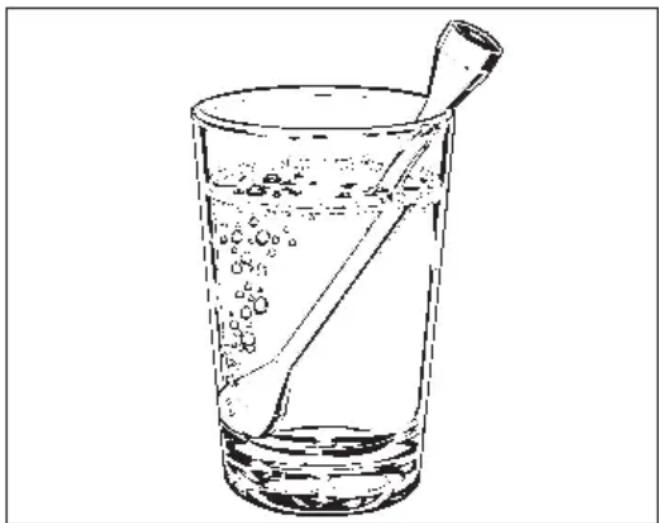
When heating liquids, the boiling rod provided should be placed into the container.
natural_image
Line drawing of a glass with water droplets and a straw (no text or symbols)When heating, and especially reheating liquids, milk, sauces etc., in the microwave oven, the boiling point of the liquid may be reached without the production of typical bubbles. The liquid does not boil evenly throughout. This so-called 'boiling delay' can cause a sudden build up of bubbles, when the container is shaken on removal from the oven. This can lead to the liquid boiling over suddenly and explosively. There is a danger of burning. The formation of bubbles can be so strong that the pressure forces the oven door open. The user could be injured and the appliance damaged.
The boiling rod ensures that the liquid boils evenly and that bubbles form at an early stage during the operation.
Do not use any containers or cutlery made from or containing metal, aluminium foil, lead crystal glassware, temperature-sensitive plastics, wooden utensils or cutlery, metal clips or wire ties. Such items could be damaged, or cause a fire hazard.
The rack supplied with the appliance is designed to be compatible with microwaves, and can therefore be used with the combined microwave and browning functions.
The rack gets hot when operating either the microwave function or the browning element, or both. There is a danger of burning.
Eggs can only be cooked in their shells in the microwave oven in a specially designed egg-boiling device. Similarly, hard-boiled eggs should not be reheated in the microwave oven as this may lead to the eggs bursting, even once they have been removed from the oven.
Eggs can be cooked without their shells in the microwave oven only if the yolk membrane has been punctured several times first. The pressure would otherwise cause the egg yolk to explode.
Do not reheat food in the oven in heat-retaining bags intended for normal ovens.
These heat-retaining bags usually contain a thin layer of aluminium foil which reflects microwaves. This reflected energy can, in turn, cause the outer paper covering to become so hot that it ignites.
Food with a thick skin or peel, such as tomatoes, sausages, jacket potatoes, aubergines, should be pierced or cut in several places to allow steam to escape and prevent the food from bursting.
Ovenproof earthenware can retain a considerable amount of moisture. Earthenware and porcelain containers with hollow handles and lid knobs must only be used in this oven if they have vent holes, which allow the moisture to escape. Without vent holes there can be a pressure build-up, causing the container to crack or shatter, dangerously.
Normal oven functions: Fan Heat, Auto Roast, Grill, Fan Grill
Caution - Danger of burning High temperatures arise when the oven is being used as a normal oven.
Great care should be taken to ensure that small children do not touch the oven when it is being used. External parts of the oven such as door glass, vents and the facia panel can become quite hot.
Wearing heat-resistant oven gloves is recommended when placing food in the oven, turning it or removing it.
When the Grill or Fan Grill function has been chosen, either solo or in a combination programme the grill element becomes very hot and there is a danger of burning.
Wait until the grill element has cooled down before lowering it for cleaning.
Do not use force to pull it down as this can cause the element to break.
Do not use the oven to heat up the room. Due to the high temperatures radiated, objects left near the oven could catch fire.
When using kitchen appliances connected to sockets near the oven ensure that the cable cannot get trapped in a hot oven door, which could melt the cable insulation and be dangerous.
In countries where there are areas which may be subject to infestation by cockroaches or other vermin, pay particular attention to keeping the appliance and its surroundings in a clean condition at all times. Any damage which might be caused by cockroaches or other vermin will not be covered by the appliance guarantee.
Disposal of your old machine
Before discarding an old machine switch off and disconnect it from the power supply. Cut off and render any plug useless.
Cut off the cable directly behind the machine to prevent misuse.
The manufacturer cannot be held liable for damage caused by non-compliance with safety instructions.
Before using for the first time
■ Wipe out the oven interior with hot water and washing up liquid. Dry using a soft cloth.
Do not shut the oven door until the interior is completely dry, to avoid odours and the possibility of corrosion developing.
■ Wash the accessories.
With new appliances there is usually a smell during the first use. It is dispelled more quickly by using a high temperature as follows:
Run the oven on the Fan Heat ⚙️ setting for at least an hour.

■ Select Fan Heat 📁 with the oven function selector.

■ Enter the highest possible temperature with the + touch control.

■ Confirm by pressing Enter.
■ Enter a time (at least 1 hour) with the + touch control.
■ Press the Start touch control.
Ensure the room is well ventilated during this process.
Microwave Mode
When using the microwave mode, food is cooked, re-heated or defrosted in a short time.
Functional description
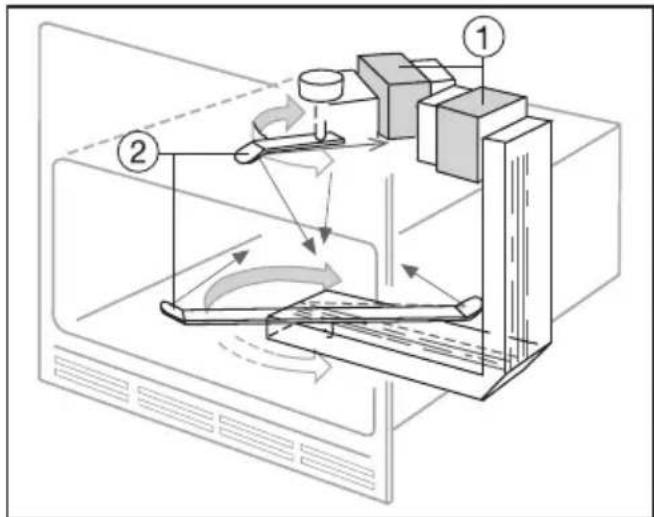
This oven is equipped with two magnetrons ①. These convert electrical energy into microwaves.
There are two stirrer fans ②, one above the oven ceiling and the other under the oven floor. These two interior surfaces can be penetrated by microwaves. The fans distribute the microwaves from above and below evenly throughout the oven interior, rebounding off the walls to reach and enter the food.
This contributes to the food being heated through evenly, also when food is being cooked on two levels, e.g. on the floor of the oven and on the lower shelf level.
In order for microwaves to reach the food, they must be able to penetrate the cooking utensil being used.
Microwaves can penetrate porcelain, glass, cardboard and plastics but not metal. Do not, therefore, use utensils made of metal, or which contain metal, for example in the form of gold or silver trim. The metal reflects the microwaves and this could lead to the creation of sparks. The microwaves cannot be absorbed.
Microwaves pass through a suitable container and find their way directly into the foodstuff.
All foodstuffs contain moisture molecules which, when subjected to microwave energy, start to oscillate 2.5 thousand million times a second. The friction caused by this vibration creates heat, which first starts developing around the outside of the foodstuff and then slowly penetrates towards the centre. The moisture, fat and sugar content of food will affect the speed at which it is cooked.
As heat is produced directly in the food,
– food can generally be cooked with-out adding much liquid or cooking oil
– cooking, reheating and defrosting in a microwave oven is quicker than using normal oven methods
– nutrients, such as vitamins and minerals, are retained
– colour, texture and taste of food are not impaired
– the surface temperature stays cool enough to avoid browning.
Normal oven operating sys- tems
In Miele ovens these include Fan Heat, Auto Roast, Grill and Fan Grill.
With these normal oven methods food is cooked and browned.
Fan Heat
This method works by the circulation of hot air.
A fan situated on the back wall sucks in the air, heats it over a ring element and blows the heated air through the carefully spaced openings in the back panel.
As the heat is quickly transferred to the food, it is not usually necessary to pre-heat the oven, except when roasting sirloin.
With Fan Heat food can be baked or roasted at both levels at the same time.
Auto Roast
After the selected temperature is entered, the oven heats initially to a pre-set high temperature which seals the meat to keep it succulent and tasty.
The oven temperature is then automatically returned to the temperature setting selected.
When roasting, you are strongly recommended to cover the food. Not only does this help retain all the juices, but will also make cleaning the oven easier afterwards.
Grill
As the grill element needs to radiate a high heat in order to cook the food, it will take several minutes after being switched on for the element to glow red hot and so produce sufficient infra-red heat for grilling.
Fan Grill
The hot air from the grill is distributed by the fan in the rear of the oven evenly over all the food being grilled. This enables a lower temperature to be selected than for normal oven grilling.
Programmes
Combination programmes
By using the combination programmes you can quickly reheat and cook food while browning it at the same time.
You can combine the microwave operating mode with each of the normal oven modes.
The Fan Heat (hot air) mode is best suited for combining with the microwave since the heat reaches the baked, roasted or cooked food immediately, maximising the time and energy saved.
In general when using the modes in combination, you should set the microwave power level for baking not higher than 150 W, and for cooking, roasting and grilling not higher than 450 W.
Automatic programmes
The microwave's automatic programmes can be used to cook, warm up or defrost food. The relevant power setting and time are selected automatically. You only need to enter the food group and the weight.
“Solo” refers to one operating mode in contrast to “Combination programme” which can include more than one operating mode.
Suitable containers for microwave ovens
Microwaves

natural_image
Line drawing of a cooking pot with arrows indicating direction (no text or symbols)- are reflected by metal.

natural_image
Technical line drawing of a mechanical component with dashed lines indicating hidden edges and arrows pointing to features (no text or symbols)- pass through glass and chinaware...

natural_image
Diagram of a biological or geological structure with directional arrows indicating flow or movement (no text or labels)- and are absorbed by food.
Metal
When working in microwave mode metal containers, aluminium foil and metal cutlery, as well as china with metallic decor (e.g. gold trim, cobalt blue), must not be placed in the microwave oven. The metal reflects the microwaves and so hinders the cooking process.
We recommend when defrosting and cooking pre-cooked meals packed in metal containers, the food should be removed from the foil container and placed in a container suitable for use in a microwave oven.
Microwaves cannot penetrate aluminium foil, so the food can only be heated from the top. Re-heating / cooking will take longer and be less even than if the food was transferred to a dish suitable for a microwave oven.
Sparks and arcing may occur when using metal containers.
Exceptions:
- Small pieces of aluminium foil For even defrosting and to avoid over-cooking unevenly shaped cuts of meat, poultry or fish, small quantities of aluminium foil may be used to mask wing-tips or other thin parts for the last few minutes of the process. Important: Make sure that the aluminium foil is at least 2 cm from the oven walls at all times. It must not touch the walls.
- Metal meat skewers or clamps Metal skewers and clamps should only be used if they are very small in comparison to the size of the cut of meat.
The microwave oven rack is suitable for use in a microwave oven.
Do not place it on the oven floor!
The rack can get hot.
Glassware
Heat-resistant glass is ideal for use in the microwave oven.
Crystal glass contains lead which could cause the glass to crack. Glass dishes with a milled rim are subject to the same risk. Both are unsuitable for use.
Porcelain (chinaware)
Porcelain (chinaware) is suitable.
Do not use porcelain with gold or silver edging or items with hollow knobs or handles, as insufficient ventilation may cause pressure.
Earthenware
Decorated earthenware is only suitable if the decoration is beneath an all-over glaze. Earthenware can get very hot, and may crack.
Glazes and colours
Some glazes and colours contain metal.
This makes them unsuitable for use in a microwave oven.
Plastics
Plastic containers must only be used for microwave mode alone and not in normal oven mode. Plastics must be heat-resistant to a minimum of 180 °C.
Otherwise the plastic may melt and fuse with the food.
Special plastic utensils, designed for use in microwave ovens are available from most department and hardware stores. Melamine ware is not suitable as it absorbs energy and heats up. When purchasing plasticware, make sure that it is suitable for use in a microwave oven.
Disposable containers, such as trays made from polystyrene, can only be used for very short timed warming and reheating of food.
Plastic boiling bags can be used for cooking and reheating. They should be pierced beforehand so that steam can escape.
This prevents a build-up of pressure and reduces the risk of the bag bursting.
Roasting bags and -tubes can be used. Roasting tubes should be about 40 cm longer and roasting bags about 20 cm longer than the food being roasted, and carefully tied with string. Turn the ends over and secure them. Holes should be made according to the manufacturer's instructions.
Do not use metal clips or wire ties, even if bound by paper.
There is a danger that they will ignite when heated.
Wood
Wooden dishes are not suitable.
Moisture contained in the wood evaporates when exposed to microwave energy, causing the wood to dry and crack.
Disposable containers
Only those plastic disposable containers which are specified by the producer as suitable for use in a microwave oven may be used.
Do not leave the oven unattended when re-heating or cooking food in disposable containers made of plastic paper or other inflammable material.
Disposable containers are not always recyclable or degradable.
Testing dishes for their suitability
If in doubt as to whether glass, earthenware or porcelain plates or dishes are suitable for use in a microwave oven, a simple test can be performed:
■ Place the item you wish to test in the centre of the oven, fill a suitable glass with water and also place this in the oven.
■ Shut the door.
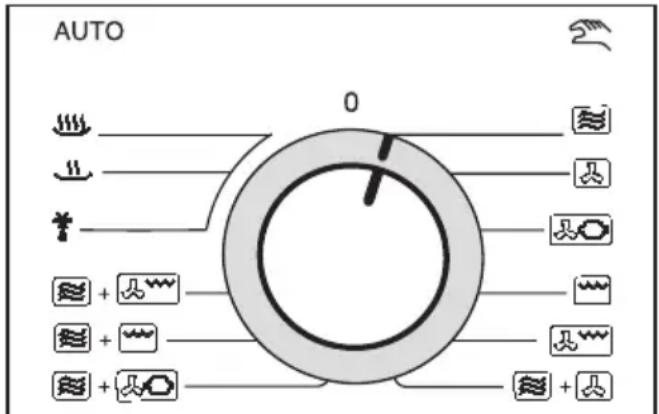
■ Select Microwave mode 📋 with the function selector.

■ Select the highest microwave power setting (1200 W) with the + control.
■ Confirm by pressing "Enter".

■ Enter a time of 30 seconds with the + touch control.

■ Press the Start control.
If a crackling noise is heard accompanied by sparks during the test, switch off the appliance immediately. Turn the function selector switch to the "0" position.
The water in the glass should be warm, but the dish cool. If the dish is very hot and the water is cold, it would be unwise to use the dish.
Any crockery which causes this re-action, or which is hot on removal is unsuitable for use in the microwave oven.
Note: Although some ovenproof earth-enware can be used in a microwave oven, it may contain a considerable amount of moisture, causing it to become hot during use. It is normally advisable to avoid using it in a microwave oven.
If any doubt exists about the suitability of containers, please contact the maker.
This test cannot be used to check whether items with hollow knobs or handles are suitable for use in a microwave oven.
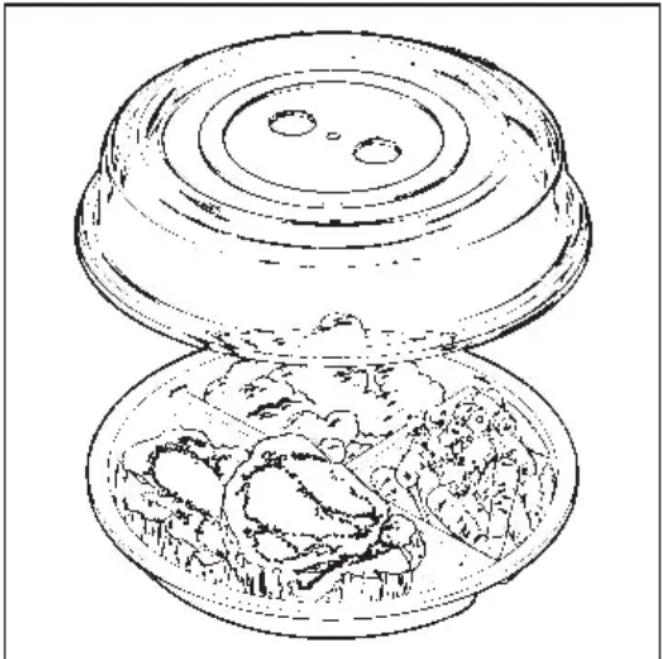
A cover
- prevents too much steam escaping, especially when cooking foodstuffs which need longer to cook, such as potatoes,
– shortens and evens out the cooking process,
– prevents food from drying out,
– prevents any loss of aroma.
natural_image
Line drawing of a two-tiered food item with meat and vegetables inside (no text or symbols)Always use lids or covers made of microwave-safe glass or plastic, or use a clingfilm recommended for use in a microwave oven, (pierce as instructed by the producer).
Sealed glass containers, such as jars of food, must be opened before they are placed in the oven.
Do not use a lid if
– cooking meals which are to be given a crisp topping.
– using a combination programme.
Operation - Controls
The function selector switch and the touch controls are used to operate the appliance.
With the function selector switch you can choose the mode of cooking or programme:
Operating modes:
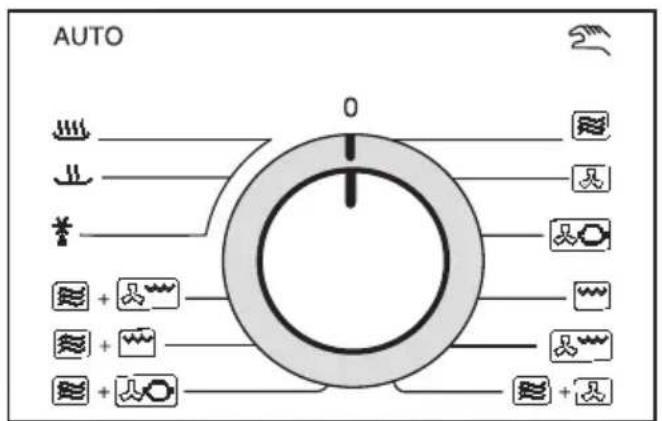
Microwave
Fan Heat
Auto Roast
Grill
Fan Grill
Combination programmes:
Mangang + Microwave + Fan Heat
≈ + ≈ Microwave + Auto Roast
≈ + ≈ Microwave + Grill
≈ + ≈ Microwave + Fan Grill
Automatic programmes:
Cooking
Reheating
*Defrosting
The function selector switch can be turned clockwise and anti-clockwise.
If the function selector switch is not at position "0", the cool air fan will run at a very low level and the oven interior light will be switched on.
Exception: If a start time has been programmed in then the cool air fan and the oven light will remain switched off during the period before the programmed start time. The oven light can be switched on for approx. 10 seconds by pressing the "Enter" touch control.
Touch controls

– confirms an entry or alteration.
The setting is accepted by the system and appears in the display.
- starts a process.
The Start touch control can only be used when the appliance door is shut.
- interrupts a process which has already started,
– deletes a setting which has been selected,
– cancels the door locking function (a microwave feature).
- selects a microwave power setting,
- enters or alters the temperature or time step by step (press the control for a brief moment several times) or quickly (press and hold the touch control),
– selects a food group and to enter a weight (Automatic programme), - activates and cancels the programme lock (- touch control).
Those touch controls which have control lamps can only be confirmed if the relevant control lamps are illuminated. If the control lamp does not light up then the touch control is locked.
Exception: The programme lock is activated by pressing the - touch control when the control lamp is not illuminated.

- stores in the memory various stages for a cooking process using the microwave operating mode.

– stores in the memory processes using the microwave mode which are chosen frequently,
– calls up the stored processes.
- activates the minute minder,
- enters, corrects and turns off the time of day,
- enables a delayed start.
After the appliance has been connected to the power supply or after a power cut "12:00" will appear in the display. The colon will flash.
If the time of day is not then entered immediately, the time will start to run from "12:00" onwards.
Setting time of day (24 hour clock)
To enter or alter the time of day the function selector switch must be set to position "0".
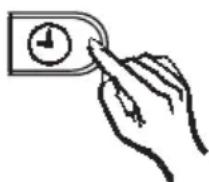
2x
■ Press the ⏻ touch control twice.
The facia text / symbol for “time of day” lights up.
The colon is lit and not flashing.

■ Use the -/+ touch control to enter or alter the time of day.
There are 4 seconds to do this. When the colon starts flashing again the new time is accepted, (ENTER or START can also be pressed to confirm the entry). If no new time is entered within 4 seconds while the colon is lit, but not flashing, the clock reverts to the previous time.
Turning off the time of day display

■ Press the ⏻ touch control again within 4 seconds of entering or altering the time of day. The display area will remain dark.
Showing time of day display again

2x
■ Press the ⏻ touch control twice.
The time of day display will appear. First of all, the colon will be illuminated constantly (i.e. not flashing). This means that the time of day can be altered. The colon will begin to flash when the system has accepted the new time of day.
Selecting an operating mode / programme
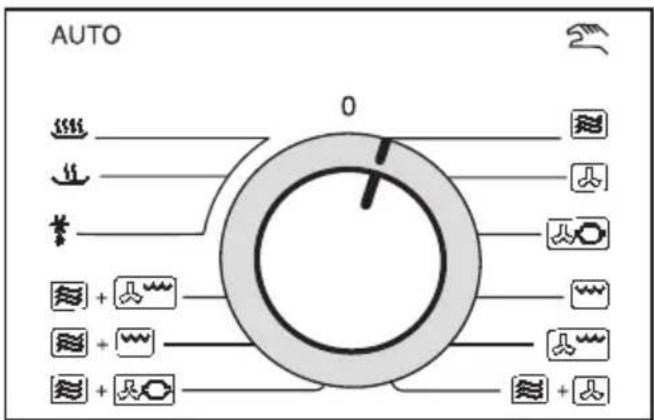
■ Use the function selector switch to choose the operating mode / programme you require:
- ≈ Microwave, ☐ Fan Heat, ☐ Auto Roast, ☐ Grill, ☐ Fan Grill, Combination programmes, and Automatic-Programmes for Cooking
, Reheating ..., Defrosting *.
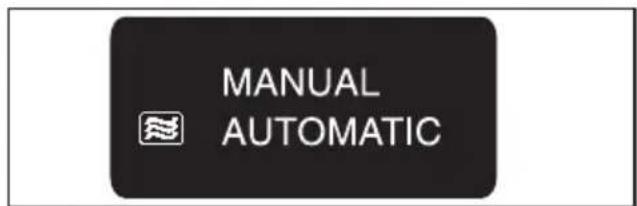
- MANUAL displays when an operating mode or a combination programme is chosen.
- ≈ AUTOMATIC, will show in the display when an Automatic Programme is selected.
Selecting a microwave setting/temperature
Each operating mode has been assigned a suggested power setting (for the microwave) or a suggested temperature (for normal oven modes).
These will appear in the data entry display.
Microwave
- Solo.... 600 W - Combination programmes .... 300 W
Fan Heat 160 °C Auto Roast* 160 °C Grill 220 °C Fan Grill 200 °C
* Continuation roasting temperature Initial boosted temperature 230 °C
You can use the -/+ touch control to alter the microwave power setting and the temperature if those pre-set by the system do not correspond with those stated in your particular recipe.
When using the microwave mode you can chose from the following power settings:
Solo:
80 W, 150 W, 300 W, 450 W, 600 W, 850 W, 1200 W.
Combination programmes:
80 W, 150 W, 300 W, 450 W.
Memory:
0 W, 80 W, 150 W, 300 W, 450 W, 600 W, 850 W, 1200 W.
When using normal oven modes the following settings are possible:
Solo, combination programmes:
Fan Heat.... 30 – 200 °C Auto Roast.... 110 – 200 °C Grill.... 200 – 250 °C Fan Grill.... 100 – 200 °C
The temperature is entered in 5 °C-steps.
Entering the time
Use the -/+ touch control to enter a time for the cooking process. The entry is made as follows:
- for the microwave operating mode Solo:
... up to 5 minutes in 10 second steps
... from 5 to 10 minutes
in 30 second steps.
... from 10 to 30 minutes
in 1 minute steps.
... from 30 to 60 minutes
in 2 minute steps.
If the maximum microwave power setting (1200 W) is selected, then only a time up to a maximum of 10 minutes may be entered.
Combination programmes:
... up to 30 minutes in 1 minute steps.
... from 30 to 90 mins. in 2 min. steps.
If you have chosen the Microwave + Grill combination programme, you can set a time up to a maximum of 30 minutes.
The time entered will appear in the display in minutes : seconds.

- with the normal oven operating modes:
- ... in minute steps
You can select a time of up to 3 hours (microwave only, "Solo") or 1 hour and 30 minutes (combination programmes).
Exceptions: If you have chosen a temperature of up to 100 °C when using the Fan Heat mode (Solo and combination programme), you can enter a time of up to 9 hours 59 minutes.
For the Grill mode by itself (“Solo”) a time up to a maximum of 1 hour or 30 minutes (combination programme) may be chosen.
The time entered will appear in the display in hours and minutes.
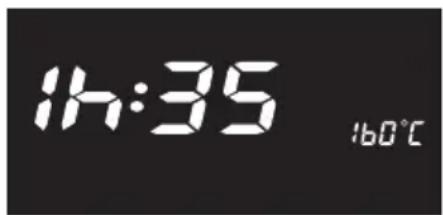
With microwave mode, a power setting and time are entered. With normal oven mode a temperature is selected and a time can also be entered.
■ Use the function selector switch to select the operating mode. The display will show the pre-programmed power setting or temperature.

■ If these do not correspond to those stated in your recipe use the -/+ control to enter the appropriate microwave power setting / temperature.
■ Press Enter to confirm the entry.
The following will appear in the display:
- "0:00" (microwave mode):

or
- "0h:00" (normal oven mode).
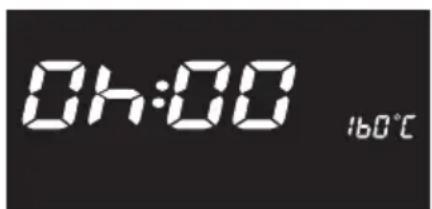
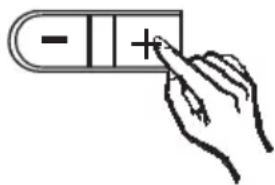
■ Use the -/+ touch control to enter a time for the cooking process.
■ Press the Start touch control.
The time entered will be accepted and will appear in the chosen setting display area.
The time remaining will appear in the data entry display area.
Only for normal oven operating modes:
The process can also be started without first entering a time.
■ After selecting the temperature press the Start touch control.
The temperature which has been selected will be accepted and will appear in the display area for the setting selected.
The actual temperature for the oven will appear in the data entry display.
The temperature will rise in 1^ C steps until it has reached the temperature which has been entered. This temperature once reached will be displayed constantly.
If the temperature falls again, e.g. when the door is opened the actual temperature will count down in 1 °C-steps.
Combination programmes
Microwave mode can be combined with one of the normal oven mode functions. Before starting enter microwave power setting, time and a temperature. A time can also be entered for the selected normal oven mode.
■ Use the function selector switch to select the programme you want.
The pre-programmed microwave power setting "300 W" will appear in the display.
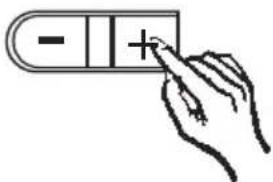
■ If this does not correspond to your recipe use the -/+ touch control to enter the appropriate microwave power setting.
■ Confirm the entry by pressing the Enter touch control.
"0:00" will appear in the display.
■ Use the -/+ touch control to enter the appropriate time for the microwave mode.

■ Confirm the entry by pressing the Enter touch control.
The pre-programmed temperature for the normal oven operating mode will appear in the display area.
■ Use the -/+ touch control to select a temperature.
If both operating modes remain switched on during the entire programme, then it is not necessary to enter a time for the normal oven mode.

■ Press the Start touch control.
The temperature which you have selected will be accepted and will appear in the relevant display for the selected setting.
The time entered will count down in the data entry display.
If the two operating modes are run for a different length of time from each other, a time must be entered for the normal oven mode at the start of the programme.

■ After selecting the temperature, press the Enter touch control.
"0h:00" will appear in the Input display.

- Use the - / + to enter the appropriate time for the normal oven operating mode.
■ Press the Start touch control.
The time which you have selected will be accepted and will appear in the display area for the settings chosen.
The display will show the remaining time for the longer operating mode counting down.
At the end of the time for the operating mode with the shorter duration an audible tone will sound. That operating mode will be switched off automatically. The settings will remain in the display area, however, until the end of the entire programme.
Example:
A time of 5 minutes has been set for the microwave operating mode, a time of 10 minutes for the normal oven mode.
10 minutes will be shown in the display area after the programme has started. The time will count down towards zero.
The appliance will operate both the microwave and normal oven modes for the first 5 minutes.
After 5 minutes an audible tone will sound once and the system will automatically switch the microwave off. The appliance will now continue to operate using only the normal oven mode.
The cooking, reheating or defrosting processes are divided up into various food groups. The time and microwave power settings are selected automatically by the system.
■ Use the function selector switch to select the programme you want.
The food groups which can be selected with that particular programme will appear illuminated in the display area for food groups.
The following food groups are available with the following programmes:
- Cooking _:
meat, poultry, fish, fruit, soup, casseroles, vegetables.
- Re-heating ∪:
meat, poultry, fish, soup, plated meals, casseroles, vegetables.
- Defrosting ❖:
meat, poultry, fish, fruit, bread, soup, plated meals, casseroles, vegetables.

■ Use the -/+ touch control to select the food groups.
The relevant text area will light up.

■ Confirm with the Enter touch control.
The suggested weight of "50 g" will appear in the display area.

■ Use the + touch control to enter the weight of the food (without container).
Depending on which programme and food group has been selected, a weight up to a maximum of 4 kg can be entered.
| Programme Food Group | maximum weight in kg | |
| Cooking meat | 2.0 | |
| poultry | 2.0 | |
| fish | 2.0 | |
| fruit | 2.0 | |
| soup | 2.5 | |
| casseroles | 2.5 | |
| vegetables | 2.0 | |
| Re-heating meat | 2.0 | |
| poultry | 2.0 | |
| fish | 2.0 | |
| soup | 2.0 | |
| plated meals | 2.0 | |
| casseroles | 2.0 | |
| vegetables | 2.0 | |
| Defrosting meat | 3.0 | |
| poultry | 4.0 | |
| fish | 2.0 | |
| fruit | 2.0 | |
| bread | 2.0 | |
| soup | 2.5 | |
| plated meals | 2.0 | |
| casseroles | 2.5 | |
| vegetables | 2.0 | |
Entries with a weight of
... 50 g to 1kg are made in 50 g steps.
... 1 kg to 4 kg are made in 0.1 kg steps.
Where a weight is
- up to 1kg and also between two 50 g steps then the weight should be rounded down, where it is less than 24g or 74g but rounded up where it is more than 25 g or 75 g.
- up to 4 kg and also between two 100 g steps, then the weight should be rounded down where it is less than 49 g and rounded up where it is more than 50g.
Example:
= weight entered as: 150 g
= weight entered as: 200 g
■ Begin the programme by pressing the Start touch control
The time which is needed for the programme will appear in the data entry display. :
- for a time up to 60 minutes it will appear in minutes:seconds, e.g. 2:30.
- for a time over 60 minutes it will appear in hours:minutes, e.g. 1h:30.
The time counts down until "0.00" or "0h:00".
Automatic programmes
A short audible tone will sound after about half of the time has elapsed, indicating that the food should now be turned or stirred.
Exception:
No tone will sound if a weight which has a corresponding time of less than 2 minutes has been entered.
The automatic programmes in the system use various power settings.
Operating noise may vary during a programme due to the fact that the cool air fan rotates more slowly on the lower power settings.
If the food has not been sufficiently defrosted, reheated or cooked at the end of the programme, do not choose the automatic programme for a second time but rather continue by entering a microwave power setting and time.
Before starting a process
If you discover before the start of a process that you have made an error with the data entry then

■ press the Stop /C touch control once.
The power setting entered (for the microwave and combination programmes) or the temperature (for the normal oven mode) will appear in the display area.
If an automatic programme has been chosen, the relevant text/symbol on the food groups display will light up.
■ Use the touch controls to enter the settings you require.
■ Press the Start touch control.
After starting a process
If you discover after the process has begun that you have made an error with the data entry, then you can use the Stop/C touch control to interrupt the process.
The time is halted at the point of interruption.
The cool air fan continues to run during this period.
To correct a time entry:
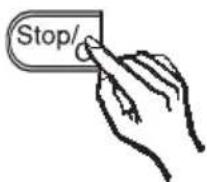
■ Press the Stop/C touch control once.
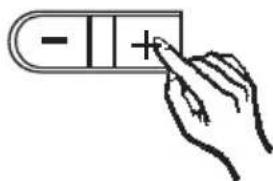
■ Enter the time you require using the -/+ touch control.

■ Press the Start touch control.
You cannot correct the time if you have chosen a combination or automatic programme.
To correct a microwave power setting / temperature, or a food group:

2x
■ Press the Stop/C touch control twice.
The power setting (for the microwave and combination programmes) or the temperature (for the normal oven mode) previously entered and stored in the memory will appear in the display area.
If an automatic programme has been chosen then the text/symbol for the relevant food group will light up.
■ Use the touch controls to enter the settings you require.
■ Press the Start touch control.
Frequently when using the microwave different power settings may be required by the one process, e.g. defrosting followed by reheating or cooking food.
These different power settings can be stored together with the relevant times required and called up all at once using the Memory touch control. Food should be left to stand for a few minutes at room temperature when it has been cooked in the microwave. This is to ensure that the temperature is evenly distributed throughout the food. This standing time can also be stored using the Memory function (Microwave power setting: 0 W).
Up to 5 stages can be stored in sequence.
Use the Memory as follows:
Enter the stages of the programme in the sequence you wish them to run.
■ Use the function selector switch to chose the microwave mode.
■ Enter the microwave power setting.
■ Press Enter to confirm.
■ Enter the time.
In total a microwave power setting of 1200 W for a maximum of 10 minutes and a microwave power setting of 850 W for a maximum of 60 minutes can be entered.

■ Press the Memory touch control to store the entries in the memory.
Enter each programme in this way. The number after the “M” in the display area will indicate which memory programme is being stored.

■ Begin the programme by pressing the Start touch control.
The time left to run for the process will count down in the data entry display.
The time and the microwave power setting for the process currently counting down will appear in the display area for the settings selected.
After the process is finished, the number in the display area will disappear and the next process will begin.
Correcting programmes

■ Press the Stop/C touch control.
All the entries which had been made are now cancelled and need to be entered again.
Short step system
Using the short step system you can store microwave power settings and times for frequently used processes.
■ Use the function selector switch to chose the microwave mode.
■ Press the ◆ touch control.
Up to a maximum of 5 programme stages can be stored. You can call up the individual programme stage by pressing the ◆ touch control several times.
A microwave power setting of 1200 W has been factory set for every programme stage and a time of 1, 2, 3, 4 or 5 minutes stored for each successive programme stage.
The stored settings appear each time in the display area.

To alter the stored settings :

■ Select the programme you require by pressing the ◆ touch control once or several times.
The stored time will appear in the display area.
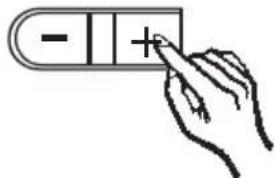
■ Select the time you require using the -/+ touch control.
You can enter a time up to a maximum of 10 minutes.
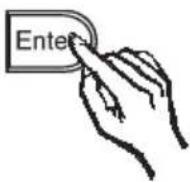
■ Press Enter to accept this newly selected time.
The stored microwave power setting will appear in the display area.
■ Select the power setting you require using the -/+ touch control.
■ If you want to store these settings permanently, press (and hold) the touch control until an audible tone sounds.
The most recently selected microwave power setting will appear in the display area.
Starting the Short Step system
■ Select the programme by pressing the ◆ touch control once or several times.
■ If necessary, alter the stored settings using the touch controls.
■ Begin the process by pressing the Start touch control.
The time will count down in the display area for data entry.
You can delay the switching on of the appliance by up to 23 hours and 59 minutes after starting a process.
- Set the time of day before using automatic pre-selection (refer to “Setting the time of day”) This makes the start time easier to enter.
■ Enter a process.
Every operating mode and programme can be pre-selected.
■ Press the ⏻ touch control once before starting the programme.
The text/symbol for "Start time" will light up in the display area.
The time of day will appear in the display area.

■ Enter the start time you require using the + touch control.
If you should press the + touch control for too long by mistake, use the - touch control to correct the start time.

■ Begin the programme by pressing the Start touch control.
The time of day will reappear in the display field. The text/symbol for “Start time” will light up in the display field. The stored entries will appear in the display area for selected settings. If the automatic pre-selection option in the Memory function has been chosen, the entries for the M1 Programme will be displayed.
Press the ⏻ touch control at any time and the start time will reappear in the display area.
This will light up for approx. 4 seconds and will then be replaced by the time of day.
When the door is closed the oven compartment light is not switched on during the pre-selection time. You can switch the oven compartment light on for a short while by pressing the Enter touch control. The oven light will go off again automatically after approx. 10 seconds.
If you press the Stop/C touch control during the pre-selection time, the most recently selected microwave power setting will appear in the display area. If the automatic pre-selection option in the Memory function has been chosen, the microwave power setting for M1 Programme will be displayed. All other entries are now cancelled.
If the door is open at the start time then the process will be stopped. The most recently selected microwave power output level will appear in the display area.
After a microwave process has started the door will remain locked until the time entered has elapsed.
In order to cancel the door lock you must interrupt the process.
■ Press the Stop/C touch control to release the door lock.
The time is halted at the point of interruption.
The cool air fan continues to run during this period.
If the door is kept open for longer than 5 minutes then the settings which have been selected will be cancelled.
To continue the process:
■ close the door,
■ press the Start touch control.
If the Start touch control
– is not pressed within 5 seconds, an audible tone will sound,
– is not pressed within 5 minutes, all the settings which have been selected will be cancelled.
Audible tone
An audible tone will sound 3 times at the end of a process.
A colon will appear in the display area for the data entry.
If the appliance is not used afterwards, an audible tone will sound for approx. one hour at 5 minute intervals.
This reminder can be terminated by
■ turning the function selector switch to Position "0".
The time of day will appear in the display area. The display area will remain dark if the time of day display was switched off.
■ opening the door,
or
■ pressing any touch control, with the exception of the - / + .
The -/+ touch control is locked.
The most recently selected microwave power setting (for the microwave and combination programmes) or the most recently selected temperature (for the normal oven mode) will appear in the display area.
With the automatic programmes, the relevant text/symbol for the food groups will light up.
Starting another process
- Stop the audible tone by opening the door for a brief moment or or by pressing any touch control with the exception of the - / + touch control. The - / + touch control is locked.
■ Use the touch controls to enter the settings you require.
■ Press the Start touch control.
When a process has finished
■ Turn the function selector switch to Position "0".
The cool air fan may run on for a little while at the end of a process using the normal oven mode, making a slight noise. The cool air fan will switch off automatically when the temperature in the cooking compartment falls to a certain level.
You can set the minute minder to monitor the progress of other kitchen activities, e.g. boiling eggs on a hob.
The function selector switch must be at Position "0" before the minute minder is used.
■ Press the ⏻ touch control once.
The text/symbol for "Minute minder" appears in the display area.

■ Use the -/+ touch control to enter the “short time” in minutes.
The minute minder option allows you to select a time of up to 90 minutes.

■ Press the Start touch control.
The time counts down to "0.00" in the display area.
Altering a minute minder entry
■ Press the Stop/C touch control.
The minute minder time will be interrupted.
■ Use the - / + touch control to alter the time.
■ Press the Start touch control.
If the minute minder is not re-activated by pressing the Start touch control within 5 minutes, the remaining time is cancelled. The time of day reappears in the display area.
Exception: The time of day will not appear if the display has been switched off.
When the minute minder time has elapsed
– three audible tones will sound,
– the time of day will reappear in the display area,
- the text/symbol for "Minute Minder" will flash for approx. 1 minute.
Exception: If the time of day display has been switched off then the display area will remain dark.
The audible tone and the text/symbol for “Minute Minder” can be terminated by,
■ pressing any touch control.
If preferred you can
- programme the appliance so that the display is not as bright at night ("Night time dimming" function),
- Switch off the oven compartment light.
"Night time dimming" function
When this function is switched on the display is programmed to be less bright during the hours between 10 pm and 6 am (22.00 to 6.00 hours).
How to activate this function:
The function selector switch must be at Position "0".
■ Press and hold the + and Enter touch controls and turn the function selector switch one position to the right.
"01:0" will appear in the display area.
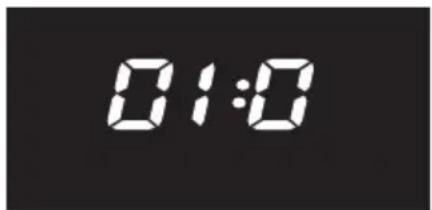
The control lamps for the -/+ and Enter touch controls will light up.
■ Press the Enter touch control.
"01:1" will appear in the display area.

■ Turn the function selector switch to Position "0" again.
The function will remain activated until you switch it off again. It will also remain activated even if there is a power cut.
How to switch this function off again:
The function selector switch must be at Position "0".
■ Press and hold the + and Enter touch controls and turn the function selector switch one position to the right.
"01:1" will appear in the display area.
The control lamps for the -/+ and Enter touch controls will light up.
■ Press the Enter touch control.
"01:0" will appear in the display area.
Turn the function selector switch to Position "0" again.
Switching off the oven interior light
The function selector switch must be at Position "0".
■ Press and hold the + and Enter touch controls and turn the function selector switch one position to the right.
In the display area will appear
- "01:0" when the "Night time dimming" function has been switched off,
- "01:1" when the "Night time dimming" function has been switched on.
The control lamps for the -/+ and the Enter touch controls will light up.
■ Press the + touch control.
"02:0" will appear in the display area.
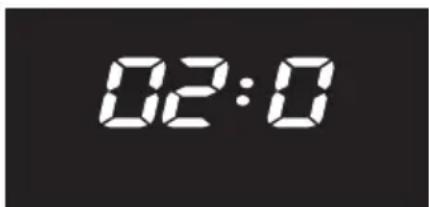
The control lamp for the Enter touch control will light up.
■ Press the Enter touch control.
"02:1" will appear in the display area.
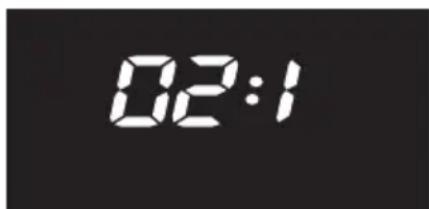
■ Turn the function selector switch to Position "0".
The oven compartment light will now switch itself off after a programme has begun.
Press the Enter touch control if you want to switch the oven compartment light on for a short while. It will switch itself off automatically after approx. 10 seconds.
The oven compartment light will remain de-selected even after a power cut.
How to switch the oven compartment light back on again:
The function selector switch must be at Position "0".
■ Press and hold the + and Enter touch controls and turn the function selector switch one position to the right.
In the display area will appear
- "01:0" when the "Night time dimming" function is switched off,
- "01:1" when the "Night time dimming" function is switched on.
The control lamps for the -/+ and Enter touch controls will light up.
■ Press the + touch control.
"02:1" will appear in the display area.
The control lamp for the Enter touch control will light up.
■ Press the Enter touch control.
"02:0" will appear in the display area.
Turn the function selector switch to Position "0".
This safety feature prevents functions being entered unintentionally.
How to activate the programming lock:
The programming lock can only be activated when
– no minute minder entry has been made,
- the function selector switch is at Position "0".
- Press the – touch control until a key symbol appears in the display area:

The key symbol will go out after a short time.
The time of day will reappear in the display area.
Exception: If the time of day display has been switched off, then the display area will remain dark.
The key symbol will reappear in the display area as soon as the function selector switch is then turned to another position or any touch control is pressed.
How to cancel the locking feature:
- Press the – touch control until the key symbol in the display area goes out.
The appliance can now be used again.
Defrost with
– the automatic defrosting programme *,
- or the microwave ≈.
We recommend the Automatic Defrost programme for defrosting meat, poultry, fish, fruit, bread, soup, plated meals, casseroles, vegetables.
This programme is also the best for defrosting dishes containing other ingredients besides meat, poultry or fish, e.g goulash, casseroles, soups etc. Select “Casseroles” from the food groups.
When using the automatic defrost programme select “Bread” from the food groups for defrosting cakes which have a moist topping, such as fruit or cream cheese and also for defrosting bread rolls.
We recommend using the microwave mode for defrosting delicate foods.
Select a microwave power setting
- of 150 W
for defrosting quite delicate food-stuffs, e.g. milk, cake etc.
- of 80 W
for defrosting very delicate food-stuffs, e.g. cream, butter, gateau and cheese.
See the table on the following page for defrosting times.
Remove the food from its packaging and place it in a microwave-safe dish.
Place it in the middle of the oven floor.
If you are defrosting a large quantity, e.g. 2 kg of fish, you can also use the glass tray as a container. Place the glass tray on the oven floor.
Turn, divide up or stir the food halfway through the defrosting time. The automatic programme has an audible tone which sounds as a reminder.
After defrosting
Allow the food to stand at room temperature long enough to allow the temperature to spread evenly through the food.
Chart for defrosting food
| Quantity | Auto-Weight | "150 W" time in mins. | "80 W" | Standing time in mins * at room temperature | |
| Dairy products | |||||
| Cream | 1/4 l | - | - | 12 – 14 | 5 – 10 |
| Butter | 250 g | - | - | 8 – 10 | 5 – 10 |
| Cheese slices | 250 g | - | - | 6 – 8 | 10 – 15 |
| Milk | ^1/_2 l | - | 12 – 14 | - | 10 – 15 |
| Cream cheese | 250 g | - | 10 – 12 | - | 10 – 15 |
| Cakes / Pastry / Bread | |||||
| Madeira cake | pce apprx 100 g. | - | 1 – 2 | - | 5 – 10 |
| Madeira cake | 300 g | - | 4 – 6 | - | 5 – 10 |
| Fruit cake | 3 pieces 300 g | - | 6 – 8 | - | 10 – 15 |
| Queen cakes | 3 pieces 300 g . | - | 5 – 7 | - | 5 – 10 |
| Cream cake | 1 piece 100 g. | - | - | 1^1/_2 - 2 | 5 – 10 |
| Yeast buns | 4 pieces. | - | 6 – 8 | - | 5 – 10 |
| Roll | 1 piece 50 g | - | 1^1/_2 - 2 | - | 5 – 10 |
| Rolls | 4 pieces 200 g | - | 4 – 6 | - | 5 – 10 |
| Bread | 1 slice | - | ^1/_2 - 1 | - | 3 – 4 |
| Meat, Poultry, Fish, Fruit,Bread, Soup, Plated meals,Casseroles, Vegetables | X | - | - | 5 | |
X = Enter the weight of food, time and power setting are selected automatically.
* During this time the temperature spreads evenly through the food.
Data given are for guidelines only. Values obtained from a machine designed for the German market.
Reheat with
- the automatic programme for reheating ,
- the microwave ≈.
We recommend the Automatic Reheat programme for reheating meat, poultry, fish, soup, plated meals, casseroles and vegetables.
Use the Microwave mode to reheat foodstuffs which are unsuitable for the automatic programme.
Select the following microwave power settings to reheat food
- drinks 1200 W,
- food 850 W or 600 W
- * food for babies 450 W.
* We do not recommend heating or reheating foods or drinks for babies or young children in the microwave oven. Any decision to do this is the responsibility of the user, and should only be done with the utmost care. Pasteurised or sterilised cooked food should be gently heated at 450 Watt, and tasted so that it is not too hot for a baby's palate before serving. Other food or drink when reheated should be heated to a high temperature and allowed to cool to a suitable heat for eating. For made-up milk follow the maker's instructions.
Always use a lid or cover for reheating food, except when a drier finish is needed, e.g. breaded poultry / meat.
Always remove the lids from jars, especially jars of baby food.
Remove the rubber teat and seal top before warming baby bottles.
When re-heating liquids place the boiling rod supplied with the machine into the cup or glass.
Never re-heat hard boiled eggs in a microwave oven, even without the shell. The eggs can burst.
The time required depends largely on the nature and initial temperature of the food and the amount to be cooked. Food taken straight from the fridge requires for example longer to re-heat than food stored at room temperature.
Always ensure that the food is adequately heated.
If in any doubt that a sufficiently high temperature has been reached, continue re-heating for a little longer.
Stir or turn food from time to time during cooking. Stir the food from the outside towards the middle, as food heats more quickly from the outside. With the automatic programme an audible tone sounds as a reminder.
Heating on two levels
Because of the way that microwaves are introduced from top and bottom it is possible to reheat food on two levels at the same time.

natural_image
Line drawing of a kitchen oven with a bowl containing food and a plate of meat (no text or symbols)■ Place dishes on the oven floor and on the glass tray. Insert the glass tray on the upper level supports.
You can arrange
- three plates ( 20 cm) in a triangle, two plates ( 22 cm) side by side, or two plates ( 24.5 cm) diagonally on the oven floor,
- two plates (∅ 20 cm) side by side, or two plates (∅ 22 cm) diagonally on the glass tray.
After re-heating
Be careful when removing a dish from the oven. It may be hot.
Although heat is not normally produced in the container itself by the microwaves, (apart from stoneware and similar dishes), heat transfer from the food to the container may be considerable, making the container itself hot.
Allow food to stand for a few minutes once a programme has ended to allow heat to be distributed evenly.
After reheating food, especially food for babies and small children, stir the food or shake the container and check that the temperature does not pose any danger. Double check after it has been left to stand.
Chart for re-heating food
| Drinks ** | Quantity Automatic-Programme | Microwave setting1200 W Timein mins. | 450 W Timein mins. | Standing time in mins *at room temperature. | |
| Coffee,drinking temp. 60 – 65 °CMilk, | 1 cup, 0.2 l | – | ^1/_2 - 1 | – | – |
| drinking temp. 60 – 65 °CWater | 1 cup, 0.2 l | – | 1 - 1^1/_2*** | – | – |
| to the boil | 1 cup, ^1/_8 l | – | 1 - 1^1/_2 | – | – |
| Baby bottle (Milk) !! | apx 200ccm | – | ^1/_2 - 1*** | 1 | |
| Mulled wine, Grogdrinking temp. 60 – 65 °C | 1 glass, 0.2 l | – | 1 - 1^1/_2 | – | – |
| Food *** Quantity Automatic- | Programme | Microwave setting600 W Timemins. | 450 W Timemins. | Standing timein mins *at room temperature | |
| Baby food !! | 1 jar, 200 g | – | – | ^1/_2 - 1 | 1 |
| Powder potato | 250 g | – | 3 – 5 | – | 1 |
| Hollandaise sauce | ^1/_4 l | – | – | 3 | 1 |
| Meat, Poultry,Fish,Soup, Plated meal,Casserole, Vegetables | X | – | – | ||
!! See Warning in Section on Reheating.
X = Enter the weight of the food, time and power are selected automatically.
* During this time the temperature spreads evenly through the food.
** Put the boiling rod in the container.
*** Times are based on an initial temperature of approx 5 °C.
For food not normally stored in a fridge assume an initial temperature of 20 °C.
All food except delicate sauces should be re-heated to 70 – 75 °C. Temperature should be tested for palatability before serving to invalids or the elderly. See note on food and drink for babies.
Data given are for guidelines only. Values obtained from a machine designed for the German market.
The following modes are suitable for cooking
– the Automatic-Programme,
Cooking \\\\
– the microwave mode ≈,
- the oven mode Fan Heat
- the combination programme
Microwave + Fan Heat ≈ + ≈,
- the combination programme
Microwave + Grill ≈ + 📌
The Automatic-Programme is suitable for cooking meat and poultry which are not required to be crisped or browned, fish, soups, casseroles and vegetables.
The Microwave mode is suitable for cooking noodles, etc, pasta, rice and semolina pudding.
First select 850 W and then turn down to 450 W to continue cooking, or 150 W for simmering.
Fan Heat is recommended for every-day cooking, e.g. cakes, pastry, meringues, pizza, potatoes and other vegetables.
Select a Combination programme, if you want a shorter cooking time and a browned finish.
The Microwave + Grill Combination programme is very suitable for cooking and crisping or browning.
Microwave
Place the food in a microwave-safe dish and cover.
Place the dish on the oven floor.
Add a little water to vegetables which have been kept stored. Vegetable cooking times depend on the texture of the vegetable. Fresh vegetables contain water and usually cook more quickly.
Stir and turn food at least once during cooking. With the automatic programme an audible tone sounds as a reminder.
Food with skin or peel, such as tomatoes, some types of sausage, jacket potatoes and aubergines, should be pricked or the skin cut several times before to prevent food from bursting.
Boiling eggs in the microwave oven is only possible with a special egg-boiling device, available from specialist shops.
Otherwise the eggs will burst. Eggs can only be cooked in a microwave oven out of their shells in a glass dish. The yolk must be pricked several times first with a sharp object.
Fan Heat
Slide the glass tray with the rack into the lowest runner level.
The following pots are suitable:
ovenproof china or glassware, earthenware, pans with heat resistant handles.
Cover foods such as potatoes or vegetables which are to be simmered or poached, to avoid them drying out.
Where a crisp finish is required e.g. for meat, cook without a lid.
Combination programmes
Slide the glass tray with the rack into the lowest runner level.
With the browning element - microwave combination only use heat-resistant, microwave-safe crockery. No metal.
Cover food being cooked in the Microwave + Fan Heat combination to avoid it drying out.
Leave food being cooked in the Microwave + Grill combination uncovered so that it can brown.
Ensure that perishable types of food, such as meat and fish, are cooked for an appropriate length of time.
Chart for cooking food
| Quantity Automatic-Programme | Microwave setting 850 W + Time mins. | 450 W Time mins. | Standing time * in mins at room temperature. | |
| Trout 2. at 250 g - 4 + 5 - 6 2 - 3 | ||||
| Desserts | ||||
| Apricot creme | ^1/_2 I | - | 4 - 5 | - |
| Vanilla creme | ^1/_2 I | - | 5 - 6 | - |
| Fish and Poultry dishes (not browned) | X | - | 2 | |
| Fish, Fruit, Soup, Casserole, Vegetables | ||||
X = Enter the weight of the food, time and power are selected automatically
* During this time the temperature spreads evenly through the food.
Data given are for guidelines only. Values obtained from a machine designed for the German market.
Chart for cooking and crisping/browning food
| Pre-cook* Microwave | Cook + Brown, Crisp Microwave + Grill | ||||
| 850 W Time in mins. | + | Microwave setting in W | Temperature in °C | Time in mins. | |
| Paprika boats1) | 3 | + | 450 | 220 | 10 – 12 |
| Root veg.-Lasagne1) | 4 | + | 450 | 220 | 22 – 24 |
| Emmental-Noodles2) | - | 450 | 220 | 8 – 12** | |
| Vegetable Burger3) | 4 | + | 450 | 200 | 28 – 30 |
| Potato Dauphinoise3) | - | 450 | 220 | 25 – 27 | |
| Coated Fish1) | - | 450 | 220 | 8 – 12** | |
| Fish in Cheese Sauce1) | - | 450 | 220 | 14 – 18** | |
| Quantity | Microwave setting in W | Microwave + Grill Microwave | |||
| Temperature in °C | Time in mins. | + 450 W Time in mins. | |||
| Meat1) | |||||
| Ham | 1000 g | 450 | 200 | 28 – 30 | + 12 – 15 |
| Beef | 1000 g | 450 | 190 | 30 – 45 | - |
| Lamb | 1000 g | 450 | 200 | 35 – 40 | - |
| Pork | 1000 g | 450 | 190 | 40 – 45 | - |
| Poultry1) | |||||
| Chicken, half | 1000 g | 150 | 250 | 28 – 30 | - |
| Rolled boned turkey | 1000 g | 450 | 220 | 44 – 48 | |
| Snacks2) | |||||
| Tuna on toast | 2 pcs | 450 | 250 | 3 – 4** | - |
| Tuna on toast | 4 pcs | 450 | 250 | 5 – 6** | - |
| Sausage wrapped in cheese and ham | 4 pcs | 450 | 250 | 5 – 6** | - |
* Pre-cook vegetables / sauce or fillings with lid on
** Pre-heat grill for approx.5 minutes, place food on the rack
1) First shelf level from bottom 2) Second shelf level from bottom 3) Oven floor
Slide the glass tray with the rack in at the appropriate shelf level.
Allow a standing time at room temperature of:
approx. 5 minutes, and 2 minutes or more for cooking times under 10 minutes.
Data given are for guidelines only. Values obtained from a machine designed for the German market.
For simultaneous defrosting and reheating or cooking one of two procedures is suitable
– using microwave mode ≈,
– using the combination programme
Microwave + Grill ≈ + 📌.
The Microwave mode is suitable for deep frozen food which you do not wish to brown.
The Combination programme is suitable for deep frozen pre-cooked meals, which are to be crisped and browned.
Microwave mode
Deep-frozen pre-cooked meals can be defrosted and immediately re-heated in the same process, selecting 850 W and then 450 W.
See table on the next page for times.
Remove the food from its packaging and place in a covered microwave-safe dish for defrosting and re-heating or cooking. Exception: Minced meat should be left uncovered while cooking. Soups, stew and vegetables should be stirred several times during the process. Separate slices of meat half-way through the programme. Turn pieces of meat and fish at the half-way stage.
Deep-frozen pre-cooked meals in cardboard trays which, according to manufacturer's instructions are suitable for use in a normal oven, are microwave-safe.
Combination programme
For deep-frozen pre-cooked meals which are to be crisped and browned, the microwave + Grill combination can be selected. Choose a microwave power setting of 450 W and a temperature of 220 – 250 °C.
Put the pre-cooked meal in a heat resistant, microwave-proof dish, and place on the glass tray. Slide the tray into the 2nd level. Do not cover.
Pre-cooked meals in aluminium dishes can be placed directly on to the glass tray.
If this does not brown the food as much as you would like, next time put the dish on the rack, and slide this together with the glass tray into the first level from the bottom.
Chart for defrosting and re-heating or cooking of deep frozen pre-prepared meals
| Quantity | Microwave setting | Standing time- at room temperature * in mins. | |||
| 850 W Time in mins. | + | 450 W Time in mins. | |||
| Soups | |||||
| Cream soups | 0.75 l | 7 | + | 8 – 10 | 2 |
| Clear beef broth with vegetables | 0.8 l | 8 | + | 10 – 12 | 2 |
| Special recipe soup | 0,.5 l | 7 | + | 8 – 10 | 2 |
| Fish | |||||
| White fillet | 400 g | 4 | + | 10 – 12 | 2 |
| Sea trout in herb sauce | 400 g | 3 | + | 10 – 12 | 2 |
| Meat | |||||
| Burgers | 160 g | 3 | – | 1 | |
| Roast | 450 g | 3 | + | 7 – 8 | 1 |
| Goulash | 250 g | 3 | + | 5 – 6 | 1 |
| Dumplings | 450 g | 3 | + | 6 – 7 | 2 |
| Chicken fricassé | 450 g | 3 | + | 7 – 8 | 2 |
| Vegetables | |||||
| Puree | 450g | 4 | + | 7 – 8 | 2 |
| Brussel sprouts + ^1/_8 l Water | 300 g | 4 | + | 4 – 5 | 2 |
| Vegetable casserole + ^1/_8 l Water | 400 g | 5 | + | 6 – 7 | 3 |
| Rice, Noodles, Plated meals | |||||
| Paella + 0.1 l Water Tortellini | 400 g | 6 – 7 | – | 2 | |
| + 0.2 l Milk / water | 450 g | 5 | + | 4 – 5 | 2 |
| Lasagne | 420 g | 3 | + | 10 – 12 | 2 |
* During this time the temperature spreads evenly through the food.
Data given are for guidelines only. Values obtained from a machine designed for the German market.
Chart for defrosting and re-heating, or cooking and crisping or browning of deep frozen pre-prepared meals
| combined operating Microwave + Grill | |||||
| Quantity | Microwave-setting in W | Temperature in °C | Time in mins. | Standing time-at room-temperature * in mins. | |
| Bistro Baguettes | 250 g | 450 | 250 | 8 – 10 | 2 |
| Lasagne | 450 g | 450 | 220 | 14 – 16 | 2 |
| Potatoes, broccoli and ham in sauce | 350 g | 450 | 220 | 14 – 16 | 2 |
| Wholemeal noodles with vegetables and ham | 350 g | 450 | 220 | 16 – 18 | 2 |
| Fish fillet | 450 g | 450 | 220 | 18 – 20 | 2 |
| 2 spiced burgers | 250 g | 450 | 250 | 8 – 10 | 2 |
* During this time the temperature spreads evenly through the food.
Pre-cooked meals in heat resistant dishes suitable for microwaving.
Pre-cooked meals in aluminium containers can be put directly onto the glass tray. Remove the cover.
Slide the glass tray into the second shelf level
Data given are for guidelines only. Values obtained from a machine designed for the German market.
The following offer a grilling option:
- Grill mode 📌,
- Fan Gri, mode
- The combination programme
Microwave + Grill ≈ + 🐘,
– The Combination programme
Microwave + Fan Grill ≈ + 📁.
Remember to fit the grease filter to the back panel in front of the fan when using Fan Grill, either Solo or in a Combination programme.
Grill mode is suitable for grilling flat pieces of food, e.g. chops, steak, toast, burgers.
Fan Grill mode is suitable for grilling larger pieces of meat, e.g. poultry and kebabs.
With the Combination programmes the microwave power output is limited to 300 W maximum for the total grilling time.
Preparing food for grilling
Clean, wipe and season. Do not salt slices of meat beforehand as this detracts from the taste.
Add a little oil if necessary. Other fats quickly become black or cause the food to smoke. A little butter can be added to chicken if desired.
Clean flat fish and slices of fish in the normal way. To enhance the taste add a little salt or squeeze a little lemon juice over the fish.
Grill
Pre-heat the grill for approx. 5 minutes with the oven door shut.
Do not select a microwave setting.
Brush the rack with oil and place the prepared food on the rack.
It is best to grill food of a similar thickness at the same time so that the grilling time for each item does not vary too greatly.
Slide the glass tray with the rack
- into the 2nd runner level from bottom for flat pieces of food,
- into the lowest runner level for thicker pieces of food,
Most items should be turned half way through cooking.
To grill thicker pieces of food more gradually after an initial high temperature, continue grilling at a lower temperature setting to allow the food to cook through to the centre.
Test to see if cooked
One way of finding out how far through a piece of meat has been cooked is to press down on it with a spoon:
- If there is very little resistance to the pressure of the spoon, it is still red on the inside ("rare").
- If there is some resistance the inside will be pink("medium").
- If there is great resistance, it is throughly cooked through (“well done”).
Chart for grilling
Pre-heat the grill for approx five minutes.
| Flat items1) | Grill | |
| Temperaturein °C | total Grill time in mins.3) | |
| Steaks 250 10 – 20 | ||
| Burgers 220 10 – 20 | ||
| Sausage 240 8 – 14 | ||
| Fish fillet 250 10 – 20 | ||
| Toast 250 2 – 5 | ||
| Toast with topping 250 5 – 7 | ||
| Tomatoes 250 8 – 10 | ||
| Peaches 230 6 – 10 | ||
| Larger pieces2) | Fan Grill4) | Microwave + Fan Grill4) | |||
| Tempera-turein °C | total grill time in mins.3) | Microwave power in W | Temperature in °C | total grill time in mins.3) | |
| Kebab / mixed grill 200 15 – 35 300 200 20 – 25 | |||||
| Chicken (ca. 1 kg) | 200 50 – 60 150 200 36 | -40 | |||
| Rolled meat ∅ 7 cm(appx. 1 kg) | 200 | 70 - 80 | 300 | 200 | 44 - 54 |
1) upper runner level
2) lower runner level
3) Turn the food half way through grilling.
4) Fit the grease filter for Fan Grill and the Microwave + Fan Grill combination programme.
Data given are for guidelines only. Values obtained from a machine designed for the German market.
Suitable cooking modes for roasting are:
- Auto Roast 📁,
- the combination programme Microwave + Auto Roast ≈ + 📁
When open roasting on the rack fit the grease filter in front of the fan grille at the rear of the oven.
Use Auto roast to give meat or poultry a crisp browned finish.
Select a combination programme to cook in a shorter time.
The combination programme is not usually suitable for cooking roast beef or fillet steak. The centre would be too well cooked before the exterior is browned.
Put fish or poultry into the oven without pre-heating.
Exception: Pre-heat beef and beef fillet at the temperature suggested.
Cooking in a covered pot is highly recommended:
– the meat stays succulent,
– the oven interior stay cleaner than when roasting on the rack.
Half way through the cooking time remove the lid from the pot if browning the meat.
Auto Roast
Slide the glass tray with the rack into the first runner from the bottom.
The following pots can be used: roasting tins, pots, earthenware, oven-proof glass, roasting foil.
Make sure the pots and lid have heat-resistant handles.
The roasting time depends on the type of meat, the size and thickness of the cut, and can be calculated as follows:
Thickness of the roasting cut of meat x time per cm per type of meat, see chart.
Type of meat time per cm
| thickness | |
| Beef topside / Venison | 15 – 18 mins. |
| Pork / Veal / Lamb | 12 – 15 mins. |
| Sirloin fillet | 8 – 10 mins. |
Example:
Lamb roast, 8 cm thick
8 x 12 minutes per cm = 96 mins. roasting time
(NB there is also a traditional calculation of approx. 20 minutes to the lb, (454 grammes) and 20 minutes over).
The larger the roast, the lower the temperature to be selected. For cuts above 3 kg select a temperature approx. 10 °C lower than that given in the roasting chart. Roasting will take longer at the lower temperature, but will be more even.
Note: When roasting on the rack set a temperature of approx. 20 °C lower than in a covered pot.
Browning only occurs towards the end of the roasting time.
15 - 20 minutes before the end of roasting time take the lid off the pot.
Do not select a higher temperature than that advised. The meat will brown, but not be completely cooked.
Microwave + Auto Roast
Slide the glass tray with the rack into the first runner level from the bottom.
Use only heat resistant pots, with no metal in the pot or lid. Microwaves cannot penetrate metal to reach the food in the pot.
If using roasting foil
- cut the foil approx 40 cm longer than the piece of food
- and tie carefully. Make sure the pot, foil and ties are suitable for microwave use.
Together with Auto roast, select a microwave setting for the total cooking time of:
- 300 W for roasting meat or fish,
- 150 W for roasting poultry.
After the roasting process is finished
Take the roast out of the oven, wrap in alluminium foil and leave to stand for about 10 minutes. This helps retain the juices when the meat is carved.
Useful hints
Roasting in a covered pot
Season the meat and place in the pot. Add some knobs of butter or margarine or a little oil or cooking fat. Add about 18 I water when roasting a big lean joint of meat (2 – 3 kg), or roasting poultry with a high fat content.
Roasting on the rack
Add a little fat or oil to very lean meat or place a few strips of streaky bacon on the top. Do not add too much liquid to the tray during cooking as this will hinder the browning process. Please note that open roasting can give rise to excessive smoke.
Roasting poultry
For a crisp finish, baste the poultry 10 minutes before the end of cooking time with slightly salted water.
Roasting deep frozen meat
Deep frozen meat should be defrosted first.
Chart for roasting
| Auto Roast^1) | Microwave + Auto Roast^1) | |||||
| Temperature in °C2) | Time in mins. | Microwave-setting in W | Temperature in °C2) | Time in mins. | ||
| Beef topside (appx. 1 kg) | 180 – 200 | 100 – 120 | 300 | 190 | 76 – 86 | |
| Sirloin, Steak3) | 190 – 210 | 35 – 45 | - | - | - | |
| Venison (appx. 1 kg) | 180 – 200 | 90 – 110 | 300 | 190 | 66 – 76 | |
| Pork, Shoulder (appx. 1 kg) | 170 – 190 | 100 – 120 | 300 | 180 | 50 – 60 | |
| Pork fillet, Chops in piece (appx. 1 kg) | 170 – 190 | 60 – 80 | 300 | 180 | 46 – 56 | |
| Ham (appx. 1 kg) | 170 – 190 | 60 – 80 | 300 | 180 | 40 – 50 | |
| Meat loaf (appx. 1 kg) | 170 – 190 | 50 – 60 | 300 | 180 | 30 – 34 | |
| Veal (appx. 1 kg) | 170 – 190 | 100 – 120 | 300 | 180 | 50 – 60 | |
| Shoulder of lamb (appx. 1.5 kg) | 170 – 190 | 90 – 120 | 300 | 180 | 66 – 76 | |
| Poultry (0.8 – 1 kg) | 170 – 190 | 50 – 60 | 150 | 180 | 40 – 46 | |
| Poultry (appx. 2 kg) | 170 – 190 | 90 – 110 | 150 | 180 | 70 – 80 | |
| Poultry (appx. 4 kg) | 160 – 180 | 150 – 180 | 150 | 170 | 100 – 120 | |
| Whole fish (appx. 1.5 kg) | 160 – 180 | 45 – 55 | 300 | 170 | 35 – 40 | |
The times given are calculated on the basis of an oven which has not been pre-heated.
1) With Auto Roast and the Combination programme Microwave plus Auto Roast fit the grease filter.
2) Roasting in a pot.
If open roasting on the rack, set the temperature 20 °C lower.
3) Pre-heat the oven.
Data given are for guidelines only. Values obtained from a machine designed for the German market.
The following settings are recommended for baking:
- Fan Heat
- the combination programme Microwave + Fan Heat ≈ + ≡.
Select Fan Heat for baking small cakes, swiss roll, pastry doughs.
Select the combination programme for doughs which require longer baking, such as rubbed in and beaten mixtures, yeast recipes and cheesecake.
Fan Heat

natural_image
Line drawing of a conveyor belt system with material inside (no text or symbols)Slide the glass tray with the rack into the 1st runner from the bottom, and place the baking tin on this.
Do not push the glass tray right to the back wall, but leave a gap of about 2 cm. Otherwise browning will be uneven.
Most types of heat-resistant tins or dishes are suitable, including thin-walled and bright, non-reflective metal moulds.
Baking time should not be too long. This can lead to the cake etc drying out.
Increasing the temperature and reducing the time can have an adverse effect on browning.
To achieve even browning it might be better to select a slightly longer cooking time at a slightly lower temperature.
Combination programme
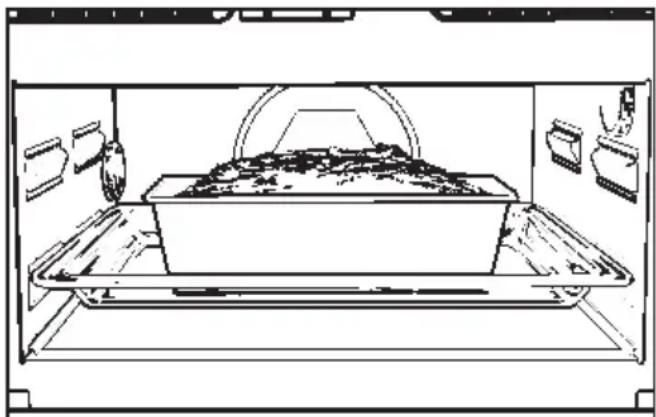
natural_image
Line drawing of a conveyor belt system inside a container (no text or symbols)Slide the glass tray with the rack into the 1st runner from the bottom, and place the baking dish on this.
Do not push the glass tray right to the back wall, but leave a gap of about 2 cm. Otherwise browning will be uneven.
For preference use ovenproof glass or ceramic baking dishes, as microwaves can penetrate these materials into the food being cooked. Metal tins would reflect microwaves, so that they would only reach the cakes from the top, resulting in a longer cooking time.
With metal baking tins there may be sparking. Try positioning the tin differently on the glass tray.
If sparking continues, do not use this tin again in microwave combination mode.
Do not use paper based containers coated with aluminium foil, such as are sometimes provided with packet cake mixes. There is the danger of these catching fire.
Switch on the microwave setting for the total cooking time. The microwave setting should not be higher than 150 W.
Temperature settings and microwave power settings are given within a range in the Baking Chart. These take into account different types of baking tin, quantities of dough and recipe preparation. Select an average temperature for first attempts and adapt accordingly.
The same applies to time settings.
At the end of the shorter time given, check to see whether the cake etc is done. Insert a wooden or metal skewer in the centre. If it comes out clean without dough sticking to it, the cake is ready.
| Fan Heat Microwave + Fan Heat | |||||
| Temp. in °C | Time in mins. | Microwave-setting in W | Temp. in °C | Time in mins. | |
| Creamed mixture | |||||
| Sand cake | 150 – 170 | 55 – 65 | 150 | 160 | 40 – 44 |
| Dried fruit cake | 150 – 170 | 70 – 80 | 150 | 160 | 50 – 56 |
| Nut cake (glass tray)^1) | 150 – 170 | 25 – 30 | 150 | 160 | 20 – 25 |
| Nut cake (tin) | 150 – 170 | 60 – 70 | 150 | 160 | 40 – 46 |
| Fresh fruit cake with topping (glass tray) | 150 – 170 | 45 – 50 | 150 | 160 | 30 – 35 |
| Fresh frt cake (glass tray) | 150 – 170 | 35 – 45 | 150 | 160 | 25 – 30 |
| Fresh fruit cake (tin) | 150 – 170 | 50 – 60 | 150 | 160 | 40 – 44 |
| Flan base | 150 – 170 | 25 – 30 | 150 | 160 | 15 – 20 |
| Small cakes^1) | 150 – 170 | 20 – 25 | - | - | - |
| Whisked mixture | |||||
| Tart | 160 – 180 | 30 – 35 | - | - | - |
| Flan base | 160 – 180 | 20 – 25 | - | - | - |
| Swiss roll | 160 – 180 | 15 – 20 | - | - | - |
| Rubbed-in mixture | |||||
| Tart / flan base | 150 – 170 | 20 – 25 | 150 | 160 | 15 – 20 |
| Crumble cake | 150 – 170 | 40 – 50 | 150 | 160 | 30 – 36 |
| Small cakes^1) | 150 – 170 | 15 – 25 | - | - | - |
| Cheesecake | 150 – 170 | 75 – 85 | 150 | 160 | 64 – 70 |
| Apple pie | 150 – 170 | 45 – 55 | 150 | 160 | 38 – 48 |
| Apricot tart with topping | 150 – 170 | 60 – 70 | 150 | 160 | 50 – 60 |
| Savoury pastry^2) | 190 – 210 | 25 – 35 | - | - | - |
| Yeast mixtures | |||||
| Crumble cake | 150 – 170 | 35 – 45 | 150 | 160 | 30 – 34 |
| Fresh frt cake (glass tray) | 160 – 180 | 40 – 50 | 150 | 170 | 30 – 36 |
| Stollen | 150 – 170 | 50 – 60 | 150 | 160 | 30 – 34 |
| White loaf | 160 – 180 | 40 – 50 | - | - | - |
| Wholemeal loaf | 170 – 190 | 50 – 55 | - | - | - |
| Pizza (glass tray) | 170 – 190 | 40 – 50 | 150 | 180 | 36 – 40 |
| Onion cake | 150 – 170 | 35 – 40 | - | - | - |
| Apple turnovers^1) | 150 – 170 | 25 – 30 | 150 | 160 | 20 – 25 |
| Choux pastry | |||||
| Eclairs^1) | 160 – 180 | 25 – 30 | - | - | - |
| Flaky pastry^1) | 170 – 190 | 20 – 25 | - | - | - |
| Meringues | |||||
| Macaroons^1) | 120 – 140 | 35 – 45 | - | - | - |
The times given are calculated on the basis of an oven which has not been preheated.
With a pre-heated oven shorten times by approx. 10 minutes.
1) First and second shelf support levels.
2) Pre-heat the oven.
Data given are for guidelines only. Values obtained from a machine designed for the German market.
Stainless steel surfaces
Never use abrasive cleaning agents or those containing sand, soda or chlorides, as these will damage the surface.
For the stainless steel surfaces use a non-abrasive mild cream cleaner for stainless steel. Apply with even pressure, afterwards using a damp cloth to wipe away and then a soft cloth to dry the surfaces.
Glass front, controls
Wipe the glass front and the controls with a damp cloth and a little washing up liquid in water. Wipe dry with a soft cloth.
Do not use abrasive cleaners as these will damage the surface.
For appliances with a white finish, please clean the door handle and the control panel after each use with a mild washing-up detergent. This will avoid a build-up of grease or other deposits which could burn on and become unsightly.
Oven interior
The oven interior is stainless steel. The high temperatures possible when operating in normal oven mode can cause the steel to darken slightly.
Clean the oven interior regularly, preferably after each use. If left too long cleaning becomes unnecessarily difficult, and in extreme cases impossible.
Clean with washing up liquid or a mild detergent and water, using a sponge, a soft brush or a damp cloth. Wipe dry with a soft cloth.
If anything has become burnt on, use a non-abrasive mild cream cleaner for stainless steel, applied with a sponge.
Do not use any scouring agent which could scratch. If using an oven spray, the manufacturer's instructions must be followed. Do not spray into any of the openings.
Do not let water or any other substance find its way into any openings.
Residues of fruit juices as well as cake mixtures are best removed while the oven is warm.
Spillages of fruit juices can cause lasting discoloration. Dull patches may remain permanently in the oven tray after roasting or grilling.
Glass back panel
The glass back panel can be removed for cleaning.

natural_image
Illustration of a hand pressing down on a circular component with directional arrows (no text or symbols)■ Gently lift the glass panel and take it out carefully.
■ Clean in the dishwasher or wash by hand.
When washing the glass panel by hand lay it on a smooth surface, to avoid any damage.
Do not use any scouring agents. These cause scratches.
■ Reverse the procedure to refit the glass panel with care. The openings in the back wall of the oven must not be blocked.
Oven interior roof
If the oven interior roof is particularly soiled, the grill element can be lowered to make cleaning easier.
Wait until the grill element has cooled down before lowering it. Otherwise there is the danger of being burnt.
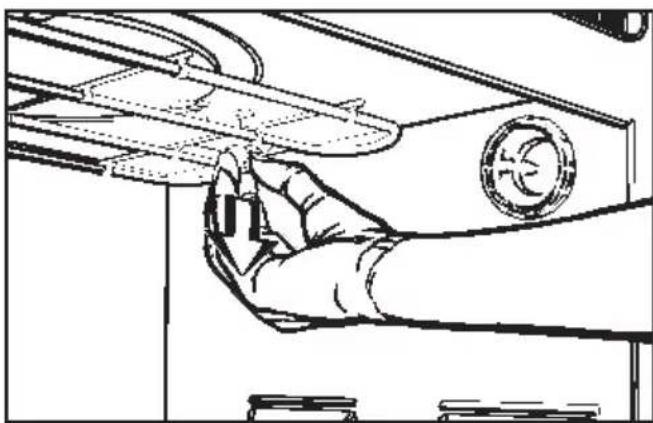
natural_image
Line drawing of a hand holding a mechanical component with a circular emblem (no text or symbols)■ Pull the fixing knob downwards to lower the grill element.

natural_image
Technical line drawing of a mechanical assembly or enclosure with internal components and no visible text or symbols■ Lower the grill element gently.
Do not use force to lower the grill element, as this could cause damage.
Cleaning and care Problem solving guide
■ After cleaning the grill element, raise it gently back up again and secure. The fixing knob must engage.
Door interior
Always keep the door interior clean. Do not use any scouring agent. Check the door at regular intervals for any sign of damage. If any damage is noticed, the oven should not be used again in microwave mode until the fault has been rectified by a service technician.
Accessories
Grease filter
The grease filter can be washed in hot water and washing up liquid, or in the dishwasher.
Rack
Wash and dry the rack after each use. Remove soils with a stainless steel cleaner.
Glass tray
The glass tray can be washed in hot water and washing up liquid, or in the dishwasher.
Do not use scouring agents. These would scratch.
Boiling rod
The boiling rod can be washed in a dishwasher.
Repairs to electrical appliances should only be carried out by suitably qualified and competent service technicians trained by Miele. Improper repairs may pose a serious risk to the user. The following minor malfunctions can be corrected without calling the Service Department:
What to do if ....
... the display area is dark
■ Check whether:
– the appliance is correctly plugged in,
– the mains fuse has blown (call the Service Department),
– the time display had been switched off (see Section on “Time of day display”).
... nothing happens when a touch control is pressed.
■ Check whether:
– the indicator lamp for that control is lit up,
– the programme lock is activated (see Section “Programme lock”).
... a process will not start.
■ Check whether:
- if operating in microwave mode the appliance door is properly shut,
- if operating in microwave mode a power setting and time have been entered,
- if operating with a combination programme, the following have been entered: a power setting, a time, a time for the microwave mode and a temperature for the normal oven operating mode.
- if operating with an Automatic programme the weight has been entered.
... the microwave / heating functions but not the interior lighting.
- Check whether the oven interior lighting has been switched off, (see Section on choosing oven with or without interior lighting).
If this is not the case, the halogen bulb needs replacing.
Change for a new one as follows:
Disconnect the appliance from the electricity supply, (switch off and unplug at the socket or switch off at the isolator as appropriate).


■ Loosen and remove the lamp covers (1.). This may be easier using a rubber glove.
■ Take out the halogen lamps (2.).
■ Fit new halogen lamps.
Connection data for halogen lamps: 12 V, 10 W,
temperature resistant up to 300 °C, W271 socket, Osram, Type 64418
The wires must lie horizontally to the appliance. Push the lamps in until they engage.
■ Screw the lamp cover back on.
■ Reconnect the appliance to the mains supply.
... no operating noise is heard when the appliance door is opened during a cooking process in normal oven mode
This is not a fault.
If the door is opened during a cooking process the door contact switch will switch off the heating and depending on the function chosen, the hot air fan.
... a noise is heard after a process has finished
This is not a fault.
The cooling fan continues to run for a short time. When the temperature has fallen sufficiently the fan switches off automatically.
If the door is opened during this run-on time the fan is switched off. If the door is then shut the fan will start again.
... the food is not sufficiently heated or is not cooked at the end of a set time
■ Check whether:
– the cooking process has been interrupted and the microwave function did not re-start,
- if cooking / reheating in microwave mode the correct time was selected for the setting chosen.
A lower power setting normally requires a longer time.
... Cakes or biscuits are not cooked after a recommended time
■ Check whether:
– the correct temperature was set.
– there has been a change to the recipe. The addition of more liquid or more eggs makes a moister mix which would take longer to cook.
- whether the grease filter had been left in place. A longer time would be needed if this were the case.
... cakes or biscuits are unevenly browned
There will always be a degree of difference in browning.
■ If browning is very uneven, check:
- whether the temperature was set too high,
- whether the glass tray had been pushed so far in that it touched the back wall,
- whether the grease filter had been left in place on the back wall,
– the colour and composition of the baking tins being used. Light coloured, shiny or thin-walled tins may be less suitable.
... food cools down too quickly after being reheated or cooked in microwave mode.
When cooked by microwaves, food begins to cook from the outside first, the inside of the food relying on the slower conduction of heat. If food is cooked at a high power level it is possible that the heat may not have reached the centre of the food. During standing time heat is transferred to the centre of the food. Food may be warm in the middle but cool on the edge. When reheating food with different densities, such as plated meals, it is sensible to start with a low power level and lengthen the time required.
... the minute minder does not work
The short time programmed for the minute minder can only start counting down when the appliance door is shut and the Start touch control has been pressed.
... the touch control for the short step system will not register.
■ Check whether
- microwave mode has been selected.
– the time entered is less than 10 minutes. A time of more than 10 minutes cannot be stored.
... strange noises are heard when the microwave or microwave / combination mode is being used.
- Check whether
- sparks are being created by the use of metallic crockery, (see Section on suitable crockery).
– the food is covered with aluminium foil. If so, remove it.
... a programme can not be stored using "M".
■ Check whether
- microwave mode has been selected,
- a power setting and time have been entered.
... the required time for a Memory-Programme can not be set
■ Check whether
- the total of the times entered for all the Memory-Programmes with a power setting of 1200 W adds up to more than 10 minutes.
– the total of the times entered for all the Memory-Programmes with a power setting of 850 W adds up to more than 60 minutes.
... An "F" appears in the display field together with a number
This combination indicates a fault message.
The fault message "F02" appears when the door is opened and at the same time the Start touch control is pressed.
■ Disconnect the appliance from the power supply (switch off and remove the plug from the socket, or switch off at the isolator, and then reconnect immediately.
The Fault message disappears.
If the fault message remains in the display field, or reappears after Start is pressed in, call the Service department.
If an F in combination with any other number appears e.g. "F10", "F11", "F12",
■ call the Service department.
Inform customer service of the fault code displayed.
In the events of any faults which you cannot easily remedy, please contact
- your Miele dealer
or
– the nearest Miele Service Department See address on the back page.
- When contacting the Service department please quote the Model and Serial number of your appliance, given on the data plate which is located on the front of the oven interior, visible when the door is opened.
All electrical work should be carried out by a competent person, in accordance with national and local safety regulations.
Depending on the version, the appliance is supplied with a mains cable, or a mains cable and plug for connection to a.c. 50 Hz, 230 -240 V.
The voltage, rated load and fuse rating are given on the data plate situated at the front of the oven interior. Please ensure that these match the household mains supply.
For extra safety it is advisable to install a residual current device (RCD) with a trip current of 30 mA.
For appliances with a rated load above 3000 W connection should be made via a suitable isolator which complies with national an local regulations, and which is accessible after the appliance has been built in.
Connection for appliances with a rated load of 3000 W or less should be made via a fused plug and a suitable switched socket which is easily accessible.
In certain unfavourable circumstances microwave appliances can be a source of interference. In this event please contact your dealer or the Miele Service Dept.
Important
The wires in the mains lead are coloured in accordance with the following code:
Green / yellow = earth
Blue = neutral
Brown = live
As the colours of the wires in the mains lead of this appliance may not correspond with the coloured markings identifying the terminals in your plug, proceed as follows:
The wire which is coloured green and yellow must be connected to the terminals in the plug which is marked with the letter E or by the earth symbol 12 or coloured green or green and yellow.
The wire which is coloured blue must be connected to the terminal which is marked with the letter N or coloured black.
The wire which is coloured brown must be connected to the terminal which is marked with the letter L or coloured red (U.K).
WARNING
THIS APPLIANCE MUST BE
EARTHED
Non-rewireable plugs BS 1363
If this machine is fitted with a non-re-wireable plug, the following information applies:
If the socket outlets are not suitable for the plug supplied with this product, it must be cut off and an appropriate plug fitted.
The plug cut off from the flexible cord should be disposed of and on no account be inserted into a 13A socket elsewhere in the house (electric shock hazard).
The fuse cover must be re-fitted when changing the fuse, and if the fuse cover is lost, the plug must not be used until a suitable replacement is obtained. The colour of the correct replacement cover is that of the coloured insert in the base of the plug, or the colour that is embossed in words in the base of the plug (as applicable to the design of plug fitted).
The correct fuse rating of the replacement fuses that are ASTA approved to BS 1362 should be fitted. Replacement fuse covers may be purchased from your local electrical suppliers, or Service agent.
Electrical connection of the appliance should be undertaken by a qualified electrician in strict accordance with national and local safety regulations.
Caution:
In order to avoid a hazard this appliance must be installed according to these instructions for installations.
In certain unfavourable circumstances microwave appliances can be a source of interference. In this event please contact your dealer or the Miele Service Dept.
WARNING
THIS APPLIANCE MUST BE
EARTHED
The appliance is suitable for connection to
- AUS:
an a.c. single phase 240 V, 50 Hz electricity supply.
- N Z :
an a.c. single phase 230 V, 50 Hz electricity supply.
The fuse rating is 16 A (max. rated load 3000 W).
Fusing arrangements must be according to national and local standards.
Connection should be made via a suitable isolator switch which complies with national and local regulations. It should be easily accessible for servicing work.
The data plate situated at the front of the oven interior gives the necessary connection rating.
Possibilities for installation and combination
The appliance is suitable for installation:
– in a tall unit in combination with an oven,
-in a tall unit,
-in a base unit.
Installation measurements
Installation in a tall unit in combination with an oven

Installation in a tall unit

Installation in a base unit

If combination with a hob is being considered, the instructions for the installation of the hob must also be taken into account.
Installation instructions
■ Turn off the mains electricity supply for connecting to an isolator.
■ Connect the oven to the electricity supply.

■ Place the oven into the furniture unit as far as the oven trim and align.
■ Open the oven door, and with two screws secure the oven to the side walls of the furniture unit through the holes in the oven trim.
The appliance must only be operated after it has been built in.
Australia:
Miele Australia Pty. Ltd., A.C.N. 005635398
1 Gilbert Park Drive, Knoxfield, VIC. 3180
Telephone:(03)97647100,Fax:(03)97647129
Miele Australia Pty. Ltd., 3 Skyline Place, Frenchs Forest, N.S.W. 2086
Telephone: (02) 94510644, Fax: (02) 94519700
Miele Australia Pty. Ltd., 4 Wandoo Street, Fortitude Valley, QLD 4006
Telephone: (07) 38522533, Fax: (07) 38522920
Miele Australia Pty. Ltd., Shop1, 568 Goodwood Road,
Colonel Light Gardens, S.A. 5041
Telephone: (08) 83740071, Fax: (08) 83741278
Distributor Western Australia:
G.B.I. Sales Pty. Ltd., 52 Wickham Street,
East Perth W.A. 6000, P.O. Box 6300
Telephone:(09)3238656,Fax:(09)2213475
Distributor New Zealand:
Steelfort Engineering Company. Ltd.
500 Rangitikei Street, Palmerston North, Priv. Bag 11045, N.Z.
Telephone:(06)3571099,Fax:(06)3561507
Steelfort Engineering Company Ltd.,
Unit L, 10-20 Sylvia Park Road,
Mt. Wellington, Auckland, N.Z.
Telephone:(09)5731269,Fax:(09)5731268
Miele
Ireland:
Miele Ireland Ltd.
Wilton House, Naas Road, Dublin 22
Tel. (01) 4504024, Fax (01) 4504037
United Kingdom
Miele Co. Ltd.
Fairacres, Marcham Road, Abingdon, Oxon, OX14 1TW
tel. Abingdon (01235) 554455 - fax (01235) 554477
Service Office, tel. Abingdon (01235) 554466
South Africa:
Miele (Pty.) Ltd.
304 Tungsten Road, Strydom Park 2194
P.O.Box 1654, Randburg 2125
Tel. (011) 793-7452, Telefax (011) 793-7447
- Operating Instructions
- Microwave- Compact Oven H 135 MB
- Description of the appliance
- Grease filter
- Contents
- Operation / Use
- Methods of Use
- Maintenance
- Installation
- Functions
- User responsive
- Operating modes
- Combination programmes
- Automatic programmes
- Memory function
- Short step system
- Automatic timer
- Minute minder
- Time of day display
- Safety features
- Door lock
- Programming lock
- Safety cut-out
- Energy saving functions
- Door contact switch
- Making use of residual heat
- "Night time dimming" option
- Optional oven interior lighting
- Disposal of the packing material
- Disposal of your old machine
- Correct usage
- Technical safety
- Use
- General notes
- Microwave mode
- Normal oven functions: Fan Heat, Auto Roast, Grill, Fan Grill
- Before using for the first time
- Normal oven operating sys- tems
- Fan Heat
- Auto Roast
- Grill
- Fan Grill
- Programmes
- Suitable containers for microwave ovens
- Microwaves
- Metal
- Exceptions:
- Glassware
- Porcelain (chinaware)
- Earthenware
- Glazes and colours
- Plastics
- Wood
- Disposable containers
- Testing dishes for their suitability
- A cover
- Do not use a lid if
- Operation - Controls
- Touch controls
- Setting time of day (24 hour clock)
- Turning off the time of day display
- Showing time of day display again
- Selecting an operating mode / programme
- Selecting a microwave setting/temperature
- Entering the time
- - for the microwave operating mode Solo:
- Combination programmes:
- - with the normal oven operating modes:
- Only for normal oven operating modes:
- Before starting a process
- After starting a process
- To correct a time entry:
- To correct a microwave power setting / temperature, or a food group:
- Correcting programmes
- To alter the stored settings :
- Starting the Short Step system
- Audible tone
- Starting another process
- When a process has finished
- Altering a minute minder entry
- When the minute minder time has elapsed
- "Night time dimming" function
- How to activate this function:
- How to switch this function off again:
- Switching off the oven interior light
- How to switch the oven compartment light back on again:
- How to activate the programming lock:
- How to cancel the locking feature:
- Defrost with
- After defrosting
- Reheat with
- Heating on two levels
- After re-heating
- Microwave
- Allow a standing time at room temperature of:
- Combination programme
- Chart for defrosting and re-heating, or cooking and crisping or browning of deep frozen pre-prepared meals
- Preparing food for grilling
- Test to see if cooked
- Chart for grilling
- Example:
- Microwave + Auto Roast
- After the roasting process is finished
- Useful hints
- Roasting in a covered pot
- Roasting on the rack
- Roasting poultry
- Roasting deep frozen meat
- Stainless steel surfaces
- Glass front, controls
- Oven interior
- Glass back panel
- Oven interior roof
- Cleaning and care Problem solving guide
- Door interior
- Accessories
- Rack
- Glass tray
- Boiling rod
- What to do if ....
- ... the display area is dark
- ... nothing happens when a touch control is pressed.
- ... a process will not start.
- ... the microwave / heating functions but not the interior lighting.
- ... food cools down too quickly after being reheated or cooked in microwave mode.
- ... the minute minder does not work
- ... the touch control for the short step system will not register.
- ... strange noises are heard when the microwave or microwave / combination mode is being used.
- ... a programme can not be stored using "M".
- ... the required time for a Memory-Programme can not be set
- ... An "F" appears in the display field together with a number
- Important
- Non-rewireable plugs BS 1363
- Possibilities for installation and combination
- Installation measurements
- Installation instructions
- Australia:
- Miele
- Ireland:
- United Kingdom
- South Africa:
Brand : MIELE
Model : H 135 MB
Category : Microwave