
WCD8HG Pro - Humidifier Wood's - Free user manual and instructions
Find the device manual for free WCD8HG Pro Wood's in PDF.


| Product Type | Ultrasonic Humidifier |
| Model | WCD8HG Pro |
| Brand | Wood's |
| Water Tank Capacity | 5.5 L |
| Coverage Area | Up to 50 m² |
| Humidification Output | 300 ml/h |
| Noise Level | 28 dB (low), 36 dB (high) |
| Power Supply | AC 220-240V, 50/60Hz |
| Power Consumption | 25 W |
| Dimensions (W x D x H) | 220 x 220 x 360 mm |
| Weight (empty) | 2.0 kg |
| Main Functions | Humidity control, timer, auto shut-off, night mode |
| Control Type | Touch panel with digital display |
| Water Level Indicator | Yes, transparent tank |
| Filter Type | Demineralization cartridge (optional) |
| Cleaning and Maintenance | Weekly cleaning of tank and ultrasonic plate; descale monthly |
| Safety Features | Overheat protection, auto shut-off when empty, child lock |
| Spare Parts | Replacement demineralization cartridges, cleaning brush |
| Reparability | Authorized service center; user replaceable filter and brush |
| Warranty | 2 years |
Frequently Asked Questions - WCD8HG Pro Wood's
User questions about WCD8HG Pro Wood's
0 question about this device. Answer the ones you know or ask your own.
Ask a new question about this device
Download the instructions for your Humidifier in PDF format for free! Find your manual WCD8HG Pro - Wood's and take your electronic device back in hand. On this page are published all the documents necessary for the use of your device. WCD8HG Pro by Wood's.
USER MANUAL WCD8HG Pro Wood's

Manual
Dehumidifier for professional use
IMPORTANT: Read this manual before using the product. Save the manual for future use 7

Manual
Figure A

Figure B
Figure C

Figure D
Figure E
Figure F
Figure G
Lift

This appliance contains R290/Propane

Refer to user manual.

Read user manual.
Before installing and using the appliance, carefully read the supplied manual. The manufacturer is not responsible for injuries or damages caused by incorrect installation or use. Always keep the manual with the appliance for future reference.
Only a qualified person must install this appliance. Remove all packaging material. Do not install or use a damaged appliance. The appliance shall be installed, operated, and stored in a room with a floor area larger than 9 m². Follow the installation instructions supplied with the appliance. The appliance shall not be stored in a room with continuously operating ignition sources, e.g., open flames, an operating gas appliance, or an operating electric infrared heater. Do not pierce or burn.
Use
This appliance can be used by children aged 8 years and above and persons with reduced physical, sensory, or mental capabilities or lack of experience and knowledge if they have been given supervision or instruction concerning use of the appliance in a safe way and understand the hazards involved. Children shall not play with the appliance. Cleaning and user maintenance shall not be made by children without supervision.
Children aged from 3 years and less than 8 years shall only switch on/off the appliance provided that it has been placed or installed in its intended normal operating position and they have been given supervision or instruction concerning use of the appliance in a safe way and understand the hazards involved. Children aged from 3 years and less than 8 years shall not plug in, regulate, and clean the appliance or perform user maintenance.
The dehumidifier is portable and is designed for dehumidifying various premises. The dehumidifier has been approved for damp and wet areas, and is used for applications such as building sites, industrial premises, warehouses, and in the home.
Dehumidifier designated WCD8HGH has an integrated heater. The dehumidifier is CE marked. Degree of protection: IPX4 (corresponds to splash-proof). Dehumidifier WCD8HG - WCD8HGH is stackable, at a height of two, for storage on the floor.
Decommissioning
Disconnect the appliance from the mains supply. Cut off the mains cable and discard it. The refrigerant circuit of this appliance is flammable. Contact your local authority for information on how to discard the appliance correctly. Do not cause damage to the cooling circuit.
Before commissioning
WCD8HG and WCD8HGH are delivered without the console mounted. This must be installed prior to commissioning. Refer to installation instructions, Appendix 1.
Safety
- Position the dehumidifier on a stable and level surface so that it will not overturn.
- The air in- and outlets of the dehumidifier must not be covered during operation, since this may cause overheating and give rise to the risk of fire (refer to Fig. A).
- The different models of WCD8HG are stackable, at a height of two, when stored on floors. The dehumidifier must not be transported or rolled in a stacked position.

Fig. A

Fig. B
Use and operation of the WCD8HG
Location and condensate disposal
Ambient temperature operating range: +3°C to +30°C
Ambient humidity operating range: 40 to 100% RH
If the dehumidifier has been stored at a temperature lower than the ambient, it should be allowed to assume ambient temperature before it is started. After it has been switched off, the dehumidifier must not be restarted earlier than within 10 minutes.
- Position the dehumidifier in the center of the premises, on a surface that is not sensitive to water.
- Shut the doors, windows, vents, etc., so that the premises are as tight as possible. Maintain the highest possible ambient temperature to ensure maximum dehumidification.
- The condensate collecting container of the dehumidifier has a built-in level switch that will stop the dehumidification process when the container is full. This is indicated by the LED switching from constant green to constant red light. The condensate can also be discharged through a hose directly to drain. A 1/2" hose should be connected to the tube with a hose clip above the container (refer Fig. B).
- When the collecting container has been removed, the dehumidifier will restart. Empty the container and put it back in position as quickly as possible.
Electrical connections
Connect the mains cable to an earthed 230VAC power outlet. Required fuse: Refer overview of range. To start the WCD8HG dehumidifier, set the switch to position I (see Fig. C). The electronic control system delays start by about 5 seconds.

Fig. C

Fig. D
The WCD8HGH dehumidifier incorporates an electric heater and a two-position switch (refer to Fig. D).
Position I → Dehumidification
Position II → Dehumidification + heating
The electric heater will be switched off when the preset room temperature has been reached (factory set to 22°C). The value can be adjusted on the electronic circuit board to between 10°C and 26°C (see the arrow in Fig. E), which should be carried out by a specialist.

Fig. E
If the ambient temperature is lower than +3 °C or higher than +30 °C, the dehumidifier will stop (indicated by the LED, refer below). It will restart automatically when the temperature increases/decreases 2 – 3 °C respectively. If frost should occur on the evaporator, the dehumidifier will automatically be defrosted once an hour.
LED indications
Constant green light
Constant red light
Flashing green light
Flashing red light
→ The dehumidifier is operating.
→ The collecting container is full and should be emptied.
→ Ambient temperature too low (see above).
→ Ambient temperature too high
Cleaning
Before carrying out any cleaning, disconnect the power supply to the dehumidifier. Clean the dehumidifier at regular intervals, as dust and dirt reduce the capacity and may cause overheating and give rise to the risk of fire. Remove the filter and clean it in running water. Blow the cooling circuit clean using compressed air.
The following cleaning should be carried out by a specialist:
If necessary, release the top cover, and remove it in order to gain access for vacuum cleaning the bottom plate on which the compressor is mounted. Prior to mounting the top cover, check that the sealing gasket is undamaged, as the water ingress protection otherwise may be impaired and water come in contact with live parts. Reassemble the top cover.
Pressure limiter
The following should be carried out by a specialist:
The dehumidifier is equipped with a pressure limiter with manual reset on the high pressure-side of the cooling circuit. This will stop the compressor if the condensing pressure for some reason would be too high. Release the top cover, remedy the fault.
Reset the pressure limiter located behind the rubber cap, refer Fig. F and replace the rubber cap. Prior to mounting the top cover, check that the sealing gasket is undamaged, as the water ingress protection otherwise may be impaired and water come in contact with live parts. Reassemble the top cover.

Fig. F
Temperature limiter for E models
The following work should be carried out by a specialist:
A dehumidifier with built-in electric heater has two temperature limiters (one of which has manual reset) that are designed to trip the power supply to the heater in the event of overheating. If the manual temperature limiter has tripped, disconnect the power supply to the heater and leave the heater to cool. Remove the top cover, correct the fault and reset the temperature limiter.
Prior to mounting the top cover, check that the sealing gasket is undamaged, as the water ingress protection otherwise may be impaired and water come in contact with live parts. Reassemble the top cover.
Transport
Before the dehumidifier is transported or moved, any water or ice on the evaporator should run off and the collecting container should be emptied. Secure the dehumidifier firmly for transport. If transported in the horizontal position, position the dehumidifier as shown in Fig. G. The dehumidifier must not be transported in any other position. After horizontal transport, the dehumidifier should be left upright for at least 30 min before it is started.

Fig. G
Lift
Please note! Before the dehumidifier is lifted by a crane the collection bowl must be removed (Fig. H), otherwise it might fall out. Do not walk under hanging goods. Put a strap around the plastic handle of the bracket (Fig. I). Be careful when lifting and putting the dehumidifier down.

Fig. H

Fig. I
Overview of range
| Type WCD8HG WCD8HGH | |||
| Operating humidity Range | % RH | 40-100 | 40-100 |
| Operating temp. Range | °C | +3 - +35 | +3 - +35 |
| Power supply | V | 230V~ | 230V~ |
| Fuse A 10 10 | |||
| Max. power con-Sumption | W 650 | 2150 | |
| Power consumption W at 20°C / 70% RH | W 440 | 440* | |
| Additional heating | W | - | 1500 |
| Dehumidification at 20°C, 70% RH | 1/24h | 27 | 27 |
| Dehumidification at 30°C, 80% RH | 1/24h | 49 | 49 |
| Power consumption at 20°C, 70% RH | kW / l | 0,4 | 0,4* |
| Refrigerant | R290 | R290 | |
| Air flow rate | m3/h | 300 | 300 |
| Volume of collecting container | l | 9 | 9 |
| Degree of protection | IPX4 | IPX4 | |
| Weight | kg | 35 | 36 |
| Length | mm | 440 | 440 |
| Width | mm | 540 | 540 |
| Height | mm | 980 | 980 |
| Stackable | X | X | |
DE

Fig. A Fig. B

Fig. C Fig. D
Fig. E
Fig. F
Fig. G
Lift

Fig. A

Fig. B
Figure C

Figure D
Figure E
Figure F
Figure G
Lifting


NB: We reserve the right to make typographical corrections and to change or improve the contents of this manual without prior notice.


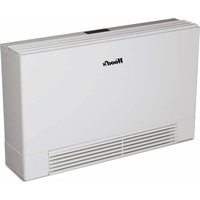
Brand : Wood's
Model : WCD8HG Pro
Category : Humidifier