
Senia - Facial sauna Vanity Planet - Free user manual and instructions
Find the device manual for free Senia Vanity Planet in PDF.


| Product Type | Hot & Cold Smart Facial Steamer |
| Brand | Vanity Planet |
| Model | Senia (VP59363-0100) |
| Power | 320W |
| Voltage | 120V/60Hz |
| Frequency | 50 Hz |
| Water Tank Capacity | 220 mL |
| Working Time (Hot Mode) | 16 ± 5 minutes |
| Working Time (Cold Mode) | 60 ± 10 minutes |
| Modes | Cold, Hot, Hydrating, Oil Control, Cleaning, Alternating |
| Automatic Shut-Off | Yes (after mode cycle or low water) |
| Recommended Water | Distilled or purified water only |
| Includes | Steamer, aroma basket, user guide |
| Warranty | 1 year (manufacturer defect) |
| Customer Support | vanityplanet.com, info@vanityplanet.com, 1.888.870.2132 |
Frequently Asked Questions - Senia Vanity Planet
User questions about Senia Vanity Planet
0 question about this device. Answer the ones you know or ask your own.
Ask a new question about this device
Download the instructions for your Facial sauna in PDF format for free! Find your manual Senia - Vanity Planet and take your electronic device back in hand. On this page are published all the documents necessary for the use of your device. Senia by Vanity Planet.
USER MANUAL Senia Vanity Planet
Senia
Hot & Cold Smart Facial Steamer
User Guide
Contents
Includes.... 1
Safety.... 2
A Closer Look.... 4
Modes.... 5
Instructions....8
Troubleshooting.... 13
Specs.... 13
Maintenance.... 14
Warranty.... 16
Includes
• Hot & Cold Smart Facial Steamer
- Aroma Basket
- User Guide
Safety
- Use to remove pore-clogging debris and provide a deep, relaxing cleansing experience.
- Use only distilled water or pure water in the tank. Do not add other liquids.
- Before adding water, you must turn off and unplug the unit. Then add water to the water tank.
- Do not immerse the machine body, power cord, or plug in water. Do not place the machine near the heat source and its surface. Do not keep in a damp climate to avoid short circuit.
- Only dried flowers and water-soluble essential oils can be added to the aromatherapy basket. Do not add other objects.
- Do not place hands inside machine when adding dried flowers or essential oils. Do not overflow the aromatherapy basket when adding essential oils. Do not touch the aroma basket during or after operation because it will be very hot.
- New machines may have a slight aroma. It is recommended to use distilled or purified water and let the steamer run a few times prior to your first use.
- Use caution during high-temperature steam. Adjust the distance between your face and the steam nozzle according to your skin's sensitivity.
- When using hot and cold steam alternately, avoid discomfort of skin due to rapid temperature change by adjusting your face slowly to each temperature.
- If you feel any pain or discomfort after using this product, please immediately refrain from using it. Seek medical advice if necessary.
- Please keep your steamer stable and in safe place. Refrain from moving your machine often, especially when in use.
- Clean fragrance basket after each use to avoid the accumulation of residue. When cleaning the outside of the machine, wipe the machine with a damp towel before drying it with a dry towel.
- Not for use for individuals with heat-sensitivity issues or equipped to avoid burns such as the elderly and children.
- Unplug the power immediately after use and while cleaning or maintaining your device.
- This product contains a water tank and other electronic components, which are recommended to be checked-in when flying.
A Closer Look
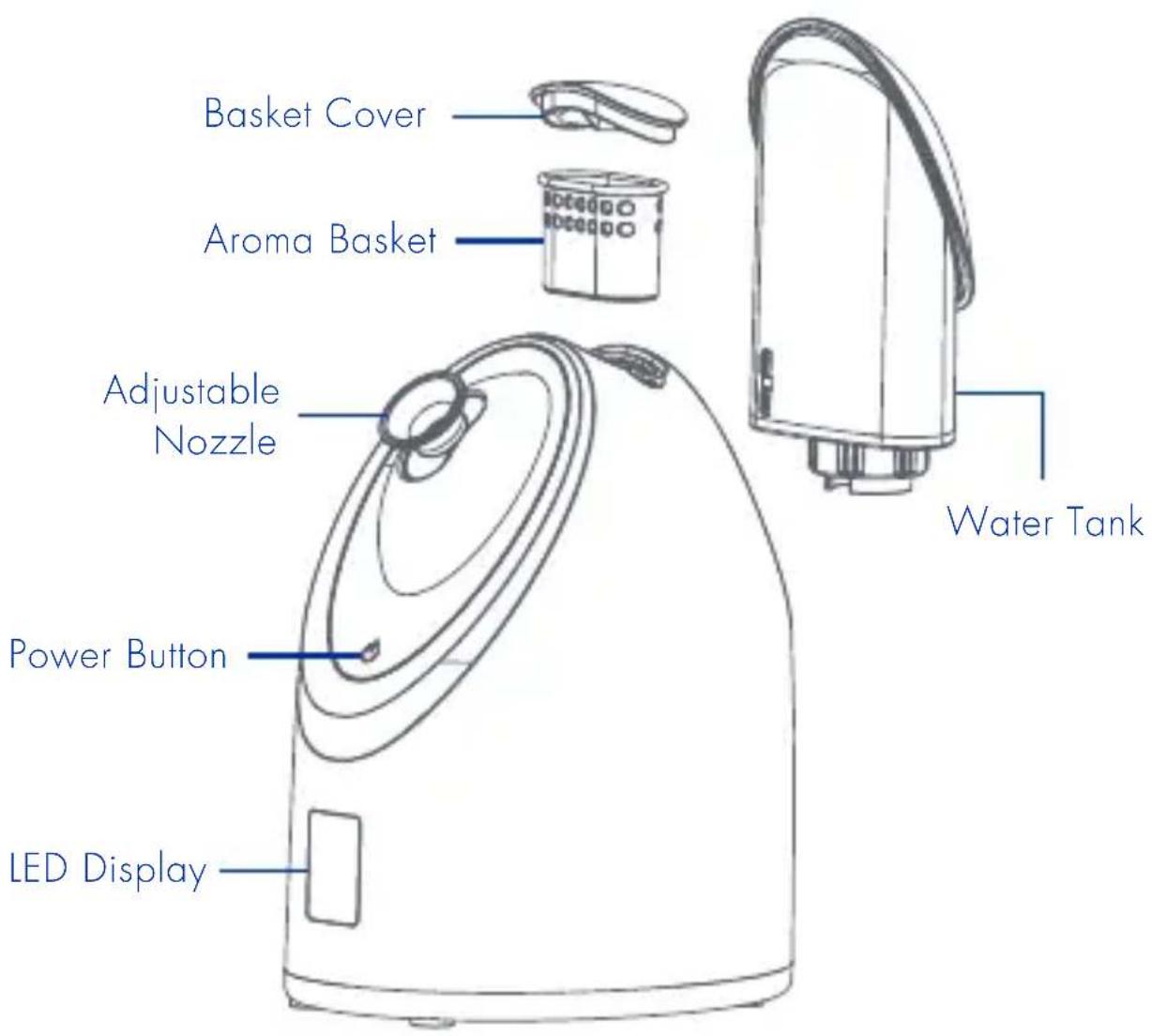
Boost your skincare routine with blissful, aromatic steam. Our hot and cold smart facial steamer combines a luxurious cleansing treatment with a euphoric sensory experience using Smart Steam Technology. Six customizable modes purify the skin for an indulgent at-home spa treatment. Just add water for a dual-temperature spa steam to epically cleanse, hydrate, and glow.
Modes

Cold Mode
Closes pores, helps tighten skin and locks in moisture.

Hot Mode
Opens pores so skin is more receptive to serums, masks and treatments.

Hydrating Mode
Keeps skin moisturized and hydrated for a radiant glow.

Oil Control Mode
Regulates oil balance, clarifying clogged pores.

Cleansing Mode
Remove makeup before steaming - acts as a double-cleansing process to remove stubborn makeup and dirt remaining on the skin.

Alternating Mode
Cold steam refreshes and wakes up the skin then hot steam opens your pores and preps them for your treatment.
Modes

Cold Mode: Adjust according to your skin's cold sensitivity by taking a distance between the face and the steam nozzle. After steaming for 2-3 minutes, apply masks and/or skin care. Steam for up to 20 minutes.

Hot Mode: In about 80 seconds the machine will spray hot mist - adjust according to your skin's heat sensitivity by taking a distance between the face and the steam nozzle. After steaming, apply masks and/or skin care products. Steam for up to 20 minutes.

Hydrating Mode: Hot 6 mins → Cold 1 min → Hot 3 mins → Cold 1 min → Hot 3 mins → Cold 1 min. Shuts off automatically.

Oil Control Mode: Hot 6 mins → Cold 3 mins → Hot 3 mins → Cold 2 mins → Hot 2 mins → Cold 1 mins. Shuts off automatically.

Cleaning Mode: Shuts off automatically after 4 mins hot steam.

Alternating Mode: Cold 3 mins → Hot 3 mins. Shuts off automatically in 3 mins.
A beautiful world starts with you.
Instructions
USING THE AROMA BASKET
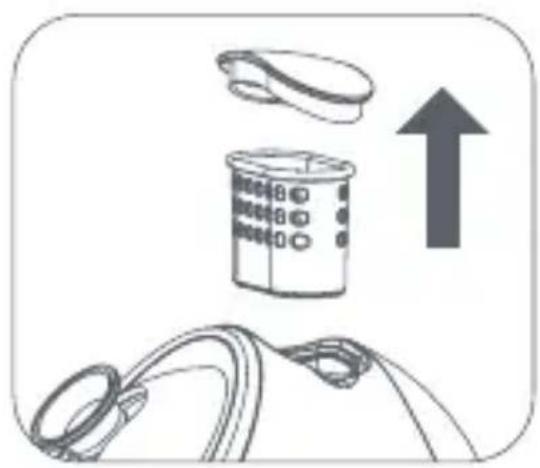
natural_image
Illustration of a medical device with a cap and a bag, accompanied by an upward arrow (no text or symbols)- Remove aroma basket and cover
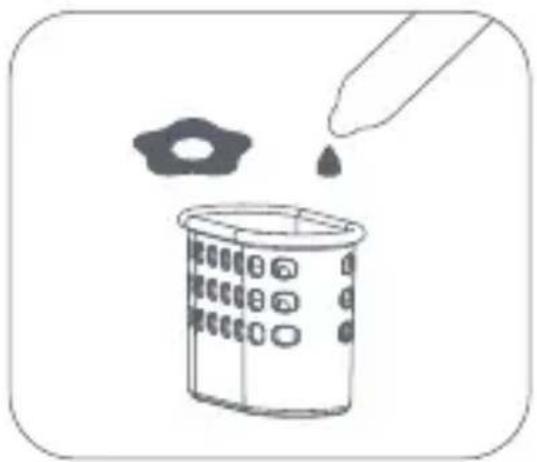
natural_image
Illustration of a pipette dispensing liquid into a container with a small inset image (no text or symbols)- Put essential oils or dried flowers in
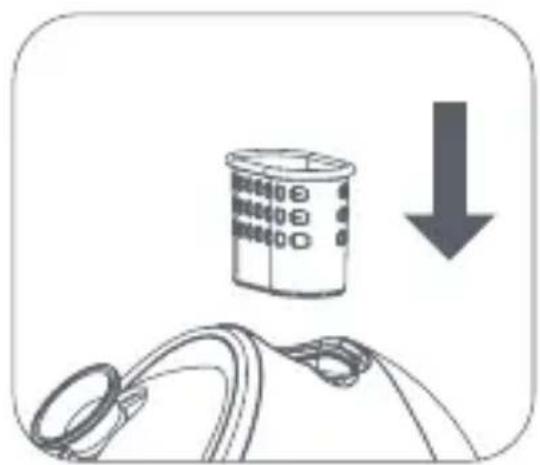
natural_image
Illustration of a container with a downward arrow and a rope-like object below (no text or symbols)- Put back the aroma basket

natural_image
Diagram showing a curved object with two circular features and a downward arrow, no text or symbols present- Cover the basket cover
GETTING STARTED

natural_image
Diagram showing two mechanical components with an upward arrow, no text or symbols present- Take out the water tank

natural_image
Line drawing of a mechanical component with a curved arrow indicating rotation (no text or symbols)- Open the tank cap counterclockwise

natural_image
Simple line drawing of a mechanical component with a curved handle and central shaft (no text or symbols)- Fill the tank with 180ml of distilled water
natural_image
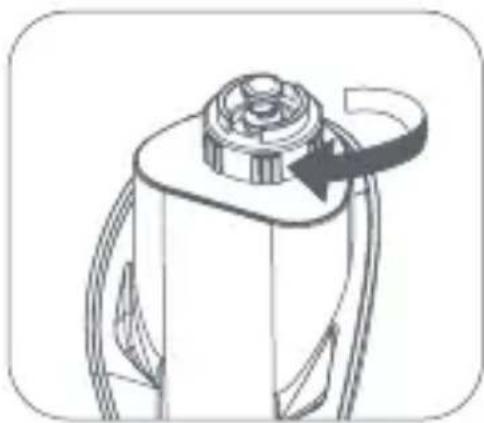
Technical line drawing of a mechanical component with a circular top and curved arrow indicating rotation (no text or symbols)- Close the tank cap clockwise
natural_image
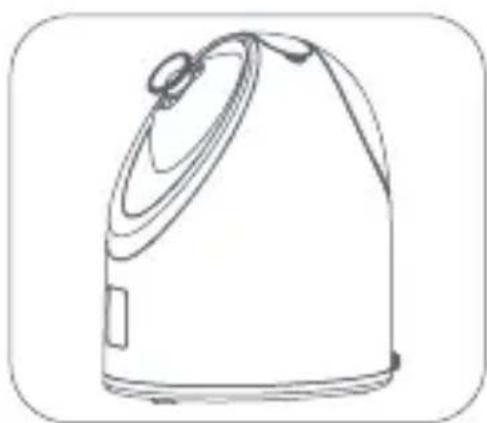
Line drawing of a portable kitchen appliance (no text or symbols)- Place the water tank back into place

natural_image
Simple line drawing of a bag with a cable and a small inset square (no text or symbols)- Plug the steamer in
PREPARE BEFORE USING
Wash your face before steaming. This will make the detoxifying session even more effective.
COLD MODE

natural_image
Symbolic icon of a biological or chemical process with circular arrows and star-like elements (no text or labels)- Press the power button shorty for cold mode (blue LED display)

natural_image
Simple line drawing of a bird's head with a needle inserted, no text or symbols present- Adjust the distance between face and the steam nozzle as you like
natural_image
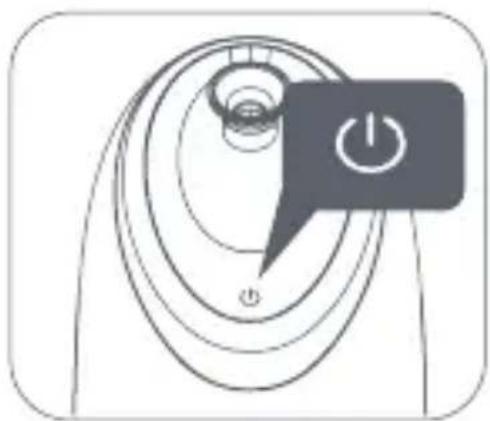
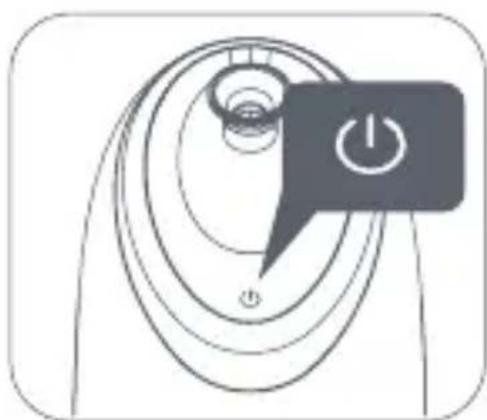
Diagram of a rotary dial with a power button and power symbol (no text or labels)- Long press the power button to shut the device off once you finish steaming
natural_image
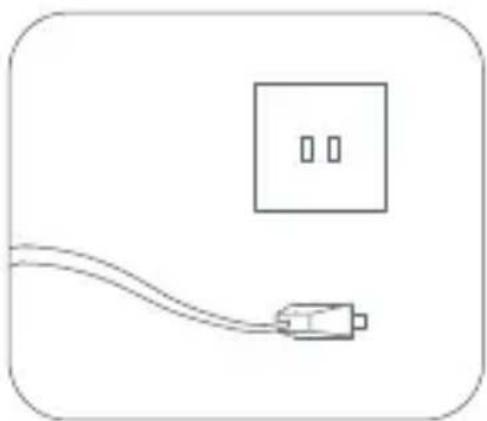
Simple line drawing of a plug connected to a wall-mounted power outlet (no text or symbols)- Plug off after use
CHANGING MODES

natural_image
Symbolic icon of a biological cell with nucleus and electron orbits, enclosed in a rounded rectangle (no text or labels)- Press the power button shorty to choose the mode

natural_image
Simple line drawing of a bird's head with a syringe inserted, no text or symbols present- Adjust the distance between face and the steam nozzle as you like
natural_image
Diagram of a rotary dial with a power button and power symbol (no text or labels)- Choose the mode and time according to your requirement

natural_image
Simple line drawing of a plug connected to a wall-mounted power outlet (no text or symbols)- Plug off after use
• Shuts off automatically when the time finishes
• To turn off, hold the power button in for 3 seconds
- When the water is low, the steamer with automatically shut off.
HOW TO CLEAN

natural_image
Line drawing of a portable kitchen appliance (no text or symbols)- After use, let it sit for 3 minutes until the residual water temperature drops.

natural_image
Line drawing of kitchen utensils including a lid, pot, and evaporator (no text or symbols)- Remove aroma basket and water tank.
natural_image
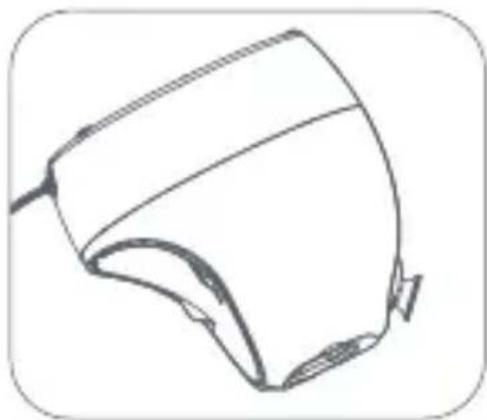
Line drawing of a helmet or device component (no text or symbols)- Turn it upside down and pour out the residual water.
natural_image
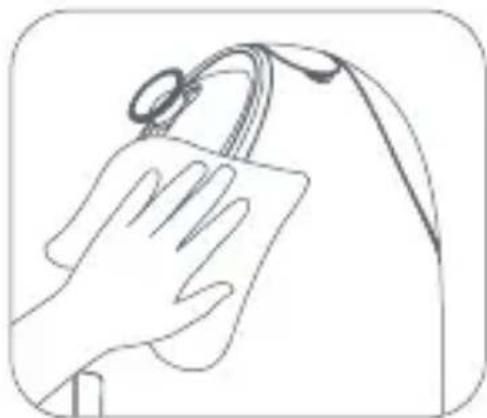
Line drawing of a hand cleaning a small object with a ring on top (no text or symbols)- Wipe the device down with a damp cloth or fabric.
Troubleshooting
| Problem Problem Solution | ||
| Device is not heating up | The switch is not turned on | Turn on the switch |
| Not connected to power supply | Connect socket | |
| Household power fuse is broken | Reset or replace fuse | |
| Device does not give any steam | No more water in the tank | Fill with water |
| Tank not placed back into the steamer correctly | Check to see if the water tank is clicked in properly | |
| Deposits in the device C | ean with distilled water 2-3 times | |
Specs
| Senia Hot & Cold Smart Facial Steamer | Power: 320W |
| Model No: VP59363-0100 | Frequency: 50 hz |
| Working time: 16 ± 5min Hot 60 ± 10min Cold | Capacity: 220mL |
Maintenance
- Only add distilled or pure water to the tank. Do not add any other liquids.
- When adding water, it is necessary to turn off the power switch, unplug the power source and then add water to the water tank.
- When using hot mode, high-temperature steam will be sprayed. Please adjust the distance between the face and the nozzle (about 25cm) according to the degree of heat sensitivity to avoid scalding the skin.
- When the machine is in use, use caution to prevent the danger of scalding with hot steam.
- Do not soak the unit, power supply or plug in water.
- Please use the correct supply voltage of 120V/60Hz.
- Do not add detergent or other chemical solvents into the water tank.
-
Keep the power cord away from hot surfaces and water.
-
If the power cord is damaged, a replacement must be made by the manufacturer.
- After using the machine, unplug the power cord before cleaning or storing the machine.
- Do not use steel balls, abrasive cleaners, or corrosive liquids (such as gasoline or acetone) to clean the product.
One-Year Warranty
Visit vanityplanet.com/warranty to register your product and activate your warranty.
This Vanity Planet product is warranted to be free of manufacturer's defects in materials or workmanship for one year from the date of purchase. Damage or wear resulting from an accident, misuse, abuse, commercial use, or unauthorized adjustment and/or repair are not covered under this warranty.
Should this product require warranty service (or replacement at our discretion), please contact client services. Proof of purchase is required. Products returned without prior authorization from Vanity Planet will not be accepted and the sender will not receive a refund or replacement.
vanityplanet.com
info@vanityplanet.com
1.888.870.2132
There are no express warranties except as listed above. This warranty gives you specific legal rights and you may have other rights which vary from state to state.
Please do not return this product to the retailer. Contact us directly for warranty service.

natural_image
White and pink porcelain water heater with a circular top, labeled 'VANITY PLANET' (no other text or symbols visible)
natural_image
Abstract circular diagram with four labeled points and a central abstract shape (no text or symbols)|D

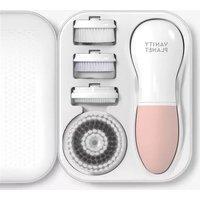
Brand : Vanity Planet
Model : Senia
Category : Facial sauna