
Glaser 150 - Effects Device Karma - Free user manual and instructions
Find the device manual for free Glaser 150 Karma in PDF.


| Product Type | Effects Pedal (Multi-FX) |
| Brand | Karma |
| Model | Glaser 150 |
| Dimensions (W x D x H) | 120 x 80 x 55 mm |
| Weight | 450 g |
| Power Supply | 9V DC (center negative), 300 mA |
| Battery Compatible | Yes (9V alkaline) |
| Main Effects | Reverb, Delay, Chorus, Flanger, Distortion, Overdrive |
| Number of Presets | 60 (30 factory + 30 user) |
| Inputs | 1 x 1/4" TS instrument jack |
| Outputs | 1 x 1/4" TS jack (mono), 1 x 1/4" TRS jack (stereo) |
| Controls | Footswitch (on/off, tap tempo), 4 rotary knobs, 2 push buttons |
| Display | 2-digit LED |
| Construction | Aluminum chassis, rubber bottom |
| Maintenance | Wipe with dry cloth; avoid liquids |
| Safety | Use only recommended power supply; do not disassemble |
| Spare Parts | Available through authorized service centers |
| Repairability Score | 6/10 (some components user-replaceable) |
| Warranty | 2 years limited |
Frequently Asked Questions - Glaser 150 Karma
User questions about Glaser 150 Karma
0 question about this device. Answer the ones you know or ask your own.
Ask a new question about this device
Download the instructions for your Effects Device in PDF format for free! Find your manual Glaser 150 - Karma and take your electronic device back in hand. On this page are published all the documents necessary for the use of your device. Glaser 150 by Karma.
USER MANUAL Glaser 150 Karma
Thanks for your choice
The RIDEM product you have purchased is the result of careful planning by specialized engineers.
High quality materials have been used for its construction, to ensure its functioning over time.
The product is manufactured in compliance with strict regulations imposed by the European Union, a guarantee of reliability and safety.
Please read this manual carefully before starting to use the fixture in order to exploit its full potential.
We thank you again for your trust in our brand.
Warranty Certificate
The product is covered by warranty, according to the current regulations. We suggest to keep the receipt or the invoice in order to use it, in case of necessity, as purchase proof.
- Damages caused by negligence or wrong use of the device are not covered by warranty.
- The warranty is no longer effective if the item is modified or disassembled by not authorized people.
- This warranty doesn't envisage the product's replacement.
- External components, batteries, knobs, switches and any removable or subject to wear and tear parts (such as laser's diods) are excluded from warranty.
- Shipment for the return of faulty items is at expense and risk of the owner.
- For all intents and porpuses the warranty is effective only upon exhibition of the invoice or of the purchase receipt
- For further informations pls contact our office or go to the website www.ridem.eu
Step 1
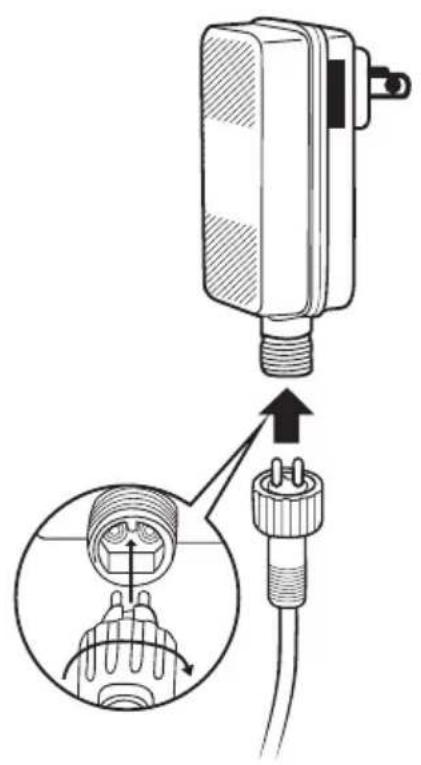
Step 2
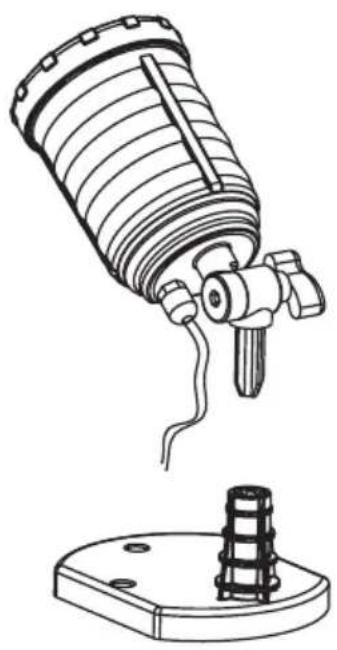
natural_image
Technical line drawing of a mechanical device with a cylindrical component and a base mount (no text or symbols)Indoor
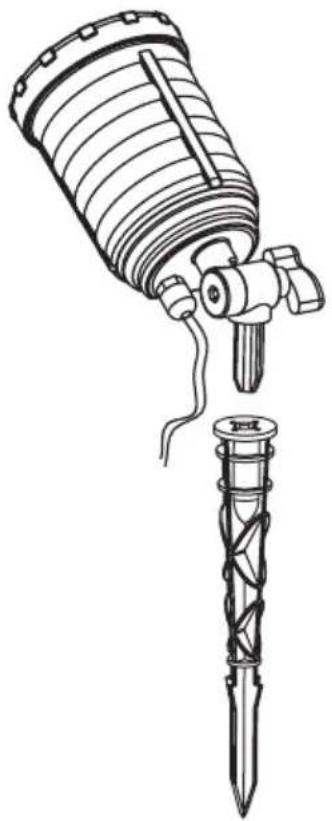
natural_image
Technical line drawing of a mechanical device with a cylindrical component and a multi-tube tool inserted into it (no text or symbols present)Outdoor
Distance to Surface Coverage
| 10 feet | 226 sq.ft |
| 15 feet | 506 sq.ft |
| 20 feet | 883 sq.ft |
| 25 feet | 1378 sq.ft |
| 30 feet | 2002 sq.ft |
| 35 feet | 2680 sq.ft |
| 40 feet | 3541 sq.ft |
TELECOMANDO
Thanks to the included infrared remote control, you will have the possibility to manage the main functions also from a distance. The infrared sensor (1) is on the laser's front part. The keys allow to choose the laser's colour (red, green or both), to act on operation and to set auto switch off time.

ON / OFF

Color selection

Flash speed

Motor speed

Timer

Reset
Potenza laser / Laser power: 150 mW : R 100mW(650nm) - G 50mW(532nm)
Telecomando / Remote control: incluso / Included
Classe / Class: 2
Colore / Color: Nero / Black
Dimensioni / Dimensions: 100 x 100 x 125 mm
Peso / Weight: 0,9 Kg
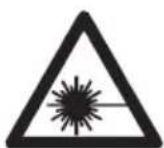
LASER LIGHT
AVOID DIRECT EYE EXPOSURE
CLASS 2 LASER PRODUCT
Conforme alle normative
EN 60825-1:2014
CAUTION
CLASS 2 LASER LIGHT WHEN OPEN
AVOID EXPOSURE TO THE BEAM
AVVERTENZE WARNINGS
Brand : Karma
Model : Glaser 150
Category : Effects Device