Eclipse - Bicycle Tern - Free user manual and instructions
Find the device manual for free Eclipse Tern in PDF.


Pick your language and provide your email: we'll send you a specifically translated version.
| Product Type | Folding Bike |
| Brand | Tern |
| Model | Eclipse |
| Frame Material | Aluminum 6061 |
| Number of Speeds | 8-speed internal hub |
| Brake Type | V-brakes |
| Tire Size | 20 inches (406mm) |
| Weight | 12.5 kg (27.6 lbs) |
| Folded Dimensions | 64 x 38 x 47 cm (25.2 x 15.0 x 18.5 in) |
| Max Rider Weight | 105 kg (231 lbs) |
| Saddle Type | Padded, adjustable |
| Handlebar Type | Adjustable, folding |
| Folding Mechanism | Single hinge with latch |
| Recommended Tire Pressure | 40-65 psi |
| Cleaning Method | Mild soap and water, dry thoroughly |
| Chain Lubrication | Apply bike-specific lube every 100 miles |
| Storage | Indoor, dry place, away from direct sunlight |
| Safety Notes | Always wear helmet; check brakes and tires before each ride |
| Spare Parts Availability | Contact Tern dealer or official website |
| Warranty | 2 years frame and components |
Frequently Asked Questions - Eclipse Tern
How do I fold the Tern Eclipse bike?
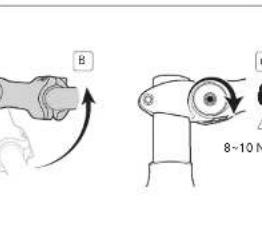
To fold the bike, first lower the seat, then fold the handlebar stem by releasing the lever. Next, unlatch the main frame hinge and fold the frame in half. Secure with the magnet lock. Refer to the manual for detailed steps.
What is the maximum weight limit for the Eclipse?
The maximum rider weight is 105 kg (231 lbs). Exceeding this can cause frame damage or safety issues.
How often should I lubricate the chain?
Lubricate the chain every 100 miles or after riding in wet conditions. Use a bike-specific lubricant and wipe off excess.
What tire pressure should I use?
Recommended tire pressure is between 40 and 65 psi. Adjust based on rider weight and terrain for optimal comfort and efficiency.
How do I adjust the brakes?
Use the barrel adjuster on the brake lever to fine-tune cable tension. If pads rub, center the caliper by loosening the mounting bolt and repositioning.
Can I ride the Eclipse in the rain?
Yes, but avoid deep water and ensure brakes are dry before riding. After riding in rain, dry the bike and lubricate the chain and cables.
How do I clean the folding mechanisms?
Wipe hinges and latches with a dry cloth. Avoid using harsh chemicals. For stubborn dirt, use a mild soap solution and rinse with water, then dry thoroughly.
What is the warranty period?
Tern offers a 2-year warranty on the frame and components against manufacturing defects. Register your bike on the Tern website to activate.
How do I store the Eclipse when not in use?
Store in a dry, indoor location away from direct sunlight. Keep tires inflated to half the recommended pressure to prevent flat spots.
Where can I find replacement parts?
Contact an authorized Tern dealer or visit the official Tern website. Common parts like tires and tubes are widely available.
User questions about Eclipse Tern
0 question about this device. Answer the ones you know or ask your own.
Ask a new question about this device
No questions yet. Be the first to ask one.
Download the instructions for your Bicycle in PDF format for free! Find your manual Eclipse - Tern and take your electronic device back in hand. On this page are published all the documents necessary for the use of your device. Eclipse by Tern.
USER MANUAL Eclipse Tern
natural_image
Simple line drawing of a mechanical device with a knob and directional arrows (no text or symbols)
natural_image
Diagram of a bicycle wheel and suspension mechanism (no text or labels)




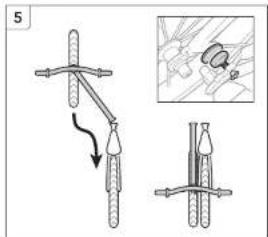


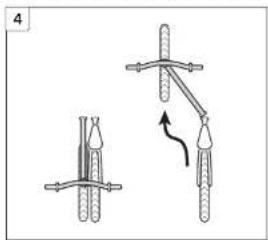
natural_image
Diagram showing two mechanical or electrical setups with no visible text, numbers, or symbols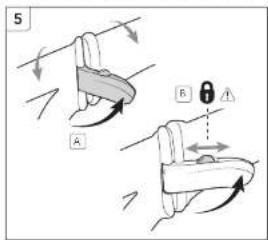


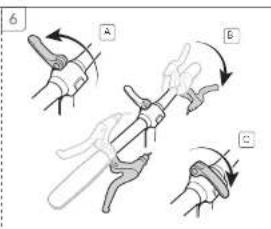


natural_image
Diagram of a mechanical device with directional arrows indicating motion (no text or symbols)
natural_image
Mechanical diagram showing a bicycle wheel and suspension mechanism (no text or labels)
natural_image
Illustration of a mechanical device with two inset diagrams showing rotational changes (no text or symbols)




natural_image
Line drawing of a bicycle with wheels and suspension components (no text or symbols)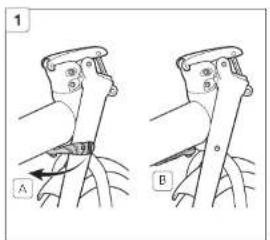

natural_image
Line drawing of a bicycle's front wheel and side arm, showing motion direction (no text or symbols)

natural_image
Diagram showing two mechanical setups with ropes and a curved arrow indicating motion (no text or symbols)
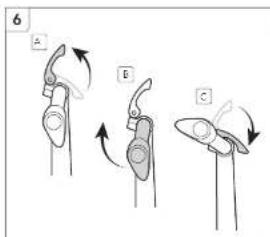
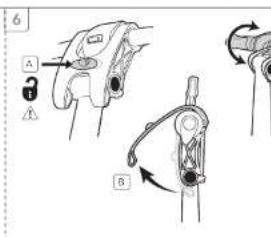


natural_image
Line drawing of a two-wheeled bicycle with a seat and front wheel, accompanied by a small bird illustration (no text or symbols)
natural_image
Mechanical component diagram showing a lever and adjustment mechanism with arrows indicating motion (no text or symbols)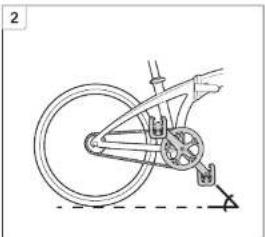
natural_image
Diagram of a bicycle wheel assembly with suspension mechanism (no text or labels)
natural_image
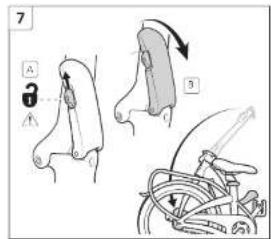
Diagram of a mechanical device with directional arrows and two inset diagrams showing internal components (no text or symbols)


natural_image
Line drawing of a bicycle with wheels and suspension components (no text or symbols)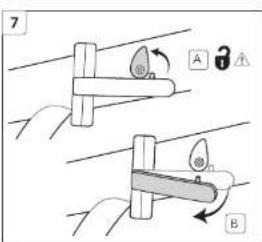


natural_image
Diagram showing a mechanical component with arrows indicating direction (no text or symbols)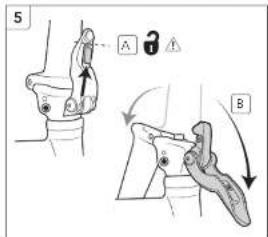
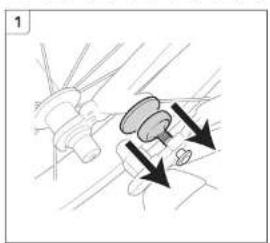
natural_image
Diagram showing mechanical components with arrows indicating motion or force direction (no text or symbols)
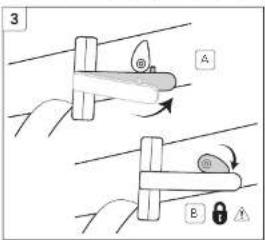

natural_image
Line drawing of a bicycle with wheels and suspension components (no text or symbols)
natural_image
Line drawing of a bicycle with wheels and seat (no text or symbols)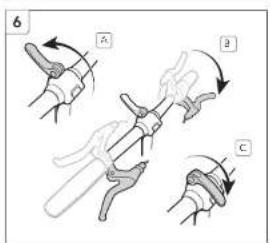

natural_image
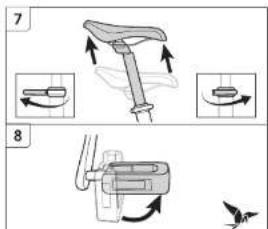
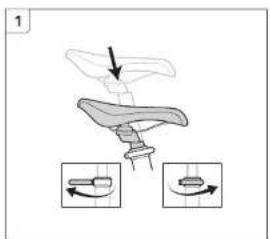
Illustration of a bicycle seat with directional arrows indicating motion, accompanied by two circular diagrams showing the same seat (no text or symbols present)
natural_image
Diagram of a mechanical device with a rotating arrow indicating motion (no text or symbols)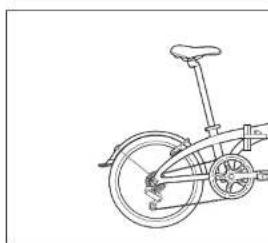
natural_image
Line drawing of a bicycle with a wheel and side panel (no text or symbols)

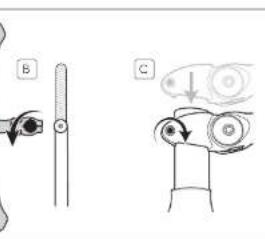


natural_image
Illustration of a medical or anatomical device with a force gauge and a separate scale bar (no text or symbols)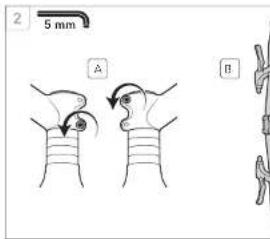

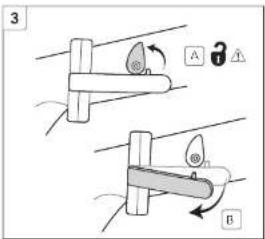

natural_image
Line drawing of a bicycle with a curved arrow indicating motion (no text or symbols)
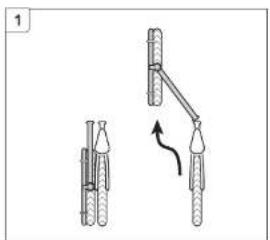
natural_image
Diagram showing two mechanical setups with a lever mechanism and a hanging object, no text or symbols present

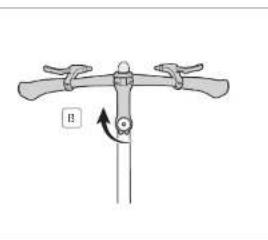
natural_image
Diagram of a mechanical device with lever and pivot point, no text or symbols present
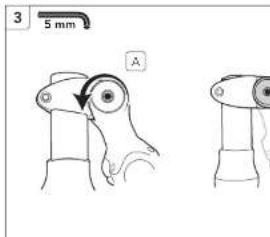


natural_image
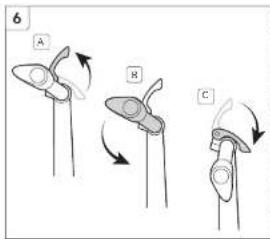
Illustration of a bicycle seat with directional arrows indicating motion, accompanied by three diagrams showing rotational changes (no text or symbols)
Manual assistant
Powered by Anthropic
Waiting for your message
Product information
Brand : Tern
Model : Eclipse
Category : Bicycle