MS20 - Angle Grinder Eldom - Free user manual and instructions
Find the device manual for free MS20 Eldom in PDF.


| Product Type | Angle Grinder |
| Brand | Eldom |
| Model | MS20 |
| Voltage | 230 V / 50 Hz |
| Power | 720 W |
| No-Load Speed | 11000 rpm |
| Disc Diameter | 115 mm |
| Spindle Thread | M14 |
| Weight | 1.8 kg |
| Dimensions (LxWxH) | 260 x 110 x 100 mm |
| Protection Class | II (Double insulated) |
| Included Accessories | Grinding disc, side handle, spanner, protective guard |
| Material | Plastic housing with rubber grip |
| Maintenance | Clean air vents regularly; replace carbon brushes when worn |
| Safety Features | Overload protection, double insulation, lock-on switch |
| Spare Parts Availability | Carbon brushes, switch, disc guard, side handle, spindle lock |
| Repairability | Replaceable brushes and switch; user-serviceable parts |
| Warranty | 2 years (refer to manufacturer policy) |
Frequently Asked Questions - MS20 Eldom
User questions about MS20 Eldom
0 question about this device. Answer the ones you know or ask your own.
Ask a new question about this device
Download the instructions for your Angle Grinder in PDF format for free! Find your manual MS20 - Eldom and take your electronic device back in hand. On this page are published all the documents necessary for the use of your device. MS20 by Eldom.
USER MANUAL MS20 Eldom
natural_image
3D rendered mechanical component with a circular housing and internal structure (no visible text or symbols)Eldom Sp. z o.o.
natural_image
Close-up of a white dental implant with a curved arrow indicating rotation (no text or symbols)OPIS OGÓLNY
natural_image
3D diagram of a mechanical part with labeled parts (1 and 2), showing angular movement arrows (no text or symbols beyond labels)Fot. 01
natural_image
Stacked cardboard discs with one disc partially visible, no text or symbols presentFot. 02
UŻYTKOWANIE URZĄDZENIA
natural_image
Close-up of a metallic circular component with a black arrow indicating rotation (no text or symbols visible)Fot. 03
natural_image
Close-up of a mechanical component with an arrow pointing to a specific part (no visible text or symbols)Fot. 04
WSKAZÓWKI BEZPIECZEŃSTWA
natural_image
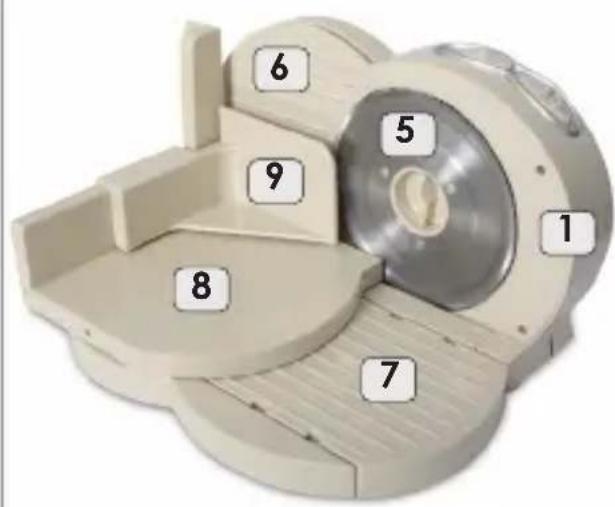
Close-up of a white dental appliance with a curved knob and label '2' (no readable text or symbols beyond the label)GENERAL DESCRIPTION
- Body
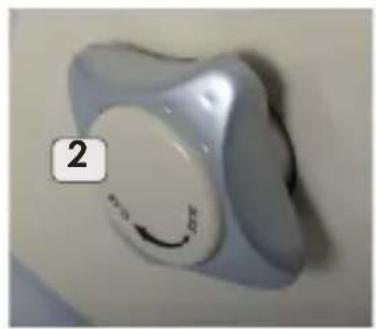
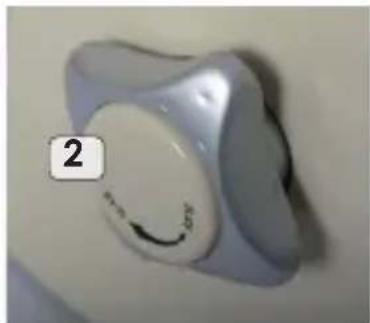
- Slicing thickness adjustment knob
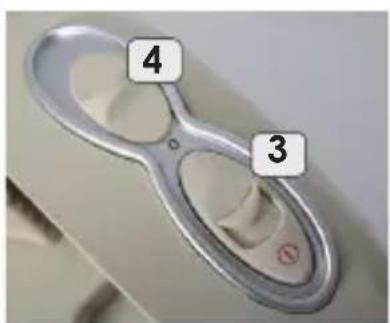
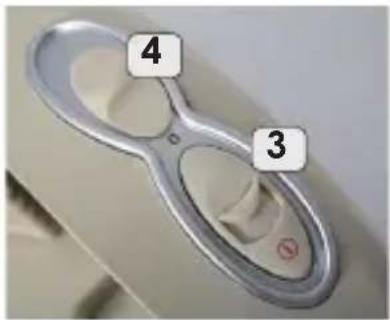
- Switch witch lock
- RPM controller
- Blade
- Support plate
- Base
- Slide
- Pusher
TECHNICAL DETAILS
- power: 150W
- rated voltage: 230V \~50Hz
- permissible time
of constant operation: 5 min - time interval before next use: 10 min
natural_image
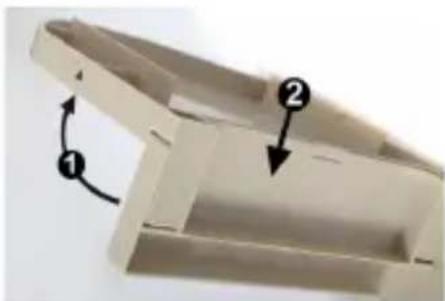
3D diagram of a mechanical part with labeled parts (1 and 2), showing internal structure and directional arrows (no text or symbols beyond labels)phot. 1
natural_image
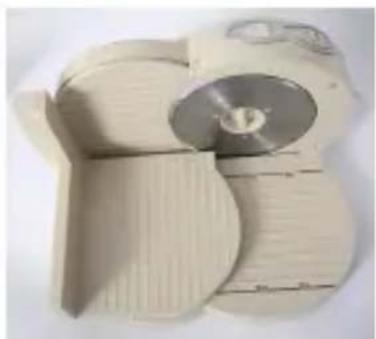
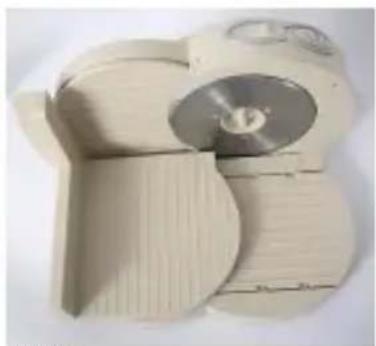
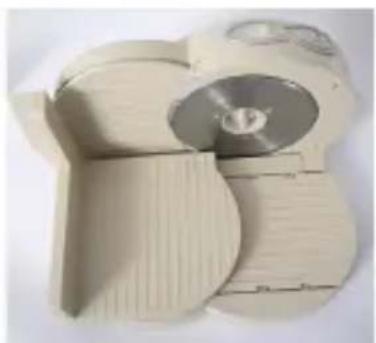
Stack of cardboard sheets with a silver CD inside, no visible text or symbolsphot. 2
HOW TO USE
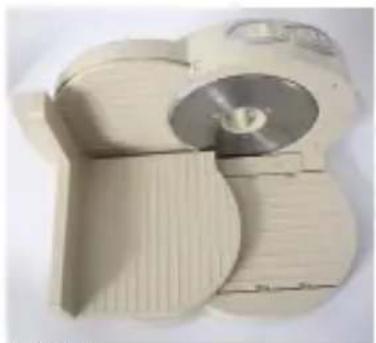
MS20 universal slicer is designed for slicing hard food products, such as bread, meat, cheese, vegetables and fruit.
After unpacking the appliance, make sure that it has not been damaged during transport. In case of any doubts, do not use the device and contact the service centre.
Before first use, thoroughly clean all the parts touching the food (see section: Cleaning and maintenance).
Place the appliance on a flat, hard and stable grip surface.
Unfold the slide (8) and mount it on the base (7)
Place the food products on the slide (8) – place the pusher (9) on the slide (8) for slicing small food portions.
Set the support plate (6) to the desired slicing thickness using the slicing thickness adjustment knob (2).
Set the RPM controller in the desired position – slower speed should be used for slicing soft products.
Switch the appliance ON by sliding the switch lock (3) forward, then pushing the switch.
CLEANING AND MAINTENANCE
- unplug the appliance from the mains before cleaning
- never put the appliance in water
- do not use corrosive or abrasive cleaning agents or cleaning products clean the body (1) using a soft cloth with some washing liquid
- do not clean the blade with bare hands. Use a brush
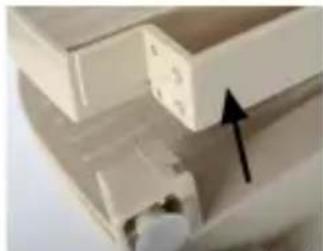
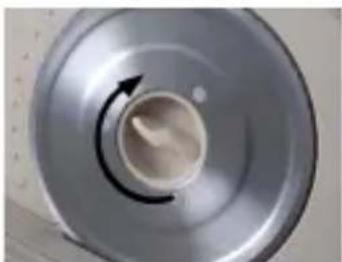
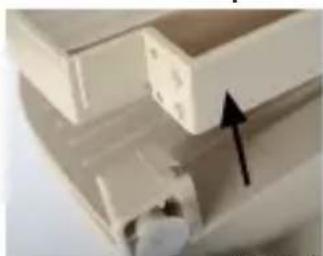
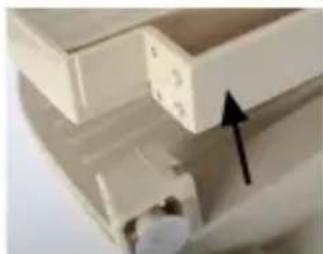
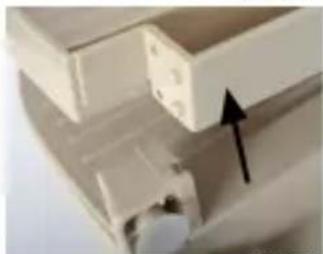
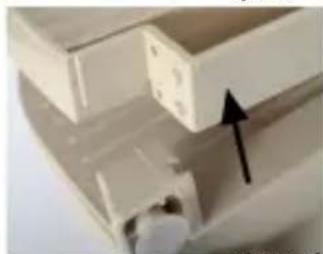
- the blade (5) and the base (7), as well as the slide (8) and the pusher (9) can be cleaned with running water with some washing liquid after dismounting them from the appliance (phot. 03 i phot. 04)
- parts of the slicer cannot be washed in a dishwasher
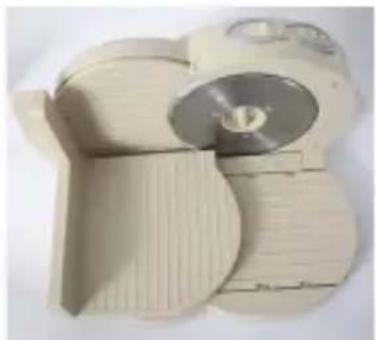
- after folding the base, the slicer can be stored in upright position
natural_image
Close-up of a metallic circular object with a curved arrow indicating rotation or movement (no text or symbols visible)phot. 3
natural_image
Close-up of a white mechanical component with an arrow pointing to a specific part (no visible text or symbols)phot. 4
SAFETY INSTRUCTIONS
- before first use, read this manual carefully,
- connect the cord to a socket meeting the parameters given in the manual,
- make sure not to plug too many current receivers to one current circuit,
- always unplug the appliance by pulling the plug, never pull the cord
- always unplug the device if not used and before cleaning,
- do not put the cord or the appliance in water,
- do not use the appliance outdoors,
- do not leave children unattended near the appliance,
- do not touch the appliance with wet hands,
- do not place the appliance near heat sources,
- the appliance is designed for household use only,
- do not leave the appliance unsupervised when switched on,
- use the appliance only with the original included accessories,
- use the slicer for slicing food only,
- place the appliance on a stable and dry surface,
- do not use the appliance if the blade is damaged,
- do not push small products with hands,
- do not overload the device with excessive amount of products or pushing too hard,
- do not clean the blade from any food residues when the appliance is switched on,
- this device is not intended for use by persons (including children) with reduced physical, sensory or mental capabilities, unless such persons are supervised by a person responsible for their safety,
- do not let children play with the appliance,
- do not use the appliance if the power cord is damaged, if the device has been dropped or has been damaged in any other way. The appliance can be repaired by authorized service only, list of service centers can be found in the included document or at www.eldom.eu,
- the appliance can be repaired by authorized service only. Any modifications or use of non-original spare parts or elements is prohibited and dangerous,
- Eldom Sp. z o. o. company shall not be liable for any damage arising from improper use of the appliance.
The blade wears off and should be replaced regularly. It is not covered by the warranty.
ENVIRONMENT PROTECTION
- the device is made of materials that can be reused or recycle
- it should be handed to the special collection point, that deals with collection and recycling of electronic and electric devices,
WARRANTY
- the blender is only intended for household use,
- it cannot be used for commercial purposes
- the warranty loses validity in case of inappropriate use,
For warranty conditions see attachment.
natural_image
Close-up of a white dental implant with a curved arrow on its side, labeled '2' in the corner (no other text or symbols)CELKOVÝ POPIS
natural_image
Close-up of a beige plastic tray or holder with two numbered arrows indicating directional movement (no text or symbols)Foto 01
natural_image
Stack of beige paper discs with one disc partially visible, no text or symbols presentFoto 02
POUŽÍVÁNÍ ZAŘÍZENÍ
natural_image
Close-up of a metallic circular component with a curved arrow indicating rotation or direction (no text or symbols visible)Foto 03
natural_image
Close-up of a white mechanical component with an arrow pointing to a section (no visible text or symbols)Foto 04
BEZPEČNOSTNÍ DOPORUČENÍ
natural_image
Close-up of a white dental appliance with a curved knob and label '2' (no readable text or symbols beyond the number)natural_image
3D diagram of a mechanical part with labeled parts (1 and 2), showing internal structure and directional arrows (no text or symbols beyond labels)Bild 1
natural_image
Stacked hard drives with one disc showing internal structure (no visible text or symbols)Bild 2
GEBRAUCHSANWEISUNG
natural_image
Close-up of a metallic circular component with a black arrow indicating rotational motion (no text or symbols)Bild 3
natural_image
Close-up of a mechanical component with an arrow indicating upward motion (no visible text or symbols)Bild 4
natural_image
Close-up of a white dental implant with a smiling circular mark and label '2' (no text or symbols on the object itself)natural_image
Close-up of a beige plastic mechanical part with two arrows indicating direction (no text or symbols)фот. 1
natural_image
Stacked cardboard discs with one disc partially visible, no text or symbols presentфот. 2
РАБОТА УСТРОЙСТВА
natural_image
Close-up of a metallic circular object with a central hole and a curved arrow indicating rotation (no text or symbols)фот. 3
natural_image
Close-up of a white electronic component with an arrow pointing to a component (no visible text or symbols)фот. 4
МЕРЫ БЕЗОПАСНОСТИ
Brand : Eldom
Model : MS20
Category : Angle Grinder