
Cascada (2016) - Car Buick - Free user manual and instructions
Find the device manual for free Cascada (2016) Buick in PDF.


| Product Type | Convertible |
| Brand | Buick |
| Model | Cascada (2016) |
| Engine | 1.6L Turbocharged I4, 200 hp |
| Transmission | 6-Speed Automatic |
| Drivetrain | Front-Wheel Drive |
| Fuel Type | Premium Unleaded (Recommended) |
| Fuel Tank Capacity | 15.8 gallons |
| Seating Capacity | 4 passengers |
| Dimensions (L x W x H) | 184.3 x 72.4 x 56.8 inches |
| Wheelbase | 106.1 inches |
| Curb Weight | Approximately 3,980 lbs |
| Convertible Top | Power-folding soft top, operates up to 30 mph |
| Infotainment System | Buick IntelliLink with 7-inch touchscreen, Apple CarPlay/Android Auto |
| Safety Features | ABS, StabiliTrak, 6 airbags, rearview camera |
| Oil Change Interval | Every 7,500 miles or 12 months |
| Recommended Oil | SAE 5W-30, Dexos1 approved |
| Tire Pressure (Front/Rear) | 36 psi / 36 psi |
| Battery | 12V, 70Ah (AGM recommended) |
| Warranty | 4 years / 50,000 miles bumper-to-bumper |
| Maintenance Reminder | Oil Life Monitoring system alerts when service due |
Frequently Asked Questions - Cascada (2016) Buick
User questions about Cascada (2016) Buick
0 question about this device. Answer the ones you know or ask your own.
Ask a new question about this device
Download the instructions for your Car in PDF format for free! Find your manual Cascada (2016) - Buick and take your electronic device back in hand. On this page are published all the documents necessary for the use of your device. Cascada (2016) by Buick.
USER MANUAL Cascada (2016) Buick
Keys, Doors, and Windows.....21
SeatsandRestraints......45
Storage......89
InstrumentsandControls.....92
Lighting....119
InfotainmentSystem......126
ClimateControls......212
DrivingandOperating......216
VehicleCare....254
ServiceandMaintenance.....330
TechnicalData....343
CustomerInformation......346
ReportingSafetyDefects.....356
OnStar....360
Index......370
2Introduction
Introduction



Thenames, logos, emblems, slogans, vehiclemodelnames, and vehiclebodydesignsappearing in this manual including, but not limited to, GM, the GM logo, BUICK, the BUICK Emblem, and CASCADA are trademarks and or servicemark sof General Motors LLC, its subsidiaries, affiliates, or licensors.
ForvehiclesfirstsoldinCanada, substitutethename "General MotorsofCanadaCompany" for BuickMotorDivisionwhereverit appearsinthismanual.
Thismanualdescribesfeaturesthat mayormaynotbeonthevehicle becauseofoptionalequipmentthat wasnotpurchasedonthevehicle, modelvariants,country specifications,features/applications thatmaynotbeavailableinyour region,orchangessubsequentto theprintingofthisownermanual.
Refertothepurchase documentationrelatingtoyour specificvehicletoc confirmthe features.
Keepthismanualinthevehiclefor quickreference.
CanadianVehicleOwners
AFrenchlanguagemanualcanbe obtainedfromyourdealer,at www.helminc.com,orfrom:
Danger, Warning, and Caution
Warning messages found on vehicle labels and this manual describe hazards and what to avoid or reduce them.
LithoinU.S.A.
PartNo.84147569CThirdPrinting
©2016GeneralMotorsLLC.AllRightsReserved.

Danger
Dangerindicatesahazardwitha highlevelofriskwhichwillresult inseriousinjuryordeath.

Warning
Warning indicates ahazard that could result in injury or death.
Caution
Caution indicates ahazard that could result in property or vehicle damage.

Acirclewithaslashthroughitisa safetysymbolwhichmeans“Do Not,”“Donotdothis,”or“Donotlet thishappen.”
Symbols
The vehicle has components and label that uses symbols instead of text. Symbols are shown along with the text describing the operation or information relating to as specific component, control, message, gauge, or indicator.
i: Shownwhentheowner manualhasadditionalinstructions orinformation.
☐: Shownwhentheservice manualhasadditionalinstructions orinformation.
→:Shownwhenthereismore informationonanotherpage—"seepage."
VehicleSymbolChart
Herearesomeadditionalsymbols that may be found on the vehicle and what they mean. Form more information on the symbol, refer to the Index.
AirbagReadinessLight
AirConditioning
(ABS):AntilockBrakeSystem(ABS)
^1 :AudioSteeringWheelControls orOnStar ^®
(①):BrakeSystemWarningLight
- +: ChargingSystem
:CruiseControl
DoNotService
EngineCoolantTemperature
-ExteriorLamps
DoNotPuncture
:Flame/FireProhibited
D:FogLamps
:FuelGauge
Fuses
ED:HeadlampHigh/Low-Beam Changer
HeatedSteeringWheel
SY:LATCHSystemChildRestraints
:MalfunctionIndicatorLamp
:OilPressure
4Introduction
①:Power
Ω:RemoteVehicleStart
:SafetyBeltReminders
():TirePressureMonitor
:TractionControl/StabiliTrak®
:UnderPressure
:WindshieldWasherFluid
InBrief
InstrumentPanel
InstrumentPanelOverview.....6
InitialDrivelnformation
InitialDriveInformation......8
RemoteKeylessEntry(RKE)
System......8
RemoteVehicleStart......8
DoorLocks......9
TrunkRelease......9
Windows......10
SeatAdjustment......10
HeatedSeats......11
HeadRestraintAdjustment....12
SafetyBelts....12
PassengerSensingSystem...12
MirrorAdjustment......12
SteeringWheelAdjustment....13
InteriorLighting......13
ExteriorLighting......14
WindshieldWiper/Washer.....14
ClimateControls......15
Transmission......15
VehicleFeatures
SteeringWheelControls.....16
CruiseControl......16
DriverInformation
Center(DIC)......17
ForwardCollisionAlert(FCA)
System......17
LaneDeparture
Warning(LDW)......17
RearVisionCamera(RVC)....17
ParkingAssist......18
PowerOutlets......18
Convertible....18
PerformanceandMaintenance
TractionControl/Electronic
StabilityControl......18
TirePressureMonitor......19
EngineOilLifeSystem......19
DrivingforBetterFuel
Economy....19
RoadsideAssistance
Program......20
InstrumentPanel
InstrumentPanelOverview
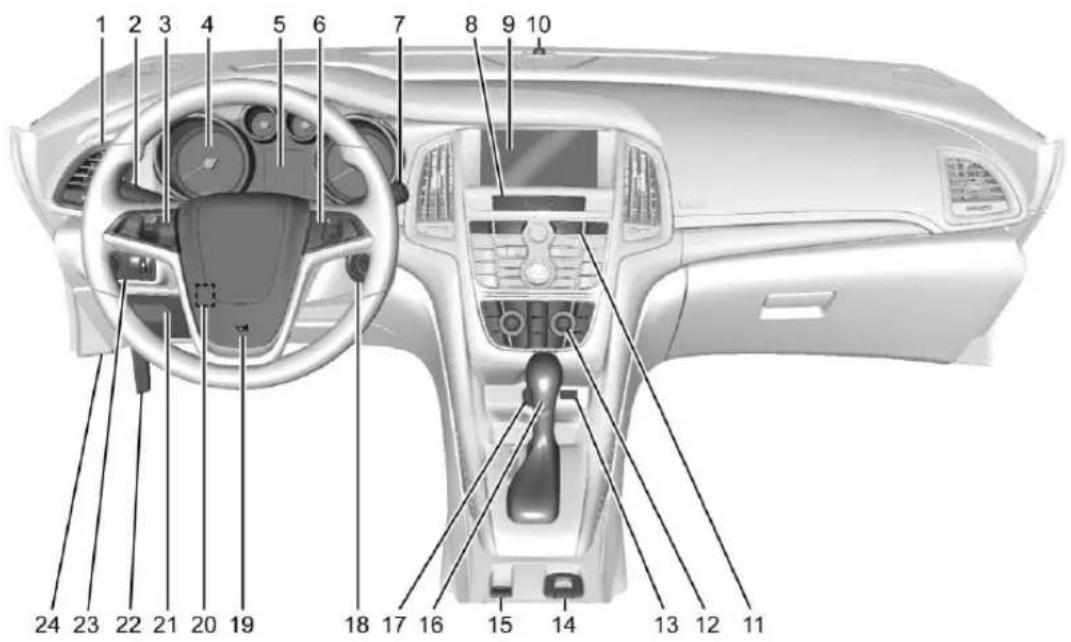
- AirVents\\214.
2.HeadlampHigh/Low-Beam Changer→120.
TurnSignalLever.See Turn andLane-Change Signals→122.
DriverInformationCenter(DIC) Buttons.SeeDriverInformation Center(DIC)→110.
- CruiseControl→241.
ForwardCollisionAlert(FCA) System→245(IfEquipped).
- InstrumentCluster→98.
5.DriverInformationCenter (DIC)→110.
-
Steering Wheel Controls→93.
-
WindshieldWiper/Washer→94.
-
CentralLockingSwitch.See PowerDoorLocks→28.
HazardWarning Flashers→122.
PassengerAirbagStatus Indicator→101
-
Infotainment. See Overview→127.
-
Anti-TheftAlarmSystem Indicator. See VehicleAlarm System 31.
-
TractionControl/Electronic StabilityControl→239. LaneDepartureWarning (LDW)→247. AssistanceSystemsfor ParkingorBacking→243.
-
DualAutomaticClimateControl System→212. HeatedFrontSeats→49(If Equipped). HeatedSteeringWheel→94(If Equipped).
-
USB→158. InputJack.SeeAuxiliary Devices→164.
-
Convertible Top 37 (If Equipped). CentralPowerWindowSwitch. See PowerWindows 34.
-
Electric Parking Brake. See Parking Brake 236
16.ShiftLever.SeeAutomatic Transmission→233.
17.PowerOutlets→96.
- IgnitionSwitch. See Ignition Positions→227.
19.Horn→94.
-
Steering Wheel Adjustment→93.
-
InstrumentPanelStorage\\89. InstrumentPanelFuse Block\\285.
22.HoodRelease.See Hood→257.
-
Exterior Lamp Controls 119. Fog Lamps 122. Instrument Panel Illumination Control 123.
-
DataLinkConnector(DLC) (OutofView). See Malfunction IndicatorLamp(CheckEngine Light) => 102.
8InBrief
InitialDrive Information
Thissectionprovidesabrief overviewaboutsomeofthe importantfeaturesthatmayormay notbeonyourspecificvehicle.
Formoredetailedinformation, refer toeachofthefeatureswhichcanbe foundlaterinthisownermanual.
RemoteKeylessEntry (RKE)System
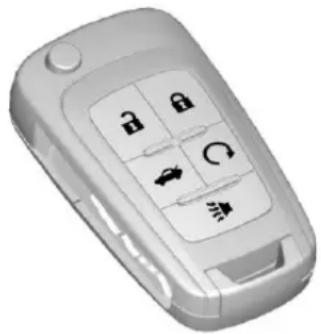
The Remote Keyless Entry (RKE) transmitter may work up to 60m (197ft) away from the vehicle.
natural_image
3D rendered image of a mobile phone's front panel with six function keys (no text or symbols visible)WithRemoteStartShown
Pressthebuttontoextendthekey. Thekeycanbeusedforthedriver sidelockandtheignition.
:Presstounlockbothdoors, trunkandfueldoor.Pressand hold toopenallwindows.See VehiclePersonalization→113. Somevehiclesmayhaveafeature thatalsoallowstheconvertibletop toopen.SeePowerWindows→34.
:Presstolockalldoors.Press andholdthelockbuttontocloseall windows.
Lockandunlockfeedbackcanbe personalized.See Vehicle Personalization→113
:Pressandholdtoreleasethe trunk.
▶:Pressandreleasetoinitiate vehiclelocator.Pressandholdforat leastthreesecondstosoundthe panicalarm.Pressagaintocancel thepanicalarm.
SeeKeys→21andRemoteKeyless Entry(RKE)SystemOperation→23.
RemoteVehicleStart
lfequipped, theenginecan be started from outside of the vehicle.
StartingtheVehicle
- Pressandrelease ☑ on the RKEtransmitter.
- Immediately press and hold for least four seconds until the turnsign allamps flash.
Startthevehiclenormallyafter entering.
Whenthevehiclestarts, theparking lampswillturnon.
Remotestartcanbeextended.
CancelingaRemoteStart
Tocancelaremotestart,dooneof thefollowing:
- Pressandhold Q until the parkinglampsturnoff.
- Turnonthehazardwarning flashers.
• Turnthevehicleonandthenoff.
See Remote Vehicle Start→26.
DoorLocks
Tolockorunlockthedoorsfrom outsidethevehicle:
- Press 🔍or 🔍ontheRemote KeylessEntry(RKE)transmitter.
• Usethekeyinthedriverdoor.
Tolockorunlockthedoorsfrom insidethevehicle:
- Press 📄oronthepowerdoor lockswitch.
- Pullinganinteriordoorhandle willunlockthedoor.Pullingthe doorhandleagainunlatchesit.
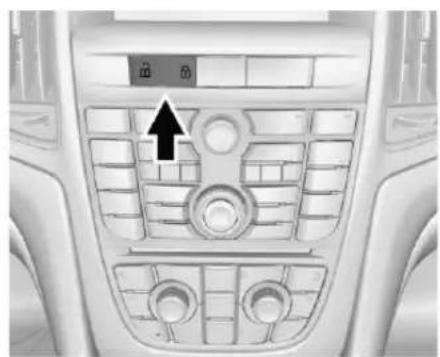
PowerDoorLocks
natural_image
Interior view of a car dashboard with air vent and control panel (no text or symbols visible):Presstounlock.
:Presstolock.
SeePowerDoorLocks→28.
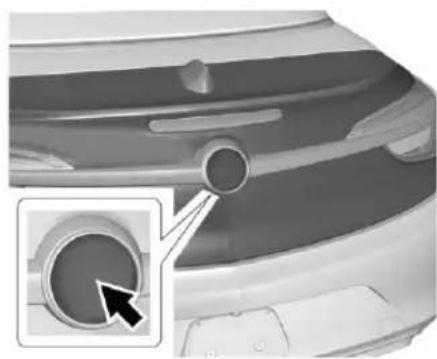
TrunkRelease
natural_image
Close-up of a car's rear bumper with a circular component and an arrow pointing to a circular opening (no text or symbols visible)Pressthelowerhalfoftheemblem toopenthetrunk.See Trunk→29.
10InBrief
Windows
natural_image
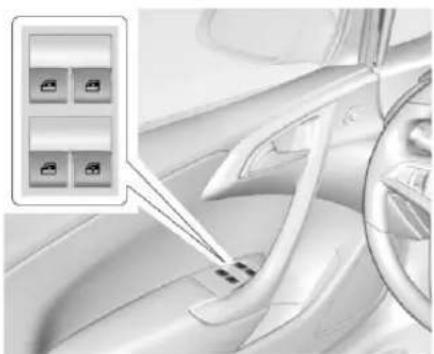
Interior view of a car showing steering wheel and dashboard with four car seat buttons (no text or symbols visible)Thedriverpowerwindowswitches controlallwindows.Each passengerdoorhasaswitchthat controlsonlythatwindow.
Presstheswitchtothefirstdetentto lowerthewindow.Pulltheswitchup tothefirstdetenttoraiseit.
SeePowerWindows→34.
SeatAdjustment
PowerDriverSeatAdjustment
natural_image
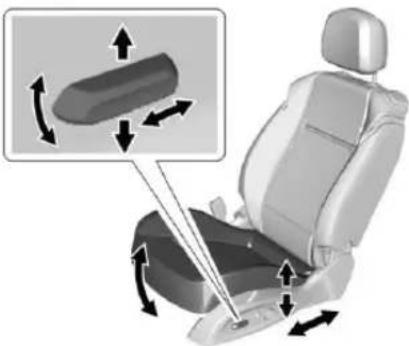
Car seat assembly diagram showing directional arrows indicating movement or force (no text or symbols present)Toadjustapowerdriverseat, ifequipped:
- Movetheseatforwardor rearwardbyslidingthecontrol forwardorrearward.
- Raiseorlowerthefrontpartof theseatcushionbymovingthe frontofthecontrolupordown.
- Raiseorlowertheentireseatby movingtherearofthecontrolup ordown.
SeePowerSeatAdjustment→47.
natural_image
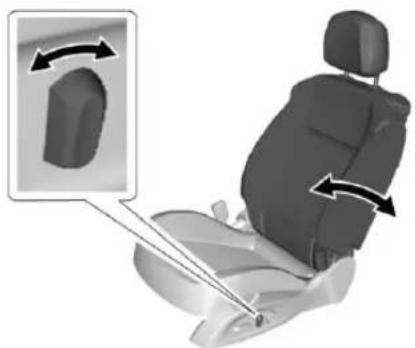
3D illustration of a car seat with directional arrows indicating rotation or movement (no text or symbols)Toadjustthepowerseatback:
- Tiltthetopofthecontrol rearwardtorecline.
- Tiltthetopofthecontrolforward toraise.
SeeRecliningSeatbacks→48.
PowerLumbar
natural_image
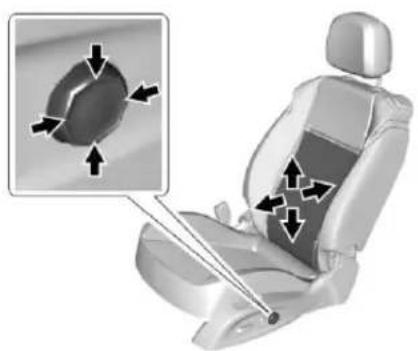
3D illustration of a car seat with directional arrows indicating movement or force (no text or symbols)Ifequipped, pressandholdthefront oftheswitchtoincreaselumbar support, ortherearoftheswitchto decreaselumbarsupport.
Toadjusttheheightofthesupport, pressandholdthetoporbottomof theswitch.Releasetheswitchwhen theseatbackreachesthedesired leveloflumbarsupport.
SeeLumbarAdjustment→48.
SeatbackLatches
natural_image
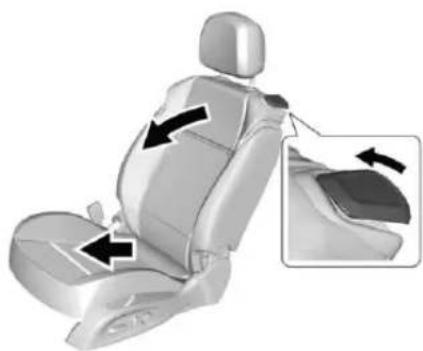
3D illustration of a car seat with black arrows indicating side arm positions (no text or symbols)Tofoldtheseatback, lifttherelease leverandfoldtheseatbackforward. Theseatwillslideforward.
Toraise, lift theseatback to its upright position until theseatlocks. Theseat will slide back to the original position.
SeeSeatbackLatches→49.
RearSeats
Therearseatbackscanbefolded.
Fordetailedinstructions,seeRear Seats→50.
HeatedSeats
natural_image
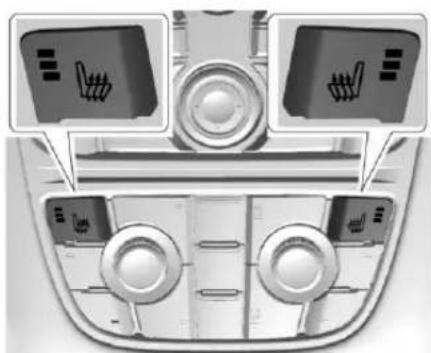
Top-down view of a car dashboard with three control panels and directional arrows (no text or symbols)Ifavailable, the controls are on the climate control panel. The engine must be running to operate the heated seats.
Press 📊or 🌐toheatthedriveror passengerseatcushionand seatback.
Pressthecontrolonceforthe highestsetting.Witheachpressof thecontrol,theheatedseatwill changetothenextlowersetting, andthentheoffsetting.Threelights indicatethehighestsettingandone lightthelowest.
12InBrief
SeeHeatedFrontSeats→49.
HeadRestraint Adjustment
Donotdriveuntiltheheadrestraints foralloccupantsareinstalled and adjusted properly.
Toachieveaccomfortableseating position, chantheseatback reclineangleaslittleasnecessary whilekeepingtheseatandthehead restraintheightintheproper position.
SeeHeadRestraints→46and RecliningSeatbacks→48.
SafetyBelts
natural_image
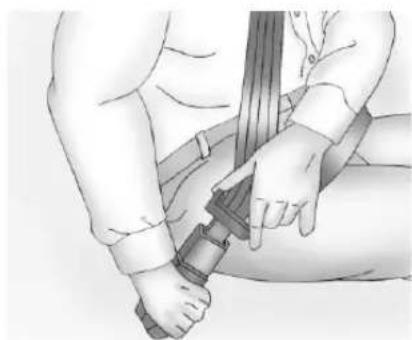
Illustration of a person adjusting a belt buckle, showing hands and wrist (no text or symbols)Refertothefollowingsectionsfor importantinformationonhowtouse safetybeltsproperly:
- SafetyBelts→52.
- HowtoWearSafetyBelts Properly→53.
- Lap-ShoulderBelt→54.
- LowerAnchorsandTethersfor Children(LATCHSystem)→76.
PassengerSensing System
PASS AIR BAG
ON OFF

Thepassengersensingsystem turnsoffthefrontoutboard passengerfrontalairbagandknee airbagundercertainconditions.No otherairbagisaffectedbythe passengersensingsystem.See PassengerSensingSystem→63for importantinformation.
Thepassengerairbagstatus indicatorwillbevisibleonthecenter stackwhenthevehicleisstarted. SeePassengerAirbagStatus Indicator→101.
MirrorAdjustment
InteriorMirrors
Adjusttherearviewmirrorforaclear viewoftheareabehindyour vehicle.
AutomaticDimmingRearview Mirror
Automaticdimmingreducesthe glareofheadlampsfrombehind. Thedimmingfeaturecomeson whenthevehicleisstarted.
SeeAutomaticDimmingRearview Mirror→34.
ExteriorMirrors
natural_image
Interior view of a car dashboard with a circular control knob (no visible text or symbols)-
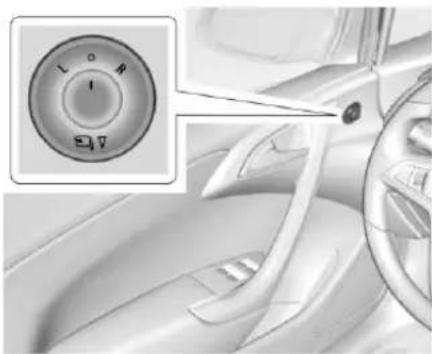
TurntheselectorswitchtoL (Left)orR(Right)tochoose thedriverorpassengermirror.
-
Movethe control to adjust the mirror.
-
Turntheselectorswitchto todeselectthemirror.
The vehicle has manual folding mirrors. See Folding Mirrors 33.
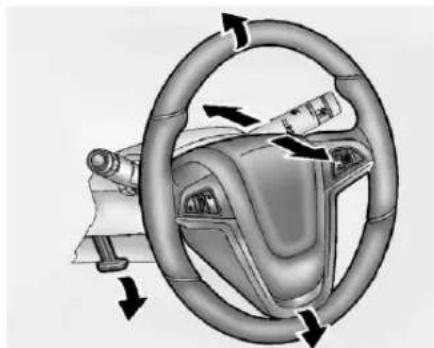
SteeringWheel
Adjustment
natural_image
Diagram of a car steering wheel and dashboard with directional arrows indicating rotational motion (no text or symbols)Toadjustthesteeringwheel:
-
Pulltheleverdown.
-
Movethesteeringwheelup ordown.
-
Pullorpushthesteeringwheel closerorawayfromyou.

- Lifttheleveruptolockthe steeringwheelinplace.
Donotadjustthesteeringwheel whiledriving.
InteriorLighting
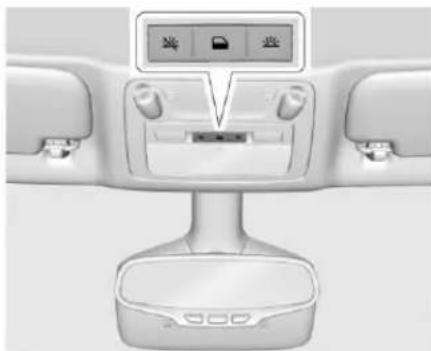
DomeLamps
natural_image
Interior view of a car dashboard with control panel and buttons (no visible text or symbols)Theinteriorlampscontrolinthe overheadconsolecontrolsboththe frontandrearinteriorlamps.
:Presstoturnthelampsoff, evenwhenadoorisopen.
:Presstoturnthelampson automaticallywhenadooris opened.
14InBrief
:Presstoturnonthedome lamps.
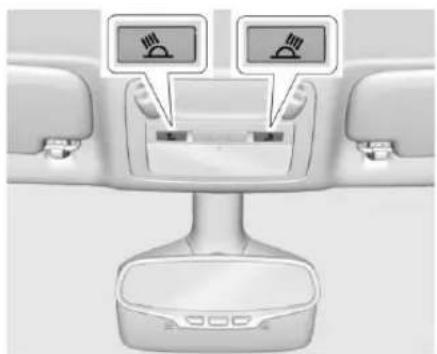
ReadingLamps
natural_image
Interior view of a car dashboard with two switches and a rear-mounted base (no visible text or symbols)Thefrontreadinglampsareinthe overheadconsole.
or : Press the button near each lamptoturnitonoroff.
ExteriorLighting
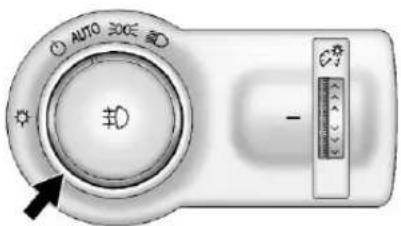
The exterior lamp controlisto the left of the steering column on the instrument panel.
☐:Brieflyturntothispositionto turntheautomaticclampcontroloff oronagain.
AUTO: Turnstheheadlampson automaticallyatnormalbrightness, togetherwiththeparkinglamps, taillamps,licenseplatelamps, instrumentpanellights,and sidemarkerlamps.
200:Turnsontheparkinglamps includingallamps,exceptthe headlamps.
D:Turnsontheheadlamps togetherwiththeparkinglampsand instrumentpanellights.Awarning chimesoundsifthedriverdooris openedwhentheignitionswitchis offandtheheadlampsareon.
D: Ifequippedwithfoglamps, presstoturnthelampsonoroff.
See:
- ExteriorLampControls→119
- FogLamps→122
WindshieldWiper/Washer
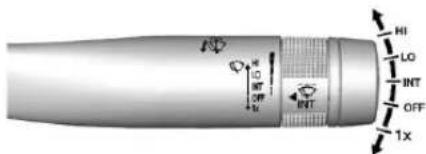
WiththeignitioninACC/ ACCESSORY,ON/RUN,orSTART, movethelevertoselectthewiper speed.
HI:Useforfastwipes.
LO:Useforslowwipes.
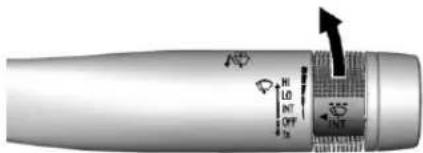
INT: MovetheleveruptoINT, then turnthe ◀INTbandupordown formoreorlesssensitivity to moisture.
OFF: Usetoturnthewipersoff.
1X: Forasinglewipe, briefly move theleverdown. For several wipes, hold the leverdown.
↓: Pullthelevertowardyouto spraywindshieldwasherfluidand activatethewipers.
SeeWindshieldWiper/Washer→94.
ClimateControls
The heating, cooling, defrosting, and ventilation for the vehicle can be controlled with this system.
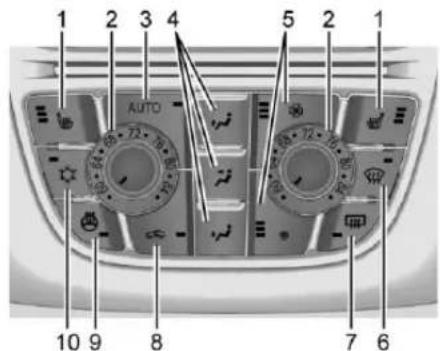
1.DriverandPassengerHeated Seats(IfEquipped)
2.DriverandPassenger TemperatureControls
-
AUTO(AutomaticOperation)
-
AirDeliveryModes
5.FanControls
6.Defrost
-
RearWindowDefogger
-
Recirculation
9.HeatedSteeringWheel (IfEquipped)
- AirConditioning
See Dual Automatic Climate Control System→212.
Transmission
DriverShiftControl(DSC)
DSCallowsyoutoshiftan automatictransmissionsimilartoa manualtransmission.Tousethe DSCfeature:
-
Movetheshiftleverfrom D(Drive)totheleftintothe(+) or(-)manualposition.
-
Presstheshiftleverforward(+)
toupshiftorrearward(-) to
downshift.AnMandthe
currentgearwillbedisplayed
intheDriverInformation
Center(DIC).
SeeManualMode→234.
While using the DSC feature, the vehicle will have firmer, quicker shifting. You can us this for sport driving or when climbing or descending hills, to stay in gear longer, ort downward shift form more power or engine braking.
16InBrief
VehicleFeatures
SteeringWheelControls
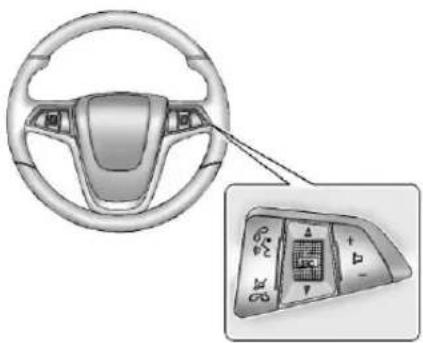
Depending on the vehicle options, some audio functions can be controlled through the steering wheel controls.
natural_image
Interior view of a car steering wheel with a close-up of the dashboard panel (no text or symbols visible)I: Press to interact with Bluetoothorvoicerecognition. See Bluetooth→197orVoice Recognition→191.
☑ / ☑ : Press to decline an incomingcall,ortoendacurrent call.Presstosilencethevehicle speakerswhileusingthe
infotainmentsystem.Pressagainto turnthesoundon.Presstocancel voicerecognition.
△ SRC ∇ : Press to select an audio source.
Usethethumbwheeltoselectthe nextorpreviousfavoriteradio station, CD, MP3track, USB, and BluetoothAudio.
Use △SRCtoskiptothenextsong orshowusingPandoraorStitcher. SeePandoraInternetRadio→146 orStitcherInternetRadio→150.
+ ▷-:Press+toincrease the volume. Press-todecrease.
See Steering Wheel Controls→93.
CruiseControl
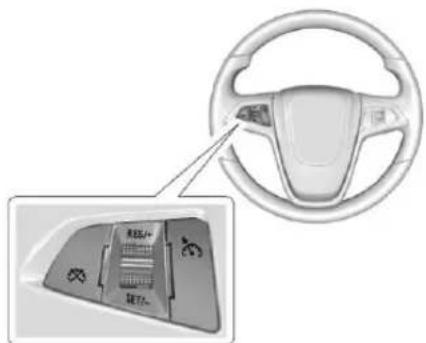
:Presstoturnthecruisecontrol systemonoroff.Awhiteindicator comesonintheinstrumentcluster whencruiseisturnedon.
RES/+:Ifthereisasetspeedin memory,movethethumbwheelup brieflytoresumetothatspeedor holdupwardtoaccelerate.Ifcruise controlisalreadyactive,useto increasevehiclespeed.
SET/−:Movethethumbwheeldown brieflytosetthespeedandactivate cruisecontrol. Ifcruisecontrol is alreadyactive, usetodecrease speed.
☒:Presstodisengagecruise controlwithoutouterasingtheset speedfrommemory.
See Cruise Control→241.
DriverInformation Center(DIC)
The DIC display is in the center of the instrument cluster. It shows the status of many vehicles systems. The controls for the DIC are on the return signallever.
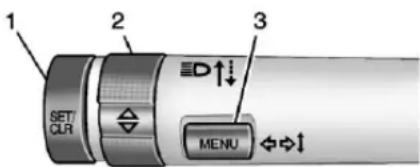
-
SET/CLR: Presstoset, orpressandholdtoclear, the menuitemdisplayed.
-
△/▽:Usethebandto scrollthroughtheitemsin eachmenu.
-
MENU: Presstodisplaythe DICmenus. Thisbuttonisalso usedtoreturntoorexitthelast screendisplayedontheDIC.
SeeDriverInformationCenter (DIC)→110.
ForwardCollisionAlert (FCA)System
Ifequipped, FCAmayhelpavoidor reducetheharmcaused by front-endcrashes. FCAprovides a green indicator, 📋, whenavehicle isdetectedahead. When approachingavehicleahead too quickly, FCAprovidesavisualalert andrapidlybeeps.
SeeForwardCollisionAlert(FCA) System→245.
LaneDeparture Warning(LDW)
Ifequipped, LDWmayhelpavoid unintentionallanedeparturesat speedsof56km/h(35mph)or greater. LDWusesacamerasensor todetectthelanemarkings. The LDWlight, isgreenifalane markingisdetected. Ifthevehicle departsthelanewithoutusingaturn signalinthatdirection, thelightwill changetoamberandflash. In addition, beepswillsound.
SeeLaneDepartureWarning (LDW)→247.
RearVision Camera(RVC)
Ifequipped, RVCdisplaysaviewof theareabehindthevehicleonthe infotainmentdisplaywhenthe vehicleisshiftedintoR(Reverse)to aidwithparkingandlow-speed backingmaneuvers.
See Assistance Systems for Parking or Backing 243.
ParkingAssist
Ifequipped, RearParkingAssist (RPA) uses sensorson therear bumpertoassist with parking and avoiding objects while in R(Reverse). It operates at speeds less than 8 km/h (5 mph). RPAmay display awarning triangle on the RVC screen andagraphicon the instrument cluster to provide the object distance. In addition, multiple beepsmay occur if very closeto an object.
The vehicle may also have the Front Parking Assist system.
See Assistance Systems for Parking or Backing 243.
PowerOutlets
Theaccessorypoweroutletscanbe usedtopluginelectricalequipment, suchasacellphoneorMP3player.
Thereisoneaccessorypoweroutlet onthecenterstackbelowthe climatecontrolsandoneontherear ofthecenterfloorconsole. These outletsarepoweredwhenthekeyis inON/RUNorACC/ACCESSORY, oruntilthedriverdoorisopened within10minutesofturningoffthe vehicle.SeeRetainedAccessory Power(RAP)→230.
SeePowerOutlets→96.
Convertible
Theconvertibletopcanbe automaticallyopenedandclosed. Forstep-by-stepinstructions,see Convertible Top37.
Performance and Maintenance
TractionControl/ElectronicStability Control
The TractionControlSystem(TCS) limitswheelspin. Thesystemison whenthevehicleisstarted.
TheStabiliTraksystemassistswith directionalcontrolofthevehiclein difficultdrivingconditions.The systemisonwhenthevehicleis started.
- ToturnoffTCS, pressand release 8 on the center stack. The appropriate DIC message is displayed.
- Pressandrelease 🔍 again to turn TCSbackon. The appropriate DIC message is displayed.
- ToturnoffbothTCSand StabiliTrak, pressandhold until comesoninthe
instrumentclusterandthe appropriateDICmessageis displayed.
- Press 🔍 againtoturnonboth systems. The appropriate DIC message is displayed.
See TractionControl/Electronic StabilityControl→239.
TirePressureMonitor
This vehicle may have a Tire Pressure Monitor System (TPMS).

Thelowtirepressurewarninglight alertstoasignificantlossin pressureofoneofthevehicle's tires.Ifthewarninglightcomeson, stopassoonaspossibleandinflate thetirestotherecommended pressureshownontheTireand
LoadingInformationlabel.See VehicleLoadLimits⇒223.The warninglightwillremainonuntilthe tirepressureiscorrected.
Thelowtirepressurewarninglight maycomeonincoolweatherwhen thevehicleisfirststarted,andthen turnoffasthevehicleisdriven.This maybeanearlyindicatorthatthe tirepressuresaregettinglowand thetiresneedtobeinflatedtothe properpressure.
The TPMS does not replacenormal monthly tire maintenance. Maintain the correct tire pressures.
See TirePressureMonitor System→296.
EngineOilLifeSystem
Theengineoillifesystemcalculates engineoillifebasedonvehicleuse anddisplaystheCHANGEENGINE OILSOONmessagewhenitistime tochangetheengineoilandfilter. Theoillifesystemshouldbereset to 100% only followinganoil change.
ResettingtheOilLifeSystem
- TurntheignitiontoON/RUN withtheengineoff.
- PresstheDICMENUbuttonon theturnsignallevertoenter theVehicleInformationMenu. Usethethumbwheeltoscroll throughthemenuitemsuntil youreachREMAINING OILLIFE.
- PressSET/CLRtoresettheoil lifeat100%.
- TurntheignitiontoLOCK/OFF.
SeeEngineOilLifeSystem→262.
DrivingforBetterFuel Economy
Drivinghabitscanaffectfuel mileage. Herearesomedrivingtips togetthebestfueleconomy possible.
- Avoidfaststartsandaccelerate smoothly.
- Brakegraduallyandavoid abruptstops.
20InBrief
- Avoididlingtheengineforlong periodsoftime.
- When road and weather conditions are appropriate, use cruise control.
- Alwaysfollowpostedspeed limitsordrivemoreslowlywhen conditionsrequire.
- Keepvehicletiresproperly inflated.
- Combineseveraltripsintoa singletrip.
- Replacethevehicle'stireswith thesameTPCSpecnumber moldedintothetire'ssidewall nearthesize.
- Followrecommended scheduled maintenance.
Roadside Assistance Program
U.S.:1-800-252-1112
TTYUsers(U.S.Only): 1-888-889-2438
Canada:1-800-268-6800
NewBuickownersareautomatically enrolledintheRoadsideAssistance Program.
SeeRoadsideAssistance Program→350.
Keys, Doors, and Windows
KeysandLocks
Keys......21
RemoteKeylessEntry(RKE)
System......23
RemoteKeylessEntry(RKE)
SystemOperation......23
RemoteVehicleStart......26
DoorLocks......27
PowerDoorLocks......28
DelayedLocking.....28
AutomaticDoorLocks......28
LockoutProtection......29
Doors
Trunk......29
VehicleSecurity
VehicleSecurity......31
VehicleAlarmSystem......31
Immobilizer....32
ImmobilizerOperation......32
ExteriorMirrors
ConvexMirrors....33
PowerMirrors....33
FoldingMirrors....33
HeatedMirrors....33
InteriorMirrors
InteriorRearviewMirrors.....34
AutomaticDimmingRearview
Mirror....34
Windows
Windows....34
PowerWindows....34
SunVisors....36
Roof
ConvertibleTop......37
KeysandLocks
Keys

Warning
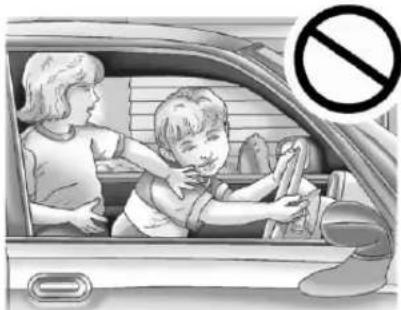
Leavingchildreninavehiclewith anignitionkeyorRemote KeylessEntry(RKE)transmitteris dangerousandchildrenorothers couldbeseriouslyinjuredorkilled.Theycouldoperatethe powerwindoworothercontrolsormakethevehiclemove.The windowswillfunctionwiththekey intheignitionorwiththeRKE transmitterinthevehicle,and childrenorotherscouldbecaught inthepathofaclosingwindow. Donotleavechildreninavehicle withtheignitionkeyoranRKE transmitter.
natural_image
Illustration of a child washing hands inside a car, with a no-smoking symbol nearby (no text or symbols on the main scene)
Warning
Ifthekeyisunintentionally rotatedwhilethevehicleis running,theignitioncouldbe movedoutoftheRUNposition. Thiscouldbecausedbyheavy itemshangingfromthekeyring, orbylargeorlongitemsattached tothekeyringthatcouldbe contactedbythedriveror steeringwheel.Iftheignition movesoutoftheRUNposition, theenginewillshutoff,braking andsteeringpowerassistmaybe (Continued)
Warning(Continued)
impacted, andairbagsmaynot deploy. Toreducetheriskof unintentional rotation of the ignition key, donotchangethe way the ignition key and Remote Keyless Entry (RKE) transmitter, if equipped, are connected to the provided key rings.
Theignitionkey,keyrings,andRKE transmitter,ifequipped,are designedtoworktogether.Asa system,itreducestheriskof unintentionallymovingthekeyout oftheRUNposition.lfreplacements oradditionsarerequired,seeyour dealer.Limitaddeditemstoafew essentialkeysorsmall,lightitems nolargerthananRKEtransmitter.
natural_image
Simple 3D-rendered object resembling a stylized letter or symbol with a circular center and handle (no text or symbols)Interference from radio-frequency identification (RFID) tags may prevent the key from starting the vehicle. Keep RFID tags away from the key when starting the vehicle.
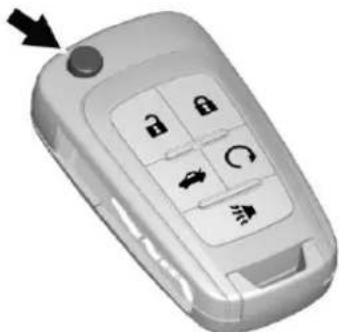
ThekeythatispartoftheRKE transmittercanbeusedforthe ignitionanddriversidelock.
natural_image
Close-up of a mobile phone's keychain with four function keys and an arrow pointing to it (no text or symbols on the main body)PressthebuttonontheRKE transmittertoextendthekey.Press thebuttonandthekeybladeto retractthekey.
Ifitbecomesdifficulttoturnthekey, inspectthekeybladefordebris. Periodicallycleanwithabrush orpick.
Seeyourdealerifanewkeyis needed.
Iflockedoutofthevehicle,see RoadsideAssistance Program→350.
With an active On Star subscription, an On Star Advisorm may remotely unlock the vehicle. See On Star Overview 360.
RemoteKeylessEntry (RKE)System
SeeRadioFrequency Statement→356.
If there is a decrease in the Remote KeylessEntry(RKE) operating range:
- Checkthedistance. The transmitter may be too far from the vehicle.
- Checkthelocation. Other vehiclesorobjectsmaybe blockingthesignal.
- Checkthetransmitter'sbattery. See "BatteryReplacement" later inthissection.
- Ifthetransmitterisstillnot workingcorrectly,seeyour dealeroraqualifiedtechnician forservice.
RemoteKeylessEntry (RKE)SystemOperation
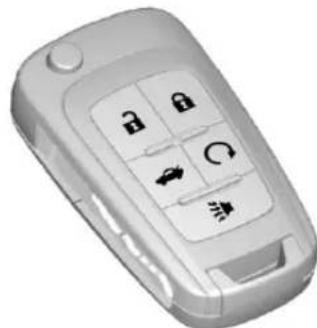
Thetransmitterfunctionsmaywork upto60m(197ft)awayfromthe vehicle.
Keepinmindthatotherconditions, suchasthosepreviouslystated,can impacttheperformanceofthe transmitter.
natural_image
3D rendered image of a mobile phone with key buttons and navigation icons (no text or symbols visible)WithRemoteStartShown
:Presstounlockbothdoors, trunkandfueldoor.Pressandhold the toopenallwindows.See VehiclePersonalization113.
24Keys, Doors, and Windows
Somevehiclesmayhaveafeature thatalsoallowstheconvertibletop toopen.SeePowerWindows→34.
Theturnsignalindicatorsmayflash toindicateunlocking.See Vehicle Personalization→113.
Pressing 📄willdisarmthealarm system.See VehicleAlarm System→31.
:Presstolockalldoors.Press andholdthelockbuttontocloseall windows.
The turnsignal indicators may flash and/or the horn maysound to indicate locking.
Ifthedriverdoorisopenwhen pressed, alldoorslock and the driverdoorwillimmediatelyunlock, ifenabledthroughvehicle personalization.See Vehicle Personalization 113.
If the passenger door is open when is pressed, all doors lock.
Pressing 🔒 may also arm the alarm system. See Vehicle Alarm System 31.
:Pressandholdtoreleasethe trunk.
▶:Pressandreleaseonetimeto initiatevehiclelocator. The exterior lampsflashandthehornchirps threetimes.
Pressandhold ➤foratleast threeecondstosoundthepanic alarm. Thehornsoundsandthe turnsignalsflashfor30seconds, oruntil ➤ispressedagainorthe vehicleisstarted.
Ω: Ifequipped, presstöoperate theremotestartfeature. See Remote Vehicle Start→26.
Thebuttonsonthetransmitterare disabledwhenthereisakeyinthe ignition.
ProgrammingTransmittersto theVehicle
OnlyRKEtransmittersprogrammed tothevehiclewillwork.lfa transmitterislostorstolen,a replacementcanbepurchased and programmedthroughyourdealer. Thevehiclecanbereprogrammed sothatlostorstolentransmittersno
longerwork.Anyremaining transmitterswillneedtobe reprogrammed.Eachvehiclecan haveuptoeighttransmitters matchedtoit.
ProgrammingwithaRecognized Transmitter
Toprogramanewkey:
-
Inserttheoriginal, already programmedkeyintheignition andturnthekeytotheON/RUNposition.
-
TurnthekeytoLOCK/OFF, andremovethekey.
-
Insertthenewkeytobe programmedandturnittothe ON/RUNpositionwithin fiveseconds.
Thesecuritylightwillturnoff oncethekeyhasbeen programmed.
- RepeatSteps1–3ifadditional keysaretobeprogrammed.
lfakeyislostordamaged,seeyour dealertohaveanewkeymade.
Programmingwithouta RecognizedTransmitter
Programanewkeytothevehicle whenarecognizedkeyisnot available.Canadianregulations requirethatownersseetheirdealer.
If there are not currently recognized keys available, follow this procedure to program the first key.
Thisprocedurewilltake approximately30minutesto completeforthefirstkey. The vehiclemustbeoffandallofthe keysyouwishtoprogrammustbe withyou.
- Insertthenewvehiclekey into the ignition.
- TurntoON/RUN. Thesecurity lightwillcomeon.
- Wait 10 minutes until the security light turn soff.
- TurntheignitiontoLOCK/OFF.
- RepeatSteps2–4twomore times. Afterthethirdtime, turn toON/RUN; thekeyislearned
andallpreviouslyknownkeys willnolongerworkwiththe vehicle.
Remainingkeyscanbelearnedby followingtheprocedurein "ProgrammingwithaRecognized Transmitter."
BatteryReplacement
Caution
Whenreplacingthebattery,do nottouchanyofthecircuitryon thetransmitter.Staticfromyour bodycoulddamagethe transmitter.
The battery is not rechargeable. To replace the battery:
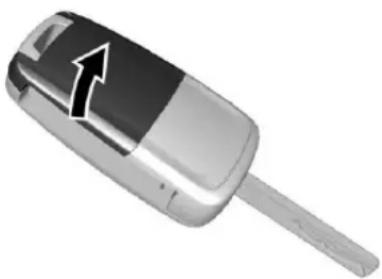
- Pressthebuttononthe transmittertoextendthekey.
natural_image
Close-up of a silver and black flip car with a white arrow pointing to the side (no text or symbols visible)- Removethebatterycoverby pryingitwithafinger.
- Removethebatterybypushing onthebatteryandslidingit towardthekeyblade.
- Insertthenewbattery, positive sidefacingup. Push the batterydownuntilisheldin place. Replace with a CR2032 equivalent battery.
- Snapthebatterycoverbackon tothetransmitter.
RemoteVehicleStart
Ifequipped, this feature allows the enginetobestarted from outside the vehicle.
Q: This button will be on the RKE transmitter if the vehicle has a remote start.
Theclimatecontrolsystemwilluse theprevioussettingsduringa remotestart.Thereardefoggerand heatedseatsmaycomeonduring remotestartbasedoncoldambient conditions.SeeHeatedFrontSeats 49and Vehicle Personalization113.
Lawsinsomelocalcommunities may restrict the use of remote starters. Forexample, somelaws require a person using remotestart to have the vehicle in view. Check local regulations for any requirements.
If the vehicle is slow on fuel, donot us ether remotestart feature. The vehicle may run out off fuel.
Otherconditionscanaffectthe performanceofthetransmitter.See RemoteKeylessEntry(RKE) System23.
StartingtheVehicle
Tostarttheengineusingtheremote startfeature:
- Pressandrelease

- Immediately after completing
Step1, pressandhold Qfor leastfoursecondssoruntilthe turnsignallampsflash. The turnsignallampsflashing confirmstherequesttoremote startthevehiclehasbeen received.
Whenthevehiclestarts, the parking lampswillturnonandremainonas longastheengineisrunning. The doorswillbelockedandtheclimate controlsystemmaycomeon.
Theenginewillcontinuetorunfor 10minutesunlessatimeextension isdoneortheignitionisturnedon. After30seconds,repeatthestepsif
a10-minuteextensionisdesired. Remotestartcanbeextended onlyonce.
ThekeymustbeturnedtoON/RUN beforedriving.
ExtendingEngineRunTime
Fora10-minuteextension,repeat Steps1and2whiletheengineis stillrunning.Anextensioncanbe requested30secondsafterstarting.
Theremotestartcanbe extendedonce.
When theremotestartisextended, thesecond 10minuteswillstart immediately.
Forexample, if the engine has been running for five minutes, and 10 minutes are added, the engine will run for total of 15 minutes.
A maximumoftworemotestarts, orasinglestartwithanextension, isallowedbetweenignitioncycles.
The vehicle'signitionmust be turned on and then back off before theremotestart procedure can be used again.
CancelingaRemoteStart
Tocancelaremotestart,dooneof thefollowing:
- Pressandhold ∅untilthe parkinglampsturnoff.
• Turnonthehazardwarning flashers.
• Turnthevehicleonandthenoff.
ConditionsinWhichRemoteStart WillNotWork
Theremotevehiclestartfeaturewill notoperateif:
• Thekeyisintheignition.
• Thehoodisnotclosed.
- Thehazardwarningflashers areon.
- Themalfunctionindicatorlamp ison.
- Theenginecoolanttemperature istoohigh.
• Theoilpressureislow.
- Tworemotevehiclestarts,ora singleremotestartwithan extension,havealready beenused.
• ThevehicleisnotinP(Park).
DoorLocks
Warning
Unlockeddoorscan be dangerous.
- Passengers, especially children, caneasily open the doors and fallout of a moving vehicle. The chance of being thrown out of the vehicle in acrash is increased if the doors are not locked. So, all passengers should wear safety belts properly and the door should be locked whenever the vehicle is driven.
- Youngchildrenwhogetinto unlockedvehiclesmaybe unabletogetout.Achild canbeovercomeby extremeheatandcansuffer permanentinjuriesoreven (Continued)
Warning(Continued)
deathfromheatstroke. Alwayslockthevehicle wheneverleavingit.
- Outsiderscaneasilyenter throughanunlockeddoor whenslowingorstopping thevehicle.Lockthedoors tohelppreventthisfrom happening.
Tolockorunlockthedoorsfrom outsidethevehicle:
- Press 📞or 📞ontheRemote KeylessEntry(RKE)transmitter.
- Usethekeyinthedriverdoor.
Tolockorunlockthedoorsfrom insidethevehicle:
- Press 📄or 📋onthepowerdoor lockswitch.
- Pullinganinteriordoorhandle willunlockthedoor.Pullingthe doorhandleagainunlatchesit.
28Keys, Doors, and Windows
Free-TurningLocks
The doorlock cylinder turns freely when either the wrong key is used, or the correct key is not fully inserted. The free-turning doorlock feature prevents the lock from being forced open.
Toresetthelock,turnittothe verticalpositionwiththecorrectkey fullyinserted.Removethekeyand insertitagain.
If this does not reset the lock, turn the key halfway around in the cylinder and repeat the reset procedure.
PowerDoorLocks
natural_image
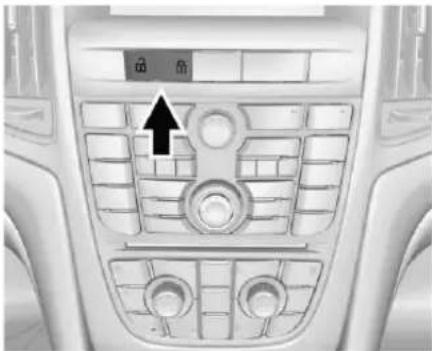
Interior view of a car dashboard with control panel and directional arrow (no text or symbols)The centrallockingswitchlocksand unlocksbothdoors, the trunk, and the fueldoor.
:Presstounlock.
:Presstolock.
DelayedLocking
Thisfeatureddelaysthelockingof thedoorsuntilfivesecondsafterall doorsareclosed.
When dispressed on the power door lock switch while the door is open, achimewill sound three times indicating delayed locking is active.
The doors will lock automatically five seconds after all doors are closed. If a door is reopened before that time, the five-second timer will reset when all doors are closed again.
Press 📞onthedoorlockswitch againorpress 📞ontheRKE transmittertolockthedoors immediately.
Thisfeaturecanalsobe programmed. See Vehicle Personalization→113.
AutomaticDoorLocks
Thedoorswilllockautomatically whenalldoorsareclosed,the ignitionison,andthevehicleis shiftedoutofP(Park).
Tounlockthedoors:
- Press ☐ on the power door lock switch.
- Shiftthetransmissioninto P(Park).
Automaticdoorlockingcannot be disabled.Automaticdoorunlocking canbeprogrammed.See Vehicle Personalization⇒113.
LockoutProtection
Whenlockingisrequestedwiththe driverdooropenandthekeyinthe ignition,allthedoorswillockand thenthdriverdoorwillunlock.This canbemanuallyoverriddenby pressingandholding ☐onthe powerdoorlockswitch.
IfOpenDoorAnti-Lockoutisturned on,thevehicleisoffwiththedriver dooropen,anddoorlockingis requested,allthedoorswilllockand onlythedriverdoorwillunlock.The OpenDoorAnti-Lockoutfeaturecan beturnedonoroff.See Vehicle Personalization→113.
Doors
Trunk

Warning
Exhaustgasescanenterthe vehicleifitisdrivenwiththe liftgateortrunk/hatchopen, orwithanyobjectsthatpass throughthesealbetweenthe bodyandthetrunk/hatchor liftgate.Engineexhaustcontains carbonmonoxide(CO)which cannotbeseenorsmelled.Itcan causeunconsciousnessandeven death.
If the vehicle must be driven with the lift gate or trunk/hatch open:
- Closeallofthewindows.
- Fullyopentheairoutletson orundertheinstrument panel.
- Adjusttheclimatecontrol systemtoasettingthat bringsinonlyoutsideair
(Continued)
Warning(Continued)
andsetthefanspeedtothe highestsetting.See "ClimateControlSystems" intheIndex.
- If the vehicle is equipped with a power lift gate, disable the power lift gate function.
SeeEngineExhaust→232.
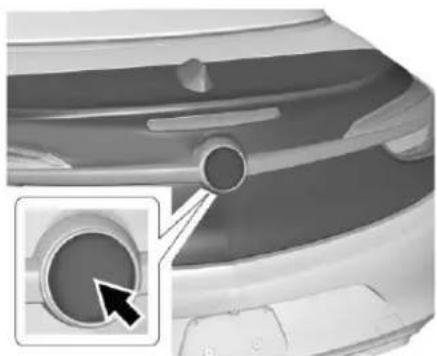
TrunkRelease
Toopenthetrunk, the vehicle must be offortheshiftlevermustbein P(Park).
30Keys, Doors, and Windows
natural_image
Close-up of a car's rear bumper with a circular dial and a magnified inset showing a circular detail (no text or symbols)- Pressthelowerhalfofthe emblemonthetrunklid.
- Pressandhold 📄 onthe RemoteKeylessEntry(RKE) transmitter.
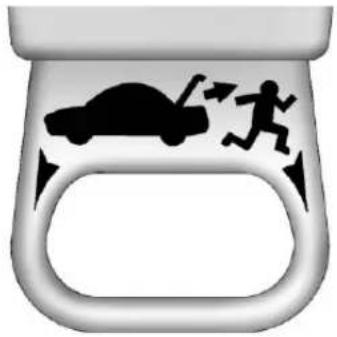
Emergency Trunk Release
Handle
natural_image
Stylized graphic of a car with motion indicators, no text or symbols presentCaution
Donotusetheemergencytrunk releasehandleasatie-downor anchorpointwhensecuringitems inthetrunkasitcoulddamage thehandle.
Thereisaglow-in-the-dark emergencytrunkreleasehandleon thetrunklid. Thishandlewillglow followingexposuretolight.Pullthe releasehandletoopenthetrunk fromtheinside.
Afteruse, return to the stored position.
VehicleSecurity
This vehicle has the theft-deterrent features; however, they donot make the vehicle impossible to steal.
VehicleAlarmSystem
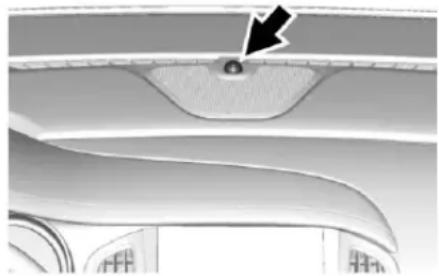
This vehicle has an anti-theftalarm system.
natural_image
Close-up of a curved metallic component with a black arrow pointing to a small circular feature (no text or symbols visible)The indicator light, on the instrument panel near the windshield, indicates the status of the system:
Off: Alarmsystemisdisarmed.
OnSolid: Vehicleissecured duringthedelaytoarmthesystem.
FastFlash: Vehicle is unsecured. Adoor, the hood, convertible top, orthetrunkisopen.
SlowFlash:Alarmsystemis armed.
ArmingtheAlarmSystem
-
Closethetrunkandthehood. Turnoffthevehicle.
-
Lockthevehicleinoneof twoways:
-
UsetheRKEtransmitter.
-
Withadooropen, pressthe inside 🔒.
-
After 30 second the alarm system will alarm, and the indicator light will begin to slowy flash indicating the alarms system is operating. Pressing on the RKE transmitter second timewill bypass the 30-second delay and immediately arm the alarm system.
Thevehiclealarmsystemwillnot armifthedoorsarelockedwith thekey.
Ifthedriverdoorisopenedwithout firstunlockingwiththeRKE transmitter,thehornwillchirpand theturnsignallightswillflashto indicatepre-alarm.Ifthevehicleis notstarted,orthedoorisnot unlockedbypassing 📞ontheRKE transmitterduringthe10-second pre-alarm,thealarmwillbe activated.
Ifadoor,thehood,orthetrunkis openedwithoututfirstdisarmingthe system,theturnsignalswillflash andthehornwillsoundforabout 30seconds.Thealarmsystemwill thenre-armtomonitorforthenext unauthorizedevent.
DisarmingtheAlarmSystem
Dooneofthefollowingtodisarm thealarmsystemorturnoffthe alarmifithasbeenactivated:
- Press 📐 and 📞 on the RKE transmitter.
- Startthevehicle.
32Keys, Doors, and Windows
To avoid setting off the alarm by accident:
- Lockthevehicleafterall occupantshaveleftthevehicle andalldoorsareclosed.
- Alwaysunlockadoorwiththe RKEtransmitter.
Unlockingthedriverdoorwiththe keywillnotdisarmthesystemor turnoffthealarm.
HowtoDetectaTamper Condition
If ispressed on the RKE transmitter and the horn chirps and the turn sign all lights flash three times, analarmoccurred previously while the alarmsystem was armed.
If the alarm has been activated, a message will appear on the DIC.
Immobilizer
SeeRadioFrequency Statement→356.
ImmobilizerOperation
This vehicle has a passive theft-deterrent system.
Thesystemdoesnothavetobe manuallyarmedordisarmed.
The vehicle is automatically immobilized when the key is removed from the ignition.
Thesystemisautomatically disarmedwhenthevehicleis startedwiththecorrectkey. Thekey usesatransponderthatmatchesan immobilizercontrolunitinthe vehicleandautomaticallydisarms thesystem. Onlythecorrectkey startsthevehicle. Thevehiclemay notstartifthekeyisdamaged.

Thesecuritylightintheinstrument clustercomesonifthereisa problemwitharmingordisarming thetheft-deterrentsystem.
Whentryingtostartthevehicle, the securitylightcomesonbrieflywhen theignitionisturnedon.
If theenginedoesnotstartandthe securitylightstayson,thereisa problemwiththesystem.Turnthe ignitionoffandtryagain.
Iftheenginestilldoesnotstart,and thekeyappearstobeundamaged orthelightcontinuestostayon,try anotherignitionkey.
Iftheenginestilldoesnotstartwith theotherkey,thevehicleneeds service.Ifthevehicledoesstart,the firstkeymaybedamaged.Seeyour dealerwhocanservicethe theft-deterrentsystemandhavea newkeymade.
Donotleavethekeyordevicethat disarmsordeactivatesthe theft-deterrentsysteminthevehicle.
ExteriorMirrors
ConvexMirrors
Warning
Aconvexmirrorcanmakethings, likeothervehicles, lookfarther awaythantheyreallyare. If you cuttoosharplyintotherightlane, youcouldhitavehicleonthe right. Checktheinsidemirroror glanceoveryourshoulderbefore changinglanes.
Thepassengersidemirrorisconvex shaped. Aconvexmirror'ssurfaceis curvesomorecanbeseenfrom thedriverseat.
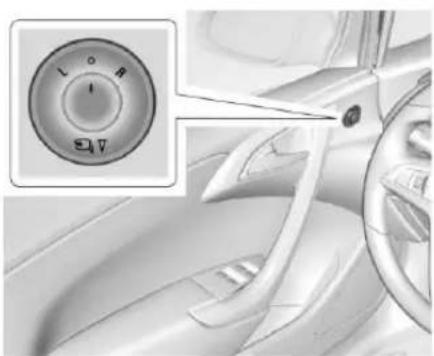
PowerMirrors
natural_image
Close-up of a car dashboard with a circular control knob and a close-up inset showing the dial (no text or symbols visible)- TurntheselectorswitchtoL (Left)orR(Right)tochoose thedriverorpassengermirror.
- Movethe control to adjust the mirror.
- Turntheselectorswitchto todeselectthemirror.

FoldingMirrors
ManualFoldingMirrors
The vehicle has manual folding mirrors. These mirror scan be folded inward to prevent damage when
goingthroughanautomaticcar wash. Tofold, pullthemirrortoward the vehicle. Pushthemirroroutward to returnittotheoriginal position.
HeatedMirrors
Ifequippedwithheatedmirrors:
Therearwindowdefoggeralso heatstheoutsidemirrors.
See Dual Automatic Climate Control System→212.
InteriorMirrors
InteriorRearviewMirrors
Adjusttherearviewmirrorforaclear viewoftheareabehindthevehicle.
Donotsprayglasscleanerdirectly onthemirror.Useasofttowel dampenedwithwater.
AutomaticDimming RearviewMirror
Therearviewmirrorautomatically dimstoreducetheglareofthe headlampsfrombehind. This featurecomesonwhenthevehicle isstarted.
Windows
Warning
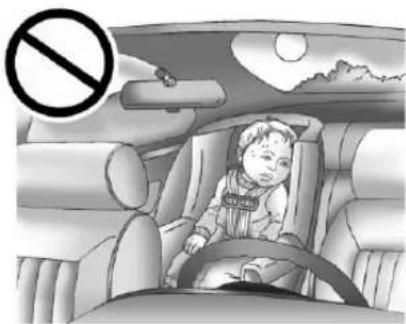
Neverleaveachild,ahelpless adult,orapetaloneinavehicle, especiallywiththewindows closedinwarmorhotweather. Theycanbeovercomebythe extremeheatandsuffer permanentinjuriesorevendeath fromheatstroke.
natural_image
Interior view of a car with a child seated in the seat, no visible text or symbolsThe vehicle aerodynamics are designed to improve fueleconomy performance. This may result in
pulsingsoundwheneitherrear windowisdownandthefront windowsareup. Toreducethe sound,openeitherafrontwindow orthesunroof,ifequipped.
PowerWindows
Warning
Childrencouldbeseriously injuredorkilledifcaughtinthe pathofaclosingwindow.Never leavekeysinavehiclewith children.Whentherearechildren intherearseat,usethewindow lockoutbuttontoprevent operationofthewindows.See Keys→21.
natural_image
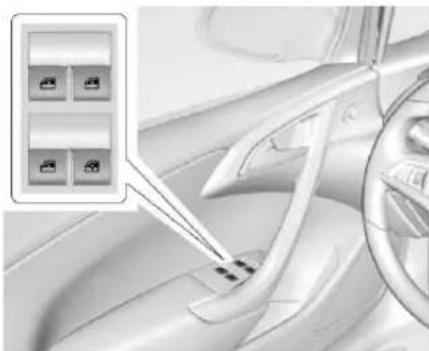
Interior view of a car showing steering wheel, dashboard, and seatbelt (no text or symbols visible)The power windows switches on the driver door control all four windows. Each passenger door has as switch that control only that window.
Presstheswitchtothefirstdetentto lowerthewindow.Pulltheswitchup tothefirstdetenttoraiseit.
Theswitchesworkwhentheignition isinON/RUNorACC/ACCESSORY, orinRetained AccessoryPower(RAP). See RetainedAccessoryPower (RAP)→230.
ExpressWindowOperation
Windowswithanexpress-downor upfeatureallowthewindowstobe loweredorraisedwithoutholding theswitch.Alldoorwindowshave theexpress-downfeature.Front doorwindowsmayalsohavethe express-upfeature.Pullawindow switchuporpushitdownallthe way,releaseit,andthewindow goesupordownautomatically.Stop thewindowbypushingorpullingthe switch.
CentralPowerWindowSwitch
natural_image
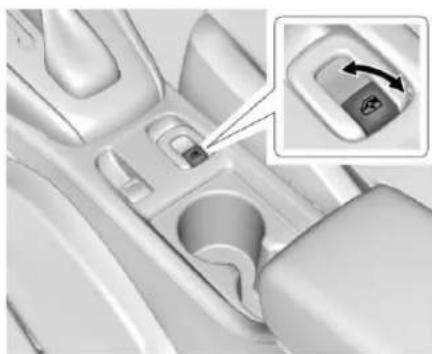
Interior view of a car dashboard with a highlighted control panel (no text or symbols visible)Thecentralpowerwindowswitch willexpress-openallwindowswhen pressed.Pulltoexpress-close.
ExpressWindowAnti-Pinch Feature
Ifanyobjectisinthepathofthe windowwhentheexpress-upis active, the windowwillstopatthe obstructionandauto-reversetoa presetfactoryposition. Weather conditionssuchassevereicingmay alsocausethewindowto auto-reverse. Thewindowwillreturn tonormaloperationafterthe obstructionorconditionisremoved.
ExpressWindowAnti-Pinch Override
Warning
If expressoverrideisactivated, the windowwill not reverse automatically. You or others could be injured and the window could be damaged. Before you use expressoverride, makes sure that all people and obstructions are clear of the windowpath.
36Keys, Doors, and Windows
Tooverridetheanti-pinchfeature, holdthewindowswitchalltheway uptothesecondposition.The windowwillraiseforaslongasthe switchisheld.Oncetheswitchis released,theexpressmodeis reactivated.
Inthismode, the window can close on an object in its path. Usecare when using the overridemode.
WindowIndexing
Indexinglowersthewindowasmall amountwhenthedoorisopened. Whenthedoorisclosed, the windowwillraisefully.Ifthevehicle losespower,youmayneedto reprogramthewindows.
ComfortOpen
Toopenthewindowsremotely, pressandhold 📄ontheRKE transmitteruntilthewindows fullyopen.
ProgrammingthePower Windows
If the battery on the vehicle has been recharged, disconnected, orisnot working, the window with the express-up feature will need to bere programmed for the feature to work. If power is lost, there are windows must bere programmed first. Beforeere programming, replace orrechargethe vehicle's battery.
Toprogramawindow:
-
With the ignition in ON/RUN or ACC/ACCESSORY, or when Retained Accessory Power (RAP) is active, close all doors.
-
Pullandholdthepower windowswitchuntilthewindow isfullyclosed. Continue holdingtheswitchupfor approximatelyfiveseconds afterthewindowiscompletely closed.
-
Pressthepowerwindowswitch downuntilthewindowisfully open. Continueholdingthe
switchdownforapproximately fivesecondsafterthewindow iscompletelyopen.
Thewindowisnowreprogrammed. Repeat the process for the other windows.
SunVisors
natural_image
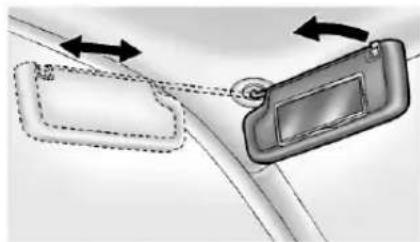
Diagram showing two car door lockers with directional arrows indicating movement (no text or symbols)Pullthesunvisordowntoblock glare.Detachthesunvisorfromthe centermounttopivottotheside windowor,ifequipped,extend alongtherod.
Roof
ConvertibleTop
Reviewthefollowingbefore operating:
Warning
While opening or closing the convertible top, people can be injured by them moving part so the tonneau cover or convertible top. Maintain visual contact with the top while it is being operated.
Caution
Followtheseguidelineswhen operatingtheconvertibletopor damagecanoccur:
- Remove all items from the roof, trunklid, ortonneau cover before operating. (Continued)
Caution(Continued)
- Removealobjectsfromthe trunkthatmaycontactthe convertibletopwhenitis operated.
- Donotleavethevehicle withtheconvertible topopen.
- Donotexceed50km/h (31mph)untilthetophas completelyclosedor opened.
- Donotopenorclosethetop whiledrivinginhighwind conditions.
- Donotoperatethe convertibletopmultiple timesinashortperiodof timewithoutstartingthe enginetoavoiddrainingthe vehiclebattery.
(Continued)
Caution(Continued)
- Donotopenorstorethe convertibletopwhenitis dirtyorwet. This could result in stains, mildew, or other damage.
- Onlystorethevehiclewith thetopfullyclosed.
OpeningtheConvertibleTop
- Placethepartitionintherear storageareaintheupright position.SeeRear Storage→89.
2.Closethetrunk. - Startthevehicleorplaceitin ACC/ACCESSORY.
- When possible, operate the convertible top when the vehicle is stopped. Thetopcan be operated while driving below 50 km/h (31 mph) and will stop if that speed is exceeded. Thetopoperation will take approximately
38Keys, Doors, and Windows
25seconds.Makesurethetop operationcanbecompleted beforethatspeedisreached.
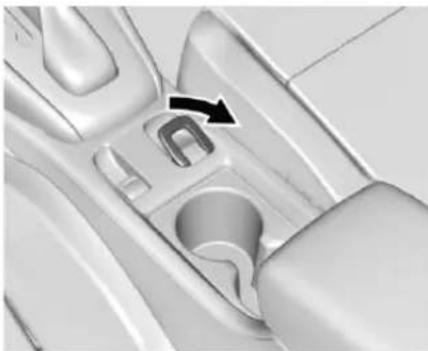
natural_image
Close-up of a car interior showing the wheel and seat, with a black arrow pointing to a specific component (no text or symbols visible)-
Pullandholdthefrontofthe convertibleswitch. The windowswillautomatically lower.
-
Continue holding until the convertible top is completely open. Achimewills sound. Releasetheswitch.
7.Brieflypullthefrontofthe centralpowerwindowswitchto closeallwindows.
Iftheradioison,thesoundmaybe mutedforabrieftimeduetoanew audiosystemequalizationbeing loaded.
ClosingtheConvertibleTop
- Makesurethesunvisormirror coversareclosedandthesun visorsarestoredinthecenter mountposition.
2.Closethetrunk.
-
Startthevehicleorplaceitin ACC/ACCESSORY.
-
When possible, operate the convertible top when the vehicle is stopped. Thetopcan be operated while driving below 50 km/h (31 mph) and will stop if that speed is exceeded. Thetopoperation will take approximately 25 seconds. Makes sure the top operation can be completed before that speed is reached.
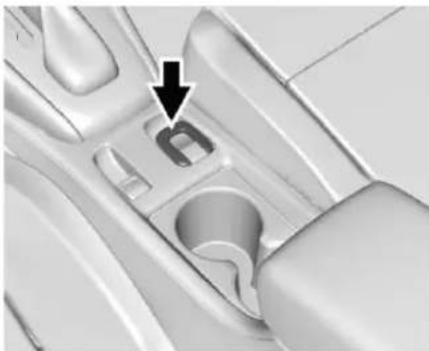
natural_image
Close-up of a car interior component with a black arrow pointing to a specific part (no text or symbols visible)-
Pressandholdthefrontofthe convertibletopswitch. The windowswillautomatically lower.
-
After the convertible top is completely closed, achimewill sound. Releasetheswitch.
-
Brieflypullthefrontofthe centralpowerwindowswitchto closeallwindows.
Iftheradioison,thesoundmaybe mutedforabrieftimeduetoanew audiosystemequalizationbeing loaded.
OpeningConvertibleTopwith RKETransmitter
Ifequipped, pressandholdthe ontheRKEtransmitteruntilthe convertibletopiscompletelyopen andthetonneaucoverisclosed. All windowswillbeopenedduringthis operation. Theexteriorlampswill flashwhenoperationiscompleted.
Troubleshooting
Checkthefollowingifthe convertibletopswitchisnot operating:
- TheignitionsouldbeinACC/ACCESSORYorON/RUN, orRetainedAccessoryPower (RAP)shouldbeactive.
- Thetrunklidshouldbeclosed andthetrunkpartitioninplace. ADICmessagewilldisplay.
-
IftheONLYMANUAL OPERATIONOFTOP POSSIBLEmessageis displayedontheDIC,see "ManualMovementofTop"later inthissection.
-
At cooleroutsidetemperatures, theconvertibletopmaynot open.Itispossibletoclosethe topdowntotemperaturesof about-20°C(-4°F).ADIC messagewilldisplayifthetop willnotopenduetolow temperature.Ifnecessary,move thevehicletoaheatedindoor areatooperatethetop.
- Ifthetophasrecentlybeen cycledrepeatedlyorleftinan intermediatestate,itwillbe temporarilydisabled.ADIC messagedisplays.Normal operationwillberestoredwithin 10minutesafterthesystemhas cooled.
- Ifthevehiclebatteryislow, the powertopoperationmaybe disabled. Trytostartthevehicle. ADICmessagedisplays.
- If the battery has recently been reconnected or if the vehicle has been jump started, the top may not operate until the power window have been indexed.
Completethepowerwindow indexingprocedure.SeePower Windows→34.
Otherfeaturesmaybeaffected whileoperatingtheconvertibletop:
- Thetrunkcanonlybeopened withthekeyuntiltheconvertible topiscompletelyopenedor closed.
- Thewindows cannot close while the topismoving.
- Whendrivingwiththetopnot fullysecured,chimescanbe heardabove80km/h(50mph).
If the vehicle battery has been disconnected and reconnected, the fuses were pulled or replaced, or a jump start was performed, the TOP NOT SECURE message may display. Press and hold the convertible top switch to open/close the top until this message is cleared.
PartialTopCycling
If the convertible top operation is stopped before completion, the top will temporarily hold its position.
IftheignitionisinACC/
ACCESSORYorON/RUN, the top will be held for up to 10 minutes. If the vehicle is moving or off, the amount of timewill vary from a few seconds about a minute.
ChimesandDICmessageswillbe displayedbeforethetopwillmove. Whenthisoccurs,immediatelyfinish theconvertibletopoperationby pressingthebuttonagainuntil completes.
Ifthetopcannotbesecured, keep clearofthetopcomponents. In someconditionsthetopmaymove quickly.
Donotdrivewiththeconvertibletop inanunsecuredposition.Thetop componentsmaymove unexpectedly.Insomecasesthe topmaynotbeabletobepower operated.Ifthisoccurs,followthe DICmessagesdisplayed.
Ifthetonneaucoverisnotsecured andlatched, and the vehicle is moving above 10km/h (6mph), the tonneau cover may automatically movetoastable position.
ManualClosingofTop
IftheDICdisplaystheONLY MANUALOPERATIONOFTOP POSSIBLEmessage:
-
Pressandholdorpullandhold theconvertibletopswitchto eitheropenorclosethetop. Pressorpulltheswitchinthe oppositedirectionifonedoes notwork.
-
If the top moves, continue holding the switch that direction for at least five seconds. The top should then work normally.
Ifthetopdoesnotrespondineither direction, usethefollowing proceduretomanuallyclosethe convertibletopandtonneaucover beforeservicingifneeded. This requiresmorethanoneperson.
Thereisahexwrenchinthe glovebox.Thereisalsostringinthe gloveboxforyourdealertomanually securethetopcompletelyifneeded.
- Placetheignitionswitch inOFF.
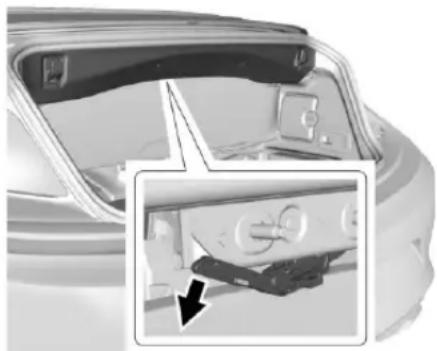
natural_image
Interior view of a car showing the rear compartment with a close-up inset of the front wheel (no visible text or symbols)- Openthetrunkandpullthe tonneaucoverreleaselever downward.
- Closethetrunk. Thetrunk cannotbeopened from this stepforward.
Keys, Doors, and Windows41
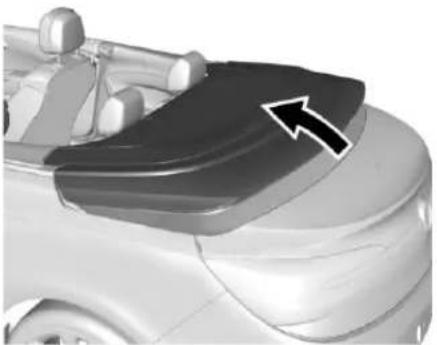
natural_image
Close-up of a car's roof and side panel showing a black cover with an arrow pointing to the top section (no text or symbols visible)-
With an additional person, lift the tonneau cover from both sidesto approximately the half raised position.
-
With the tonneau cover being held in the half raised position, insert the hexwrench into the marked position of the flap drive unit. Turn the wrench clockwise to the stop. The sideways flaps will turn inward.
- With an additional person, raisetonneaucovertothefully open position.
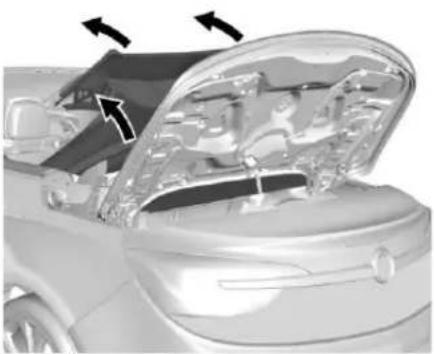
natural_image
Cutaway view of a car showing the hood and engine compartment with arrows indicating motion (no text or symbols)- Lifttheconvertibletopby pullinguponbothsidesofthe frontbowandtensionbow.
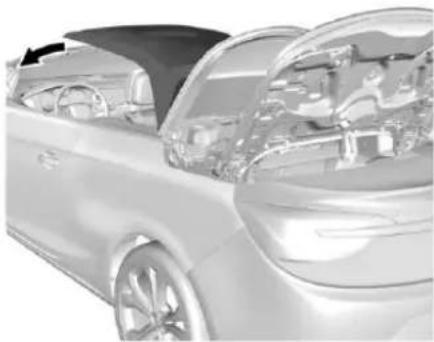
natural_image
Side view of a car showing internal engine bay and dashboard components (no visible text or symbols)8.Movethefrontbowtothe windshieldframe.
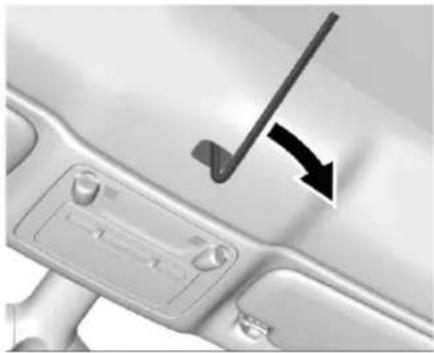
natural_image
Close-up of a car interior panel with a black arrow pointing to a component (no text or symbols visible)42Keys, Doors, and Windows
- Removethecapcoveringthe manualclosureopening.There isarecessinthecaptosnapit offusingatool.Insertthehex wrenchintotheopeningand thenturnthewrenchclockwise untilitsops.Theconvertible topisnowlocked.
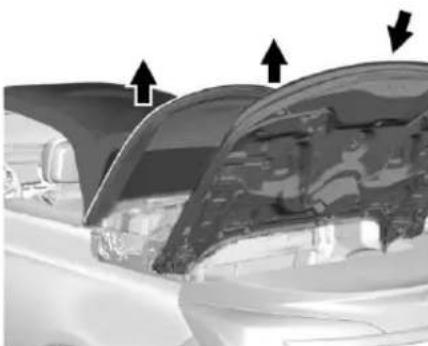
natural_image
Close-up of a car's front window showing the hood and side panel, with arrows indicating direction (no text or symbols)-
Liftupthetensionbowonboth sidesandraisethetonneau covertoapproximatelythehalf raisedpositionandthenallowit toslideintotheclosedposition.
-
Lowerthetensionbow.
Atthistimethevehiclecanbe driven,howevertheconvertible topisnotlatchedattherear andwillnotbecompletely waterproof.Seeyourdealerto servicetheconvertibletop system.
CleaningtheConvertibleTop
Theconvertibletopshouldbe cleanedoften.Donotuse high-pressurecarwashesasthese maycausewatertoenterthe vehicle.
Handwashtheconvertibletopin partialshade. Use mild soap, lukewarmwater, and asoft sponge. Achamoisor cloth may leavelinton the top, and abrush canchafethe threads in the top fabric. Donotuse detergents, harsh cleaners, solvents, or bleaching agents.
Wettheentiretopandletthesoap remainonthefabricforafew minutes.Washevenlytoavoid spotsorrings.Whenthetopisvery dirty,useamildfoam-typecleaner. Thoroughlyrinsetheentirevehicle, thenletthetopdryindirectsunlight.
Toprotecttheconvertibletop:
- Makesuretheconvertibletopis completelydrybeforeloweringit.
- Donotgetanycleaneronthe vehicle'spaintedfinish;itcould leavestreaks.
WindDeflector
natural_image
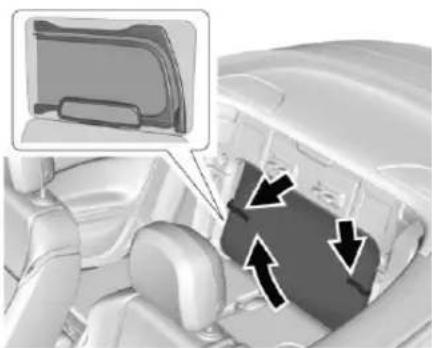
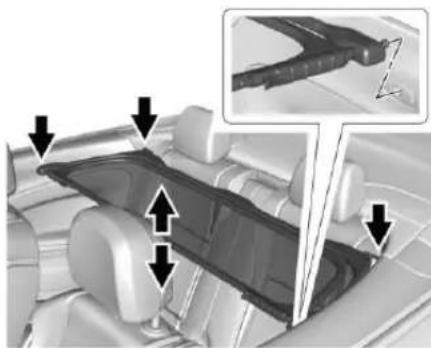
Interior view of a car showing the dashboard and seat area with directional arrows indicating movement (no text or symbols present)Therearetwowinddeflectorsina stowagebagbehindtherearseat backrests.SeeRearSeats→50.
- Thesmallwinddeflectorcanbe placedbetweentherearhead restraints.
- Thelargewinddeflectorcanbe placedbehindthefrontseats.
Donotplaceanyobjectsonthe winddeflectors.
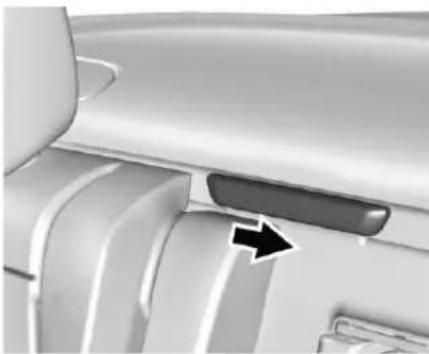
SmallWindDeflector
natural_image
Close-up of a mechanical component with a black arrow pointing to a specific part (no visible text or symbols)- Removethecoverfromthe mountbetweentherearhead restraintsbyslidingittotheleft vehicleside.
natural_image
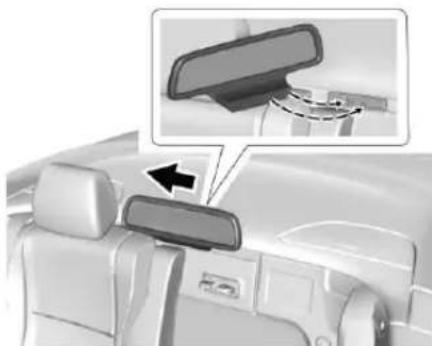
Interior view of a car showing the rearview mirror and side arm, with an inset close-up highlighting the lens (no text or symbols visible)- Insert the deflector into the deflectormount.
3.Slidethedeflectorotheright sideofthevehicleuntilillocks. - Raisetherearseatbacks.
Reversestepstoremovethesmall winddeflector.
LargeWindDeflector
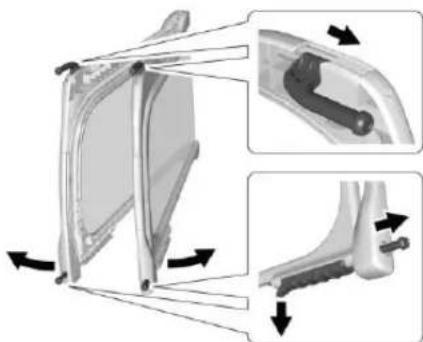
Therearseatcannotbeoccupied whenthelargewinddeflectoris inuse.
natural_image
Mechanical assembly diagram showing a bracket with directional arrows indicating movement, no text or symbols present- Turntheupperlockingpinsout ofthebracketsonthewind deflector.
- Liftthetabstoopenthelower lockingpins.
- Openthewinddeflector.
44Keys, Doors, and Windows
natural_image
Interior view of a car dashboard with seatbelt and steering wheel (no text or symbols visible)- Inserttherightsidepinsinto thetrimrecesses.
- Slightlyfoldthedeflectoratthe centerhingeandinserttheleft pinsintothetrimrecesses.
6.Pushcenterofthedeflector downtofullyengagethepins.
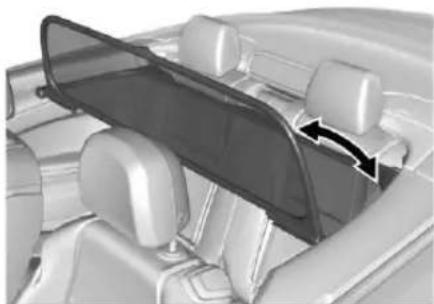
natural_image
Interior view of a car showing the dashboard and seat area with directional arrows indicating flow or movement (no text or symbols present)- Foldthefronthalfofthe deflectortothevertical position.
Reversesteps1–7toremovethe largewinddeflector.
StowingtheWindDeflectors
- Afterstowing both deflectors in the stowage bag, lower rear seatbacks.
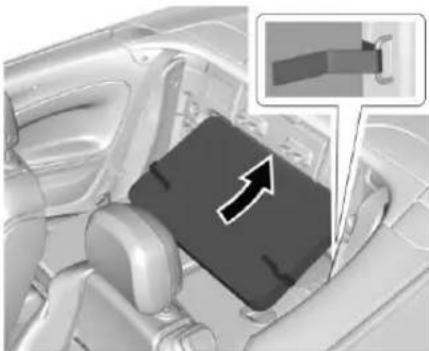
natural_image
Interior view of a car seatbelt with an arrow pointing to the seat area (no text or symbols visible)- Inserttopofbaginthestowage compartment, alignremainder ofbagtofitandsecurewith straps.
Seatsand Restraints
HeadRestraints
HeadRestraints......46
FrontSeats
PowerSeatAdjustment.....47
LumbarAdjustment......48
RecliningSeatbacks......48
SeatbackLatches......49
HeatedFrontSeats......49
RearSeats
RearSeats......50
SafetyBelts
SafetyBelts....52
HowtoWearSafetyBelts Properly....53
Lap-ShoulderBelt....54
SafetyBeltUseDuring Pregnancy....56
SafetyBeltExtender......56
SafetySystemCheck......57
SafetyBeltCare....57
ReplacingSafetyBeltSystem PartsafteraCrash......57
AirbagSystem
AirbagSystem......58
WhereAretheAirbags?......59
WhenShouldanAirbag Inflate?......60
WhatMakesanAirbag Inflate?......61
HowDoesanAirbag Restrain?......61
WhatWillYouSeeafteran AirbagInflates?......62
RollBars....63
PassengerSensingSystem...63
ServicingtheAirbag-Equipped Vehicle....67
AddingEquipmenttothe Airbag-EquippedVehicle.....68
AirbagSystemCheck......68
ReplacingAirbagSystemParts afteraCrash....69
ChildRestraints
OlderChildren......69
InfantsandYoungChildren....71
ChildRestraintSystems......73
WheretoPuttheRestraint.....75
LowerAnchorsandTethersfor Children(LATCHSystem)....76
ReplacingLATCHSystemParts AfteraCrash......83
SecuringChildRestraints
(RearSeat)......83
SecuringChildRestraints(Front
PassengerSeat)......86
HeadRestraints

Warning
Withheadrestraintsthatarenot installedandadjustedproperly, thereisagreaterchancethat occupantswillsufferaneck/spinalinjuryinacrash.Donot driveuntiltheheadrestraintsfor allooccupantsareinstalledand adjustedproperly.
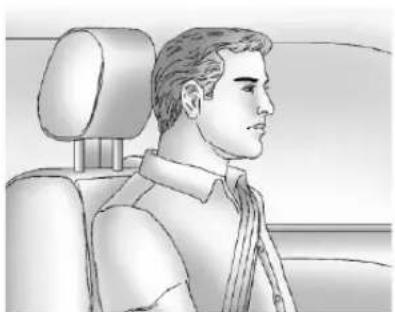
natural_image
Side profile illustration of a man in a car seat, showing head, torso, and seat (no text or symbols)Adjusttheheadrestraintsothatthe topoftherestraintisatthesame heightasthetopoftheoccupant's head. Thispositionreducesthe chanceofaneckinjuryinacrash.
FrontSeats
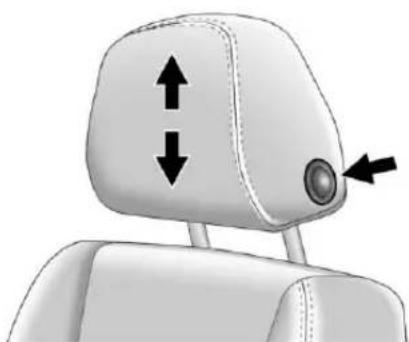
The vehicle's frontseat have adjustable head restraints in the outboard seating positions.
natural_image
Top-down view of a car headrest with double-headed arrows indicating vertical and horizontal motion (no text or symbols)Toraiseorlowertheheadrestraint, pressthebuttononthesideofthe headrestraint,andpulluporpush theheadrestraintdown,and releasethebutton.Pullandpushon
theheadrestraintafterthebuttonis releasedtomakesurethatitis lockedinplace.
natural_image
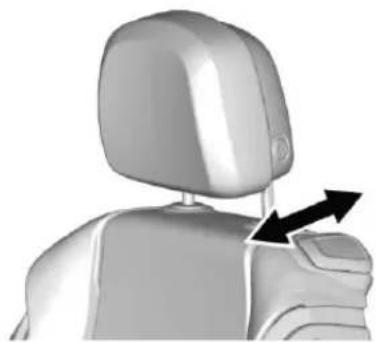
3D rendered human figure with a black arrow pointing to the shoulder area (no text or symbols)Toadjusttheheadrestraintforward, grasptheheadrestraintandpull forwardtothedesiredlocked position. Toadjusttheheadrestraint rearward, grasptheheadrestraint andpullforwardfully, until the mechanismreleasesandallowsthe headrestraint toreturntothefull rearposition.
ActiveHeadRestraints
YourvehiclehasanActiveHead RestraintSysteminthefront outboardseatingpositions. These automaticallyactivatetoreducethe riskofneckinjuryifthevehicleishit frombehind.
Warning
If your head restraint has been activated dueto a rear collision, you must return the vehicle to the dealer for inspection and re-setting or replacement of the system.
RearSeats
The vehicle's rearseatshave non-adjustable headrestraints in the outboard seating positions.
Therearheadrestraintsare designedtoberemoved.See"Head RestraintRemovaland Reinstallation"underLowerAnchors and TethersforChildren(LATCH System)76.
If you are installing a child restraint in therearse at, see "Securinga Child Restraint Designed for the LATCH System" under Lower Anchors and Tethers for Children (LATCH System) 76.
FrontSeats
PowerSeatAdjustment
PowerDriverSeatAdjustment
natural_image
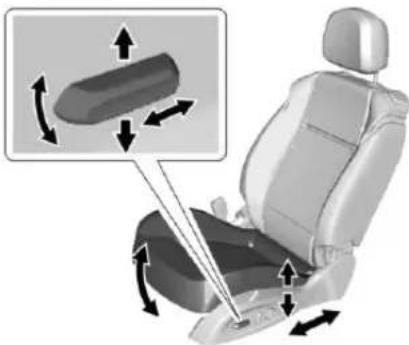
Car seat assembly diagram showing directional arrows indicating movement or force (no text or symbols present)Toadjustapowerdriverseat, ifequipped:
- Movetheseatforwardor rearwardbyslidingthecontrol forwardorrearward.
- Raiseorlowerthefrontpartof theseatcushionbymovingthe frontofthecontrolupordown.
- Raiseorlowertheentireseatby movingthecontrolupordown.
LumbarAdjustment
PowerLumbar
natural_image
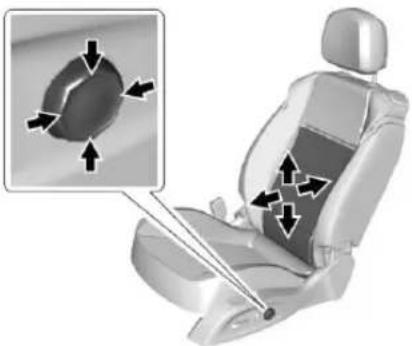
Car seat with highlighted internal components and directional arrows indicating movement (no text or symbols)Ifequipped, pressandholdthefront oftheswitchtoincreaselumbar support, ortherearoftheswitchto decreaselumbarsupport.
Toadjusttheheightofthesupport, pressandholdthetoporbottomof theswitch.Releasetheswitchwhen theseatbackreachesthedesired leveloflumbarsupport.
RecliningSeatbacks
Warning
Ifeitherseatbackisnotlocked, it couldmoveforwardinasudden stoporcrash. Thatcouldcause injurytothepersonsittingthere. Alwayspushandpullonthe seatbackstobesuretheyare locked.
natural_image
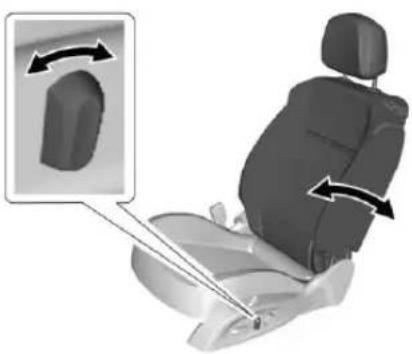
3D illustration of a car seat with directional arrows indicating movement or force (no text or symbols)Toadjustthepowerseatback:
- Tiltthetopofthecontrol rearwardtorecline.
- Tiltthetopofthecontrolforward toraise.
Warning
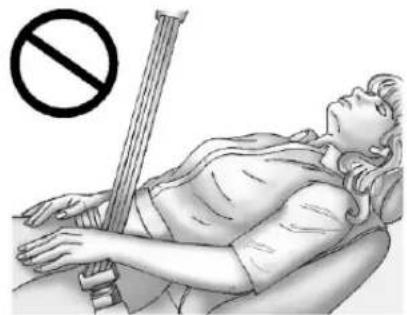
Sittinginareclinedpositionwhen thevehicleisinmotioncanbe dangerous.Evenwhenbuckled up,thesafetybeltscannotdo theirjob.
Theshoulderbeltwillnotbe againstyourbody.Instead,itwill beinfrontofyou.Inacrash,you couldgointoit,receivingneckor otherinjuries.
Thelapbeltcouldgoupover yourabdomen. Thebeltforces wouldbethere, notatyourpelvic bones. This could cause serious internal injuries.
Forproperprotectionwhenthe vehicleisinmotion,havethe seatbackupright.Thensitwell backintheseatandwearthe safetybeltproperly.
natural_image
Illustration of a person lying on their back with a no-smoking symbol above, holding a long object (no text or symbols present)Donothaveaseatbackreclinedif thevehicleismoving.
SeatbackLatches
natural_image
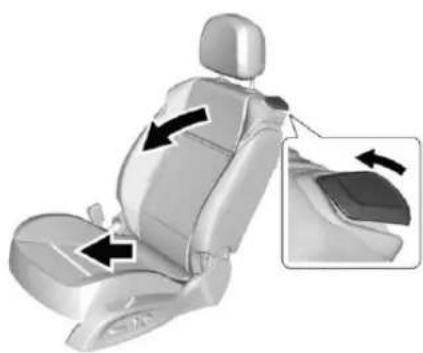
3D rendering of a car seat with black arrows indicating movement or force direction, shown in an inset zoom (no text or symbols)Tofoldtheseatback, lifttherelease leverandfoldtheseatbackforward. Theseatwillslideforward.
Toraise, lift theseatback to its upright position until theseatlocks. Theseat will slide back to the original position.
Incasetheseatbackcannotfold andisblockedbytheheadrestraint, movetheseatbackwardor downwardslightly,oradjustthe headrestrainttoalowerposition. SeePowerSeatAdjustment→47or HeadRestraints→46.
Obstructions
If theseatencountersan obstructionorresistancewhile slidingforwardorbackward, the actionisstoppedandtheseatwill moveintheoppositedirection.
HeatedFrontSeats
Warning
If you cannot feel temperature change or paint to the skin, the seat theater may cause burns. To reduce risk of burns, people with such conditions should use care when using these seat theater, especially for long period so time. Don't place anything on these at that insulates against heat, such as a blanket, cushion, cover, or similar item. This may cause these seat theater to overheat. An overheated seat theater may cause a burn or may damage these seat.
50SeatsandRestraints
natural_image
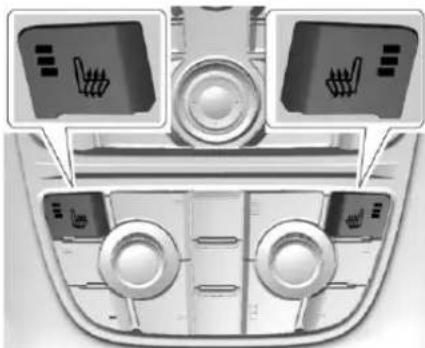
Interior view of a car dashboard with three directional control panels and indicator lights (no text or symbols visible)Ifequipped, the controls are on the climate control panel. The engine must be running to operate the heated seats.
Press 📋or 🌐toheatthedriveror passengerseatcushionand seatback.
Pressthecontrolonceforthe highestsetting.Witheachpressof thecontrol,theheatedseatwill changetothenextlowersetting, andthentheoffsetting.Threelights indicatethehighestsettingandone lightthelowest.
Thepassengerseatmaytake longertoheatup.
RemoteStartHeatedSeats
Whenitiscoldoutside,theheated seatscanbeturnedon automaticallyduringaremote vehiclestart.Theheatedseatswill becanceledwhentheignitionis turnedon.Presstheheatedseat controlstousetheheatedseats afterthevehicleisstarted.
Theheatedseatindicatorlightson thecontroldonotturnonduringa remotestart.
Thetemperatureperformanceofan unoccupiedseatmaybereduced. Thisisnormal.
Theheatedseatswillnotturnon duringaremotestartunlesssthe heatedseatfeatureisenabledin thevehiclepersonalizationmenu. SeeRemote Vehicle Start→26and Vehicle Personalization→113.
RearSeats
Eithersideoftherearseatbackcan befoldedformorecargospaceorto accessthewinddeflectorbag.

Warning
Take care when operating the foldablerearseats. Therear seatbackfoldsforward with considerable power which can cause injury, particularly to children. Ensure that nothing is attached to there are seats or on these at cushion.
Caution
Foldingarearseatwiththesafety beltsstillfastenedmaycause damagetheseatorthesafety belts.Alwaysunbucklethesafety beltsandreturnthemtotheir normalstowedpositionbefore foldingarearseat.
Tofoldtherearseatbacks:
- Removethewinddeflectorif installed.
2.Movethefrontseatsforwardor removetherearhead restraints.SeePowerSeat Adjustment→47orLower AnchorsandTethersfor Children(LATCHSystem)→76 forheadrestraintremoval instructions.Storethehead restraintsinthecargoarea.
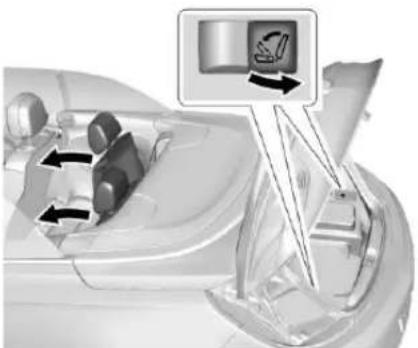
natural_image
Diagram of a car interior showing steering wheel and dashboard with directional arrows indicating movement (no text or symbols)- Pullthereleaseswitchinthe trunktofoldtherear seatbackdown.
-
Foldtheseatbackforward.
-
RepeatSteps1–4fortheother seatback,ifnecessary.
Toraisetheseatback:
Warning
Asafetybeltthatisimproperly routed, not properly attached, ortwisted will not provide the protection needed in acrash. The person wearing the belt could be seriously injured. After raising the rearseatback, always check to be sure that the safety belts are properly routed and attached, and are not twisted.
- Lifttheseatbackupandpushit rearwarduntillatchesinto place. Keepthesafetybelts clearoftheseatback and untwisted.
Warning
If theseatbackisnotlocked, it could move forwardinasudden stoporcrash. That could cause injury to the person sitting there. Always pull forward on the top of these at back at the area of the latch to be sure it is locked.
- Pushandpullontheseatback tomake sureitislocked into position.
- Reinstalltheheadrestraints, if necessary. See Lower Anchors and Tethers for Children (LATCHSystem) 76 for headrestraint reinstallation instructions.
- RepeatSteps1–3fortheother seatback,ifnecessary
Keeptheseatintheuprightlocked positionwhennotinuse.
52SeatsandRestraints
SafetyBelts
Thissectionofthemanual describeshowtousesafetybelts properly.Italsodescribessome thingsnottodowithsafetybelts.

Warning
Donotletanyoneridewherea safetybeltcannotbeworn properly. Inacrash, if youoryour passenger(s) are not wearing safetybelts, injuriescanbemuch worsethanifyouarewearing safetybelts. You can be seriously injuredorkilled by hitting things insidethevehicleharderorby beingejectedfromthevehicle. In addition, anyone who is not buckledupcanstrikeother passengersinthevehicle.
Itisextremelydangeroustoride inacargoarea,insideoroutside ofavehicle.Inacollision, passengersridingintheseareas aremorelikelytobeseriously injuredorkilled.Donotallow
(Continued)
Warning(Continued)
passengerstorideinanyareaof thevehiclethatisnotequipped withseatsandsafetybelts.
Alwayswearasafetybelt, and check that all passenger(s) are restrained properly too.
Thisvehiclehasindicatorsasa remindertobucklethesafetybelts. See SafetyBeltReminders→100.
WhySafetyBeltsWork
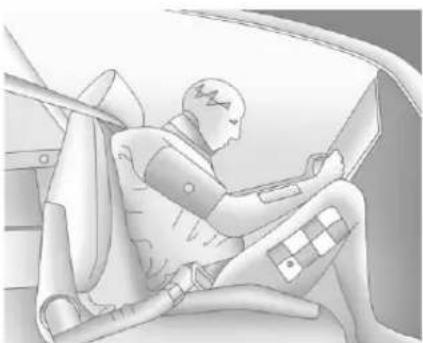
natural_image
Illustration of a person seated in a car, wearing a helmet and holding a device (no text or symbols visible)Whenridinginavehicle,youtravel asfastasthevehicledoes.Ifthe vehiclestopssuddenly,youkeep goinguntilsomethingstopsyou. Itcouldbethewindshield,the instrumentpanel,orthesafetybelts!
Whenyouwearasafetybelt,you andthevehicleslowdowntogether. Thereismoretimetostopbecause youstopoveralongerdistanceand, whenwornproperly,yourstrongest bonestaketheforcesfromthe safetybelts.Thatiswhywearing safetybeltsmakessuchgood sense.
QuestionsandAnswersAbout SafetyBelts
Q: Willlbetrappedinthevehicle afteracrashiflamwearinga safetybelt?
A: You could be—whether you are wearing as safety belt not. Your chance of being conscious during and after a crash, so you can unbuckle and get out, is much greater if you are belted.
Q: If my vehicle has air bags, why should have to wear safety belts?
A: Airbagsaresupplemental systemsonly; sotheyworkwith safetybelts—notinsteadof them. Whetherornotanairbag isprovided, allooccupantsstill havetobuckleuptogetthe mostprotection.
Also, innearly all states and in all Canadian provinces, the law requires wearingsafety belts.
HowtoWearSafetyBelts Properly
Thissectionisonlyforpeopleof adultsize.
Therearespecialthingstoknow aboutsafetybeltsandchildren, and therearedifferentrulesforsmaller childrenandinfants. Ifachildwill be ridinginthevehicle, see Older Children→69orInfantsandYoung Children→71. Followthoserulesfor everyone'sprotection.
Itisveryimportantforallooccupants tobuckleup.Statisticsshowthat unbeltedpeoplearehurtmoreoften incrashesthanthosewhoare wearingsafetybelts.
Thereareimportantthingstoknow aboutwearingasafetybeltproperly.
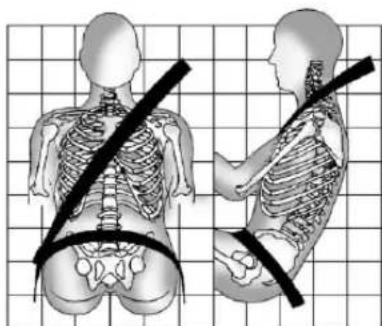
natural_image
Illustration of human torso and neck anatomy with a black diagonal line indicating shoulder placement (no text or labels)- Situpstraightandalwayskeep yourfeetonthefloorinfront ofyou.
• Alwaysusethecorrectbuckle foryourseatingposition.
- Wearthelappartofthebeltlow andsnugonthehips,just touchingthethighs.Inacrash, thisappliesforcetothestrong
pelvicbonesandyouwouldbe lesslikelytoslideunderthelap belt. Ifyouslidunderit, thebelt wouldapplyforceonyour abdomen. This could cause seriousorevenfatalinjuries.
- Weartheshoulderbeltoverthe shoulderandacrossthechest. Thesepartsofthebodyarebest abletotakebeltrestraining forces. Theshoulderbeltlocksif thereisasuddenstoporcrash.

Warning
Youcanbeseriouslyinjured, orevenkilled, bynotwearing yoursafetybeltproperly.
- Neverallowthelapor shoulderbelttobecome looseortwisted.
- Neverweartheshoulder beltunderbotharmsor behindyourback.
- Neverroutethelapor shoulderbeltoveran armrest.
54SeatsandRestraints
Lap-ShoulderBelt
Allseatingpositionsinthevehicle havealap-shoulderbelt.
The following instructionsexplain howtowearalap-shoulderbelt properly.
- Adjusttheseat, if theseatis adjustable, so you cansit up straight. Toseehow, see "Seats" in the Index.
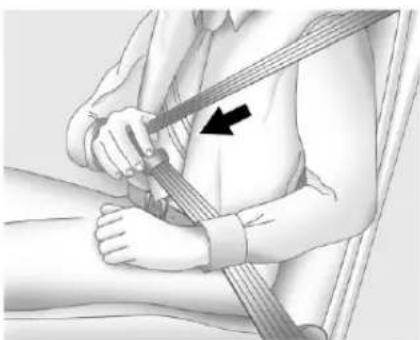
natural_image
Medical illustration showing a person using a bandage to adjust the abdomen (no text or symbols present)- Pickupthelatchplateandpull thebeltacrossyou.Donotlet itgettwisted.
Thelap-shoulderbeltmaylock ifyoupullthebeltacrossyou veryquickly.Ifthishappens,let thebeltgobackslightlyto unlockit.Thenpullthebelt acrossyoumoreslowly.
Iftheshoulderportionofa passengerbeltispulledoutall theway,thechildrestraint lockingfeaturemaybe engaged.Ifthishappens,let thebeltgobackalltheway andstartagain.
natural_image
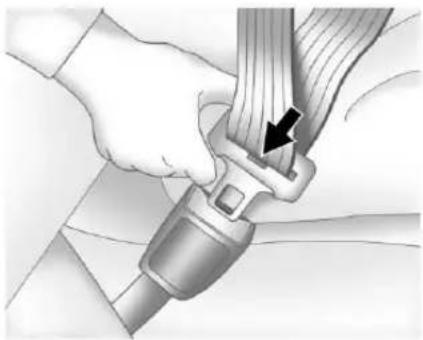
Close-up of hands adjusting a car seatbelt with a black arrow pointing to the grip (no text or symbols visible)- Pushthelatchplate into the buckle until it clicks.
Pulluponthelatchplateto makesureitissecure.Ifthe beltisnotlongenough,see SafetyBeltExtender→56.
Positionthereleasebuttonon thebucklesothatthesafety beltcouldbequicklyunbuckled ifnecessary.
natural_image
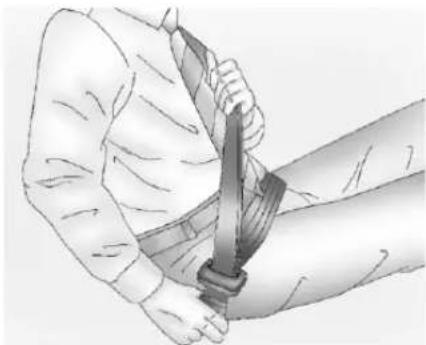
Illustration of a person holding a sword, viewed from above (no text or symbols)- Tomakethelapparttight, pull upontheshoulderbelt.
natural_image
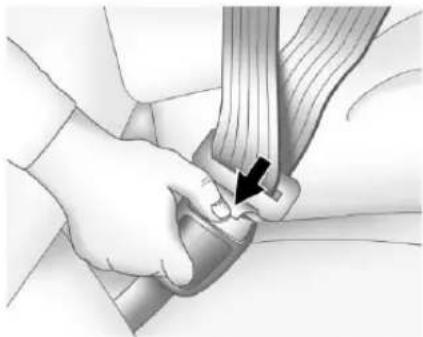
Medical illustration showing a hand holding a wrist with a finger inserted, no text or symbols presentTounlatchthebelt, pushthebutton onthebuckle. Thebelt should return to its stowed position.
Alwaysstowthesafetybeltslowly. Ifthesafetybeltwebbingreturns quicklytothestowedposition,the retractormaylockandcannotbe pulledout.Ifthishappens,pullthe safetybeltstraightoutfirmlyto unlockthewebbing,andthen releaseit.Ifthewebbingisstill lockedintheretractor,seeyour dealer.
Beforeadoorisclosed, besurethe safetybeltisoutoftheway. Ifa doorisslammedagainstasafety belt, damagecanoccurtoboththe safetybeltandthevehicle.
SafetyBeltPresenter
Thesafetybeltpresentersbringthe frontoutboardsafetybeltstothe fronttohelpfastenthem.
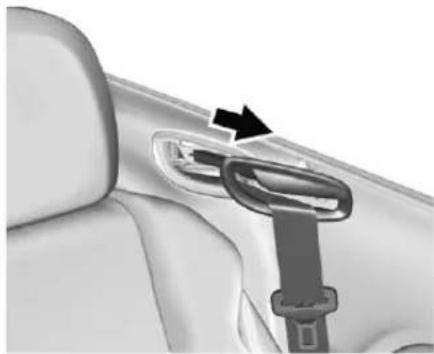
natural_image
Close-up of a car seatbelt buckle with a black arrow pointing to the side panel (no text or symbols visible)Thepresentercomesoutwhen:
- Therespectivedoorisclosed andtheignitionisturnedon.
• Theignitionisonandthedooris closed.
Thepresentermayautomatically retractwhenanyofthefollowing occur:
- Therespectivedoorisopened again.
- Thekeyisremovedfrom ignition.
- Therespectivelatchplateis inserted into the buckle.
- Atime-outof45seconds elapsed.
- The vehicle is driven longer than 15 seconds with as speed of more than 3 mph.
If the safety beltpresenter does not retract automatically, push it back slightly.
SafetyBeltPretensioners
Thisvehiclehassafetybelt pretensionersforfrontandrear outboardoccupants. Although the safetybeltpretensionerscannot be seen, they are part of the safetybelt assembly. They can help tighten the safetybelts during the early stages of a moderate to severe frontal, near frontal, or rear crash if the
56SeatsandRestraints
thresholdconditionsforpretensioner activationaremet.Safetybelt pretensionerscanalsohelptighten thesafetybeltsinasidecrashora rolloverevent.
Pretensionersworkonlyonce.Ifthe pretensionersactivateinacrash, thepretensionersandprobably otherpartsofthevehicle'ssafety beltsystemwillneedtobereplaced. SeeReplacingSafetyBeltSystem PartsafteraCrash57.
Donotsitontheoutboardsafety beltwhileenteringorexitingthe vehicleoratanytimewhilesittingin theseat.Sittingonthesafetybelt candamagethewebbingand hardware.
RearSafetyBeltComfort Guides
Rearsafetybeltcomfortguidesmay provideaddedsafetybeltcomfort forolderchildrenwhohave outgrownboosterseatsandfor someadults.Wheninstalledona shoulderbelt,thecomfortguide positionsthebeltawayfromthe neckandhead.
Comfortguidesareavailable throughyourdealerfortherear outboardseatingpositions. Instructionsareincludedwiththe comfortguide.
SafetyBeltUseDuring Pregnancy
Safetybeltsworkforeveryone, includingpregnantwomen.Likeall occupants,theyaremorelikelyto beseriouslyinjurediftheydonot wearsafetybelts.
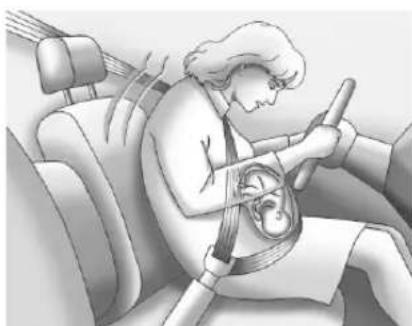
natural_image
Illustration of a person wearing a car seatbelt inside a vehicle (no text or symbols visible)Apregnantwomanshouldwearalap-shoulderbelt,andthelap portionshoubewornaslowas possible,belowtherounding, throughoutthepregnancy.
The best way to protect the fetus is to protect them other. When as safety belt is worn properly, it is more likely that the fetus will not be hurt in a crash. For pregnant women, as for anyone, the key to makings safety belt is effective is wearing them properly.
SafetyBeltExtender
Ifthevehicle'ssafetybeltwillfasten aroundyou,youshoulduseit.
Butifasafetybeltisnotlong enough,yourdealerwillorderyou anextender.Whenyougointo orderit,taketheheaviestcoatyou willwear,sotheextenderwillbe longenoughforyou.Tohelpavoid personalinjury,donotletsomeone elseuseit,anduseitonlyforthe seatismadetofit.Theextender hasbeendesignedforadults.Never useitforsecuringchildrestraints. Towearit,attachittotheregular
safetybelt.Formoreinformation, seetheinstructionsheetthatcomes withtheextender.
SafetySystemCheck
Nowandthen, check that the safety belt reminder light, safety belts, buckles, latch plates, retractors, and anchorages are all working properly. Look for any other loose or damaged safety belts system parts that might keep safety belts system from doing its job. See your dealer to have it repaired. Tornor frayed safety belts may not protect you in a crash. They can ripart under impact forces. Ifabeltistornor frayed, get anewoneright away.
Makesurethesafetybeltreminder lightisworking.See SafetyBelt Reminders→100.
Keepsafetybeltscleananddry. See SafetyBeltCare→57.
SafetyBeltCare
Keepbeltscleananddry.
Warning
Donotbleachordyesafetybelt webbing. It may severely weaken the webbing. In a crash, they might not be able to provide adequate protection. Clean and rinses safety belt webbing only with mild soap and lukewarm water. Allow the webbing today.
Safetybeltsshouldbeproperly caredforandmaintained.
Safetybelthardwareshouldbekept dryandfreeofdustordebris. As necessary exterior hardsurfaces and safetybeltwebbing maybe lightly cleaned with mild soap and water. Ensure there is not excessive dustordebris in themechanism. If dustordebris exists in the system pleaseseethedealer. Partsmay need to be replaced to ensure proper functionality of the system.
ReplacingSafetyBelt SystemPartsaftera Crash
Warning
Acrashcandamagethesafety beltsysteminthevehicle. Adamagedsafetybeltsystem maynotproperlyprotectthe personusingit,resulting in serious injuryorevendeathina crash. To help makesure the safetybeltsystemsareworking properly afteracrash,havethem inspected and any necessary replacements made as soon as possible.
Afteraminorcrash, replacement of safetybeltsmaynotbenecessary. Butthesafetybeltasembliesthat were used during any crash may have been stressed or damaged. Seeyourdealertohavethesafety beltassemblies inspected or replaced.
58SeatsandRestraints
Newpartsandrepairsmaybe necessaryevenifthesafetybelt systemwasnotbeingusedatthe timeofthecrash.
Havethesafetybeltpretensioners checkedifthevehiclehasbeenina crash,oriftheairbagreadinesslight staysonafteryoustartthevehicle orwhileyouaredriving.SeeAirbag ReadinessLight→101.
AirbagSystem
The vehicle hasthe following airbags:
- Afrontalairbagforthedriver.
- Afrontalairbagforthefront outboardpassenger.
- Akneeairbagforthedriver.
- Akneeairbagforthefront outboardpassenger.
- Aseat-mountedsideimpact airbagforthedriver.
- Aseat-mountedsideimpact airbagforthefrontoutboard passenger.
Allvehicleairbagshavetheword AIRBAGonthetrimoronalabel nearthedeploymentopening.
Forfrontalairbags, theword AIRBAGisonthecenterofthe steeringwheelforthedriverandon theinstrumentpanelforthefront outboardpassenger.
Forkneeairbags, thewordAIRBAG isonthelowerpartofthe instrumentpanel.
Forseat-mountedsideimpact airbags, thewordAIRBAGisonthe sideoftheseatbackclosestto thedoor.
Airbagsaredesignedtosupplement theprotectionprovidedbysafety belts. Eventhoughtoday'sairbags arealsodesignedtohelpreduce theriskofinjuryfromtheforceofan inflatingbag,allairbagsmustinflate veryquicklytodotheirjob.
Herearethemostimportantthings toknowabouttheairbagsystem:

Warning
Youcanbeseverelyinjuredor killedinacrashifyouarenot wearingyoursafetybelt,even withairbags.Airbagsare designedtoworkwithsafety belts,notreplacethem.Also, airbagsarenotdesignedtoinflate ineverycrash.Insomecrashes safetybeltsaretheonlyrestraint. SeeWhenShouldanAirbag Inflate?60.
(Continued)
Warning(Continued)
Wearingyoursafetybeltduringa crashhelpsreduceyourchance ofhittingthingsinsidethevehicle orbeingejectedfromit.Airbags are"supplementalrestraints"to thesafetybelts.Everyoneinthe vehicleshouldwearasafetybelt properly,whetherornotthereis anairbagforthatperson.
Warning
Because airbagsinflatewithgreat forceandfasterthantheblinkof aneye,anyonewhoisup against,orverycloseto,any airbagwhenitinflatescanbe seriouslyinjuredorkilled.Donot situnnecessarilyclosetoany airbag,asyouwouldbeifsitting ontheedgeoftheseatorleaning forward.Safetybeltshelpkeep youinpositionbeforeandduring acrash.Alwayswearthesafety (Continued)
Warning(Continued)
belt, even with airbags. Thdriver should sit as far back as possible while still maintaining control of the vehicle. Thesafety belts and the front outboard passenger air bags are most effective when you are sitting well back and upright in these at with both feet on the floor.
Occupantsshouldnotleanonor sleepagainstthedoororside windowsinseatingpositionswith seat-mountedairbags.
Warning
Childrenwhoareupagainst, orverycloseto,anyairbagwhen itinflatescanbeseriouslyinjured orkilled.Alwayssecurechildren properlyinthevehicle.Toread how,seeOlderChildren→69or InfantsandYoungChildren→71.

Thereisanairbagreadinesslight ontheinstrumentcluster,which showstheairbagsymbol.The systemcheckstheairbagelectrical systemformalfunctions.Thelight tellsyouifthereisanelectrical problem.SeeAirbagReadiness Light→101.
WhereAretheAirbags?
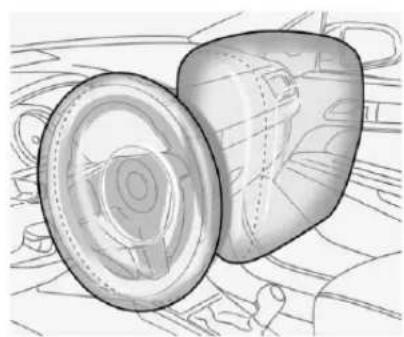
natural_image
Illustration of a cylindrical object with a lid, placed on a textured surface (no text or symbols)60SeatsandRestraints
Thedriverfrontalairbagisinthe centerofthesteeringwheel.
Thefrontoutboardpassenger frontalairbagisinthepassenger sideinstrumentpanel.
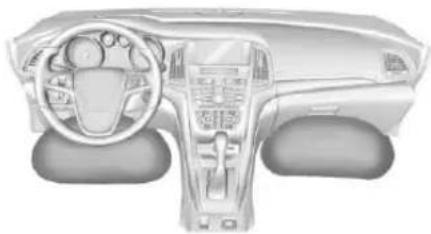
natural_image
Interior view of a car dashboard and steering wheel (no text or symbols visible)Thedriverkneeairbagisbelowthe steeringcolumn. Thefrontoutboard passengerkneeairbagisbelowthe glovebox.
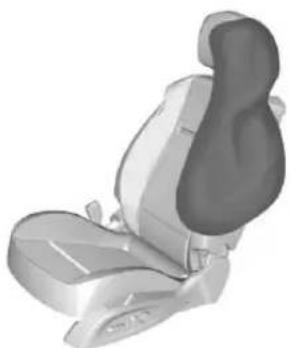
natural_image
3D rendered image of a car seat assembly (no text or symbols visible)DriverSideShown, Passenger SideSimilar
The driver and front outboard passenger seat-mounted side impact air bags are in the sides of these seat backs closest to the door.
Warning
If something is between an occupant and an airbag, the airbag might not inflate properly or might force the object into that person causing severe injury overvendence. The pathofan inflating airbag must be kept
(Continued)
Warning(Continued)
clear.Donotputanything betweenanoccupantandan airbag, and donotattachorput anythingonthesteeringwheel huboronornearanyother airbagcovering.
Donotuseseataccessories that blocktheinflationpathofa seat-mountedsideimpactairbag.
WhenShouldanAirbag Inflate?
Thisvehicleisequippedwith airbags.SeeAirbagSystem58. Airbagsaredesignedtoinflateifthe impactexceedsthespecificairbag system'sdeploymentthreshold. Deploymentthresholdsareusedto predicthowsevereacrashislikely tobeintimefortheairbagsto inflateandhelprestrainthe occupants.Thevehiclehas electronicsensorsthathelpthe airbagsystemdeterminethe
severityoftheimpact.Deployment thresholdscanvarywithspecific vehicledesign.
Frontalairbagsaredesignedto inflateinmoderatetoseverefrontal ornearfrontalcrashestohelp reducethepotentialforsevere injuries,mainlytothedriver'sor frontoutboardpassenger'shead andchest.
Whether the frontal air bags willor should inflate is not based primarily on how fast the vehicle is traveling. It depends on what is it, the direction of the impact, and how quickly the vehicles slows down.
Frontalairbagsmayinflateat differentcrashspeedsdependingon whetherthevehiclehitsanobject straightonoratanangle,and whethertheobjectisfixedor moving,rigidordeformable,narrow orwide.
Frontalairbagsarenotintendedto inflateduringvehiclerollovers, in rearimpacts, orinmanyside impacts.
Inaddition, the vehicle has advanced technology frontal airbags. Advanced technology frontal airbags adjust therestraint according to crash severity.
Kneeairbagsaredesignedtoinflate inmoderatetoseverefrontalor nearfrontalimpacts.Kneeairbags arenotdesignedtoinflateduring vehiclerollovers,inrearimpacts, orinmanysideimpacts.
Seat-mountedsideimpactairbags are designed to inflate in moderate to severesidecrashes depending on the location of the impact.
Seat-mountedsideimpactairbags arenotdesignedtoinflateinfrontal impacts, nearfrontalimpacts, rollovers, orrearimpacts.
Aseat-mountedsideimpactairbag is designed to inflate on the side of the vehicle that is struck.
Inanyparticularcrash, noonecan saywhetheranairbagshouldhave inflatedsimplybecauseofthe vehicledamageorrepaircosts.
WhatMakesanAirbag Inflate?
Inadeploymentevent,thesensing systemsendsanelectricalsignal triggeringareleaseofgasfromthe inflator.Gasfromtheinflatorfillsthe airbagcausingthebagtobreakout ofthecover.Theinflator,theairbag, andrelatedhardwareareallpartof theairbagmodule.
Forairbaglocations, see WhereAre theAirbags?59.
HowDoesanAirbag Restrain?
Inmoderatetoseverefrontalor nearfrontalcollisions, evenbelted occupantscancontactthesteering wheelortheinstrumentpanel. In moderatetoseveresidecollisions, evenbeltedoccupantscancontact theinsideofthevehicle.
Airbagssupplementtheprotection providedbysafetybeltsby distributingtheforceoftheimpact moreevenlyoverthe occupant'sbody.
62SeatsandRestraints
Butairbagswouldnothelpinmany typesofcollisions,primarily because the occupant'smotionis nottoward thoseairbags.See When ShouldanAirbagInflate?→60.
Airbagsshouldneverberegarded asanythingmorethanasupplement tosafetybelts.
WhatWillYouSeeafter anAirbagInflates?
Afterthefrontalandseat-mounted sideimpactairbagsinflate,they quicklydeflate,soquicklythatsome peoplemaynotevenrealizethe airbagsinflated.Somecomponents oftheairbagmodulemaybehotfor severalminutes.Forlocationofthe airbags,seeWhereArethe Airbags?59.
Thepartsoftheairbagthatcome intocontactwithyoumaybewarm, butnottoohottotouch. Theremay besomesmokeanddustcoming fromtheventsinthedeflated airbags. Airbaginflationdoesnot preventthedriverfromseeingoutof
thewindshieldorbeingabletosteer thevehicle, nordoesitprevent peoplefromleavingthevehicle.
Warning
Whenanairbaginflates,there maybedustintheair.Thisdust couldcausebreathingproblems forpeoplewithahistory of asthmaorotherbreathingtrouble. Toavoidthis,everyoneinthe vehicleshouldgetoutassoonas itissafetodoso.Ifyouhave breathingproblemsbutcannot getoutofthevehicleafteran airbaginflates,thengetfreshair byopeningawindoworadoor. Ifyouexperiencebreathing problemsfollowinganairbag deployment,youshouldseek medicalattention.
The vehicle has a safe feature that may automatically unlock the doors, turn on the interior lamps and hazard warning flashers, and should the fuel system after the air bags inflate. The feature may also activate,
withoutairbaginflation,afteran eventthatexceedsapredetermined threshold.Youcanlockthedoors, andturnofftheinteriorlampsand hazardwarningflashersbyusing thecontrolsforthosefeatures. Turningoffthehazardwarning flasherrequiresanignitioncycle first.
Warning
Acrashsevereenoughtoinflate theairbagsmayhavealso damagedimportantfunctionsin thevehicle,suchasthefuel system,brakeandsteering systems,etc.Evenifthevehicle appearstobedrivableaftera moderatecrash,theremaybe concealeddamagethatcould makeitdifficulttosafelyoperate thevehicle.
Usecautionifyoushouldattempt torestarttheengineafteracrash hasoccurred.
Inmanycrashessevereenoughto inflatetheairbag, windshieldsare brokenbyvehicledeformation. Additionalwindshieldbreakagemay alsooccurfromthefrontoutboard passengerairbag.
- Airbagsaredesignedtoinflate onlyonce. Afteranairbag inflates, youwillneedsomenew partsfortheairbagsystem. Ifyoudonotgetthem, the airbagsystemwillnotbethere tohelpprotectyouinanother crash. A newsystemwillinclude airbagmodulesandpossibly otherparts. Theservicemanual forthevehiclecoverstheneed toreplaceotherparts.
- The vehicle has acrash sensing and diagnostic module which records information after a crash. See Vehicle Data Recording and Privacy 357 and Event Data Recorders 358.
- Letonlyqualifiedtechnicians workontheairbagsystem. Improperservicecanmeanthat
theairbagsystemwillnotwork properly.Seeyourdealerfor service.
RollBars

Warning
Vehiclerolloversare unpredictable and dangerous eventsthatmayresultininjuryor deathregardless of the rollbar or any other feature. Nofeature can fully protect an occupantine every crash, including a rollover.
Therollbarsareundercovers behindtherearheadrestraints. The rollbarsaredesignedtodeployif thesensingsystempredictsthatthe vehicleisabouttorolloveronits side.Inaddition,therollbarsare designedtodeployinmoderateto severesidecrashesdependingon thelocationoftheimpact,aswellas inaseverefrontalimpact.Rollbars arenotdesignedtodeployinrear impacts.
Therollbarsdeploywiththe convertibletopopenorclosed.Ifthe rollbarsdeploy,donotoperatethe convertibletop.
Donotplaceanyobjectsonthe coversoftherollbarsbehindthe headrestraints.
Havetherollbarscheckedifthe vehiclehasbeeninacrash,orifthe airbagreadinesslightstaysonafter startingordrivingthevehicle.See AirbagReadinessLight→101.
PassengerSensing System
The vehicle has a passenger sensing system for the front outboard passenger position. The passenger air bag status indicator will light on the center stack when the vehicle is started.
PASS AIR BAG

OFF

64SeatsandRestraints
ThewordsONandOFFwillbe visibleduringthesystemcheck. Whenthesystemcheckis complete,eitherthewordONorthe wordOFFwillbevisible.See PassengerAirbagStatus Indicator→101.
Thepassengersensingsystem turnsoffthefrontoutboard passengerfrontalairbagandknee airbagundercertainconditions.No otherairbagisaffectedbythe passengersensingsystem.
Thepassengersensingsystem workswithsensorsthatarepartof thefrontoutboardpassengerseat. Thesensorsaredesignedtodetect thepresenceofaproperlyseated occupantanddetermineifthefront outboardpassengerfrontalairbag andkneeairbagshouldbeallowed toinflateornot.
According to accident statistics, children are safer when properly secured in a rearseatin the correct child restraint for their weight and size.
Whenever possible, childrenage 12 and undershould besecured in arearseating position.
Neverputarear-facingchildseatin thefront. Thisisbecausetheriskto therear-facingchildissogreat, iftheairbaginflates.
Warning
Achildinarear-facingchild restraintcanbeseriouslyinjured orkilledifthepassengerfrontal airbaginflates. Thisisbecause thebackoftherear-facingchild restraintwouldbeverycloseto theirflatingairbag. Achildina forward-facingchildrestraintcan beseriouslyinjuredorkilledifthe passengerfrontalairbaginflates andthepassengerseatisina forwardposition.
Evenifthepassengersensing systemhasturnedoffthefront outboardpassengerairbag(s), no systemisfail-safe. Noonecan guaranteeethatanairbagwillnot (Continued)
Warning(Continued)
deployundersomeunusual circumstance, event though the airbag(s) are off.
Neverputarear-facingchild restraintinthefrontseat,evenif theairbagisoff.Ifsecuringa forward-facingchildrestraintin thefrontoutboardpassenger seat,alwaysmovetheseatasfar backasitwillgo.Itisbetterto securechildrestraintsintherear seat.Considerusinganother vehicletotransportthechild whenarearseatisnotavailable.
Thepassengersensingsystemis designedtoturnoffthefront outboardpassengerfrontalairbag andkneeairbagif:
- Thefrontoutboardpassenger seatisunoccupied.
-
Thesystemdeterminesthatan infantispresentinachild restraint.
-
Afrontoutboardpassenger takeshis/herweightoffofthe seatforaperiodoftime.
- Thereisacriticalproblemwith theairbagsystemorthe passengersensingsystem.
Whenthepassengersensing systemhasturnedoffthefront outboardpassengerfrontalairbag andkneeairbag,theoffindicator willlightandstaylitasareminder thattheairbagsareoff.See PassengerAirbagStatus Indicator→101.
Thepassengersensingsystemis designedtoturnonthefront outboardpassengerfrontalairbag andkneeairbaganytimethesystem sensesthatapersonofadultsizeis sittingproperlyinthefrontoutboard passengerseat. Whenthe passengersensingsystemhas allowedtheairbagstobeenabled, theonindicatorwilllightandstaylit asareminderthattheairbagsare active.
Forsomechildren, including children in child restraints and for very small adults, the passenger
sensingsystemmayormaynotturn offthefrontoutboardpassenger frontalairbagandkneeairbag, dependingupontheperson's seatingpostureandbodybuild. Everyoneinthevehiclewhohas outgrownchildrestraintsshould wearasafetybeltproperly—whetherornotthereisanairbagfor thatperson.
Warning
If the airbagreadiness light ever comes on and stay on, it means that something may be wrong with the air bags system. To help avoid injury to yourself for others, have the vehicles serviced right away. See Airbag Readiness Light 101 form more information, including important safety information.
IftheOnIndicatorIsLitfora ChildRestraint
Thepassengersensingsystemis designedtoturnoffthefront outboardpassengerfrontalairbag
andkneeairbagifthesystem determinesthataninfantispresent inachildrestraint.Ifachildrestraint hasbeeninstalledandtheon indicatorislit:
- Turnthevehicleoff.
- Removethechildrestraint from the vehicle.
- Remove any additional items from these seats such as blankets, cushions, seat covers, seat heaters, or seat massagers.
- Reinstall the child restraint following the directions provided by the child restraint manufacturer and referto Securing Child Restraints (Rear Seat) 83 or Securing Child Restraints (Front Passenger Seat) 86.
- If, after reinstalling the child restraint and restarting the vehicle, the on indicator is still lit, turn the vehicle off. Then slightly reclining the vehicle seat back and adjust these at cushion, if adjustable, to make
66SeatsandRestraints
surethatthevehicleseatback isnotpushingthechild restraintintotheseatcushion.
Alsomakesurethechild restraintisnottrappedunder thevehicleheadrestraint. Ifthishappens,adjustthehead restraint.SeeHead Restraints→46.
6.Restartthevehicle.
Thepassengersensingsystemmay ormaynotturnofftheairbag(s)for achildinachildrestraintdepending uponthechild'ssize.Itisbetterto securethechildrestraintinarear seat.Neverputarear-facingchild restraintinthefrontseat,evenifthe onindicatorisnotlit.
IftheOffIndicatorIsLitforan Adult-SizedOccupant
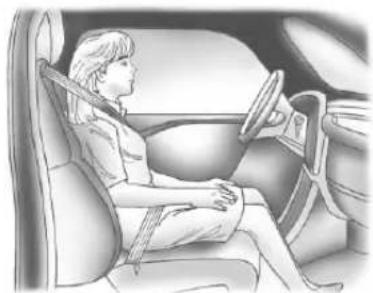
natural_image
Illustration of a woman seated in a car, viewed from the side (no text or symbols present)Ifapersonofadultsizeissittingin thefrontoutboardpassengerseat, buttheoffindicatorislit,itcouldbe becausethatpersonisnotsitting properlyintheseat.Usethe followingstepstoallowthesystem todetectthatpersonandenablethe frontoutboardpassengerfrontal airbagandkneeairbag:
-
Turnthevehicleoff.
-
Remove any additional material from these seat, such as blankets, cushions, seat covers, seat theaters, or seat
massagers. Also, remove laptops, orother electronic devices.
-
Placetheseatbackinthefully uprightposition.
-
Havethepersonsituprightin theseat, centeredontheseat cushion, with legscomfortably extended.
-
Restartthevehicleandhave thepersonremaininthis positionfortwoto threeminutesaftertheon indicatorislit.
Warning
Ifthefrontoutboardpassenger airbagisturnedoffforan adult-sizedoccupant,theairbag willnotbeabletoinflateandhelp protectthatpersoninacrash, resultinginanincreasedriskof seriousinjuryorevendeath.An adult-sizedoccupantshouldnot rideinthefrontoutboard passengerseat,ifthepassenger airbagoffindicatorislit.
AdditionalFactorsAffecting SystemOperation
Safetybeltshelpkeepthe passengerinpositionontheseat duringvehiclemaneuversand braking,whichhelpsthepassenger sensingsystemmaintainthe passengerairbagstatus.See "SafetyBelts" and "ChildRestraints" intheIndexforadditional informationabouttheimportanceof properrestraintuse.
Athicklayerofadditionalmaterial, suchasablanketorcushion, oraftermarketequipmentsuchas seatcovers,seatheaters,andseat massagerscanaffecthowwellthe passengersensingsystem operates.Werecommendthatyou notuseseatcoversorother aftermarketequipmentexceptwhen approvedbyGMforyourspecific vehicle.SeeAddingEquipmentto theAirbag-EquippedVehicle68 formoreinformationabout modificationsthatcanaffecthow thesystemoperates.
Awetseatcanaffectthe performanceofthepassenger sensingsystem. Hereishow:
- Thepassengersensingsystem mayturnoffthepassenger airbag(s)whenliquidissoaked intotheseat. If this happens, the offindicatorwillbelit, and the airbagreadinesslightonthe instrumentpanelwillalsobelit.
- Liquidpooledontheseatthat hasnotsoakedinmaymakeit morelikelythatthepassenger sensingsystemwillturnonthe passengerairbag(s)whilea childrestraintorchildoccupant isontheseat.Ifthepassenger airbag(s)areturnedon,theon indicatorwillbelit.
If the passenger seat gets wet, dry these at immediately. If the airbag readiness light is lit, donot install a child restraint or allow any oneto occupy these at. See Airbag Readiness Light 101 for important safety information.
Theonindicatormaybelitifan object, such as abriefcase, handbag, grocerybag, laptop,
orotherelectronicdeviceisputon anunoccupiedseat. If this is not desired remove the object from these seat.

Warning
Stowingofarticlesunderthe passengerseatorbetweenthe passengerseatcushionand seatbackmayinterferewiththe properoperationofthepassenger sensingsystem.
Servicingthe Airbag-EquippedVehicle
Airbags affect how the vehicle should be serviced. There are parts of the air bags system in several places around the vehicle. Your dealer and the servicemanual have information about servicing the vehicle and the air bags system. To purchase as servicemanual, see Service Publications Ordering Information 355.

Warning
Forupto10secondsafterthe vehicleisturnedoffandthe batteryisdisconnected,anairbag canstillinflateduringimproper service.Youcanbeinjuredifyou areclosetoanairbagwhenit inflates.Avoidyellowconnectors. Theyareprobablypartofthe airbagsystem.Besuretofollow properserviceprocedures,and makesurethepersonperforming workforyouisqualifiedtodoso.
AddingEquipmenttothe Airbag-EquippedVehicle
Addingaccessoriesthatchangethe vehicle'sframe,bumpersystem, height,frontend,orsidesheet metal,maykeeptheairbagsystem fromworkingproperly.The operationoftheairbagsystemcan also affectedbychangingor movinganypartsofthefrontseats, safetybelts,theairbagsensingand diagnosticmodule,steeringwheel, instrumentpanel,anyoftheairbag
modules, rollbars, frontsensors, sideimpactsensors, orairbag wiring.
Yourdealerandtheservicemanual haveinformationaboutthelocation oftheairbagsensors,sensingand diagnosticmodule,andairbag wiring.
Inaddition, the vehicle has a passengersensingsystem for the front outboard passenger position, which includessensor that are part of the passenger seat. The passengersensingsystem may not operate properly if the original seat trim is replaced with non-GM covers, upholstery, or trim; or with GM covers, upholstery, or trim designed for different vehicle. Any object, such as an after market seat heater or comfort-enhancing pad or device, installed under or on top of these at fabric, could also interferewith the operation of the passengersensingsystem. This could either prevent proper deployment of the passenger airbag(s) or prevent the passenger sensingsystem from properly
turningoffthepassengerairbag(s). See Passenger Sensing System→63.
If you havetomodif your vehicle because you have adisability and you have questions about whether them modifications will affect the vehicle's airbag system, or if you have questions about whether the airbag system will be affected if the vehicle is modified for any other reason, call Customer Assistance. See Customer Assistance Offices 348.
The vehicle has rollbars. See Different Size Tires and Wheels 304.
AirbagSystemCheck
Theairbagsystemdoesnotneed regularly scheduled maintenance or replacement. Makesuretheairbag readinesslightisworking. See AirbagReadinessLight→101.
Caution
Ifanairbagcoveringisdamaged, opened,orbroken,theairbag maynotworkproperly.Donot openorbreaktheairbag coverings.Ifthereareany openedorbrokenairbag coverings,havetheairbag coveringand/orairbagmodule replaced.Forthelocationofthe airbags,seeWhereArethe Airbags?59.Seeyourdealer forservice.
ReplacingAirbagSystem PartsafteraCrash
Warning
Acrashcandamagetheairbag systemsinthevehicle.
Adamagedairbagsystemmay notproperlyprotectyouandyour passenger(s)inacrash,resulting inseriousinjuryorevendeath.To (Continued)
Warning(Continued)
helpmakesuretheairbag systemsareworkingproperly afteracrash,havethem inspectedandanynecessary replacementsmadeassoonas possible.
Ifanairbaginflates, you will need to replace airbagsystemparts. See your dealerforservice.
If the airbag readiness light stays on after the vehicle is started or comes on when you are driving, the airbag system may not work properly. Have the vehicles serviced right away. See Airbag Readiness Light 101.
ChildRestraints OlderChildren
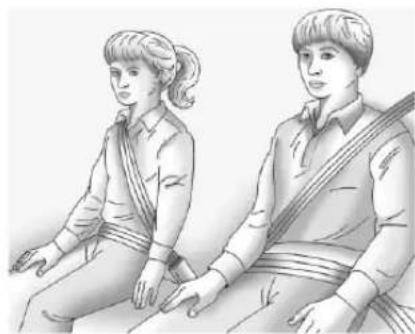
natural_image
Illustration of two people sitting side by side, wearing matching clothing (no text or symbols visible)Olderchildrenwhohaveoutgrown boosterseatsshouldwearthe vehicle'ssafetybelts.
70SeatsandRestraints
Themanufacturerinstructionsthat comewiththeboosterseatstatethe weightandheightlimitationsforthat booster.Useaboosterseatwitha lap-shoulderbeltuntilthechild passesthefittestbelow:
- Sitallthewaybackontheseat. Dothekneesbendattheseat edge?Ifyes,continue.Ifno, returntotheboosterseat.
- Bucklethelap-shoulderbelt. Doestheshoulderbeltreston theshoulder?Ifyes,continue. Ifno,tryusingtherearsafety beltcomfortguide,ifavailable. See“RearSafetyBeltComfort Guides”underLap-ShoulderBelt 54.Ifacomfortguideisnot available,oriftheshoulderbelt stilldoesnotrestonthe shoulder,thenreturntothe boosterseat.
- Doesthelapbeltfitlowand snugonthehips,touchingthe thighs?Ifyes,continue.Ifno, returntotheboosterseat.
- Canpropersafetybeltfitbe maintainedforthelengthofthe trip?Ifyes,continue.Ifno, returntotheboosterseat.
Q: Whatistheproperway to wearsafetybelts?
A: Anolderchildshouldwearalap-shoulderbeltandgettheadditionalrestraintashoulderbeltcanprovide. Theshoulderbeltshouldnotcrossthefaceorneck. Thelapbeltshouldfitsnuglybelowthehips, justtouchingthetopofthethighs.Thisappliesbeltforcetothechild'spelvicbonesinacrash.Itshouldneverbewornovertheabdomen,whichcouldcausesevereorevenfatalinternalinjuriesinacrash.
Alsosee"RearSafetyBeltComfort Guides"underLap-Shoulder Belt→54.
According to accident statistics, children are safer when properly restrained in a rearseating position.
Inacrash, children who are not buckled up can strike other people who are buckled up, or can be thrown out of the vehicle. Older children need to use safety belts properly.

Warning
Neverallowmorethanonechild towearthesamesafetybelt. The safetybelt cannot properly spread the impactforces. Inacrash, they can be crushed together and seriously injured. Asafetybelt must be used by only one person at time.
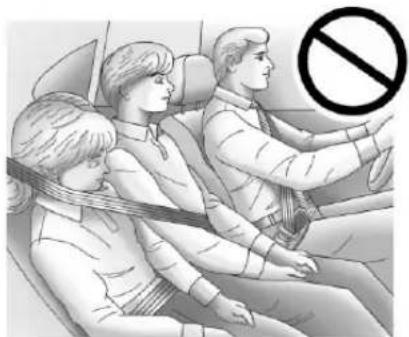
natural_image
Illustration of three people seated in a car, one wearing a seatbelt, with a no-smoking symbol overlay (no text or symbols present)Warning
Neverallowachildtowearthe safetybeltwiththeshoulderbelt behindtheirback.Achildcanbe seriouslyinjuredbynotwearing thelap-shoulderbeltproperly.Ina crash,thechildwouldnotbe restrainedbytheshoulderbelt. Thechildcouldmovetoofar forwardincreasingthechanceof headandneckinjury.Thechild mightalsoslideunderthelap belt.Thebeltforcewouldthenbe appliedrightontheabdomen.
(Continued)
Warning(Continued)
That could cause serious or fatal injuries. Theshoulder belt should go over the shoulder and across the chest.
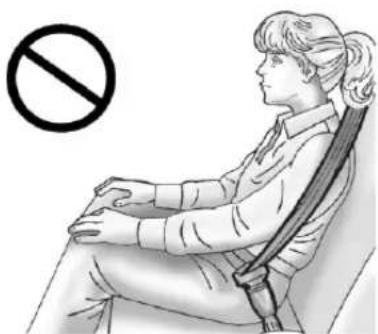
natural_image
Illustration of a person sitting in a chair with a no-smoking symbol (no text or labels present)InfantsandYoung Children
Everyoneinavehicleneeds protection! Thisincludesinfantsand allotherchildren. Neitherthe distancetravelednortheageand sizeofthetravelerchangesthe need,foreveryone,tousesafety
restraints. Infact, the lawine every state in the United States and in every Canadian provinces says childrenuptosomeagemust be restrained while in a vehicle.
Warning
Childrencanbeseriouslyinjured orstrangledifashoulderbeltis wrappedaroundtheirneck.The shoulderbeltcantightenbut cannotbeloosenedifitislocked. Theshoulderbeltlockswhenitis pulledallthewayoutofthe retractor.Itunlockswhenthe shoulderbeltisallowedtogoall thewaybackintotheretractor, butitcannotdothisifitis wrappedaroundachild'sneck. Iftheshoulderbeltislockedand tightenedaroundachild'sneck, theonlywaytoloosenthebeltis tocutit.
Neverleavechildrenunattended inavehicleandneverallow childrentoplaywiththesafety belts.
72SeatsandRestraints
Everytimeinfantsandyoung childrenrideinvehicles,theyshould havetheprotectionprovidedby appropriatechildrestraints.Neither thevehicle'ssafetybeltsystemnor itsairbagsystemisdesigned forthem.
Childrenwhoarenotrestrained properlycanstrikeotherpeople, orcanbethrownoutofthevehicle.

Warning
Neverholdaninfantorachild whileridinginavehicle.Dueto crashforces,aninfantorachild willbecomesoheavyitisnot possibletoholditduringacrash. Forexample,inacrashatonly 40km/h(25mph),a5.5kg(12lb) infantwillsuddenlybecomea 110kg(240lb)forceonaperson's arms.Aninfantorchildshouldbe securedinanappropriate restraint.
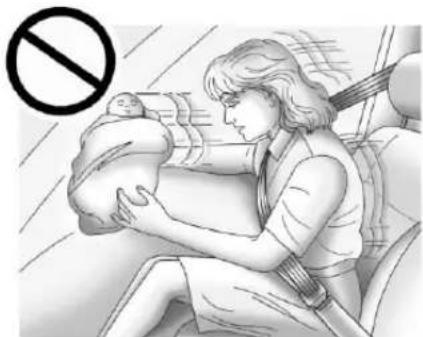
natural_image
Illustration of a woman breastfeeding a baby in a car seat, with a no-smoking symbol overlay (no text or symbols on the diagram itself)
Warning
Childrenwhoareupagainst, orverycloseto,anyairbagwhen itinflatescanbeseriouslyinjured orkilled.Neverputarear-facing childrestraintinthefront outboardseat.Securea rear-facingchildrestraintinarear seat.Itisalsobettertosecurea forward-facingchildrestraintina rearseat.Ifyoumustsecurea forward-facingchildrestraintin thefrontoutboardseat,always movethefrontpassengerseatas farbackasitwillgo.
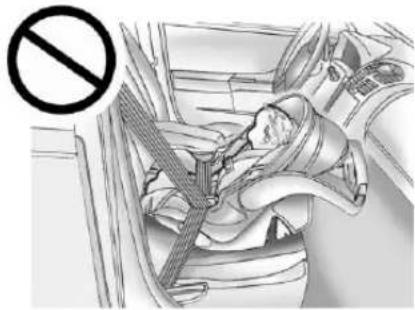
natural_image
Interior view of a car showing a person seated in the seat with a car seatbelt, no visible text or symbols.Q: Whatarethedifferenttypes of add-onchildrestraints?
A: Add-onchildrestraints, which are purchased by the vehicle owner, are available in four basic types. Selection of a particular restraint should take into consideration not only the child's weight, height, and age but also whether or not the restraint will be compatible with the motor vehicle in which it will be used. Formost basic types of child restraints, there are many different models available. When purchasing a child restraint, be sure its designed to be used in amotor vehicle. Ifitis, the
restraintwillhavealabelsaying thatitmeetsfederalmotor vehiclesafetystandards.
Therestraintmanufacturer instructionsthatcomewiththe restraintstatetheweightand heightlimitationsforaparticular childrestraint.Inaddition,there aremanykindsofrestraints availableforchildrenwith specialneeds.
Warning
Toreducetheriskofneck and headinjuryinacrash,infantsand toddlersshouldbesecuredina rear-facingchildrestraintuntilage two,oruntiltheyreachthe maximumheightandweightlimits oftheirchildrestraint.
Warning
Ayoungchild'shipbonesarestill sosmallthatthevehicle'sregular safetybeltmaynotremainlowon thehipbones,asitshould. Instead,itmaysettleuparound thechild'sabdomen.Inacrash, thebeltwouldapplyforceona bodyareathatisunprotectedby anybonystructure.Thisalone couldcauseseriousorfatal injuries.Toreducetheriskof seriousorfatalinjuriesduringa crash,youngchildrenshould alwaysbesecuredinappropriate childrestraints.
ChildRestraintSystems
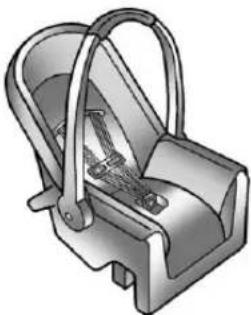
natural_image
3D illustration of a mechanical device with handle and internal components (no text or symbols)Rear-FacingInfantSeat
Arear-facinginfantseatprovides restraintwiththeseatingsurface againstthebackoftheinfant.
The harnesssystemholdstheinfant inplaceand,inacrash,actsto keeptheinfantpositionedinthe restraint.
74SeatsandRestraints
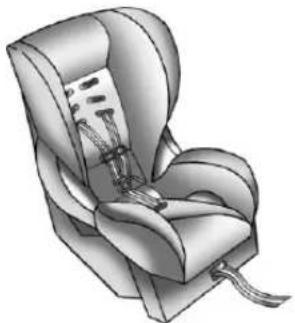
natural_image
Illustration of a car seat with neck and seatbelt (no text or symbols)Forward-FacingChildSeat
Aforward-facingchildseatprovides restraintforthechild'sbodywiththe harness.
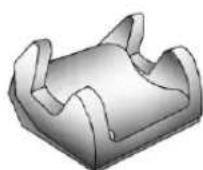
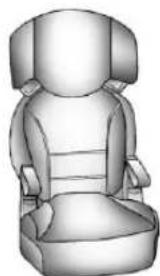
natural_image
3D rendered illustration of a car seat with front and back panels (no text or symbols)BoosterSeats
Aboosterseatisachildrestraint designedtoimprovethefitofthe vehicle'ssafetybeltsystem. Aboosterseatcanalsohelpachild toseeoutthewindow.
SecuringanAdd-OnChild RestraintintheVehicle
Warning
Achildcanbeseriouslyinjuredor killedinacrashifthechild restraintisnotproperlysecuredin thevehicle.Securethechild
(Continued)
Warning(Continued)
restraintproperlyinthevehicle usingthevehicle'ssafetybeltor LATCHsystem,followingthe instructionsthatcamewiththat childrestraintandtheinstructions inthismanual.
Tohelpreducethechanceofinjury, thechildrestraintmustbesecured inthevehicle.Childrestraint systemsmustbesecuredinvehicle seatsbylapbeltsorthelapbelt portionofalap-shoulderbelt,orby theLATCHsystem.SeeLower AnchorsandTethersforChildren (LATCHSystem)76.Childrencan beendangeredinacrashifthechild restraintisnotproperlysecuredin thevehicle.
Whensecuringanadd-onchild restraint, refertotheinstructions that comewiththerestraint which maybeontherestraintitselforina booklet, or both, and to this manual. The childrestraint instructions are
important, so if they are not available, obtain are replacement copy from the manufacturer.
Keepinmindthatanunsecured childrestraintcanmovearoundina collisionorsuddenstopandinjure peopleinthevehicle.Besureto properlysecureanychildrestraintin thevehicle—evenwhennochildis init.
In some areas of the United States and Canada, Certified Child Passenger Safety Technicians (CPSTs) are available to inspect and demonstrate how to correctly use and install child restraints. In the U.S., referto the National Highway Traffic Safety Administration (NHTSA) website to locate the nearest child's safety seat inspection station. For CPST availability in Canada, check with Transport Canada or the Provincial Ministry of Transportation office.
SecuringtheChildWithinthe ChildRestraint

Warning
Achildcanbeseriouslyinjuredor killedinacrashifthechildisnot properlysecuredinthechild restraint.Securethechild properlyfollowingtheinstructions thatcamewiththatchildrestraint.
WheretoPutthe Restraint
According to accident statistics, children and infants are safer when properly restrained in an appropriate child restraint secured in a rear seating position.
Whenever possible, children aged 12 and unders should be secured in arearseating position.
Neverputarear-facingchild restraintinthefront. Thisisbecause therisktotherear-facingchildisso greatiftheairbagdeploys.

Warning
Achildinarear-facingchild restraintcanbeseriouslyinjured orkilledifthefrontpassenger airbaginflates. Thisisbecause thebackoftherear-facingchild restraintwouldbeverycloseto theirflatingairbag. Achildina forward-facingchildrestraintcan beseriouslyinjuredorkilledifthe frontpassengerairbaginflates andthepassengerseatisina forwardposition.
Evenifthepassengersensing systemhasturnedoffthefront passengerfrontalairbag,no systemisfail-safe.Noonecan guaranteeethatanairbagwillnot deployundersomeunusual circumstance,eventthoughitis turnedoff.
Securerear-facingchildrestraints inarearseat, eveniftheairbag isoff. Ifyousecurea forward-facingchildrestraintin
(Continued)
Warning(Continued)
thefrontseat,alwaysmovethe frontpassengerseatasfarback asitwillgo.Itisbettertosecure thechildrestraintinarearseat.
See Passenger Sensing System →63foradditionalinformation.
Whensecuringachildrestraintina rearseatingposition,studythe instructionsthatcamewiththechild restrainttomakesureitis compatiblewiththisvehicle.
Childrestraintsandboosterseats varyconsiderablyinsize, and some mayfitincertainseatingpositions betterthanothers.
Depending on where you place the child restraint and the size of the child restraint, you may not be able to access adjacent safety belts or LATCH anchors for additional passengers or child restraints. Adjacent seating position should not be used if the child restraint prevents access to or interferes with herouting of the safety belt.
Whereverachildrestraintis installed, besuretofollowthe instructionsthatcamewiththechild restraintsystemandsecurethe childrestraintsystemproperly.
Keepinmindthatanunsecured childrestraintcanmovearoundina collisionorsuddenstopandinjure peopleinthevehicle.Besureto properlysecureanychildrestraintin thevehicle—evenwhennochildis init.
LowerAnchorsand TethersforChildren (LATCHSystem)
The LATCHsystem secures a child restraint during driving or in a crash. LATCH attachment on the child restraint are used to attach the child restraint to the anchors in the vehicle. This system is designed to make installation of a child restraint easier.
InordertousetheLATCHsystemin yourvehicle,youneedachild restraintthathasLATCH attachments.LATCH-compatible
rear-facingandforward-facingchild seatscanbeproperlyinstalled usingeithertheLATCHanchor thevehicle'ssafetybelts.Donot useboththesafetybeltsandthe LATCHanchoragesystemtosecure arear-facingorforward-facing childseat.
Boosterseatsusethevehicle's safetybeltstosecurethechildin theboosterseat. Ifthemanufacturer recommendsthattheboosterseat besecuredwiththeLATCHsystem, thiscanbedoneaslongasthe boosterseatcanbepositioned properlyandthereisnointerference withtheproperpositioningofthe lap-shoulderbeltonthechild.
Makesuretofollowtheinstructions thatcamewiththechildrestraint, andalsotheinstructionsinthis manual.
Wheninstallingachildrestraintwith atoptether,youmustalsouse eithertheloweranchorsorthe safetybeltstoproperlysecurethe childrestraint.Achildrestraintmust neverbeattachedusingonlythetop tether.
The LATCH anchoragesystem can be used until the combined weight of the child plus the child restraint is 29.5kg (65lbs). Use the safety belt alone instead of the LATCH anchoragesystem on the combined weight is more than 29.5kg (65lbs).
The following explain show to attach achild restraint with these attachments in the vehicle.
Notallvehicleseatingpositionsor childrestraintshaveloweranchors andattachmentsortoptether anchorsandattachments.Inthis case,thesafetybeltmustbeused (withtoptetherwhereavailable)to securethechildrestraint.See SecuringChildRestraints(Rear Seat)→83orSecuringChild Restraints(FrontPassenger Seat)→86.
LowerAnchors
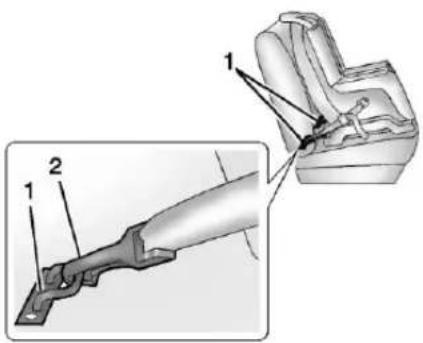
Loweranchors(1)aremetalbars builtintothevehicle.Therearetwo loweranchorsforeachLATCH seatingpositionthatwill accommodateachildrestraintwith lowerattachments(2).
TopTetherAnchor
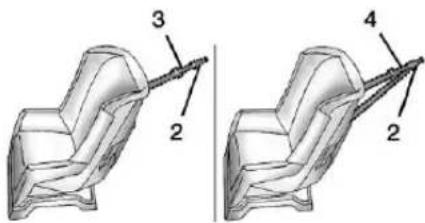
Atoptether(3,4)anchorsthetopof thechildrestrainttothevehicle. Atoptetheranchorisbuiltintothe vehicle. Thetoptether attachment(2)onthechildrestraint connectstothetoptetheranchorin thevehicleinordertoreducethe forwardmovementandrotationof thechildrestraintduringdrivingorin acrash.
Thechildrestraintmayhavea singletether(3)oradualtether(4). Eitherwillhaveasingle attachment(2)tosecurethetop tethertotheanchor.
78SeatsandRestraints
Somechildrestraintsthathavea toptetheraredesignedforusewith orwithoutthetoptetherbeing attached.Othersrequirethetop tetheralwaystobeattached.In Canada,thelawrequiresthat forward-facingchildrestraintshave atoptether,andthatthetetherbe attached.Besuretoreadandfollow theinstructionsforthechild restraint.
LowerAnchorandTopTether AnchorLocations
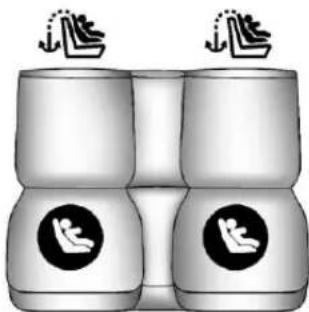
natural_image
Illustration of two identical cylindrical objects with circular icons, each above a pair of stylized human figures (no text or symbols)RearSeat
: Seatingpositionswithtop tetheranchors.
:Seatingpositionswithtwo loweranchors.
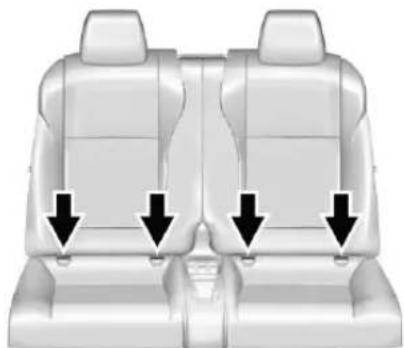
natural_image
Interior view of a car seat with three black arrows pointing downward to the seat area (no text or symbols present)Therearoutboardseatingpositions haveexposedmetalloweranchors intheopeningsbelowthecrease betweentheseatbackandtheseat cushion.

Therearetoptetheranchorsymbols toassistyouinlocatingthetop tetheranchors
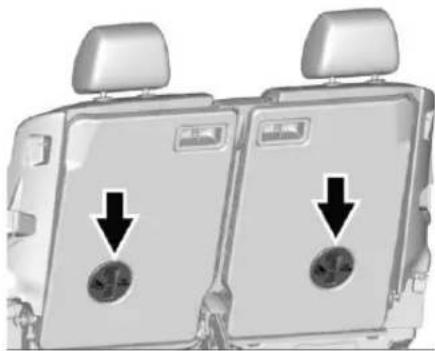
natural_image
Interior view of a car backseat showing two seats with circular buttons and directional arrows indicating movement (no text or symbols)Thetoptetheranchorsarelocated onthebacksideoftherear seatbacks.Besuretousean anchoronthesamesideofthe vehicleastheseatingposition wherethechildrestraintwillbe placed.
Donotsecureachildrestraintina positionwithoutatoptetheranchor ifanationalorlocallawrequires thatthetoptetherbeattached,orif theinstructionsthatcomewiththe childrestraintsaythatthetoptether mustbeattached.
According to accident statistics, children and infants are safer when properly restrained in a child restraintsystemor infant restraint system secured in a rearseating position. See Where to Put the Restraint 75 for additional information.
SecuringaChildRestraint DesignedfortheLATCH System
Warning
IfaLATCH-typechildrestraintis notattachedtoanchors,thechild restraintwillnotbeabletoprotect thechildcorrectly.Inacrash,the childcouldbeseriouslyinjuredor killed.InstallaLATCH-typechild restraintproperlyusingthe anchors,orusethevehicle's safetybeltstosecurethe restraint,followingtheinstructions thatcamewiththechildrestraint andtheinstructionsinthis manual.
Warning
Toreducetheriskofseriousor fatalinjuriesduringacrash,do notattachmorethanonechild restrainttoasingleanchor. Attachingmorethanonechild restrainttoasingleanchorcould causetheanchororattachment tocomelooseorevenbreak duringacrash.Achildorothers couldbeinjured.
Warning
Childrencanbeseriouslyinjured orstrangledifashoulderbeltis wrappedaroundtheirneck. The shoulderbeltcantightenbut cannotbeloosenedifitislocked. Theshoulderbeltlockswhenitis pulledallthewayoutofthe retractor.Itunlockswhenthe shoulderbeltisallowedtogoall thewaybackintotheretractor, butitcannotdothisifitis
(Continued)
Warning(Continued)
wrappedaroundachild'sneck. Iftheshoulderbeltislocked and tightenedaroundachild'sneck, theonlywaytoloosenthebeltis tocutit.
Buckleanyunusedsafetybelts behindthechildrestraintso childrencannotreachthem.Pull theshoulderbeltallthewayout oftherextractortosetthelock, andtightenthebeltbehindthe childrestraintafterthechild restrainthasbeeninstalled.
Warning
Take care when operating the foldablerearseats. Therear seatbackfoldsforward with considerable power which can cause injury, particularly to children. Ensure that nothing is attached to there are seats or on these at cushion.
80SeatsandRestraints
Caution
DonotlettheLATCH attachmentsrubagainstthe vehicle'ssafetybelts.Thismay damagetheseparts.Ifnecessary, movebuckledsafetybeltsto avoidrubbingtheLATCH attachments.
Donotfoldtherearseatback whentheseatisoccupied.Donot foldtheemptyrearseatwitha safetybeltbuckled.Thiscould damagethesafetybeltorthe seat.Unbuckleandreturnthe safetybelttoitsstowedposition, beforefoldingtheseat.
If you need to secure more than one child restraint in there are seat, see Where to Put the Restraint 75.
This system is designed to make installation of child restraint easier. When using lower anchors, donot us the vehicle's safety belts. Instead us the vehicle's slower anchors and child restraint attachment to secure therestrants.
Somerestraintsalsouseanother vehicleanchortosecureatop tether.
-
For rearseating positions, if the head restraint interferes with the proper installation of the child restraint, the head restraint may be removed. See "Head Restraint Removal and Reinstallation" at the end of this section.
-
If the child restraint manufacturer's instructions recommend that the toptether be attached, attach the top tether to the toptether anchor. Referto the child restraint instructions and the following steps:
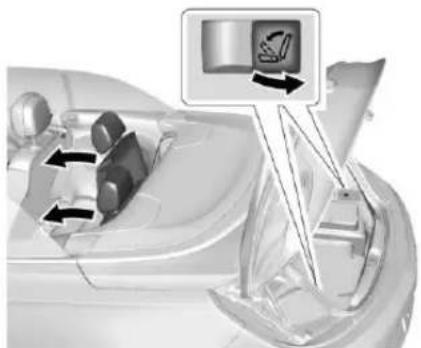
natural_image
Diagram of a car dashboard with directional arrows indicating movement or control (no text or symbols present)2.1.Pullthereleaseswitchin thetrunktofoldtherear seatbackforwardto accessthetoptether anchors.SeeRearSeats 50foradditional information.
2.2. Adjustthetoptethertoits fulllengthandroutethe toptetheraccordingto yourchildrestraint instructionsandthe followinginstructions:
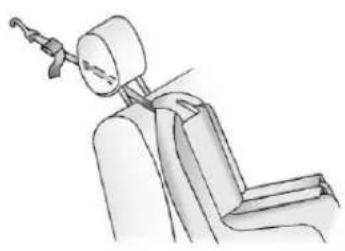
natural_image
Line drawing of a seated car seat with a headpin and armrest (no text or symbols)If you are using a single tether in a rearseating position, rout the tether under the head restraint.
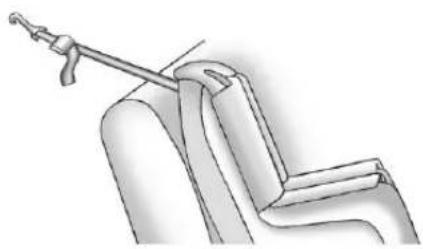
natural_image
Technical line drawing of a mechanical assembly with a tool inserted into a component (no text or symbols)If you are using a single tetherinarearseating position and the head restrain has been removed, routethesingle tether over these at back.
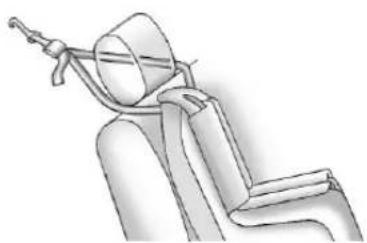
natural_image
Line drawing of a seated car seat with a cable, no text or symbols presentIf you are using adual tetherinarearseating position, routethetether aroundthesidesofthe headrestraint.
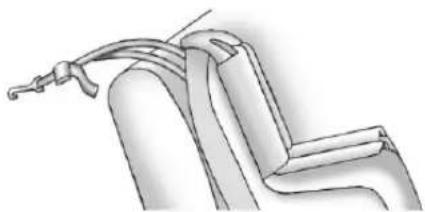
natural_image
Technical line drawing of a mechanical component with no visible text or symbolsIf you are using adual tetherinarearseating position and the head restrain has been removed, routethedual tether over these at back.
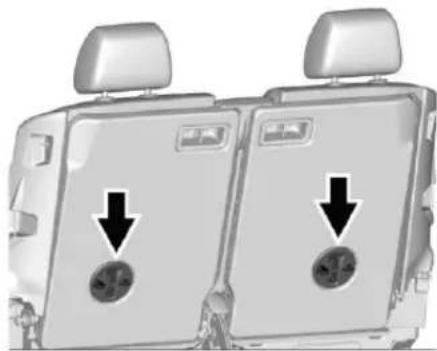
natural_image
Interior view of a car backseat showing two seats with circular vent indicators and arrows pointing to the seats (no text or symbols present)82SeatsandRestraints
2.3. Attachthetoptetherhook totheanchoronthe backsideoftherear seatback.Makesurethat yousecurethetoptether tothetoptetheranchor andnottotheseatback latch.
2.4.Pushrearwardonthe seatbackuntilillocksinto itsuprightposition.Push andpullontheseatback tomakesureitissecured properly.
- Put the child restraint on the seat. Attach and tightent the lower LATCH attachment on the child restraint to the lower anchors. If the child restraint does not have lower attachments or the desired seating position, does not have lower anchors, secure the child restraint with the safety belts and the optionether. Referto your child restraint
manufacturerinstructionsand see SecuringChildRestraints (RearSeat)→83orSecuring ChildRestraints(Front PassengerSeat)→86.
- Tightenthetoptether.
- Beforeplacingachildinthe childrestraint, makesureitis securelyheldinplace. To check, graspthechildrestraint attheLATCHpathandattempt tomoveitsidetoside and backandforth. Thereshould benomorethan2.5cm(1in) of movementforproper installation.
HeadRestraintRemovaland Reinstallation
Therearoutboardheadrestraints canberemovediftheyinterferewith theproperinstallationofthechild restraint.
Toremovetheheadrestraint:
- Pullthereleaseswitchinthe trunktofoldtheseatback forward. SeeRearSeats→50 foradditionalinformation.
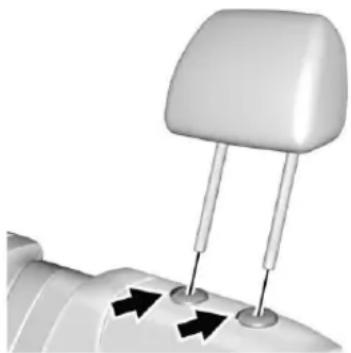
natural_image
Close-up of a white car headrest with two vertical pins and three black arrows pointing to the base (no text or symbols)- Pressbothbuttonsonthehead restraintpostsatthesame time, and pulluponthehead restraint.
- Storetheheadrestraintinthe trunkofthevehicle.
- Whenthechildrestraintis removed, reinstallthehead restraintbeforetheseating positionisused.
Warning
Withheadrestraintsthatarenot installedandadjustedproperly, thereisagreaterchancethat occupantswillsufferaneck/spinalinjuryinacrash.Donot driveuntiltheheadrestraintsfor allooccupantsareinstalledand adjustedproperly.
Toreinstalltheheadrestraint:
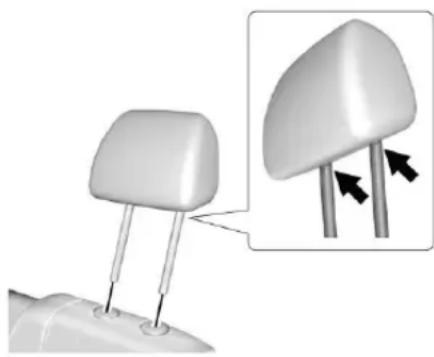
natural_image
3D illustration of a mechanical component with two protruding pins and an inset showing a close-up of a curved top component (no text or symbols)- Insert the head restraint posts into the holes in the top of the seat back. Then notches on the post must faceted riverside of the vehicle.
- Pushtheheadrestraintdown.
- Trytomovetheheadrestraint to make sure that it is locked in place.
ReplacingLATCHSystem PartsAfteraCrash
Warning
AcrashcandamagetheLATCH systeminthevehicle.Adamaged LATCHsystemmaynotproperly securethechildrestraint, resultinginseriousinjuryoreven deathinacrash.Tohelpmake suretheLATCHsystemis workingproperlyafteracrash, seeyourdealertohavethe systeminspectedandany necessaryreplacementsmadeas soonaspossible.
If the vehicle has the LATCH system and it was being used during a crash, new LATCH system parts may be needed.
Newpartsandrepairsmaybe necessaryeveniftheLATCH systemwasnotbeingusedatthe timeofthecrash.
SecuringChildRestraints (RearSeat)
Whensecuringachildrestraintina rearseatingposition,studythe instructionsthatcamewiththechild restrainttomakesureitis compatiblewiththisvehicle.
If the child restraint that the LATCH system, see Lower Anchors and Tethers for Children (LATCH System) 76 for how and where to install the child restraint using LATCH. If a child restraint is secured in the vehicle using a safety belt and it uses to opt tether, see Lower Anchors and Tethers for Children (LATCH System) 76 for to optether anchor locations.
84SeatsandRestraints
Donotsecureachildseatina positionwithoutatoptetheranchor ifanationalorlocallawrequires thatthetoptetherbeanchored,orif theinstructionsthatcomewiththe childrestraintsaythatthetopstrap mustbeanchored.
InCanada, the law requires that forward-facing child restraint have adopted, and that the tether be attached.
If the child restraint or vehicle seat position does not have the LATCH system, you will be using the safety belt to secure the child restraint. Besure to follow the instructions that camewith the child restraint.
If more than one child restraint need to be installed in therear seat, besuretoread Where to Put the Restraint 75.
-
If the head restraint interferes with the proper installation of the child restraint, the head restraint may be removed. See "Head Restraint Removal and Reinstallation" under Lower Anchors and Tethers for Children (LATCH System) 76.
-
If the child restraint manufacturer recommends using toptether, adjust the toptethertoitsfulllength and attach it tothetoptether anchor. Referto the instruction that camewith the child restraint and see Lower Anchors and Tethers for Children (LATCH System) 76 .
-
Put the child restraint on theseat.
-
Pickupthelatchplate, and run the lap and shoulder portions of the vehicle's safety belt through or around therestraint. The child restraint instructions will show you how.
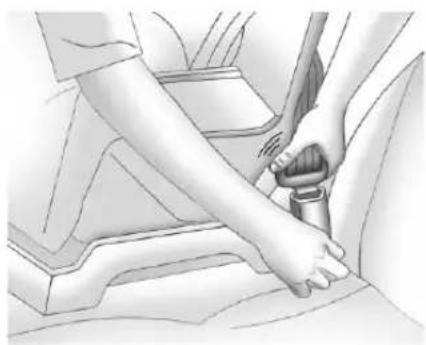
natural_image
Illustration of a person's arm fastening a car seatbelt (no text or symbols)- Pushthelatchplateintothe buckleuntilitclicks. If the latch plate will not go fully into the buckle, check if the correct buckle is being used.
Positionthereleasebuttonon thebuckle,awayfromthechild restraintsystem,sothatthe safetybeltcouldbequickly unbuckledifnecessary.
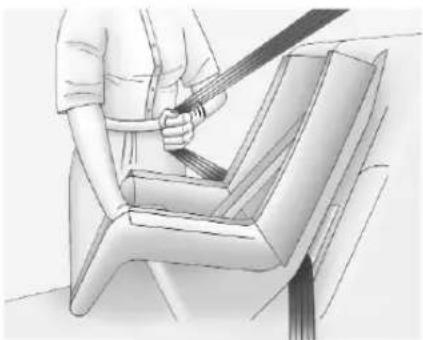
natural_image
Illustration of a person using a belt to lift a seatbelt (no text or symbols present)- Pull the shoulder belt all the way out of theretractor to set the lock. When theretractor lock is set, the belt can be tightened but not pulled out of theretractor.
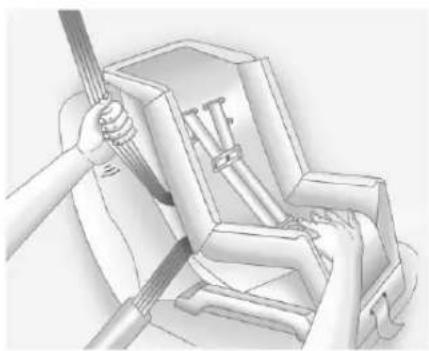
natural_image
Illustration of a hand using a tool to adjust or install a mechanical component (no text or symbols visible)-
Totightenthebelt, pushdown on thechildrestraint, pull the shoulder portion of the belt to tightenthelapportion of the belt, and feed the shoulder belt back into theretractor. When installing a forward-facing child restraint, it may be helpful to use your kneetopushdown on the child restraint as you tightenthebelt.
Trytopullthebeltoutofthe retractortomakesurethe retractorislocked.Ifthe retractorisnotlocked,repeat Steps4and5. -
Tightenthetoptether. See LowerAnchorsandTethersfor Children(LATCHSystem)76.
-
Beforeplacingachildinthe childrestraint, makesureitis securelyheldinplace. To check, graspthechildrestraint atthesafetybeltpath and attempttomoveitsidetoside andbackandforth. When the childrestraintisproperly installed, thereshouldbeno morethan2.5cm(1in)of movement.
Toremovethechildrestraint, unbucklethevehiclesafetybeltand letitreturntothestowedposition. Ifthetoptetherisattachedtoatop tetheranchor, disconnect it. Ifthe headrestraint was removed, reinstallitbeforetheseating position is used. See "Head RestraintRemovaland Reinstallation" under LowerAnchors and TethersforChildren (LATCH System) 76.
SecuringChildRestraints (FrontPassengerSeat)
Thisvehiclehasairbags. Arear seatisasaferplacetosecurea forward-facingchildrestraint. See Where to Put the Restraint 75.
Inaddition, the vehicle has a passengersensingsystem which is designed to turn off the front outboard passenger frontal airbag and knee airbag under certain conditions. See Passenger Sensing System 63 and Passenger Airbag Status Indicator 101 form more information, including important safety information.
Neverputarear-facingchildseatin thefront. Thisisbecausetheriskto therear-facingchildissogreat, iftheairbagdeploys.

Warning
Achildinarear-facingchild restraintcanbeseriouslyinjured orkilledifthefrontoutboard passengerfrontalairbaginflates.
(Continued)
Warning(Continued)
Thisisbecausethebackofthe rear-facingchildrestraintwould beveryclosetotheinflating airbag.Achildinaforward-facing childrestraintcanbeseriously injuredorkilledifthefront outboardpassengerfrontalairbag inflatesandthepassengerseatis inaforwardposition.
Evenifthepassengersensing systemhasturnedoffthefront outboardpassengerairbag(s), no systemisfail-safe. Noonecan guaranteeethatanairbagwillnot deployundersomeunusual circumstance, even though the airbag(s) are off.
Securerear-facingchildrestraints inarearseat, even if the airbag(s) are off. If you secure a forward-facing child restraint in the front out board passenger seat, always mov these at as far
(Continued)
Warning(Continued)
backasitwillgo.Itisbetterto securethechildrestraintina rearseat.
See Passenger Sensing System ⇒63for additional information.
If the child restraint uses atop tether, see Lower Anchors and Tethers for Children (LATCH System) 76 fortoptether anchor locations.
Donotsecureachildseatina positionwithoutatoptetheranchor ifanationalorlocallawrequires thatthetoptetherbeanchored,orif theinstructionsthatcomewiththe childrestraintsaythatthetopstrap mustbeanchored.
InCanada, the law requires that forward-facing child restraints have adopted, and that the tether be attached.
When using the lap-shoulder belt to secure the child restraint in this position, follow the instruction that camewith the child restraint and the following instructions:
- Movetheseatasfarbackasit willgobeforesecuringthe forward-facingchildrestraint. Movetheseatupwardorthe seatbacktoanuprightposition, ifneeded,togetatight installationofthechild restraint.
Whenthepassengersensing systemhasturnedoffthefront outboardpassengerfrontal airbagandkneeairbag,theoff indicatoronthepassenger airbagstatusindicatorshould lightandstaylitwhenyoustart thevehicle.SeePassenger AirbagStatusIndicator→101.
-
Put the child restraint on theseat.
-
Pickupthelatchplate, and run the lapand shoulder portions of the vehicle's safety belt
throughoraroundtherestraint. Thechildrestraintinstructions willshowyouhow.
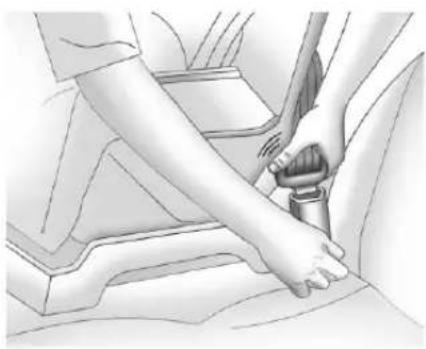
natural_image
Illustration of a person's seatbelt being adjusted for a key (no text or symbols present)- Pushthelatchplate into the buckle until it clicks.
Positionthereleasebuttonon thebuckle,awayfromthechild restraintsystem,sothatthe safetybeltcouldbequickly unbuckledifnecessary.
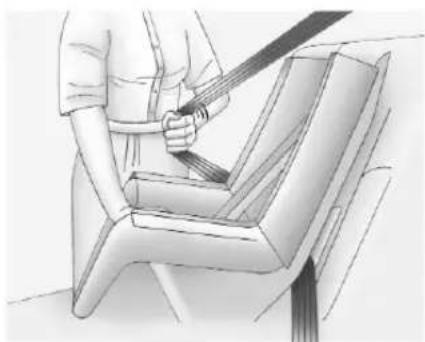
natural_image
Illustration of a person using a belt to buckle a seatbelt (no text or symbols present)- Pull the shoulder belt all the way out of theretractor to set the lock. When theretractor lock is set, the belt can be tightened but not pulled out of theretractor.
88SeatsandRestraints
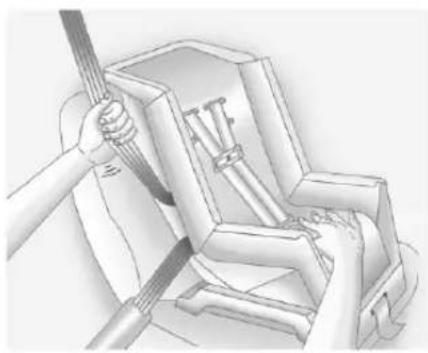
natural_image
Illustration of hands using a tool to install or install a mechanical component (no text or symbols visible)- Totightenthebelt, pushdown onthechildrestraint, pullthe shoulderportionofthebelt to tightenthalapportionofthe belt, and feedtheshoulderbelt back intotheretractor. When installinga forward-facing child restraint, it may be helpful to use your kneetopushdown on the childrestraint as you tightenthebelt.
Trytopullthebeltoutofthe retractortomakesurethe retractorislocked.Ifthe retractorisnotlocked,repeat Steps5and6.
- Beforeplacingachildinthe childrestraint, makesureitis securelyheldinplace. To check, graspthechildrestraint atthesafetybeltpath and attempttomoveitside-to-side andback-and-forth. When the childrestraintsproperly installed, thereshouldbeno morethan2.5cm(1in)of movement.
If the air bags are off, the off indicator in the passenger air bag status indicator will come on and stay on when the vehicle is started.
Ifachildrestrainhasbeeninstalled andtheonindicatorislit,see"lfthe OnIndicatorIsLitforaChild Restraint"underPassengerSensing System⇔63.
Toremovethechildrestraint, unbucklethevehiclesafetybeltand letitreturntothestowedposition.
Storage
StorageCompartments
StorageCompartments......89
InstrumentPanelStorage.....89
GloveBox......89
RearStorage....89
CenterConsoleStorage......91
Storage Compartments
Warning
Donotstoreheavyorsharp objectsinstoragecompartments. Inacrash, theseobjectsmay causethecovertoopenand couldresultinjury.
InstrumentPanelStorage
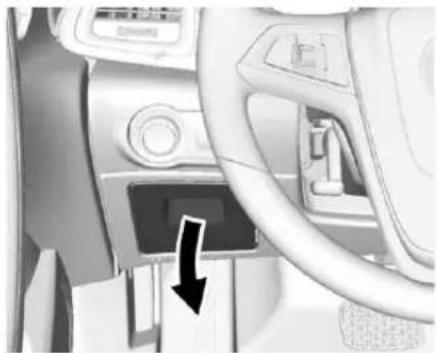
natural_image
Interior view of a car dashboard with a black arrow pointing to the left side (no visible text or symbols)Pulldowntoopen.
GloveBox
Liftuponthelevertoopenthe glovebox.
Thegloveboxfeaturesapen holder.
The intermediateshelfcanbe removedbypullingonthe frontedge.
Toreinstalltheshelf, slideitintothe sideguidesandpushbackuntil engagesintotherearpanel.
RearStorage
RearTrunkPartition
Thereartrunkpartitionmustbe foldedoutfortheconvertibletopto move. If the partition is not completely folded out, including the pass-through flap behind therear seats, awarning chimewills sound and a DIC message will display. See Rear Seats 50.
90Storage
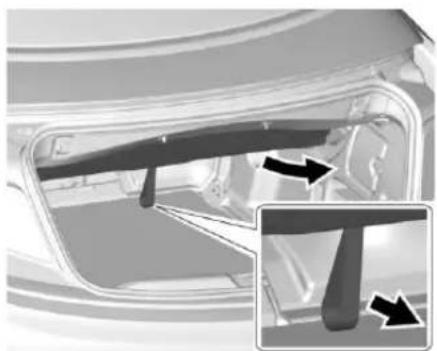
natural_image
Diagram of a car interior showing structural components and directional arrows (no text or symbols)Pullthestrapdownwardtotherear. Thepass-throughflapmustbe closedintheverticalposition.
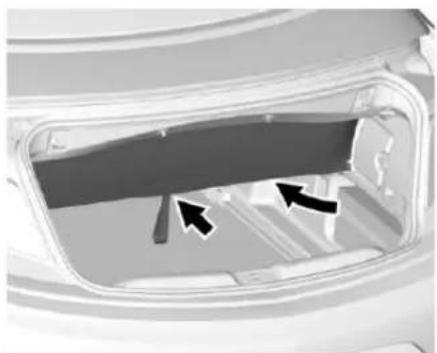
natural_image
Interior view of a vehicle showing a door, vent, and side panel with arrows indicating direction (no text or symbols)Toenlargetherearstorage compartmentwhentheconvertible topisclosed,therearstorage partitioncanbefoldedin.Push upwardonthepartitionnearthe looparea.
See Convertible Top⇒37.
ShoppingBagHooks
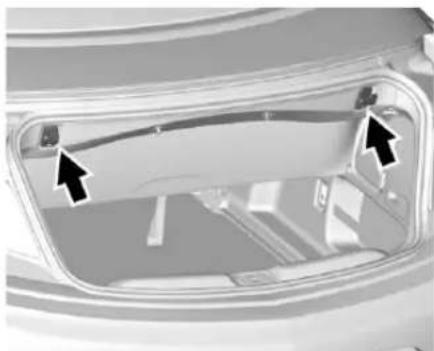
natural_image
Close-up of a vehicle's rear window with two black arrows pointing to the door (no text or symbols visible)Thehooksalongtheupperedgeof thetrunkcanbeusedforhanging upto5kg(11lb).
CargoTie-Downs
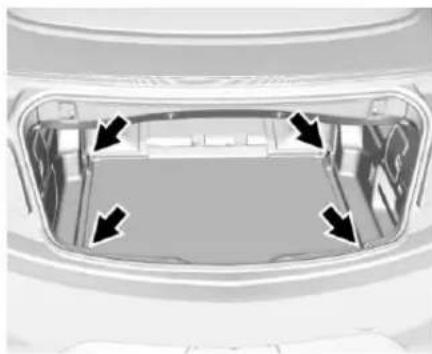
natural_image
Top-down view of a car trunk with four arrows pointing to the interior space (no text or symbols visible)Thecargotie-downscanbeusedto securesmallloads.
CenterConsoleStorage
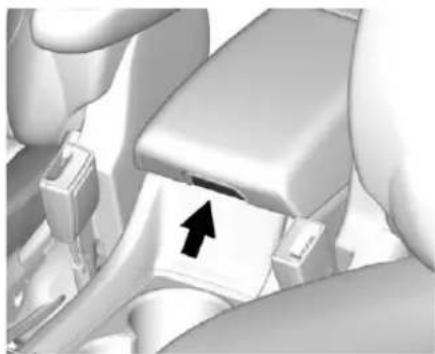
natural_image
Close-up of a car seatbelt mechanism with an arrow indicating clockwise direction (no text or symbols present)Toaccessthestorage, thearmrest mustbeintherearwardposition. Pressthebuttonandlift.
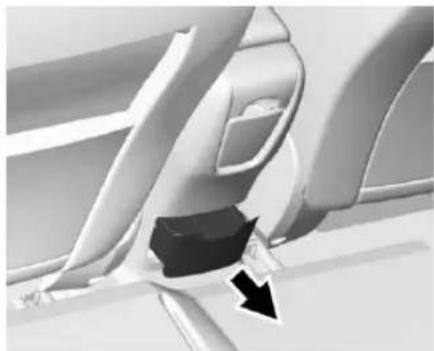
natural_image
Close-up of a car seatbelt mechanism with a black arrow indicating direction (no text or symbols)Theremaybeasmallstorage drawerontherearoftheconsole.
Instruments and Controls
Controls
SteeringWheelAdjustment....93
SteeringWheelControls.....93
HeatedSteeringWheel......94
Horn....94
WindshieldWiper/Washer.....94
Compass....95
Clock....96
PowerOutlets......96
WarningLights, Gauges, and Indicators
WarningLights, Gauges, and Indicators....97
InstrumentCluster......98
Speedometer....99
Odometer....99
TripOdometer....99
Tachometer....99
FuelGauge....99
EngineCoolantTemperature Gauge....100
SafetyBeltReminders......100
AirbagReadinessLight.....101
PassengerAirbagStatus Indicator....101
ChargingSystemLight.....102
MalfunctionIndicatorLamp (CheckEngineLight)......102
BrakeSystemWarning Light....104
ElectricParkingBrake Light....105
ServiceElectricParkingBrake Light.....105
AntilockBrakeSystem(ABS) WarningLight.....105
OperatePedalLight......105
PowerSteeringWarning Light....106
LaneDepartureWarning (LDW)Light....106
VehicleAheadIndicator.....106
StabiliTrak® OFFLight......106
TractionControlSystem(TCS)/StabiliTrak® Light......107
TirePressureLight......107
EngineOilPressureLight....107
LowFuelWarningLight.....108
SecurityLight......108
High-BeamOnLight.....108
AdaptiveForwardLighting (AFL)Light....109
FrontFogLampLight......109
LampsOnReminder......109
CruiseControlLight......109
DoorAjarLight......109
InformationDisplays
DriverInformation
Center(DIC)......110
VehicleMessages
VehicleMessages......113
VehiclePersonalization
VehiclePersonalization......113
Controls
SteeringWheel Adjustment
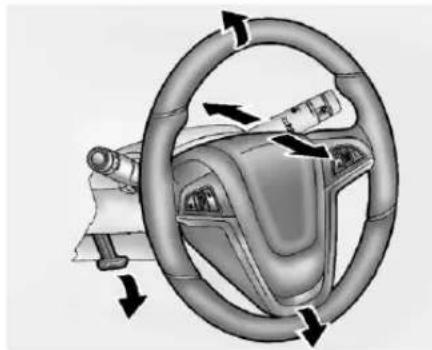
natural_image
Diagram of a car steering wheel and dashboard with directional arrows indicating rotation (no text or symbols)Toadjustthesteeringwheel:
- Pulltheleverdown.
2.Movethesteeringwheelup ordown. - Pullorpushthesteeringwheel closerorawayfromyou.
- Lifttheleveruptolockthe steeringwheelinplace.
Donotadjustthesteeringwheel whiledriving.
SteeringWheelControls
Depending on the vehicle options, some audio functions can be controlled through the steering wheel controls.
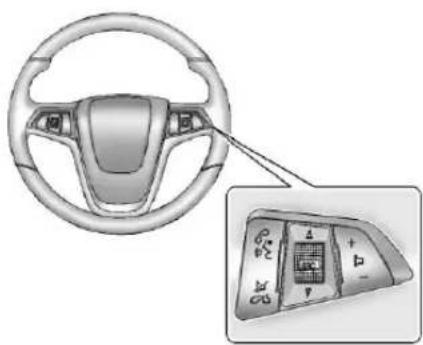
natural_image
Interior view of a car steering wheel and dashboard with a close-up inset showing internal components (no text or symbols visible)I: Press to interact with Bluetoothorvoicerecognition. See Bluetooth→197orVoice Recognition→191.
☑ / ☑ : Press to decline an incomingcall,ortoendacurrent call.Presstosilencethevehicle speakerswhileusingthe
infotainmentsystem.Pressagainto turnthesoundon.Presstocancel voicerecognition.
△ SRC ∇ : Press to select an audio source.
Usethethumbwheeltoselectthe nextorpreviousfavoriteradio station, CD, MP3track, USB, and BluetoothAudio.
Use △SRCtoskiptothenextsong orshowusingPandoraorStitcher. SeePandoraInternetRadio→146 orStitcherInternetRadio→150.
+ ▷-:Press+toincrease the volume. Press-todecrease.
HeatedSteeringWheel
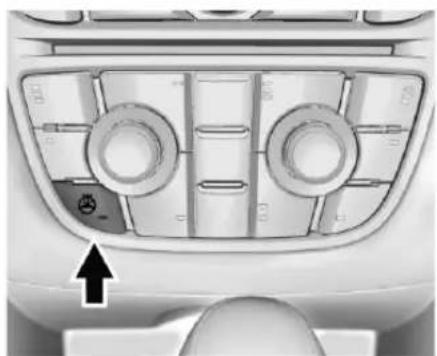
natural_image
Top-down view of a car dashboard with circular ventricles and a directional arrow indicator (no text or symbols): If equipped with a heated steering wheel, presstoturnitonor off. Alighton the button displays when the feature is turned on.
Thesteeringwheeltakesabout threeminutestostartheating.
Horn
Press ▶ onthesteeringwheelpad tosoundthehorn.
WindshieldWiper/Washer
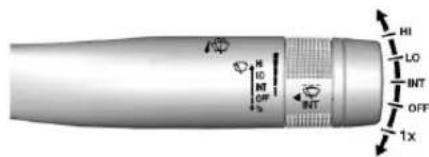
WiththeignitioninACC/ ACCESSORYorON/RUN,move thewindshieldwiperlevertoselect thewiperspeed.
HI:Useforfastwipes.
LO:Useforslowwipes.
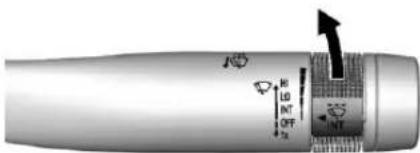
INT: MovetheleveruptoINT, then turnthe ◄INTbandupordown formoreorlesssensitivity to moisture. See "Rainsense" later in this section.
OFF:Usetoturnthewipersoff.
1X: Forasinglewipe, briefly move thewiperleverdown. For several wipes, hold thewiperleverdown.
Clearsnowandicefromthewiper bladesandwindshieldbeforeusing them.Iffrozentothewindshield, carefullyloosenorthawthem. Damagedbladesshouldbe replaced.SeeWiperBlade Replacement→273.
Heavysnoworicecanoverloadthe wipermotor.SeeElectricalSystem Overload→281.
WiperParking
WhenusingRainsensewipes,the wiperspausebrieflyonthe windshield.Ifthewiperleveris movedtoOFForifRainsenseand additionalwipesarenotrequired, thewipersmaymovetothebaseof thewindshield.
If the ignition is turned OFF while the wipers are on LO, HI, or INT, they will immediately stop.
Ifthewindshieldwiperleveristhen movedtoOFFbeforethedriver doorisopenedorwithin10minutes, thewiperswillrestartandmoveto thebaseofthewindshield.
If the ignition is turned OFF while the wipers are performing wipes due to windshield washing or Rain sense wipes, the wipers continue or until they reach the base of the windshield.
Rainsense
Asensordetectstheamountof wateronthewindshieldand controlsthefrequencyofthe windshieldwiper.
INT: Movethewindshieldwiper levertoINT.Turnthe ◀INTband onthewiperlevertoadjustthe sensitivity.
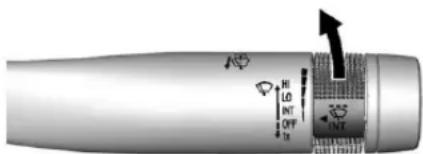
• Turnthebandupformore sensitivitytomoisture.
- Turnthebanddownforless sensitivitytomoisture.
- Movethewindshieldwiperlever outoftheINTpositionto deactivateRainsense.
WiperArmAssemblyProtection
Ifequippedwithwiperarmassembly protection,whenusinganautomatic carwash,movethewindshield wiperlevertoOFF.Thisdisables theautomaticRainsensewindshield wipers.
WithRainsense, if the transmission is in N(Neutral) and the vehicle speed is very slow, the wipers will automatically stop the base of the windshield.
Thewiperoperationsreturnto normalwhentetransmissionisno longerinN(Neutral)orthevehicle speedhasincreased.
↓: Pullthewindshieldwiper levertowardyoutspraywindshield washerfluidandactivatethewipers. Thewiperswillcontinueuntilthe
leverisreleasedorthemaximum washtimeisreached. When the windshieldwiperleverisreleased, additionalwipesmayoccur dependingonhowlongthe windshieldwasherhadbeen activated. See WasherFluid ^269 forinformationonfillingthe windshieldwasherfluidreservoir.

Warning
Infreezingweather, donotuse the washer until the windshield is warmed. Otherwise the washer fluid can form mice on the windshield, blocking your vision.
Compass
The vehicle may have a compass display on the Driver Information Center (DIC). The compass receives its heading and other information from the Global Positioning System (GPS) antenna, Stabili Trak ^® , and vehiclespeed information.
Thecompasssystemisdesignedto operateforacertainnumberof milesordegreesofturnbefore needingasignalfromtheGPS satellites. Whenthecompass displayshowsCAL, drivethe vehicleforashortdistanceinan openareawhereitcanreceivea GPSsignal. Thecompasssystem willautomaticallydeterminewhena GPSsignalisrestoredandprovide aheadingagain.
Clock
Theinfotainmentsystemcontrols areusedtoaccessthetimeand datesettingsthroughthemenu system. Theclockmenucanonly beusedwiththeradiowwhileinON/RUNorACC/ACCESSORY.See UsingtheSystem→131for informationabouthowtousethe menusystem.
SettingtheClock
Theclockisinthecenterstack display.
Tosetthetime:
-
PressCONFIGtoenterthe menuoptionsorpress ⊙.Turn ←→andselectTimeand DateortouchTimeandDate. Press ←→ortouchtheSet Timescreenbuttontodisplay otheroptionswithinthat feature.
-
Touch+or-toincreaseor decrease the Hours and Minutes displayed on the clock.
IfAutomaticClockUpdateisset,the timedisplayedontheclockmaynot updateimmediatelywhendriving intoanewtimezone.
12/24hrFormat:Selectthe12 Hourscreenbuttonforstandard time;selectthe24Hourscreen buttonformilitarytime.
PowerOutlets
Theaccessorypoweroutletscanbe usedtopluginelectricalequipment, suchasacellphoneorMP3player.
Thereisoneaccessorypoweroutlet onthecenterstackbelowthe climatecontrolsandoneontherear ofthecenterfloorconsole. These
outletsarepoweredwhenthekeyis inON/RUNorACC/ACCESSORY, oruntilthedriverdoorisopened within 10minutesofturningoffthe vehicle.SeeRetainedAccessory Power(RAP)230.
Caution
Leavingelectricalequipment pluggedinforanextendedperiod of timewhilethevehicleisoffwill drainthebattery.Alwaysunplug electricalequipmentwhennotin useandonotpluginequipment thatexceedsthemaximum 20amprating.
Certain electrical accessories may not be compatible with the accessory power outlet and could overload vehicle or adapter fuses. If a problem is experienced, see your dealer.
When adding electrical equipment, besuretofollowtheinstallation instructionsincludedwiththe equipment.SeeAdd-OnElectrical Equipment→252.
Caution
Hangingheavyequipmentfrom thepoweroutletcancause damagenotcoveredbythe vehiclewarranty. Thepower outletsaredesignedfor accessorypowerplugsonly,such ascellphonechargecords.
WarningLights, Gauges,and Indicators
Warninglightsandgaugescan signalthatsomethingiswrong beforeitbecomesseriousenough tocauseanexpensiverepairor replacement.Payingattentiontothe warninglightsandgaugescould preventinjury.
Somewarninglightscomeonbriefly whentheengineisstartedto indicatetheyareworking.When oneofthewarninglightscomeson andstaysonwhiledriving,orwhen oneofthegaugesshowstheremay beaproblem,checkthesectionthat explainswhattodo.Waitingtodo repairscanbecostlyandeven dangerous.
InstrumentCluster
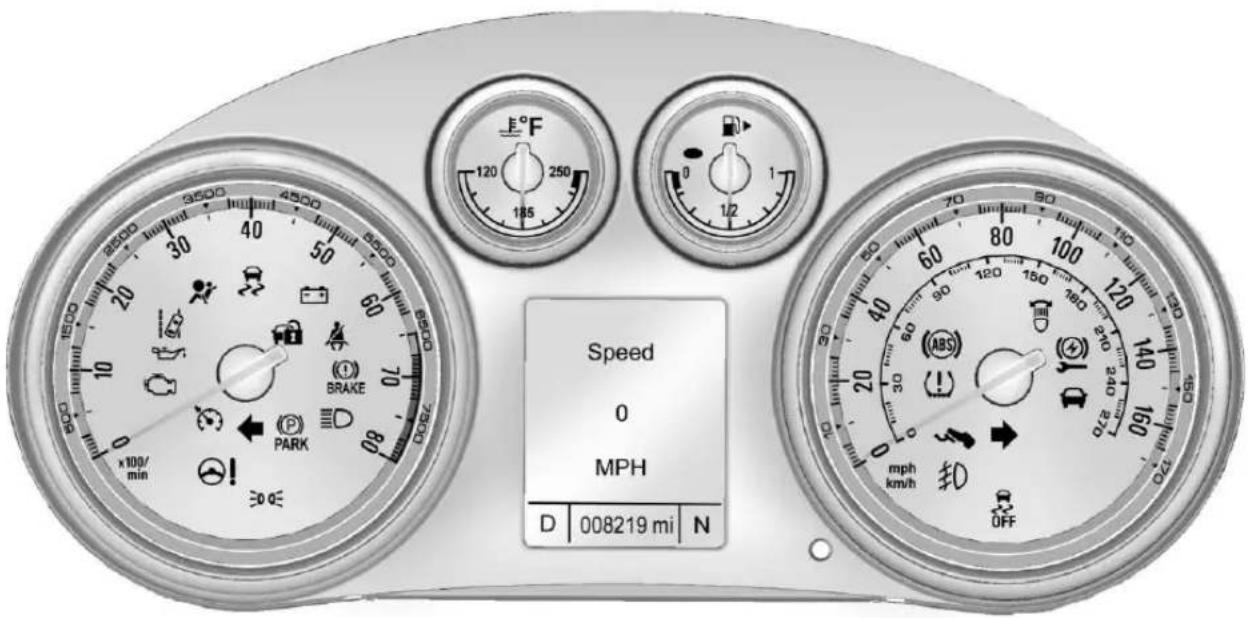
Speedometer
Thespeedometersshowsthevehicle speedinkilometersperhour(km/h) andmilesperhour(mph).
Odometer
Theodometershowshowfarthe vehiclehasbeendriven,ineither kilometersormiles.
TripOdometer
Thetripodometershowshowfar thevehiclehasbeendrivensince thetripodometerwaslastreset.
Thetripodometerisaccessed and resetthroughtheDriverInformation Center(DIC).SeeDriver InformationCenter(DIC)→110.
Tachometer
Thetachometerdisplaystheengine speedinrevolutionsper minute(rpm).
Caution
If the engine is operated with the rpm's inthewarning area at the high end of the tachometer, the vehicle could be damaged, and the damage would not be recovered by the vehicle warranty. Donot operate the engine with the rpm's inthewarning area.
FuelGauge
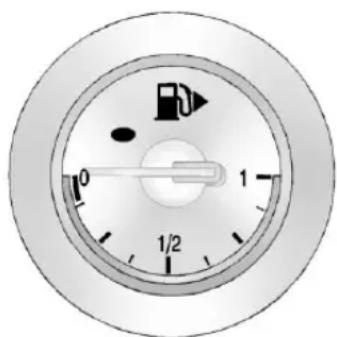
Whentheignitionison, thefuel gaugetellsyouabouthowmuch fuelyouhaveleftinyourtank.
Anarrowonthefuelgauge indicatesthesideofthevehiclethe fueldoorison.
Whenthefuelislow, amessage may appear in the Driver Information Center (DIC), and a chimewillsound.
Herearefourthingsthatsome ownersaskabout.Noneofthese showaproblemwithyourfuel gauge:
- Attheservicestation, the fuel pumpshutsoffbeforethegauge readsfull.
- Ittakesalittlemoreorlessfuel tofillupthanthegauge indicated. Forexample, the gaugemayhaveindicatedthe tankwashalffull, butitactually tookalittlemoreorlessthan halfthetank'scapacitytofill thetank.
- Thegaugemovesalittlewhile turningacornerorspeedingup.
100InstrumentsandControls
- Thegaugetakesafewseconds tostabilizeaftertheignitionis turnedon, and willgobackto emptywhentheignitionis turnedoff.
EngineCoolant
TemperatureGauge
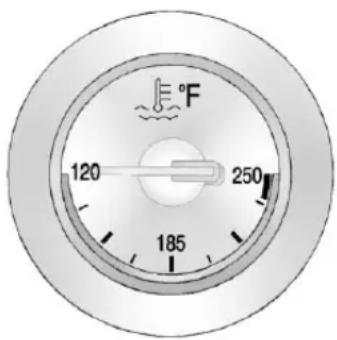
Thisgaugeshowstheengine coolanttemperature.
Iftheindicatorneedlemovestothe hotsideofthegaugetowardthe shadedarea,theengineistoohot.
If the vehicle has been operated under normal driving conditions, pull offtheroad, stop the vehicle, and turnoff the engine as soon as possible.
SafetyBeltReminders DriverSafetyBeltReminder Light
Thereisadriversafetybelt reminderlightontheinstrument cluster.

Whenthevehicleisstarted, this lightflashesandachimemaycome ontoremindthedrivertofasten theirsafetybelt. Thenthelightstays onsoliduntilthebeltisbuckled. Thiscyclemaycontinueseveral timesifthedriverremainsor becomesunbuckledwhilethe vehicleismoving.
Ifthedriversafetybeltisbuckled, neitherthelightnorthechime comeson.
PassengerSafetyBelt ReminderLight
Thereisapassengersafetybelt reminderlightnearthepassenger airbagstatusindicator.See PassengerSensingSystem→63.
Whenthevehicleisstarted, this lightflashesandachimemaycome ontoremindpassengerstofasten theirsafetybelt. Thenthelightstays onsoliduntilthebeltisbuckled. Thiscyclecontinuesseveraltimesif thepassengerremainsorbecomes unbuckledwhilethevehicleis moving.
If the passengers safety belt is buckled, neither the chimen or the light comes on.
Thefrontpassengersafetybelt reminderlightandchimemayturn onifanobjectisputontheseat suchasabriefcase,handbag, grocerybag,laptop,orother electronicdevice.Toturnoffthe reminderlightand/orchime,remove theobjectfromtheseatorbuckle thesafetybelt.
AirbagReadinessLight
Thislightshowsifthereisan electricalproblemwiththeairbag system. Thesystemcheckincludes theairbagsensor(s),passenger sensingsystem,thepretensioners, theairbagmodules,therollbars, thewiring,andthecrashsensing anddiagnosticmodule. Formore informationontheairbagsystem, seeAirbagSystem→58.

Theairbagreadinesslightcomeson forseveralsecndswhenthe vehicleisstarted.Ifthelightdoes notcomeonthen,haveitfixed immediately.

Warning
If the airbagreadinesslightstays on after the vehicle is started or comes on while driving, it means the air bagsystem might not be working properly. The airbags in the vehicle might not inflate a crash, or they could even inflate without acrash. To help avoid injury, have the vehicles serviced right away.
PassengerAirbagStatus Indicator
Thevehiclehasapassenger sensingsystem.SeePassenger SensingSystem→63forimportant safetyinformation.Thecenterstack hasapassengerairbagstatus indicator.
PASS AIR BAG
ON
OFF

Whenthevehicleisstarted,the passengerairbagstatusindicator willlightONandOFFforseveral secondsasasystemcheck.Then, afterseveralseconds,thestatus indicatorwilllighteitherONorOFF toletyouknowthestatusofthe frontoutboardpassengerfrontal airbagandkneeairbag.
IfthewordONislitonthe passengerairbagstatusindicator,it meansthatthefrontoutboard passengerfrontalairbagandknee airbagareallowedtoinflate.
IfthewordOFFislitonthe passengerairbagstatusindicator,it meansthatthepassengersensing systemhasturnedoffthefront outboardpassengerfrontalairbag andpassengerkneeairbag.
If,afterseveralseconds,bothstatus indicatorlightsremainon,orifthere arenolightsatall,theremaybea
102InstrumentsandControls
problemwiththelightsorthe passengersensingsystem.See yourdealerforservice.

Warning
If the airbagreadiness light ever comes on and stay on, it means that something may bewrong with the air bags system. To help avoid injury to your self for others, havethe vehicles serviced right away. See Airbag Readiness Light 101 form more information, including important safety information.
ChargingSystemLight
Thechargingsystemlightcomeson brieflywhentheignitionisturned on,buttheengineisnotrunning,as achecktoshowthelightisworking.
Thelightturnsoffwhentheengine isstarted. If it does not, have the vehicles serviced by your dealer.
Ifthelightstayson,orcomeson whiledriving,therecouldbea problemwiththeelectricalcharging system.Haveitcheckedbyyour dealer.Drivingwhilethislightison coulddrainthebattery.
Ifashortdistancemustbedriven withthelighton,besuretoturnoff allaccessories,suchastheradio andairconditioner.
MalfunctionIndicator Lamp(CheckEngine Light)
Thislightispartofthevehicle's emissioncontrolon-board diagnosticsystem. If this lightison while the engine is running, a malfunction has been detected and the vehicle may require service. The light should come on to show that it is working when the ignition is in ON/RUN with the engine not running. See Ignition Positions 227.
Malfunctionsareoftenindicatedby thesystembeforeanyproblemis noticeable. Beingawareofthelight andseekingservicepromptlywhen itcomesonmaypreventdamage.
Caution
If the vehicle is driven continually with this lighton, the emission control system may not work as well, the fuel economy may be lower, and the vehicle may not run smoothly. This could lead to costly repair that might not be covered by the vehicle warranty.
Caution
Modificationstotheengine, transmission, exhaust, intake, orfuelsystem, ortheuseof replacementtiresthatdonot meettheoriginaltire specifications, cancausethislight tocomeon. This could lead to costly repairs not covered by the vehicle warranty. This could also affect the vehicle's sability topass an Emissions Inspection/ Maintenancetest. See Accessories and Modifications 255.
Ifthelightisflashing:A
malfunctionhasbeendetectedthat coulddamagetheemissioncontrol systemandincreasevehicle emissions.Diagnosisandservice mayberequired.
Tohelppreventdamage, reduce vehiclespeed and avoid hard accelerations and uphill grades.
If the light continuestoflash, find a safe placetopark. Turn the vehicle off and wait at least 10 seconds before starting the engine. If the light is still flashing, follow the previous guidelines and see your dealer for service as soon as possible.
Ifthelightisonsteady:A
malfunctionhasbeendetected. Diagnosisandservicemaybe required.
Checkthefollowing:
- Aloeoseormissingfuelcapmay causethelighttocomeon.See Fillingthe Tank→250.Afew drivingtripswiththecap properlyinstalledmayturnthe lightoff.
- Poorfuelqualitycancause inefficientengineoperationand poordriveability,whichmaygo awayoncetheengineiswarmed up.Ifthisoccurs,changethe fuelbrand.Itmayrequireat leastonefulltankoftheproper fueltoturnthelightoff.See Fuel→248.
Ifthelightremainson, see your dealer.
EmissionsInspection and MaintenancePrograms
If the vehiclerequires an Emissions Inspection/Maintenance test, the test equipment will likely connect to the vehicle's Data Link Connector (DLC).
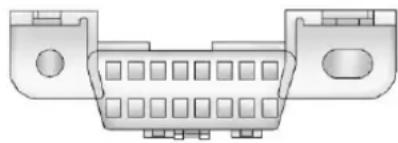
natural_image
Technical line drawing of a connector pinout (no text or symbols)TheDLCisundertheinstrument paneltotheleftofthesteering wheel.Connectingdevicesthatare notusedtoperformanEmissions Inspection/Maintenancetestorto servicethevehiclemayaffect vehicleoperation.SeeAdd-On ElectricalEquipment→252.See yourdealerifassistanceisneeded.
The vehicle may not pass inspection if:
- Thelightisonwhentheengine isrunning.
- Thelightdoesnotcomeon whentheignitionisinON/RUN withtheenginenotrunning.
- Criticalemissioncontrolsystems havenotbeencompletely diagnosed. If this happens, the vehicle would not be ready for inspection and might require several days of routine driving before the system is ready for inspection. This can happen if the 12-volt battery has recently been replaced or rundown, or if the vehicle has been recently serviced.
Seeyourdealerifthevehiclewill notpassorcannotbemadeready forthetest.
BrakeSystemWarning Light
The vehicle brakes system consists of two hydraulics circuits. If one circuit is not working, there are remaining circuit can still work to stop the vehicle. Fornormal braking performance, both circuits need to be working.
Thebrakesystemwarninglightwill comeonwhenthereisabrake problem.
If the warning light stay on, have the vehicle inspected by your dealer right away.

BRAKE
Thislightshouldcomeonbriefly whentheengineisstarted.lfitdoes notcomeonthen,haveitfixedsoit willbereadytowarnyouifthereis aproblem.

Warning
Thebrakesystemmightnotbe workingproperlyifthebrake systemwarninglightison. Drivingwiththebrakesystem warninglightoncanleadtoa crash.Ifthelightisstillonafter thevehiclehasbeenpulledoff theroadandcarefullystopped, havethevehicletowedfor service.
Ifthelightcomesonwhiledriving, a chimesounds. Pullofftheroadand stop. Thepedalmightbeharderto pushorgoclosertothefloor. Itmightalsotakelongertostop. Ifthelightisstillon, havethe vehicletowedforservice. See Towingthe Vehicle 318.
ElectricParkingBrake Light

Theparkingbrakestatuslight comesonwhenthebrakeis applied. Ifthelightcontinues flashingaftertheparkingbrakeis released,orwhiledriving,thereisa problemwiththeElectricParking Brake(EPB)system.
Ifthelightdoesnotcomeon, orremainsflashing,seeyourdealer.
ServiceElectricParking BrakeLight
Theparkingbrakewarninglight shouldcomeonbrieflywhen startingthevehicle. Ifitdoesnot comeon,haveitfixedsoitwillbe readytowarnifthereisaproblem. Ifthislightstayson,thereisa problemwiththeElectricParking Brake(EPB)systemoranother systemonthevehiclethatis causingtheparkingbrakesystemto workatareducedlevel.Thevehicle canstillbedriven,butshouldbe takentoadealerassoonas possible.Seetheinformationforthe EPBunderParkingBrake→236.
AntilockBrakeSystem (ABS)WarningLight

TheAntilockBrakeSystem(ABS) lightcomesonbrieflywhenthe engineisstarted.
Ifthelightdoesnotcomeon,have thevehicleservicedbyyourdealer.
IftheABSlightcomesonandstays onwhiledriving,stopassoonas possibleandturntheignitionoff. Starttheengineagaintoresetthe system.Ifthelightstaysonafter drivingataspeedabove20km/h (13mph),seeyourdealerfor service.Achimemayalsosound whenthelightcomesonsteady.
Iftheregularbrakesystemwarning lightisnoton,thevehiclestillhas brakes,butnotantilockbrakes. Iftheregularbrakesystemwarning lightisalsoon,thevehicledoesnot haveantilockbrakesandthereisa problemwiththeregularbrakes. SeeBrakeSystemWarning Light→104.
OperatePedalLight

Thislightcomesonwhenthebrake pedalneedstobeappliedtorelease theElectricParkingBrake(EPB).
PowerSteeringWarning Light
Ifequipped, this light comes on briefly when the ignition is turned to ON/RUN as a check to show it is working.
Ifitdoesnotcomeonhavethe vehicleservicedbyyourdealer.
If this light stay on, or comes on while driving, the system may not be working. If this happens, see your dealer for service.
LaneDepartureWarning (LDW)Light
Ifequipped, this light comes on briefly while starting the vehicle. If it does not come on, have the vehicle serviced.
ThislightisgreenifLDWisonand readytooperate.
Thislightchangestoamberand flashestoindicate that the thelane marking has been crossed without using a turn signal in that direction.
SeeLaneDepartureWarning (LDW)→247.
VehicleAheadIndicator
Ifequipped, this indicator will display green when a vehicle is detected ahead
SeeForwardCollisionAlert(FCA) System→245.
StabiliTrak® OFFLight
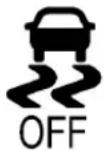
Thislightcomesonbrieflywhile startingtheengine.lfitdoesnot, havethevehicleservicedbyyour dealer.
Thislightcomesonwhenthe StabiliTraksystemisturnedoff. IfStabiliTrakisoff,the Traction ControlSystem(TCS)isalsooff.
IfStabiliTrakandTCSareoff, the systemdoesnotassistincontrolling thevehicle. TurnontheTCSand theStabiliTraksystems, and the warninglightturnsoff.
See TractionControl/Electronic StabilityControl→239.
TractionControlSystem (TCS)/StabiliTrak® Light
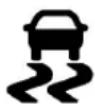
Thislightcomesonbrieflywhenthe engineisstarted.
Ifthelightdoesnotcomeon, have the vehicleservicedbyyourdealer. Ifthesystemisworkingnormally, theindicatorlightturnsoff.
Ifthelightisonandnotflashing,the TCSandpotentiallytheStabiliTrak systemhavebeendisabled. ADriverInformationCenter(DIC) messagemaydisplay.Checkthe DICmessagestodeterminewhich feature(s)isnolongerfunctioning andwhetherthevehiclerequires service.
Ifthelightisonandflashing,the TCSand/ortheStabiliTraksystem isactivelyworking.
See TractionControl/Electronic StabilityControl→239.
TirePressureLight

ForvehicleswiththeTirePressure MonitorSystem(TPMS), thislight comesonbrieflywhentheengineis started. Itprovidesinformation abouttirepressuresandtheTPMS.
WhentheLightIsOnSteady
This indicates that one or more of the tires are significantly underinflated.
Stopassoonaspossible, and inflatethetirestothepressurevalue shownontheTireandLoading Informationlabel.See Tire Pressure⇒295.
WhentheLightFlashesFirstand ThenIsOnSteady
If the light flashes for about a minute and then stay on, ther may be a problem with the TPMS. If the problem is not corrected, the light will come on at every ignition cycle. See Tire Pressure Monitor Operation 297.
EngineOilPressureLight
Caution
Lackofproperengineoil maintenancecandamagethe engine. Drivingwiththeengineoil lowcanalsodamagetheengine.
(Continued)
Caution(Continued)
Therepairswouldnotbecovered bythevehiclewarranty.Check theoillevelassoonaspossible.Addoilifrequired,butiftheoil leveliswithintheoperatingrange andtheoilpressureisstillow,havethevehicleserviced.Always followthemaintenanceschedule forchangingengineoil.
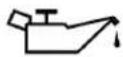
Thislightshouldcomeonbrieflyas theengineisstarted.Ifitdoesnot comeon,havethevehicleserviced byyourdealer.
Ifthelightcomesonandstayson,it meansthatoilisnotflowingthrough theengineproperly.Thevehicle couldbelowonoilandmighthave someothersystemproblem.See yourdealer.
LowFuelWarningLight
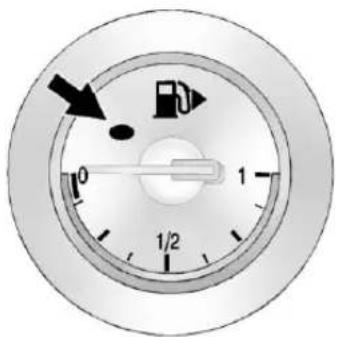
Thislightcomesonforafew secondswhentheignitionisturned onasachecktoindicateitis working.lfitdoesnotcomeon, haveitfixed.
Thelowfuelwarninglightcomeson andachimesoundswhenthe vehicleislowonfuel. Thelightturns offwhenfuelisaddedtothe fueltank.
SecurityLight

Thesecuritylightshouldcomeon brieflyastheengineisstarted.Ifit doesnotcomeon,havethevehicle servicedbyyourdealer.Ifthe systemisworkingnormally,the indicatorlightturnsoff.
Ifthelightstaysonandtheengine doesnotstart,therecouldbea problemwiththetheft-deterrent system.SeeImmobilizer Operation→32.
High-BeamOnLight

Thehigh-beamonlightcomeson whenthehigh-beamheadlampsare inuse.
SeeHeadlampHigh/Low-Beam Changer→120formoreinformation.
AdaptiveForward Lighting(AFL)Light

Thislightshouldcomeonbrieflyas thevehicleisstarted.Ifitdoesnot comeon,havethevehicleserviced byyourdealer.
Thislightcomesonsolidwhen thereisaproblemwiththeAFL system.Itflasheswhenthesystem isswitchingbetweenlighting modes.SeeAdaptiveForward Lighting(AFL)→121.
FrontFogLampLight

Ifequipped, this light comes on when the foglamps are on.
Thelightgoesoutwhenthefog lampsareturnedoff.SeeFog Lamps→122.
LampsOnReminder
Thislightcomesonwhenthe exteriorlampsareinuse.See ExteriorLampControls→119.
CruiseControlLight
Forvehicleswithcruisecontrol,the cruisecontrollightiswhitewhenthe cruisecontrolisonandready,and turnsgreenwhenthecruisecontrol issetandactive.
Thelightturnsoffwhenthecruise controlisturnedoff.See Cruise Control241.
DoorAjarLight
Ifequipped, this light comes on when a door is open or not securely latched. Before driving, check that all doors are properly closed.
InformationDisplays
DriverInformation Center(DIC)
The DIC displays information about the vehicle. It alsodisplays warning messages ifasystem problem is detected. See VehicleMessages 113. All messages appear in the DIC display in the center of the instrument cluster.
DICOperationandDisplays
The DIChasdifferentdisplays which can be accessed by using the DICbuttonsontheturnsignallever. The DICdisplaystrip, fuel, and vehicle system information, and warning messages if a system problem is detected.
ThebottomoftheDICdisplay showsthepositionoftheshiftlever andtheodometer.Itmayalsoshow thedirectionthevehicleisdriving.
DICButtons
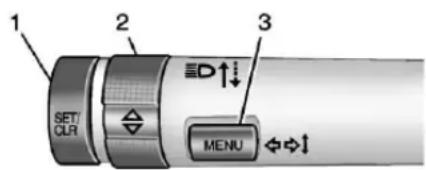
- SET/CLR: Presstoset, orpressandholdtoclear, the menuitemdisplayed.
- △/▽:Usetoscrollthrough theitemsineachmenu. Asmallmarkerwillmove acrossthebottomofthepage asyouscrollthroughtheitems. Thisshowswhereeachpageis inthemenu.
- MENU: PresstogettotheTrip/FuelMenuandtheVehicle InformationMenu. Thisbutton isalsousedtoreturntoorexit thelastscreendisplayedon theDIC.
Trip/FuelMenultems
PressMENUontheturnsignal leveruntiltheTrip/FuelMenuis displayed. Use △/▽toscroll throughthefollowingmenuitems:
- DigitalSpeedometer
- Trip1
- Trip2
- FuelRange
• AverageFuelEconomy - InstantaneousFuelEconomy
• AverageVehicleSpeed - Timer
- Navigation
DigitalSpeedometer
Thespeedometershowshowfast thevehicleismovingineither kilometersperhour(km/h)ormiles perhour(mph). Thespeedometer cannotbereset.
Trip1andTrip2
Thesedisplaysshowthecurrent distancetraveled,ineither kilometers(km)ormiles(mi),since
thelastresetforthetripodometer. Thetripodometercanberesetto zerobypressingSET/CLR,orthe tripodometerresetsteminthe instrumentcluster,whilethetrip odometerdisplayisshowing.
FuelRange
Thisdisplayshowstheapproximate distancethevehiclecanbedriven withoutrefueling. Thefuelrange estimateisbasedonanaverageof thevehicle'sfueleconomyover recentdrivinghistoryandthe amountoffuelremaininginthefuel tank.Fuelrangecannotbereset.
AverageFuelEconomy
Thisdisplayshowstheapproximate averagelitersper100kilometers (L/100km)ormilespergallon (mpg).Averagefueleconomyis calculatedbasedonthenumberof L/100km(mpg)recordedsincethe lasttimethismenuitemwasreset. Thisnumberreflectsonlythe approximateaveragefueleconomy thatthevehiclehasrightnow,and willchangeasdrivingconditions change.Theaveragefueleconomy canberesetbypassingSET/CLR whiletheAverageFuelEconomy displayisshowing.
InstantaneousFuelEconomy
Theinstantaneousfueleconomy displayshowsthecurrentfuel economyinlitersper100kilometers (L/100km)ormilespergallon (mpg). Theinstantaneousfuel economyreflectsonlythecurrent approximatefueleconomy, and changesfrequentlyasdriving conditionschange. Unlikeaverage economy, thisdisplaycannot be reset.
AverageVehicleSpeed
Thisdisplayshowstheaverage speedofthevehicleinkilometers perhour(km/h)ormilesper hour(mph). Thisaverageis calculatedbasedonthevarious vehiclespeedsrecordedsincethe lastresetofthisvalue. Theaverage speedcanberesetbypassing SET/CLRwhiletheAverageVehicle Speeddisplayisshowing.
Timer
Thisdisplaycanbeusedasatimer. Tostartthetimer, pressSET/CLR while Timerisdisplayed. The displaywillshowtheamountoftime thathaspassedsincethetimerwas lastreset, notincludingtimethe ignitionisoff. Timewillcontinueto becountedaslongastheignitionison, evenifanotherdisplayisbeing shownontheDIC. Thetimerwill recordupto99hours, 59minutes, and 59seconds(99:59:59)after whichthedisplaywillreturntozero. Tostopthetimer, pressSET/CLR brieflywhileTimerisdisplayed. To resetthetimertozero, pressand holdSET/CLR.
Navigation
Thisdisplayisusedforthe NavigationSystemTurn-by-Turn guidance.Ifequippedwith navigation,seeUsingthe NavigationSystem ^166 .
112InstrumentsandControls
VehicleInformationMenu Items
PressMENUontheturnsignal leveruntiltheVehicleInformation
Menuisdisplayed. Use △/▽ to scrollthroughthefollowingmenu items:
- Unit
- TirePressure
- RemainingOilLife
- BatteryVoltage
Unit
PressSET/CLRtoset.Move △/
▼toswitchbetweenmetricorUS whenthesetUnitdisplayisactive. PressSET/CLRtoconfirmthe setting. Thiswillchangethe displaysontheclusterandDICto eithermetricorEnglish(US) measurements.
TirePressure
Thedisplaywillshowavehiclewith theapproximatepressuresofall fourtires. Tirepressureisdisplayed ineitherkilopascal(kPa)orpounds persquareinch(psi).
See TirePressureMonitorSystem →296and TirePressureMonitor Operation→297.
RemainingOilLife
Thisdisplayshowsanestimateof theoil'sremainingusefullife. IfREMAININGOILLIFE99%is displayed,thatmeans99%ofthe currentoilliferemains.
Whentheremainingoillifeislow, theCHANGEENGINEOILSOON messagewillappearonthedisplay. Theoilshouldbechangedassoon aspossible.SeeEngineOil⇒260. Inadditiontotheengineoillife systemmonitoringtheoillife, additionalmaintenance is recommendedintheMaintenance Schedule.SeeMaintenance Schedule⇒331.
Remember,theRemainingOilLife displaymustberesetaftereachoil change.Itwillnotresetitself.Also, becarefulnottoresetthe RemainingOilLifedisplay accidentallyatanytimeotherthan whentheoilhasjustbeenchanged. Itcannotberesetaccuratelyuntil thenextoilchange.Toresetthe
engineoilifesystem, pressSET/ CLRwhiletheRemainingOilLife displayisactive. SeeEngineOil LifeSystem→262.
BatteryVoltage
Thisdisplayshowsthecurrent batteryvoltage. If the voltage is in thenormal range, the value will display. Forexample, the display may read Battery Voltage 15.0 Volts. The vehicle's charging system regulates voltage based on the state of the battery. The battery voltage can fluctuate while viewing this information on the DIC. This is normal. See Charging System Light 102.
VehicleMessages
MessagesdisplayedontheDIC indicatethestatusofthevehicleor someactionthatmaybeneededto correctacondition.Multiple messagesmaydisplayoneafterthe other.
Themessagesthatdonotrequire immediateactioncanbe acknowledgedandclearedby pressingSET/CLR.Themessages thatrequireimmediateactioncannot becleareduntilthatactionis performed.Allmessagesshouldbe takenseriouslyandclearingthe messagesdoesnotcorrectthe problem.
Followtheinstructionsgiveninthe messages. Thesystemdisplays messagesregardingthefollowing topics:
- ServiceMessages
- FluidLevels
- VehicleSecurity
- Brakes
-
RideControlSystems
-
DriverAssistanceSystems
- CruiseControl
• LightingandBulbReplacement
• Wiper/WasherSystems - DoorsandWindows
- ConvertibleTop
- SafetyBelts
- AirbagSystems
• EngineandTransmission - TirePressure
- Battery
Vehicle Personalization
Usetheaudiosystemcontrolsto accessthepersonalizationmenus forcustomizingvehiclefeatures.
The following are all possible personalization features. Depending on the vehicle, some may not be available.
InfotainmentSystemAudio SystemControls
UsingtheFaceplate
←→Knob
- Presstheouterdiameter (chromering)toenter,select, oractivateahhighlightedmenu option.
• Turntohighlightamenuoption. - Presstheouterdiameter (chromering)toenableor disableasystemsetting.
BACK
- Presstoexitamenu.
- Presstoreturntoaprevious screen.
114InstrumentsandControls
UsingtheTouchScreen
Touchascreenfeatureto:
• Viewmorefeatureoptions.
- Enableordisablethefeature.
△:Touchtoscrollup.
▽:Touchtoscrolldown.
Back: Touchtoreturntothe previousmenu.
Toaccessthe personalizationmenu:
-
TouchConfigontheHome Pageontheinfotainment systemdisplayorpress CONFIGonthefaceplate.
-
Select the desired feature to display a list of available options.
-
Select the desired feature setting.
PersonalizationMenus
The followinglistofmenuitemsmay beavailable:
- Languages
- TimeandDate
- RadioSettings
- PhoneSettings
- NavigationSettings
- DisplaySettings
- VehicleSettings
Eachmenuisdetailedinthe followinginformation.
Languages
SelectLanguages, thenselectfrom theavailablelanguage(s).
TimeandDate
Manuallysetthetimeanddate.See Clock→96.
RadioSettings
Selectandthefollowingmay display:
- AutoVolume
- GracenoteOptions
- XMChannelArt
- MaxStartupVolume
• NumberofFavoritesPages - XMCategories
- SoftwareVersionsMenu
AutoVolume
Thisfeatureadjuststhevolumeto minimizetheeffectsofunwanted backgroundnoisethatcanresult fromchangingroadsurfaces,driving speeds,oropenwindows.This featureworksbestatlowervolume settingswherebackgroundnoiseis typicallylouderthanthesound systemvolume.
SelectOff, Low, Medium, or High.
GracenoteOptions
Selectandthefollowingmay display:
- Normalization
Normalization
Thisfeatureimprovesvoice recognitionandmediagroupings. See CD Player 155, USB 158, AuxiliaryDevices 164, and BluetoothAudio 164.
Selecttoenableordisable.
XMChannelArt
ThisfeatureturnstheXMAudio pagebackgroundontheXM Channeldisplayonandoff.
Selecttoenableordisable.
MaxStartupVolume
Thisfeaturesetsthemaximum startupvolume.Ifthevehicleis startedandthevolumeisgreater thanthislevel,thevolumeis adjustedtothislevel.
Select+or-toincreaseor decreasethevolume.
NumberofFavoritePages
Selecttosetthenumberoffavorite pagestodisplay.
Selectthedesirednumber.
XMCategories
ThisallowswhichavailableXM Categoriesareusedanddisplayed. Selecttoenableordisableavailable categories.
SoftwareVersionsMenu
Selecttodisplayinformationabout thesystemandupdatesoftwareif available.
PhoneSettings
Selectandthefollowingmay display:
- Bluetooth
Bluetooth
Selectandthefollowingmay display:
- DeviceList
- PairDevice
DeviceList
Selecttoconnecttoadifferent phonesource, disconnectaphone, ordeleteaphone.
PairDevice
Selecttopairanewdevice.See "PairingaPhone/Device" in Bluetooth→197.
NavigationSettings
See "NavigationSettings" in ConfigureMenu→183.
DisplaySettings
Selectandthefollowingmay display:
- HomePageMenu
- RearCameraOptions
- DisplayOff
- MapSettings
HomePageMenu
Selectandthefollowingmay display:
- Customize
- Sort
- RestoreHomePageDefaults
Customize
Thisfeatureallowstheselectionof whaticonswillbeonthefirst HomePage.
Selectandfollowthescreen prompts.
Sort
Thisfeatureallowstheiconsonthe HomePagetobemoved.
116InstrumentsandControls
Selectandfollowthescreen prompts.
RestoreHomePageDefaults
ThisfeaturewillrestoretheHome Pagetothefactorysettings.
Selectandfollowthescreen prompts.
RearCameraOptions
Selectandthefollowingmay display:
Symbols
- GuideLines
Symbols
See Assistance Systems for Parking or Backing 243.
Selecttoenableordisable.
GuideLines
See Assistance Systems for Parking or Backing 243.
Selecttoenableordisable.
DisplayOff
Selecttoturnthedisplayoff. The displaywillreturnwhenanyradio buttonsarepressedorthescreenis touched(ifequipped).
MapSettings
See "MapSettings" in Configure Menu→183.
VehicleSettings
Selectandthefollowingmay display:
• ClimateandAirQuality
• ComfortandConvenience
- CollisionDetectionSystems
- Lighting
- PowerDoorLocks
- RemoteLock/Unlock/Start
- ReturntoFactorySettings?
ClimateandAirQuality
Selectandthefollowingmay display:
- AutoFanSpeed
- RemoteStartAutoHeatSeat
- AutoRearDefog
AutoFanSpeed
Choose from the following blower speed settings:
SelectHigh, Medium, or Low.
RemoteStartAutoHeatSeat
Whenon, this feature will turn the heated seatson when using remote start on cold days.
Selecttoenableordisable.
AutoRearDefog
Whenon, thisfeatureturnsonthe rearwindowdefoggeratvehicle startwhentheinteriortemperature iscoldandfogislikely. Theauto reardefogfunctioncanbedisabled byselecting 🐎. Whenoff, the featurecanbeturnedonby selecting 🐎. See "RearWindow Defogger" under DualAutomatic ClimateControlSystem→212.
Selecttoenableordisable.
ComfortandConvenience
Selectandthefollowingmay display:
- ChimeVolume
- ButtonChime
ChimeVolume
Thisallowstheselectionofthe chimevolumelevel.
SelectLoworHigh.
ButtonChime
ThisallowstheButtonChime featuretobeturnedonoroff.
Selecttoenableordisable.
CollisionDetectionSystems
Selectandthefollowingmay display:
- ParkAssist
ParkAssist
ThisallowstheParkingAssist featuretobeturnedonoroff.
SelectOfferOn.
Lighting
Selectandthefollowingmay display:
- VehicleLocatorLights
- ExitLighting
VehicleLocatorLights
Thisallowsthevehiclelocatorlights tobeturnedonoroff.
Selecttoenableordisable.
ExitLighting
This allow these selection of how long the exterior lamps stay on when leaving the vehicle when it is dark outside.
SelectOff, 30Seconds, 1Minute, or2Minutes.
PowerDoorLocks
Selectandthefollowingmay display:
- OpenDoorAntiLockOut
- AutoDoorUnlock
- DelayDoorLock
OpenDoorAntiLockOut
Whenon, thisfeaturewillkeepthe driverdoorfromlockinguntilthe doorisclosed. If thisfeatureis turnedon, the DelayedDoorLock menuwillnotbeavailable.
Selecttoenableordisable.
AutoDoorUnlock
This allows selection of which doors will automatically unlock when the vehicle is shifted into P(Park).
SelectAllDoors, DriverDoor, orOff.
DelayDoorLock
Whenon, thisfeaturewilldelaythe lockingofthedoors.SeeDelayed Locking→28.
Selecttoenableordisable.
RemoteLock/Unlock/Start
Selectandthefollowingmay display:
- RemoteUnlockFeedback
- RemoteLockFeedback
- RemoteDoorUnlock
118InstrumentsandControls
RemoteUnlockFeedback
Whenon, the exterior lampswill flash when unlocking the vehicle with the RKE transmitter.
SelectFlashLightsorOff.
RemoteLockFeedback
This allows selection of what feedback is provided when unlocking the vehicle with the RKE transmitter.
SelectLightsandHorn, LightsOnly, HornOnly, orOff.
RemoteDoorUnlock
Thisallowsselectionofwhichdoors willunlockonthefirstpressof 📄on theRKEtransmitter.IfDriverDoor isselected,alldoorswillunlockon thesecondpressof 📄within fivesecondsofthepriorpress.
SelectDriverDoororAllDoors.
ReturntoFactorySettings?
This returns allofthe vehicle personalization setting to the factory settings.
SelectYesorNo.
Lighting
ExteriorLighting
ExteriorLampControls.....119
HeadlampHigh/Low-Beam
Changer....120
Flash-to-Pass......120
DaytimeRunning
Lamps(DRL)....120
AutomaticHeadlamp
System......121
AdaptiveForward
Lighting(AFL)......121
HeadlampLevelingControl...122
HazardWarningFlashers.....122
TurnandLane-Change
Signals......122
FogLamps....122
InteriorLighting
InstrumentPanelIllumination
Control.....123
CourtesyLamps......123
DomeLamps....123
ReadingLamps......124
LightingFeatures
EntryLighting......124
ExitLighting......124
BatteryLoadManagement...124
BatteryPowerProtection.....125
ExteriorLightingBattery
Saver....125
ExteriorLighting
ExteriorLampControls
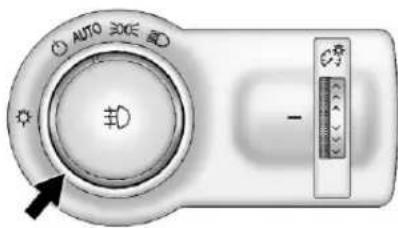
The exterior lamp controlistothe left of the steering column on the instrument panel.
Therearefourpositions:
Brieflyturntothispositionto turntheautomaticclampcontroloff oronagain.
AUTO:Turnstheheadlampson automaticallyatnormalbrightness, togetherwiththeparkinglamps, taillamps,licenseplatelamps, instrumentpanellights,and sidemarkerlamps.
120Lighting
300:Turnsontheparkinglamps includingallamps,exceptthe headlamps.
D:Turnsontheheadlamps togetherwiththeparkinglampsand instrumentpanellights.Awarning chimesoundsifthedriverdooris openedwhentheignitionswitchis offandtheheadlampsareon.
D: Ifequipped, presstoturnthe foglampsonoroff.
SeeFogLamps→122.
Whenthelightsareon, 300 will be lit. See Lamps On Reminder 109.
HeadlampHigh/ Low-BeamChanger
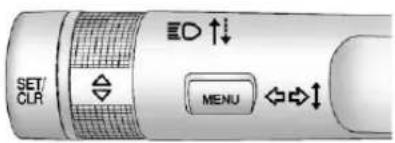
ED: Pushtheturnsignalleveraway fromyouandreleasetoturnthe highbeamson.
Toreturntolowbeams, pushthe leveragainorpullittowardyouand release.

This indicator light turnson in the instrument cluster when the high-beam headlamps are on.
Flash-to-Pass
Toflashthehighbeams, pull the turnsignalleverallthewaytoward you. Thenreleaseit.
DaytimeRunning Lamps(DRL)
DRLcanmakeiteasierforothersto seethefrontofyourvehicleduring theday.FullyfunctionalDRLare requiredonallvehiclesfirstsoldin Canada.
ThededicatedDRLwillcomeon whenallofthefollowingconditions aremet:
• TheignitionisintheON/RUNmode.
• Theexteriorlampcontrolis inAUTO.
• ThevehicleisnotinP(Park).
Theheadlampsautomatically changefromDRLtotheregular headlampsdependingonthe darknessofthesurroundingsand informationprovidedbytherain sensor.Theotherlampsthatcome onwiththeheadlampswillalso comeon.
Whenitisbrightenoughoutside, theheadlampsgooffandtheDRL comeon.
ToturntheDRLofforonagain, turn theexteriorlampcontrolto ⏻and thenrelease. Forvehiclesfirstsold inCanada, theDRLcannotbe turnedoff.
AutomaticHeadlamp System
Whenitisdarkenoughoutside and the exterior lamp control is in the automatic position and the engine is running, the headlamps come on automatically. See Exterior Lamp Controls 119.
Thesystemmayalsoturnonthe headlampswhendrivingthrougha parkinggarageortunnel.
If the vehicle is started in dark garage, the automatic headlamp system comes on immediately. If it is light outsidewhenthe vehicle leavesthe garage, there is as light delay before the automatic headlampsystem changesto the DRL. During that delay, the instrument cluster may not be as bright as usual. Makes sure the instrument panel brightness control isinthefullbrightposition.See InstrumentPanelIllumination Control→123.
LightsOnwithWipers
If the windshieldwipers are activated in daylight with the engine on, and the exterior lamp control is in AUTO, the headlamps, parking lamps, and other exterior lamps come on. The transition time for the lamps coming on varies based on wiperspeed. Wh theewipers are not operating, these lamp turn off. Mov the exterior lamp control to or 300 to disable this feature.
AdaptiveForward Lighting(AFL)
The AFL system adjusts the headlamp stop provide greater road illumination in various driving conditions.
ToenableAFL, settheexteriorlamp controltotheAUTOposition. MovingthecontroloutoftheAUTO positionwilldeactivatethesystem. AFLwilloperatewhenthevehicle speedisgreaterthan3km/h (2mph).AFLwillnotoperatewhen thetransmissionisinR(Reverse). AFLisnotimmediatelyoperable afterstartingthevehicle;drivinga shortdistanceisrequiredto calibratetheAFL.SeeExterior LampControls⇒119.
CurveLighting
Thelightbeampivotsbasedonthe steeringwheelpositionandvehicle speedofatleast10km/h(6mph). Theheadlampsshineatanangle of upto15degreestotherightorleft ofthedirectionoftravel.
CornerLighting
Ontightbendsorwhenmakinga turn,dependingonthesteering angleortheturnsignallamp,an additionalleftorrightreflectoris turnedontoilluminatetheroadata rightangletothedirectionoftravel. Itisactivateduptoaspeedof 40km/h(25MPH).
ReversingFunction
If the headlamps are on and the shiftleverisin R (Reverse), both corner lights are turned on. They
122Lighting
remainonfor20secondsafter movingtheshiftleveroutof R(Reverse)positionoruntilthe vehicleisdrivingforwardfasterthan 16km/h(10mph).
HeadlampLeveling Control
Theleveloftheheadlampsis adjustedautomaticallybasedon vehicleload.
HazardWarningFlashers
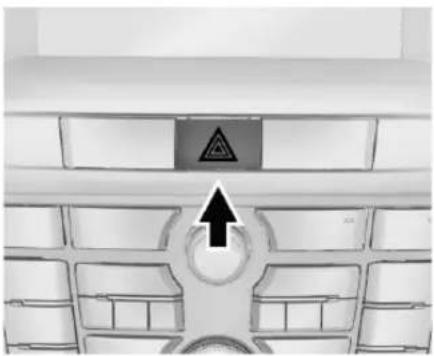
natural_image
Top-down view of a car's front grille with a warning sign and arrow pointing to the ceiling (no text or symbols on the main subject)△:Presstomakethefrontand rearturnsignallampsflashonand off. This warnsothersthatyouare having trouble. Pressagaintoturn theflashersoff.
Intheeventofanaccidentwith airbagdeploymentthehazard warningflashersareactivated automatically.
TurnandLane-Change Signals
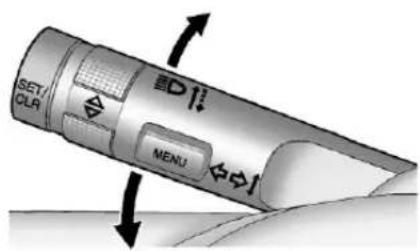
Movetheleverallthewayupor downtosignalaturn.
Anarrowontheinstrumentcluster willflashinthedirectionoftheturn orlanechange.
Raiseorlowertheleveruntilthe arrowstartstoflashtosignalalane change. Theturnsignaflashes threetimes.
Theleverreturnstoitsstarting positionwhenitisreleased.
Ifaftersignalingaturnorlane changethearrowflashesrapidlyor doesnotcomeon,asignalbulb maybeburnedout.Replaceany burnedoutbulbs.Ifabulbisnot burnedout,checkthefuse.See FusesandCircuitBreakers→282.
FogLamps
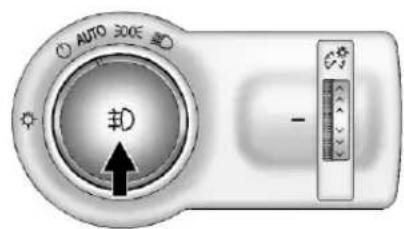
Thefrontfoglampbuttonisonthe exteriorlampcontroltotheleftof thesteeringcolumn.
Theignitionmustbeontoturnon thefoglamps.
^D :Presstoturnthefoglampson oroff.Anindicatorlightonthe instrumentclustercomesonwhen thefoglampsareon.
Thefoglampscomeontogether withtheparkinglamps.
Somelocalitieshavelawsthat requiretheheadlampstobeon alongwiththefoglamps.
InteriorLighting InstrumentPanel IlluminationControl
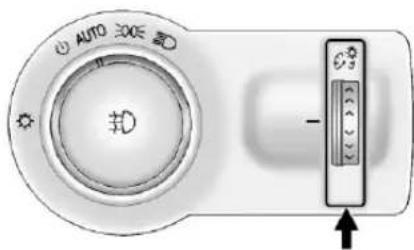
Thisfeaturecontrolsthebrightness oftheinstrumentpanelcontrolsand infotainmentdisplayscreen. The thumbwheelistotheleftofthe steeringcolumnontheinstrument panel.
:Movethethumbwheelupor downandhold,tobrightenordim theinstrumentpanelcontrolsand infotainmentdisplayscreen.
CourtesyLamps
Thecourtesylampscomeon automaticallywhenanydooris openedandthedomelampisinthe doorposition.
DomeLamps
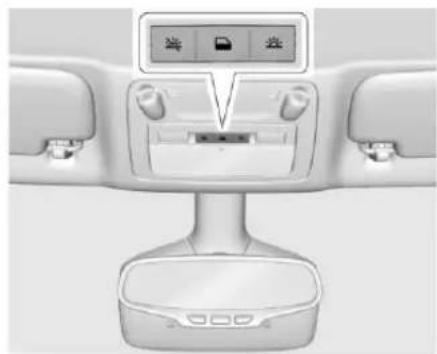
natural_image
Interior view of a car air conditioner unit with control panel and display screen (no visible text or symbols)Theinteriorlampscontrolinthe overheadconsolecontrolsboththe frontandrearinteriorlamps.
:Presstoturnthelampsoff, evenwhenadoorisopen.
:Presstoturnthelampson automaticallywhenadooris opened.
124Lighting
:Presstoturnonthedome lamps.
ReadingLamps
Thefrontreadinglampsareinthe overheadconsole.
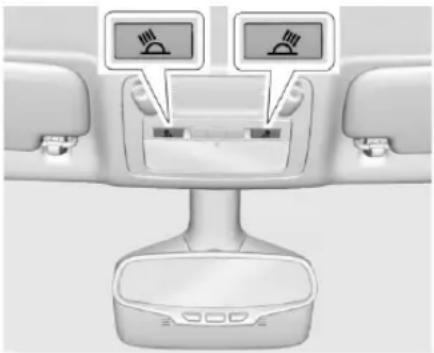
natural_image
Interior view of a car seatbelt device showing two switches mounted on the side panel (no text or symbols visible)or : Press the button near each lamptoturnitonoroff.
LightingFeatures
EntryLighting
Someexteriorlampsandmostof theinteriorlampsturnonbrieflyat nightorinareaswithlimitedlighting whentheRemoteKeylessEntry (RKE)transmitter 🔒buttonis pressed.SeeRemoteKeylessEntry (RKE)SystemOperation→23.After about30secondstheexteriorlamps turnoff,thenthedomelampsand remaininginteriorlampsdimtooff. Entrylightingcanbedisabled manuallybychangingtheignition outoftheOFFposition,orby pressingtheRKEtransmitter 🔒 button.
Thisfeaturecanbechanged.See VehiclePersonalization→113.
ExitLighting
Some exterior lamps come on at night, or in areas with limited lighting, when the key is removed from the ignition. The domelamps also come on when the key is removed from the ignition. The
exteriorlampsanddomelamps remainonafterthedoorisclosed forasetamountoftime,then automaticallyturnoff.
The exterior lampsturnoff immediately by turning the exterior lamps control off.
Thisfeaturecanbechanged.See VehiclePersonalization→113.
BatteryLoad Management
The vehicle has Electric Power Management (EPM) that estimates the battery's temperature and state of charge. It then adjusts the voltage for best performance and extended life of the battery.
Whenthebattery'sstateofcharge islow,thevoltageisraisedslightly toquicklybringthechargebackup. Whenthestateofchargeishigh, thevoltageisloweredslightlyto preventovercharging.Ifthevehicle hasavoltmetergaugeoravoltage displayontheDriverInformation Center(DIC),youmayseethe
voltagemoveupordown. This is normal. If there is a problem, an alert will be displayed.
The battery can be discharged at idle if the electrical loads are very high. This is true for all vehicles. This because the generator (alternator) may not be spinning fast enough that lid to produce all of the power needed for very high electrical loads.
Ahighelectricalloadoccurswhen severalofthefollowingareon,such as:headlamps,highbeams,rear windowdefogger,climatecontrolfan athighspeed,heatedseats,engine coolingfans,trailerloads,andloads pluggedintoaccessorypower outlets.
EPMworkstopreventexcessive dischargeofthebattery.Itdoesthis bybalancingthegenerator'soutput andthevehicle'selectricalneeds. Itcanincreaseengineidlespeedto generatemorepowerwhenever needed.Itcantemporarilyreduce thepowerdemandsofsome accessories.
Normally, these actions occur in steps or levels, without being noticeable. In rare cases at the highest level of corrective action, this action may be notice able to the driver. If so, a DIC message might be displayed and it is recommended that the driver reduces the electrical loads as much as possible. See Driver Information Center (DIC) 110.
BatteryPowerProtection
The battery saverfeature is designed to protect the vehicle's battery.
If some interior lamps are left on and the ignition is turned off, the battery rundown protection system automatically turn the lamp after sometime.
ExteriorLightingBattery Saver
The exterior lampsturnoff about 10 minutes after the ignition is turned off, if the parking lamps or headlamp have been manually left on. This protects again standard training the battery. Torestart the 10-minute timer, turn the exterior lamp control to the off position and then back to the parking lamp or headlamp position.
Tokeepthelampsonformorethan 10minutes, theignitionmustbein theACC/ACCESSORYorON/RUN position.
Infotainment System
Introduction
Overview......127
SteeringWheelControls.....130
UsingtheSystem......131
SoftwareUpdates......136
Radio
AM-FMRadio......136
RadioDataSystem(RDS)....138
SatelliteRadio......139
RadioReception......144
Multi-BandAntenna......145
QuickInfo....145
PandoraInternetRadio......146
StitcherInternetRadio......150
Pictures....154
AudioPlayers
AvoidingUntrustedMedia
Devices......155
CDPlayer....155
MP3....157
USB....158
AuxiliaryDevices......164
BluetoothAudio......164
OnStarSystem
OnStarSystem......165
Navigation
UsingtheNavigation
System......166
Maps....170
NavigationSymbols......170
Destination......172
OnStar® Destination
Download......182
ConfigureMenu......183
GlobalPositioning
System(GPS)......189
VehiclePositioning......189
ProblemswithRoute
Guidance......190
IftheSystemNeeds
Service....190
MapDataUpdates......190
DatabaseCoverage
Explanations......191
VoiceRecognition
VoiceRecognition......191
BluetoothPhone/Devices
Bluetooth....197
TextMessaging......204
TrademarksandLicense
Agreements
TrademarksandLicense
Agreements......206
Introduction
Overview
Readthefollowingpagesto becomefamiliarwiththe infotainmentsystemfeatures.
Warning
Takingyoureyesofftheroadfor toolongortoooftenwhileusing anyinfotainmentfeaturecan causeacrash.Youorothers couldbeinjuredorkilled.Donot giveextendedattentionto infotainmenttaskshwiledriving. Limityourglancesatthevehicle displaysandfocusyourattention ondriving.Usevoicecommands wheneverpossible.
Theinfotainmentsystemhasbuilt-in featuresintendedtohelpavoid distractionbydisablingsome functionswhendriving. These functionsmaygrayoutwhenthey areunavailable.Manyinfotainment
featuresarealsoavailablethrough theinstrumentclusterandsteering wheelcontrols.
Beforedriving:
- Becomefamiliarwiththe operation,faceplatebuttons,and screenbuttons.
- Setuptheaudiobypresetting favoritestations, setting the tone, and adjusting the speakers.
- Setupphonenumbersin advancesotheycanbecalled easilybypassingasingingle buttonorbyusingasinginglevoice commandifequippedwith Bluetoothphonecapability.
SeeDefensiveDriving→217.
Toplaytheinfotainmentsystemwith theignitionoff,seeRetained AccessoryPower(RAP)230.
CustomerAssistance
Assistanceisavailabletohelpwith Bluetoothpairing, application downloading and installation, other mobile device interface, and operationsupportofthe
infotainmentsystem.Specialistsare availablewhencallingthis CustomerAssistancenumber: U.S.1-855-4SUPPORT(478-7767).
InfotainmentSystemOverview
Theinfotainmentsystemis controlledbyusingthebuttons, touchscreen,steeringwheel controls,andvoicerecognition.
SeeUsingtheSystem→131.
128InfotainmentSystem
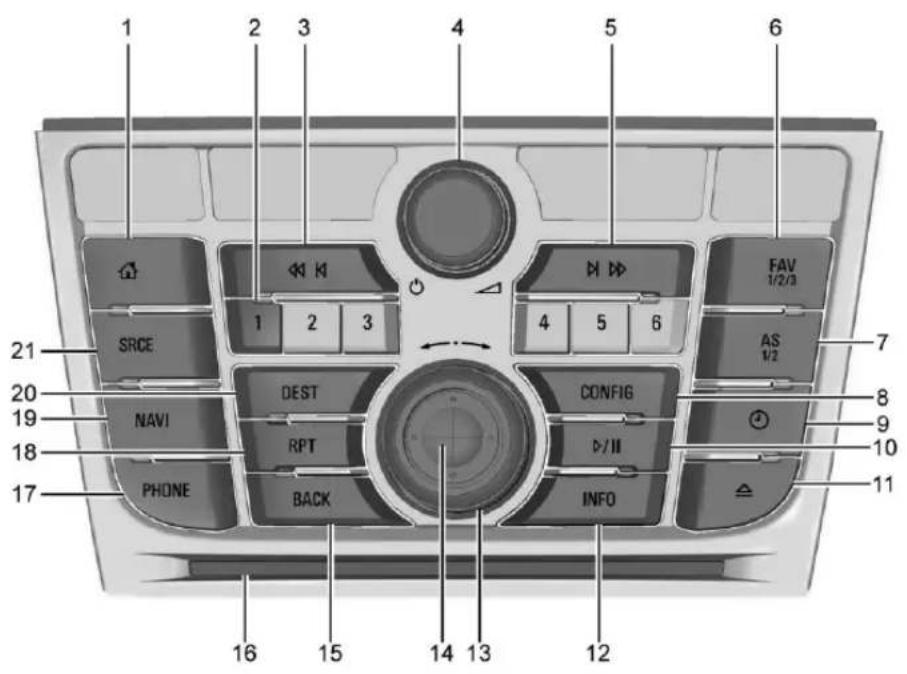
- (Home)
2.PresetButtons1-6 -
◀◀◀(SeekPrevious/Reverse)
-
⏻/△(Power/Volume)
- ▷▶▶(SeekNext/Forward)
6.FAV1/2/3(Favorites)
7.AS1/2(Autostore)
8. CONFIG(ConfigurationMenu)
9. ⏱(Clock)
10. ▷/||(Play/Pause)
11. (Eject)
12.INFO(Information)
13. ←→(OuterRing)
14. InnerRockerKnob
15.BACK
16.CDSlot
17.PHONE
18.RPT(RepeatNavigation)
19.NAVI(Navigation)
20.DEST(Destination)
21.SRCE(Source)
InfotainmentControlButtons
Thebuttonsonthefaceplateare usedtostartprimaryfunctionswhile usingtheinfotainmentsystem.
SRCE: Presstochangetheaudio sourcetoAM, FM, SiriusXM ^ (if equipped), Pandora ^ (ifequipped), Stitcher ^ (ifequipped), CD, USB/iPod, AUX, or Bluetooth Audio.
:PresstogototheHomePage. See "HomePage" laterin this section.
◀◀◀:
- CD,USB,BluetoothAudio: Presstoseektothebeginningof thecurrentorprevioustrack. Pressandholdtoquickly reversethroughatrack.Release thebuttontoreturntoplaying speed.SeeCDPlayer⇒155, USB⇒164,orBluetooth Audio⇒164.
- AM, FM, SiriusXM(ifequipped): Presstoseektotheprevious strongstation.
PresetButtons1-6:Usetoselect storedAM,FM,andSiriusXM(if equipped)stations.
DEST:
• Presstoenteradestination.
- Ifadestinationhasalreadybeen entered,presstoaccessthe DestinationMenu.See Destination→172.
/ :
- Presstoturnthesystemon andoff.
• Turntoadjustthevolume.
▶▶▶:
- CD,USB,BluetoothAudio: Presstoseekthenexttrack. Pressandholdtofastforward throughatrack.Releasethe buttonotreturntoplaying speed.SeeCDPlayer→155, USB→164,orBluetooth Audio→164.
- AM,FM,SiriusXM(ifequipped): Presstoseektotheprevious strongstation.
▷/||:Presstopauseorresume playback.SeeCDPlayer⇒155, USB⇒164,orBluetooth Audio⇒164.
FAV1/2/3:Presstodisplaythe currentfavoritepagenumberabove thepresetbuttons.Keeppressingto
scrollthroughthefavoritespages. Thestoredstationsforeachlist displayonthebottomofthescreen. Tochangethenumberofpreset FavoritePagespresstheConfigon theHomePage,thenpressRadio Settings,andthenpressNumberof FavoritePages.
AS1/2: See "Autostore" laterin this section.
NAVI:
- Presstoviewthevehicle's currentpositiononthemap screen.
- Continuepressingtocycle throughthefullmapandsplit screens.
PHONE:
- Presstoenterthephonemain screen.SeeBluetooth→197or OnStarOverview→360.
- Pressandholdtomuteor unmutetheinfotainmentsystem.
RPT: Presstorepeatthelastvoice guidanceprompt.
BACK: Presstoreturntothe previoussscreeninamenu.
130InfotainmentSystem
InnerRockerKnob: Movethe rockerknobindifferentdirectionsto navigateethroughthemap displayonly.
←→Knob:
- Turntochangearadiostation. SeeAM-FMRadio→136.
- Turntohighlightafeature withinamenu.Presstheouter diameter(chromering)ofthe knobtoactivatethe highlightedfeature.
INFO: Pressto alternate between an audioornavigation information screen.
CONFIG: Presstoadjustfeatures for Languages, TimeandDate, RadioSettings, PhoneSettings, DisplaySettings, and Vehicle Settings.
△:Presstoejectadiscfromthe CDplayer.SeeCDPlayer→155.
☐:Presstoopentheclockmenu.
Autostore
TouseAutostore:
- PressSRCEtoselectFM orAM.
- PressAS1/2fortwoseconds.
- Theradiosearches and automatically storesthesix strongest stations.
PressAS1/2toalternatebetween theAutostorestationsandfavorites.
Autostoredoesnotdelete previouslystoredfavoritestations.
Autostoredoesnotfunctionwith SiriusXMradiostations.
TouchScreenButtons
Touchscreenbuttonsareonthe screenandhighlightedwhena featureisavailable.Sometoggle screenbuttonshighlwtwhenactive andgrayoutwheninactive.
SteeringWheelControls
Depending on the vehicle options, some audio functions can be controlled through the steering wheel controls.
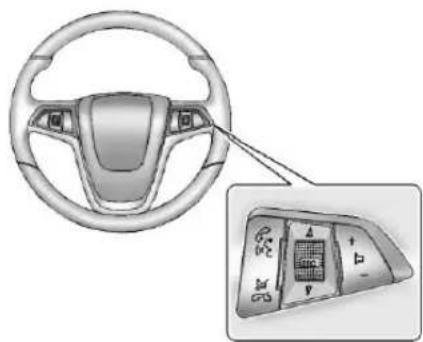
natural_image
Interior view of a car steering wheel and dashboard with a close-up of the dashboard panel (no text or symbols visible)I: Press to interact with Bluetoothorvoicerecognition. See Bluetooth→197orVoice Recognition→191.
V / G : Press to decline an incomingcall,ortoendacurrent call.Presstosilencethevehicle speakerswhileusingthe infotainmentsystem.Pressagainto turnthesoundon.Presstocancel voicerecognition.
△ SRC ∇ : Press to select an audio source.
Usethethumbwheeltoselectthe nextorpreviousfavoriteradio station, CD, MP3track, USB, and BluetoothAudio.
Use △SRCtoskiptothenextsong orshowusingPandoraorStitcher. SeePandoraInternetRadio→146 orStitcherInternetRadio→150.
+ ▷-:Press+toincrease the volume. Press-todecrease. See Steering Wheel Controls 93.
UsingtheSystem
Theinfotainmentsystemis controlledbytouchingthescreen, andbyusingtheknobsandother buttons.
Voicerecognition, through the steeringwheel controls, can be used to control the infotainment features.
Press 📞/½ on thesteeringwheel controlstobeginvoicerecognition. See Voice Recognition→191.
HomePage
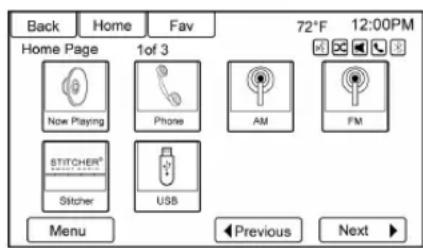
TouchScreenButtons
TheHomePageallowsaccessto manyofthefeatures.
Back: Touchtoreturntothe previouspage.
Home: Touchtogobacktothe HomePage.
Fav: Touchtodisplayapageof stored(favorite)AM,FM,orXM(if equipped)stations.Keeptouching Favtoscrollthroughthefavorite pages.
More ▶:Thisbuttonmaydisplay dependingonthenumberofoptions storedontheHomePage.Touchto gotothenextpage.
◀Previous: Touchtogotothe previouspage.
Next ▶: Touchtogotothe nextpage.
HomePageCustomization
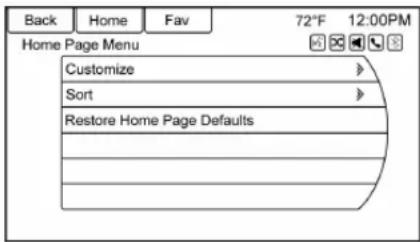
The first Home Page can be customized.
Toaddscreenbuttons:
- TouchMenu.
- Touch Customize.
- Touchscreenbuttontoadd orremovefromthefirstHome Page.A ◎indicatesitwillbe displayed. Themaximum numberofbuttonsonHome Page1iseight.
132InfotainmentSystem
- TouchDone.
Tomovescreenbuttons:
- TouchSort.
- Touchtoselectaniconto moveandswapwithanother icononthefirstHome Pageonly.
- TouchDone.
TorestoreHomePage1 defaults:
- TouchMenu.
- TouchRestoreHomePage Defaults.
- Touch Yesor Cancel.
HomePageFeatures
Touchscreenbuttonsare highlightedwhenafeatureis available.
Various functions are disabled when the vehicle is moving.
TouchNowPlayingtodisplaythe activesourcepage.Thesources availableareAM,FM,SiriusXM(if equipped),CD,USB/iPod,Pandora (ifequipped),Stitcher,Bluetooth Audio,andAUX.
SeeAM-FMRadio→136, Satellite Radio → 139, CD Player → 155, PandoraInternetRadio→146, StitcherInternetRadio→150, and AuxiliaryDevices→164.

TouchNavigationtodisplayamap ofyourcurrentvehicleposition.See UsingtheNavigationSystem→166, Maps→170, NavigationSymbols → 170, and Configure Menu → 183.

TouchDestinationtodisplaythe DestinationEntryhomepageorthe DestinationMenu. Theavailable screenbuttonsprovideeasyaccess tovarietyofwaystoentera destination.SeeDestination→172.
TouchPhonetodisplaythePhone mainpage.SeeBluetooth→197.
TouchConfigtodisplaytheConfig mainpage.Fromthisdisplay,adjust featuressuchastimeanddate, radio,phone,navigation,vehicle, anddisplay.SeeConfigure Menu→183.
TouchTonetodisplaytheTone mainpage.Adjustthetoneand speakersbytouchingthescreen buttonstochangethelevelsof soundfortreble,midrange,bass, fade,andbalance.SeeAM-FM Radio136.

TouchPicturestopviewpictureson yourUSBdriveorSDcard.Pictures ontheSDcardcanonlybeviewed throughaUSBadapter.See Pictures→154.
TouchFMtodisplaytheFMmain pageandplaythecurrentorlast tunedFMstation.SeeAM-FM Radio→136.
TouchAMtodisplaytheAMmain pageandplaythecurrentorlast tunedAMstation.SeeAM-FM Radio→136.
TouchXM(ifequipped)todisplay theXMmainpageandplaythe currentorlasttunedSiriusXM channel.SeeAM-FMRadio⇒136 andSatelliteRadio⇒139.

TouchPandora(ifequipped)to displaythePandorahomepage and streampersonalizedradiostations basedonartists,songs,genres,and comedians.SeePandoralInternet Radio 146.
134InfotainmentSystem
TouchStitcher(ifequipped)to displaytheStitcherhomepage and streamnews,sports,and entertainmentshowsthrough the audiosystem.See StitcherInternet Radio 150.
TouchCDtodisplaytheCDmain pageandplaythecurrentorlastCD trackselected.SeeCD Player→155.

Touch®Bluetoothtodisplaythe BluetoothAudiomainpagetoplay musicthroughaBluetoothdevice. SeeBluetoothAudio→164.
TouchiPodtodisplaytheiPodmain pageandplaythecurrentorlast trackselected.SeeAuxiliary Devices→164.
TouchUSBtodisplaytheUSBmain pageandplaythecurrentorlast trackselected.SeeAuxiliary Devices→164.
TouchAUXtoaccessany connectedauxiliarydevice.See AuxiliaryDevices→164.
TouchWeather(ifequipped)to displaytheweathermainpage. Selectotherweather-relatedoptions fromthatlist.See“SiriusXMTravel LinkWeather”underSatellite Radio→139.
TouchFuel(ifequipped)todisplay detailednationwidefuelpricingSee "SiriusXMTravelLinkFuelPricing" underSatelliteRadio→139.
TouchMovies(ifequipped)toshow detailsoflocalmovietheater listings,starttimes,andratingsif available.See“SiriusXMTravelLink MovieListings”underSatellite Radio139.
TouchQuickInfoaccess informationonAudioplaying, OnStarTurn-by-Turnroute(if equipped),5-dayForecast,Nearby FuelStations,andMovie Showtimes.SeeQuickInfo→145.
TouchMessages(ifequipped)to displaytheTextMessageInbox. See TextMessaging→204.
Ifequipped,AppsrequiresaWi-Fi Internetconnectionaspartofa smartphoneorothermobiledevice dataserviceplan.Onmost smartphones,activationisinthe SettingsmenuunderMobile NetworkSharing,PersonalHotspot,
MobileHotspot,Wi-FiHotspot,orsimilar.AfteractivationofWi-Fi onthesmartphone,touchAppson theradioHomePage.Followthe promptstoconfiguretheInternet connectionandsetupanaccount. Seewww.buick.com/intellilink(U.S.).
CleaningHighGlossSurfaces and VehicleInformation and RadioDisplays
Forvehicleswithhighgloss surfacesorvehicledisplays,usea microfiberclothtowipesurfaces. Beforewipingthesurfacewiththe microfibercloth,useasoftbristle brushtoremovedirtthatcould scratchthesurface.Thenusethe microfiberclothbygentlyrubbingto clean.Neverusewindowcleaners orsolvents.Periodicallyhandwash themicrofiberclothseparately, usingmildsoap.Donotusebleach orfabricsoftener.Rinsethoroughly andairdrybeforenextuse.
136InfotainmentSystem
Caution
Donotattachadevicewitha suctioncuptothedisplay. This maycausedamageandwould notbecoveredbythevehicle warranty.
SoftwareUpdates
Seewww.buick.comforsoftware updates.
Radio
AM-FMRadio
PlayingtheRadio

• Presstoturntheradioonoroff.
- Turntoincreaseordecreasethe volumeoftheactivesource.
Thesteeringwheelcontrolscan alsobeusedtoadjustthevolume. See SteeringWheelControls→130.
RadioOperation
Theradiowillworkwhenthekeyis inON/RUNorACC/ACCESSORY. WhenthekeyisturnedfromON/RUNtoLOCK/OFF,theradiowill continuetoworkfor10minutesor untilthedriverdoorisopened.
Theradiocanbeturnedonby pressingthepowerbuttononthe radioandwillstayonfor 10minutes.Openingthedriverdoor willnotturntheradiooffwhen pressingthepowerbutton.
Someradiosmaystayonlonger andresetthetimefor10minutesif thereareanyadditionalpressesof theradiobutton.
Theradiocanbe turnedoffatany timebypassingthepowerbutton.
AudioSource


PANORA ^® STITCHER ^® Internal radio
PressSRCEonthefaceplateor SRConthesteeringwheelcontrols todisplayandscrollthroughthe availablesourcesAM,FM,SiriusXM (ifequipped),Pandora(ifequipped), Stitcher,CD,USB,AUX,and BluetoothAudio.
InfotainmentSystemSettings
ToneSettings
Toaccessthetonesettings,touch ToneSettingsontheHomePage. Tonesettingsarespecifictoeach source.
Toadjustthesettings:
- Bass: Touch+or-tochange thelevel.
- Mid(Midrange): Touch+or-to changethelevel.
- Treble: Touch+or-tochange thelevel.
- EQ:Pressorturnthe knobtocyclethroughthepreset EQoptions.
- Fade: TouchForRformore soundfromthefrontorrear speakers. Themiddleposition balancesthesoundbetweenthe frontandrearspeakers.
- Balance: Touch Lor R formore sound from the left or right speakers. Themiddle position balance the sound between the left and right speakers.
FindingaStation
PressSRCEonthefaceplateor pressSRConthesteeringwheel controlstoselectAM, FM, SiriusXM (ifequipped), Pandora(ifequipped), Stitcher(ifequipped), CD, USB, AUX, and BluetoothAudio.
Turnthe ←→knobtofindaradio station. Toselectapresetstation, pressFAV1/2/3toscrollthrough the favoritepagesandthenpressa presetbuttonontheradioorthe screenbutton.
SeekingaStation
Press ◀◀◀or▶▶tosearchfora station.
AM
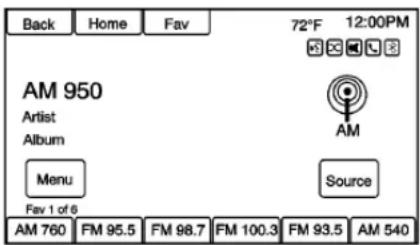
-
Touch the AM screen button on the Home Page or select AM bypassing SRCE on the face plate or pressing SRCon the steering wheel controls, or say "Tune AM" or "AM" through voicerecognition.
-
Touch the Menuscreen button to display the AM stations or categories.
- Touchtoselectanoption. To updatethestationlist, touch Refresh.
FM
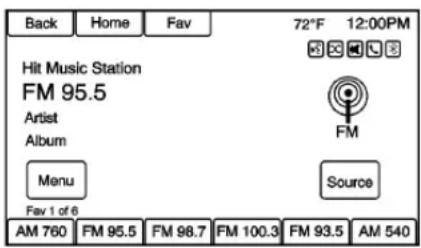
- Touch the FMscreenbutton on the HomePageorselectFM bypassing SRCE on the faceplate or pressing SRCon thesteeringwheel controls, or say "Tune FM" or "FM" through voicerecognition.
- Touch the Menuscreen button to display the FM stations or categories.
138InfotainmentSystem
- Touchtoselectanoption. To updatethestationlist, touch Refresh.
XM(IfEquipped)
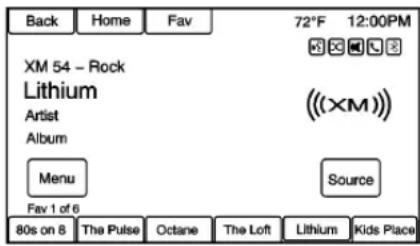
- Touch the XMscreenbutton on the HomePageorselectXM bypassingSRCEonthe faceplateorpressingSRCon thesteeringwheelcontrols, or say "Tune XM" or "XM" throughvoicerecognition.
- Touch the Menuscreen button to display the XM categories.
- Touchacategoryandthenturn the knobtoscrollthe stationlist.Touchtoselectan option.
StoringRadioStationPresets
Upto36presetstationscanbe stored.AM,FM,andSiriusXM(if equipped)canbemixed.
-
From the AM, FM, or Sirius XM mainpage, press and hold any of the 1-6 buttons or one of the presetscreen buttons at the bottom of the screen. After a few seconds, abeepis heard and thenew preset information display on that screen button.
-
Repeatforeachpreset.
Mixed-BandPresets
Eachfavoritepagecanstore sixpresetstations. The presets withinapagecanbedifferentradio bands.
Toscrollthroughthepages,press FAV1/2/3ortouchtheFavscreen buttononthetopbar. Thecurrent pagenumberdisplaysabovethe presetbuttons. Thestoredstations foreachfavoritepagedisplayonthe presetbuttons.
Tochangethenumberoffavorite pagesdisplayed:
- TouchConfigonthe HomePage.
- TouchRadioSettings.
- TouchNumberofFavorite Pages.
RecallingaPresetStation
Torecallapresetstationfroma favoritespage,dooneofthe following:
- TouchtheFavscreenbuttonat thetopbartodisplaythepreset pop-up. Touchoneofthepreset screenbuttonstogotothe selectedpresetstation.
- IntheAM, FM, or SiriusXM (if equipped) mainpage, touchone of the presetscreenbutton to goto the selected preset station.
RadioDataSystem(RDS)
RDSfeaturesareavailableforuse onlyonFMstationsthatbroadcast RDSinformation.WithRDS,the radiocan:
- Seektostationsbroadcasting theselectedtypeof programming.
- Receive announcements concerning local and national emergencies.
- Displaymessagesfromradio stations.
This system relies on receiving specific information from these stations and only works when the information is available. It is possible that a radiostation could broadcast incorrect information that causes the radiofeature to work improperly. If this happens, contact theradiostation.
When information is broadcast from the current FM station, the station name or call letters display on the audioscreen. RD Scan provide a program type (PTY) for current programming and then a name of the program being broadcasted.
SatelliteRadio
SiriusXM® SatelliteRadio
VehicleswithavalidSiriusXM satelliteradiosubscriptioncan receiveSiriusXMprogramming.
SiriusXMsatelliteradiohasawide varietyofprogrammingand commercial-freemusic,coastto coast,andindigital-qualitysound. Seewww.siriusxm.comorcall 1-866-635-2349(U.S.).
WhenSiriusXMisactive,thestation name,number,categoryname, songtitle,andartistdisplayonthe screen.SiriusXMmayupdatethe backgroundpictureatanytime.
TuneSelect
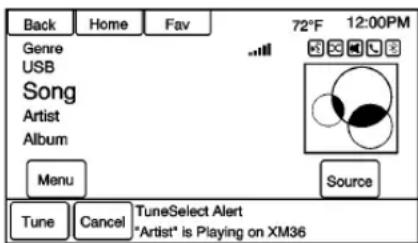
Analertwillbesentwhetheradio seesthatsearchcriterionany SiriusXMchannelismetandwill offertheoptiontotunetothatsong orartist.Upto10artistsandsongs canbesavedintheTuneSelectlist.
TostoreanArtistorSong:
- TouchMenuwhentheArtistor SongisonSiriusXM.
- SelectTuneSelecttoaccess theTuneSelectMenu.
140InfotainmentSystem
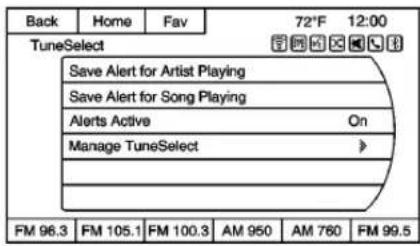
- SelectSaveAlertforArtist PlayingorSaveAlertforSong Playing.
- TouchOKtoconfirm.
ToturnTuneSelectonoroff:
- TouchMenuwheninSiriusXM.
- SelectTuneSelect.
- SelectAlertsActivetoturnthe alertsonoroff.
TodeleteTuneSelectAlerts:
- TouchMenuwheninSiriusXM.
- TouchManageTuneSelect.
- TouchDeleteAlerts.
- Selectthealerttodelete.
- TouchOKtoconfirm.
SiriusXMCategories
SiriusXMstationsareorganizedin categories.
AddingorRemovingXM Categories
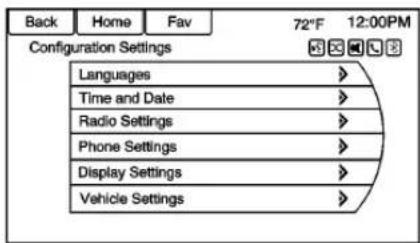
TocustomizewhichSiriusXM categoriesareusedanddisplayed inthesystem:
- PressCONFIGortouchthe Configscreenbuttononthe HomePage.
- SelectRadioSettingsfromthe SettingsMenulist.
-
SelectXMCategories.
-
Selectordeselectanycategory tobeusedinXMmode. Acheckmarkwillindicatethat thecategoryisselected.
TouchShowAllXMCategoriesto restoreallSiriusXMcategories.
SiriusXMChannelArt
SiriusXMprovidesupdatedcategory backgroundgraphicsandtheradio willautomaticallyupdatethescreen. SiriusXMmaysendupdated categorygraphicstothevehicle. Whenthishappens,thebackground graphicsmayappeartobeincorrect buttheradiowillupdateonceallof thegraphicshavebeendownloaded fromSiriusXM.
ToturnSiriusXMchannelgraphics onoroff:
- Press ↑onthefaceplate.
- SelectXM.
- TouchMenuontheXMNow PlayingScreen.
- Touch the XM Channel Art to turnonoroff.
NavTraffic ^® (IfEquipped)
Thenavigationsystemmighthavea SiriusXMNavTrafficreceiver.Itisa subscriptionserviceprovided throughSiriusXMSatelliteRadio. Aservicefeeisrequiredtoreceive theSiriusXMNavTrafficservice. Real-timetrafficinformationis providedtofullyintegratethe navigationsystemtodisplaycurrent trafficconditionsforthechosen route.See"TrafficSettings"laterin thissection.
Ascreendisplaystoindicate that theSiriusXMNavTrafficsubscription is not activated.
lfactivated,trafficinformation displays:
- Unscheduledtrafficincident data, such as accidents and disabled vehicles.
- Scheduledtrafficincidentdata, suchasroadconstructionand roadclosures.
- Trafficflowinformation(rateof speeddata).Flowdatamightnot beavailableinallmarkets.
Trafficinformationisdeliveredtothe vehiclebytheSiriusXMRadio satellites.SiriusXMNavTraffic providescontinuouslyupdated trafficinformation.
SiriusXMNavTrafficcurrently broadcaststhetrafficinformationfor manymarketsnationally. The servicemaybeavailableinmore citiesinthefuture.See www.xmnavtraffic.comformore detailsonlocalcoverage.
Toaccessthetrafficfeatures,touch theTrafficbuttonfromthe NavigationMenuormapscreen.
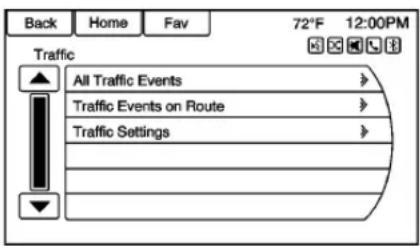
AllTrafficEvents: Touchtoviewa listofreportedtrafficconditionsfor uptoapproximately100km(70mi). Itcouldtakesometimetodisplay theinformationreceived.
Theinformationisdisplayedwithan arrowanddistance. Thearrow indicatesthedistanceisastraight lineandthedirectionoftheevent fromthevehicle'scurrentposition.
TrafficEventsonRoute: Touch to displayalistofreportedtraffic conditions on the current route. The buttonistoneddownifnoroute is active.
TrafficSettings: Touch to customizetrafficoptions.
SiriusXMTravelLink (IfAvailable)
Theinfotainmentsystemmayhave SiriusXMTravelLink ^® .Itisa subscriptionserviceprovided throughSiriusXMSatelliteRadio. Aservicefeeisrequiredtoreceive theSiriusXMTravelLinkservice. WhensubscribedtoSiriusXMTravel Link,oneormoreservicesmaybe available:
- TravelLinkFuelPricing: Detailednationwidefuelprice informationmaybeavailable.
- TravelLinkMovieListings: Detailedlocalmovietheater listings, starttimes, andratings maybeavailable.
- TravelLinkWeather: National and Local Weathergivescurrent andforecastedweather.
Formoredetailedinformation and coveredetailsonSiriusXMTravel Linkseewww.siriusxm.com.
SiriusXMTravelLinkFuelPricing
WhenSiriusXMTravelLink informationisavailable,thesystem willdisplayalistoffuelstations closetothevehiclelocation.Thelist willincludethefuelstationname, direction,distanceandprice.The listcanbesortedbydistanceor priceandtherearefourdifferent fueltypestochoosefrom.Asthe vehicleismoving,adirectionarrow anddistancetofuelstationwill update.Thearrowrepresentsthe directiontothegasstationfromthe currentvehicleposition.The distancerepresentsthestraightline distancebetweenthevehicle locationandthefuelstation.
FromtheHomePage,touchFuel. Thesystemwilldisplayalistoffuel stationsclosetothevehicle.
Changethefuelinformationonthe screenbytouchingtheFuelMenu buttonto:
- SortFuelStationsByPriceorBy Distance: Thedefaultsort methodisbydistance.
- ChooseFuelType:The availablefueltypesareRegular (unleaded),Mid-Range, Premium,andDiesel.
Formoreinformationonthefuel station,selectthefuelstationname. Thescreenwillshowthefuelstation name,address,phonenumber, distance,amenities,andthelast timethefuelpricewasupdated.lfa fuelstationdoesnotappearinthe list,itmaybeneworthepricemay nothavebeenupdatedinthepast 24hours.
IfequippedwithNavigationwhen thefuelstationisselected,see Destination⇒172formore informationofnavigationrouting features.
Allowuptofiveminutesafterturning onthevehicleforthefuel informationtoappear.
SiriusXMTravelLinkMovie Listings
WhenSiriusXMTravelLink informationisavailable,theMovie featureprovidesmovieshowtime andtheaterinformationformovies closetothevehiclelocation.
FromtheHomePage,touch Movies. Thesystemdisplaythe MovieandTheatersearchpage.
Tosearchmovies:
- SelecttheMoviefieldtochoose amoviename.
- SelecttheTheaterfieldto chooseaspecifictheater.
- SelecttheDatefieldtochoose whichdatetosearchmovies and/ortheaters.
- TouchtheSearchbuttontoview alistofmoviesortheaters.
Whensearchingbymovie,alistwill displaymoviestoselect.Whena movieisselected,atheaterlistwill appearwithadirectionarrowand distance.Thedirectionanddistance willupdateevery10secondsasthe vehicleismoving.Thedirection
arrowrepresentsthelocationofthe theaterfromthecurrentvehicle location. Thedistancerepresents thestraightlinedistancebetween thecurrentvehiclelocationandthe theater.
Moviedetailsareavailablewhena movieisselected.Selectthe appropriatebuttontodisplaymore information:
- CastandSynopsis
- Playtime
• Rating(G,PG-13,R,etc.) - TheaterName
- Showtimes
Theaterinformationincludes address,phonenumber,distance, andamenities.
SiriusXMTravelLinkWeather
SiriusXMTravelLinkWeatheruses thesamesourcesthatprofessional pilotsandmarinersrelyon.
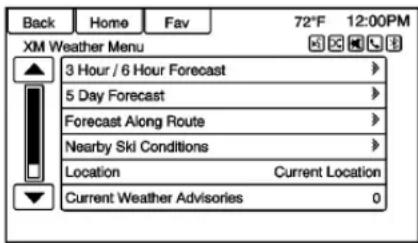
FromtheHomePage,touch Weather.Thesystemdisplaysthe XMWeatherMenu.Someoptions mayonlybeavailableonvehicles equippedwithnavigation.
3Hour/6HourForecast
The3Hour/6HourForecastpage showsthecurrentweatherconditioninthecityofthevehicle'scurrent position.
Allowupto15minutesforthe currentweatherintheareato display.
5DayForecast
Touchtoshowtheextended5Day forecast.
144InfotainmentSystem
ForecastAlongRoute
Ifadestinationisset, weather conditions can be viewed for up to thre locations along the route:
- Currentvehicleposition.
- Midwaypointfromcurrent positiontofinaldestination.
- Currentweatherconditionofthe destinationcity.
NearbySkiConditions
Touchtoshowthenearbyski conditions.
Location
Selectthisoptiontoviewweather conditionsaroundorinaspecific cityenteredbynameorselected fromthemap.
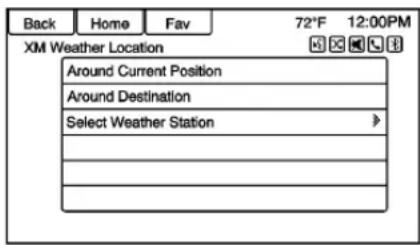
Theoptionsavailableare:
- AroundCurrentPosition
- AroundDestination
- SelectWeatherStation
CurrentWeatherAdvisories
From the XMWeatherMenu, touch the Current Weather Advisories screen button to display any current weather advisory warnings ineffect near the current position.
Troubleshooting
SiriusXMTravelLinkservicesuse theSiriusXM® SatelliteSignaland GPSSatelliteSignaltoprovidethis feature.
Whenthevehicleisstarted, it can takeuptofiveminutesfortheradio to receive the TravelLinkservices.
TravelLinkMessages
NoGPSSignal: Movethevehicle intoapositionthatisvisibleto thesky.
AcquiringSignal: Radiois downloadingtheactivation informationornotreceivingagood signal.Movethevehicletoopensky andrestartthevehicle.
NoXMSignal:Receptionis blocked.Movethevehicleinto opensky.
RadioReception
Frequencyinterferenceandstatic canoccurduringnormalradio receptionifitemssuchascellphone chargers,vehicleconvenience accessories,andexternalelectronic devicesarepluggedintothe accessorypoweroutlet.Ifthereis interferenceorstatic,unplugthe itemfromtheaccessorypower outlet.
FM
FMsignalsonlyreachabout16to 65km(10to40mi).Although the radiohasabuilt-inelectroniccircuit that automaticallyworkstoreduce interference, somestaticcanoccur,
especiallyaroundtallbuildingsor hills, causingthesoundtofadein andout.
AM
TherangeformostAMstationsis greaterthanforFM,especiallyat night.Thelongerrangecancause stationfrequenciestointerferewith eachother.Staticcanoccurwhen thingslikestormsandpowerlines interferewithradioreception.When thishappens,tryreducingthetreble ontheradio.
SiriusXM® SatelliteRadio Service
SiriusXMSatelliteRadioService givesdigitalradioreceptionfrom coasttocoastinthe48contiguous UnitedStates, and in Canada. Just as with FM, tall buildings or hills can interferewith satelliteradiosignals, causing the sound to fade in and out. In addition, traveling or standing under heavy foliage, bridges, garages, ortunnels may cause loss of the Sirius XM signal for a period of time.
CellularPhoneUsage
Cellphoneusage, such as making or receiving phone calls, charging, or having the phone on may cause static interference in theradio. Unplug the phone or turn it off this happens.
Multi-BandAntenna
Themulti-bandantennaisused for OnStar, theSiriusXMSatelliteRadio ServiceSystem, and GPS(Global PositioningSystem), if the vehicle has these features. Keep the antennacular of obstructions for clear reception.
If the vehicle has as unroof, and it is open, reception can also be affected.
QuickInfo
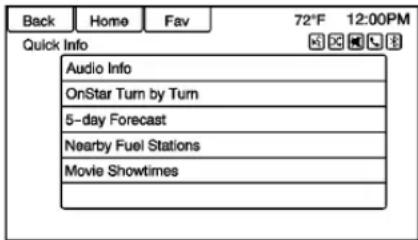
QuickInfogivesaccesstoquick informationonAudioplaying, OnStarTurn-by-Turnroute(if equipped),5-dayForecast,Nearby FuelStations,andMovie Showtimes.
Toaccess,touchQuickInfoonthe HomePageorpressINFOonthe faceplate.Dependingonthesystem andiftheoptionsareavailablefor thatregion,someoptionsmaybe grayedout.
Audiolinfo: Displaysinformation on the currentitemplaying.
OnStarTurn-by-Turn:Displaysthe nextmaneuverinaroute.See OnStar® Destination Download→182.
5-dayForecast: Display the 5-day forecast fortheweather station closest to the current location. See "Sirius XM Travel Link Weather" in Satellite Radio 139.
NearbyFuelStations: Displays fuelpricesanddistancesforclose fuelstations.See“SiriusXMTravel LinkFuelPricing”inSatellite Radio139.
MovieShowtimes: Displaysalist of movies playing in the theaters closest to the current location. See "Sirius XM Travel Link Movie Listings" in Satellite Radio 139.
PandoralInternetRadio
Pandora® isafreeInternetradio servicethatstreamspersonalized radiostationsbasedonartists, songs,genres,andcomedians. CreatestationsusingthePandora websiteorsmartphoneapplication, thenuse 🏠(thumbsup)or 🏠(thumbsdown)topersonalize stations. Tosetupanaccount,orfor moreinformation,goto
www.pandora.com.Pandoramay notbeavailableinCanadaor Mexico.
AphoneortabletwithInternet connectionandthePandora applicationinstalledisrequired. Personalcellphonedataplansare used.Makesurethelatestversion isinstalledonthedeviceandthe volumeisturnedup.
ToinstallPandora:
- OnanAndroid™ phoneor AndroidTablet, gototheAndroid PlayStore, andsearchfor Pandora.Installtothephone, nottotheSDcard.
- OnaBlackBerry ^® phone, goto the BlackBerryAppWorld ^™ and searchforPandora.
- OnaniPhone ^® ,iPad ^® ,oriPod touch ^® ,gototheiTunes ^® Store andsearchforPandora.
LaunchingPandora
ConnecttheiPhone,iPad,oriPod touchtotheUSBport,orconnect anAndroidorBlackBerrythrough
Bluetooth.SeeAuxiliaryDevices ⇒ 164 or Bluetooth ⇒ 197. For first-timeuse, setupstations before connectingtothevehicle. The Pandoraiconwillbeavailableon the HomePageandthesource pop-updisplaysifthelatest applicationisinstalledonthe device.
UsinganiPhone,iPodtouch, oriPad
- PlugthedeviceintotheUSB port. Thephonescreenmust beunlocked.
- Tolaunch, dooneofthe following:
- Launchtheapplicationon thedevice.
- TouchPandoraonthe HomePage.
- Press 📞/µsandsay "Pandora" or "Tune Pandora."
- Acceptanynotifications on the devicescreen.
TorelaunchPandora, pressSRCE on the faceplate or press SRCon the steering wheel controls.
Ifnothinghappenswhenthe availablePandorascreenbuttonis touched, downloadthelatest Pandoraapplicationandretry.
Pandorawillalwaysbehhighlighted ontheHomePagewhenaniPhone, iPad,oriPodtouchisconnected usingtheUSBport.Touse,loginto youraccount.
If the "PleaseSeeDevice" message is shown, the loginscreen may display on the device.
IfPandoraisshutdownnonthe phoneoranotheraudioappisused, Pandoramaynotstartonthenext ignitioncycle.IfiPodsourceis selected,itmayshowiPodandthen switchtoPandora.
UsinganAndroidPhone
-
PairtheAndroidphoneusing Bluetooth.
-
Useoneofthefollowingto launch:
-
Launchtheapplicationon thedevice.
- TouchPandoraonthe HomePage.
- Press 📞/undcandsay "Pandora" or "Tune Pandora."
AfterPandorahasbeenlaunched, pressSRCEonthefaceplateor pressSRConthesteeringwheel controlstoaccessPandora features.
Ifnothinghappenswhenthe availablePandorascreenbuttonis touched, downloadthelatest Pandoraapplicationandretry.
If the "PleaseSeeDevice" message is shown, the loginscreen may display on the device.
If the "Please Unlock the Phone or Restart the App and Try again" message is shown, then the phone may be locked. Unlock the phone,
closetheapp, and then restart the apptoensure proper communication.
UsingaBlackBerryPhone
Thephonemustbeunlocked.To launchPandoraservice:
- PairtheBlackBerryphone usingBluetooth.
- Useoneofthefollowingto launch:
- Launchtheapplicationon thedevice.
- TouchPandoraonthe HomePage.
- Press 📞/unsandsay "Pandora"or"Tune Pandora."
AfterPandorahasbeenlaunched, pressSRCEonthefaceplateor pressSRConthesteeringwheel controlstoaccessPandora features.
Ifnothinghappenswhenthe availablePandorascreenbuttonis pressed, downloadthelatest Pandoraapplicationandretry.
148InfotainmentSystem
If the "PleaseSeeDevice" message is shown, the loginscreen may display on the device.
If the "Please Unlock the Phone or Restart the App and Try again" message is shown, then your phone may be locked. Unlock the phone, closetheapp, then restart the app to ensure proper communication.
PandoraMenus
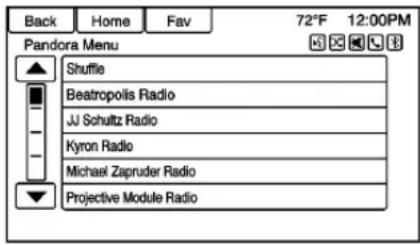
TouchMenuonthePandora mainpage.
Pandorahasamenusystemwith the following:
Shuffle: Touchtoplaythestations inrandomorder.
Touchauser-createdstationtoplay fromthedisplayedlist.
PandoraFeatures
Pandorahasfeaturestoratetracks, skiptracks, orchangestations.
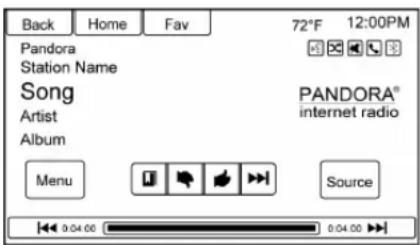
☐: Touchwhileplayingatrackto bookmarkeitherthetrackorthe artist.Bookmarksareviewableon www.pandora.com.
: Whentouched, Pandorastores theinformation, changestothenext track, and does not play the track on this station again. This helps Pandorachose which tracks should not play on this station. This feature is only available on user created stations.
:Whentouched,Pandorastores thisinformationand is highlightedfortheremainderofthe
track. This helps Pandor choose which track should play on this station.
▶▶l: Whentouched, Pandora changestothenexttrack.
/ : Press / on the radio faceplate topause playback. Pressagainto resume.
TuningPandoraStations: When
Pandoraisplaying,use P/10 on thesteeringwheeltotunetoany Pandorastationonthedevice.
- Press _1 / _2 onthesteering wheel.
- Say "TunePandora
Radio."
Pandoravoicecontrolwillnotwork until Pandoraislaunchedthefirst timeduringthatignitioncycle.
PandoraSkipLimit
Pandoralimitsthenumberofskips allowedontheirservice.Whenthe skiplimitisreached, 📋willnotskip thecurrentlyplayingtrack,but feedbackwillberecorded.
PandoraAdvertisement
Pandoramaydisplay advertisements.Artistnameand tracktitlewillnotbedisplayedand theskiptrackbuttonisnot available.
SwitchingBetweenPandoraand Stitcher
ToswitchbetweenPandoraand Stitcher,presstheapplicationicon ontheiPhone,iPodtouch,oriPad. ThisisnotrequiredforAndroid devices.SeeStitcherInternet Radio→150.
PandoraTroubleshooting
UnabletoConnectDeviceto Vehicle
If the device is unable to connect to the USBorBluetooth:
- Turnthevehicleoff.
- Removethekeyfromthe ignition.
- Openandclosethedriverdoor, waitabout30seconds,andtry toconnectthedeviceagain.
UnabletoStartPandora
Ifthedeviceisunabletolaunch Pandora:
- Checkthatthelatestversionof Pandoraisinstalled.
- Checkthatthereisanactive accountloggedintoPandora.
- Haveatleastonestation created.
- ForAndroidandBlackBerry devices, check that the device is paired with the vehicle, and the Bluetooth icon on the display is highlighted.
- ForiPhone,iPodtouch,oriPad devices,checkthattheUSB cableisconnectedtotheUSB portandthescreenisunlocked.
- ClosePandoraonthedevice andlaunchagain.Devicesthat allowmultitaskingmayrequire anextrasteptoquitthePandora application.Seethecellphone manufacturer'suserguide.
ThumbsUporThumbsDown Error
If there is an error trying to rate a track with the 🤒 or 🤒 buttons, an errormessagewill display. Touch OK toetry.
LossofAudio
LossofPandoraaudiocanhappen indifferentways:
- Weakorlostdataconnection.
• Deviceneedstobecharged. - Applicationneedstobe relaunched.
- Connectionbetweenphoneand radiolost.
- IfanyiPhone,iPodtouch, oriPadisconnectedto Bluetoothandthedock connector,gototheAirplayicon onthedeviceandselectdock connectorordisconnectand reconnectthedockconnectoron thedevice.
- Thevolumeistoolow. Turnup thevolumeonthedevice.
150InfotainmentSystem
- Thebatterysaverandtask managerapplicationsonthe phonecancausePandorato functionincorrectly.Remove thoseappsfromthephoneor removePandoraandBluetooth fromthetasklists.
If the connection is lost between the application and device, am message "Please Unlock the Phone or Restart the App and Try again" will display. Touch OK toetry.
IftouchingOKdoesnotclearthe issueon the phone, see "Please Unlock the Phone or Restart the Append Try again" under "Common Pandora Messages" following.
CommonPandoraMessages
PleaseSeeDevice: Whennot loggedinorwhenauthentication failed, seethedevice. TouchOKto continue.
PausedorAudioPaused:
Playbackispausedontheradioor onthedevice.Press ▷/llorplayon thedevice.
NoStationsFound: Loggedinput nostationshavebeencreated. TouchOKtocontinue.
PleaseUnlockthePhoneor RestarttheAppandTryagain:
Communicationfailurebetweenthe radioandthephoneapplication, orthedeviceislocked.
Device sthat allow multitasking may require an extrastepto quit the Pandora application. Close Pandora on the device and launch again.
Unlock the phone and check that the Home Pages how on the phone/device.
Seethecellphonemanufacturer's userguide.
Seewww.pandora.com/helpfor moreinformation.Iftheservicewill notwork,seeyourdealerfor assistance.
StitcherInternetRadio
StitcherSmartRadio ^® isanInternet radioservicethatstreamsnews, sports, and entertainment shows through the audiosystem. Create personalized, on-demand stations or use Stitcher's preset stations. Toset upan account, download the application from the Android Market oriTunesStore, orgoto www.stitcher.com.
AphoneortabletwithInternet connectionisrequiredforth this application.Personalcellphone dataplansareused.Makesurethe latestversionisinstalledonthe deviceandthevolumeonthe deviceisturnedup.
BlackBerryphonesarenot supportedforthisapplication.
ToinstallStitcher:
- OnanAndroidphoneorTablet withInternetconnection,goto theAndroidPlayStore,search forStitcher,andinstalltothe phone,nottotheSDcard.
- OnaniPhone,iPad,oriPod touch,gototheiTunesStore andsearchforStitcher.
LaunchingStitcher
ConnecttheiPhone,iPad,oriPod touchtotheUSBport,orconnect AndroidthroughBluetooth.See AuxiliaryDevices→164orBluetooth →197.Forfirst-timeuse,setupthe stationsbeforeconnectingtothe vehicle.TheStitchericonwillbe availableontheHomePageand sourcepop-updisplaysifthelatest applicationisinstalledonthe device.
UsingtheiPhone,iPodtouch, oraniPad
- PlugthedeviceintotheUSB port. Thephonescreenmust beunlocked.
- Useoneofthefollowingto launch:
- Presstheapplicationonthe device.
- TouchStitcheronthe HomePage.
- Press 📞/undaysay "Stitcher" or "Tune Stitcher."
-
Acceptanynotifications on the devicescreen.
-
If Stitcherdoes not begin playing, select a category and then astation.
AfterStitcherhasbeenlaunched, pressSRCEonthefaceplateor pressSRConthesteeringwheel controlstoaccessStitcherfeatures.
If nothing happens when the available Stitcherscreenbutton is touched, download the latest Stitcher application and retry.
Stitcherwillalwaysbehhighlighted ontheHomePagewhenaniPhone, iPad,oriPodtouchisconnected usingtheUSBport. Touse,loginto youraccount.
If the "PleaseSeeDevice" message is shown, the loginscreen may display on the device.
If the "Please Unlock the Phone or Restart the App and Try again" message is shown, then the phone may be locked. Unlock the phone,
closetheapp, then restart the app and makes sure the homepage is visible on the phone / device.
UsinganAndroidPhone
- PairtheAndroidphoneusing Bluetooth.
- Useoneofthefollowingto launch:
- Presstheapplicationonthe device.
- TouchStitcheronthe HomePage.
- Press 📞/unsaysay "Stitcher" or "Tune Stitcher."
- If Stitcherdoes not begin playing, select a category and then astation.
AfterStitcherhasbeenlaunched, pressSRCEonthefaceplateor pressSRConthesteeringwheel controlstoaccessStitcherfeatures.
Ifnothinghappenswhenthe availableStitcherscreenbuttonis touched, downloadthelatest Stitcherapplicationandretry.
152InfotainmentSystem
If the "PleaseSeeDevice" message is shown, the loginscreen may display on the device.
If the "Please Unlock the Phone or Restart the App and Try again" message is shown, then your phone may be locked. Unlock the phone, closetheapp, then restart the app to ensure proper communication.
StitcherMenus
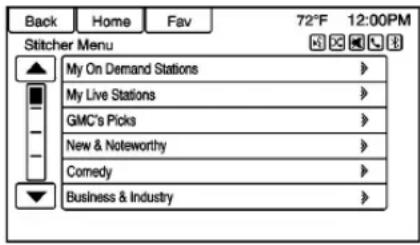
TouchMenuontheStitcher mainpage.
Stitcherhasamenusystemwiththe following:
MyOnDemandStations: Displays alistofffavoritestationsandshows.
Selectandstoreprogramsas favoritesonthedevice.Favorite stationlistscanbecreatedto includefavoriteshowsswhichcanbe accessedthroughMyOnDemand Stations.
StitcherStationCategories:
Displayscategoriesbytopic.
Whenacategorythensub-category isselected,theradiowillstart playingthefirstprograminthat sub-category.
Turnthe ←→knobtodisplaythe first24stationsofthatsub-category.
CurrentStationPlaylist:While
listeningtoashow,turnthe knobtodisplaythemenulistof showsavailableforthecurrent station.
StitcherFeatures
Stitcherservicehasfeaturestorate orskipshows,orchangestations.
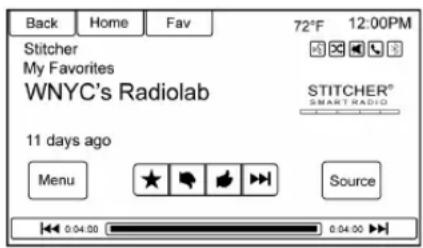
★: Whentouched, the current showisadded to the favorites station.
:Whentouched, Stitcher changestothenextshow. This helps Stitcherprovide a personalizedlisteningexperience.
:Whentouched, Stitcherstores thisinformationand is
highlightedfortheremainderofthe show. ThishelpsStitcherprovidea personalizedlisteningexperience.
▶▶: Whentouched, Stitcher changestothenextshow.
▷/ll:Pressonthefaceplatetopause playback.Pressagaintoresume.
StitcherAdvertisement
Stitchermaydisplay advertisements.Artistnameandtitle maynotdisplayandtheskiptrack buttonisnotavailable.
SwitchingBetweenPandoraand Stitcher
ToswitchbetweenPandoraand Stitcher,presstheapplicationicon ontheiPhone,iPodtouch,oriPad. ThisisnotrequiredforAndroid devices.SeePandoraInternet Radio→146.
StitcherTroubleshooting
UnabletoConnectDeviceto Vehicle
If the device is unable to connect to the USBorBluetooth:
- Turnthevehicleoff.
- Removethekeyfromthe ignition.
- Open and closeted driver door, wait about 30 seconds, and try to connect the device again.
Thebatterysaverandtaskmanager applicationsonthephonecan causeStitchertofunction incorrectly.Removethoseapps fromthephoneorremoveStitcher andBluetoothfromthetasklists.
UnabletoStartStitcher
Ifthedeviceisunabletolaunch Stitcher:
- Checkthatthelatestversionof Stitcherisinstalled.
- Checkthatthereisanactive accountloggedintoStitcher.
- ForAndroiddevices, check that the device is paired with the vehicle, and the Bluetooth icon on the display is highlighted.
- ForiPhone,iPodtouch,oriPad devices,checkthattheUSB cableisconnectedtotheUSB portandthescreenisunlocked andtheHomePageisshowing.
- CloseStitcheronthedeviceand launchagain.Devicesthatallow multitaskingmayrequirean
extrasteptoquittheStitcher application.Seethecellphone manufacturer'suserguide.
LossofAudio
LossofStitcheraudiocanhappen dueto:
- Weakorlostdataconnection.
• Deviceneedstobecharged. - Applicationneedstobe relaunched.
- Connectionbetweenphoneand radioislost.
- IfanyiPhone,iPodtouch, oriPadisconnectedto Bluetoothandthedock connector,gototheAirplayicon onthedeviceandselectdock connectorordisconnectand reconnectthedockconnectoron thedevice.
- Thevolumeistoolow. Turnup thevolumeonthedevice.
If the connection is lost between the application and device, am message "Please Unlock the Phone or Restart the App and Try again" will display. Touch OK toetry.
154InfotainmentSystem
IftouchingOKdoesnotclearthe issue,see"PleaseUnlockthe PhoneorRestarttheAppandTry again"under"CommonStitcher Messages"following.
CommonStitcherMessages
PleaseTryAgainLater: A general error has occurred. A data connection maybe unavailable due to a weak or lost signal or the Stitcherservice being temporarily down. Touch OK to continue.
PausedorAudioPaused:
Playbackispausedontheradioor ondevice.Press ▷/llorplayonthe device.
PleaseSeeDevice: Whentheuser isnotloggedinorwhen authenticationfailed,seethe device.TouchOKtocontinue. Disconnectthephonefromtheradio andfollowtheStitcheraccountlogin processonthephone.
NoStationsFound: Theuseris loggedinbutnostationshavebeen created. TouchOKtocontinue.
PleaseChooseaNewStation:
Theendofthestationhasbeen reachedandthereisnomore contenttoplay.Selectanewstation throughtheStitchermenu.
PleaseUnlockthePhoneor RestarttheAppandTryagain:
Communicationfailurebetweenthe radioandthephoneapplicationor thedeviceislocked.
Seewww.stitcher.com/helpformore information.Iftheservicewillnot work,sendane-mailto feedback@stitcher.comorseeyour dealerforassistance.
Pictures
Picturescanonlybeviewedusing USBdevices.lfpicturesareonan SDcard, transfertoaUSBdevice oruseaUSB-SDadapter. A maximum5Mbuncompressed photosizeissupported, however to achievethis, usea4Megapixel lowerresolutioncamerasetting. Onlyjpeg, bmp, gif, and pngfiles aresupported.
-
TouchPicturesonthe HomePage.
-
Thesystemdoesasearchto findthepicturefolders. A "Pleasewait" message displaysuntilthesearchis finished.
3.Alistdisplays.Selectapicture toview.
- Once apictured displays, the following options are available:
Info: Touchtoturnfilename informationonoroff.
<: Touchtodisplayaprevious pictureifnotinslideshowmode.
▶: Touch to toggle between slide show mode and manual mode.
: Touchtodisplayanextpictureif notinslideshowmode.
▲:Touchtomanuallyrotatea picture90degrees counterclockwise.
Menu: TouchtoopenthePicture ViewerSettingsscreen.Slide PictureViewerMain, Slideshow Timer, and Shuffle Images display asoptions for configuring the view of images stored in the system.
If the displayed picturescreen is not used with six seconds, the upper and lower bar options will disappear. Touch-tapthescreentore-display the upper and lower bar.
AudioPlayers
Avoiding Untrusted Media Devices
When using mediadevices such as CDs, DVDs, Blu-RayDiscs ^® , SD cards, USB drives, and mobile devices, consider the source. Untrusted mediadevices could contain file that affects system operation or performance. Avoid use if the contentor origin cannot be trusted.
CDPlayer
TheCDplayeriscapableofplaying:
- MostaudioCDs
CD-R - CD-RW
- MP3, unprotectedWMA, and AACformats
Whenplayinganycompatible recordabledisc,thesoundquality maybe reduced duetothedisc,the
methodofrecording, thequality of themusic recorded, or howthedisc has been handled.
Theremaybeincreasedskipping, difficultyreadingrecordedtracks, findingtracks,and/orloadingand ejecting.Iftheseproblemsoccur, checkthediscfordamageortrya knowngooddisc.
ToavoiddamagetotheCDplayer:
- Donotusescratchedor damageddiscs.
- Donotapplylabelstodiscs. The labelscouldgetcaughtinthe player.
- Insertonlyonediscatatime.
- Keeptheloadingslotfreeof foreignmaterials, liquids, and debris.
- Useamarkingpentolabelthe topofthedisc.
LoadingandEjectingDiscs
Toloadadisc:
- Turnthevehicleon.
156InfotainmentSystem
- Insertadiscintotheslot, right sideup. The player pulls it in therestoftheway. If the disc is damaged or improperly loaded, there is an error and the discejects.
Thediscautomaticallyplaysonce loaded.
Press △toejectadiscfromthe CDplayer.Ifthediscisnotremoved withinashortperiodoftime,itis automaticallypulledbackintothe player.
PlayinganAudioCD
-
TouchCDontheHomePage orselectCDfromthesource pop-uptodisplaytheCD mainpage.
-
Touch the Menuscreen button to display themenu options.
-
Touchtoselecttheoption.
OntheCDmainpage, the track number displays and the Song, Artist, and Album information displays when available.
Usethefollowingradiocontrolsto playthedisc:
▷/||:Usetopauseorresumeplay.
◀◀◀:
- Presstoseektothebeginningof thecurrentorprevioustrack. Ifthetrackhasbeenplayingfor lessthanfiveseconds,itseeks totheprevioustrack.Iflonger thanfiveseconds,thecurrent trackstartsfromthebeginning.
- Pressandholdtofastreverse throughatrack.Releasethe buttontoreturntoplaying speed.Elapsedtimedisplays.
▶▶▶:
• Presstoseektothenexttrack.
- Pressandholdtofastforward throughatrack.Releasethe buttontoreturntoplaying speed.Elapsedtimedisplays.
Knob: Turntotherightor lefttoselectthenextorprevious track. Presstheouterringofthis knobtoselectfromthelist. Ifatrack isselectedfromthemenu, the systemplaysthetrackandreturns totheCDscreen.
ErrorMessage
IfDiscErrordisplaysand/orthedisc comesout, itcouldbedueto:
- Thedischasaninvalidor unknownformat.
- Thediscisveryhot. Trythedisc againwhenthetemperature returnstonormal.
- Theroadisveryrough.Trythe discagainwhentheroadis smoother.
- Thediscisdirty, scratched, wet, or upsidedown.
-
Theairisveryhumid. Try the discagainlater.
-
Therewasaproblemwhile burningthedisc.
- ThelabeliscaughtintheCD player.
If the CD is not playing correctly, try a known good CD.
Ifanyerrorcontinues,contactyour dealer.
MP3
PlayinganMP3CD
ToplayanMP3CD, followthesame instructionsas "Playingan AudioCD".
The following guidelines must be met when creating an MP3 disc, otherwisethe CD might not play:
- Samplingrate:16kHz, 22.05kHz,24kHz,32kHz, 44.1kHz,and48kHz.
- Bitratessupported:8,16,24,32,40,48,56,64,80,96,112,128,144,160,192,224,256,and320kbps.
• Maximumnumberoffolders: eightfolderswith255filesper folder.
• Maximumof1,000fileson adisc.
- RecordedonaCD-RorCD-RW.
- TheArtist/Album/SongTitles/GenreinformationrequiresaCDtobefullyscannedbeforethemusicnavigatorworkswiththesemenus.
MP3MusicMenu
TouchtheMenuscreenbuttonwhile thatsourcesisactivetoaccess themenu.
Touchanyofthefollowingbuttons ontheMP3Menu:
ShuffleSongs: Touchtoplaythe tracksrandomly. Touchagainto stopshuffle.
PlayLists: Touchtoviewthe playlistsstoredonthedisc.Selecta playlisttoviewthelistofallsongsin thatplaylist.Theremightbeadelay beforethelistdisplays.Selecta songfromthelisttobegin playback.
Artists: Touchtoviewthelistof artistsstoredonthedisc.Selectan artistnametoviewalistofallsongs bytheartist.Theremightbeadelay beforethelistdisplays.Selecta songfromthelisttobeginplayback.
Albums: Touchtoviewthealbums onthedisc. Selectthealbumto viewalistofallsongsonthealbum. Theremightbeadelaybeforethe listdisplays. Selectasongfromthe listtobeginplayback.
SongTitles: Touchtodisplayalist ofallsongsonthedisc.Songsare displayedasstoredonthedisc. Theremightbeadelaybeforethe listdisplays.Tobegin playback, selectasongfromthelist.
Genres: Touchtoviewthegenres. Selectagenretoviewalistofall songsofthatgenre.Selectasong fromthelisttobeginplayback.
Folders: Touchtoopenafolderlist toaccessthefileswithinthefolder structure.
158InfotainmentSystem
RootDirectory
Therootdirectoryistreatedasa folder.Allfilescontaineddirectly undertherootdirectoryare accessedpriortoanyrootdirectory folders.
EmptyFolders
Ifarootdirectoryorfolderisempty orcontainsonlyfolders, theplayer advancestothenextfolderinthe filestructurethatcontainsa compressedaudiofile. Theempty folder(s)arenotdisplayedor numbered.
NoFolder
WhentheCDonlycontains compressedaudiofileswithoutany foldersorplaylists,allfilesare undertherootfolder.
FileSystemandNaming
Thesongtitles, artists, albums, and genres are taken from the file's ID3 tag and are only displayed if present in the tag. If a song title is not present in the ID3 tag, theradio display the filename as the track name.
PreprogrammedPlaylists
Theradiorecognizes preprogrammedplaylists;however, thereisnoeditingcapability. These playlistsaretreatedasspecial folderscontainingcompressed audiosongfiles.
USB
PlayingfromaUSB
AUSBmassstorageorCertified WindowsVista ^® /MediaTransfer Protocol(MTP)devicecanbe connectedtotheUSBport.
Ifequipped, theUSBportisinthe centerstack.
TheUSBicondisplayswhenthe USBdeviceisconnected.
USBMediaFormats
TheUSBportwillsupportthe followingmediaformats:
- MP3
- UnprotectedWMA
- UnprotectedAAC
Otherformatsmaybesupported.
Gracenote®
Gracenotetechnologyembedded intotheradiohelpsmanageand navigatetheUSBdevicemusic collection. WhenaUSBdeviceis connectedtotheradio, Gracenote identifiesthemusiccollectionand deliversthecorrectalbum, artist name,genres,andcoverartonthe screen.lfinformationismissing, Gracenotewillfillitin.
SearchingMusicLibraryUsing VoiceRecognition
VoiceRecognition: Gracenote improves music search and navigation by identifying bands, artists, and albums name that may behard top pronounce, irregular spellings, and nicknames as voice command to access music. See Voice Recognition 191.
Normalization: If equipped, normalization help to improve the voicerecognition accuracy for titles that sounds similar. It also helps group long list of genres into 10 common genres. Forex example, there may be multiplerock genes in the
medialibrary; normalization will group all those into onerock genre. Normalization default is off.
ToturnNormalizationOn:
- PressCONFIGortouchConfig ontheHomePage.
- TouchRadioSettings, then touchGracenoteOptions.
- TouchNormalizationoturnon oroff.
CoverArt: The Gracenote embeddeddatabase contains cover artoralbumartin information for the music on the USB device. If the music is recognized by Gracenote and does have cover art, Gracenote will us the cover art found in the embedded database and display it on the radio. User predefined cover
artwillalwaysbeusedfirst.Ifno coverartisfound,Gracenotewill usegenericgenregraphicsor imagesofartists.
MoreLikeThis
TheGracenotedatabasecontains attributesformusic,suchasgenre, eraofmusic,region,artisttype, mood,etc.Usethistocreatea playlistofupto30songs"morelike" thecurrentlyplayingsong.This playlistwillbestoredinthePlaylist Menuwhenthedeviceis reconnected.Ifsongsareremoved fromthedevice,thesystemwillskip overthosesongsandplaythenext availablesong.
Usethetouchscreenorvoice recognition to create a More Like This Play List. See "Voice Recognition Commands" in Voice Recognition 191.
GracenotelIndexing
While Gracenoteisindexing, infotainmentfeaturesareavailable includingselectingmusicfromthe menu. Voicerecognitionmusicwill notbeavailableuntiltheradiohas
completedindexingthedevice. Deviceswithmoremusicmaytake longertoindex. Thedevicewill indexwhenpluggedintotheradio forthefirsttime. WhenIndexingis removedfromthescreen,theradio isreadytosupportmusicsearch. Onthenextconnectionorignition cycle, Indexingwillshowbrieflyon thescreen. Theradioissearching forchangestothedevice and preparingthemusiclist. Ifthereare nochanges,thevoicerecognition musicsearchwillbeavailable. The radiowillindexandstoretwo deviceswithupto10,000songson eachdevice.
USBMP3PlayersandUSBDrives
- TheUSBMP3playersandUSB drivesconnectedmustcomply withtheUSBMassStorage Classspecification(USBMSC).
- Harddiskdrivesarenot supported.
- Theradiowillnotbeabletoplay backwrite-protectedmusic.
- Filesystemssupported:FAT32, NTFS,Linux,andHFS+.
160InfotainmentSystem
- The following restrictions apply forthedatastoredonaUSB MP3playerorUSBdevice:
-Maximumfolderstructure depth:8 levels.
-MaximumnumberofMP3/WMAfilesthatcanbe displayed:10,000.
-Playlistentriesmustbeinthe formofrelativepaths.
- Thesystemattributefor folders/filesthatcontainaudio datamustnotbeset.
ToplayaUSBdevice,dooneofthe following:
- ConnecttheUSBanditbegins toplay.
- TouchNowPlayingonthe HomePage.
- PressSRCEtoscrolluntilthe USBsourcescreenisavailable.
- Press 📞/∞:onthesteering wheelcontrolstoplayCD,Artist, Album,SongTitle,orSong Genre.See Voice Recognition→191.
The following playlist formats are supported:
• M3U(StandardandExtended)
- iTunes
- PLS(Standard)
WAX
- ASX
• RMP
Theradiosupportspluggingacell phoneinasaUSBdriveaslongas thecellphonesupportsUSBmass storageclassorhasUSBdiscdrive supportenabled.
While the USB source is active, use the following to operate USB function:
←→Knob:Turntoscrollthrough thelist.Turnquicklytofastscroll alphabeticallythroughlargelists.
/ : Touchtostart, pause, orresumeplayofthecurrentmedia source.
◀◀◀:
- Touchtoseektothebeginning of the current or previous track. If the track has been playing for less than five seconds, the previous track plays. If playing longer than five seconds, the current track restarts.
- Touchandholdtoreverse quicklythrough playback. Releasetoreturntoplaying speed.Elapsedtimedisplays.
▶▶▶:
- Touchtoseektothenexttrack.
- Touchandholdtoadvance quicklythrough playback. Releasetoreturntoplaying speed.Elapsedtimedisplays.
USBMenu
The following are available through the USBMenu:
Shuffle: Touchtoplaythetracks randomly. Touchagaintostop shuffle.
PlayMoreLikeThis:
-
Touchtoautomaticallycreatea playlistofsongsthatarelike thesongcurrentlyplaying.
-
TheradiowillshowPlaylist CreationSucceededand continueplayingthe currentsong.
PlaylistCreationFailedmay appearifasongisnotfoundin theGracenoteDatabase.
DeleteAutomaticPlaylist: Touch todeleteaMoreLikeThisplaylist.
Folders: Touchtoopenafolderlist toaccessthefileswithinthefolder structure.
Playlists:
- Touchtoviewtheplaylistson theUSB.
- Selectaplaylisttoviewthelist ofallsongsinthatplaylist.
- Selectasongfromthelistto begin playback.
Artists:
- Touchtoviewthelistofartists ontheUSB.
-
Selectanartistnametoviewa listofallalbumsbytheartist.
-
Toselectasong, touchSongs Listortouchanalbumand thenselectasongfromthelist.
Albums:
- Touchtoviewthealbumson theUSB.
- Selectthealbumtoviewalist ofallsongsonthealbum.
- Selectasongfromthelistto begin playback.
Genres:
- Touchtoviewthegenreson theUSB.
- Selectagenretoviewalistof allsongsofthatgenre.
- Selectasongfromthelistto begin playback.
Songs:
- Touchtodisplayalistofall songsontheUSB.
- Songsaredisplayedasthey arestoredonthedisc. Tobegin playback, selectasongfrom thelist.
FileSystemandNaming
Thesongs, artists, albums, and genres are taken from the file's song information and are only displayed if present. Theradio display the filename asthetrack name if the song information is not available.
PlayingfromaniPod®
Thisfeaturesupportsthefollowing iPodmodels:
- iPodclassic ^® (6thgeneration)
- iPodnano ^® (3G,4G,5G,6G, and7G)
- iPodtouch ^® (1G,2G,3G,4G,5G,and6G)
Theremaybeproblemswiththe operationandfunctioninthe followingsituations:
- WhenconnectinganiPodon whichamorerecentversionof thefirmwareisinstalledthanis supportedbytheinfotainment system.
162InfotainmentSystem
- WhenconnectinganiPodon whichfirmwarefromother providersisinstalled.
ToconnectaniPod:
- Connectoneendofthe standardiPodUSBcabletothe iPod'sdockconnector.
- Connecttheotherendtothe USBportinthecenterstack.
iPodmusicinformationdisplayson theradio'sdisplayandbegins playingthroughthevehicle'saudio system.
TheiPodbatteryrecharges automaticallywhilethevehicleison. TheiPodshutsoffandstops chargingwhenthevehicleis shutoff.
IftheiPodisanunsupportedmodel, itcanstillbelistenedtointhe vehiclebyconnectingtothe auxiliaryinputjackusingastandard 3.5mm(1/8in)stereocable.
iPodMenu
UsetheiPodMenutoselect:
Shuffle: Touchtoplaythetracks randomly. Touchagaintostop shuffle..
PlayMoreLikeThis:Allowsthe radiotocreateplaylistswithsongs/ tracksthataresimilartowhatis beinglistenedto.Theradiowill createaplaylistwithupto30similar songs.Theplaylistwillappearinthe Playlistcategoryofthemenufor futurelistening.
-
Touchtoautomaticallycreatea playlistofsongsthataresimilar tothesongcurrentlyplaying.
-
TheradiowillshowPlaylist CreationSucceededand continueplayingthe currentsong.
DeleteAutomaticPlaylist: Touch todeleteaMoreLikeThisplaylist.
Playlists:
- Touchtoviewtheplaylistson theiPod.
- Selectaplaylistnametoview alistofallsongsintheplaylist.
- Select the song from the list to begin playback.
Artists:
- Touchtoviewtheartistson theiPod.
- Selectanartistnametoviewa listofallalbumswithsongsby theartist.
- Selectanalbum.
- Select the song from the list to begin playback.
Albums:
-
Touchtoviewthealbumson theiPod.
-
Selectanalbumnametoview alistofallsongsonthealbum orselectSongsListtoviewall songsontheiPod.
- Select the song from the list to begin playback.
Genres:
- Touchtoviewthegenreson theiPod.
- Selectagenrenametoviewa listofartistsofthatgenre.
- Selectanartisttoviewall albumsofthatgenre.
- SelectAlbumtoviewsongs.
- Select the song from the list to begin playback.
Songs:
- Touchtoviewalistofallsongs ontheiPod.
- Select the song from the list to begin playback.
Podcasts:
-
Touchtoviewthepodcastson theiPod.
-
Selectapodcastnameto begin playback.
Composers:
- Touchtoviewthecomposers ontheiPod.
- Select the composertoviewa list of songs by that composer.
- Selectasongfromthelistto begin playback.
AudioBooks:
- Touchtoviewtheaudiobooks ontheiPod.
- Select the audiobook from the list to begin playback.
PlayingfromaniPhone oriPad®
Thisfeaturesupportsthefollowing iPhoneoriPadmodels:
- iPhone® (2G,3G,3GS,4,4S,5,6,and6plus)
- iPad® (1G,2G)
Followthesameinstructionsas statedearlierforusinganiPod.To usevoicerecognitiontoplaymusic, say"PlayUSB,""PlayArtist,""Play
Album,"PlaySong,"or"Play Genre."See Voice Recognition\\191.
iPhone,iPodtouch,andiPad Troubleshooting
WhenaniPhone,iPodtouch, oriPadisconnectedthroughUSB andBluetooth,theaudiomaynotbe heardwhentheiPodsourceonthe radioisselected.Ifaphonecallis receivedwhilelisteningtotheiPod sourceandthereisnoaudioforthe iPodafterthesource,thengotothe Airplayicononthedeviceand selectdockconnectorordisconnect andreconnectthedockconnector onthedevice.
Somefunctionalitymaydifferbased onoperatingsystemversionon device.
USBTroubleshooting
If the device is not being recognized or them music is missing screen information, restore the radio defaults:
- TouchConfig.
- TouchRadioSettings.
164InfotainmentSystem
- TouchSoftware VersionsMenu.
- TouchClearandResetRadio.
- TouchYes.
Pairthephoneagainandthedevice willhavetoindexagain.
BluetoothAudioandVoice Recognition
SeeBluetoothAudio→164and VoiceRecognition→191for informationonusingvoice recognitionwithBluetoothaudio.
Makesurealldeviceshavethe latestsoftwardownloaded.
Auxiliary Devices
Ifequipped, this vehicle has an auxiliary input jack in the center stack. Possible auxiliary audio sources include:
- Laptopcomputer
- MP3player
- Tapeplayer
Thisjackisnotanaudiooutput.Do notplugheadphonesintothe auxiliaryinputjack.Setupany auxiliarydevicewhilethevehicleis inP(Park).
Connecta3.5mm(1/8in)cable fromtheauxiliarydevicetothe auxiliaryinputjack.Whenadevice isconnected,thesystem automaticallybeginsplayingaudio fromthedeviceoverthevehicle speakers.
Ifanauxiliarydevicehasalready beenconnected,butadifferent sourceiscurrentlyactive,dooneof thefollowing:
- PressSRCEtoscrollallofthe availableaudiosourcescreens, untiltheAUXsourcescreenis selected.
- Say "PlayFrontAUX" using voicerecognition to play the auxiliary device. See Voice Recognition 191.
- TouchAUXontheHomePage.
BluetoothAudio
Ifequipped, musicmaybeplayed fromapairedBluetoothdevice. See "PairingaPhone/Device" under Bluetooth 197.
ToplaymusicthroughaBluetooth device:
- Poweronthedevice, pair, and connectthedevice.
-
Musiccanbelaunchedby doingoneofthefollowing:
-
TouchBluetoothonthe HomePage.
- PressSRCEuntilBluetooth Audioisselected.
- PressSRConthesteering wheelcontrolsuntil BluetoothAudioisselected. SeeSteeringWheel Controls→130.
- Usevoicerecognition.See VoiceRecognition→191.
Themusiccanbecontrolledby eithertheinfotainmentcontrolsor thecontrolsonthedevice.
Whenaphoneisconnectedtothe systemthroughBluetoothAudio,the phonenotificationsandsoundsmay notbeheardonthephoneuntil Bluetooththisdisconnected. Notificationfeaturesmayvarybased onthephone.Checkthephone manufacturer'sinformationfor notificationsupport.
BluetoothAudioMenu
TouchtheMenuscreenbuttonand thefollowingmaydisplay:
Shuffle: Presstheouterringofthe knobtoturnshuffleonoroff. Notalldevicessupporttheshuffle feature.
WhenselectingBluetoothaudio, the Bluetoothdeviceinternalmusic playermaynotopendependingon thestatusofthedevice. Alldevices launchandplaybackaudio differently. Makesurethecorrect audiosourceisplayingonthe deviceforBluetoothaudioplayback ontheradio. Whenthevehicleis notmoving, usethedevicetobegin playback.
WhenselectingBluetoothaudioas asource,theradiomaysourceto theBluetoothAudioPausedscreen withnoaudioplaying.Pressplayon thedeviceorpress D/lltobegin playback.Thismayhappen dependingonhowthedevice communicatesoverBluetooth.
Somephonessupportsending Bluetoothmusicinformation to displayontheradio. Whentheradio receives this information, it will checktose if any albumartis available and display it.
Whenplayingmusicontheradio fromaBluetoothdevice,makesure theBluetoothdeviceisunlocked andtheintendedmusicapplication isshowingonthehomescreen.
ForiPhone/iPodtouchandiPad devices, BluetoothAudiowillnot workifthedeviceisconnected throughtheUSBandBluetoothat thesametime.
Asnewdevicesareintroduced,see SoftwareUpdates→136.
OnStarSystem
OnStar ^® with4GLTE

4GLTE
IfequippedwithOnStar4GLTE,up tosevendevices,suchas smartphones,tablets,andlaptops, canbeconnectedtohigh-speed Internetthroughthevehicle'sbuilt-in Wi-Fihotspot.
Call1-888-4-ONSTAR (1-888-466-7827)toconnecttoan OnStarAdvisorforassistance.See www.onstar.comforadetailed instructionguide,vehicleavailability, details,andsystemlimitations. Servicesandappsvarybymake, model,year,carrier,availability,and conditions.4GLTEserviceis availableinselectmarkets.4GLTE performanceisbasedonindustry
166InfotainmentSystem
averagesandvehiclesystems design.Someservicesrequirea dataplan.
Navigation
UsingtheNavigation System
PressNAVlonthefaceplateor touchNavigationontheHomePage toaccessthenavigationmap.
PressNAVIagaintochange betweenalternativeviewsofthe normalsplitandfullmapviews.
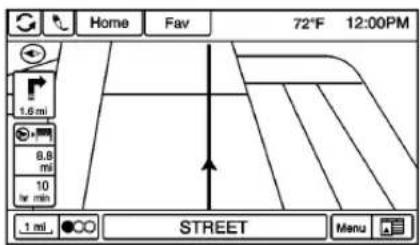
The Menuscreenbutton at the bottom rightside of the display accesses the Navigation Menu.
Thetouch-sensitivebuttons available are:
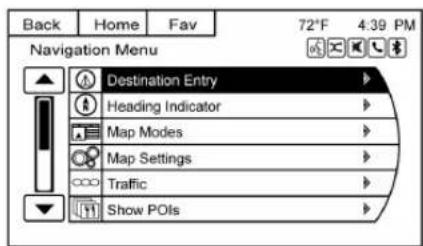
DestinationEntry/RouteMenu
TouchtoentertheDestinationEntry screenwhereadestinationcanbe enteredwhenguidanceisinactive.
TouchtoenterRouteMenuto modifythecurrentroute,cancela destination,oraddawaypointwhen guidanceisactive.
HeadingIndicator
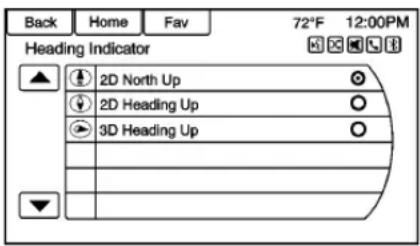
TouchHeadingIndicatorortodisplay theMapView.Therearethree indicatorsettings:
- 2DNorthUp:DisplaysNorthat thetopofthemapscreen regardlessofthedirectionthe vehicleistraveling.
- 2DHeadingUp:Displaythe directionthevehicleistraveling. Theshadedtriangleiconpoints North.
- 3DHeadingUp:Isthesameas2DHeadingUp,butthemapisin3D.
MapModes
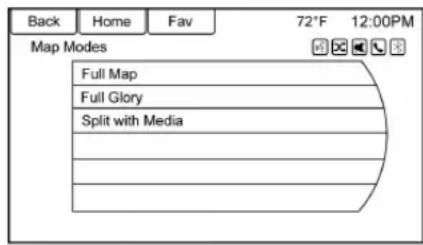
Touchtochangetheviewofthe mapswhileusingthenavigation function. Thesystemoffersaviety offullandsplitviews. Someviews areonlyselectablewhenroute guidanceisactive.
Another way to changethe view of themapsistotouchthemap modeicon.
MapSettings
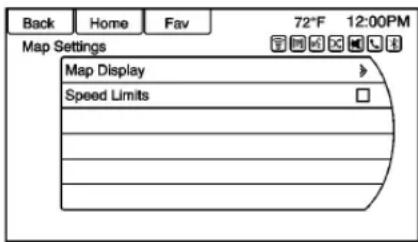
TouchMapSettingstodisplaythe MapDisplaylineitem.TouchMap Displaytoselectoneofthe availableoptions:
- Automatic
Day - Night
See ConfigureMenu→183.
SelectSpeedLimitstotogglethe speedlimitdisplayonoroff.
Traffic
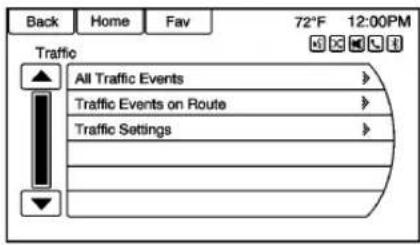
TouchTraffictodisplaytheTraffic Menu.Touchoneoftheoptions:
- AllTrafficEvents:Viewall reportedtrafficeventswhileon oroffaplannedroute.
- TrafficEventsonRoute:View trafficeventswhileonaplanned route.
- TrafficSettings:Customizetraffic options. Thisfeaturecanalsobe accessedbytouchingthetraffic lightscreenbuttonattheleft lowersideofthemapscreen. SeeConfigureMenu→183.
ShowPOIs
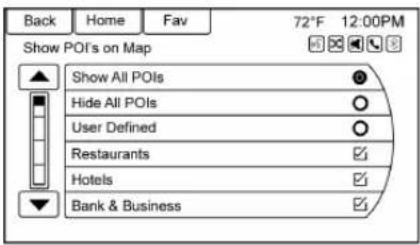
Touchtocustomizewhichmajor POIcategoriesaredisplayedon themap.
NearbyPOIs
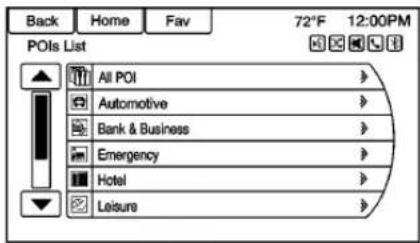
Touchtodisplayasearchlistof nearbyPOIs.Selectthe desiredPOI.
POIsAlongRoute
Touchtodisplayasearchlistof POIsthatliealongorneartheroute tothedestination.Selectthe desiredPOI.
ExitList
Touchtodisplayalistofthenext threehighwayexitsifavailable. Selectanexittodisplayalistof POIsassociatedwiththatexitthat canberouted.
SwitchRouteTime/Destination
Touchtocustomizethearrival/travel timeandwaypoint/destination informationdisplayedinthemain mapscreen.
CurrentPositionInfo
Touchtodisplayasplitscreen showingdetailedinformationabout thevehicleposition. Thisfeature canalsobeaccessedbytouching thevehicleinformationtabonthe lowercenterofthedisplay. The locationcanbesavedtothe AddressBookbytouchingSavein thesplitscreen.
DestinationPositionInfo
Touchtodisplayasplitmapscreen showingthefinaldestination.
MapAdjustments
Thesystemletsyouadjustthescale ofviewonthemap.Also,asyou drive, themapscrollsautomatically basedonthedirectionoftravel.
MapScales
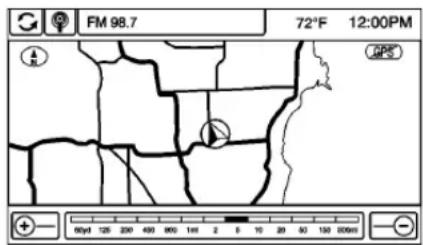
Therearetwowaystochangethe mapscale:
- Turnthe ←→knobclockwise orcounterclockwisetozoomout orin.
- TouchtheMapScale+or-buttononthelowercornersof themapscreenorthedifferent zoomindicationstochangethe zoomlevel.
Themapscalebartimesoutif thezoomlevelisnotchanged withinafewseconds.
Thescalecanbeconfiguredfor Englishormetricunits.Tochange fromEnglishtometric,seeDriver InformationCenter(DIC)→110.
ScrollFeatures

- Toscrollwithinthemap,touch anywhereonthemapscreen andthescrollsymboldisplays.
- Tapthemaptocenteratthat locationonthescreen.
- Touchandholdthescreenin anydirectionoutsidethescroll symboltoscrollthemapinthat direction.
- Scrollspeedincreaseswhen touchingclosertotheedgeof thescreen.
- PressNAVlorBACKonthe faceplatetoexitmapscrolling andreturntothecurrentvehicle locationonthemap.

Touchthecyclingarrowsatthetop ofthemapscreentotogglefromthe normaltopbar(Back,Home,and Fav)totheaudioinformationbar.
Maps
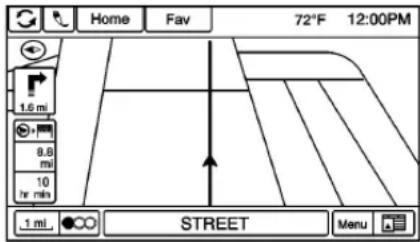
Thissectionincludesbasic informationaboutthemap database.
Themapsarestoredinaninternal flashmemorythatisusedinthe navigationsystem.
DetailedAreas
Roadnetworkattributesare containedinthemapdatabasefor detailedareas.Attributesinclude informationsuchasstreetnames, streetaddresses,andturn restrictions.Adetailedareaincludes allmajorhighways,serviceroads, andresidentialroads.Thedetailed areasincludepointsofinterest (POIs)suchasrestaurants,airports, banks,hospitals,policestations,
gasstations, tourist attractions, and historical monuments. Themap databas may not included data for newly constructed areas, map database corrections, or long term construction projects. The navigation system provides full route guidance in the detailed map areas.
NavigationSymbols
Followingarethemostcommon symbolsthatappearonamap screen.

The vehiclesymbolindicates the current position and heading direction of the vehicle on themap.
Thedestinationsymbolmarksthe finaldestinationafteraroutehas beenplanned.
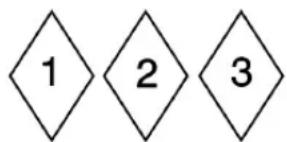
Thewaypointsymbolmarksoneor moresetwaypoints.
Awaypointisastopoverdestination pointaddedtotheplannedroute.
Theestimated time and distance to the destination are displayed.
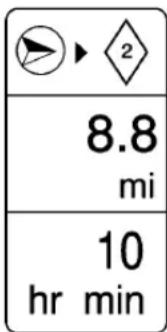
Ifwaypointshavebeenaddedtothe currentroute, eachwaypoint destinationdisplayestimatedtime anddistance.

Thissymbolindicate that the map view is Northup. Northup displays Northatthetopofthemapscreen regardless of the direction the vehicle is traveling.
Selectthisscreensymboltochange theviewtoHeadingupor3D.

Thissymbolindicatesthatthemap viewisHeadingup.
Headingupviewdisplaythe directionthevehicleistravelingat thetopofthemapscreen.The shadedtriangleindicatesNorth.
Touchthisscreensymboltochange to3Dmode.
The3Dsymbolisthesameasthe Headingupsymbol,butthemapis in3D.

TheNoGPSsymbolappearswhen thereisnoGlobalPositioning System(GPS)satellitesignal.
Thissymbolatthebottomofamap screenchangesthecurrentmap modescreen.
This symbol on the right of themap screendisplaysthespeed limit whileonaroute. Thespeed limit may not be accurated due to changes from the Department of Transportation, the local municipalities, or older map data. Always follow the posted speed limit on the road.
172InfotainmentSystem
DrivingonaRoute
UrgentManeuverAlert
Thesystemwillgiveanindication thatthenextmaneuverisclose.
DrivingonaHighway
DrivingonaResidentialRoad
Destination
Ifrouteguidanceisnotactive,touch DestinationontheHomePageto accesstheDestinationEntry screen.Severaloptionscanbe selectedtoplanaroutebyentering destinations.Somedestinationentry itemssuchasPrevious Destinations,AddressBook,andMy
Homemaybegrayedoutifno destinationwaspreviouslyentered orsaved.
Alpha-NumericKeyboard
Lettersofthealphabet,symbols, punctuation,andnumbers,when available,displayonthenavigation screenasalpha/numerickeyboards. Thealphakeboarddisplayswhen dataneedstobeentered.
ABCorQWERTY: Touch to toggle between ABCorQWERTY keyboard character layouts.
ÄÖ: Touchtoaccessanalternate languagekeyboard.
Sym:Usetoselectsymbols.
Space:Usetoenteraspace between charactersorthewordsof aname.
Delete: Touchtodeletean incorrectcharacterthathasbeen selected.
Last5: Touchtoselectanyofthe lastfivecitiesorstreetnames enteredifavailable.
AddressEntry
TouchtheAddressscreenbutton to displaytheAddressEntryscreen. Setaroutebyenteringthestate name,cityname,streetname, housenumber,andintersection.
Ifnostateorprovincehasbeen enteredpreviously,thecityand statefieldsarenotavailable.Touch thescreenbuttonattherightofthe citynametoselectastateor province.
Ifthestateorprovincewas previouslysetandisdisplayed, touchthescreenbuttonattheright ofthecitynametochangethe selectedstateorprovince.
Tomakenameselectioneasier, the systemhighlightsonlycharacters that are available after the previously entered done.
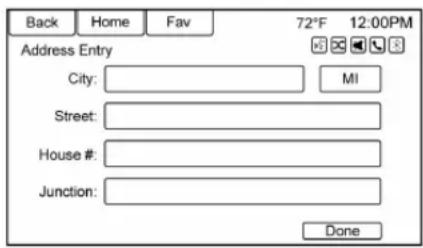
City:Enteracityname.
State: Enterastatename.
Street: Enterastreetname.
House#:Enteravalidaddress number.
Junction: Enterastreetnamethat intersectswiththeselectedstreet.
Toenterthecitynamefirst:
- Enterthecityname.
2.Enterthestreetname.Usethe Deletescreenbuttontodelete anincorrectlyentered character.
Alistdisplaysifsixorfewer namesareavailable.Ifthere aremorethansix,thereisa matchcounterwithanumber
ofavailablestreets.Touchthe Donescreenbuttontoviewthe listandselectthestreet.
3.Enterthehousenumber.
4. Touch the Donescreen button at any time and the system triestoresolve a destination based on the entered information, the displaysiton the screen.
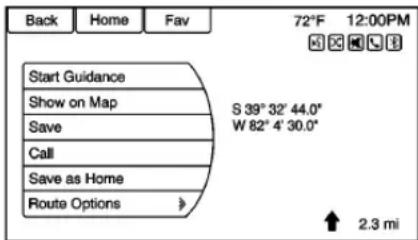
- Touch the Start Guidance screen button and theroute calculates.
ToEnteraDestinationinCanada
Tochangethedestinationaddress fromtheUnitedStatestoCanada, thecountrywillneedtochangein thenavigationsystem. Tochange thecountryaddress:
174InfotainmentSystem
- Touch Destination on the HomePage.
- TouchtheAddressscreen buttonodisplaytheEnter Addressscreen.
- GototheState/Provinceline option and select. The State/Provinceentry screendisplays. Select the Countryline option. The CountryListdisplays.
- SelectCanada.
5.EnterProvinceandconfirmthe selection.
EnteringaDestinationinOther Countries
Tochangethedestinationaddress fromtheUnitedStatestoanother country,thecountrywillneedto changeinthenavigationsystem.
Tochangethecountryaddress:
- Touch Destination on the HomePage.
-
TouchtheAddressscreen buttonodisplaytheAddress Entryscreen.
-
GototheState/Provinceline option and select. The State/Provinceentryscreen displays. Select the Countryline option. The available CountryList displays.
-
Select the desired country. For example, select Canada as a default country.
5.EnterState/Province.For example,enterOntarioand confirmtheselection.
Thedestinationinothercountries canalsobechangedusingvoice recognition. See Voice Recognition 191.
PointofInterest(POI)
TouchPOlontheDestinationEntry page. Severaloptionscanbe selectedtoplanaroute.
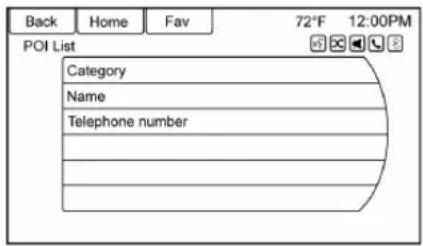
ThePOIListallowsselectionofa destinationsearchbyCategory, Name, or TelephoneNumber.
EnteringbyPOIname:
- SelecttosearchByName.
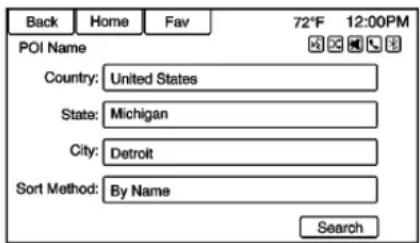
- Makesurethecorrectcountry, state/province, and city are present, then select Search. Add the city location to an arrow down the result of these search.
3.EnterthePOIname.
4. Selectafewofthecharacters orspellthenameinfull, by usingthealphakeyboard.
5. SelecttheDonescreenbutton, orifthelisthassixorfewer items, alistofPOIswill immediatelydisplay.
6. TouchthedesiredPOI.
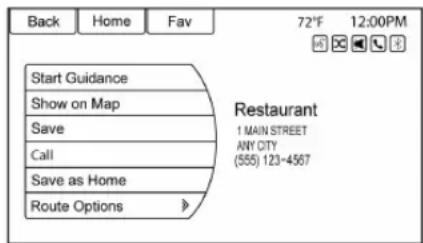
- TouchStartGuidance and the routecalculates.
PreviousDestinations
Selectadestinationfromthe PreviousDestinationList.Upto 15pointsthathavebeenpreviously enteredcanberecalled.Ifthelistis full,theoldestdestinationsare automaticallydeletedoncethe newestdestinationsareadded.
AddressBook
Ifnodestinationissavedtothe addressbook,saveadestination:
-
Touch Destination on the HomePage.
-
Enteranaddressusinganyof thedestinationmethods (AddressEntry, POI Entry, etc.).
- OntheDestination Confirmationscreen, selectSave.
- Thesystemdisplaysthe optionsName, Number, Icon, and Done. Touch Donetosave thedestination.
- Tocustomizetheaddressbook entry, selectName, Number, orIcon.
Ifadestinationisalreadysavedto theaddressbook,touchDestination ontheHomePagetodisplaythe AddressBookscreenbutton.
Chooseadestinationbyselecting anaddressthathasbeenstoredin theaddressbook.
- TouchAddressBook.Alist displaystheaddressbook entries.
- Select the destination from the list.
176InfotainmentSystem
- TouchStartGuidance and the route calculates.
ToeditAddressBookentries:
- Selectanitemfromthe addressbook.
- OntheDestination Confirmationscreen, selectEdit.
- Thesystemdisplaythe optionsName, Number, Icon, and Delete. TouchDeleteto deletethedestinationfromthe addressbook.
- Tocustomizetheaddressbook entry, selectName, Number, orIcon.
Latitude/LongitudeCoordinates

Chooseadestinationbasedon latitudinalandlongitudinal coordinates.
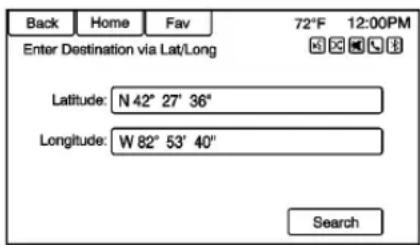
Toenterthelocationascoordinates, latitudeandlongitude:
- Touch Destination on the Home Page. Touch the Latitude and Longitudescreen button to display the screen above.
- Select Latitude or Longitudeto change. Enter the coordinates in degrees, minutes, and seconds.
- TouchSearchiftheinformation iscorrect.
- Touch the Start Guidance screen button. Theroute calculates.
FavoriteRoutes
AddingaFavoriteRoute:
- Touch the Home Page Destination button to display the Favorite Routesc screen button.
- TouchFavoriteRoute to displayNewFavoriteRoute.
- SelectNewFavoriteRoute and enterafavoriteroutename.
- TouchOKandthedisplay returnstothefavorite routeslist.
- Select the favoriteroute and addawaypoint using any of the destination methods, such as address entry, POI entry, etc.
SelectingaFavoriteRoute:
- Touch the Home Page Destination button to display the Favorite Routesc screen button.
- Touch Favorite Routesto displayalistofavailable favoriteroutes.
- Scrollandselectafavorite route.
- Touch the Start Guidance screen button. Theroute calculates.
DeletingaFavoriteRoute:
- Touch the Home Page Destination button to display the Favorite Routesc screen button. Touch this button to display the list of available favoreroutes.
- Scrollandselecttherouteto bedeleted.
3.TouchEdit. - TouchDeleteFavoriteRoute.
Changingtheroutename:
- Touch the Home Page Destination button to display the Favorite Routesc screen button. Touch this button to display the list of available favoreroutes.
- TouchtheEditscreenbutton.
- SelectEditName.
- Using the keypad, enter thename.
- Touch the Donescreen button. Thenewnamewillbeinthe Favorite RoutesMenu.
MyHome
Ifnohomedestinationisentered, saveadestinationbytouchingthe HomePageDestinationbutton. Enteradestinationusinganyofthe destinationentrymethods(Address
Entry, POIEntry, etc.). SelectSave as HomefromtheDestination Confirmationscreen.
Ifadestinationisalreadysavedas home,touchtheHomePage DestinationbuttontodisplaytheMy Homescreenbutton.Touchthis buttontostartrouteguidance.
SelectfromMap
- Touch the Home Page Destination button to display the Select from Mapscreen button. Touch this button to display themapscreen with a scroll symbol centered on themap.
- TouchtheZoomin/outbutton onthescreenandtouchthe maptolocatethedestinationto select.Touchandholdafinger onthemaptoactivatefast scrolling.
178InfotainmentSystem
- Touch the Gobutton on the bottom of the screent display the Destination Confirmation screen.
- Touch the Start Guidance screen button. Theroute calculates.
TravelGuide
TouchTravelGuideonthe DestinationEntrypage.Several optionscanbeselectedtoplana route.
TheTravelGuidePOlentrylist allowsselectionofadestination searchbycategoryorname.
EnteringbyPOICategory
- SelectCategoryfromthePOI ListmenutoaccessthePOI Selectionscreendisplay.
- Enterthenecessary information by first selecting the location line item to access the Location menu.
- Selectanyofthelineoptions suchasNearby.
- SelectCategoryfromthePOI Selectionmenutoaccessthe POIList.
-
Selectanyofthelineoptions suchasAllIPOIs.
-
SelectSortMethod from the POI Selection menuto access the Search Order menu. Select one of the two options: By Distance or By Name.
- SelectSearch.
- SelectthedesiredPOI.
EnteringbyPOIname:
- SelecttosearchByName.
- Makesurethecorrectcountry, state/province, and city are present, then select Search.
3.EnterthePOIname. -
Selectafewofthecharacters orspellthenameinfull, by usingthealphakeyboard.
-
Touch the Donescreen button, orifthelisthassixorfewer items, alistofPOIswill immediately display.
- TouchthedesiredPOI.
TheTravelGuidePOIwillhave somedetailedinformationaboutthe selectionmade.Thisinformation mayinclude:
- BriefDescription
- Address
Number - HoursofOperation
- Price
Website
Photosmaynotbeavailablefor certainlocationsorcountries.
DestinationConfirmation
Multipleoptionsareavailableonthe DestinationConfirmationscreen:
StartGuidance: Touchtostart a route calculation to the displayed destination.
ShowonMap: Touchtoswitchto themapviewwiththedisplayed destinationcenteredonthemap.
Save/Edit: Touchtosavethe displayeddestinationintothe addressbook. If the displayed destination is already stored in the addressbook, Edit will show the menu item.
Call: Touchtoinitiateaphonecall tothedisplayedphonenumber, ifphonecapabilityisavailable.
180InfotainmentSystem
SaveasHome: Touchtosavethe displayeddestinationasyourhome destination. Thehomedestination willbestoredatthetopofthelistof destinationsintheaddressbook.
RouteOptions: Touchtochange routeoptions. See "RouteOptions" following.
RouteOptions
Touchtodisplayvariousroute options.
AlternativeRoutes: If enabled, the system will provide an additional screen after Start Guidance has been selected. Select Fastest, Shortest, or Ecocalculated routes before selecting GO.
Fastest: This calculates the quickest route.
Shortest: This calculates the shortest route.
Eco: This calculate the most fuel efficient route based on speed and distance.
UndertheRouteOptionsmenu, thereareroutepreference that by defaultareallenabled.
Acheckmarkplacednexttoeach preferenceindicatethis.Allof thesepreferencesareusedwhen calculatingtheroute.Ifanyofthese preferencesareunselected,the routewillbecalculatedwithout includingthesepreferences.
UseHighways:Deselecttoavoid majorroads.
UseTollRoads: Deselecttoavoid tollroads.
UseFerries:Deselecttoavoid ferries.
UseTunnels: Deselecttoavoid tunnels.
UseTimeRestricted:Deselectto avoidtimerestrictedroads.
UseCarTrain:Deselecttoavoid cartrains.
MenuwithRouteGuidance Active
Severalfunctionscanbeperformed afterdestinationhasbeen entered.TouchtheHomePage DestinationEntryscreenbutton to accesstheRouteMenuscreen.
CancelGuidance
TouchCancelGuidancetocancel thecurrentroute.
DestinationList
SelectDestinationListtoview optionsfororganizingwaypoints.
TurnList
flowchart
graph TD
    A["Turn List"] --> B["1ST STREET"]
    B --> C["1 hr 30 min"]
    B --> D["11 mi"]
    D --> E["MAIN STREET"]
    E --> F["2.0 ms"]
    F --> G["10 min"]
    G --> H["2ND AVENUE"]
    H --> I["400 yd"]
    I --> J["ANY STREET"]
    J --> K["1 min"]
    K --> L["72°F 12:00PM"]
    style A fill:#f9f,stroke:#333
    style B fill:#ccf,stroke:#333
    style C fill:#cfc,stroke:#333
    style D fill:#fcc,stroke:#333
    style E fill:#cff,stroke:#333
    style F fill:#ffc,stroke:#333
    style G fill:#cfc,stroke:#333
    style H fill:#fcc,stroke:#333
    style I fill:#ffc,stroke:#333
    style J fill:#cfc,stroke:#333
    style K fill:#fcc,stroke:#333
    style L fill:#ffc,stroke:#333
SelectTurnListtoviewalistof maneuversfortheentireroute. TouchtheAvoidscreenbuttonnext tooneoftheturnmaneuversto
avoidasegmentofroads. A maximumofeightavoided segmentsareallowed.
AvoidList
SelectAvoidListtodisplayalistof avoidedroadsegmentswiththe optiontoremovetheavoideditems fromthelist.
VoicePrompt
SelectVoicePrompttoviewoptions todisableormanagenavigation voice promptsandtrafficalert prompts.
Detour
TouchDetourtodisplaytheroute detouroptions.Selecttodetourthe wholerouteorbyaspecific distance.
RouteOptions
Thisfeaturecanbeaccessedfrom theDestinationConfirmationMenu andDestinationMenuwithRoute GuidanceActive.See"Destination Confirmation"previouslyinthis section.
Waypoints
Upto threewaypointscanbeadded tothecurrentroute. Thewaypoints can besorted(moved)ordeleted.
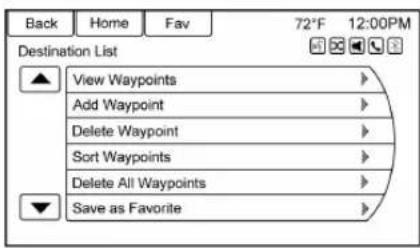
Toaddawaypoint:
- From the Destination List menu, touch Add Waypoint.
- Enterthewaypointbyanyof theadddestinationmethods. Thesystemcalculatesand highlightstherouteandthe routecanbestarted.
- To add more waypoints, touch Add Waypoint to add the waypoint in the order desired on the route.
182InfotainmentSystem
Todeleteawaypoint:
- From the Destination menu, touch Destination List.
- TouchDeleteWaypoint.
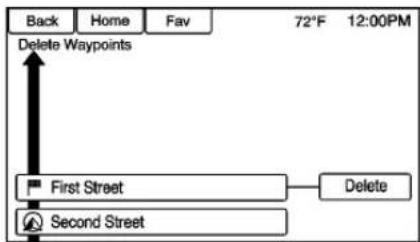
flowchart
graph TD
    A["Back"] --> B["Home"]
    B --> C["Fav"]
    C --> D["72°F 12:00PM"]
    D --> E["Delete Waypoints"]
    E --> F["First Street"]
    F --> G["Delete"]
    F --> H["Second Street"]
- Selectthewaypointstobe deleted. TouchtheDelete screenbutton.
TheSortWaypointfeatureallows reorganizationofthedestinationlist.
Tosortawaypoint:
- From the Destination menu, touch Destination List.
- TouchSortWaypoints.
- Selectthewaypointtomove.
- Selectthelocationtomovethe waypointto.
Instead of deleting individual waypoints, select Delete All Waypointstodelete all waypoints at the sametime.
Tosaveadestinationlistasa favoriteroute,selectSaveas FavoriteRoute.
OnStar® Destination Download
Thedestinationdownloadletsan OnStar® Subscriberaskan OnStar Advisortodownloadadestinationto thenavigationsystem.OnStarwill sendaddressinformationand locationcoordinatesofthe destinationintothenavigation system.
UsingDestinationDownload
Thenavigationradioscreenmust beturnedonbeforeadownload.
Thenavigationsystemdisplays "Pleasewait" astheaddressis searched within themapdatabase.
If the address is not found within the map database, the system may use latitude and longitude coordinate to locate the destination.
If the system is unable to locate the address, the Downloading On Star destination failed to screen displays.
RouteGuidanceNotActive
IfanOnStardestinationis downloadedwhilerouteguidanceis notactivated,thenavigationsystem displaysapop-upscreenwiththe followingscreenfunctions:
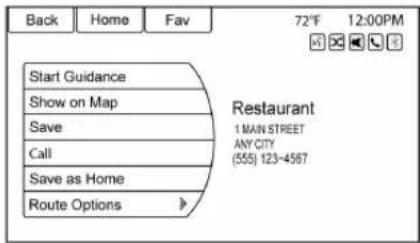
StartGuidance: Touchtostart routecalculationtothe destination(s)received.
ShowonMap: Touchtodisplay theMapScreen.
Save: Touchtosavethe downloadeddestinationtothe addressbook.
Call: Touchtoinitiateacallwith BluetoothPhoneorOnStar Hands-FreeCalling(ifavailable).
SaveasHome: Touchtosetan addressasahomedestination.
RouteGuidanceActive
IfanOnStardestinationis downloadedwhilerouteguidanceis alreadyactive,thesystemdisplays apop-upscreenwiththefollowing screenfunction:
- TouchStartGuidance; the navigationsystemaddsthe downloadeddestinationbefore thenextwaypointoftheexisting route(closesttothecurrent vehicleposition).
- Allotherbuttonsonthepop-up screenoperateasdescribed under"RouteGuidanceNot Active."
PreviousDestinations
PreviouslydownloadedOnStar destinationsaresavedunder PreviousDestinationsinthe navigationsystem,wheretheycan beaccessedorsavedtothe AddressBook.
ConfigureMenu
TheConfigurationMenuisusedto adjustfeaturesandpreferences, suchasSound,Radio,Nav (Navigation),Display,orTime Settings.
- TouchConfigontheHome PageorpressCONFIGonthe faceplate.
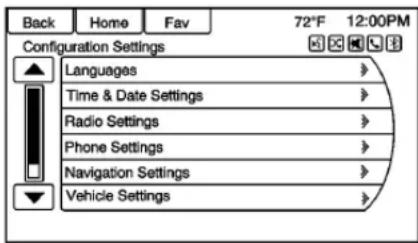
- Touch-tapthescrollbaruntil thedesiredoptiondisplays. Selectthedesiredsettingsto change. See Vehicle Personalization→113on adjustingmostvehiclesettings. See "NavigationSettings" and "NavigationSettingsButton" laterinthissection.
Languages
TouchConfigontheHomePageor pressCONFIGonthefaceplateto enterthemenuoptions.Turnthe knobortouch-tapthescroll bartoscrollthroughtheavailable options.Pressthe knobor pressLanguagestodisplaythe languages.Selectthedesired language.
TimeandDateSettings
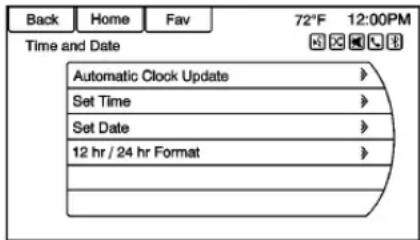
FromtheTimeandDateSetting menu,touchtodisplaytheTimeand Datemenu.
AutomaticClockUpdate: When enabled, this feature will set the clock automatically.
SetTime: Touch+or-toincrease ordecrease the Hours and Minutes displayed on the clock.
SetDate: Touch+or-toincrease ordecreasetheday.
12hr/24hrFormat: Touchthe12 Hourscreenbuttonforstandard time;touchthe24Hourscreen buttonformilitarytime.
TouchtheBackscreenbutton to savetheadjustments.
RadioSettings
TouchConfigontheHomePageor pressCONFIGonthefaceplateto enterthemenuoptions.Turnthe ←→knobortouch-tapthescroll bartoscrollthroughtheavailable options.Pressthe ←→knobor touchRadioSettingstodisplaythe radiosettingsmenu.Touchthis featuretomakechangesforradio informationdisplayed,presetpages, AutoVolume,andXMCategories Restore.SeeSatelliteRadio→139, forinformationaboutXM Categories.
TheRadioSettingsare:
AutoVolume: SelectOff, Low, Medium, or High sensitivity to automatically adjust the volumeto minimize the effect of unwanted background noise that can result from changing roads surfaces, driving speeds, or open windows. This feature works best at lowervolume settings where background noise is typically louder than the sound system volume.
GracenoteOptions: Touch to enable/disableNormalization used to improve voicerecognition and mediagroupings. See CDPlayer 155, USB 158, Auxiliary Devices 164, and Bluetooth Audio 164.
XMChannelArt: Touchtoenable/disabletheXMAudiopage backgroundontheXMChannel display.
MaxStartupVolume: Touchtoset themaximumvolumelevelfor startupthatwillbeusedevenifa highervolumehadbeensetwhen theradiowasturnedoff.
NumberofFavoritePages: Touch toselectthenumberoffavorite pagestobedisplayed.
XMCategories:Touchto customizewhichavailableXM Categoriesareusedanddisplayed.
SoftwareVersionInformation: Touchtodisplayinformationabout thesystemandupdatesoftwareif available.
PhoneSettings
SeeBluetooth→197.
NavigationSettings
TouchConfigontheHomePageto enterthesetupmenu.Turnthe knobortouch-tapthescroll baruntiltheNavigationSettings optiondisplays.Selectthisfeature tomakechangestoVoicePrompt, TrafficSettings,GuidanceAlert, DeleteSavedDestinations,Bread Crumbs,andRouteSimulation.
NavigationSettingsButton
Variousnavigationsystemsettings are available through the ConfigurationSettingsmenu. Some options are only available after a route is planned.
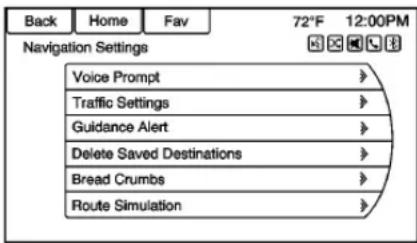
TouchNavigationSettingstoaccess thenavigationsystemsettings.
VoicePrompt
TheVoicePromptmenuallows changestothevoiceprompt features.
NavigationVoicePrompts: Select theOnorOffbuttontoturnthe voiceinstructionsonoroffwhile travelingonaplannedroute.
TrafficAlertPrompts: Select the OnorOffbuttontoturnthetraffic voicepromptonoroffwhile travelingonaplannedroute.
NavigationVolume:Selectto changethevolumeofthenavigation prompts.
MuteVoicePromptswhilein Calls: Selecttomutevoice promptswhileinacall.
TrafficSettings
TouchtodisplaytheTraffic Settingsmenu.
TrafficEvents(On/Off): Touch to enable order disable the traffic feature.
TrafficAlertPrompts(On/Off): Touchtoenableordisablethetraffic voiceprompts.
186InfotainmentSystem
RouteBasedonTraffic
Conditions: Touchtodisplaya submenuofoptions.
- RouteBasedonTraffic Conditions: Touchtoenableor disabletheroutefeature.
- AutomaticRecalculation: Touch to enable automatic route recalculation.
- RecalculationafterConfirmation: Touchtoenableroute recalculationafterconfirmation.
SortMethod: Touchtodisplaya submenuofsortoptions.
- SortbyDistance:Touchto displaytrafficeventsinorderof distancewiththeclosestevent shownfirst.
- SortbyRoadName: Touch to display traffic events in alphabetical order.
ShowTrafficEventsonMap:
Touchtodisplaytrafficiconson themap.
• ShowAll: Touchtoenable displayofalltrafficiconson themap.
- HideAll: Touchtodisable displayofalltrafficiconson themap.
- UserDefined: Touchtodefine theindividualtypesoficonsthat aredisplayedfortrafficflowand trafficconditions.
TrafficFlowStatus
Thetrafficflowstatuswilldisplaying green, yellow, orredlinesbeside theroad.
- Redindicate significantly impaired traffic flow with average speed less than 40 km/h (25 mph).
- Yellowindicateslightlyimpaired trafficflowwithaveragespeed between40and73km/h(25and 45mph).
- Greenindicatesnormaltraffic flowwithaveragespeedabove 73km/h(45mph).
ClosedRoads, TrafficDelays, Roadworks, Incidents, and Advisories
Select the traffic event group for display on themapscreen. Some events may cover more than one traffic condition. See the following traffic conditions.
TrafficConditions
The followingtrafficconditionicons maydisplay:
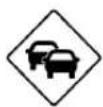
StoppedTrafficTrafficJam

AccidentRoadClosed



LaneNarrowsRoadWork,
Construction

AlertRoadCondition



RoadVisibilityOther
GuidanceAlert
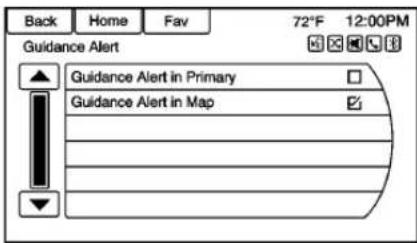
Touchtoenabletheguidancealert pop-uptobewievedonthemapor onthemainscreenssuchasaudio, weather, phone, etc. Acheckmark appearstoindicate theguidance alertmodeison.
DeleteSaved Destinations
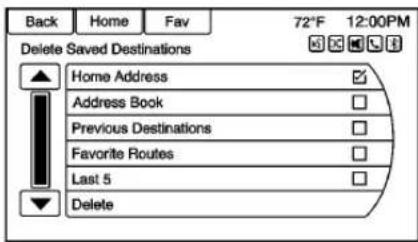
Touchtodeleteallsaved destinations.ADeleteSaved Destinationssubmenudisplays. Selectthedesiredoptionsfor deletionandtouchDeleteatthe bottomtocontinue.Aconfirmation screendisplaysrequestingtodelete orcancel.
BreadCrumbs
Breadcrumbs,whendisplayed, showapreviouslyfollowedroute.
SelectDisplaytoenablebread crumbsonthemapdisplay.
Itispossibletorecordandstore breadcrumbsstoretrievejourneys forfuturereference.
188InfotainmentSystem
Previouslystoredbreadcrumbscan beloadedfromtheSavedmenu item, andthendisplayedby selectingShowonMap.
RouteSimulation
Selecttodisplayaroutesimulation.
UseLastKnownPosition:Select tostartthesimulationfromthelast knownposition.
UsePreviousDestination:Select tostartthesimulationfroma previousdestination.
UseSpecifiedLocation:Selectto startthesimulationfromaspecified location.
Oncethestartingpositionforthe simulationisselected,select NavigationandtheMapdisplaywill beinSimulationmode.SIMis displayedonthemap.
Selectandenterthedestinationas foranormaljourneyandselectStart Guidancetocalculatetheroutein Simulationmode.
TouchNexttoskiptothenextturn, ortouchStoptopausethe simulation.
Tostopthesimulation, pressDEST and select CancelGuidance.
ToexitfromSimulationmode, return totheNavigationSettingsmenu, selectRouteSimulation, thenselect CancelRouteSimulation.
VehicleSettings
See Vehicle Personalization→113.
DisplaySettings
TouchConfigontheHomePageor pressCONFIGonthefaceplate, thenselectDisplaySettingsfrom thelist.
The following options may display:
HomePageMenu: Touch to customizethefirstpageofthe HomePage.
RearCameraOptions: Touch to enable order disable Symbols and GuideLines..
DisplayOff: Touchtoturnoffthe display. Thedisplaywillreturnwhen anyradiobuttonsarepressedorthe screenistouched(ifequipped).
MapSettings: Touchtoenterthe submenutochangeMapDisplay settingsandenableSpeedLimit displayonmap.
MapDisplay: Touchtochangethe screenbackground.
- TheAutomaticsettingadjusts thescreenbackground automaticallydependingonthe exteriorlightingconditions.
- TheDaysettingbrightensthe mapbackground.
- TheNightsettingdarkensthe mapbackground.
Tochangetheoverallbrightness settingforthedisplay,usethe vehicleinteriorlightinginstrument panelilluminationcontrol.
SpeedLimits: Touchtoenableor disabledisplayedspeedlimitson themap.
GlobalPositioning System(GPS)
Thepositionofthevehicleis determinedbyusingsatellite signals,variousvehiclesignals,and mapdata.
Attimes, other interferences such as the satellite condition, road configuration, condition of the vehicle, and/or other circumstances can affect then navigation system's ability to determine the accurate position of the vehicle.
TheGPSshowsthecurrentposition ofthevehicleusingsignalssentby GPSSatellites.Whenthevehicleis notreceivingsignalsfromthe satellites,asymbolappearsonthe mapscreen.SeeNavigation Symbols\\170.
Thissystemmightnotbeavailable orinterferencecanoccurifanyof thefollowingaretrue:
- Signalsareobstructedbytall buildings, trees, largetrucks, oratunnel.
- Satellitesarebeingrepairedor improved.
FormoreinformationiftheGPSis notfunctioningproperly,see ProblemswithRouteGuidance 190andIftheSystemNeeds Service190.
VehiclePositioning
Attimes, the position of the vehicle on themap could be inaccurate due to one or more of the following reasons:
• Theroadsystemhaschanged.
- The vehicle is driving on slippery roads, surface such as sand, gravel, or snow.
- Thevehicleistravelingon windingroadsorlongstraight roads.
- The vehicle is approaching at all building or large vehicle.
- Thesurfacestreetsrunparallel toafreeway.
- The vehicle has been transferred by a vehicle carrier or a ferry.
- Thecurrentpositioncalibration issetincorrectly.
- Thevehicleistravelingathigh speed.
- Thevehiclechangesdirections morethanonce,orthevehicleis turningonaturntableina parkinglot.
- The vehicle isentering and/or exiting a parking lot, garage, oral to with a roof.
• TheGPSsignalisnotreceived. - Aroofcarrierisinstalledonthe vehicle.
- Tirechainshavebeeninstalled.
• Thetiresarereplacedorworn. - Thetirepressureforthetiresis incorrect.
- Thisisthefirstnavigationuse afterthemapdataisupdated.
• The12-voltbatterywas disconnectedforseveraldays. - Thevehicleisdrivinginheavy trafficwheredrivingisatlow speeds,andthevehicleis stoppedandstartedrepeatedly.
ProblemswithRoute Guidance
Inappropriaterouteguidance can occur underoneormoreof the following conditions:
- Theturnwasnotmadeonthe roadindicated.
- Routeguidancemightnotbe availablewhenusingautomatic reroutingforthenextrightor leftturn.
- Theroutemightnotbechanged whenusingautomaticrerouting.
- Thereisnorouteguidancewhen turningatanintersection.
- Pluralnamesofplacesmightbe announcedoccasionally.
- It could take alongtimeto operate automaticrerouting during high-speed driving.
-
Automaticreroutingmight displayaroutereturningtothe setwaypointifheadingfora destinationwithoutpassing throughasetwaypoint.
-
Therouteprohibitstheentryofa vehicleduetoaregulationby timeorseasonoranyother regulationwhichmaybegiven.
- Someroutesmightnotbe searched.
- Theroutetothedestination mightnotbeshownifthereare newroads,ifroadshave recentlychanged,orifcertain roadsarenotlistedinthemap data.SeeMaps→170.
Torecalibratethevehicle'sposition onthemap, parkwiththevehicle runningfortwotofiveminutes, until thevehiclepositionupdates. Make surethevehicleisparkedina locationthatissafeandhasaclear viewoftheskyandawayfromlarge obstructions.
IftheSystemNeeds Service
If thenavigationsystemneeds service and the steps listed here have been followed but there are still problems, see Problems with Route Guidance 190.
MapDataUpdates
Themapdatainthevehicleisthe mostup-to-dateinformation availablewhenthevehiclewas produced. Themapdataisupdated periodically,providedthatthemap informationhaschanged.
Forquestionsabouttheoperationof thenavigationsystemortheupdate process,contacttheGMNavDisc Centertoll-freephonenumber, 1-877-NAV-DISC(1-877-628-3472) orgotothecenter'swebsite, www.gmnavdisc.com.Ifupdatesare needed,calltheGMNavDisc CenterororderanewMapUpdate online.Toordermapdata,havethe vehicle'sVehicleIdentification Number(VIN)available.See VehicleIdentificationNumber (VIN)⇒343.
Afterreceivingtheupdatedmap data,seeMaps→170.
DatabaseCoverage Explanations
Coverageareasvarywithrespectto thelevelofmapdetailavailablefor anygivenarea.Someareasfeature greaterlevelsofdetailthanothers. Ifthishappens,itdoesnotmean thereisaproblemwiththesystem. Asthemapdataisupdated,more detailcanbecomeavailablefor areasthatpreviouslyhadlimited detail.SeeMapData Updates ^190 .
VoiceRecognition
Voicerecognitionallowsfor hands-freeoperationofthe infotainmentsystemfeatures.
Voicerecognitioncanbeusedwhen theradioisonorwhenRetained AccessoryPower(RAP)isactive. SeeRetainedAccessoryPower (RAP)→230.Thesystemmaintains a minimumvolumelevel.
UsingVoiceRecognition
-
Press ^8 /w ^2 on thesteering wheel. The audiosystem mutes. A voice prompt states, "Pleasesayacommand." Wait until the tone is heard before speaking. If there is not one, makes sure that the volume is turned up. While voicerecognition is active, the system displays a symbol in the top right of the screen.
-
Clearlyspeakoneofthe commandslistedlaterinthis section.
Press _1 twiceonthesteering wheeltoskipthevoiceprompt messages.
CancelingVoiceRecognition
-
Pressandrelease/On thesteeringwheelcontrol to cancelacommand, if the systemresponsedoesnot matchthevoicecommand, or say "Goodbye" or "Cancel."
-
Thesystemreplies, "Goodbye."
HelpfulHintsforSpeaking Commands
- When multiple commands are available, choosethe command that works best for you.
- Wordsinparenthesesare optional. Forexample, for the command "TuneFM (frequency)," saying "TuneFM 87.7" or "TuneFM" are both valid commands.
- Whenthecommandis recognized, thesystemwill eitherperformthefunctionor asktoconfirmthechoice.
192InfotainmentSystem
- Whenthesystemdoesnot recognizethecommand,the systemsays"Pardon."
- If experiencing difficulty with the system recognizing a command, confirm that the command is correct. Try saying the command clearly or wait for a brief moment after the tone.
- Backgroundnoisesuchasa climatecontrolfanpositionedon high, openwindows, and very loudoutsidenoises, even if the windows are closed, can cause voice commandstobe misunderstood.
- Thesystemisabletorecognize commandsindifferent languages,suchasEnglish, CanadianFrench,andSpanish. Thesystemonlyrecognizes commandsbasedonthe languageselected.
- Toincreaseordecreasethe voicevolumeduringavoice recognitionsession,turnthe volumeknoboftheradio, orpressthevolumesteering wheelcontrol.Ifthevolumeis
adjusted during avoice recognition session, a Volume barappear son the screen showing the voice volume level as its being adjusted. This also changest the volume of the guidance prompts.
- Whenusingnavigation commands, takethetimeto becomefamiliarwiththe address.Longdelayswhen givingtheaddresscanresultin thesystemnotrecognizingthe addressorroutingtoadifferent locationthanintended.
- Whenprovidingthehouse numberportionoftheaddress, thesystemrecognizesbothdigit formatandnumericaltext.An examplewouldbetosay, "3-0-0-0-1"or"Thirty ThousandOne."
- If the system provides the destination in another country on several attempts, say the "Change Country" command and say the country of interest. The country default is the United States. To enter a destination in
CanadaorMexico, the country will first havetobechanged in the system.
VoiceRecognitionHelp
Toenterthehelpplaybacksession, clearlyspeakoneofthehelp commands.
Help: Thesystemplaysbackmore specifichelpcommandssuchas RadioSettingstochoosefrom.
Radio: Use this command to learn about how to select the band (AM, FM, or SiriusXM), and how to change radiostations by speaking frequency numbers.
Phone: Usethiscommandtolearn abouthowtodial, pairadevice, ordeleteadevice.
MyMedia: Usethiscommandto learnhowtoplayspecifictracks, artists, albums, devicesconnected totheUSBport, ortochange sources.
Settings: Usethiscommandto learnabouthowtoturnVerboseon oroff, orsetthelanguage.
VoiceRecognitionCommands
The followinglistshowsthevoice commandsavailableforthe infotainmentsystemwithabrief descriptionofeach. The commands arelistedwiththeoptionalwordsin parentheses. Tousethevoice commands,seetheprevious instructions.
RadioCommands
TuneAM, TuneFM, TuneXM, TunePandora, TuneStitcher:
Instructsthesystemtogotothe specificbandandthelaststation.
TuneAM(frequency), TuneFM (frequency), TuneXM(station numberorname): Instructsthe systemtogotothespecificstation.
ThumbsUp: Instructsthesystem togivethecurrentsongorstationa thumbsupinPandoraorStitcher.
ThumbsDown: Instructsthe systemtogivethecurrentsongor stationathumbsdowninPandora orStitcher.
PhoneCommands
DialorCall(phonenumberor contact):Instructsthesystemto startaphonecall. Forexample, say "Dial12481234567." Tocalla phonebookcontact, say "Dial" or "Call," saythenameandlocation, andthensay "Dial." Forexample, say "CallJohnatHome" or "Call JohnatWork." Ifanumberisnot recognized, thefirstnumberinthe listwillbecalled.
PairorConnect: Instructsthe systemtobeginpairingadevice.
DigitDial: Instructsthesystemto dialaphonenumberonedigitata time. Aftersayingthedigits, say "Dial."
RedialorRedialLastNumber: Instructsthesystemtodialthelast phonenumbercalled.
SelectDeviceorChangePhone: Instructsthesystemtoswitchtoa differentpaireddevice. The device must be selected from the screen or using the knob.
DeleteDevice: Instructsthe systemtodeleteapaireddevice.
ReadTextMessagesorReadSMS Messages:Instructsthesystemto beginreadingtextmessagesfroma paireddevice.
Notalldevicessupporttext messages. Applicablewhere equipped.
MyMediaCommands
CD,AUX,USB,orBluetooth Audio:Instructsthesystemto changethesource.
PlayCD: Instructsthesystemto playaCD.
The following commandsonly apply to USB, iPod, and iPhonesources. They are supported after the device has been indexed.
PlayArtist(artistname): Instructs thesystemtoplaysongsbya specificartist.
PlayAlbum(albumtitle): Instructs thesystemtoplayaspecificalbum.
PlaySong(songtitle): Instructs thesystemtoplayaspecificsong.
194InfotainmentSystem
PlayGenre(genrename):
Instructsthesystemtoplaysongs ofaparticulargenre.
SearchArtist(artistname):
Instructsthesystemtoshowalistof allsongsbyaspecificartist.
SearchComposer(composer name):Instructsthesystemto showalistofallsongsbyaspecific composer.
SearchAlbum(albumname):
Instructsthesystemtoshowalistof allsongsonaspecificalbum.
SearchGenre(genrename):
Instructsthesystemtoshowalistof allsongsforaspecificgenre.
SearchFolder(foldername):
Instructsthesystemtoshowalistof allsongsinaspecificfolder.
SearchPlaylist(playlistname):
Instructsthesystemtoshowalistof allsongsinaspecificplaylist.
SearchAudioBook(audiobook
name): Instructsthesystemto showalistofalltracksinaspecific audiobook.
SearchPodcast(podcastname):
Instructsthesystemtoshowalistof alltracksinaspecificpodcast.
MoreLikeThis: Instructsthe systemtocreateaplaylistoftracks similartothecurrenttrackplaying.
SettingsCommands
Verbose(set)on(mode),Verbose(set)off(mode):Instructsthe systemtoturnvoicepromptsonor off.Whenoff,thisfeatureturnsoff voice prompts.
Language(language): Instructs thesystemtosetthelanguage.
ListDevices: Instructsthesystem togivealistofdevicestouse.
OtherCommands
Goodbye: Instructsthesystemto endaphonecallorvoice recognition.
Cancel: Instructsthesystemto cancelanaction.
GoBack, Back, Previous:
Instructsthesystemtogobacktoa priormenu.
MainMenu: Instructsthesystemto gotothemainmenu.
Yes, Yep, Yup, Ya, Sure, Right, Correct, OK, Positive, YouGotit, Probably, YouBet: These can be used to say "Yes."
No, Nope, Na, Noway, Wrong, Incorrect, Negative, Notreally, No Isaid, NolDidNot, NolDoNot:
Thesecanbeusedtosay"No."
NextPage, PageDown: Instructs thesystemtoscrollforwardone pageinalist.
PreviousPage, PageUp: Instructs thesystemtoscrollbackonepage inalist.
NavigationCommands (IfEquipped)
Toactivatethenavigationvoice recognition:
- Press / onthesteering wheel. The audiosystem mutes. A voice prompts says, "Pleasesayacommand." Wait until the tone is sheard before speaking.
If there is not one, makes sure the volume is turned up.
Whilevoicerecognitionis active, thesystemdisplaysa symbolinthetoprightofthe screen.
- Clearly speak the command "Navigation."
- Clearly speak one of the commands in this section.
The following commandsonly apply once the Navigation command is given.
ChangeCountry: Changesthe countryorigintoinputadestination from that region. Thesystemwill acceptUnitedStates, Canada, or Mexico.
AddressorDestination: Allows an addressstobestatedasa one-shotmethod. Thesystemwill recognizes the addressifstatedallat onceorsayacitycenter. An exampleistosay, "200 RenaissanceStreet, Detroit, Michigan" or "Detroit, Michigan."
DirectedAddress: Allows an address to bestated onestepata time. The format will be State, City, Street, then House Number.
Intersection: Allows an Intersection to bestated the destination. The format will be State, City, Street, then Intersection.
Contact: Whenaphoneispaired tothesystem, which contains AddressInformationstoredfor contacts, theaddressassociated with thatcontactcanbecomea route. If thesystemcannotresolve theaddress, anerrordisplays.
Home: Instructsthesystemtostart guidancetotheaddressssavedas MyHome.
PointsofInterestorPOI:Allowsa PointofInteresttobestatedasa destination.
Saythenameorlistitemnumberof thecategoryandsubcategoryto returnalistofPOIs.Saytheitem numbertoselectaPOIfromthelist.
POIcommandsforNearby,Along Route,andAroundDestinationwill beavailableifrouteguidanceis active.
AddWaypoint: Allows addition of individual waypoints or the destination. Thesystemwillask for the choice of entry method to continue. An exampleistosay, "POI AlongRoute" or "Intersection."
DeleteWaypoint: Whenguidance isactive, this command allows the deletion of individual waypoints or the destination. If guidance is not active, the system will indicate the destination list is empty.
WhereAml?, MyLocation, orCurrentPosition: Instructsthe systemtogivethecurrentposition ofthevehicle.
Help: Thesystemplaysbackmore specifichelpcommandsassociated withNavigationoraNavigation sub-feature.
CancelGuidanceorCancel Route: Instructsthesystemto cancelguidance.
EnteringaDestinationinOther Countries
Forthevoicerecognitiontorespond toalocaladdress,the correspondingcountryneedstobe setinthenavigationsystem.
The country can also beset using voice commands. However, the country will change back to the default country when the vehicle is keyed off.
- Press ☑/onthesteering wheel.
2.Say"Navigation." - Say "ChangeCountry."
- Say the country name. For example, say "Canada."
OnStarCommand(If Equipped)
ToactivateOnStarvoice recognition, press 📋onthemirror orpress 📃/®onthesteering wheelandsay“OnStar”afterthe beep. ThiswillactivetheOnStar voicecontrol.SeeOnStar Overview→360.
OnStar: These commands can be used after the OnStar button is pressed.
HelpCommands
- Help
- Hands-FreeCalling(ifavailable)
- Turn-by-TurnDirections
- OnStarInfo
Aftereachlistofhelpcommands, thefollowingareavailable:
- GoBack
- Repeat
- Cancel
- Help
Goodbye
Hands-FreeCalling(ifavailable)
- Call
- Store
- Commands
-Call
-Store
-MyNumber
-Minutes
-StoreLastNumber
-DigitDial
-Redial
-Dial
-NumberRecall
-Directory
-DigitStore
Turn-by-TurnDirections(if available)
- Directory
- PlanRoute
- Commands
-Directory
-StoreDestination
-PlanRoute
-DeleteDestination
-MuteDirections
OnStarInfo(ifavailable)
- Messages
- Minutes
- MyNumber
- Commands
-Messages
-VirtualAdvisor
-MyNumber
-Minutes
-NumberRecall
-AdvisorPlayback
- VirtualAdvisor
VirtualAdvisor(ifavailable)
Choosethisoptiontoconnecttoa liveAdvisor.
VoicePass-Thru
Voicepass-thruallowsaccesstothe voicerecognitioncommandsonthe cellphone,namelySiri ^® orVoice Command.Seethecellphone manufacturer'suserguidetoseeif thecellphonesupportsthisfeature.
Toactivatethephonevoice recognition system, press and hold / on the steering wheel for approximately twoseconds.
BluetoothPhone/Devices
Bluetooth
Overview
Forvehiclesequipped with Bluetoothcapability, the system can interact with many cell phones and devices, allowing:
- Placing and receiving hands-free calls.
- Sharingofthecellphone's addressbookorcontactlistwith thevehicle. Thephonebookwill onlydisplaywhenthatphoneis connected.
- Placingoutgoingcallsbyvoice recognition.
Thesystemcanbeusedwhilein ON/RUN,ACC/ACCESSORY, orRetainedAccessoryPower (RAP). TherangeoftheBluetooth systemcanbeupto9.1m(30ft). Theradiocanconnecttomost
Bluetooth-enabledphones. Availablefeaturesandfunctions maybedependentonthedevice.
Onacurrentphonecallscreen,an imageofthecontactfromyour phone'scontactlistcanbe displayed.Notallphonesare compatiblewiththisfeature.
BluetoothControls
Usethebuttonsontheinfotainment systemandthesteeringwheelto operatetheBluetoothsystem.
SteeringWheelControls
I : Press to answer incoming callsandstartvoicerecognition.
☑ / ☑ : Press to end a call, declineanincomingcall, orcancel voicerecognition.
+ ▷ -: Press + or - to increase or decrease the volume.
InfotainmentSystemControls
Forinformationabouthowto navigatethemenusystemusingthe infotainmentcontrols,see Overview→127.
PHONE: PresstoenterthePhone mainmenu.Pressandholdtomute orunmute.
VoiceRecognition
Thevoicerecognitionsystemuses commandstocontrolthesystem anddialphonenumbers.
When using voicerecognition:
- Thesystemmaynotrecognize voicecommandsifthereistoo muchbackgroundnoise.
- Atonesoundstoindicate that the system is ready for a voice command. Wait forthetone and thenspeak.
- Speakclearlyinacalmand naturalvoice.
See Voice Recognition→191.
AudioSystem
Soundcomesthroughthevehicle's frontaudiosystemspeakersand overridestheaudiosystem. Use the
VOL/△knobduringacallto changethevolumelevel.The
adjustedvolumelevelremainsin memoryforlatercalls. Thesystem maintainsaminimumvolumelevel.
See Voice Recognition→191.
BluetoothAudio
SeeBluetoothAudio→164.
PairingwithInfotainment Controls
ABluetooth-enabledcellphone must be repaired and then connected to the vehicle before it can be used. Seethecellphonemanufacturer's user guide for Bluetooth functions before repairing the cellphone. If a Bluetooth phone is not connected, call will be made using OnStar Hands-Free Calling, if available. See OnStar Overview 360.
PairingInformation
- ABluetooth-enabledphone and anaudioplayback device can be paired to the system at the same time.
-
Uptofivedevicescanbepaired totheBluetoothsystem.
-
Thepairingprocessisdisabled whenthevehicleismoving.
- Pairingonlyneedstobe completedonce, unless the pairinginformationonthecell phonechangesorthecellphone isdeletedfromthesystem.
- Onlyonepairedcellphonecan beconnectedtotheBluetooth systematatime.
- If multiplepairedcellphones are within range of the system, the radiowill connect to the first phone in the list to the phone that was previously connected.
PairingaPhone/Device
- PressCONFIGorPHONE.
- SelectPhoneSettings.
-
SelectPairDevice(Phone). Theradiodisplays "Please startBluetoothsearchonyour phone. Confirmorenter number." If the device supports a four-digit Personal Identification Number (PIN), it will display. The PIN is used in Step5.
-
Start the pairing process on the cell phonetobepaired to the vehicle. Seethe cell phone manufacturer's user guide.
-
Locateandselectthe device namedafterthe vehicle make and modelinthelistonthecell phone. Follow the instructions onthecellphonetoenterthe PINprovidedinStep3, orto confirm the six-digitcode matches. Thesystem recognizesthenewconnected phone after the pairing process is complete.
-
If the phone prompt to accept connection or allow phone bookdown load, select always accept and allow. The phone book may not be available if not accepted. Some phones will put connection requestor phonebookrequestinapull downtaskbaratthetopofthe screen. Dragdownthetaskbar and look for connection/ phonebookrequestandaccept.
-
Repeattopair additional phones.
ListingAllPairedandConnected Phones/Devices
-
PressCONFIG.
-
SelectPhoneSettings.
-
SelectDeviceList.
DeletingaPairedPhone/Device
-
PressCONFIG.
-
SelectPhoneSettings.
-
SelectDeviceList.
-
Select the phonetodelete and follow the screen prompts.
ConnectingtoaDifferentPhone
Toconnecttoadifferentphone,the newphonemustbeinthevehicle andavailabletobeconnectedtothe Bluetoothsystembeforethe processisstarted.
-
PressCONFIG.
-
SelectPhoneSettings.
-
SelectDeviceList.
-
Selectthenewphoneto connecttoandfollowthe screenprompts.
PairingwithVoiceRecognition
ABluetooth-enabledcellphone must be paired and then connected to the vehicle before it can be used. Seethecellphonemanufacturer's user guide for Bluetooth functions before repairing the cellphone. If a Bluetooth phone is not connected, call will be made using OnStar Hands-Free Calling, if available. See OnStar Overview 360.
PairingaPhone
-
Press / . Thesystem responds "Pleasesaya command," followed by atone.
-
Say "Pair." Thesystem respondswith "Pleasesearch forBluetoothdevicesonyour phone, selectyourvehicle, confirmorenterthePIN numberprovidedonthe screen."
-
StartthesearchforBluetooth devicesonthephone. Then selectthedeviceandfollowthe instructionsonthephoneby eitherenteringthefour-digit
200InfotainmentSystem
PINorconfirmingthesix-digit passcode. The PINisusedin Step4.
- Locateandselectthedevice namedafterthevehiclemake andmodelinthelistonthecell phone.Followtheinstructions onthecellphonetoenterthe PINprovidedinStep3orto confirmthesix-digitcode matches.Thesystemresponds "Successfullypaired."
- RepeatSteps1–4 topair additional phones.
ListingAllPairedandConnected Phones
Thesystemcanlistallcellphones pairedtoit.Ifapairedcellphoneis alsoconnectedtothevehicle,the systemrespondstoconfirmthat phonenameisconnected.
- Press / . Thesystem responds "Pleasesaya command," followed by atone.
- Say "DeviceList."
DeletingaPairedPhone
If the phonenametodelete is unknown, see "ListingAllPaired and Connected Phones."
- Press / . Thesystem responds "Pleasesaya command," followed by atone.
- Say "DeleteDevice."
- Thesystemresponds: "To deleteadevice, please select itsnamefromthelist." Select thedevicetodeleteonthe displayanditwillberemoved.
Tocancelthiscommand, press ☑/ ☑onthesteeringwheelcontrolor pressBACKontheradiofaceplate.
ConnectingtoaDifferentPhone orDevice
Toconnecttoadifferentcellphone, thesystemlooksforthenext availablecellphone. Depending on thecellphonetobeconnected, this commandmayneedtoberepeated.
- Press Ⓗ/¶#. Thesystem responds "Pleasesaya command," followed by atone.
2. Say "ChangePhone."
- Toselectadevice,touch thenameonthedisplay.
- Ifanothercellphoneisnot found, theoriginalphone remainsconnected.
MakingaCallUsingPhone BookandInfotainment Controls
Forcellphonesthatsupportthe phonebookfeature,theBluetooth systemcanusethecontactsstored onthecellphonetomakecalls.See thecellphonemanufacturer'suser guideorcontactthewireless providertofindoutifthisfeatureis supported.
When acellphonesupportsthe phonebookfeature,thePhone BookandCallListsmenusare automaticallyavailable.
ThePhoneBookmenuallows accesstothephonebookstoredin thecellphonetomakeacall.
TheCallListsmenuallowsaccess tothephonenumbersfromthe IncomingCalls,OutgoingCalls,and MissedCallsmenusonthecell phonetomakeacall.
Theradiowilldisplaythefirst1,000 contactsandthephonenumbersfor eachcontactincludingHome,Work, Mobile,andOther.
TomakeacallusingthePhone Bookmenu:
- Press 📞/ onceontheradio orthePhonescreenbutton.
- SelectPhoneBook.
- Select the letter group of the phonebook entry to scroll through the list of names/ numbers.
- Selectthename.
- Selectthenumbertocall.
TomakeacallusingtheCall Listsmenu:
-
PressPHONE once on the radioortouch the Phone screen button.
-
SelectCallLists.
-
Select the Incoming Calls, Outgoing Calls, or Missed Callslist.
- Selectthenameornumber tocall.
MakingaCallUsingthe InfotainmentControls
Tomakeacall:
- PressPHONEonceonthe radioortouchthePhone screenbutton.
- TouchEnterNumber.
3.Enterthephonenumber. - SelectOKtostartdialingthe number.
- SelectCalltoplacethecall.
Tomakeacallusingvoice recognition,see "MakingaCall" underBluetooth→197.
AcceptingorDecliningaCall
When an incoming call is received, the infotainment system mutes and aringtone is heard in the vehicle.
UsingtheInfotainmentControls
Turnthe ←→knobto"Answer" or "Decline" and press the outerring of the ←→knobortouch Acceptor Decline on the screen.
UsingSteeringWheelControls
Press ⚫ / Ⓤ to answer or ✗ / ⚙ to declinethecall.
CallWaitingUsingthe InfotainmentControls
Callwaitingmustbesupported on theBluetoothphoneandenabledby thewirelessservicecarriertowork.
SwitchingBetweenCalls(Call WaitingCallsOnly)
Toswitchbetweencalls,turnand presstheouterringofthe knobandselectSwitchCallor selectSwitchCallonthescreen.
CallWaitingUsingSteering WheelControls
Callwaitingmustbesupported on thecellphoneandenabledbythe wirelessservicecarrier.
- Press / toansweran incomingcallwhenanothercall isactive.Theoriginalcallis placedonhold.
- Press / againreturn to the original call.
- Todeclineansweringthe incomingcall,touchDeclineon thescreenortakenoaction.
- Press ☑/☑todisconnectthe currentcallandswitchtothecall onhold.
ConferenceCallingUsingthe InfotainmentControls
Conferencecallingandthree-way callingmustbesupportedonthe Bluetoothphoneandenabledbythe wirelessservicecarriertowork.This featureisonlysupportedwhenthe vehicleisnotmoving.
Tostartaconferencewhileina currentcall:
- Turnandpresstheouterringof the ←→knobandselect EnterNumber.
- Enterthephonenumber and selectOK.
- After the call has been placed, turn the knoband choose MergeCalls.
- To add more caller to the conference call, repeat Steps 1 -3. Then number of caller that can be added is limited by your wireless service carrier.
EndingaCall
UsingthelnfotainmentControls
Turnandpresstheouterringofthe knobandselectHangUpor pressHangUponthescreen.
UsingSteeringWheelControls
Press ▷/□.
MutingaCall
During acall, all sounds from inside the vehicle can be muted so that the person on the other end of the call can not hear them.
UsingthelnfotainmentControls
Turnandpresstheouterringofthe knobandselectMuteCall. Pressagaintocancelmute.
TransferringaCall
Audiocanbetransferredbetween theBluetoothsystemandthecell phone.
The cell phonemust be paired and connected with the Bluetooth system before acall can be transferred.
ToTransferAudiofromthe BluetoothSystemtoaCellPhone
During acallwiththeaudiointhe vehicle, touch the TransferCall button on the screen or press and hold /_onthesteeringwheel .
ToTransferAudiototheBluetooth SystemfromaCellPhone
Usetheaudiotransferfeatureon thecellphone.Seeyourcellphone manufacturer'suserguideformore information.TouchtheTransferCall buttononthescreenorpressand hold / onthesteeringwheel.
DualToneMulti-Frequency (DTMF)Tones
Thein-vehicleBluetoothsystemcan sendnumbersduringacall. This is usedwhencallingamenu-driven phonesystem.
UsingtheInfotainmentControls
- Turnandpresstheouterringof the ←→knobandselect EnterNumber.
2.Enterthephonenumber, orselectEnterNumberonthe screenandselectdigits, then touchOK.
Hands-FreePhone
UsingBluetoothVoice Recognition
Tousevoicerecognition, press w'onthesteeringwheel. Usethe commandsbelowforthevarious voicefeatures. For additional information, say "Help" whileina voicerecognitionmenu.
MakingaCall
Callscanbemadeusingthe followingcommands.
DialorCall: These commands can be used interchangeably to diala phonenumber.
DigitDial: This command allows a phonenumbertobedialed by entering the digits one at time.
Redial: This commanddialsthe lastnumberusedonthecellphone.
Tocallanumber:
-
Press 📂/¶#. Thesystem responds "Pleasesaya command," followed by atone.
-
Say "Dial" or "Call."
-
Saytheentirenumberwithout pausing,followedby"Dial."
Onceconnected, thepersoncalled willbeheardthroughtheaudio speakers.
Tocallusinganametag:
-
Press /^2 . Thesystem responds "Pleasesaya command," followed by atone.
-
Say "Dial" or "Call" and then saythenametag. For example, say "CallJohn atWork."
Onceconnected, thepersoncalled willbeheardthroughtheaudio speakers.
Usingthe“DigitDial”Command
This allowsaphonenumbertobe dialedbyenteringthedigitsoneat atime.
-
Press 📂/w#. Thesystem responds "Pleasesaya command," followed by atone.
-
Say "DigitDial."
204InfotainmentSystem
- Sayeachdigit, oneatatime, todial. Aftereachdigitis entered, the system repeats backthedigititheardfollowed byatone. Afterthelastdigit has been entered, say "Dial."
Ifanunwantednumberisrepeated back, say "Clear" toclearthelast number.
Onceconnected, thepersoncalled willbeheardthroughtheaudio speakers.
Usingthe"Redial"Command
- Press C/16. Thesystem responds "Pleasesaya command," followed by atone.
- Afterthetone, say "Redial." Thesystemdialsthelast numbercalledfromthe connectedcellphone.
Onceconnected, thepersoncalled willbeheardthroughtheaudio speakers.
ClearingtheSystem
Unlessinformationisdeletedoutof thevehicleBluetoothsystem,itwill beretained.Thisincludesphone pairinginformation.Fordirections onhowtodeletethisinformation, see"DeletingaPairedPhone/Device."previouslyinthissection.
TextMessaging
Forvehiclesequipped with Bluetooth capability, the system, if equipped with text messaging, can display text messages, playbacka message over the audiosystem, and send a predefined message. Not all phoness support all functions and work with Bluetooth. Theradio only supports there receipt of SMS text messages. Are quest may need to be accepted on the phone or some phone settings may need to be changed to allow text messaging to function. Se the cell phone manufacturer's user guide.
UsingTextMessaging
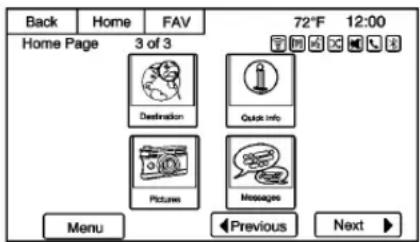
- TouchMessagesontheHome PageorselectTextMessages fromthePhonemainscreen. Untilalltextmessagesare retrieved,theHomePageicon willremaingrayandthePhone mainscreenoptionwillbe removed.
Thisfeaturewillbedisabledif thepairedBluetoothdevice doesnotsupportSMStext messaging.
InfotainmentSystem205
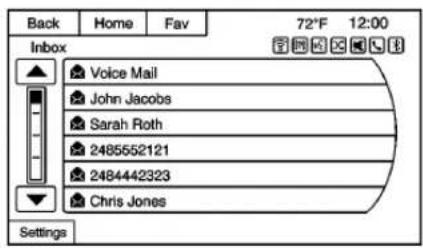
2.Onceallmessagesare retrieved,theTextMessage Inboxdisplays.Selecta messageforviewing.Viewing messagesisonlyavailable whilethevehicleisnotin motion.
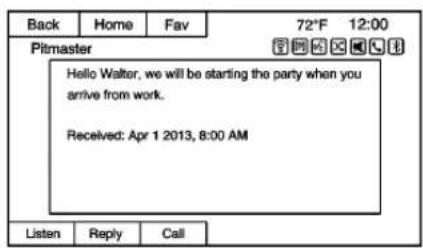
3.Viewthemessageorselect Listentohearthemessage throughvoicerecognition. The
messageviewscreenislocked outwhilethevehicleisin motion.
- SelectCalltodiallthecontactor numberassociatedwiththetext. Notallphonesallowcallingthe senderofthemessageandwill resultinnotbeingableto selectCall.
- SelectReplyoreplytoatext messagethatwasreceivedas anincomingmessage.Notall phonesallowmessagesending.
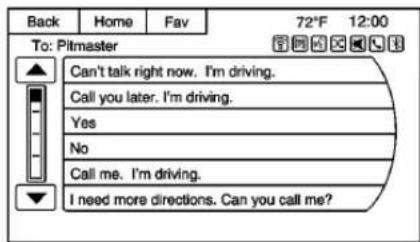
- Selectthedesiredmessagefrom thedisplayofpredefined messagestosendasthereply message.
- SelectSendtosendthat message.
- SelectBacktocancelandreturn tothepreviousscreen.
IncomingTextMessages
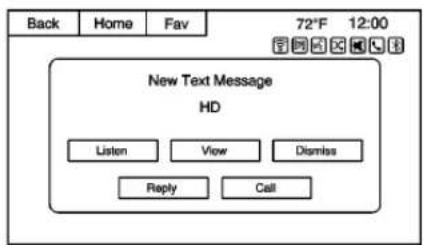
Apop-upscreenisdisplayedwhen thereisanincomingtext.The pop-upwillremainonthescreen untilDismississelected.
206InfotainmentSystem
- SelectListentohearthe messagethroughvoice recognition.
- SelectViewtoviewthe message.Viewingisnot availablewhilethevehicleisin motion.
- SelectReplyoreplytothe messageusingapredefined message.
- SelectCalltodialthecontactor numberassociatedwiththetext.
- SelectDismissstocloseoutthe incomingpop-upmessage screen.
TextMessagingSettings
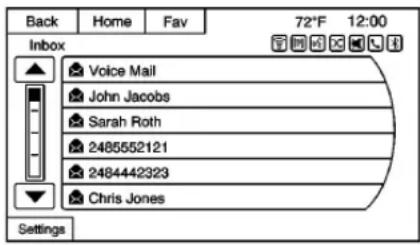
TextMessageSettingsareavailable fromtheTextMessageInbox.
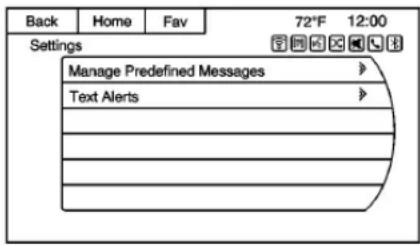
- SelectManagePredefined Messagestocreateauser definedmessagethatcanbe usedlatertoreplytoatext message.
- SelectTextAlertstochoosethe alertbehaviorforincomingtext messages:
-Textalertwithtone
-Toneonly
-Off
Trademarksand LicenseAgreements
FCCInformation
SeeRadioFrequency Statement→356.
Made for

iPod

iPhone
"MadeforiPod,"and "Madefor iPhone,"meanthatanelectronic accessoryhasbeendesignedto connectspecificallytoiPodor iPhoneandhasbeencertifiedby thedevelopertomeetApple performancestandards. Appleisnot responsiblefortheoperationofthis deviceoritscompliancewithsafety andregulatorystandards. Please notethattheuseofthisaccessory withiPodoriPhonemayaffect wirelessperformance.iPhone ^® , iPod ^® , iPodclassic ^® , iPodnano ^® ,
iPodshuffle ^® , andiPodtouch ^® are trademarksof AppleInc., registered intheU.S. andothercountries.

FeesandTaxes:Subscriptionfee, taxes,onetimeactivationfee,and otherfeesmayapply.Subscription feeisconsumeronly.Allfeesand programmingsubjecttochange. SubscriptionssubjecttCustomer Agreementavailableat www.siriusxm.com.SiriusXM® serviceonlyavailableinthe 48contiguousUnitedStatesand Canada.
InCanada: Somedeterioration of servicemayoccurinextreme northern latitudes. This is beyond the control of SiriusXM ^® Satellite Radio.
ExplicitLanguageNotice:Channels withfrequentexplicitlanguageare indicatedwithan"XL"precedingthe
channelname.Channelblockingis availableforSiriusXMSatellite Radioreceiversbynotifying SiriusXM:
• U.S:866-635-2349orsee www.siriusxm.com.
Itisprohibitedtocopy,decompile, disassemble,reverseengineer, hack,manipulate,orotherwise makeavailableanytechnologyor softwareincorporatedinreceivers compatiblewiththeSiriusXM SatelliteRadioSystemorthat supporttheSiriusXMwebsite,the OnlineServiceoranyofitscontent. Furthermore,theAMBERvoice compressionsoftwareincluded in thisproductisprotected by intellectualpropertyrightsincluding patentrights,copyrights,andtrade secretsofDigitalVoice Systems,Inc.
GeneralRequirements:
- ALicenseAgreementfrom SiriusXMisrequiredforany productthatincorporates SiriusXMTechnologyand/orfor useofanyoftheSiriusXM
markstobemanufactured, distributed,ormarketedinthe SiriusXMServiceArea.
- For productstobedistributed, marketed, and/orsoldin Canada, a separate agreement is required with Canadian SatelliteRadioInc. (operating as XMCanada).
Gracenote
Gracenote ^® , Gracenotelogo and logotype, and the "Powered by Gracenote" logo are either a registered trademark or at trademark of Gracenote, Inc. in the United States and/or other countries.
Bluetooth
TheBluetooth ^® wordmark and logosareowned by the Bluetooth SIG, Inc. and any use of such marks by General Motors is under license. Other trademarks and tradenames are those of their respective owners.
Pandora(IfEquipped)
Pandoraisaregisteredtrademark of PandoraMedia, Inc., usedunder license.

DOLBY®
DIGITAL
Manufacturedunderlicensefrom DolbyLaboratories.Dolbyandthe double-Dsymbolaretrademarksof DolbyLaboratories.
MapEndUserLicense Agreement(Optional EquipmentAppliesWhere Equipped)
ENDUSERTERMS
TheMapDataDisc("Data")is provided for your personal, internal use only and not for resale. It is protected by copyright, and is subject to the following terms (this "EndUserLicense Agreement") and conditions which are agreed by you, on the one hand, and HERE North America, LLC ("HERE") and its licensors (including their licensors and suppliers) on the other hand.
Inaddition, the Lonely Planet Travel Guide content is subject to the followingsuppliernotices (if equipped):
©2014LonelyPlanetPublications PtyLtd.Allrightsreserved.
PANASONICanditscontent providershavetriedtomakethis informationasaccurateaspossible, butitisprovided“asis”and PANASONICanditscontent providersacceptnoresponsibility foranyloss,injuryorinconvenience resultingfromthisinformation.You shouldverifycriticalinformation(like visas,healthandsafety)beforeyou travel.
TERMSANDCONDITIONS
PersonalUseOnly.Youagreeto usethisDatatogetherwiththe GeneralMotorsMyLinkorIntelliLink ConnectedNavigationRadio Platformforthesolelypersonal, non-commercialpurposesforwhich youwerlicensed,andnotfor servicebureau,time-sharingor othersimilarpurposes.Accordingly, butsubjecttotherestrictionsset forthinthefollowingparagraphs,
youagreenottootherwise reproduce, copy, modify, decompile, disassemble, createanyderivative worksof, orreverseengineerany portionofthisData, and may not transferordistributeitinanyform, foranypurpose, except to the extent permitted by mandatorylaws.
Restrictions
Exceptwhereyouhavebeen specificallylicensedtodosoby PANASONIC, and without limiting the preceding paragraph, you may not (a) usethis Data with any products, systems, or applications installed otherwise connected to or in communication with vehicles, capable of vehiclenavigation, positioning, dispatch, realtimeroute guidance, fleet managementor similar applications; or (b) with or in communication with any positioning devices or anymobileor wireless-connected electronic computer devices, including without limitation cellular phones, palmtop and handheld computers, pagers, and personal digital assistants or PDAs
Warning
The Datamay contain inaccurate incomplete information dueto the passage of time, changing circumstances, sources used and thenature of collecting comprehensive geographic data, any of which may lead to incorrect results.
NoWarranty
ThisDataisprovidedtoyou“asis,” andyouagreetouseitatyourown risk.PANASONICanditslicensors (andtheirlicensorsandsuppliers) makenoguarantees, representationsorwarrantiesofany kind,expressorimplied,arisingby laworotherwise,includingbutnot limitedto,content,quality,accuracy, completeness,effectiveness, reliability,fitnessforaparticular purpose,usefulness,useorresults tobeobtainedfromthisData, orthattheDataorserverwillbe uninterruptedorererror-free.
DisclaimerofWarranty
PANASONICANDITSLICENSORS (INCLUDINGTHEIRLICENSORS ANDSUPPLIERS)DISCLAIMANY WARRANTIES,EXPRESSOR IMPLIED,OFQUALITY, PERFORMANCE, MERCHANTABILITY,FITNESS FORAPARTICULARPURPOSE ORNON-INFRINGEMENT.Some States,TerritoriesandCountriesdo notallowcertainwarranty exclusions,sotothatextentthe aboveexclusionmaynotapply toyou.
DisclaimerofLiability
PANASONICANDITSLICENSORS (INCLUDINGTHEIRLICENSORS ANDSUPPLIERS) SHALL NOT BE LIABLE TO YOU: IN RESPECT OF ANY CLAIM, DEMANDOR ACTION, IRRESPECTIVE OF THE NATURE OF THE CAUSE OF THE CLAIM, DEMANDORACTION ALLEGING ANY LOSS, INJURY ORDAMAGES, DIRECTOR INDIRECT, WHICH MAY RESULT FROM THE USE OR POSSESSION OF THE INFORMATION; OR FOR
ANYLOSSOFPROFIT, REVENUE, CONTRACTSORSAVINGS, OR ANYOTHERDIRECT, INDIRECT, INCIDENTAL, SPECIALOR CONSEQUENTIAL DAMAGES ARISINGOUTOFYOURUSEOF ORINABILITYTOUSETHIS INFORMATION, ANYDEFECTIN THEINFORMATION, ORTHE BREACHOFTHESETERMSOR CONDITIONS, WHETHERINAN ACTIONINCONTRACTORTORT ORBASEDONAWARRANTY, EVENIFPANASONICORITS LICENSORSHAVEBEEN ADVISEDOFTHEPOSSIBILITY OFSUCHDAMAGES. Some States, TerritoriesandCountriesdo notallowcertainliabilityexclusions ordamageslimitations, sotothat extenttheabovemaynotapply toyou.
ExportControl
PANASONIC shall not export from anywhere any part of the Data or any direct product thereof except in compliance with, and with all licenses and approvals required under, applicable export laws, rules and regulations, including but not
210InfotainmentSystem
limitedtothelaws, rules and regulations administered by the Office of Foreign Assets Control of the U.S. Department of Commerce and the Bureau of Industry and Security of the U.S. Department of Commerce. To the extent that any such export laws, rules or regulations prohibit HERE from complying with any of its obligations here undertodeliverordistribute Data, such failures shall be excused and shall not constitute a breach of this Agreement.
EntireAgreement
These terms and conditions constitutethe entire agreement between PANASONIC (and its licensors, including their licensors and suppliers) and you pertaining to the subject matter hereof, and supersedes in the entire retyany and all written or oral agreements previously existing between us with respect to such subject matter.
GoverningLaw
The abovetermsandconditions shallbegovernedbythelawsofthe StateofIllinois(withrespecttouse
ofDatafortheAmericasand/orthe AsiaPacificterritories), andthelaws ofTheNetherlands(withrespectto DatafortheMiddleEast, Africa, Russia and Europeterritories), withoutgivingeffectto(i)itsconflict oflawsprovisions, or(ii)theUnited NationsConventionforContractsfor theInternationalSaleofGoods, whichisexplicitlyexcluded. You agree to submittothejurisdiction of theStateofIllinoisforanyandall disputes, claimsandactionsarising fromorinconnectionwiththeData provided to you hereunder.
GovernmentEndUsers
If the Data is being acquired by or on behalf of the United States government or any other entity seeking or applying right to similar to those customarily claimed by the United States government, this data is a "commercial item" asthatterm is defined at 48C.F.R. ("FAR") 2.101, is licensed in accordance with these End-User Terms, and each copy of Dat delivered or otherwise furnished shall be marked and embedded as appropriate with the following "NoticeofUse," and shall betreated in accordance with such Notice:

Maps for Life
NOTICEOFUSE
CONTRACTOR(MANUFACTURER/SUPPLIER)
NAME:
HERENorthAmerica,LLC
CONTRACTOR(MANUFACTURER/SUPPLIER)
ADDRESS:
425WestRandolphStreet, Chicago, IL60606.
ThisDataisacommercialitemas definedinFAR2.101andissubject totheseEnd-UserTermsunder whichthisDatawasprovided.
©2014HERENorthAmerica,LLC. Allrightsreserved.
If the Contracting Officer, federal government agency, or any federal official refuse to set the legend provided herein, the Contracting Officer, federal government agency, or any federal official must notify HERE North America, LLC prior to seeking additional alternative rights in the Data.
ClimateControls
ClimateControlSystems
DualAutomaticClimate
ControlSystem......212
AirVents
AirVents....214
Maintenance
PassengerCompartmentAir
Filter......215
ClimateControl Systems
DualAutomaticClimate ControlSystem
Theheating, cooling, and ventilation for the vehicle can be controlled with this system.
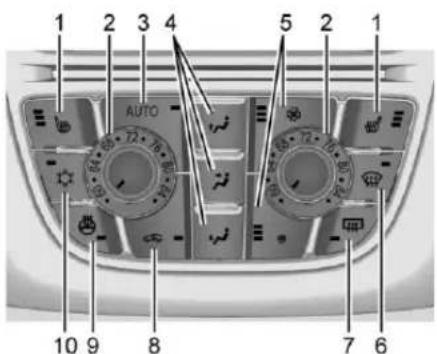
- Driver and Passenger Heated Seats (If Equipped)
2.DriverandPassenger TemperatureControls - AUTO(AutomaticOperation)
- AirDeliveryModes
5.FanControls
6. Defrost
7. RearWindowDefogger
8. Recirculation
9.HeatedSteeringWheel(If Equipped)
10.AirConditioning
AutomaticOperation
Thesystemautomatically controls the fanspeed, airdelivery, air conditioning, and recirculation in ordertoheatorcoolthevehicle to the desired temperature.
When AUTOislit, all four functions operate automatically. Each function can also be manually set and the setting is displayed. Functions not manually set will continue to be automatically controlled, even if the AUTOindicator is not lit.
Forautomaticoperation:
- PressAUTO.
- Set the temperature. Allow the system timetostabilize. Then adjust the temperature as needed for best comfort.
Toimprovefuelefficiency and tocoolthevehiclefaster, recirculationmaybe automaticallyselectedinwarm weather. There circulationlight willnotcomeon.Press toselectrecirculation;pressit againtoselectoutsideair.
Englishunitscanbechangedto metricunitsthroughtheDriver InformationCenter(DIC).See DriverInformationCenter (DIC)⇒110.
ManualOperation
: Press the lower button to decreasethefanspeed. Pressing the lowerbuttonlongerturnsthefan andcoolingoff. Presstheupper buttonoincreasethefanspeed. Theselectedfanspeedisindicated bythenumberofsegmentsonthe displayscreen. PressAUTOto returntoautomaticoperation.
AirDeliveryModes:Press

or 📌 tochangethedirectionofthe airflow.Anycombinationofthethree buttonscanbeselected.The indicatorlightinthebuttonwillturn
on. The current mode appears in the displayscreen. Pressing any of the three buttons cancels automatic air delivery control and the direction of the airflow is controlled manually. Press AUTO return to automatic operation.
Tochangethecurrentmode, select oneormoreofthefollowing:
Airisdirectedtothe windshieldandsidewindowwents.
Airisdirectedtotheinstrument paneloutlets.
Airisdirectedtothefloor outlets.
:Presstoclearthewindshield offogorfrostmorequickly.Airis directedtothewindshield.
Forbestresults, clearallsnowand icefromthewindshieldbefore defrosting.
:Presstoturntheair conditioningonoroff.Ifthefanis turnedoffortheoutside temperaturefallsbelowfreezing,the airconditioningcompressorwill notrun.
Press AUTOtoreturntoautomatic operationandtheairconditioner runsasneeded.Whentheindicator lightison,theairconditionerruns automaticallytocooltheairinside thevehicleortodrytheairneeded todefogthewindshieldfaster.
:Presstoturnrecirculationon oroff.Anindicatorlightcomeson. Airisrecirculatedtoquicklycoolthe insideofthevehicleorreduceentry ofoutsideairandodors.
RearWindowDefogger
[1] : Presstoturntherearwindow defoggeronoroff. An indicator light on the button comes on to show that therear window defoggerison.
Thedefoggeronlyworkswhenthe ignitionisinON/RUN. Thedefogger turnsoffiftheignitionisintheACC/ACCESSORYorLOCK/OFF position.
Therearwindowdefoggercanbe settoautomaticoperation;see "ClimateandAirQuality" under VehiclePersonalization→113. WhenAutoRearDefogisselected, therearwindowdefoggerturnson
214ClimateControls
automaticallywhentheinterior temperatureiscoldandtheoutside temperatureisabout4°C(40°F) andbelow.Theautoreardefogger turnsoffautomaticallyafterabout 10minutes.Athigherspeeds,the rearwindowdefoggermaystayon continuously.
Ifequippedwithheatedoutside rearviewmirrors,theyturnonwhen therearwindowdefoggerbuttonis onandhelptoclearfogorfrostfrom thesurfaceofthemirrors.See HeatedMirrors→33.
Caution
Donottrytoclearfrostorother materialfromtheinsideofthe frontwindshieldandrearwindow witharazorbladeoranything elsethatissharp. Thismay damagetherearwindow defoggergridandaffectthe radio'sabilitytopickupstations clearly. Therepairswouldnotbe coveredbythevehiclewarranty.
or : Press to turn the heated seatsonoroff.SeeHeatedFront Seats→49.
: If equipped, presstoturn the heatedsteeringwheelonoroff. See HeatedSteeringWheel→94.
RemoteStartClimateControl Operation: If equipped with the remote vehicle start feature, the climate control system may run when the vehicle is started remotely. Thesystem use the driver's previous setting to heater cool the inside of the vehicle. Thereardefog may come on during remotestart based on cold ambient conditions. Thereardefog indicator light does not come on during remotestart. If the vehicle has front heated seats, they may come on during a remote start. The heated seat indicator lights donot come on during a remotestart. See Remote Vehicle Start 49 and Heated Front Seats 49.
AirVents
AdjustableAirVents
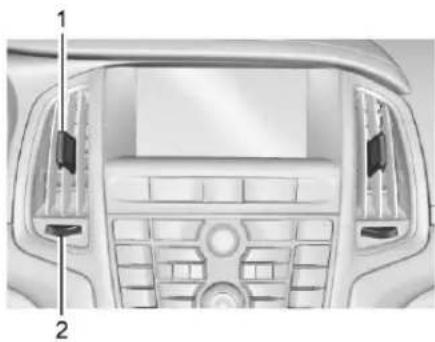
natural_image
Top-down view of a car dashboard and rearview console (no visible text or symbols)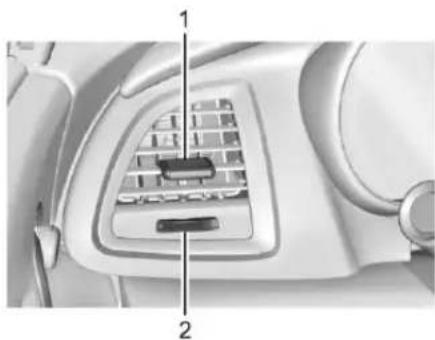
natural_image
Interior view of a car seatbelt with labeled components (no text or symbols visible)1.SliderKnob
2. Thumbwheel
Usethesliderknobs(1)ontheair ventstochangethedirectionofthe airflow.
Usethethumbwheels(2)nearthe airventstocontroltheamountof airflowortoshutofftheairflow.
FixedAirVents
Additional airvents are under the windshield, near the sidewindows, and in the footwells.
OperationTips
- Keepalloutletsopenwhenever possibleforbestsystem performance.
- Keepthepathunderallseats clearofobjectstohelpcirculate theairinsidethevehiclemore effectively.
- Useofnon-GMapprovedhood deflectorscanadverselyaffect theperformanceofthesystem.
Maintenance
PassengerCompartment AirFilter
AirlIntake
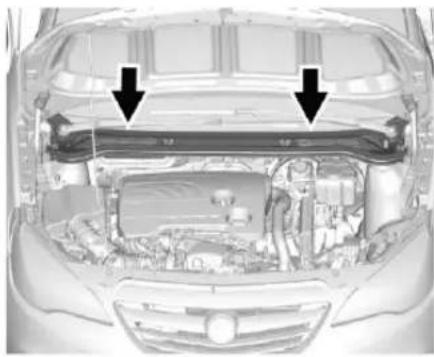
natural_image
Top-down view of a car showing engine compartment and structural components (no text or symbols visible)Theairintakeinfrontofthe windshieldintheengine compartmentmustbekeptclearto allowairintake.Removeany leaves,dirtorsnow.
PollenFilter
The pollenfiltercleansdust, pollen, and other airborne irritants from aire entering the vehicle through the air intake.
Driving and Operating
DrivingInformation
DistractedDriving......217
DefensiveDriving......217
DrunkDriving......217
ControlofaVehicle......218
Braking......218
Steering......218
Off-RoadRecovery......219
LossofControl......219
DrivingonWetRoads......220
HillandMountainRoads.....221
WinterDriving......221
IftheVehicleIsStuck......223
VehicleLoadLimits......223
StartingandOperating
NewVehicleBreak-In.....226
IgnitionPositions......227
StartingtheEngine......229
RetainedAccessory Power(RAP)....230
ShiftingIntoPark......230
ShiftingoutofPark......231
ParkingoverThings ThatBurn....231
EngineExhaust
EngineExhaust......232
RunningtheVehicleWhile
Parked....232
AutomaticTransmission
AutomaticTransmission.....233
ManualMode......234
Brakes
AntilockBrake System(ABS)......236
ParkingBrake......236
BrakeAssist......238
HillStartAssist(HSA)......238
RideControlSystems
TractionControl/Electronic StabilityControl.....239
CruiseControl
CruiseControl......241
DriverAssistanceSystems
AssistanceSystemsfor ParkingorBacking......243
ForwardCollisionAlert(FCA) System......245
LaneDeparture Warning(LDW)......247
Fuel
Fuel....248
CaliforniaFuel
Requirements......249
FuelsinForeignCountries...249
FuelAdditives......249
FillingtheTank......250
FillingaPortableFuel Container.....251
TrailerTowing
GeneralTowing Information....252
ConversionsandAdd-Ons
Add-OnElectrical Equipment....252
DrivingInformation
DistractedDriving
Distractioncomesinmanyforms andcantakeyourfocusfromthe taskofdriving.Exercisegood judgmentandonotletother activitiesdivertyourattentionaway fromtheroad.Manylocal governmentshaveenactedlaws regardingdriverdistraction.Become familiarwiththelocallawsin yourarea.
Toavoiddistracteddriving, always keepyoureyesontheroad, hands onthewheel, and mindonthedrive.
- Donotuseaphonein demandingdrivingsituations. Useahands-freemethodto placeorreceivenecessary phonecalls.
- Watchtheroad.Donotread, takenotes,orlookup informationonphonesorother electronicdevices.
-
Designateafrontseat passengertohandlepotential distractions.
-
Becomefamiliarwithvehicle featuresbeforedriving,suchas programmingfavoriteradio stationsandadjustingclimate controlandseatsettings. Programalltripinformationinto anynavigationdevicepriorto driving.
- Waituntilthevehicleisparked toretrieveitemsthathavefallen tothefloor.
- Stoporparkthevehicletotend tochildren.
- Keeppetsinanappropriate carrierorrestraint.
- Avoidstressfulconversations whiledriving,whetherwitha passengeroronacellphone.

Warning
Takingyoureyesofftheroadtoo longortoooftencouldcausea crashresultingininjuryordeath. Focusyourattentionondriving.
Refertotheinfotainmentsectionfor moreinformationonusingthat system,includingpairingandusing acellphone
DefensiveDriving
Defensivedrivingmeans"always expecttheunexpected."Thefirst stepindrivingdefensivelyistowear thesafetybelt.SeeSafety Belts⇒52.
- Assumethatotherroadusers (pedestrians, bicyclists, and otherdrivers) are going to be careless and make mistakes. Anticipate what they might do and beready.
- Allowenoughfollowingdistance betweenyouandthedriverin frontofyou.
- Focusonthetaskofdriving.
DrunkDriving
Deathandinjuryassociatedwith drinkinganddrivingisaglobal tragedy.

Warning
Drinkingandthendrivingisvery dangerous.Yourreflexes, perceptions, attentiveness,and judgmentcanbeaffectedbyevenasmallamountofalcohol.You canhaveaserious—oreven fatal—collisionifyoudriveafter drinking.
Donotdrinkanddriveorridewith adriverwhohasbeendrinking. Ridehomeinacab;orifyouare withagroup,designateadriver whowillnotdrink.
ControlofaVehicle
Braking, steering, and accelerating are important factors in helping to control vehicle while driving.
Braking
Brakingactioninvolvesperception timeandreactiontime.Decidingto pushthebrakepedalisperception time.Actuallydoingitis reactiontime.
Averagedriverreactiontimeis about three-quarters of a second. In that time, a vehicle moving at 100 km/h (60 mph) travels 20 m (66 ft), which could be a lot of distance in an emergency.
Helpfulbrakingtipstokeepinmind include:
- Keepenoughdistancebetween youandthevehicleinfront ofyou.
- Avoidneedlessheavybraking.
- Keeppacewithtraffic.
If the engine ever stops while the vehicle is being driven, brake normally but donot pump the brakes. Doings could make the pedal hardertopushdown. If the engine stops, there will become power brake assist but it will be used when the brake is applied. Onc the power assist is used up, it cantak elongertostop and the brake pedal will be hardertopush.
Steering
ElectricPowerSteering
The vehicle has electric power steering. It does not have power steering fluid. Regular maintenance is not required.
Ifpowersteeringassistislostdue toasystemmalfunction,thevehicle canbesteered,butmayrequire increasedeffort.Seeyourdealerif thereisaproblem.
If the steering wheelisturned until it reaches the end of a travel and is held against that position for an extended period of time, power steering assist may be reduced.
If the steering assist is used for an extended period of time, power assist may be reduced.
Normaluseofthepowersteering assistshouldreturnwhenthe systemcoolsdown.
Seeyourdealerifthereisa problem.
CurveTips
• Takecurvesatareasonable speed.
- Reducespeedbeforeenteringa curve.
- Maintainareasonablesteady speedthroughthecurve.
- Waituntilthevehicleisoutof thecurvebeforeaccelerating gentlyintothestraightaway.
SteeringinEmergencies
- Therearesomesituationswhen steeringaroundaproblemmay bemoreeffectivethanbraking.
- Holdingbothsidesofthe steeringwheelallowsyoutoturn 180degreeswithoutremoving ahand.
- TheAntilockBrakeSystem (ABS)allowssteeringwhile braking.
Off-RoadRecovery
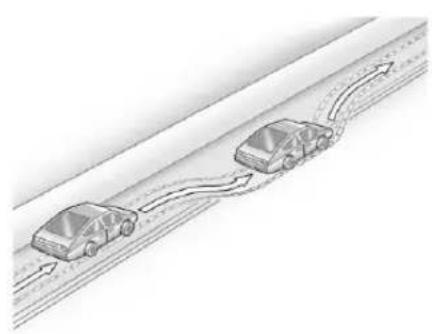
natural_image
Diagram of two cars driving on a road with directional arrows indicating flow (no text or symbols)Thevehicle'srightwheelscandrop offtheedgeofaroadontothe shoulderwhiledriving.Follow thesetips:
- Easeofftheacceleratorand then, if there is nothing in the way, steer the vehicles that it straddlesthe edge of the pavement.
-
Turnthesteeringwheelabout one-eighthofaturn, until the rightfronttirecontactsthe pavementedge.
-
Turnthesteeringwheeltogo straightdowntheroadway.
LossofControl
Skidding
Therearethreetypesofskidsthat correspondtothevehicle'sthree controlsystems:
- BrakingSkid—wheelsarenot rolling.
- SteeringorCorneringSkid—toomuchspeedorsteeringina curvecausestirestoslipand losecorneringforce.
- AccelerationSkid—toomuch throttlecausesthedriving wheelstospin.
Defensivedriversavoidmostskids bytakingreasonablecaresuitedto existingconditions,andbynot overdrivingthoseconditions.But skidsarealwayspossible.
If the vehicle start to slide, follow these suggestions:
- Easeyourfootoffthe acceleratorpedalandsteerthe wayyouwantthevehicletogo.
220DrivingandOperating
The vehicle may straighten out. Beready for a second skid if it occurs.
- Slowdownandadjustyour drivingaccordingtoweather conditions. Stoppingdistance canbelongerandvehicle controlcanbeaffectedwhen tractionisreducedbywater, snow, ice, gravel, orother materialontheroad. Learnto recognizewarningclues—such asenoughwater, ice, orpacked snowontheroadtomakea mirroredsurface—andslow downwhenyouhaveanydoubt.
- Trytoavoidsuddensteering, acceleration, or braking, including reducing vehiclespeed by shifting to lower gear. Any sudden changes could cause the rest of the vehicle.
Remember: Antilockbrakeshelp avoidonlythebrakingskid.
DrivingonWetRoads
Rainandwetroadscanreduce vehicletraction and affect your ability to stop and accelerate.
Alwaysdriveslowerinthesetypes of driving conditions and avoid driving through large puddles and deep-standing or flowing water.
Warning
Wetbrakescancausecrashes. Theymightnotworkaswellina quickstopandcouldcause pullingtooneside.Youcould losecontrolofthevehicle.
Afterdrivingthroughalarge puddleofwateroracar/vehicle wash, lightlyapplythebrake pedaluntilthebrakeswork normally.
Flowingorrushingwatercreates strongforces.Drivingthrough flowingwatercouldcausethe vehicletobecarriedaway.Ifthis happens,youandothervehicle occupantscoulddrown.Donot ignorepolicewarningsandbe verycautiousabouttryingtodrive throughflowingwater.
Hydroplaning
Hydroplaningisdangerous.Water canbuildupunderthevehicle's tiressotheyactuallyrideonthe water.Thiscanhappeniftheroadis wetenoughandyouaregoingfast enough.Whenthevehicleis hydroplaning,ithaslittleorno contactwiththeroad.
Thereisnohardandfastruleabout hydroplaning. Thebestadviceisto slowdownwhentheroadiswet.
OtherRainyWeatherTips
Besidesslowingdown,otherwet weatherdrivingtipsinclude:
- Allowextrafollowingdistance.
• Passwithcaution. - Keepwindshieldwiping equipmentingoodshape.
- Keepthewindshieldwasherfluid reservoirfilled.
- Havegoodtireswithproper treaddepth.See Tires→288.
• Turnoffcruisecontrol.
HillandMountainRoads
Driving on steephills through mountains is different than driving on flator rolling terrain. Tips include:
- Keepthevehicleservicedandin goodshape.
- Checkallfluidlevelsandbrakes, tires,coolingsystem,and transmission.
- Shifttoalowergearwhengoing downsteeporlonghills.
Warning
Using the brakestoslow the vehicle onalongdownhillslope can cause brakeoverheating, can reduce brake performance, and could result in a loss of braking. Shift the transmission to a lower gear to let the engine assist the brakes on a steep downhillslope.
Warning
CoastingdownhillinN(Neutral) orwiththeignitionoffis dangerous. This can cause overheating of the brakes and loss of steering. Always havethe engineer running and the vehicle ingear.
- Driveatspeedsthatkeepthe vehicleinitsownlane.Donot swingwideorcrossthe centerline.
- Bealertontopofhills; somethingcouldbeinyourlane (e.g.,stalledcar,accident).
- Payattentiontospecialroad signs(e.g.,fallingrocksarea, windingroads,longgrades, passingorno-passingzones) andtakeappropriateaction.
WinterDriving
DrivingonSnoworIce
Snoworicebetweenethetiresand theroadcreateslesstractionor grip,sodrivecarefully.Weticecan occuratabout0°C(32°F)when freezingrainbeginstofall.Avoid drivingonweticeorinfreezingrain untilroadscanbetreated.
ForSlipperyRoadDriving:
- Accelerategently.Accelerating tooquicklycausesthewheelsto spinandmakesthesurface underthetiresslick.
- TurnonTractionControl.See TractionControl/Electronic StabilityControl→239.
- TheAntilockBrakeSystem (ABS)improvesvehiclestability duringhardstops,butthe brakeshouldbeappliedsooner thanwhenondrypavement. SeeAntilockBrakeSystem (ABS)→236.
- Allowgreaterfollowingdistance andwatchforslipperyspots.lcy patchescanoccuronotherwise
222DrivingandOperating
clearroadsinshadedareas. Thesurfaceofacurveoran overpasscanremainicywhen thesurroundingroadsareclear. Avoidsuddensteering maneuversandbrakingwhile onice.
• Turnoffcruisecontrol.
BlizzardConditions
Stopthevehicleinasafeplaceand signalforhelp.Staywiththevehicle unlesssthereishelpnearby. Ifpossible,useRoadside Assistance.SeeRoadside AssistanceProgram⇒350.Toget helpandkeepeveryoneinthe vehiclesafe:
- Turnonthehazardwarning flashers.
- Tiearedclothtoanoutside mirror.
Warning
Snowcantrapengineexhaust underthevehicle. This may cause exhaust gas to get inside. Engine exhaust contains carbon monoxide (CO), which cannot be seen or smelled. It can cause unconsciousness and even death.
Ifthevehicleisstuckinsnow:
- Clearsnowfromthebaseof thevehicle,especiallyany blockingtheexhaustpipe.
- Openawindowabout5cm (2in)onthevehicleside thatisawayfromthewind, tobringinfreshair.
- Fullyopentheairoutletson orundertheinstrument panel.
- Adjusttheclimatecontrol systemtocirculatetheair insidethevehicleandset
(Continued)
Warning(Continued)
thefanspeedtothehighest setting.See"Climate ControlSystems."
FormoreinformationaboutCO, seeEngineExhaust→232.
Tosavefuel, runtheengine for short period stowarm the vehicle and thenshuttheengine off and partially closet hewindow. Moving about to keep warm also helps.
Ifittakestimeforhelptoarrive, whenrunningtheengine,pushthe acceleratorpedalslightlysothe engineerunsfasterthantheidle speed. Thiskeepsthebattery chargedtorestartthevehicleandto signalforhelpwiththeheadlamps. Dothisaslittleaspossible,to savefuel.
IftheVehiclesStuck
Slowlyandcautiouslyspinthe wheelstofreethevehiclewhen stuckinsand,mud,ice,orsnow.
Ifstucktooseverelyforthetraction systemtofreethevehicle,turnthe tractionsystemoffandusethe rockingmethod.SeeTraction Control/ElectronicStability Control ^2 239.
Warning
If the vehicle's stresspinathigh speed, they can explode, and you or others could be injured. The vehicle can overheat, causing an engine compartment fire or other damage. Spin the wheels as little as possible and avoid going above 56 km/h (35 mph).
RockingtheVehicletoGet itOut
Turnthesteeringwheelleftand righttocleartheareaaroundthe frontwheels.Turnoffanytraction system.Shiftbackandforth
betweenR(Reverse)andalow forwardgear,spinningthewheels aslittleaspossible.Toprevent transmissionwear,waituntilthe wheelsstopspinningbeforeshifting gears.Releasetheaccelerator pedalwhileshifting,andpress lightlyontheacceleratorpedal whentethransmissionisingear.Slowlyspinningthewheelsinthe forwardandreversedirections causesarockingmotionthatcould freethevehicle.Ifthatdoesnotget thevehicleoutafterafewtries,it mightneedtobetowedout.Ifthe vehicledoesneedtobetowedout, see Towingthe Vehicle318.
VehicleLoadLimits
It is very important to know how much weight the vehicle can carry. This weight is called the vehicle capacity weight and include the weight of all occupants, cargo, and all nonfactory-installed options. Twolabelson the vehicle may show how much weight it may
properlycarry: the Tire and Loading Information label and the Certification label.
Warning
Donotloadthevehicleany heavierthantheGross VehicleWeightRating (GVWR),oreitherthe maximumfrontorrearGross AxleWeightRating(GAWR). Thiscancausesystemsto breakandchangethewaythe vehiclehandles. Thiscould causelossofcontrolanda crash. Overloadingcanalso reducestoppingdistance, damagethetires,andshorten thelifeofthevehicle.
TireandLoadingInformation Label
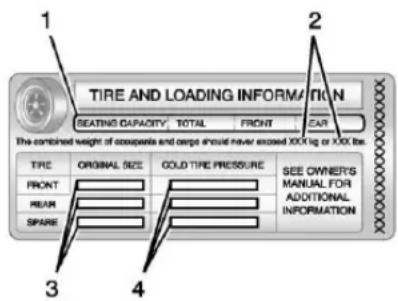
LabelExample
Avehicle-specific Tire and Loading Information label is attached to the vehicle's center pillar (B-pillar). The Tire and Loading Information label shows the number of occupant seating positions (1), and the maximum vehicle capacity weight (2) in kilograms and pounds.
The Tire and Loading Information label also shows the tiresize of the original
equipmenttires(3)andthe recommendedcoldtireinflation pressures(4).Formore informationontiresandinflation see Tires→288and Tire Pressure→295.
Thereisalsoimportantloading informationontheCertification label.ItmayshowtheGross VehicleWeightRating(GVWR) andtheGrossAxleWeight Rating(GAWR)forthefrontand rearaxle.See“Certification Label”laterinthissection.
"StepsforDeterminingCorrect LoadLimit—
-
Locatethestatement"The combinedweight of occupants and cargoshould never exceed XXXkgor XXXlbs." on your vehicle's placard.
-
Determinethecombined weightofthedriverand passengersthatwillbe ridinginyourvehicle.
-
Subtract the combined weight of the driver and passengers from XXXkgor XXXlbs.
-
Theresultingfigureequals theavailableamountof cargoandluggageload capacity. Forexample, ifthe "XXX" amountequals 1400lbs.andtherewillbe five150lbpassengersin yourvehicle, theamountof availablecargoandluggage loadcapacityis650lbs. (1400-750(5x150)=650lbs.)
-
Determinethecombined weightofluggageandcargo beingloadedonthevehicle. Thatweightmaynotsafely exceedtheavailablecargo andluggageloadcapacity calculatedinStep4.
-
If your vehicle will betowing a trailer, load from your trailer will be transferred to
yourvehicle.Consultthis manualtodeterminehow thisreducestheavailable cargoandluggageload capacityofyourvehicle."
Thisvehicleisneitherdesigned norintendedtotowatrailer.
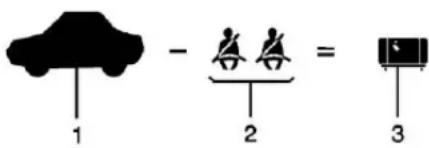
Example1
- VehicleCapacityWeight forExample1=453kg (1,000lbs).
-
SubtractOccupant Weight@68kg(150lbs) ×2=136kg(300lbs).
-
Available Occupant and Cargo Weight=317kg (700lbs).
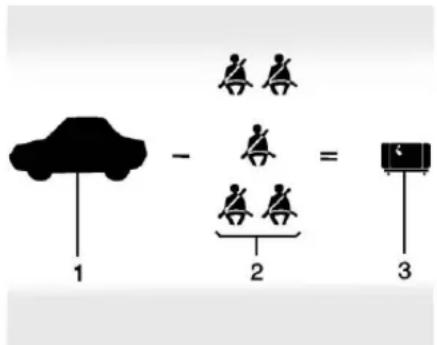
Example2
- VehicleCapacityWeight forExample2=453kg (1,000lbs).
- SubtractOccupant Weight@68kg(150lbs) ×5=340kg(750lbs).
- Available Cargo Weight = 113kg (250lbs).
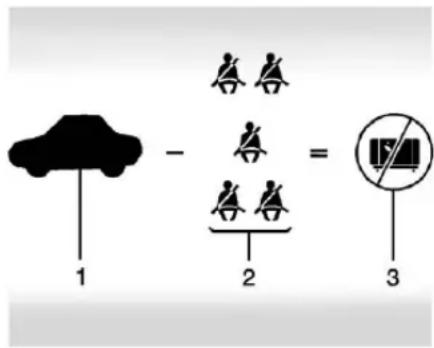
Example3
- VehicleCapacityWeight forExample3=453kg (1,000lbs).
- SubtractOccupant Weight@91kg (200lbs)×5=453kg (1,000lbs).
- Available Cargo Weight = 0kg(0lbs).
Refertothevehicle's Tire and Loading Information label for specific information about the vehicle's capacity weight and seating positions. The combined
weightofthedriver,passengers, andcargoshouldneverexceed thevehicle'scapacityweight.
CertificationLabel
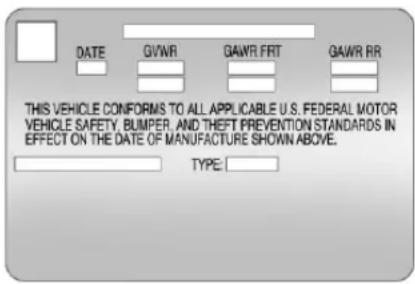
LabelExample
Avehicle-specific Certification labelisattachedtothevehicle's centerpillar(B-pillar). Thelabel mayshowthegrossweight capacityofthevehicle, called theGrossVehicleWeightRating (GVWR). TheGVWRincludes theweightofthevehicle, all occupants, fuel, and cargo.
Warning
Thingsinsidethevehiclecan strikeandinjurepeople in suddenstoporturn, orina crash.
- Putthingsinthecargo areaofthevehicle.Inthe cargoarea,putthemas farforwardaspossible. Trytospreadtheweight evenly.
- Neverstackheavier things, likesuitcases, insidethevehiclesothat someofthemareabove thetopsoftheseats.
- Donotleavean unsecuredchildrestraint inthevehicle.
- Securelooseitemsinthe vehicle.
- Donotleaveaseat foldeddownunless needed.
Starting and Operating
NewVehicleBreak-In
Caution
Thevehicledoesnotneedan elaboratebreak-in. Butitwill performbetterinthelongrunif youfollowtheseguidelines:
- Donotdriveatanyone constantspeed, fastorslow, forthefirst805km(500mi). Donotmakefull-throttle starts. Avoiddownshifting to brakeorslowthevehicle.
- Avoidmakinghardstopsfor thefirst322km(200mi)or so.Duringthistimethenew brakeliningsarenotyet brokenin.Hardstopswith newliningscanmean prematurewearandearlier replacement.Followthis (Continued)
Caution(Continued)
breaking-inguidelineevery timeyougetnewbrake linings.
Followingbreak-in, enginespeed and load can be gradually increased.
IgnitionPositions
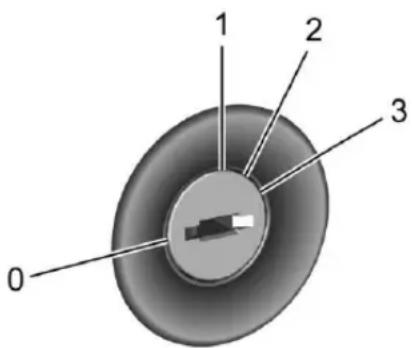
Theignitionswitchhasfourdifferent positions.
Caution
Usingatooltoforcethekeyto turnintheignitioncouldcause damagetotheswitchorbreakthe key. Usethecorrectkey, make sureitisallthewayin, andturnit onlywithyourhand. Ifthekey cannotbeturnedbyhand, see yourdealer.
Thekeymustbefullyextendedto startthevehicle.
ToshiftoutofP(Park), turn the ignition to ON/RUN and apply the brake pedal.
0StoppingtheEngine:When the vehicleisstopped,turntheignition switchtoLOCK/OFFtoturnthe engineoff.RetainedAccessory Power(RAP)willremainactive.See RetainedAccessoryPower (RAP)⇒230.
Thisistheonlypositionfromwhich thekeycanberemoved. Thislocks theignitionandautomatic transmission.
Donotturntheengineoffwhenthe vehicleismoving. This will cause a loss of power assist in the brake and steeringsystems and disable the airbags.
If the vehicle must be shutoff in an emergency:
- Brakeusing a firmand steady pressure. Donotpump the brakes repeatedly. This may deplete power assist, requiring increased brake pedal force.
2.ShiftthevehicletoN(Neutral). Thiscanbedonewhilethe vehicleismoving.Aftershifting toN(Neutral),continueto firmlyapplythebrakesand steerthevehicletoasafe location. - Cometoacompletestop.Shift toP(Park).Turntheignitionto LOCK/OFF.
- Settheparkingbrake. See ParkingBrake→236.
228DrivingandOperating

Warning
Turningoffthevehiclewhile movingmaycauselossofpower assistinthebrakeandsteering systemsanddisabletheairbags. Whiledriving,onlyshutthe vehicleoffinanemergency.
If the vehicle cannot be pulled over, and must be shutoff while driving, turn the ignition to ACC/ACCESSORY.
1: Thispositionprovidespowerto someoftheelectricalaccessories. TomovethekeyfromACC/ACCESSORYtoLOCK/OFF, push inthekeyandthenturnitto LOCK/OFF.
2: Theignitionswitchstaysinthis positionwhentheengineisrunning. Thispositioncanbeusedtooperate theelectricalaccessories,including theventilationfanand12-voltpower outlet,aswellastodisplaysome warningandindicatorlights. This positioncanalsobeusedfor serviceanddiagnostics,andto
verifytheproperoperationofthe malfunctionindicatorlampasmay berequiredforemissioninspection purposes. Thetransmissionisalso unlockedthisposition.
The battery could bed drained if the key is left in the ACC/ACCESSORY or ON/RUN position with the engine off. The vehicle might not start if the battery is allowed to drain for an extended period of time.
3: Thispositionstartstheengine. Whentheenginestarts,releasethe key.Theignitionswitchwillreturnto ON/RUNfornormaldriving.
A warningtonesoundswhenthe driverdoorisopenediftheignition isstillinACC/ACCESSORYandthe keyisintheignition.
If the ignition becomes difficult to turn, see Keys→21.
KeyLockRelease
The vehicle is equipped with an electronic key lock release. The key lock release is designed to prevent ignition key removal unless the shift leverisin P (Park).
The keylock release is always functionale except in the case of an uncharged or low voltage (less than 9-volt) battery. If the vehicle has an uncharged battery or a battery with low voltage, try charging or jump starting the battery. See Jump Starting-North America 315.
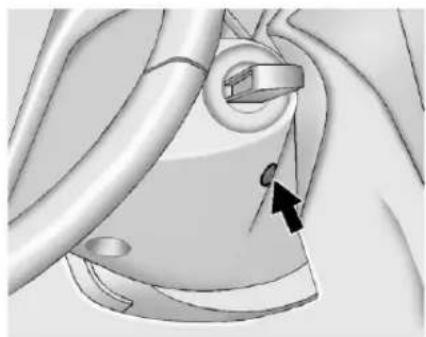
natural_image
Medical illustration of a human heart with a black arrow pointing to a specific anatomical structure (no text or labels)Ifchargingorjumpstartingthe batterydoesnotwork,locatethe holebelowtheignitionlock.Inserta flatbladedtooloranotherkeyfrom thekeychainintotheopening. Whenthelevercanbefelt,actuate thelevertowardthedriver,and removethekeyfromtheignition.
StartingtheEngine
MovetheshiftlevertoP(Park)or N(Neutral).Torestartthevehicle whenitisalreadymoving,use N(Neutral)only.
Caution
DonottrytoshifttoP(Park)ifthe vehicleismoving.Ifyoudo,you coulddamagethetransmission. ShifttoP(Park)onlywhenthe vehicleisstopped.
Caution
If you add electrical parts or accessories, you could change the way the engine operates. Any resulting damage would not be covered by the vehicle warranty. See Add-On Electrical Equipment 252.
Caution
If the steering wheelisturned until treachesthe end of its travel, and sheld in that position while starting the vehicle, damage may occur to the hydraulic power steering system and therem maybe loss of power steering assist.
StartingProcedure
- With your footoff the accelerator pedal, turn the ignition key to START. When the engine starts, let go of the key. The idlespeed will go down the engine warms. Do not racethe engine immediately after starting it. Operatethe engine and transmission gently to allow the oil to warm up and lubricate all moving parts.
Caution
Crankingtheengineforlong periodsoftime,byreturningthe ignitiontotheSTARTposition immediatelyaftercrankinghas ended,canoverheatanddamage thecrankingmotor,anddrainthe battery.Waitatleast15seconds betweeneachtry,toletthe crankingmotorcooldown.
- If theenginedoesnotstart afterfiveto10seconds, especiallyinverycoldweather (below-18°Cor0°F), it could befloodedwithtoomuch gasoline. Push theaccelerator pedal alltheway to thefloor and hold it thereasyouhold the key in STARTfora maximum of 15 seconds. Wait at least 15 seconds between each try, to allow the cranking motortocool. Whentheengine starts, let goofthekey and accelerator. If the vehicle starts briefly but then stops again, repeat the procedure. This
230DrivingandOperating
clearstheextragasolinefrom theengine.Donotracethe engineimmediatelyafter startingit.Operatetheengine andtransmissiongentlyuntil theoilwarmsupandlubricates allmovingparts.
RetainedAccessory Power(RAP)
The following vehicle accessories maybe used for up to 10 minutes after the engine is turned off:
- Powerwindows
- Accessorypoweroutlets
Powertotheinfotainmentsystem willcontinuetooperatefor 30minutesoruntilthekeyis removedfromtheignitionswitch, regardlessofwhetheranydoorwill beopened.
ShiftingIntoPark
ToshiftintoP(Park):
- Holdthebrakepedaldownand settheparkingbrake.
SeeParkingBrake→236.
- Holdthebuttonontheshift leverandpushthelevertoward thefrontofthevehicleinto P(Park).
- TurntheignitiontoLOCK/OFF.
- Removethekey.
LeavingtheVehiclewiththe EngineRunning
Warning
Itcanbedangeroustoleavethe vehiclewiththeengine running. Itcouldoverheatandcatchfire.
Itisdangeroustogetoutofthe vehicleiftheshiftleverisnotfully inP(Park)withtheparkingbrake firmlyset. Thevehiclecanroll.
Donotleavethevehiclewhenthe engineisrunning.Ifyouhaveleft theenginerunning,thevehicle canmovesuddenly.Youorothers couldbeinjured.Tobesurethe vehiclewillnotmove,evenwhen youareonfairlylevelground,
(Continued)
Warning(Continued)
alwayssettheparkingbrakeand movetheshiftlevertoP(Park). See ShiftingIntoPark→230.
If you havetoleavethe vehicle with the engineer running, the vehicle must be in P (Park) and the parking brakeset.
Releasethebuttonandcheckthat theshiftlevercannotbemovedout ofP(Park).
TorqueLock
Torquelockiswhentheweightof thevehicleputstoomuchforceon theparkingpawlinthe transmission. This happens when parkingonahillandshiftingthe transmissionintoP(Park)isnot doneproperly; thenitisdifficultto shiftoutofP(Park). Toprevent torquelock, settheparkingbrake andthenshiftintoP(Park). Tofind outhow, see "ShiftingIntoPark" previously in this section.
Iftorquelockdoesoccur, the vehiclemayneedtobepushed uphillbyanothervehicletorelieve theparkingpawlpressure,soyou canshiftoutofP(Park).
ShiftingoutofPark
AutomaticTransmission ShiftLock
The vehicle has an automatic transmission shift lock control system. Theshiftlock control system is designed to:
- Preventignitionkeyremoval unlessstheshiftleverisin P(Park).
- Preventmovementoftheshift leveroutofP(Park), unless the ignitionisinON/RUNandthe brakepedalisapplied.
Theshiftlockisalwaysfunctional exceptinthecaseofanuncharged orlowvoltage(lessthan9-volt) battery.
If the vehicle has an uncharged battery or abattery with low voltage, trycharging or jump starting the battery. See Jump Starting-North America 315.
Iftheshiftlevercannotbemoved outofP(Park):
- Apply and maintain the regular brakes.
- TurntheignitiontotheON/RUNposition.SeeIgnition Positions→227formore information.
- Letupontheshiftleverand makesuretheshiftleveris pushedallthewayinto P(Park).
- Presstheshiftleverbutton.
- Movetheshiftleverintothe desiredgear.
If you still cannot movetheshift lever from P (Park), consult your dealer or professional to owing service.
ParkingoverThings ThatBurn

Warning
Thingsthatcanburncouldtouch hotexhaustpartsunderthe vehicleandignite.Donotpark overpapers,leaves,drygrass, orotherthingsthatcanburn.
EngineExhaust

Warning
Engineexhaustcontainscarbon monoxide(CO),whichcannot be seenorsmelled.ExposuretoCO cancauseunconsciousness and evendeath.
Exhaustmayenterthevehicleif:
- The vehicle idles in areas with poor ventilation (parking garages, tunnels, deep snow that may block under body airflow or tail pipes).
- Theexhaustsmellsor soundsstrangeordifferent.
- Theexhaustsystemleaks duetocorrosionordamage.
- Thevehicleexhaustsystem has been modified, damaged, or improperly repaired.
(Continued)
Warning(Continued)
- Thereareholesoropenings inthevehiclebodyfrom damageoraftermarket modificationsthatarenot completelysealed.
Ifunusualfumesaredetectedor ifitissuspectedthatexhaustis comingintothevehicle:
- Driveitonlywiththe windowscompletelydown.
- Havethevehiclerepaired immediately.
Neverparkthevehiclewiththe engineerunninginanenclosed areasuchasagarageora buildingthathasnofreshair ventilation.
RunningtheVehicle WhileParked
Itisbetternottoparkwiththe engineerunning.
Ifthevehicleisleftwiththeengine running,followtheproperstepsto besurethevehiclewillnotmove. SeeShiftingIntoPark→230and EngineExhaust→232.
Automatic Transmission
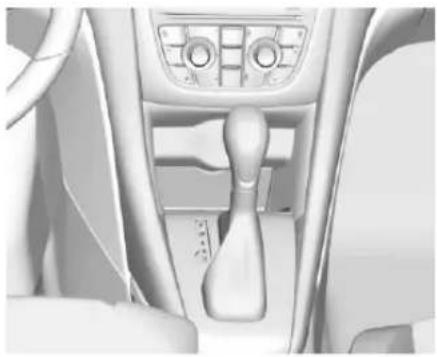
natural_image
Interior view of a car headrest with visible dashboard and seatbelt (no text or symbols)Theselectedgearisalsoshownin theDIC.
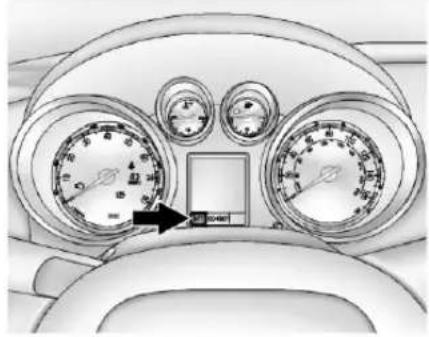
natural_image
Top-down view of a car dashboard with analog gauges and a central control panel (no visible text or symbols)P: This position locksthedrive wheels. It is the best position to use when starting the engine because the vehicle cannot move easily.
Warning
Itisdangeroustogetoutofthe vehicleiftheshiftleverisnotfully inP(Park)withtheparkingbrake firmlyset. Thevehiclecanroll.
Donotleavethevehiclewhenthe engineisrunning.Ifyouhaveleft theenginerunning,thevehicle canmovesuddenly.Youorothers
(Continued)
Warning(Continued)
couldbeinjured.Tobesurethe vehiclewillnotmove,evenwhen youareonfairlylevelground, alwayssettheparkingbrakeand movetheshiftlevertoP(Park). See ShiftingIntoPark→230.
Makesuretheshiftleverisfullyin P(Park)beforestartingtheengine. Thevehiclehasanautomatic transmissionshiftlockcontrol system. Theregularbrakemustbe fullyappliedfirstandthentheshift leverbuttonpressedbeforeshifting fromP(Park)whentheignitionkey isinON/RUN. If you cannot shift out ofP(Park), ease pressure on the shift lever, then push the shift lever all the way into P(Park) as you maintain brake application. Then press the shift lever button and mov the shift lever into another gear. See Shifting out of Park 231.
R:Usethisgeartobackup.
234DrivingandOperating
Caution
ShiftingtoR(Reverse)whilethe vehicleismovingforwardcould damagethetransmission.The repairswouldnotbecoveredby thevehiclewarranty.Shiftto R(Reverse)onlyafterthevehicle isstopped.
Torockthevehiclebackandfortho getoutofsnow,ice,orsandwithout damagingthetransmission,seelf the VehicleIsStuck→223.
N: In this position, the engine does not connect with the wheels. To restart the engine when the vehicle is already moving, use N(Neutral) only. Also, use N(Neutral) when the vehicle is being towed.

Warning
Shiftingintoadrivegearwhilethe engineisrunningathighspeedis dangerous.Unlessyourfootis firmlyonthebrakepedal,the (Continued)
Warning(Continued)
vehiclecouldmoveveryrapidly. Youcouldlosecontrolandhit peopleorobjects.Donotshift intoadrivegearwhiletheengine isrunningathighspeed.
Caution
ShiftingoutofP(Park)or N(Neutral)withtheengine runningathighspeedmay damagethetransmission. The repairswouldnotbecoveredby thevehiclewarranty.Besurethe engineisnotrunningathigh speedwhenshiftingthevehicle.
D: This position is for normal driving. It provides the best fuel economy. If more power is needed for passing, and the vehicle is:
- Goinglessthan56km/h (35mph), pushtheaccelerator pedalabouthalfwaydown.
- Goingabout56km/h(35mph)or more,pushtheacceleratorall thewaydown.
Caution
If the vehicle does not shift gears, the transmission could be damaged. Have the vehicle serviced right away.
ManualMode
DriverShiftControl(DSC)
Caution
Drivingwiththeengineatahigh rpmwithoutupshiftingwhileusing DriverShiftControl(DSC),could damagethevehicle.Always upshiftwhennecessarywhile usingDSC.
DrivingandOperating235
DSCallowsyoutoshiftan automatictransmissionsimilartoa manualtransmission.Tousethe DSCfeature:
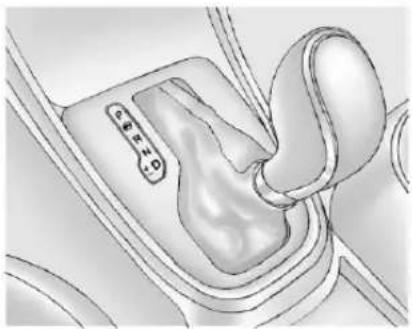
natural_image
Diagram of a car gear shift mechanism showing the lever and gear (no text or labels)- Movetheshiftleverfrom D(Drive)totheleftintothe(+) or(-)manualposition.
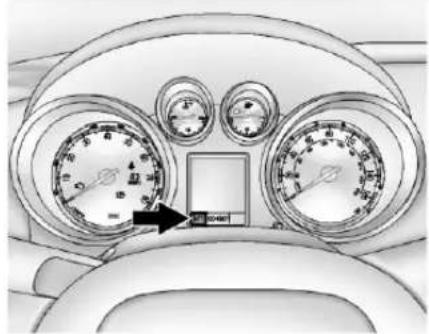
natural_image
Top-down view of a car dashboard with analog gauges and a central display (no visible text or symbols)- Presstheshiftleverforward(+)
toupshiftorrearward(-) to
downshift.AnMandthe
currentgearwillbedisplayed
intheDIC.
While using the DSC feature, the vehicle will have firmer, quicker shifting. You can us this for sport driving or when climbing or descending hills, to stay in gear longer, ort downward shift form more powerorengine braking.
The transmission will only allow you to shift tintogears appropriate for the vehiclespeed and engine revolutions per minute (rpm). The transmission will not automatically
shifttothenextlowergearifthe enginerpmistoohigh,nortothe nexthighergearwhenthemaximum enginerpmisreached.
Ifshiftingispreventedforany reason,thecurrentlyselectedgear willflashmultipletimes,indicating thatthetransmissionhasnotshifted gears.
While in the DSC mode, the transmission will automatically downshift when the vehicle comes to stop. This will allow more power during take-off.
Whenacceleratingthevehiclefrom astopinsnowyandicyconditions, youmaywanttoshiftintosecond gear.Ahighergearallowsthe vehicletogainmoretraction on slippery surfaces.
Brakes
AntilockBrake System(ABS)
ThisvehiclehasanAntilockBrake System(ABS),anadvanced electronicbrakingsystemthathelps preventabrakingskid.
Whenthevehiclebeginstodrive away,ABSchecksitself. Amomentarymotororclickingnoise maybeheardwhilethistestisgoing on,anditmayevenbenoticedthat thebrakepedalmovesalittle.This isnormal.

If there is a problem with ABS, this warning light stays on. See Antilock Brake System (ABS) Warning Light 105.
lfdrivingsafelyonawetroadandit becomesnecessarytoslamonthe brakesandcontinuebrakingto avoidasuddenobstacle,a computersensesthewheelsare slowingdown.Ifoneofthewheels isabouttostoprolling,thecomputer willseparatelyworkthebrakesat eachwheel.
ABScanchangethebrakepressure toeachwheel,asrequired,faster thananydrivercould. Thiscanhelp yousteeraroundtheobstaclewhile brakinghard.
Asthebrakesareapplied, the computerkeepsreceivingupdates onwheelspeedandcontrols brakingpressureaccordingly.
Remember:ABSdoesnotchange thetimeneededtogetafootupto thebrakepedaloralwaysdecrease stoppingdistance.Ifyougettoo closetothevehicleinfrontofyou, therewillnotbeenoughtimeto applythebrakesifthatvehicle suddenlyslowsorstops.Always leaveenoughroomupaheadto stop,evenwithABS.
UsingABS
Donotpumpthebrakes.Justhold thebrakepedaldownfirmlyandlet ABSwork.YoumayheartheABS pumpormotoroperatingandfeel thebrakepedalpulsate.This is normal.
BrakinginEmergencies
ABSallowsyoutosteerandbrake atthesametime.Inmany emergencies,steeringcanhelp morethaneventheverybest braking.
ParkingBrake
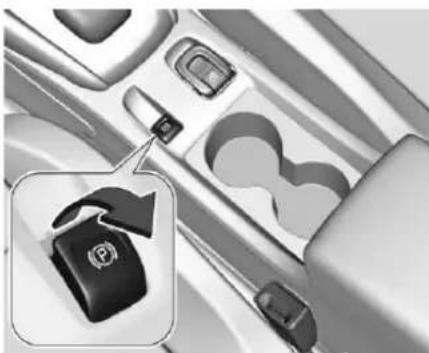
natural_image
Close-up of a car interior showing a black key inserted into the dashboard, with no visible text or symbols.The Electric Parking Brake (EPB) switch is on the center console. The EPB can always be activated, even if the ignition is off. Top prevent draining the battery, avoid repeated cycles of the EPB when the engine is not running.
Thesystemhasaredparkingbrake statuslightandanamberparking brakewarninglight.SeeElectric ParkingBrakeLight→105.There arealsoparkingbrake-related DriverInformationCenter(DIC) messages.Incaseofinsufficient electricalpower,theEPBcannotbe appliedorreleased.
Beforeleavingthevehicle, check theredparkingbrakestatuslightto ensurethattheparkingbrakeis applied.
EPBApply
ToapplytheEPB:
-
Besurethevehicleisata completestop.
-
LiftuptheEPBswitch momentarily.
Theredparkingbrakestatuslight willflashandthenstayononcethe EPBisfullyapplied.Ifthered parkingbrakestatuslightflashes continuously,thentheEPBisonly partiallyappliedorthereisa problemwiththeEPB.ADIC messagewilldisplay.Releasethe EPBandtrytoapplyitagain.Ifthe lightdoesnotcomeon,orkeeps flashing,havethevehicleserviced. Donotdrivethevehicleifthered parkingbrakestatuslightisflashing. Seeyourdealer.SeeElectric ParkingBrakeLight→105.
Iftheamberparkingbrakewarning lightison, liftupontheEPBswitch andholditup. Continuetoholdthe switchuntiltheredparkingbrake statuslightremainson. Iftheamber parkingbrakewarninglightremains on, seeyourdealer.
If the EPB is applied while the vehicle is moving, the vehicle will decelerate as long asthes switch is held up. If these switch is held up until the vehicle comesto as top, the EPB will remain applied.
The vehicle may automatically apply the EPBinsomesituations when the vehicle is not moving. This is normal, and is donetoperiodically check the correct operation of the EPB system.
If the EPB fail to apply, there are wheels should be blocked to prevent vehicle movement.
EPBRelease
ToreleasetheEPB:
-
PlacetheignitionintheACC/ACCESSORYorON/RUN position.
-
Apply and hold the brake pedal.
-
Pushdownmomentarily on the EPB switch.
TheEPBisreleasedwhenthered parkingbrakestatuslightisoff.
If the amberparking brakewarning lightison, releasethe EPB by pushing down on the EPB switch and holding it down. Continueto hold these witch until thered parking
238DrivingandOperating
brakestatuslightisoff.lfeitherlight staysonafterreleaseisattempted, seeyourdealer.
Caution
Drivingwiththeparkingbrakeon canoverheatthebrakesystem andcauseprematurewearor damagetobrakesystemparts. Makesurethattheparkingbrake isfullyreleasedandthebrake warninglightisoffbeforedriving.
AutomaticEPBRelease
TheEPBwillautomaticallyreleaseif thevehicleisrunning,placedinto gear,andanattemptismadeto driveaway.Avoidrapidacceleration whentheEPBisapplied,to preserveparkingbrakelininglife.
BrakeAssist
The Brake Assist feature is designed to assist the driver in stopping or decreasing vehicle speed in emergency driving conditions. This feature uses the
stabilitysystemhydraulicbrake controlmoduletosupplementthe powerbrakesystemunder conditionswherethdriverhas quicklyandforcefullyappliedthe brakepedalinanattempttoquickly stoporslowdownthevehicle.The stabilitysystemhydraulicbrake controlmoduleincreasesbrake pressureateachcornerofthe vehicleuntiltheABSactivates. Minorbrakepedalpulsationor pedalmovementduringthistimeis normalandthedrivershould continuetoapplythebrakepedalas thedrivingsituationdictates.The BrakeAssistfeaturewill automaticallydisengagewhenthe brakepedalisreleasedorbrake pedalpressureisquickly decreased.
HillStartAssist(HSA)
ThisvehiclehasaHillStartAssist (HSA)feature, whichmaybeuseful whenthevehicleisstoppedan incline. Thisfeatureisdesignedto preventthevehiclefromrolling, eitherforwardorrearward,during vehicledriveoff. Afterthedriver
completelystopsandholdsthe vehicleinacompletestandstillon anincline,HSAwillbeautomatically activated.Duringthetransition periodbetweenwhenthedriver releasesthebrakepedalandstarts toacceleratetodriveoffonagrade, HSAholdsthebrakingpressureto ensurethatthereisnorolling.The brakeswillautomaticallyrelease whentheacceleratorpedalis applied.
RideControlSystems
TractionControl/ElectronicStability Control
SystemOperation
ThevehiclehasaTractionControl System(TCS)andStabiliTrak ^® , an electronicstabilitycontrolsystem. Thesesystemshelplimitwheelspin andassistthedriverinmaintaining control,especiallyonslipperyroad conditions.
TCSactivatesifitsensesthatany ofthedrivewheelsarespinningor beginningtolosetraction. Whenthis happens, TCSappliesthebrakesto thespinningwheelsandreduces enginepowertolimitwheelspin.
StabiliTrakactivateswhenthe vehiclesensesadifferencebetween theintendedpathandthedirection thevehicleisactuallytraveling. StabiliTrakselectivelyapplies brakingpressuretoanyoneofthe
vehiclewheelbrakestoassistthe driverinkeepingthevehicleonthe intendedpath.
Ifcruisecontrolisbeingused and TCSorStabiliTrakbeginstolimit wheelspin, cruisecontrolwill disengage. Cruisecontrolmaybe turnedbackonwhenroad conditionsallow.
Bothsystemscomeon automaticallywhenthevehicleis startedandbeginstomove. The systemsmaybeheardorfeltwhile theyareoperatingorwhile performingdiagnosticchecks. This isnormalanddoesnotmeanthere isaproblemwiththevehicle.
Itisrecommendedtoleaveboth systemsonfornormaldriving conditions, butitmaybenecessary toturnTCSoffifthevehiclegets stuckinsand, mud, ice, or snow. SeelftheVehicleIsStuck→223 and "TurningtheSystemsOffand On" laterinthissection.
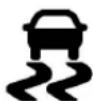
The indicator light for both systems is in the instrument cluster. This light will:
- FlashwhenTCSislimiting wheelspin.
- FlashwhenStabiliTrakis activated.
- Turnonandstayonwheneither systemisnotworking.
Ifeithersystemfailstoturnonorto activate, amessagedisplaysinthe DriverInformationCenter(DIC), and comesonandstaysonto indicate that the system is inactive and not assisting the driver in maintaining control. The vehicle is safetodrive, but drivings should be adjusted accordingly.
If comesonandstayson:
- Stopthevehicle.
240DrivingandOperating
- Turntheengineoffandwait 15seconds.
3.Starttheengine.
Drivethevehicle.If comeson andstayson,thevehiclemayneed moretimetodiagnosetheproblem. Iftheconditionpersists,seeyour dealer.
TurningtheSystemsOff andOn
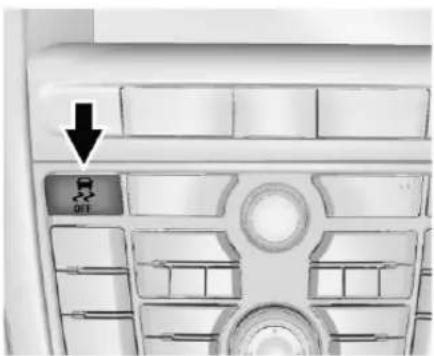
Caution
Donotrepeatedlybrakeor accelerateheavilywhenTCSis off. Thevehicledrivelinecouldbe damaged.
ToturnoffonlyTCS,pressand release OFF. TheappropriateDIC messageisdisplayed.
ToturnTCSonagain,pressand release OFF. TheappropriateDIC messageisdisplayed.
IfTCSislimitingwheelspinwhen ispressed, thesystemwillnotturn offuntilthewheelsstopspinning.

ToturnoffbothTCSandStabiliTrak, pressandhold OFF untilthe StabiliTrakOfflight OFF comesonand staysonintheinstrumentcluster. TheappropriateDICmessageis displayed.
ToturnTCSandStabiliTrakon again, pressandrelease OFF. The StabiliTrakOfflight OFF in the instrumentclusterturnsoff. The appropriate DICmessage is displayed.
Addingaccessoriescanaffect vehicleperformance.See Accessoriesand Modifications⇒255.
CruiseControl
The cruise control the vehicle maintain as speed of about 40 km/h (25 mph) or more without keeping your foot on the accelerator. Cruise controdoes not work at speeds below 40 km/h (25 mph).
Warning
Cruisecontrolcanbedangerous whereyoucannotdrivesafelyat asteadyspeed.Donotuse cruisecontrolonwindingroadsor inheavytraffic.
Cruisecontrolcanbedangerous onslipperyroads.Onsuchroads, fastchangesintiretraction can causeexcessivewheelslip,and youcouldlosecontrol.Donotuse cruisecontrolonslipperyroads.
The vehicle has a Traction Control System (TCS) or Stabili Trak system that begins to limit wheels in while using cruise control and the cruise control will automatically disengage.
See TractionControl/Electronic StabilityControl→239. Ifacollision alert occurs when cruise control is activated, cruise control is disengaged. See Forward Collision Alert(FCA) System→245. When road conditions allow you to out safety use again, cruise control can be turned back on.
If the brakes are applied, cruise controldisengages.
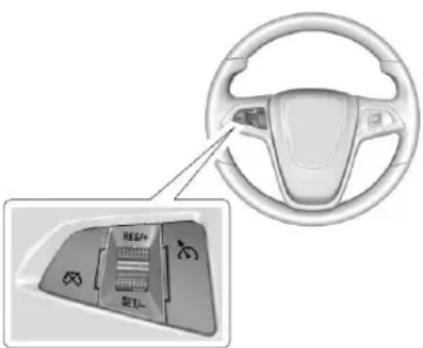
:Presstoturnthecruisecontrol systemonoroff.Awhiteindicator comesonintheinstrumentcluster whencruiseisturnedon.
RES/+: If thereisasetspeed in memory, movethethumbwheelup briefly to resumeto that speed or hold upward to accelerate. If cruise control is already active, useto increase vehicles speed.
SET/−:Movethethumbwheeldown brieflytosetthespeedandactivate cruisecontrol.Ifcruisecontrolis alreadyactive,usetodecrease speed.
☒: Presstodisengagecruise controlwithoutouterasingtheset speedfrommemory.
SettingCruiseControl
If \misonwhennotinuse, SET/-or RES/+couldgetbumpedandgo intocruisewhennotdesired.Keep offwhencruisecontrolisnot beingused.\
Tosetaspeed:
- Press *oturncruise controlon.
- Getuptothespeeddesired.
3.Moveththumbwheeldown towardSET/-andreleaseit.
242DrivingandOperating
- Remove your foot from the accelerator.
Thecruisecontrolindicatoronthe instrumentclusterturnsgreenafter cruisecontrolhasbeensettothe desiredspeed.SeeInstrument Cluster→98.
ResumingaSetSpeed
If the cruise control lissetata desired speed and then the brakes are applied or is pressed, the cruise control disengaged without erasing the sets speed from memory. Oncethe vehicles speed is about 40 km/h (25 mph) or greater, move the thumbwheel up toward RES/+ briefly. The vehicler return to the previously sets speed.
IncreasingSpeedWhileUsing CruiseControl
Ifthecruise control system is already activated:
- Movethethumbwheeluptoward RES/+andholdituntilthe desiredspeedisreached,then releaseit.
- Toincreasevehiclespeedin smallincrements, movethe thumbwheeluptowardRES/+ briefly. Foreachpress, the vehiclegoesabout1.6km/h (1mph) faster.
Thespeedometerreadingcanbe displayedineitherEnglishormetric units.SeeDriverInformationCenter (DIC)⇔110.Theincrementvalue useddependsontheunits displayed.
ReducingSpeedWhileUsing CruiseControl
If the cruise control system is already activated:
- Movethethumbwheeltoward SET/-andholduntilthedesired lowerspeedisreached, then releaseit.
- Todecreasethevehiclespeedin smallincrements, movethe thumbwheeltowardSET/-briefly. Foreachpress, the vehiclegoesabout 1.6km/h (1mph) slower.
Thespeedometerreadingcanbe displayedineitherEnglishormetric units.SeeDriverInformationCenter (DIC)⇒110.Theincrementvalue useddependsontheunits displayed.
PassingAnotherVehicleWhile UsingCruiseControl
Use the accelerator pedal to increase the vehicles speed. When you take your foot off the pedal, the vehicle slows down to the previous set cruise controls speed. While pressing the accelerator pedal or shortly following there leaseto override cruise control, briefly moving the thumb wheel toward SET/—will result in cruisesetto the current vehicles speed.
UsingCruiseControlonHills
Howwellcruise control workson hills depend on the vehicle speed, load, and the steepness of the hills. Whenging up steep hills, you might have to stop the accelerator pedal to maintain the vehicle speed. Whenging downhill, you might have to brake or shift to lower gear to keep your
speeddown.Ifthebrakepedalis applied,cruisecontrolwill disengage.
EndingCruiseControl
Therearefourwaystoendcruise control:
- Todisengagecruisecontrol, steplightlyonthebrakepedal.
- Press ✗.
- Shiftthetransmission to N(Neutral).
- Toturnoffcruisecontrol, press 📁.
ErasingSpeedMemory
Thecruisecontrolsetspeedis erasedfrommemoryif ispressed orifthevehicleisturnedoff.
DriverAssistance Systems
AssistanceSystemsfor ParkingorBacking
Ifequipped, the Rear Vision Camera (RVC), Rear Parking Assist (RPA), and Front Parking Assist (FPA) may help the driver park or avoid objects. Always check around the vehicle when parking or backing.
RearVisionCamera(RVC)
Whenthevehicleisshiftedinto R(Reverse),theRVCdisplaysan imageoftheareabehindthevehicle inthecenterstackdisplay.
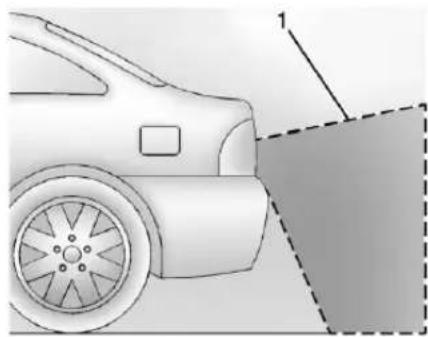
natural_image
Side view of a car with a dashed line and numbered annotation (no text or symbols on the car itself)1.ViewDisplayedbythe Camera
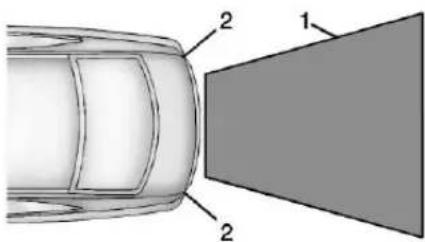
1.ViewDisplayedbythe Camera
2.CornersoftheRearBumper
244DrivingandOperating
Displayedimagesmaybefartheror closerthantheyappear.Thearea displayedislimitedandobjectsthat areclosetoeithercornerofthe bumperorunderthebumperdonot display.
TouchMENUontheinfotainment screentoadjustthedisplay brightnesswhileviewingtherear cameradisplay.
A warning triangle may display on the RVC screentoshow that RPA has detected an object. This triangle changes from a bertored and increases its size the closer the object.

Warning
Thecamera(s)donotdisplay children,pedestrians,bicyclists, crossingtraffic,animals,orany otherobjectoutsideofthe cameras'fieldofview,belowthe bumper,orunderthevehicle. Showndistancesmaybedifferent fromactualdistances.Donot driveorparkthevehicleusing
(Continued)
Warning(Continued)
onlythesecamera(s).Always checkbehindandaroundthe vehiclebeforedriving.Failureto usepropercaremayresultin injury,death,orvehicledamage.
ParkingAssist
WithRPA, asthevehiclebacksup atspeedsoflessthan8km/h (5mph), thesensorsontherear bumperdetectobjectsupto2.5m (8ft)behindthevehiclethatare withinazone25cm(10in)highoff thegroundandbelowbumperlevel. IfthevehiclehasFrontParking Assist(FPA), italsodetectsobjects 1.2m(4ft)infrontofthevehicle. Thesedetectiondistancesmaybe shorterduringwarmerorhumid weather. Blockedsensorswillnot detectobjectsandcanalsocause falsedetections. Keepthesensors cleanofmud, dirt, snow, ice, and slush; andcleansensorsafteracar washinfreezingtemperatures.

Warning
The Parking Assistsystemdoes not detect children, pedestrians, bicyclists, animals, or objects located below the bumper or that are too close to or far from the vehicle. It is not available at speed greater than 8 km/h (5 mph). Toprevent injury, death, or vehicle damage, even with parking assist, always check the area around the vehicle and check all mirrors before moving forward or backing.
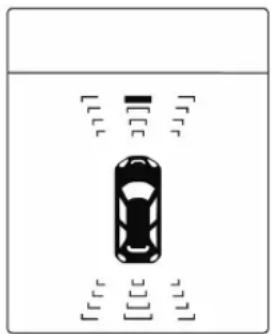
natural_image
Top-down view of a car with no visible text, numbers, or symbols on the vehicle itselfTheinstrumentclustermayhavea parkingassistdisplaywithbarsthat show"distancetoobject"andobject locationinformationforRPA,andon somevehicles,fortheFPAsystem. Astheobjectgetscloser,morebars lightup,andthebarschangecolor fromyellowtoambertored.
Whenanobjectisfirstdetectedin therear,onebeepwillbeheard fromtherear.Whenanobjectis veryclose(<0.6m(2ft)inthe vehiclerear,or<0.3m(1ft)inthe vehiclefront),fivebeepswillsound fromtherearorfrontdependingon objectlocation.BeepsforFPAare higherpitchedthanforRPA.
TurningtheFeaturesOnorOff
TheP▲buttononthecenterstack isusedtoturnonoroffParking Assist. Theindicatorlightnexttothe
buttoncomesonwhenthefeatures areonandturnsoffwhenthe featureshavebeendisabled.
Theparkingassistsymbolsand guidancelinescanbeturnedor offthroughtheinfotainmentsystem. See“RearCameraOptions”in VehiclePersonalization→113
ForwardCollisionAlert (FCA)System
Ifequipped, theFCAsystemmay helptoavoidorreducetheharm causedbyfront-endcrashes. FCA providesavisualalertandbeeps whenapproachingavehicledirectly aheadtooquickly.
Theforward-lookingFCAcamera sensorisonthewindshieldahead oftherearviewmirror.FCAdetects vehicleswithinadistanceof approximately60m(197ft)and operatesatspeedsabove40km/h (25mph).
Warning
FCAisawarningsystemand doesnotapplythebrakes.When approachingaslower-movingor stoppedvehicleaheadtoorapidly, orwhenfollowingavehicletoo closely,FCAmaynotprovidea warningwithenoughtimetohelp avoidacrash.Italsomaynot provideanywarningatall.FCA doesnotwarnofpedestrians, animals,signs,guardrails, bridges,constructionbarrels, orotherobjects.Bereadytotake actionandapplythebrakes.See DefensiveDriving→217.
DetectingtheVehicleAhead
246DrivingandOperating
FCAwarningswillnotoccurunless theFCAsystemdetectsavehicle ahead. Whenavehicleisdetected, thevehicleaheadindicatorwill displaygreen. Vehiclesmaynotbe detectedoncurves,highwayexit ramps,orhills,duetopoorvisibility; orifavehicleaheadispartially blockedbypedestriansorother objects. FCAwillnotdetectanother vehicleaheaduntilitiscompletely inthedrivinglane.

Warning
FCAdoesnotprovideawarning tohelpavoidacrash,unlessit detectsavehicle.FCAmaynot detectavehicleaheadiftheFCA sensorisblockedbydirt,snow, orice,orifthewindshieldis damaged.Itmayalsonotdetecta vehicleonwindingorhillyroads, orinconditionsthatcanlimit visibilitysuchasfog,rain, orsnow,oriftheheadlampor windshieldarenotcleanedorin (Continued)
Warning(Continued)
propercondition.Keepthe windshield,headlamps,andFCA sensorscleanandingoodrepair.
CollisionAlert
natural_image
Abstract black-and-white graphic of two cars spiking toward a starburst shape (no text or symbols)When your vehicle approaches another vehicle to or rapidly, the FCA display will come on in the DIC and several high-pitched beepswill sound. Whent this Collision Alert occurs, the brakesystem may prepare for driver braking to occur morerapidly which can cause a brief, mild deceleration. Continueto apply the brake pedal as needed. Cruise control may be disengaged when the Collision Alert occurs.
SelectingtheAlertTiming
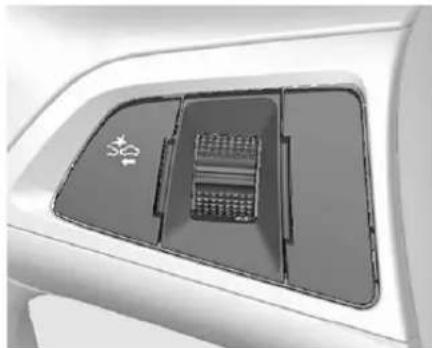
natural_image
Close-up of a car air conditioner cover panel with no visible text or symbolsTheCollisionAlertcontrolisonthe steeringwheel.Press 🔍 tosetthe alerttiming.Thefirstbuttonpress showsthecurrentcontrolsettingon theDIC.Additionalbuttonpresses willchangethissettingandturnthe systemoff.
UnnecessaryAlerts
FCAmayprovideunnecessary alertstoturningvehicles,vehiclesin otherlanes,objectsthatarenot vehicles,orshadows. Thesealerts arenormaloperationandthe vehicledoesnotneedservice.
CleaningtheSystem
If the FCAsystemdoesnotseemto operateproperly, cleantheoutside ofthewindshieldareainfrontofthe camerasensorbeforeconsidering takingthevehicleinforservice.
LaneDeparture Warning(LDW)
Ifequipped, LDWmayhelpavoid crashesduetounintentionallane departures. It may provide an alert if the vehicle is crossing alane without using aturn signal in that direction. LDW uses acamera sensortodetect the lanemarkings at speed sof 56 km/h (35 mph) or greater.
Warning
TheLDWsystemdoesnotsteer thevehicle.TheLDWsystem maynot:
- Provideenoughtimeto avoidacrash.
(Continued)
Warning(Continued)
- Detectlanemarkingsunder poorweatherorvisibility conditions. This can occur if the windshieldor headlamps are blocked by dirt, snow, orice; if they are not in proper condition; or if the sunshines directly into the camera.
- Detectroadedges.
- Detectlanesonwindingor hillyroads.
If LDWonlydetectslane markingsononesideoftheroad, itwillonlywarnyouwhen departingthelaneontheside whereithasdetectedalane marking.Alwayskeepyour attentionontheroadand maintainpropervehicleposition withinthelane,orvehicle damage,injury,ordeathcould occur.Alwayskeepthe windshield,headlamps,and
(Continued)
Warning(Continued)
camerasensorscleanandin goodrepair.DonotuseLDWin badweatherconditions.
HowtheSystemWorks
The LDWcamerasensorison the windshieldaheadoftherearview mirror.
ToturnLDWonandoff, press on thecenterstack. Thecontrol indicatorwilllightwhenLDWison.
WhenLDWison, isgreenif LDWisavailabletowarnofalane departure. If the vehicle crosses a detected lanemarking without using the turnsignal in that direction, changestoamber and flashes.
Additionally, therewillbethree beepsontherightorleft, depending onthelanedeparturedirection.
WhentheSystemDoesNot SeemToWorkProperly
Thesystemmaynotdetectlanesas wellwhenthereare:
- Closevehiclesahead.
- Suddenlightingchanges,such aswhendrivingthroughtunnels.
- Bankedroads.
If the LDW system is not functioning properly when lanemarkings are clearly visible, cleaning the windshield may help.
LDWalertsmayoccurduetotar marks, shadows, cracksintheroad, temporaryorconstructionlane markings, orotherroad imperfections. Thisisnormalsystem operation; the vehicle does not need service. Turn LDWoffifthese conditions continue.
Fuel
Useoftherecommendedfuelisan importantpartoftheproper maintenanceofthisvehicle.When drivingintheU.S.andCanada,to helpkeeptheenginecleanand maintainoptimumvehicle performance, werecommendusing TOPTIERDetergentGasolines. Seewww.toptiergas.comforalistof TOPTIERDetergentGasolines.


Usepremiumunleadedgasoline meetingASTMspecificationD4814 withapostedoctaneratingof91or higher.Regularunleadedgasoline ratedat87octaneorhighercanbe
used, but acceleration and fuel economy will be reduced, and an audible knocking nois maybe heard. If this occurs, use a gasoline rated at 91 octane or higher as soon as possible. Otherwise, the engine could be damaged. If heavy knocking is heard when using gasolinewith a 91 octane rating or higher, the engine need service.
UseofSeasonalFuels
Usesummerandwinterfuelsinthe appropriatesason. Thefuels industryautomaticallymodifiesthe fuelfortheappropriatesason. Iffuelisleftinthevehicletankfor longperiodsoftime,drivingor startingcouldbeaffected.Drivethe vehicleuntilthefuelisatone-half tankorless,thenrefuelwiththe currentseasonalfuel.
ProhibitedFuels
Gasolinescontainingoxygenates suchasethersandethanol, aswell asreformulatedgasolines, are availableinsomecities. If these gasolinescomplywiththe previouslydescribedspecification, thentheyareacceptabletouse.
However, E85(85% ethanol) and other fuels containing more than 15% ethanol must be used only in FlexFuelvehicles.
Caution
Donotusefuelcontaining methanol.Itcancorrodemetal partsinthefuelsystemandalso damageplasticandrubberparts. Thatdamagewouldnotbe coveredunderthevehicle warranty.
Somegasolines, mainly high octane racing gasolines, can contain an octane-enhancing additive called methylcyclopentadienylmanganese tricarbonyl(MMT). Donot use gasolines and/or fuel additives with MMTasthey can reduce spark plug life and affect emission control system performance. The malfunction indicator lamp may turn on. If this occurs, see your dealer for service.
CaliforniaFuel Requirements
Ifthevehicleiscertifiedtomeet CaliforniaEmissionsStandards,itis designedtooperateonfuelsthat meetCaliforniaspecifications.See theunderhoodemissioncontrol label.Ifthisfuelisnotavailablein statesadoptingCaliforniaEmissions Standards,thevehiclewilloperate satisfactorilyonfuelsmeeting federalspecifications,butemission controlsystemperformancemaybe affected. Themalfunctionindicator lampcouldturnonandthevehicle maynotpassasmog-checktest. SeeMalfunctionIndicatorLamp (CheckEngineLight)→102.Ifthis occurs,returntoyourauthorized dealerfordiagnosis.Ifitis determinedthattheconditionis causedbythetypeoffuelused, repairsmaynotbecoveredbythe vehiclewarranty.
FuelsinForeign Countries
Ifplanningtodriveincountries outsidetheU.S.orCanada,the properfuelmightbehardtofind. Checkregionalautocluborfuel retailbrandwebsitesforavailability inthecountrywheredriving.Never useleadedgasoline,fuelcontaining methanol,manganese,oranyother fuelnotrecommended.Costly repairscausedbyuseofimproper fuelwouldnotbecoveredbythe vehiclewarranty.
FuelAdditives
Tokeepfuelsystemsclean, TOP TIERDetergentGasolineis recommended. SeeFuel→248.
If TOPTIER Detergent Gasoline is not available, one bottle of Fuel System Treatment PLUS added to the fuel tank at every engine oil change, can help. Fuel System Treatment PLUS is the only gasoline additive recommended by General Motors. It is available at your dealer.
FillingtheTank

Warning
Fuelvaporsandfuelfiresburn violentlyandcancauseinjuryor death.
- Tohelpavoidinjuriestoyou andothers,readandfollow alltheinstructionsonthe fuelpumpisland.
- Turnofftheenginewhen refueling.
- Keepsparks, flames, and smoking materials away from fuel.
- Donotleavethefuelpump unattended.
- Donotuseacellphone whilerefueling.
- Donotre-enterthevehicle whilepumpingfuel.
- Keepchildrenawayfrom thefuelpumpandneverlet childrenpumpfuel.
(Continued)
Warning(Continued)
- Fuelcansprayoutifthefuel capisopenedtooquickly. Thisspraycanhappenifthe tankisnearlyfull, and is more likely in hot weather. Openthefuelcapslowly and wait for any hiss noise tostop, then unscrew the capalltheway.
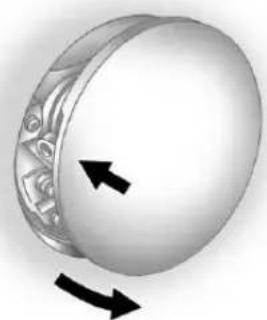
natural_image
3D illustration of a circular object with decorative patterns and two black arrows indicating rotation or movement (no text or symbols)Thefuelcapisbehindahingedfuel dooronthepassengersideofthe vehicle. Thefueldoorislocked whenthevehicledoorsarelocked.
Press ☎ontheRKEtransmitterto unlock.Toopenthefueldoor,push andreleasetherearwardcenter edgeofthedoor.
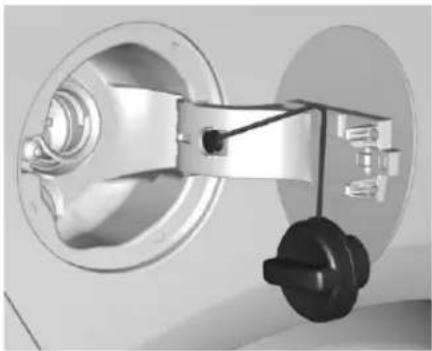
natural_image
Mechanical assembly diagram showing a wheel and mounting bracket (no text or symbols)Turnthefuelcapcounterclockwise toremove. Whilerefueling, hangthe tetheredfuelcapfromthehookon thefueldoor.
Warning
Overfillingthefueltankbymore thanthreeclicksofastandardfill nozzlemaycause:
- Vehicleperformanceissues, includingenginestallingand damagetothefuelsystem.
- Fuelspills.
- Potentialfuelfires.
Becarefulnottospillfuel.Waita fewsecondsafteryouhavefinished pumpingbeforeremovingthe nozzle.Cleanfuelfrompainted surfacesassoonaspossible.See ExteriorCare→321.
When replacing the fuel cap, turn it clockwise until it clicks. Makes sure the capisfully installed. The diagnostics system can determine if the fuel cap has been left off for improperly installed. This would allow fuel to evaporate into the atmosphere. See Malfunction Indicator Lamp (Check Engine Light) 102.
Warning
Ifafirestartswhileyouare refueling, donotremovethe nozzle. Shutofftheflowoffuelby shuttingoffthepumporby notifyingthestationattendant. Leavetheareaimmediately.
Caution
Ifanewfuelcapsisneeded, be suretogetherighttypeofcap fromyourdealer. Thewrongtype offuelcapmaynotfitproperly, maycausethemalfunction indicatorlamptolight, and could damagethefueltank and emissionssystem. See MalfunctionIndicatorLamp (CheckEngineLight)→102.
FillingaPortableFuel Container
Warning
Fillingaportablefuelcontainer whileitisinthevehiclecancause fuelvaporsthatcanigniteeither bystaticelectricityorother means.Youorotherscouldbe badlyburnedandthevehicle couldbedamaged.Always:
- Useapprovedfuel containers.
- Removethecontainerfrom thevehicle,trunk,orpickup bedbeforefilling.
- Placethecontaineronthe ground.
- Placethenozzleinsidethe fillopeningofthecontainer beforedispensingfuel,and keepitincontactwiththefill openinguntilfillingis complete.
(Continued)
Warning(Continued)
- Fillthecontainernomore than95%fulltoallowfor expansion.
- Donotsmoke, light matches, oruselighters whilepumpingfuel.
- Avoidusingcellphonesor otherelectronicdevices.
TrailerTowing
GeneralTowing Information
The vehicle is neither designed nor intended to tow a trailer.
Conversionsand Add-Ons
Add-On Electrical Equipment

Warning
TheDataLinkConnector(DLC)is usedforvehicleserviceand EmissionInspection/Maintenance testing.SeeMalfunctionIndicator Lamp(CheckEngineLight) 102.Adeviceconnectedtothe DLC—suchasanaftermarket fleetordriver-behaviortracking device—mayinterferewith vehiclesystems.Thiscouldaffect vehicleoperationandcausea crash.Suchdevicesmayalso accessinformationstoredinthe vehicle'ssystems.
Caution
Someelectricalequipment can damage the vehicle cause component stonotwork and would not be recovered by the vehicle warranty. Always check with your dealer before adding electricalequipment.
Add-onequipmentcandrainthe vehicle's12-voltbattery, evenifthe vehicleisnotoperating.
Thevehiclehasanairbagsystem. Beforeattemptingtoaddanything electricaltothevehicle,see ServicingtheAirbag-Equipped Vehicle→67andAddingEquipment totheAirbag-Equipped Vehicle→68.
VehicleCare
GeneralInformation
GeneralInformation......255
CaliforniaProposition 65Warning......255
CaliforniaPerchlorate MaterialsRequirements.....255
Accessories and Modifications....255
VehicleChecks
DoingYourOwn ServiceWork......256
Hood....257
EngineCompartment Overview......259
EngineOil....260
EngineOilLifeSystem.....262
AutomaticTransmission Fluid....263
EngineAirCleaner/Filter.....263
CoolingSystem......264
EngineCoolant......265
EngineOverheating......268
WasherFluid......269
Brakes......270
BrakeFluid......270
Battery-NorthAmerica.....271
StarterSwitchCheck......272
AutomaticTransmissionShift LockControlFunction Check....272
IgnitionTransmissionLock Check......273
ParkBrakeandP(Park) MechanismCheck......273
WiperBladeReplacement....273
HeadlampAiming
HeadlampAiming......274
BulbReplacement
BulbReplacement......275
HighIntensityDischarge(HID) Lighting......275
LEDLighting......275
AdaptiveForwardLighting Lamps....275
FogLamps......276
FrontTurnSignalLamps.....276
SidemarkerLamps......277
SideTurnSignalLamps.....278
Back-UpLamps......279
LicensePlateLamp......280
ReplacementBulbs.....281
ElectricalSystem
ElectricalSystemOverload...281
FusesandCircuitBreakers...282
EngineCompartmentFuse
Block....282
InstrumentPanelFuse Block.....285
RearCompartmentFuse Block....286
WheelsandTires
Tires....288
All-SeasonTires......289
WinterTires......289
Low-ProfileTires......290
TireSidewallLabeling......290
TireDesignations......292
Tire Terminology and Definitions....293
TirePressure......295
TirePressureMonitor System....296
TirePressureMonitor Operation......297
TireInspection......300
TireRotation......301
When It Is Time for New Tires....302
BuyingNewTires......302
DifferentSizeTiresand Wheels....304
UniformTireQuality Grading....304
WheelAlignmentandTire Balance....306
WheelReplacement......306
TireChains....307
IfaTireGoesFlat......307
TireChanging......309
CompactSpareTire......314
JumpStarting
JumpStarting-North
America......315
TowingtheVehicle
TowingtheVehicle......318
Recreational Vehicle
Towing....319
AppearanceCare
ExteriorCare....321
InteriorCare....326
FloorMats....329
GeneralInformation
Forserviceandpartsneeds,visit yourdealer.Youwillreceive genuineGMpartsandGM-trained andsupportedservicepeople.
GenuineGMpartshaveoneof thesemarks:

Genuine

Parts

Accessories
CaliforniaProposition 65Warning
WARNING: Mostmotorvehicles, including this one, contain and/or emitChemicals known to the State of Californiatocause cancer and birth defects or other reproductive
harm.Engineexhaust,manyparts andsystems,manyfluids,and somecomponentwearby-products containand/oremitthese chemicals.
SeeBattery-NorthAmerica→271 and Jump Starting-North America→315.
CaliforniaPerchlorate MaterialsRequirements
Certain types of automotive applications, such as airbag initiators, safety belt pretensioners, and lithium batteries contained in Remote Keyless Entry transmitters, may contain perchloratematerials. Special handling may be necessary. For additional information, see www.dtsc.ca.gov/hazardous waste/perchlorate.
Accessories and Modifications
Adding non-dealer accessories or making modification to the vehicle can affect vehicle performance and safety, including such things as
256VehicleCare
airbags, braking, stability, ride and handling, emission systems, aerodynamics, durability, and electronics systems like antilock brakes, traction control, and stability control. These accessories or modifications could deven cause malfunctionordamagenotcovered by the vehicle warranty.
Damagetosuspensioncomponents causedbymodifyingvehicleheight outsideoffactorysettingswillnotbe coveredbythevehiclewarranty.
Damageetovehiclecomponents resultingfrommodificationsorthe installationoruseofnon-GM certifiedparts,includingcontrol moduleorsoftwaremodifications,is notcoveredunderthetermsofthe vehiclewarrantyandmayaffect remainingwarrantycoveragefor affectedparts.
GMAccessoriesaredesignedto complementandfunctionwithother systemsonthevehicle.Seeyour dealertoaccessorizethevehicle usinggenuineGMAccessories installedbyadealertechnician.
Also, see Adding Equipment to the Airbag-Equipped Vehicle 68.
VehicleChecks
DoingYourOwn ServiceWork

Warning
It can be dangerous to work on your vehicle if you don to have the proper knowledge, service manual, tools, or parts. Always follow owner manual procedures and consult the servicemanual for your vehicle before doing any servicework.
If doingsome of your own service work, us the properservice manual. It tells you much more about how to servicethe vehicle than this manual can. To order the properservicemanual, see Service Publications Ordering Information 355.
Thisvehiclehasanairbagsystem. Beforeattemptingtodayourown servicework,seeServicingthe Airbag-EquippedVehicle⇒67.
Keeparecordwithallpartsreceipts andlistthemileageandthedateof anyserviceworkperformed.See MaintenanceRecords→342.
Caution
Evensmallamountsof contaminationcancausedamage tovehiclesystems.Donotallow contaminantstocontactthefluids, reservoircaps,ordipsticks.
Hood
Toopenthehood:
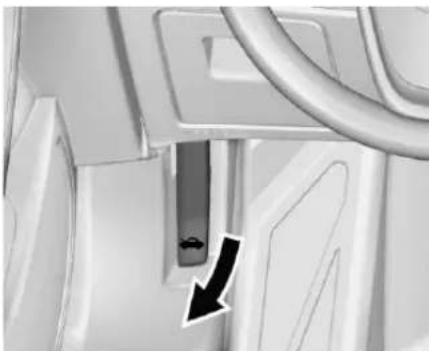
natural_image
Close-up of a mechanical component with a black arrow indicating direction (no visible text or symbols)- Pullthehoodreleasehandle insidethevehicle.Itisonthe lowerleftsideoftheinstrument panel.
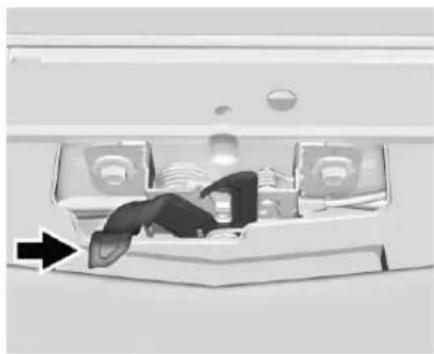
natural_image
Interior view of a modern airplane cabin with passengers and luggage (no visible text or symbols)- Gotothefrontofthevehicle andmovethesecondaryhood releaselevertowardthedriver sideofthevehicle.
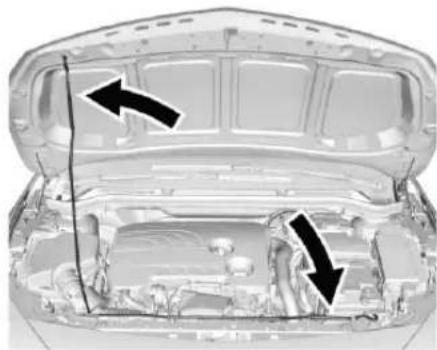
natural_image
Interior view of a car hood with open lid and visible structural components (no text or symbols)- Liftthehoodandreleasethe hoodpropfromitsretainer, abovetheradiator. Securely placethehoodpropinto the slotontheunderside of thehood.
258VehicleCare
Toclosethehood:
-
Before closing the hood, be sure all fillercaps are on properly. Then, lift the hood to relieve pressure on the hood prop. Removethe hood prop from the slot in the underside of the hood and return the prop to its retainer. The proprod must click into place when returning it to her retain to prevent how odd damage.
-
Lowerthehood30cm(12in) abovethevehicleandrelease itsoitfullylatches.Checkto makesurethehoodisclosed andrepeattheprocessif necessary.
EngineCompartmentOverview
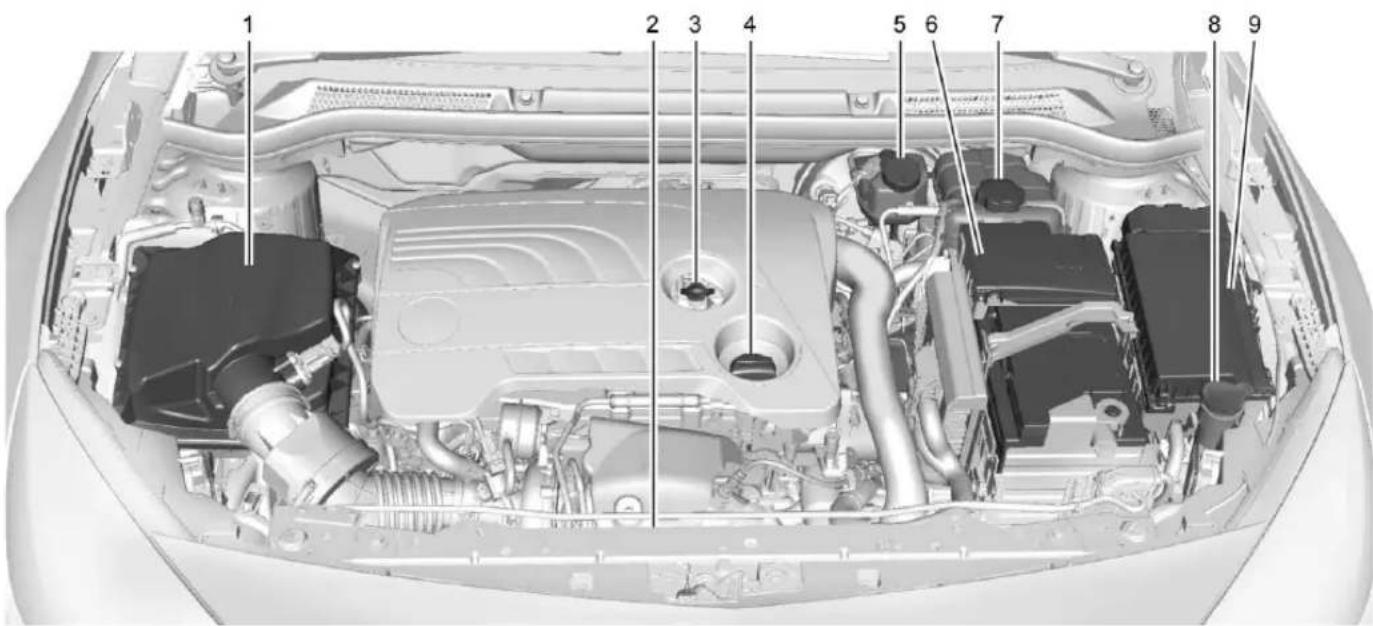
260VehicleCare
- EngineAirCleaner/Filter→263.
- EngineCoolingFan(Outof View). SeeCooling System→264.
- EngineOilDipstick.See EngineOil→260.
- EngineOilFillCap. See EngineOil→260.
- BrakeFluidReservoir. See Brakes→270.
6.Battery-NorthAmerica→271. - EngineCoolantSurgeTank andPressureCap.See CoolingSystem→264.
- Windshield Washer Fluid Reservoir. See Washer Fluid 269.
- Engine Compartment Fuse Block→282.
EngineOil
Toensureproperengine performanceandlonglife,careful attentionmustbepaidtoengineoil.
Followingthesesimple, but importantstepswillhelpprotect yourinvestment:
- Useengineoilapprovedtothe properspecificationandofthe properviscositygrade.See "SelectingtheRightEngineOil" inthissection.
- Checktheengineoillevel regularlyandmaintainthe properoillevel.See"Checking EngineOil"and"WhentoAdd EngineOil"inthissection.
- Changetheengineoilatthe appropriatetime.SeeEngineOil LifeSystem→262.
- Always dispose of engine oil properly. See "What to Dow with Used Oil" in this section.
CheckingEngineOil
Itisagoodideatochecktheengine oillevelateachfuelfill. Inorderto getanaccuratereading, the vehicle must be on level ground. The engine oildipstick handle is a loop. See Engine Compartment Overview 259 forth elocation of the engine oildipstick.
Obtaininganaccurateoillevel readingisessential:
- If the engine has been running recently, turn off the engine and allow several minutes for the oil to drain back into the oil pan. Checking the oil level too soon after engines hutoff will not provide an accurate oil level reading.

Warning
Theengineoildipstickhandle maybehot;itcouldburnyou. Useatowelorglovetotouchthe dipstickhandle.
- Pulloutthedipstickandwipeit withacleanpapertowelor cloth,thenpushitbackinall theway.Removeitagain, keepingthetipdown,and checkthelevel.
WhentoAddEngineOil
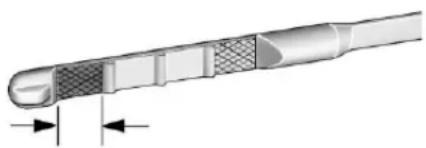
natural_image
Cross-sectional diagram of a cable or tube with internal layered structure and two directional arrows indicating movement (no text or symbols)If the oil is below the cross-hatched area at the tip of the dipstick, add 1L(1qt) of there recommended oil and then recheck the level. See "Selecting the Right Engine Oil" later in this section for an explanation of what kind of oil to use. Forengine oil crank case capacity, see Capacities and Specifications 344.
Caution
Donotaddtoomuchoil.Oil levelsaboveorbelowthe acceptableoperatingrange shownonthedipstickareharmful totheengine.Ifyoufindthatyou haveanoillevelabovethe operatingrange,i.e.,theengine (Continued)
Caution(Continued)
hassomuchoilthattheoillevel getsabovethecross-hatched areathatshowstheproper operatingrange,theenginecould bedamaged.Youshoulddrain outtheexcessoilorlimitdriving ofthevehicleandseekaservice professionaltoremovethe excessamountofoil.
SeeEngineCompartmentOverview →259forthelocationoftheengine oilfillcap.
Addenoughoiltoputthelevel somewhereintheproperoperating range.Pushthedipstickalltheway backinwhenthrough.
SelectingtheRightEngineOil
Selectingtherightengineoil dependsonboththeperooil specificationandviscositygrade. SeeRecommendedFluidsand Lubricants340.
Specification
Askforanduseengineoilsthat meetthedexos1 ^™ specification.

Engineoilsthathavebeen approvedbyGMasmeetingthe dexos1specificationaremarked withthedexos1approvedlogo.See www.gmdexos.com.
Caution
Failuretousetherecommended engineoilorequivalentcanresult inenginedamagenotcoveredby thevehiclewarranty.
ViscosityGrade
UseSAE5W-30viscositygrade engineoil.
262VehicleCare
ColdTemperatureOperation:Inan areaofextremecold,wherethe temperaturefallsbelow-29°C (-20°F),anSAE0W-30oilmaybe used.Anoilofthisviscositygrade willprovideeasiercoldstartingfor theengineatextremelylow temperatures.Whenselectinganoil oftheappropriateviscositygrade,it isrecommendedtoselectanoilof thecorrectspecification.See "Specification"earlierinthissection.
EngineOilAdditives/Engine OilFlushes
Donotaddanythingtotheoil. The recommendedoilsmeetingthe dexos1specificationareallthatis neededforgoodperformanceand engineprotection.
Engineoilsystemflushesarenot recommendedandcouldcause enginedamagenotcoveredbythe vehiclewarranty.
WhattoDowithUsedOil
Usedengineoilcontainscertain elementsthatcanbeunhealthyfor yourskinandcouldevencause cancer.Donotletusedoilstayon
yourskinforverylong.Cleanyour skinandnailswithsoapandwater, oragoodhandcleaner.Washor properlydisposeofclothingorrags containingusedengineoil.Seethe manufacturer'swarningsaboutthe useanddisposalofoilproducts.
Usedoilcanbeathreattothe environment. If you change your own oil, besuretodrainall the oil from the filter before disposal. Never dispose of oil by putting it in the trash or pouring it on the ground, intosewers, or intostreams or bodies of water. Recycle it by taking it to a placethat collects used oil.
EngineOilLifeSystem
WhentoChangeEngineOil
This vehicle has a computer system that indicates when to change the engine oil and filter. This is based on a combination of factors which include engine revolutions, engine temperature, and miles driven. Based on driving conditions, the mileage at which an oil change is indicated can vary considerably. For theoilifesystemtoworkproperly, thesystemmustbereseteverytime theoilischanged.
Whenthesystemhascalculated thatoillifehasbeendiminished, it indicatesthatanoilchangeis necessary.ACHANGEENGINE OILSOONmessagecomeson. Changetheoilassoonaspossible withinthenext1000km(600mi). Itispossiblethat,ifdrivingunder thebestconditions,theoillife systemmightindicatethatanoil changeisnotnecessaryforuptoa year.Theengineoilandfiltermust bechangedatleastonceayear and,atthistime,thesystemmust bereset.Yourdealerhastrained servicepeoplewhowillperformthis workandresetthesystem.Itisalso importanttochecktheoilregularly overthecourseofanoildrain intervalandkeepitattheproper level.
If the system is ever reset accidentally, the oil must be changed at 5000 km (3,000 mi) sincethelast oil change. Remembertoreset the oil life system whenever the oil is changed.
HowtoResettheEngineOil LifeSystem
Resetthesystemwheneverthe engineoilischangedsothatthe systemcancalculatethenext engineoilchange.Toresetthe system:
- TurntheignitiontoON/RUN withtheengineoff.
-
Press the DICMEN U button on the turnsignallevertoenter the Vehicle Information Menu. Use the thumbwheel to scroll through themenu items until you reach REMAINING OILLIFE.
-
PressSET/CLRtoresettheoil lifeat100%.
-
TurntheignitiontoLOCK/OFF.
Thesystemisresetwhenthe CHANGEENGINEOILSOON messageisoffandtheREMAINING OILLIFE100%messageis displayed.
If the CHANGE ENGINE OIL SOON message comes back on when the vehicle is started, the engine oil life system has not been reset. Repeat the procedure.
AutomaticTransmission Fluid
HowtoCheckAutomatic TransmissionFluid
Itisnotnecessarytocheckthe transmissionfluidlevel. Atransmissionfluidleakistheonly reasonforfluidloss.Ifaleak occurs,takethevehicletoyour dealerandhaveitrepairedassoon aspossible.
Thereisaspecialprocedurefor checkingandchangingthe transmissionfluid.Becausethis procedureisdifficult,youshould havethisdoneatyourdealer.
Changethefluidattheintervals listedinMaintenanceSchedule 331, and besuretousethefluid listedinRecommendedFluidsand Lubricants 340.
EngineAirCleaner/Filter
Theengineaircleaner/filterisinthe enginecompartmentonthe passengersideofthevehicle.See EngineCompartment Overview→259.
WhentoInspecttheEngineAir Cleaner/Filter
Forintervalsonchangingand inspectingtheengineaircleaner/filter,seeMaintenance Schedule331.
HowtoInspecttheEngineAir Cleaner/Filter
Donotstarttheengineorhavethe engineerunningwiththeengineair cleaner/filterhousingopen.Before removingtheengineaircleaner/ filter,makesurethattheengineair cleaner/filterhousingandnearby componentsarefreeofdirtand debris.Removetheengineair cleaner/filter.Lightlytapandshake theengineaircleaner/filter(away fromthevehicle),toreleaseloose dustanddirt.Inspecttheengineair cleaner/filterfordamage,and
264VehicleCare
replaceifdamaged.Donotclean theengineaircleaner/filterwith waterorcompressedair.
Toinspectorreplacetheaircleaner/filter:
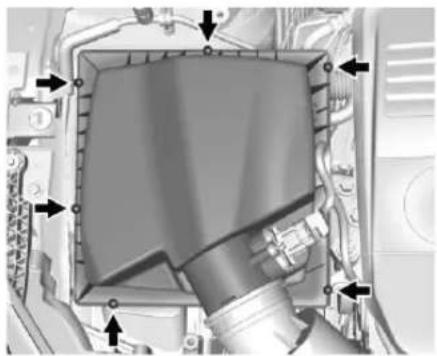
natural_image
Mechanical assembly diagram showing a component with arrows indicating motion or force (no text or symbols present)- Removethesixscrewsandlift thecoverofftheengineair cleaner/filterassembly.
- Inspectorreplacetheengine aircleaner/filter.
- Lowerthecoverintotheengine aircleaner/filterassembly, then securewiththesixscrews.
Warning
Operatingtheenginewiththeair cleaner/filteroffcancauseyouor otherstobeburned. Theair cleanernotonlycleanstheair; it helpstostopflamesiftheengine backfires. Usecautionwhen workingontheengineanddonot drivewiththeaircleaner/filteroff.
Caution
If the air cleaner/filterisoff, dirt caneasily get into the engine, which could damage it. Always havethe air cleaner/filterin place when you are driving.
CoolingSystem
Thecoolingsystemallowsthe enginetomaintainthecorrect workingtemperature.
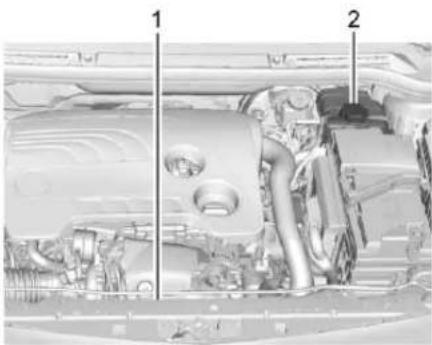
natural_image
Interior view of a vehicle engine bay with labeled parts (no text or symbols visible)- EngineCoolingFan(Out ofView)
- EngineCoolantSurgeTank and PressureCap
Warning
Anelectricenginecoolingfan underthehoodcanstartupeven whentheengineisnotrunning andcancauseinjury. Keep hands, clothing, and tools away from any underhoodelectricfan.
Warning
Heaterandradiatorhoses, and otherengineparts, can bevery hot. Donottouchthem. If you do, you can be burned.
Donotruntheengineifthereisa leak.Ifyouruntheengine,it couldloseallcoolant.Thatcould causeanenginefire,andyou couldbeburned.Getanyleak fixedbeforeyoudrivethevehicle.
Caution
Usingcoolantotherthan DEX-COOL ^® cancause prematureengine, heatercore, orradiatorcorrosion. In addition, the engine coolant could require changing sooner. Any repairs would not be covered by the vehicle warranty. Always use DEX-COOL (silicate-free) coolant in the vehicle.
EngineCoolant
Thecoolingsysteminthevehicleis filledwithDEX-COOLengine coolant. Thiscoolantisdesigned to remaininthevehiclefor5yearsor 240000km(150,000mi),whichever occursfirst.
The following explainsthecooling systemandhowtocheckandadd coolantwhenitislow. Ifthereisa problemwithengineoverheating, seeEngineOverheating→268.
WhattoUse
Warning
Addingonlyplainwaterorsome otherliquidtothecoolingsystem canbedangerous. Plainwater andotherliquids, canboilbefore thepropercoolantmixturewill. Thecoolantwarningsystemisset forthepropercoolantmixture. Withplainwaterorthewrong mixture, theenginecouldgettoo hotbutyouwouldnotgetthe
(Continued)
Warning(Continued)
overheatwarning. The engine could catch fire and you or others could be burned. Use a 50/50 mixture of clean, drinkable water and DEX-COOL coolant.
Usea50/50mixtureofclean drinkablewaterandDEX-COOL coolant. This mixture:
- Givesfreezingprotectiondown to -37^(-34^) , outside temperature.
- Givesboilingprotectionupto 129°C(265°F), engine temperature.
- Protectsagainstrustand corrosion.
- Willnotdamagealuminumparts.
- Helpskeep the proper engine temperature.
Caution
Ifimpropercoolantmixture, inhibitors,oradditivesareused in the vehiclecoolingsystem,the enginecouldoverheatandbe damaged.Toomuchwaterinthe mixturecanfreezeandcrack enginecoolingparts.Therepairs wouldnotbecoveredbythe vehiclewarranty.Useonlythe propermixtureofenginecoolant forthecoolingsystem.See RecommendedFluidsand Lubricants⇒340.
Neverdisposeofenginecoolantby puttingitinthetrash,pourington theground,orintosewers,streams, orbodiesofwater.Havethecoolant changedbyanauthorizedservice center,familiarwithlegal requirementsregardingused coolantdisposal.Thiswillhelp protecttheenvironmentandyour health.
CheckingCoolant
The vehicle must be on a level surface when checking the coolant level.
Itisnormaltoseecoolantmovingin theuppercoolanthosereturnline whentheengineisrunning.
Checktoseeifcoolantisvisiblein thecoolantsurgetank.Ifthecoolant insidethecoolantsurgetankis boiling,donotdoanythingelseuntil itcoolsdown.
Ifcoolantisvisiblebutthecoolant levelisnotatorabovethemark pointedto,adda50/50mixtureof clean,drinkablewaterand DEX-COOLcoolant.
Besurethecoolingsystemiscool beforethisisdone.
Ifnocoolantisvisibleinthecoolant surgetank, addcoolantasfollows:
HowtoAddCoolanttothe CoolantSurgeTank
Caution
This vehicle has specific coolantfill procedure. Failure to follow this procedure could cause the enginetooverheat and be severely damaged.
Ifnoproblemisfound, checktosee ifcoolantisvisibleinthecoolant surgetank. Ifcoolantisvisiblebut thecoolantlevelisnotatthe indicatedlevelmark, adda50/50mixtureofclean, drinkablewater andDEX-COOLcoolantatthe coolantsurgetank, but besurethe coolingsystem, includingthe coolantsurgetankpressurecap, is coolbeforeyoudoit.

Warning
Steamandscaldingliquidsfroma hotcoolingsystemcanblowout andburnyoubadly.Neverturn
(Continued)
Warning(Continued)
thecapwhenthecoolingsystem, includingthesurgetankpressure cap,ishot.Waitforthecooling systemandsurgetankpressure captocool.
Caution
Incoldweather, watercanfreeze and cracktheengine, radiator, heatercore, and otherparts. Use therecommended coolant and the proper coolant mixture.
Warning
Youcanbeburnedifyouspill coolantonhotengineparts. Coolantcontainsethyleneglycol anditwillburniftheengineparts arehotenough.Donotspill coolantonahotengine.
- Removethecoolantsurgetank pressurecapwhenthecooling system, including the coolant surgetank pressurecap and upperradiator hose, is no longerhot.
Turnthepressurecapslowly counterclockwiseabout one-quarterofaturn.Ifyou hearahiss,waitforthatto stop.Thiswillallowany pressurestilllefttobevented outthedischargehose.
- Keep turning the pressure cap slowly and remove it.
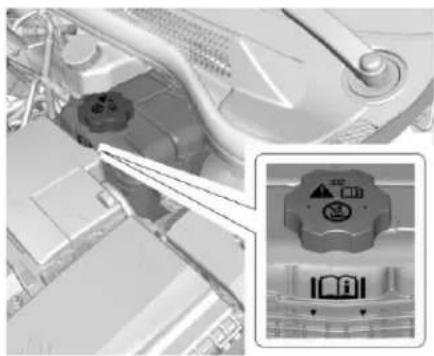
natural_image
Close-up of a mechanical component with a magnified inset showing a warning symbol and icons (no readable text or labels)-
Fill the coolants surgetank with the proper DEX-COOL coolant mixture to the indicated level mark.
-
With the coolants surgetank pressure capoff, start the engine and let it run until you can feel the upper radiator hose getting hot. Watch out for the engine cooling fan.
Bythistime, thecoolantlevel insidethecoolantsurgetank maybelower. If the level is lower, add more of the proper DEX-COOL coolant mixture to the coolantsurgetank until the level reaches the indicated level mark.
- Replacethepressurecap tightly.
Checkthelevelinthecoolantsurge tankwhenthecoolingsystemhas cooleddown.Ifthecoolantisnotat theproperlevel,repeatSteps1-3andreinstallthepressurecap. Ifthecoolantstillisnotattheproper levelwhenthesystemcoolsdown again,seeyourdealer.
Caution
If the pressure cap is not tightly installed, coolant loss and possible enginedamagemay occur. Besure the cap is properly and tightly secured.
EngineOverheating
The vehicle has an engine coolant temperature gaugetowarnof the engine overheating. See Engine Coolant Temperature Gauge 100.
If the decision is madenottolift the hood when this warning appears, gets service help right away. See Roadside Assistance Program 350.
If the decisionismadetoliftthe hood, makesurethevehicleis parkedonalevelsurface.
Thenchecktoseeiftheengine coolingfanisrunning.Iftheengine isoverheating,thefanshouldbe running.Ifitisnot,donotcontinue toruntheengine.Havethevehicle serviced.
Caution
Runningtheenginewithout coolantmaycausedamageora fire.Vehicledamagewouldnotbe coveredbythevehiclewarranty.
IfSteamIsComingfromthe EngineCompartment
Warning
Steamfromanoverheatedengine canburnyoubadly,evenifyou justopenthehood.Stayaway fromtheengineifyouseeorhear steamcomingfromit.Justturnit offandgeteveryoneawayfrom thevehicleuntilcoolsdown. Waituntilthereisnosignof steamorcoolantbeforeyouopen thehood.
If you keep driving when the engine is overheated, the liquids init can catch fire. You or others could be badly burned. Stop the
(Continued)
Warning(Continued)
engineifitoverheats, andgetout of the vehicle until the engine is cool.
IfNoSteamIsComingfrom theEngineCompartment
Ifanengineoverheatwarningis displayedbutnosteamcanbeseen orheard,theproblemmaynotbe tooserious.Sometimestheengine cangetalittletoohotwhenthe vehicle:
• Climbsalonghillonahotday.
- Stopsafterhigh-speeddriving.
- Idlesforlongperiodsintraffic.
If the overheat warning is displayed with nosignofsteam:
- Turntheairconditioningoff.
-
Turntheheaterontothe highesttemperatureandtothe highestfanspeed.Open the windowsasnecessary.
-
Whenitissafetodoso, pulloff theroad, shifttoP(Park) or N(Neutral), and let the engineidle.
If the engine coolant temperature gauge is no longer in the overheat zone, the vehicle can be driven. Continuetodrivethe vehicles slowly for about 10 minutes. Keep as safe vehicle distance from the vehicle in front. If the warning does not come back on, continued driven normally and havethecoolingsystem checked for proper fill and function.
Ifthewarningcontinues,pullover, stop,andparkthevehicle rightaway.
Ifthereisnosignofsteam,idlethe engineforthreeminuteswhile parked.Ifthewarningisstill displayed,turnofftheengineuntil coolsdown.
WasherFluid
WhattoUse
Whenthevehicleneedswindshield washerfluid, besuretoreadthe manufacturer's instructions before
use. If operating the vehicle in an areawherethetemperature may fall below freezing, use fluid that has sufficient protection against freezing.
AddingWasherFluid
Openthecapwiththewasher symbolonit.Addwasherfluiduntil thetankisfull.SeeEngine CompartmentOverview→259for reservoirlocation.
Caution
- Donotusewasherfluidthat containsanytypeofwater repellentcoating. This can cause the wiperbladesto chatterorskip.
(Continued)
Caution(Continued)
- Donotuseenginecoolant (antifreeze) in the windshieldwasher. It can damage the windshield washersystem and paint.
- Donotmixwaterwith ready-to-usewasherfluid. Watercancausethe solutiontofreezeand damagethewasherfluid tankandotherpartsofthe washersystem.
- When using concentrated washer fluid, follow the manufacturer instructions for adding water.
- Fillthewasherfluidtank onlythree-quartersfullwhen itisverycold. This allows forfluidexpansionif freezingoccurs, which could damagethetankifitis completelyfull.
Brakes
Discbrakepadshavebuilt-inwear indicatorsthatmakeahigh-pitched warningsoundwhenthebrakepads arewornandnewpadsareneeded. Thesoundcancomeandgoorcan beheardallthetimewhenthe vehicleismoving,exceptwhen applyingthebrakepedalfirmly.

Warning
Thebrakewearwarningsound meansthatsoonthebrakeswill notworkwell.Thatcouldleadto acrash.Whenthebrakewear warningsoundisheard,havethe vehicleserviced.
Caution
Continuingtodrivewithworn-out brakepadscouldresultincostly brakerepair.
Somedrivingconditionsorclimates cancauseabrakesquealwhenthe brakesarefirstappliedorlightly applied. Thisdoesnotmean somethingiswrongwiththebrakes.
Properlytorquedwheelnutsare necessarytohelppreventbrake pulsation.Whentiresarerotated, inspectbrakepadsforwear and evenlytightenwheelnutsinthe propersequencetotorque specifications.SeeCapacitiesand Specifications→344.
Brakepadsshouldbereplacedas completesets.
BrakePedalTravel
Seeyourdealerifthebrakepedal doesnotreturntonormalheight, orifthereisarapidincreasein pedaltravel. Thiscouldbeasign thatbrakeservicemayberequired.
ReplacingBrakeSystemParts
Alwaysreplacebrakesystemparts withnew,approvedreplacement parts. If this is not done, the brakes may not work properly. The braking performance expected can change in many other ways if the wrong
replacementbrakepartsare installedorifpartsareimproperly installed.
BrakeFluid

Thebrakemastercylinderreservoir isfilledwithGMapprovedDOT4 brakefluidasindicatedonthe reservoircap.SeeEngine CompartmentOverview→259for thelocationofthereservoir.
CheckingBrakeFluid
WiththevehicleinP(Park)ona levelsurface,thebrakefluidlevel shouldbebetweentheminimum andmaximummarksonthebrake fluidreservoir.
Thereareonlytworeasonswhythe brakefluidlevelinthereservoirmay godown:
- Normalbrakeliningwear. When newliningsareinstalled, the fluidlevelgoesbackup.
- Afluidleakinthebrake hydraulicsystem.Havethe brakehydraulicsystemfixed. Withaleak,thebrakeswillnot workwell.
Alwayscleanthebrakefluid reservoircapandtheareaaround thecapbeforeremovingit.
Donottopoffthebrakefluid. Addingfluiddoesnotcorrectaleak. Iffluidisaddedwhentheliningsare worn,therewillbetoomuchfluid whennewbrakeliningsare installed.Addorremovefluid,as necessary,onlywhenworkisdone onthebrakehydraulicsystem.
Warning
Iftoomuchbrakefluidisadded, it canspillontheengineandburn, iftheengineishotenough. You ortherscouldbeburned, and thevehiclecouldbedamaged. Addbrakefluidonlywhenworkis doneonthebrakehydraulic system.
Whenthebrakefluidfallstoalow level,thebrakewarninglightcomes on.SeeBrakeSystemWarning Light→104.
Brakefluidabsorbswaterovertime whichdegradestheeffectiveness of thebrakefluid.Replacebrakefluid atthespecifiedintervalstopprevent increasedstoppingdistance.See MaintenanceSchedule→331.
WhattoAdd
UseonlyGMapprovedDOT4 brakefluidfromaclean,sealed container.SeeRecommended FluidsandLubricants→340.
Warning
The wrongor contaminated brake fluid could result in damage to the brakes system. This could result in the loss of braking leading to a possible injury. Always use the proper GM approved brake fluid.
Caution
Ifbrakefluidisspilledonthe vehicle'spaintedsurfaces,the paintfinishcanbedamaged. Immediatelywashoffanypainted surface.
Battery-NorthAmerica
Theoriginalequipmentbatteryis maintenancefree.Donotremove thecapanddonotaddfluid.
Refertothereplacementnumber shownontheoriginalbatterylabel whenanewbatteryisneeded.See EngineCompartmentOverview 259forbatterylocation.

Warning
WARNING: Batteryposts, terminals, and related accessories contain lead and lead compounds, chemicals known to the State of Californiatocause cancer and birth defect or other reproductive harm. Batteries also contain other chemicals known to the State of Californiatocause cancer. WASHHANDSAFTER HANDLING.
See California Proposition 65Warning→255.
VehicleStorage

Warning
Batterieshaveacidthatcanburn youandgasthatcanexplode. Youcanbebadlyhurtifyouare notcareful.SeeJump Starting-NorthAmerica→315fortipson workingaroundabatterywithout gettinghurt.
InfrequentUsage:Removethe black,negative(−)cablefromthe batterytokeepthebatteryfrom runningdown.
ExtendedStorage:Removethe black,negative(−)cablefromthe batteryoruseabatterytrickle charger.
StarterSwitchCheck

Warning
Whenyouaredoingthis inspection,thevehiclecould movesuddenly.Ifthevehicle moves,youorotherscouldbe injured.
-
Before starting this check, be sure there is enough room around the vehicle.
-
Apply both the parking brake and theregular brake.
Donotusetheaccelerator pedal, and bereadytoturnoff theengineimmediatelyifit starts.
- Trytostarttheengineineach gear. The vehicles should start only in P (Park) or N (Neutral). If the vehicle starts in any other position, contact your dealer for service.
AutomaticTransmission ShiftLockControl FunctionCheck

Warning
When you are doing this inspection, the vehicle could moves suddenly. If the vehicle moves, you or others could be injured.
-
Before starting this check, be sure there is a ten thousand people around the vehicle. It should be parked on a level surface.
-
Apply the parking brake. Be ready to apply theregular brake immediately if the vehicle begins to move.
-
With the engine off, turn the ignition on, but donot start the engine. Without applying the regular brake, try to mov the shiftlever out of P (Park) with normaleffort. If the shift lever moves out of P (Park), contact your dealer for service.
IgnitionTransmission LockCheck
Whileparkedandwiththeparking brakeset,trytoturntheignitionto LOCK/OFFineachshiftlever position.
- Theignitionshouldturnto LOCK/OFFonlywhentheshift leverisinP(Park).
- Theignitionkeyshouldcome outonlyinLOCK/OFF.
Contactyourdealerifserviceis required.
ParkBrakeandP(Park) MechanismCheck

Warning
Whenyouaredoingthischeck, thevehiclecouldbegintomove. Youorotherscouldbeinjured andpropertycouldbedamaged. Makesurethereisroominfront ofthevehicleincaseitbeginsto roll. Bereadytoapplytheregular brakeatonceshouldthevehicle begintomove.
Parkonafairlysteephill, with the vehiclefacingdownhill. Keeping yourfootontheregularbrake, set theparkingbrake.
- Tochecktheparkingbrake's holdingability:Withtheengine runningandthetransmissionin N(Neutral),slowlyremovefoot pressurefromtheregularbrake pedal.Dothisuntilthevehicle is heldbytheparkingbrakeonly.
- TochecktheP(Park) mechanism'sholdingability: Withtheengine running, shift to P(Park). Then releasethe parkingbrake followed by the regularbrake.
Contactyourdealerifserviceis required.
WiperBladeReplacement
Windshieldwiperbladesshouldbe inspectedforwearandcracking. SeetheMaintenance Schedule331.
Replacementbladescomein differenttypesandareremovedin differentways.Forpropertyand length,seeMaintenance ReplacementParts→341.
274VehicleCare
Caution
Allowingthewiperarmtotouch the windshield when nowiper blade is installed could damage the windshield. Any damage that occurs would not be recovered by the vehicle warranty. Donotallow the wiperarmtotouch the windshield.
Toreplacethewindshieldwiper blade:
- Pullthewindshieldwiper assemblyawayfromthe windshield.
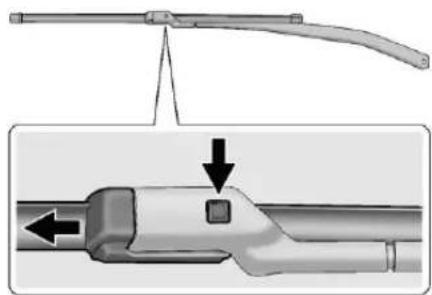
natural_image
Technical illustration of a mechanical component with a highlighted section showing a square feature and directional arrows (no text or symbols)- Pressthebuttoninthemiddle ofthewiperarmconnector, andpullthewiperbladeaway fromthearmconnector.
- Removethewiperblade.
- ReverseSteps1–3forwiper bladereplacement.
HeadlampAiming
Headlampaimhasbeenpresetand shouldneednofurtheradjustment. Ifthevehicleisdamagedinacrash, theheadlampaimmaybeaffected. Ifadjustmenttotheheadlampsis necessary,seeyourdealer.
BulbReplacement
Forthepropertyofreplacement bulbs,seeReplacement Bulbs→281.
Foranybulb-changingprocedure notlisted in this section, contact your dealer.
HighIntensityDischarge (HID)Lighting
Warning
TheHighIntensityDischarge (HID)lightingsystemoperatesat averyhighvoltage.Ifyoutryto serviceanyofthesystem components,youcouldbe seriouslyinjured.Haveyour dealeroraqualifiedtechnician servicethem.
AfteranHIDheadlampbulbhas beenreplaced, thebeammightbea slightlydifferentshadethanitwas originally. Thisisnormal.
LEDLighting
ThisvehiclehasseveralLEDlamps. ForreplacementofanyLEDlighting assembly,contactyourdealer.
AdaptiveForward LightingLamps
CornerLightingLamps
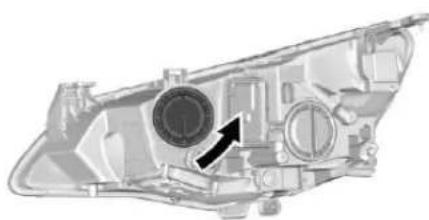
natural_image
Technical illustration of a mechanical component with a circular component and directional arrow (no text or symbols)- Turnthecapcounterclockwise andremoveit.
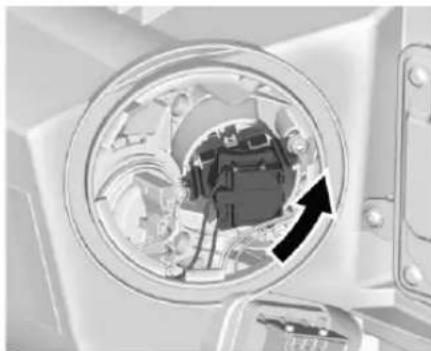
natural_image
Close-up of a mechanical component with a circular opening showing internal components and a black arrow indicating direction (no text or symbols visible)- Turnthebulbholder counterclockwisetodisengage. Removethebulbholderfrom thereflector.
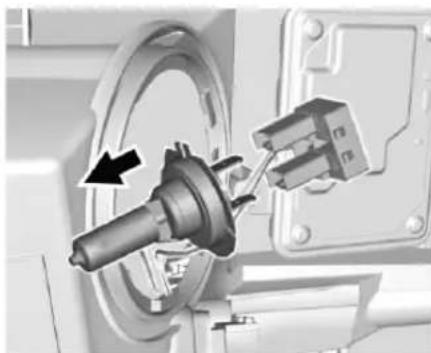
natural_image
Mechanical assembly diagram showing a rotating component with a directional arrow (no text or symbols)276VehicleCare
- Pullthebulbfromtheplug connector.
- Replacethebulbandconnect thebulbholderwiththeplug connector.
- Insert the bulbholder, engaging the wolugs into the reflector and turn clockwiseto secure.
FogLamps
Thebulbsareaccessiblefromthe undersideofthevehicle.
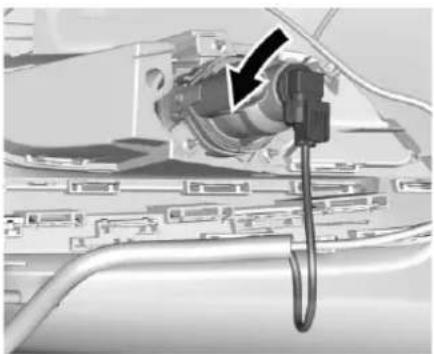
natural_image
Close-up of a mechanical component with a black arrow pointing to a detail (no visible text or symbols)- Turnthebulbholder counterclockwise and remove it from thereflector.
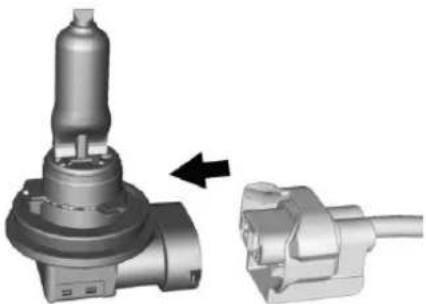
natural_image
Mechanical component assembly showing a valve and plug assembly (no text or symbols visible)- Disengagethebulbsocket from the plug connector by pressing theretaining lug.
- Remove and replace the bulb socket with bulband attach the plug connector.
- Insert the bulb socket into the reflector by turning clockwise and engage.
FrontTurnSignalLamps
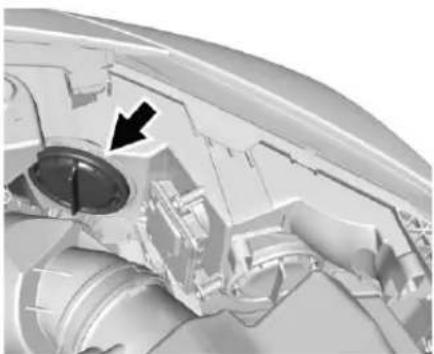
natural_image
Close-up mechanical component with a black arrow pointing to a circular feature (no visible text or symbols)- Turncapcounterclockwise and remove it.
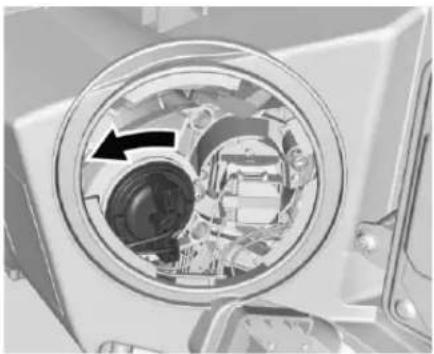
natural_image
Cross-sectional view of a mechanical device showing internal components and a black arrow indicating direction (no text or symbols)- Turnbulbsocket counterclockwise and remove it from thereflector.
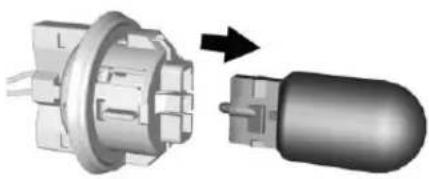
natural_image
Mechanical component diagram showing a flanged housing and a plug assembly (no text or symbols)-
Pullbulbfrombulbholderand replaceit.
-
Insert the bulb socket into the reflector and turn clockwise.
5.Fitthecapandturnclockwise.
SidemarkerLamps
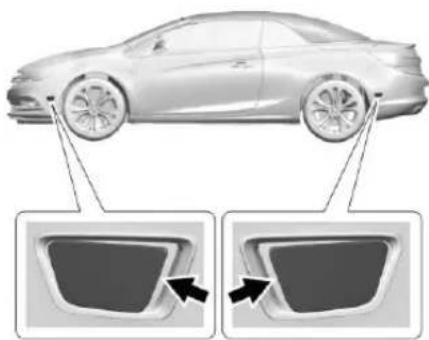
natural_image
Side view of a modern sedan with two close-up diagrams showing front and side views (no text or symbols)- Insertatoolinbetween the sidemarkerhousing and the bumper. Topreventdamage, placeaclothbetween the tool and the bumper.
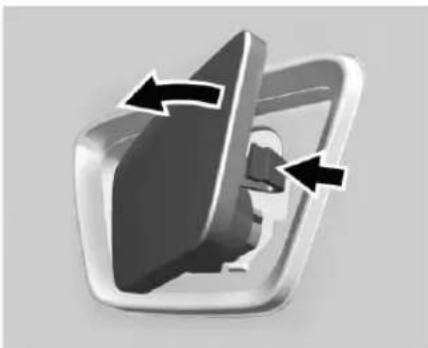
natural_image
3D rendered mechanical component with directional arrows indicating rotation or movement (no text or symbols)- Pushthetooltodisengagethe clipandremovethe sidemarker.Donotuse excessiveforce.
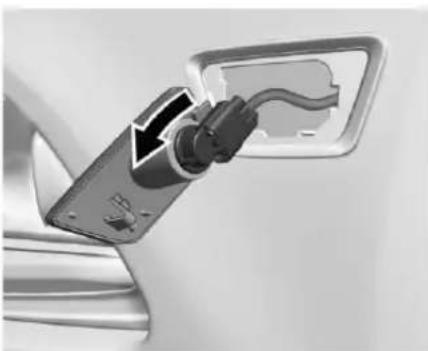
natural_image
Close-up of a car charging plug with a cable, showing electrical contact details (no text or symbols visible)278VehicleCare
- Turnthebulbsocket90° counterclockwiseandremoveit fromhousing.
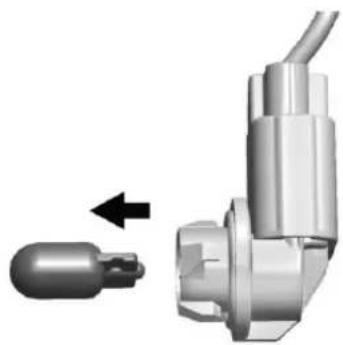
natural_image
Mechanical component with a cylindrical pin and attached cable, showing a directional arrow (no text or symbols)- Pullthebulbfromthebulb holderandreplaceit.
- Re-insertthesocketintothe housingandturnit90° clockwise.
- Insert the residemarkerin reverse order in the bumper first, thengently push in the clip on the side.
SideTurnSignalLamps
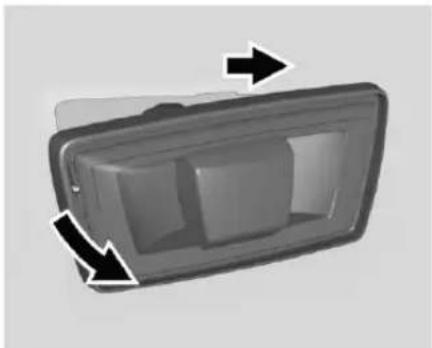
natural_image
3D diagram of a rectangular device with internal components and directional arrows indicating flow or movement (no text or symbols)- Insertatoolbetweensideturn signalandfender.Placeacloth betweenthetoolandthe fender.
- Pushthetooltodisengagethe clipandremovethesideturn signallamp.
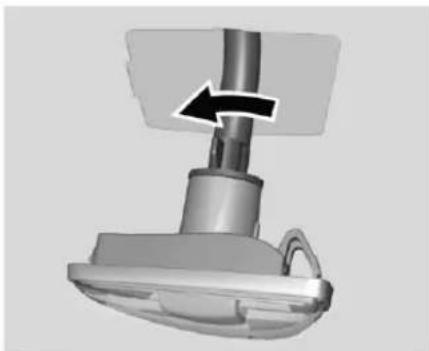
natural_image
3D rendered mechanical component with a black arrow indicating direction (no text or symbols)- Turnthebulbholder counterclockwise and remove from housing.
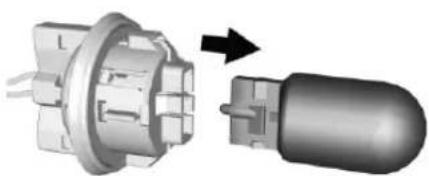
natural_image
Mechanical component diagram showing a flanged housing and a plug assembly (no text or symbols)-
Pullbulbfrombulbholderand replaceit.
-
Insert the bulbholder and turn it clockwise.
- Insertright end of the lamp, slidet other right, and insert left end.
Back-UpLamps
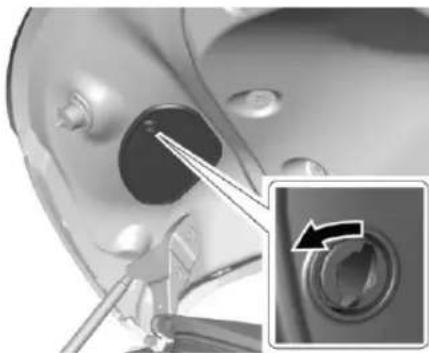
natural_image
Medical procedure image showing surgical tool interacting with a device, with an inset close-up of the rotary knob (no text or symbols visible)- Thecoverisinsideofthetrunk lid. Removethescrewonthe coverwithatoolandturn clockwisetoremovethecover.
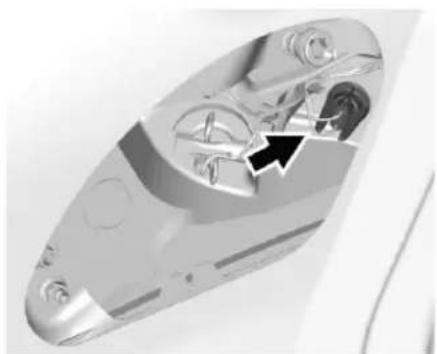
natural_image
Close-up of a metallic mechanical component with internal gears and a black arrow indicating a specific feature (no text or symbols visible)- Remove bulbholderbyturning counterclockwise.
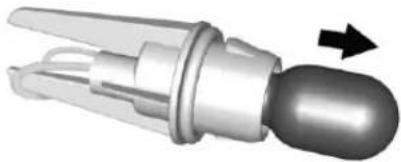
natural_image
3D rendered mechanical component with a curved handle and arrow indicating direction (no text or symbols)-
Remove and replace the bulb.
-
Insert bulbholder into the taillampassembly and turn clockwise.
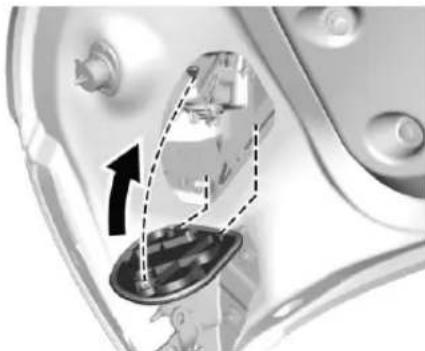
natural_image
Close-up of a mechanical component with internal components and an arrow indicating direction (no visible text or symbols)- Closethecoverbyinserting thefastenerclipsfirst. Lockthe coverbyturningthescrew clockwisewithatool.
RearPositionLights
- Openthetrunklid.
280VehicleCare
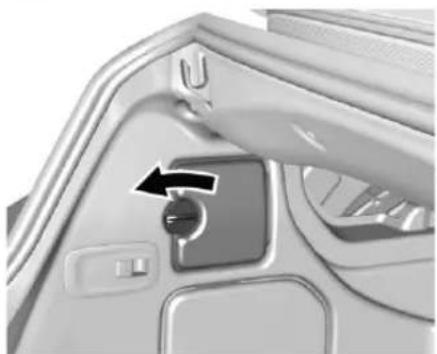
natural_image
Close-up of a car door handle with a black arrow indicating left-hand rule (no text or symbols visible)- Releasecoverinsidetrim panelandremove.
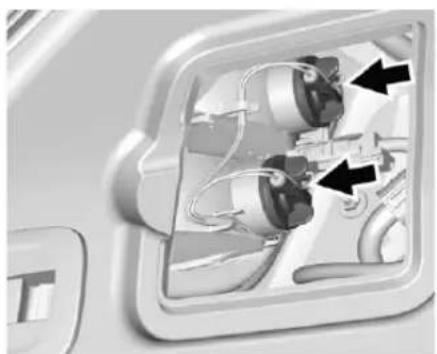
natural_image
Close-up of a mechanical component with internal wiring and arrows indicating direction (no text or symbols)- Remove bulbholderbyturning counterclockwise.
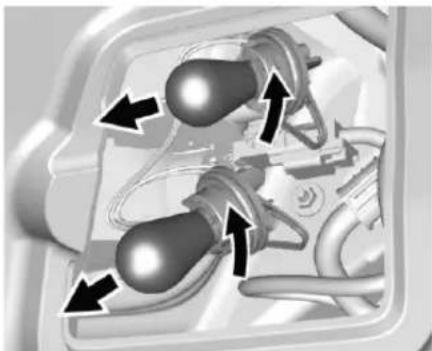
natural_image
Mechanical component diagram showing two rotating parts with directional arrows indicating motion (no text or symbols)- Remove and replace bulb.
- Insert the bulbholder into the housing and turn clockwise.
- Attachthesidetrimcover.
LicensePlateLamp
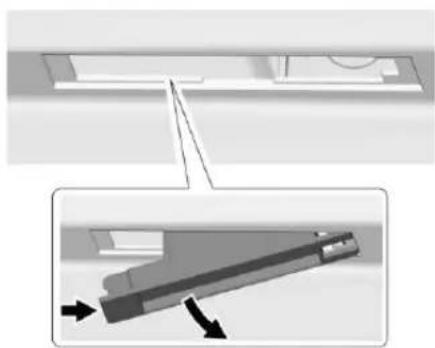
natural_image
Technical diagram showing a mechanical component with an inset view of its internal structure (no text or symbols)LampAssembly
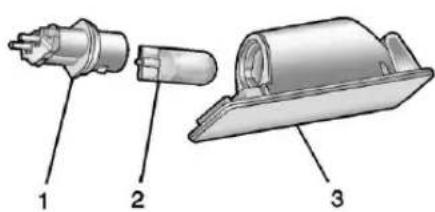
BulbAssembly
1.BulbSocket
2.Bulb
3. LampAssembly
Toreplaceoneofthesebulbs:
- Push the left of the lamp assembly toward theright.
- Turnthelampassemblydown toremoveit.
- Turnthebulbsocket(1) counterclockwisetoremoveit fromthelampassembly(3).
- Pullthebulb(2) straightout of the bulbsocket(1).
5.Pushthereplacementbulb straightintothebulbsocket andturnthebulbsocket clockwisetoinstallitintothe lampassembly. - Turnthelampassembly into the lampasassembly opening engaging theclipsidefirst.
- Pushonthelampsideopposite theclipuntilthelampassembly snapsintoplace.
ReplacementBulbs
| ExteriorLamp | Bulb Number |
| CornerLighting Lamps | H7LL |
| FogLampsH11 | |
| TurnsignalLamp7444 | Amber |
| SidemarkerLampsW5 | W |
| SideTurnSignal Lamps | W10/5 |
| Back-UplampsW16W | |
| RearPosition Lamps(Inside Trunk) | PY21W (Amber) |
| P21/5W (Park/ Brake) | |
| LicensePlateLampW5 | W |
Forreplacementbulbsnotlisted here,contactyourdealer.
ElectricalSystem
ElectricalSystem Overload
The vehicle has fuses and circuit breaker stop protect against electrical system overload.
Whenthecurrentelectricalloadis tooheavy, the circuitbreakeropens and closes, protecting the circuit until the current load return to normal or the problem is fixed. This greatly reduces the chance of circuit overload and fire caused by electrical problems.
Fusesandcircuitbreakersprotect powerdevicesinthevehicle.
Replaceabadfusewithanewone oftheidenticalsizeandrating.
Ifthereisaproblemontheroadand afuseneedstobereplaced,the sameamperagefusecanbe borrowed.Choosesomefeatureof thevehiclethatisnotneededtouse andreplaceitassoonaspossible.
HeadlampWiring
Anelectricaloverloadmaycause thelampstogoonandoff,orin somecasestoremainoff.Havethe headlampwiringcheckedrightaway ifthelampsgoonandoffor remainoff.
WindshieldWipers
Ifthewipermotoroverheatsdueto heavysnoworice, the windshield wiperswillstopuntilthemotor cools, and the wipercontrolis turnedoff. After removal of the blockage, the wipermotor will restart when the control is moved to the desired operating position.
Although the circuit is protected from electrical overload, overload dueto heavysnow oricemay cause wiper linkaged damage. Always clear and heavysnow from the windshield before using the windshield wipers.
If the overload is caused by an electrical problem and not snow or ice, besure to get it fixed.
FusesandCircuit Breakers
Thewiringcircuitsinthevehicleare protectedfromshortcircuitsbya combinationoffusesandcircuit breakers. Thisgreatlyreducesthe chanceofdamagecausedby electricalproblems.
Tocheckafuse, lookatthe silver-coloredbandinsidethefuse. Ifthebandisbrokenormelted, replacethefuse. Besuretoreplace abadfusewithanewoneofthe identicalsizeandrating.
Fusesofthesameamperagecan betemporarilyborrowedfrom anotherfuselocation,ifafusegoes out.Replacethefuseassoonas possible.
To identify and check fuses, circuit breakers, and relays, see Engine Compartment Fuse Block 282, Instrument Panel Fuse Block 285, and Rear Compartment Fuse Block 286.
EngineCompartment FuseBlock
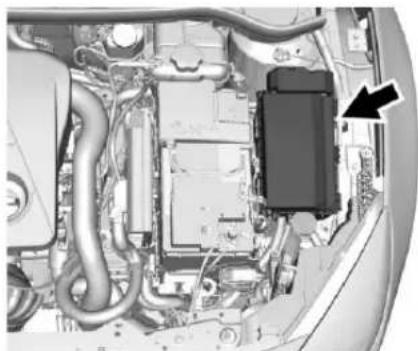
natural_image
Interior view of a vehicle showing engine, motors, and structural components (no visible text or symbols)Toopenthefuseblockcover, press theclipsatthefrontandback and rotatethecoveruptotheside.
Caution
Spillingliquidonanyelectrical componentonthevehiclemay damageit.Alwayskeepthe coversonanyelectrical component.
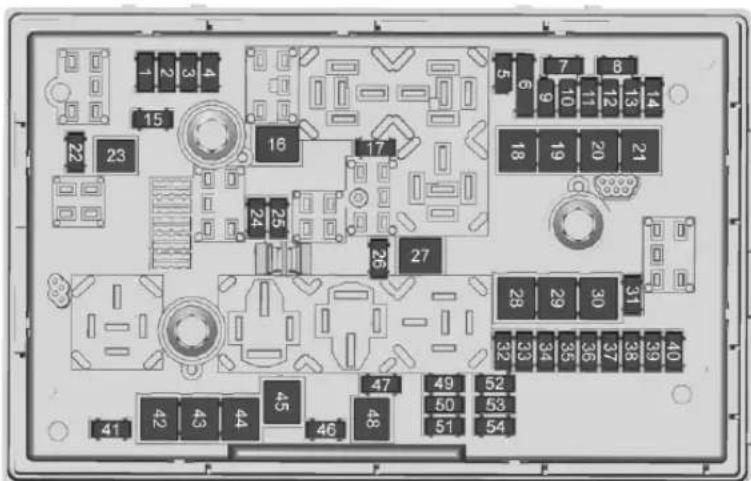
EngineCompartmentFuseBlock
Thereisafusepullerintheengine compartmentfuseblock.
The vehicle may not be equipped with allothefuses, relays, and feature shown.
FusesUsage
1Enginecontrol module
202sensor
FusesUsage
3Fuelinjection/ Ignitionsystem
4Fuelinjection/ Ignitionsystem
5-
6Heatedmirrors
7Fancontrol
FusesUsage
8O2sensor/ Powertraincooling
9Rearwindowsensor
10Vehiclebattery sensor
11 Trunkrelease
12Adaptiveheadlamps/ Automaticheadlamp leveling
13ABSvalves
14-
15Enginecontrol module
16Starter
17Transmissioncontrol module
18Rearwindow defogger
19Frontpowerwindow
20Rearpowerwindow
21Rearelectrical center
22-
FusesUsage
| 23- |
| 24Righthigh-beam headlamp |
| 25Lefthigh-beam headlamp |
| 26Frontfoglamps |
| 27- |
| 28- |
| 29Electricparking brake |
| 30ABSpump |
| 31- |
| 32Airbag |
| 33Adaptiveheadlan Automatic leveling |
| 34Exhaustgas recirculation |
| 35Powerwindows/F sensor/Ex mirror |
FusesUsage
| 36Climatecontrol |
| 37- |
| 38Vacuumpump |
| 39Fuelsystemcontrol module |
| 40Frontwindshield washer |
| 41- |
| 42Enginecoolingfan |
| 43Windshieldwipers |
| 44- |
| 45Enginecoolingfan |
| 46- |
| 47Horn |
| 48Enginecoolingfan |
| 49Fuelpump |
| 50Headlampleveling/AdaptiveHeadlamps |
| 51- |
FusesUsage
| 52- |
| 53Transmissioncontrol module/Engine controlmodule |
| 54Vacuumpump/Instrumentpanel cluster/HVAC |
InstrumentPanelFuse Block
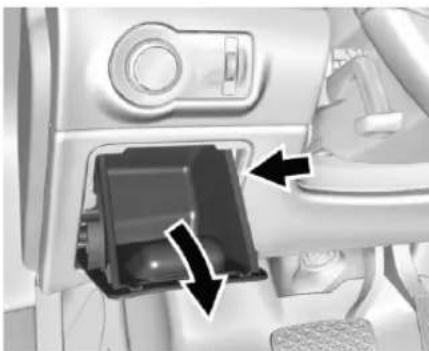
natural_image
Interior view of a car dashboard with a close-up of the intake tray and control panel (no visible text or symbols)The instrument panelfuse block is on the driverside of the instrument panel. To access:
- Openthestorage compartment.
- Pullstraightdownandoutto removethestorage compartment.
- Removethecover.
Toreinstallthecover, lineupthe retainersandpushintoplace.
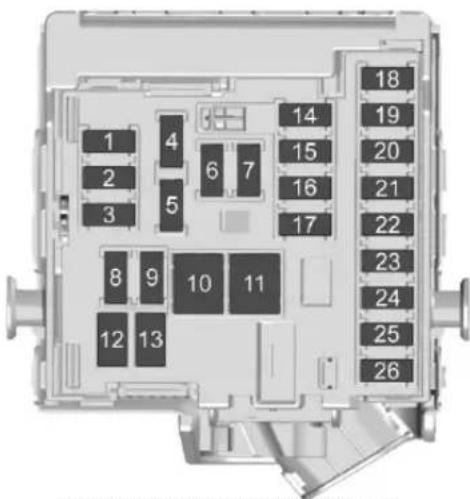
InstrumentPanelFuseBlock
The vehicle may not be equipped with allothefuses, relays, and feature shown.
FusesUsage
1Displays
2Bodycontrol module/Exterior lamps
FusesUsage
3Bodycontrol module/Exterior lamps
4Infotainmentsystem
5Informationsystem/Instrument
6Poweroutlet
FusesUsage
7Poweroutlet
8Bodycontrol module/Left low-beamheadlamp
9Bodycontrol module/right low-beamheadlamp
10Bodycontrol module/Doorlocks
11Interiorfan
12Driverpowerseat
13Passenger powerseat
14Diagnosticconnector
15Airbag
16Trunklidrelay
17A/Csystem
18Servicediagnose
19Bodycontrol module/Brake lamps/Reverse lamps/Interiorlamps
20-
FusesUsage
21Instrumentpanel
22Ignition
23Bodycontrolmodule
24Bodycontrolmodule
25-
26 Trunkpoweroutlet accessory
RearCompartmentFuse Block
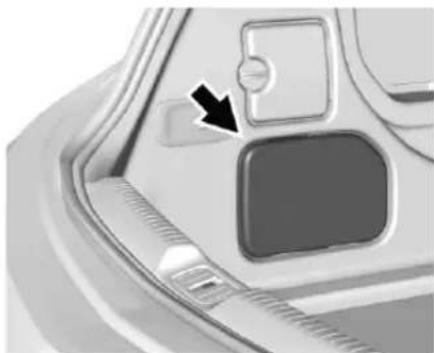
natural_image
Close-up of a car's front panel showing a button and handle, with an arrow pointing to the button (no text or symbols visible)Therearcompartmentfuseblock, ifequipped, isontheleftsideofthe trunkbehindacover.
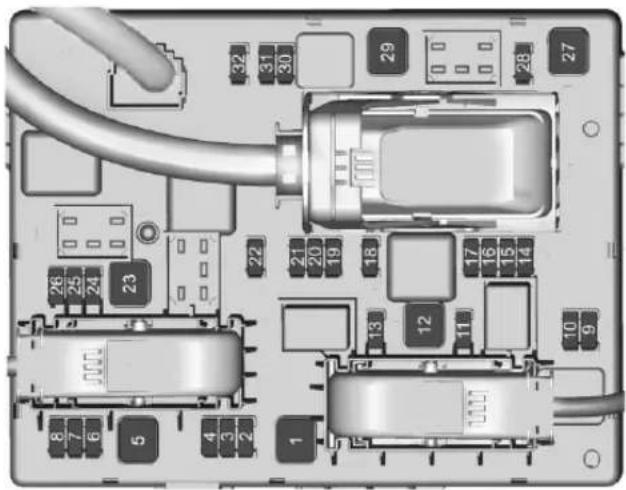
The vehicle may not be equipped with allothefuses, relays, and feature shown.
FusesUsage
1 Convertiblecontrol module/Right powerrail
2-
3Rearparkingassist
FusesUsage
4 Selective catalytic reduction system
5-
6-
7Powerseats
8Convertiblecontrol module
FusesUsage
9Selectivecatalytic reductionsystem
10 Selective catalytic reduction system
11 Tirepressure monitor/Rearvision camera
12Convertible control module/Reverse lamps
13-
14Rearseatelectrical folding
15-
16Rearvisioncamera/Convertiblecontrol module
17-
18-
19Heatedsteering wheel
20-
21Heatedseats
FusesUsage
22-
23Convertiblecontrol module/Left powerrail
24 Selective catalytic reduction system
25-
26Non-logisticmode
27Passiveentry/Passivestart
28-
29Hydraulicunit
30-
31-
32-
WheelsandTires
Tires
EverynewGMvehiclehas high-qualitytiresmadebya leadingtiremanufacturer.See thewarrantymanualfor informationregardingthetire warrantyandwheretoget service.Foradditional informationrefertothetire manufacturer.

Warning
- Poorlymaintained and improperly used tires are dangerous.
- Overloadingthetirescan causeoverheatingasa resultoftoomuch flexing. Therecouldbea blowoutandaserious crash. See VehicleLoad Limits 223.
(Continued)
Warning(Continued)
- Underinflatedtirespose thesamedangeras overloadedtires. The resultingcrashcould causeseriousinjury. Checkalltiresfrequently tomaintainthe recommendedpressure. Tirepressureshouldbe checkedwhenthetires arecold.
- Overinflatedtiresare morelikelytobecut, punctured, orbroken by asuddenimpact—such aswhenhittingapothole. Keeptiresatthe recommendedpressure.
- Wornoroldtirescan causeacrash.Ifthe treadisbadlyworn, replacethem. (Continued)
Warning(Continued)
- Replaceanytiresthat havebeendamagedby impactswithpotholes, curbs,etc.
- Improperlyrepairedtires cancauseacrash. Only the dealeroran authorized tireservice centers should repair, replace, dismount, and mount the tires.
- Donotspinthetiresin excessof56km/h (35mph)onslippery surfacesuchassnow, mud,ice,etc.Excessive spinningmaycausethe tirestoexplode.
All-SeasonTires
This vehicle may comewith all-season tires. These tires are designed to provide good overall performance on most road surfaces
andweatherconditions.Original equipmenttiresdesignedtoGM's specificireperformancecriteria haveaTPCspecificationcode moldedontothesidewall.Original equipmentall-seasontirescanbe identifiedbythelasttwocharacters ofthisTPCcode,whichwill be"MS."
Considerinstallingwintertireson thevehicleiffrequentdrivingon snoworice-coveredroadsis expected. All-seasontiresprovide adequateperformanceformost winterdrivingconditions, butthey maynotofferthesamelevelof tractionorperformanceaswinter tiresonsnoworice-coveredroads. See Winter Tires 289.
WinterTires
This vehicle was not originally equipped with wintertires. Winter tires are designed for increased traction on snow and ice-covered roads. Consider installing winter tires on the vehicle iff frequent driving on ice or snow covered roads is expected. See your dealer
fordetailsregardingwintertire availabilityandpropertireselection. Also,seeBuyingNewTires→302.
Withwintertires,theremaybe decreaseddryroadtraction, increasedroadnoise,andshorter treadlife.Afterchangingtowinter tires,bealertforchangesinvehicle handlingandbraking.
lfusingwintertires:
- Usetiresofthesamebrandand treadtypeonallfourwheel positions.
- Useonlyradialplytiresofthe samesize,loadrange,and speedratingastheoriginal equipmenttires.
Wintertireswiththesamespeed ratingastheoriginalequipmenttires maynotbeavailableforH,V,W,Y, andZRspeedratedtires. If winter tireswithalowerspeedratingare chosen, neverexceedthetire's maximumspeedcapability.
Low-ProfileTires
If the vehicle has 245/40R20 sizetires, they are classified as low-profiletires.
Caution
Low-profiletiresaremore susceptibletodamagefromroad hazardsorcurbimpactthan standardprofiletires.Tireand/or wheelassemblydamagecan occurwhencomingintocontact withroadhazardslikepotholes, orsharpedgedobjects,orwhen slidingintoacurb.Thewarranty doesnotcoverhisttypeof damage.Keeptiressettothe correctinflationpressureand whenpossible,avoidcontactwith curbs,potholes,andotherroad hazards.
TireSidewallLabeling
Usefulinformationaboutatireis moldedintoitssidewall. The exampleshowatypical passengervehicletireanda compactsparetiresidewall.
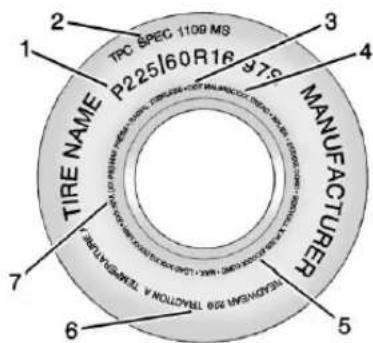
Passenger(P-Metric)TireExample
(1)TireSize: Thetiresizeisa combinationoflettersand numbersusedtodefinea particulartire'swidth,height, aspectratio,constructiontype, andservicedescription.Seethe "TireSize"illustrationalterinthis section.
(2)TPCSpec(Tire PerformanceCriteria
Specification) :Original equipmenttiresdesignedto GM'sspecificireperformance criteriahaveaTPCspecification codemoldedontothesidewall. GM'sTPCspecificationsmeetor exceedallfederalsafety guidelines.
(3)DOT(Department of Transportation): The
Department of Transportation (DOT) code indicates that the tire is incompliance with the U.S. Department of Transportation Motor Vehicle Safety Standards.
DOTTireDateof
Manufacture : Thelastfour digitsoftheTINindicatethetire manufactureddate. Thefirsttwo digitsrepresenttheweek (01–52)andthelasttwodigits, theyear. Forexample, thethird
weekoftheyear2010would haveafour-digitDOTdate of0310.
(4) TireIdentificationNumber (TIN): The letters and numbers following the DOT (Department of Transportation) code are the TireIdentificationNumber (TIN). The TIN shows the manufacturer and plant code, tiresize, and datethetire was manufactured. The TIN is molded on both sides of the tire, although only onesidemay havethedate of manufacture.
(5)TirePlyMaterial :Thetype ofcordandnumberofpliesin thesidewallandunderthetread.
(6)UniformTireQuality Grading(UTQG) :Tire manufacturersarerequired to gradetiresbasedonthree performancefactors:treadwear, traction,andtemperature resistance. Formoreinformation seeUniformTireQuality Grading→304.
(7) MaximumColdInflation LoadLimit : Maximumload that can be carried and the maximum pressure needed to support that load.
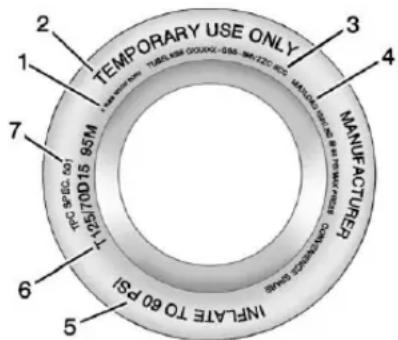
CompactSpareTireExample
(1) Tire Ply Material: Thetype of cord and number of plies in the sidewall and underthetread.
(2) TemporaryUseOnly : The compactsparetireortemporary usetireshouldnotbedrivenat speedsover80km/h(50mph). Thecompactsparetireisfor emergencyusewhenaregular
roadtirehaslostairandgone flat. If the vehicle has a compact spare tire, see Compact Spare Tire 314 and Ifa Tire Goes Flat 307.
(3) TireIdentificationNumber (TIN): The letters and numbers following the DOT (Department of Transportation) code are the TireIdentificationNumber (TIN). The TIN shows the manufacturer and plant code, tiresize, and datethetire was manufactured. The TIN is molded on both sides of the tire, although only onesidemay havethedate of manufacture.
(4)MaximumColdInflation LoadLimit :Maximumloadthat canbecarriedandthe maximumpressureneededto supportthatload.
(5) Tire Inflation : The temporary usetire or compact spare tires hould be inflated to 420kPa (60psi). Formore
informationontirepressureand inflationsee Tire Pressure 295.
(6)TireSize :Acombinationof lettersandnumbersdefinea tire'swidth,height,aspectratio, constructiontype,andservice description.TheletterTasthe firstcharacterinthetiresize meansthetireisfortemporary useonly.
(7)TPCSpec(Tire PerformanceCriteria Specification):Original equipmenttiresdesignedto GM'sspecificireperformance criteriahaveaTPCspecification codemoldedontothesidewall. GM'sTPCspecificationsmeetor exceedallfederalsafety guidelines.
TireDesignations
TireSize
The following is an example of typical passenger vehicle tiresize.
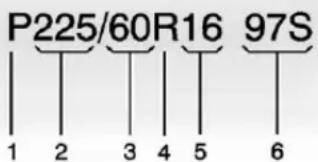
(1) Passenger(P-Metric) Tire: The United States version of a metric tiresizing system. The letter Pasthe first character in the timesize means passenger vehicle tire engine ered to standards set by the U.S. Tire and Rim Association.
(2)TireWidth : Thethree-digit numberindicatesthetiresection widthinmillimetersfrom sidewalltosidewall.
(3)AspectRatio :Atwo-digit numberthatindicatesthetire height-to-widthmeasurements. Forexample,ifthetiresize aspectratiois60,asshownin item3oftheillustration,itwould meanthatthetire'ssidewallis 60percentashighasitiswide.
(4)ConstructionCode :Aletter codeisusedtoindicatethetype ofplyconstructioninthetire. TheletterRmeansradialply construction;theletterDmeans diagonalorbiasply construction;andtheletterB meansbelted-biasply construction.
(5)RimDiameter :Diameterof thewheelininches.
(6)ServiceDescription :These charactersrepresenttheload indexandspeedratingofthe tire. Theloadindexrepresents theloadcarryingcapacityatire iscertifiedtocarry. Thespeed ratingisthemaximumspeeda tireiscertifiedtocarryaload.
TireTerminology and Definitions
AirPressure:Theamountof airinsidethetirepressing outwardoneachsquareinchof thetire.Airpressureis expressedinkPa(kilopascal) orpsi(poundspersquareinch).
AccessoryWeight : The combinedweightofoptional accessories. Some examples of optional accessories are automatic transmission, power windows, powerseats, and air conditioning.
AspectRatio :Therelationship ofatire'sheighttoitswidth.
Belt :Arubbercoatedlayerof cordsbetweenthepliesandthe tread.Cordsmaybemadefrom steelorotherreinforcing materials.
Bead : Thetirebeadcontains steelwireswrappedbysteel cordsthatholdthetireonto therim.
BiasPlyTire :Apneumatictire inwhichthepliesarelaidat alternateangleslessthan 90degreestothecenterlineof thetread.
ColdTirePressure :The amountofairpressureinatire, measuredinkPa(kilopascal) orpsi(poundspersquareinch) beforeatirehasbuiltupheat fromdriving.See Tire Pressure→295.
CurbWeight : The weight of a motor vehicle with standard and optionalequipment including the maximum capacity off fuel, oil, and coolant, but without passengers and cargo.
DOTMarkings :Acodemolded intothesidewallofatire signifyingthatthetireisin compliancewiththeU.S.
Department of Transportation (DOT) Motor Vehicle Safety Standards. The DOT code includes the Tire Identification Number (TIN), analphanumeric designator which can also identify the tire manufacturer, production plant, brand, and date of production.
GVWR :GrossVehicleWeight Rating.See VehicleLoad Limits→223.
GAWRFRT :GrossAxleWeight Ratingforthefrontaxle.See VehicleLoadLimits→223.
GAWRRR : GrossAxleWeight Ratingfortherearaxle. See VehicleLoadLimits 223.
IntendedOutboardSidewall : Thesideofanasymmetricaltire thatmustalwaysfaceoutward whenmountedonavehicle.
Kilopascal(kPa) : Thematic unitforairpressure.
294VehicleCare
LightTruck(LT-Metric)Tire:A tireusedonlightdutytrucksand somemultipurposepassenger vehicles.
LoadIndex : Anassigned numberranging from 1 to 279 that correspond stotheload carrying capacity of atire.
Maximum Inflation Pressure : Themaximum air pressure to which acoldtire can be inflated. Themaximum air pressure is molded onto the sidewall.
MaximumLoadRating :The loadratingforatireatthe maximumpermissibleinflation pressureforthattire.
MaximumLoadedVehicle Weight : Thesumofcurb weight, accessoryweight, vehiclecapacityweight, and productionoptionsweight.
NormalOccupantWeight :The numberofoccupantsavehicle isdesignedtoseatmultipliedby 68kg(150lb).See VehicleLoad Limits→223.
OccupantDistribution : Designatedseatingpositions.
OutwardFacingSidewall :The sideofanasymmetricaltirethat hasaparticularsidethatfaces outwardwhenmountedona vehicle. Thesideofthetirethat containsawhitewall,bears whitelettering,orbears manufacturer,brand,and/or modelnamemoldingthatis higherordeeperthanthesame moldingsontheothersidewall ofthetire.
Passenger(P-Metric)Tire :A tireusedonpassengercarsand somelightdutytrucksand multipurposevehicles.
Recommended Inflation Pressure : Vehicle manufacturer's recommended
tireinflationpressureasshown onthetireplacard.See Tire Pressure→295and Vehicle LoadLimits→223.
RadialPlyTire :Apneumatic tireinwhichtheplycordsthat extendtothebeadsarelaidat 90degreestothecenterlineof thetread.
Rim :Ametalsupportforatire anduponwhichthetirebeads areseated.
Sidewall : Theportionofatire betweenthetreadandthebead.
SpeedRating :An alphanumericcodeassignedto atireindicatingthemaximum speedatwhichatirecan operate.
Traction : Thefrictionbetween thetireandtheroadsurface. Theamountofgripprovided.
Tread : The portion of atire that comes into contact with theroad.
TreadwearIndicators:Narrow bands,sometimescalledwear bars,thatshowacrossthetread ofatirewhenonly1.6mm (1/16in)oftreadremains.See WhenItIs TimeforNew Tires\\302.
UTQGS(UniformTireQuality GradingStandards) :Atire informationsystemthatprovides consumerswithratingsfora tire'straction,temperature,and treadwear.Ratingsare determinedbytire manufacturersusing governmenttestingprocedures. Theratingsaremoldedintothe sidewallofthetire.SeeUniform TireQualityGrading⇒304.
VehicleCapacityWeight :The numberofdesignatedseating positionsmultipliedby 68kg(150lb)plustherated cargoload.See VehicleLoad Limits→223.
VehicleMaximumLoadonthe
Tire :Loadonanindividualtire duetocurbweight,accessory weight,occupantweight,and cargoweight.
VehiclePlacard :Alabel permanentlyattachedtoa vehicleshowingthevehicle capacityweightandtheoriginal equipmenttiresizeand recommendedinflationpressure. See“TireandLoading InformationLabel”underVehicle LoadLimits→223.
TirePressure
Tiresneedthecorrectamountof airpressuretooperate effectively.
Caution
Neither tire underinflation nor overinflation is good. Under inflated tires, ortires that donothaveenoughair, can result in:
- Tireoverloading and overheating which could lead to ablowout.
• Prematureor irregularwear. - Poorhandling.
- Reducedfueleconomy.
Overinflatedtires, ortiresthat havetoomuchair, can resultin:
- Unusualwear.
- Poorhandling.
- Roughride.
- Needlessdamagefrom roadhazards.
296VehicleCare
The Tire and Loading Information label on the vehicle indicates the originalequipment tires and the correct cold tire inflation pressures. The recommended pressure is the minimum air pressure needed to support the vehicle's maximum loadcarrying capacity. See Vehicle Load Limits 223.
Howthevehicleisloaded affectsvehiclehandlingandride comfort. Neverloadthevehicle withmoreweightthanitwas designedtocarry.
WhentoCheck
Checkthetiresonceamonthor more. Donotforgetthecompact spare, if the vehicle has one. The cold compact spare tire pressures should be 420 kPa (60 psi). See Compact Spare Tire 314.
HowtoCheck
Useagoodqualitypocket-type gaugetochecktirepressure. Propertireinflationcannotbe determinedbylookingatthetire. Checkthetireinflationpressure whenthetiresarecold,meaning thevehiclehasnotbeendriven foratleastthreehoursorno morethan1.6km(1mi).
Removethevalvecapfromthe tirevalvestem.Pressthetire gaugefirmlyontothevalveto getapressuremeasurement. Ifthecoldtireinflationpressure matchestherecommended pressureontheTireand LoadingInformationlabel,no furtheradjustmentisnecessary. Iftheinflationpressureislow, addairuntiltherecommended pressureisreached.Ifthe inflationpressureishigh,press onthemetalsteminthecenter ofthetirevalvetoreleaseair.
Recheckthetirepressurewith thetiregauge.
Putthevalvecapsbackonthe valvestemstokeepoutdirtand moistureandpreventleaks.Use onlyvalvecapsdesignedforthe vehiclebyGM.TPMSsensors couldbedamagedandwould notbecoveredbythevehicle warranty.
TirePressureMonitor System
The TirePressureMonitorSystem (TPMS) uses radio and sensor technology to check tire pressure levels. The TPMS sensors monitor the air pressure in your tires and transmit tire pressurereading stoa receiver located in the vehicle.
Eachtire, including the spare (if provided), should be checked monthly when cold and inflated to the inflation pressurerecommended by the vehicle manufacturer on the vehicle placard or tire inflation pressure label. (If your vehicle has tires of different sizing thanthesize indicated on the vehicle placard or
tireinflationpressurelabel,you shoulddeterminethepropertire inflationpressureforthosetires.)
Asanadded safety feature, your vehicle has been equipped with a tire pressure monitoringsystem (TPMS) that illuminates alow tire pressure telltale when none or more of your tires is significantly under-inflated.
Accordingly, whentelowtire pressuretelltaleilluminates, you shouldstopandcheckyourtiresas soonaspossible, andinflatethem totheproperpressure. Drivingona significantlyunder-inflatedtire causesthetiretooverheatandcan leadtotirefailure. Under-inflation alsoreducesfuelefficiencyandtire treadlife, andmayaffectthe vehicle'shandlingandstopping ability.
PleasenotethattheTPMSisnota substituteforpropertire maintenance, anditisthedriver's responsibility to maintain incorrect tire pressure, even if under-inflation has
notreachedtheleveltotrigger illuminationoftheTPMSlowtire pressuretelltale.
Yourvehiclehasalsobeen equippedwithaTPMSmalfunction indicatortoindicatewhenthe systemisnotoperatingproperly. TheTPMSmalfunctionindicatoris combinedwiththelowtirepressure telltale.Whenthesystemdetectsa malfunction,thetelltalewillflashfor approximatelyoneminuteandthen remaincontinuouslyilluminated. Thissequencewillcontinueupon subsequentvehiclestart-upsas longasthemalfunctionexists.
Whenthemalfunctionindicatoris illuminated, thesystemmaynotbe abletodetectorsignallowtire pressureasintended. TPMS malfunctionsmayoccurforvariety ofreasons, includingtheinstallation ofreplacementoralternatetiresor wheelsonthevehiclethatprevent theTPMSfromfunctioningproperly. AlwayschecktheTPMSmalfunction telltaleafterreplacingoneormore tiresorwheelsonyourvehicleto ensure thatthereplacementor
alternatetiresandwheelsallowthe TPMStocontinuetofunction properly.
See TirePressureMonitor Operation→297.
SeeRadioFrequency Statement→356.
TirePressureMonitor Operation
This vehicle may have a Tire Pressure Monitor System (TPMS). The TPMS is designed to warn the driver when alow tire pressure condition exists. TPMS sensors are mounted on to each tire and wheel assembly, excluding the spare tire and wheel assembly. The TPMS sensors monitor the air pressure in the tires and transmits the tire pressurereading to are receiver in the vehicle.
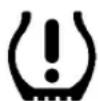
Whenalowtirepressurecondition isdetected,theTPMSilluminates thelowtirepressurewarninglight ontheinstrumentcluster.Ifthe warninglightcomeson,stopas soonaspossibleandinflatethe tirestotherecommendedpressure shownontheTireandLoading Informationlabel.SeeVehicleLoad Limits223.
Amessagetocheckthepressurein aspecifictiredisplaysintheDriver InformationCenter(DIC). Thelow tirepressurewarninglightandthe DICwarningmessagecomeonat eachignitioncycleuntilthetiresare inflatedtothecorrectinflation pressure. UsingtheDIC, tire pressurelevelscanbeviewed. For additionalinformationanddetails abouttheDICoperationand displaysseeDriverInformation Center(DIC)⇒110.
Thelowtirepressurewarninglight maycomeonincoolweatherwhen thevehicleisfirststarted, and then turnoffasthevehicleisdriven. This could beanearly indicator that the airpressureisgettinglow and needstobeinflatedtotheproper pressure.
ATireandLoadingInformation label,attachedtoyourvehicle, showsthesizeoftheoriginal equipmenttiresandthecorrect inflationpressureforthetireswhen theyarecold.SeeVehicleLoad Limits→223,foranexampleofthe TireandLoadingInformationlabel anditslocation.Alsosee Tire Pressure→295.
TheTPMScanwarnaboutalow tirepressureconditionbutildoes notreplacenormaltire maintenance.See TireInspection 300, Tire Rotation 301 and Tires288.
Caution
Tiresealantmaterialsarenotall thesame.Anon-approvedtire sealantcoulddamagetheTPMS sensors.TPMSsensordamage causedbyusinganincorrecttire sealantisnotcoveredbythe vehiclewarranty.Alwaysuseonly theGMapprovedtiresealant availablethroughyourdealeror includedinthevehicle.
TPMSMalfunctionLightand Message
The TPMSwillnotfunctionproperly ifoneormoreoftheTPMSsensors aremissingorinoperable. Whenthe systemdetectsamalfunction, the lowtirewarninglightflashesfor aboutoneminuteandthenstayson fortheremainderoftheignition cycle. ADICwarningmessagealso displays. Themalfunctionlight and DICwarningmessagecomeonat eachignitioncycleuntiltheproblem
iscorrected. Someoftheconditions thatcancausethesetocome onare:
- Oneoftheroadtireshasbeen replacedwiththesparetire. The spare tiredoesnothavea TPMSsensor. Themalfunction lightandDICmessageshould gooffaftertheroadtireis replacedandthesensor matchingprocessisperformed successfully. See "TPMSSensor MatchingProcess" following.
- TheTPMSsensormatching processwasnotdoneornot completedsuccessfullyafter rotatingthetires.The malfunctionlightandtheDIC messageshouldgooffafter successfullycompleting the sensormatchingprocess.See "TPMSSensorMatching Process"following.
- OneormoreTPMSsensorsare missingordamaged. The malfunctionlightandtheDIC messageshouldgooffwhenthe TPMSsensorsareinstalledand
thesensormatchingprocessis performedsuccessfully.See yourdealerforservice.
- Replacementtiresorwheelsdo notmatchtheoriginalequipment tiresorwheels.Tiresandwheels otherthanthoserecommended couldpreventtheTPMSfrom functioningproperly.SeeBuying NewTires→302.
- Operatingelectronicdevicesor beingnearfacilitiesusingradio wavefrequenciessimilartothe TPMScouldcausetheTPMS sensorstomalfunction.
If the TPMS is not functioning properly it cannot detectorsignala lowtirecondition. Se your dealer for service if the TPMS malfunction light and DIC message comes on and stay on.
TPMSSensorMatching Process
EachTPMSsensorhasaunique identificationcode. Theidentification codeneedstobematchedtoanew tire/wheelpositionafterrotatingthe vehicle'stiresorreplacingoneor
moreoftheTPMSsensors.The TPMSsensormatchingprocess shouldalsobeperformedafter replacingasparetirewitharoad tirecontainingtheTPMSsensor. ThemalfunctionlightandtheDIC messagesshouldgooffatthenext ignitioncycle. Thesensorsare matchedtothetire/wheelpositions, usingaTPMSrelearntool,inthe followingorder:driversidefronttire, passengersidefronttire,passenger sidereartire,anddriversiderear. Seeyourdealerforserviceorto purchasearelearntool.ATPMS relearntoolcanalsobepurchased. SeeTirePressureMonitorSensor ActivationToolat www.gmtoolsandequipment.comor call1-800-GMTOOLS (1-800-468-6657).
There are two minutes to match the first tire/wheel position, and five minutes overall to match all four tire/wheel positions. If it takes longer, them matching process stops and must be restarted.
TheTPMSsensormatching processis:
- Settheparkingbrake.
- Putanautomatictransmission inP(Park)oramanual transmissionin1(First)or R(Reverse).
- TurntheignitiontoON/RUN with the engineoff. See Ignition Positions 227.
- PressMENU to select the Vehicle Information Menu in the Driver Information Center (DIC).
- Use the thumbwheel to scroll to the Tire Pressure Menultem screen.
- PressSET/CLRtobeginthe sensormatchingprocess. Amessageaskingifthe processshouldbeginshould appear.
- PressSET/CLRagainto confirmtheselection.
Thehornsoundstwiceto signalthereceiverisinrelearn modeandtheTIRE LEARNINGACTIVEmessage displaysontheDICscreen.
- Startwiththedriverside fronttire.
- Placetherelearntoolagainst thetiresidewall, nearthevalve stem. Thenpressthebuttonto activatetheTPMSsensor. Ahornchirpconfirmsthatthe sensoridentificationcodehas beenmatchedtothistireand wheelposition.
- Proceed to the passengers side front tire, and repeat the procedure in Step 8.
- Proceed to the passengers side reartire, and repeat the procedure in Step 8.
- Proceedtothedriversiderear tire, and repeat the procedure in Step 8. The hornsound two timesto indicate the sensor identification code has been matched to the driversiderear tire, and the TPMS sensor
matchingprocessisnolonger active. The TIRELEARNING ACTIVEmessageontheDIC displayscreengoesoff.
- TurntheignitiontoLOCK/OFF.
- Setallfourtirestothe recommendedairpressure levelasindicatedontheTire andLoadingInformationlabel.
TireInspection
Werecommendthatthetires, includingthesparetire,ifthe vehiclehasone,beinspected forsignsofwearordamageat leastonceamonth.
Replacethetireif:
- Theindicatorsatthreeor moreplacesaroundthetire canbeseen.
-
Thereiscordorfabric showingthroughthetire's rubber.
-
Thetreadorsidewallis cracked, cut, orsnagged deepenoughtoshowcordor fabric.
- Thetirehasabump,bulge,orsplit.
- Thetirehasapuncture, cut, orotherdamagethatcannot berepairedwellbecauseof thesizeorlocationofthe damage.
TireRotation
Tiresshouldberotatedevery 12000km(7,500mi).See Maintenance Schedule→331.
Tiresarerotatedtoachievea moreuniformwearforalltires. Thefirstrotationisthemost important.
Anytimeunusualwearis noticed, rotatethetiresassoon aspossible, checkforpropertire inflationpressure, andcheckfor damagedtiresorwheels. If the unusualwearcontinuesafterthe
rotation, check the wheel alignment. See When It Is Time for New Tires → 302 and Wheel Replacement → 306.
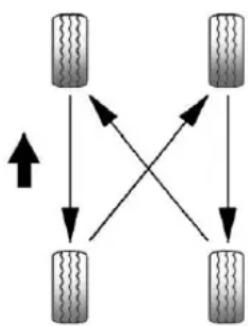
flowchart
graph TD
    A["Top Tire"] --> B["Bottom Tire"]
    B --> C["Top Tire"]
    C --> D["Bottom Tire"]
    D --> A
    A -->|Upward Arrow| B
    B -->|Downward Arrow| C
    C -->|Downward Arrow| D
Use this rotation pattern when rotating the tires.
Donotincludethecompact sparetireinthetirerotation.
Adjustthefrontandreartiresto therecommendedinflation pressureontheTireand LoadingInformationlabelafter thetireshavebeenrotated.See TirePressure→295and Vehicle LoadLimits→223.
ResettheTirePressureMonitor System.See TirePressure MonitorOperation→297.
Check that all wheel nuts are properly tightened. See "Wheel Nut Torque" under Capacities and Specifications 344.

Warning
Rustordirtonawheel, oronthe partstowhichitisfastened, can makewheelnutsbecomeloose aftertime. Thewheelcouldcome offandcauseanaccident. When changingawheel, removeany rustordirtfromplaceswherethe wheelattachestothevehicle. In anemergency, aclothorapaper towelcanbeused; however, use ascaperorwirebrushlaterto removeallrustordirt.
Lightlycoatthecenterofthe wheelhubwithwheelbearing greaseafterawheelchangeor tirerotationtopreventcorrosion orrustbuild-up.Donotget
302VehicleCare
greaseontheflatwheel mountingsurfaceoronthe wheelnutsorbolts.
WhenItIsTimeforNew Tires
Factors such as maintenance, temperatures, drivingspeeds, vehicleloading, and road conditions affect the wear rate of the tires.
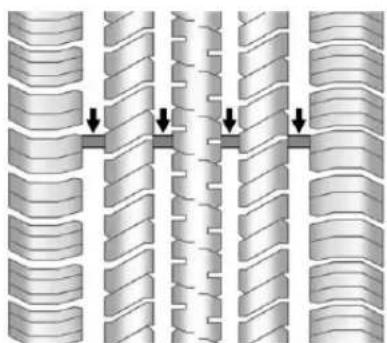
natural_image
Diagram showing three vertical columns with downward arrows indicating direction, no text or symbols presentTreadwearindicatorsareonewayto tellwhenitistimefornewtires. Treadwearindicatorsappearwhen thetireshaveonly1.6mm(1/16in)
orlessoftreadremaining.See Tire Inspection→301and Tire Rotation→301.
Therubberintiresagesovertime. Thisalsoappliestothesparetire, ifthevehiclehasone,evenifitis neverused.Multiplefactors includingtemperatures,loading conditions,andinflationpressure maintenanceaffecthowfastaging takesplace.GMrecommendsthat tires,includingthespareif equipped,bereplacedaftersix years,regardlessoftreadwear.The tiremanufacturedateisthelastfour digitsoftheDOTTireIdentification Number(TIN)whichismoldedinto onesideofthetiresidewall.The firsttwodigitsrepresenttheweek (01-52)andthelasttwodigits,the year.Forexample,thethirdweekof theyear2010wouldhavea four-digitDOTdateof0310.
VehicleStorage
Tiresagewhenstorednormally mountedonaparkedvehicle.Park avehiclethatwillbestoredforat leastamonthinacool,dry,clean areaawayfromdirectsunlightto
slowaging. This are should be free of grease, gasoline, or other substance that candeteriorate rubber.
Parkingforanextendedperiodcan causeflatspotsonthetiresthat mayresultinvibrationswhile driving. Whenstoringavehiclefor atleastamonth,removethetiresor raisethevehicletoreducethe weightfromthetires.
BuyingNewTires
GMhasdevelopedandmatched specifictiesforthevehicle.The originalequipmenttiresinstalled werdesignedtomeetGeneral MotorsTirePerformanceCriteria Specification(TPCSpec) systemrating.When replacementtiresareneeded, GMstronglyrecommends buyingtireswiththesameTPC Specrating.
GM's exclusive TPCSpec system considers over a dozen critical specification that impact the overall performance of the
vehicle, including brakesystem performance, ride and handling, traction control, and tire pressure monitoring performance. GM's TPCSpec number is molded onto the tire's sidewall near the tiresize. If the tires have an all-season tread design, the TPCSpec number will be followed by MS formud and snow. See Tire Sidewall Labeling 290.
GMrecommendsreplacingworn tiresincompletesetsoffour. Uniformtreaddepthonalltires willhelptomaintainthe performanceofthevehicle. Brakingandhandling performancemaybeadversely affectedifallthetiresarenot replacedatthesametime. Ifproperrotation and maintenancehavebeendone, allfourtiressshouldwearoutat aboutthesametime.See Tire Rotation→301.However,ifitis
necessarytoreplaceonlyone axlesetofworntires, placethe newtiresontherearaxle.
Wintertireswiththesamespeed ratingastheoriginalequipment tiresmaynotbeavailableforH, V,W,YandZRspeedrated tires.Neverexceedthewinter tires'maximumspeedcapability whenusingwintertireswitha lowerspeedrating.

Warning
Tirescouldexplodeduring improperservice.Attempting tomountordismountatire couldcauseinjuryordeath. Onlyyourdealerorauthorized tireservicecentershould mountordismountthetires.

Warning
Mixingtiresofdifferentsizes, brands, ortypesmaycause lossofcontrolofthevehicle, resultinginacrashorother vehicledamage. Usethe correctsize, brand, and type oftiresonallwheels.

Warning
Usingbias-plytiresonthe vehiclemaycausethewheel rimflangestodevelopcracks aftermanymilesofdriving. Atireand/orwheelcouldfail suddenlyandcauseacrash. Useonlyradial-plytireswith thewheelsonthevehicle.
Ifthevehicletiresmustbe replacedwithatirethatdoesnot haveaTPCSpecnumber,make suretheyarethesamesize,
304VehicleCare
loadrange, speedrating, and construction(radial)asthe originaltires.
Vehiclesthathaveatire pressuremonitoringsystem couldgiveaninaccurate low-pressurewarningifnon-TPC Specratedtiresareinstalled. See TirePressureMonitor System→296.
The Tire and Loading Information label indicates the originalequipment tires on the vehicle. See Vehicle Load Limits 223.
DifferentSizeTiresand Wheels
Ifwheelsortiresareinstalledthat areadifferentsizethantheoriginal equipmentwheelsandtires, vehicle performance, includingitsbraking, rideandhandlingcharacteristics, stability, andresistancetorollover maybeaffected. Ifthevehiclehas electronicsystemssuchasantilock brakes, rolloverairbags, rollbars,
tractioncontrol, electronicstability control, or All-WheelDrive, the performanceofthesesystemscan also affected.
Warning
If differentsizedwheelsareused, theremaynotbeanacceptable levelofperformanceandsafetyif tiresnotrecommendedforthose wheelsareselected. This increases the chance of acrash and serious injury. Only use GM specific wheelandtiresystems developed for the vehicle, and havethem properly installed by a GM certified technician.
SeeBuyingNewTires→302and Accessoriesand Modifications→255.
UniformTireQuality Grading
The following information relates to the system developed by the United States National Highway
TrafficSafetyAdministration (NHTSA), which gradestires by treadwear, traction, and temperature performance. This applies only to vehicle less sold in the United States. The grades are molded on the sidewall of most passenger cartires. The Uniform Tire Quality Grading (UTQG) system does not apply to deeptread, wintertires, compact spare tires, tires with nominal rim diameters of 10 to 12 inches (25 to 30 cm), ortosomelimited-production tires.
While the tires available on General Motors passengers cars and light trucks may vary with respect to these grades, they must also conform to federal safety requirements and additional General Motors Tire Performance Criteria (TPC) standards.
Qualitygradescanbefound whereapplicableonthetire sidewallbetweentreadshoulder andmaximumsectionwidth. For example:
Treadwear200TractionAA TemperatureA
All Passenger Car Tires Must Conform to Federal Safety Requirements In Addition To These Grades.
Treadwear
Thetreadweargradeisa comparativeratingbasedonthe wearrateofthetirewhentested undercontrolledconditionsona specifiedgovernmenttest course. Forexample, atire graded150wouldwearoneand one-half(1½)timesaswellon thegovernmentcourseasatire graded100. Therelative performanceoftiresdepends upontheactualconditionsof theiruse, however, andmay departsignificantlyfromthe
normduetovariationsindriving habits,servicepracticesand differencesinroad characteristicsandclimate.
Traction
Thetractiongrades, from highest to lowest, are AA, A, B, and C. Those grades represent the tire's ability to stop on wet pavement as measured under controlled condition on specified government test surfaces of asphalt and concrete. At remarked C may have poor traction performance. Warning: Thetraction grade assigned to histire is based on straight-ahead braking traction tests, and does not include acceleration, cornering, hydroplaning, or peak traction characteristics.
Temperature
ThetemperaturegradesareA (thehighest), B, and C, representing the tire's resistance
tothegenerationofheatandits abilitytodissipateheatwhen testedundercontrolled conditionsonaspecifiedindoor laboratorytestwheel.Sustained hightemperaturecancausethe materialofthetiretodegenerate andreducetirelife,and excessivetemperaturecanlead tosuddentirefailure.Thegrade Ccorrespondstoalevelof performancewhichall passengercartiresmustmeet undertheFederalMotorSafety StandardNo.109.GradesBand Arepresenthigherlevelsof performanceonthelaboratory testwheelthanthemminimum requiredbylaw.Warning:The temperaturegradeforthistireis establishedforatirethatis properlyinflatedandnot overloaded.Excessivespeed, underinflation,orecessive loading,eitherseparatelyorin combination,cancauseheat buildupandpossibletirefailure.
WheelAlignmentandTire Balance
Thetiresandwheelswerealigned andbalancedatthefactoryto providethelongesttirelifeandbest overallperformance.Adjustmentsto wheelalignmentandtirebalancing arenotnecessaryonaregular basis.Consideranalignmentcheck ifthereisunusualtirewearorthe vehicleissignificantlypullingtoone sideortheother.Someslightpullto thelefttorright,dependingonthe crownoftheroadand/orotherroad surfacevariationssuchastroughs orruts,isnormal.Ifthevehicleis vibratingwhendrivingonasmooth road,thetiresandwheelsmayneed toberebalanced.Seeyourdealer forproperdiagnosis.
WheelReplacement
Replaceanywheelthatisbent, cracked,orbadlyrustedor corroded.Ifwheelnutskeepcoming loose,thewheel,wheelbolts,and wheelnutsshouldbereplaced. Ifthewheelleaksair,replaceit.
Somealuminumwheelscanbe repaired. Seeyourdealerifanyof theseconditionsexist.
Yourdealerwillknowthekindof wheelthatisneeded.
Eachnewwheelshouldhavethe sameload-carryingcapacity, diameter,width,offset,andbe mountedthesamewayastheoneit replaces.
Replacewheels, wheelbolts, wheel nuts, or TirePressureMonitor System(TPMS)sensorswithnew GMoriginalequipmentparts.

Warning
Using the wrong replacement wheels, wheel bolts, or wheel nutscan be dangerous. It could affect the braking and handling of the vehicle. Tirescan lose air, and cause loss of control, causing a crash. Always use the correct wheel, wheel bolts, and wheel nuts for replacement.
Caution
The wrongwheel can also cause problem with bearing life, brake cooling, speedometer or odometer calibration, headlamp aim, bumper height, vehicle ground clearance, and tire or tire chain clearance to the body and chassis.
UsedReplacementWheels

Warning
Replacingawheelwithaused oneisdangerous.Howithas beenusedorhowfarithasbeen drivenmaybeunknown.Itcould failsuddenlyandcauseacrash. Whenreplacingwheels,usea newGMoriginalequipment wheel.
TireChains
Warning
Donotusetirechains. Thereis notenoughclearance. Tirechains usedonavehiclewithoutthe properamountofclearancecan causedamagetothebrakes, suspension,orothervehicle parts.Theareadamagedbythe tirechainscouldcauselossof controlandacrash.
Useanothertypeoftraction deviceonlyifitsmanufacturer recommendsitforthevehicle's tiresizecombinationandroad conditions.Followthat manufacturer'sinstructions.To avoidvehicledamage,driveslow andreadjustorremovethe tractiondeviceifitcontactsthe vehicle.Donotspinthewheels. Iftractiondevicesareused,install themonthefronttires.
lfaTireGoesFlat
Itisunusualforatiretoblowout whiledriving,especiallyifthetires aremaintainedproperly.See Tires →288.Ifairgoesoutofatire,itis muchmorelikelytoleakoutslowly. Butifthereeverisablowout,here areafewtipsaboutwhattoexpect andwhattodo:
Ifafronttirefails,theflattire createsadragthatpullsthevehicle towardthatside.Takeyourfootoff theacceleratorpedalandgripthe steeringwheelfirmly.Steerto maintainlaneposition,andthen gentlybraketoastop,welloffthe road,ifpossible.
Arearblowout,particularlyona curve,actsmuchlikeaskidand mayrequirethesamecorrectionas usedinaskid. Stoppressingthe acceleratorpedalandsteerto straightenthevehicle. Itmaybe verybumpyandnoisy. Gentlybrake toastop, wellofftheroad, ifpossible.
Warning
Drivingonaflattirewillcause permanentdamagetothetire. Re-inflatingatireafterithasbeen drivenonwhileseverely underinflatedorflatmaycausea blowoutandaseriouscrash. Neverattempttore-inflateatire thathasbeendrivenonwhile severelyunderinflatedorflat. Haveyourdealeroranauthorized tireservicecenterrepairor replacetheflattireassoonas possible.
Warning
Liftingvehicleandgettingunder ittodomaintenanceorrepairsis dangerouswithoutthe appropriatesafetyequipmentand training.Ifajackisprovidedwith thevehicle,itisdesignedonlyfor changingaflattire.Ifitisusedfor anythingelse,youorotherscould
(Continued)
Warning(Continued)
bebadlyinjuredorkilledifthe vehicleslipsoffthejack.Ifajack isprovidedwiththevehicle,only useitforchangingaflattire.
Ifatiregoesflat, avoidfurthertire andwheeldamagebydrivingslowly toalevelplace, wellofftheroad, ifpossible. Turnonthehazard warningflashers. See Hazard WarningFlashers 122.

Warning
Changingatirecanbe dangerous. The vehiclecanslip off the jack and rollover or fall causing injury or death. Find a level placeto changethire. To help prevent the vehicle from moving:
- Settheparkingbrakefirmly. (Continued)
Warning(Continued)
- Putanautomatic transmission in P(Park) or a manual transmission in 1(First) or R(Reverse).
- Turnofftheengineanddo notrestartwhilethevehicle israised.
- Donotallowpassengersto remaininthevehicle.
- Placewheelblocks, ifequipped, on both sides of the tire at the opposite corner of the tire being changed.
Whenthevehiclehasaflattire(2), usethefollowingexampleasa guidetoassistintheplacementof thewheelblocks(1), ifequipped.
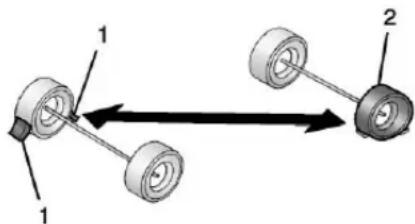
- WheelBlock(IfEquipped)
2.FlatTire
The following information explains how to repair or change atire.
TireChanging
RemovingtheSpareTireand Tools
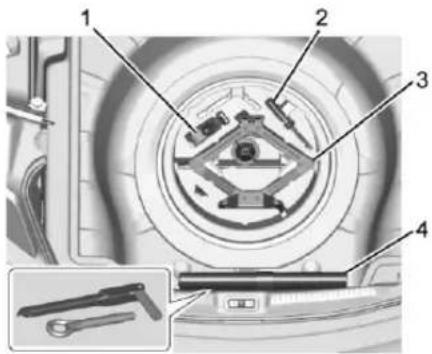
1.Strap
2.Screwdriver
3. Jack
4. WheelWrenchandTowEye (InBag)
Toaccessthesparetireandtools:
- Openthetrunk. See Trunk→29.
- Lifttheloadfloor.
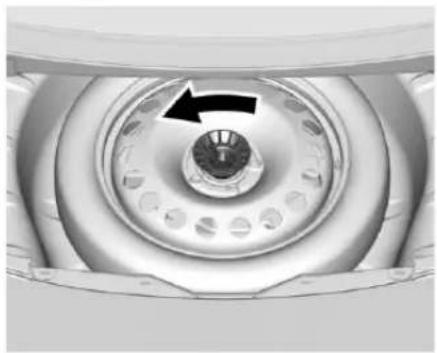
natural_image
Close-up of a circular mechanical component with a black arrow pointing to a central hub (no text or symbols visible)- Turntheretainernut counterclockwisetoremoveit.
Removethesparetire and placeitnearthetire being changed.
- Removethejackandtoolsand placethemnearthetirebeing changed.
RemovingtheFlatTireand InstallingtheSpareTire
- Doasafetycheckbefore proceeding. Seelfa Tire Goes Flat→307.
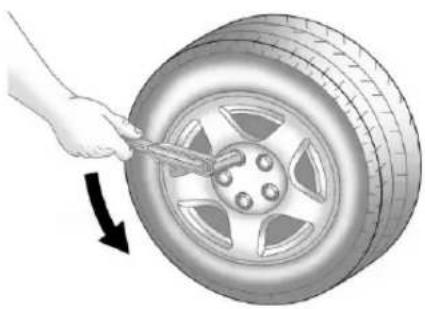
natural_image
Illustration of a hand using a tool to trim a car tire, with a black arrow indicating clockwise motion (no text or symbols)- Turnthewheelwrench counterclockwisetoloosenall thewheelnuts, butdonot removethemyet.
- Placethejackunderthe vehicle.
- Placethehextubeendofthe wheelwrenchoverthehex headofthejack.
310VehicleCare
Caution
Makesurethatthejacklifthead isinthecorrectpositionoryou maydamageyourvehicle.The repairswouldnotbecoveredby yourwarranty.
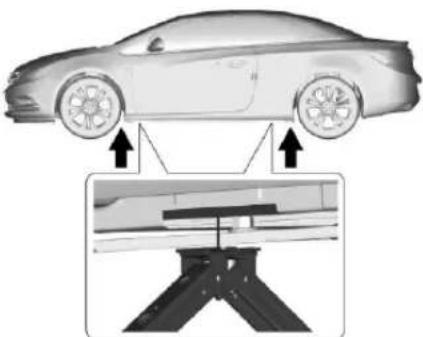
natural_image
Diagram of a car with two wheels and a mechanical assembly below, showing alignment arrows (no text or symbols)- Position the jack lifthead at the jack location nearest the flattire.
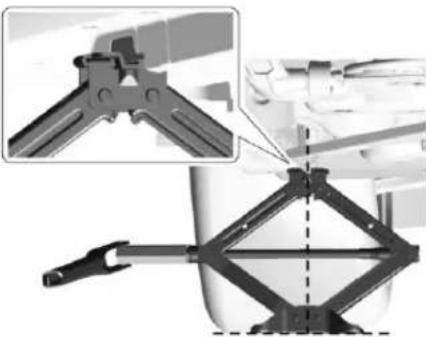
natural_image
Mechanical clamp assembly with a diamond-shaped frame and tool, shown in two views (no text or symbols)- Setthejacktothenecessary height. Positionitdirectlybelow thejackingpositionsoitdoes notslip.
Warning
Gettingunderavehiclewhenitis liftedonajackisdangerous. Ifthevehicleslipsoffthejack, youcouldbebadlyinjuredor killed.Nevergetunderavehicle whenitissupportedonlyby ajack.
Warning
Raisingthevehiclewiththejack improperlypositionedcan damagethevehicleandeven makethevehiclefall. To help avoidpersonalinjuryandvehicle damage, besuretofitthejacklift headintotheproperlocation beforeraisingthevehicle.
Warning
Liftingvehicleandgettingunder ittodomaintenanceorrepairsis dangerouswithoutthe appropriatesafetyequipmentand training.Ifajackisprovidedwith thevehicle,itisdesignedonlyfor changingaflattire.Ifitisusedfor anythingelse,youorotherscould bebadlyinjuredorkilledifthe vehicleslipsoffthejack.Ifajack isprovidedwiththevehicle,only useitforchangingaflattire.
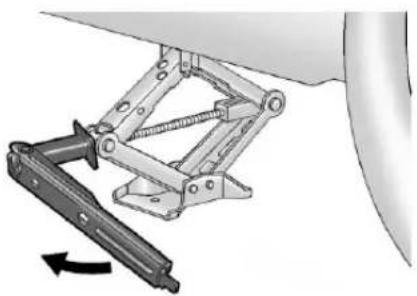
natural_image
Mechanical assembly diagram showing a lever mechanism with a rotating arrow (no text or symbols)- Raisethejackbyturningthe handleclockwiseuntilitcomes incontactwiththe recommendedjackinglocation.
- Raisethevehiclefarenough offthegroundsothereis enoughroomfortheroadtire tocleartheground.
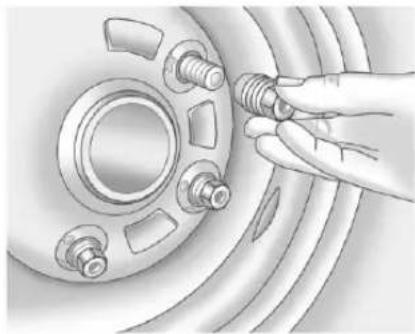
natural_image
Illustration of a hand adjusting a car wheel component with bolts (no text or symbols visible)- Remove all of the wheel nuts.
10.Removetheflattire.

Warning
Rustordirtonawheel,oronthe partstowhichitisfastened,can makewheelnutsbecomeloose aftertime. Thewheelcouldcome offandcauseanaccident.When changingawheel,removeany rustordirtfromplaceswherethe wheelattachestothevehicle.In anemergency,aclothorapaper
(Continued)
Warning(Continued)
towelcanbeused;however,use ascaperorwirebrushlaterto removeallrustordirt.
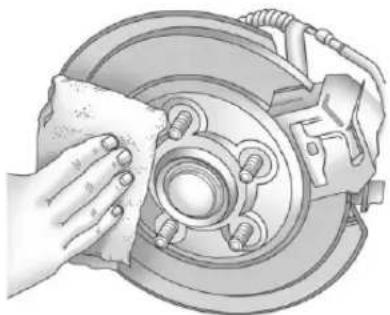
natural_image
Illustration of a hand cleaning a car brake disc with a cloth (no text or symbols)- Remove any rustordirt from the wheel bolts, mounting surfaces, and spare wheel.
- Placethecompactsparetire onthewheel-mountingsurface.
312VehicleCare

Warning
Neveruseoilorgreaseonbolts ornutsbecausethenutsmight comeloose. Thevehicle'swheel couldfalloff,causingacrash.
- Reinstallthewheelnuts. Tighteneachnutbyhanduntil thewheelisheldagainst thehub.
- Lowerthevehiclebyturning thejackhandle counterclockwise.

Warning
Wheelnutsthatareimproperlyor incorrectlytightenedcancause thewheelstobecomelooseor comeoff. Thewheelnutsshould beightenedwithatorquewrench tothepropertorquespecification afterreplacing.Followthetorque specificationsuppliedbythe aftermarketmanufacturerwhen usingaccessorylockingwheel (Continued)
Warning(Continued)
nuts.See Capacities and Specifications→344fororiginal equipmentwheelnuttorque specifications.
Caution
Improperlytightenedwheelnuts canleadtobrakepulsation and rotordamage. To avoid expensive brakerepairs, evenly tightent the wheelnuts in the proper sequence and to the proper torquespecification. See Capacities and Specifications 344 forthewheelnuttorque specification.
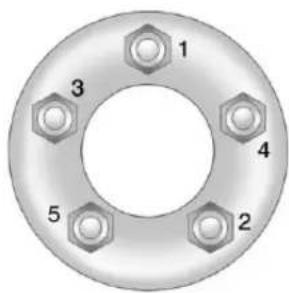
- Tightenthewheelnutsfirmlyin acrisscrosssequence, as shown.
- Lowerthejackalltheway and removethejackfromunderthe vehicle.
- Tightenthewheelnutsfirmly withthewheelwrench.
StoringaFlatorSpareTire andTools
Warning
Storingajack, atire, or other equipment in the passenger compartment of the vehicle could cause injury. In sudden stop or collision, loose equipment could strike someone. Store all these in the proper place.
StoringtheFlatTireandTools
- Replace the wheel wrench in the tool bag and the jack and tools in their original storage location.
- Removethestrap.
- Placetheflattireinthestorage compartmentwiththevalve stemup.
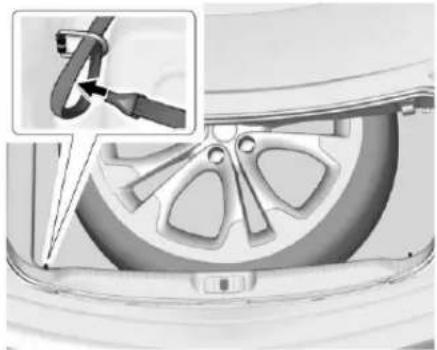
natural_image
Close-up of a car wheel assembly with a close-up inset showing a cable being inserted (no text or symbols visible)- Placetheloopendofthestrap throughtheleftrearcargo tie-down.
Placethehookendofthestrap throughtheloopandpullituntil thestrapissecurelyfastened tothecargotiedown.
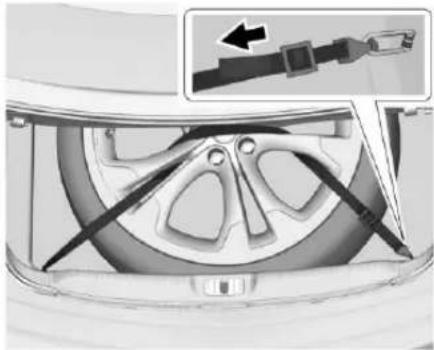
natural_image
Mechanical assembly diagram showing a belt switch inserted into a car wheel (no text or symbols visible)- Insert the strap through the wheel, asshown.
- Attach the hook to other right rearcargotie-down.
- Tightenthestrapandsecureit usingthebuckle.
- Replacetheloadfloor.
Thecompactspareisfortemporary useonly.Replacehecompact spare tirewithafull-sizetireas soonaspossible.
314VehicleCare
StoringtheCompactSpareTire andTools
Reversetheinstructionsfor removingthesparetireandtoolsto storethecompactsparetire.
CompactSpareTire

Warning
Drivingwithmorethanone compactsparetireatatimecould resultinlossofbrakingand handling. This could lead to a crash and you or others could be injured. Use only one compact sparetireatatime.
If this vehicle has a compact spare tire, it was fully inflated when new; however, it can lose airovertime. Check the inflation pressure regularly. It should be 420 kPa (60 psi).
Stopassoonaspossibleandcheck thatthesparetireiscorrectly inflatedafterbeinginstalledonthe vehicle. Thecompactsparetireis designedfortemporaryuseonly.
The vehicle will perform differently with the spare tire installed and it is recommended that the vehicle speed belimited to 80 km/h (50 mph). To conservethetread of the spare tire, havethe standard tire repaired or replaced as soon as convenient and return the spare tire to the storage area.
When using a compact sparetire, the AWD (ifequipped), ABS, and Traction Controls system may engage until the sparetire is recognized by the vehicle, especially on slippery roads. Adjust driving to reduce possible wheelslip.
Caution
Whenthecompactspareis installed, donottakethevehicle throughanautomaticcarwash withguiderails. Thecompact sparecangetcaughtontherails whichcandamagethetire, wheel, andotherpartsofthevehicle.
Donotusethecompactspareon othervehicles.
Donotmixthecompactsparetireor wheelwithotherwheelsortires. Theywillnotfit.Keepthesparetire anditswheeltogether.
Caution
Tirechainswillnotfitthecompact spare. Using themcandamage thevehicleandthechains.Donot usetirechainsonthecompact spare.
JumpStarting
JumpStarting-North America
Formoreinformationaboutthe vehiclebattery,seeBattery-North America→271.
If the battery has rundown, try to use another vehicle and some jumpercable start your vehicle. Besuretousethe following step to do its safely.
Warning
WARNING: Batteryposts, terminals, and related accessories contain lead and lead compounds, chemicals known to the State of Californiatocause cancer and birth defects or other reproductive harm. Batteries also contain other chemicals known to the State of Californiatocause cancer. WASHHANDSAFTER HANDLING.
(Continued)
Warning(Continued)
See California Proposition 65Warning→255.
Warning
Batteriescanhurtyou. They can be dangerous because:
• They contain acid that can burn you.
• Theycontainingasthatcan explodeorignite.
• Theycontainenough electricitytoburnyou.
If you donot follow these steps exactly, some or all of these things can hurt you.
Caution
Ignoringthesestepscouldresult incostlydamagetothevehicle thatwouldnotbecoveredbythe vehiclewarranty.Tryngtostart thevehiclebypushingorpullingit willnotwork,anditcoulddamage thevehicle.
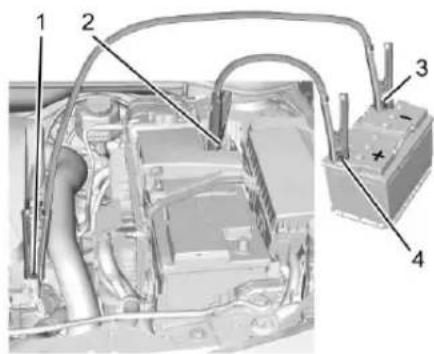
- DischargedBattery NegativeGroundingPoint
- DischargedBatteryPositive Terminal
- GoodBatteryNegative Terminal
316VehicleCare
4. GoodBatteryPositive Terminal
Thejumpstartnegativegrounding point(1)forthedischargedbattery istheengineblockoranengine mountingbolt. Connecttoaspotas farawayfromthedischarged batteryaspossible.
Thejumpstartpositiveterminal(2) onthedischargedbatteryisinthe enginecompartmentonthedriver sideofthevehicle.
Thejumpstartnegativeterminal(3) andpositiveterminal(4) are on the battery of the vehicle providing the jumpstart.
The positive jump start connection forth discharged battery is undera trim cover. Openthe cover to exposetheterminal.
- Check the other vehicle. It must have a 12-volt battery with an negative ground system.
Caution
If the other vehicle does not have a 12-voltsystem with an negative ground, both vehicles can be damaged. Only use vehicle that has a 12-voltsystem with a negative ground for jump starting.
-
Positionthetwovehiclesso thattheyarenottouching.
-
Set the parking brake firmly and put the shift lever in P(Park) with an automatic transmission, or Neutral with a manual transmission.
Caution
Ifanyaccessoriesareleftonor pluggedinduringthejump startingprocedure,theycouldbe damaged.Therepairswouldnot recoveredbythevehicle warranty.Wheneverpossible,turn forunplugallaccessorieson eithervehiclewhenjumpstarting.
- TurntheignitiontoLOCK/OFF. Turnoffalllightsand accessoriesinbothvehicles, exceptthehazardwarning flashersifneeded.

Warning
Anelectricfancanstartupeven whentheengineisnotrunning andcaninjureyou.Keephands, clothing,andtoolsawayfromany underhoodelectricfan.

Warning
Usingamatchnearabatterycan causebatterygastoexplode. Peoplehave been hurt doing this, and some have been blinded. Use a flash light if you need more light.
Batteryfluidcontainsacidthat canburnyou.Donotgetiton you.Ifyouaccidentallygetitin
(Continued)
Warning(Continued)
youreyesoronyourskin,flush theplacewithwaterandget medicalhelpimmediately.
Warning
Fansorothermovingengine partscaninjureyoubadly.Keep yourhandsawayfrommoving partsoncetheengineisrunning.
- Connectoneendofthered positive(+)cabletothe positive(+)terminalonthe dischargedbattery.
- Connecttheotherendofthe redpositive(+)cabletothe positive(+)terminalofthegood battery.
-
Connectoneendoftheblack negative(−)cabletothe negative(−)terminalofthe goodbattery.
-
Connecttheotherendofthe blacknegative(−)cabletothe negative(−)groundingpointfor thedischargedbattery.
- Start the engine in the vehicle with the good battery and run the engine at idles speed for at least four minutes.
- Trytostartthevehiclethathad thedeadbattery.Ifitwillnot startafterafewtries,it probablyneedsservice.
Caution
If the jumpercables are connected or removed in the wrong order, electrical shorting may occur and damage the vehicle. There pairs would not be covered by the vehicle warranty. Always connect and remove the jumpercables in the correct order, makingsure that the cables do not touch each other or other metal.
JumperCableRemoval
Reversethesequenceexactlywhen removingthejumpercables.
Afterstartingthedisabledvehicle andremovingthejumpercables, allowittoidleforseveralminutes.
TowingtheVehicle
Caution
Incorrectlytowingadisabled vehiclemaycausedamage. The damagewouldnotbecovered by thevehiclewarranty.
Donotlashorhookto suspensioncomponents. Use the proper strapsaroundthetiresto securethevehicle.
Havethevehicletowedonaflatbed carcarrier.Awheellifttowtruck coulddamagethevehicle.
Consultyourdealerora professionaltowingserviceifthe disabledvehiclemustbetowed.
Caution
Improperuseofthetoweyecan causevehicledamage.Use cautionandlowspeedsto preventdamagetothevehicle.
FrontTowEye
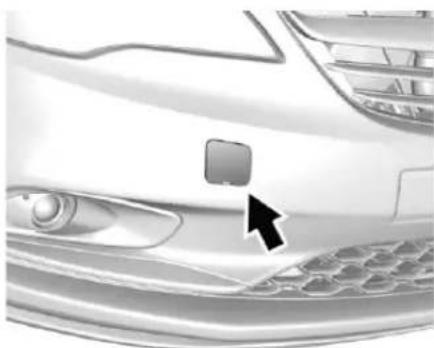
natural_image
Close-up of a car's front bumper area with a black arrow pointing to the grille (no text or symbols visible)Carefullyopenthecoverbyusing thesmallnotchthatconcealsthe fronttoweyesocket.
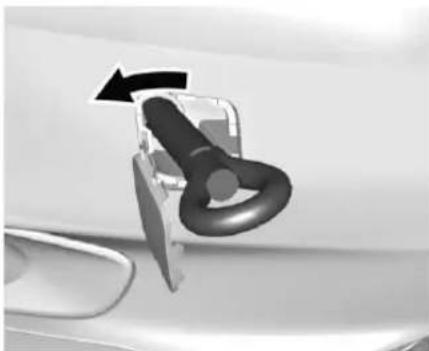
natural_image
Close-up of a car door handle with a black arrow indicating rotation (no text or symbols)Installthetoweyeintothesocketby turningitcounterclockwiseuntil stopsinahorizontalposition.
Whenthetoweyeisremoved, reinstallthecoverwiththenotchin theoriginalposition.
RearTowEye
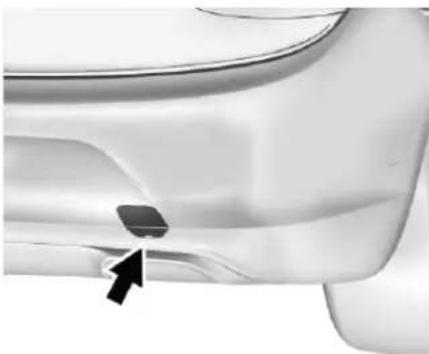
natural_image
Close-up of a car's side panel showing a small object and an arrow pointing to it (no text or symbols visible)Carefullyopenthecoverbyusing thesmallnotchthatconcealsthe reartoweyesocket.
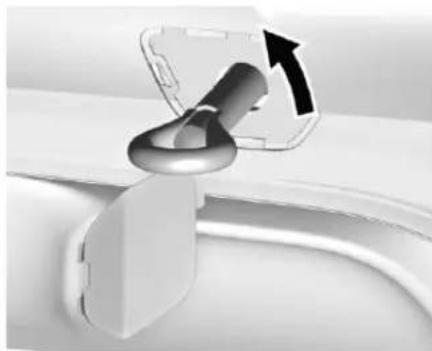
natural_image
Close-up of a mechanical component with a metallic tool inserted, showing a curved arrow indicating rotation (no text or symbols visible)Installthetoweyeintothesocketby turningitcounterclockwiseuntil stopsinahorizontalposition.
Whenthetoweyeisremoved, reinstallthecoverwiththenotchin theoriginalposition.
Totowthevehiclebehindanother vehicleforrecreationalpurposes, suchasbehindamotorhome,see RecreationalVehicle Towing⇒319.
Recreational Vehicle Towing
Recreationalvehicletowingmeans towingthevehiclebehindanother vehicle—suchasbehindamotor
home. Thetwomostcommontypes of recreational vehicletowingare knownasdinghytowinganddolly towing. Dinghytowingistowingthe vehiclewithallfourwheelsonthe ground. Dollytowingistowingthe vehiclewithtwowheelsonthe groundandtwowheelsupona deviceknownasadolly.
Herearesomeimportantthingsto considerbeforerecreationalvehicle towing:
- Whatisthetowingcapacity of thetowingvehicle? Besureto readthetowvehicle manufacturer's recommendations.
- Howfarwillthevehiclebe towed?Somevehicleshave restrictionsonhowfarandhow longtheycantow.
- Doesthevehiclehavethe propertowingequipment? See yourdealerortrailering professionalforadditionaladvice andequipment recommendations.
320VehicleCare
- Isthevehiclereadytobe towed?Justaspreparingthe vehicleforalongtrip,makesure thevehicleispreparedtobe towed.
Caution
Useofashieldmountedinfront ofthevehiclegrillecouldrestrict airflowandcauseddamagetothe transmission. Therepairswould notbecoveredbythevehicle warranty. Ifusingashield, only useonethatattachestothe towingvehicle.
DinghyTowing
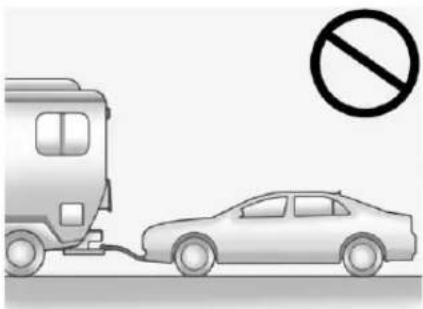
natural_image
Illustration of a car being charged by a bus, with a no-smoking symbol above (no text or labels)Caution
Ifthevehicleistowedwithallfour wheelsontheground,the drivetraincomponentscouldbe damaged.Therepairswouldnot recoveredbythevehicle warranty.Donottowthevehicle withallfourwheelsonthe ground.
Thevehiclewasnotdesignedtobe towedwithallfourwheelsonthe ground.Ifthevehiclemustbe towed,adollyshouldbeused.See "DollyTowing"following.
DollyTowing
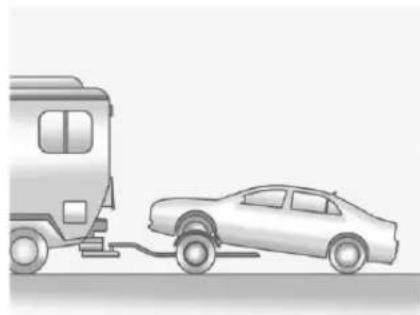
natural_image
Illustration of a car being pulled off from a bus (no text or symbols)Towthevehiclewiththetworear wheelsonthegroundandthefront wheelsonadolly.
Totowthevehiclewithtwowheels onthegroundandadolly:
- Putthefrontwheelsonadolly.
- PuttheshiftleverinP(Park).
- Securethevehicletothedolly.
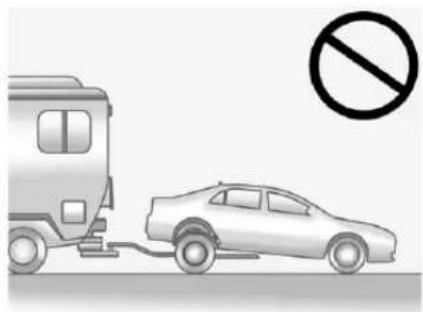
natural_image
Illustration of a car being stopped by a bus, with no visible text or symbolsCaution
Towingthevehiclefromtherear coulddamageit.Also,repairs wouldnotbecoveredbythe vehiclewarranty.Neverhavethe vehicletowedfromtherear.
AppearanceCare
ExteriorCare
Locks
Locksarelubricatedatthefactory. Useade-icingagentonlywhen absolutelynecessary, and havethe locksgreasedafterusing. See RecommendedFluidsand Lubricants 340.
WashingtheVehicle
Topreservethevehicle'sfinish, washitoftenandoutofdirect sunlight.
Caution
Donotusepetroleum-based, acidic, or abrasive cleaning agentsastheycandamagethe vehicle'spaint, metal, orplastic parts. If damage occurs, it would not be recovered by the vehicle warranty. Approved cleaning product scan be obtained from (Continued)
Caution(Continued)
yourdealer.Followall manufacturerdirectionsregarding correctproductusage,necessary safetyprecautions,and appropriatedisposalofany vehiclecareproduct.
Caution
Avoidusinghigh-pressure washescloserthan30cm(12in) tothesurfaceofthevehicle.Use ofpowerwashersexceeding 8,274kPa(1,200psi)canresult indamageorremovalofpaint anddecals.
Caution
Donotpowerwashany componentunderthehoodthat hasthis symbol. (Contin
322VehicleCare
Caution(Continued)
This could cause damage that would not be recovered by the vehicle warranty.
If using an automatic car wash, follow the car wash instructions. The windshield wiper and rear window wiper, if equipped, must be off. Remove any accessories that may be damaged or interfered with the car was equipment.
Rinsethevehiclewell, before washing and after, to remove all cleaning agents completely. If they are allowed today on the surface, they could stain.
Drythefinishwithasoft, clean chamoisoranall-cottontowelto avoidsurfacescratchesandwater spotting.
FinishCare
Applicationofaftermarketclearcoat sealant/waxmaterialsisnot recommended.Ifpaintedsurfaces aredamaged,seeyourdealerto
havethedamageassessed and repaired. Foreign material such as calcium chloride and others salts, ice melting agents, road oil and tar, tree sap, birddroppings, chemicals from industrial chimneys, etc., can damage the vehicle's finish if they remain on painted surfaces. Wash the vehicle as soon as possible. If necessary, usenon-abrasive cleaner that are marked as safe for painted surface to remove foreign matter.
Occasionalhandwaxingormild polishingshouldbedonetoremove residuefromthepaintfinish.See yourdealerforapprovedcleaning products.
Donotapplywaxesorpolishesto uncoatedplastic, vinyl, rubber, decals, simulatedwood, or flatpaint as damage can occur.
Caution
Machine compoundingor aggressive polishingona basecoat/clearcoat paint finish
(Continued)
Caution(Continued)
maydamageit.Useonly non-abrasivewaxesandpolishes thataremadeforabasecoat/clearcoatpaintfinishonthe vehicle.
Tokeep the paint finish looking new, keep the vehicle Garagedor covered whenever possible.
ProtectingExteriorBrightMetal Moldings
Caution
Failuretocleanandprotectthe brightmetalmoldingscanresult inahazywhitefinishorpitting. Thisdamagewouldnotbe coveredbythevehiclewarranty.
Thebrightmetalmoldingsonthe vehiclearealuminum,chromeor stainlesssteel. Topreventdamage alwaysfollowthesecleaning instructions:
- Besurethemoldingiscoolto thetouchbeforeapplyingany cleaningsolution.
- Useonlyapprovedcleaning solutionsforaluminum,chrome orstainlesssteel. Some cleanersarehighlyacidicor containalkalinesubstancesand candamagethemoldings.
- Alwaysdiluteaconcentrated cleaneraccordingtothe manufacturer'sinstructions.
- Donotusecleanersthatarenot intendedforautomotiveuse.
- Useanonabrasivewaxonthe vehicleafterwashingtoprotect andextendthemoldingfinish.
CleaningExteriorLamps/ Lenses, Emblems, Decals, and Stripes
Useonlylukewarmorcoldwater,a softcloth,andacarwashingsoap tocleanexteriorlamps,lenses, emblems,decals,andstripes. Followinstructionsunder"Washing theVehicle"previouslyinthis section.
Lampcoversaremadeofplastic, andsomehaveaUVprotective coating. Donotcleanorwipethem whendry.
Donotuseanyofthefollowingon lampcovers:
- Abrasiveorcausticagents.
- Washerfluidsandothercleaning agentsinhigherconcentrations thansuggestedbythe manufacturer.
- Solvents, alcohols, fuels, orotherharshcleaners.
• Icescrapersorotherharditems.
- Aftermarketappearancecapsor coverswhilethelampsare illuminated,duetoexcessive heatgenerated.
Caution
Failure to clean lamps properly can cause damage to the lamp cover that would not be covered by the vehicle warranty.
Caution
Usingwaxonlowglossblack finishstripescanincreasethe glosslevelandcreatea non-uniformfinish.Cleanlow glossstripeswithsoapand wateronly.
AirlIntakes
Cleardebrisfromtheairintakes, betweenthehoodandwindshield, whenwashingthevehicle.
324VehicleCare
WindshieldandWiperBlades
Cleantheoutsideofthewindshield withglasscleaner.
Cleanrubberbladesusingalint-free clothorpapertowelsoakedwith windshieldwasherfluidoramild detergent.Washthewindshield thoroughlywhencleaningthe blades.Bugs,roadgrime,sap,and abuildupofvehiclewash/wax treatmentsmaycausewiper streaking.
Replacethewiperbladesiftheyare wornordamaged. Damagecanbe causedbyextremedusty conditions, sand, salt, heat, sun, snow, andice.
Weatherstrips
ApplyDielectricsiliconegreaseon weatherstripstomakethemlast longer,sealbetter,andnotstickor squeak.Lubricateweatherstripsat leastonceayear.Hot,dryclimates mayrequiremorerefrequent application.Blackmarksfrom rubbermaterialonpaintedsurfaces
canberemovedbyrubbingwitha cleancloth.SeeRecommended FluidsandLubricants→340.
Tires
Useastiffbrushwithtirecleanerto cleanthetires.
Caution
Using petroleum-based tire dressing product on the vehicle may damage the paint finish and ortires. When applying tire dressing, always wipe off any overspray from all painted surfaces on the vehicle.
WheelsandTrim—Aluminum orChrome
Useasoft, cleancloth with mild soap and watertocleanthewheels. After rinsing thoroughly with clean water, dry with asoft, cleantowel. Awax may then be applied.
Caution
Chromewheelsandotherchrome trimmaybedamagedifthe vehicleisnotwashedafterdriving onroadsthathavebeensprayed withmagnesium,calcium, orsodiumchloride. These chloridesareusedonroadsfor conditionssuchasiceanddust. Alwayswashthechromewith soapandwaterafterexposure.
Caution
Toavoidsurfacedamage, donot usestrongsoaps, chemicals, abrasivepolishes, cleaners, brushes, orcleanersthatcontain acidonaluminumor chrome-platedwheels. Use only approvedcleaners. Also, never driveavehiclewithaluminumor chrome-platedwheelsthroughan automaticcarwashthatuses siliconecarbidetirecleaning
(Continued)
Caution(Continued)
brushes. Damagecouldoccur andtherepairswouldnotbe coveredbythevehiclewarranty.
BrakeSystem
Visuallyinspectbrakelinesand hosesforproperhook-up, binding, leaks, cracks, chafing, etc. Inspect discbrakepadsforwearandrotors for surface condition. Inspectdrum brakelinings/shoesforwearor cracks. Inspectallotherbrakeparts.
Steering, Suspension, and ChassisComponents
Visuallyinspectsteering, suspension, and chassis components for damaged, loose, or missing parts or sign sof wear at least once a year.
Inspectpowersteeringforproper hook-up, binding, leaks, cracks, chafing, etc.
Visuallycheckconstantvelocityjoint bootsandaxlesealsforleaks.
BodyComponentLubrication
Lubricateallkeylockcylinders, hoodhinges,liftgatehinges,andthe steelfueldoorhinges,unless the componentsareplastic.Applying siliconegreaseonweatherstrips withacleanclothwillmakethem lastlonger,sealbetter,andnotstick orsqueak.
UnderbodyMaintenance
Atleasttwiceayear,springandfall, useplainwatertoflushany corrosivematerialsfromthe underbody.Takecaretothoroughly cleananyareaswheremudand otherdebriscancollect.
Donotdirectlypowerwashthe transfercaseand/orfront/rearaxle outputseals.Highpressurewater canovercomethesealsand contaminatethefluid.Contaminated fluidwilldecreasethelifeofthe transfercaseand/oraxlesand shouldbereplaced.
SheetMetalDamage
If the vehicle is damaged and requires sheet metal repair or replacement, makes sure the body repair shop applies anti-corrosion material to parts repaired or replaced to restore corrosion protection.
Original manufacturer replacement partswillprovidethe corrosion protectionwhilemaintainingthe vehiclewarranty.
FinishDamage
Quicklyrepairminorchipsand scratcheswithtouch-upmaterials availablefromyourdealertoavoid corrosion. Largerareasoffinish damagecanbecorrectedinyour dealer'sbodyandpaintshop.
ChemicalPaintSpotting
Airbornepollutantscanfallupon andattackpaintedvehiclesurfaces causingblotchy, ring-shaped discolorations, and small, irregular darkspotsetched into the paint surface. See "FinishCare" previously in this section.
InteriorCare
Topreventdirtparticleabrasions, regularlycleanthevehicle'sinterior. Immediatelyremoveanysoils. Newspapersordarkgarmentscan transfercolortothevehicle's interior.
Useasoftbristlebrushtoremove dustfromknobsandcrevicesonthe instrumentcluster. Usingamild soapsolution,immediatelyremove handlotions,sunscreen,andinsect repellentfromallinteriorsurfacesor permanentdamagemayresult.
Usecleanersspecificallydesigned forthesurfacesbeingcleanedto preventpermanentdamage.Apply allcleanersdirectlytothecleaning cloth.Donotspraycleanersonany switchesorcontrols.Remove cleanersquickly.
Beforeusingcleaners,readand followwallsafetyinstructionsonthe label.Whilecleaningtheinterior, openthedoorsandwindowstoget properventilation.
Topreventdamage, donotclean the interior using the following cleanersortechniques:
- Neverusearazororanyother sharpobjecttoremosoilfrom anyinteriorsurface.
- Neveruseabrushwithstiff bristles.
- Neverrubanysurface aggressivelyorwithtoomuch pressure.
- Donotuselaundrydetergentsor dishwashingsoapswith degreasers. For liquid cleaners, use approximately 20 drops per 3.8L (1gal) of water. Aconcentrated soapsolution will create streaks and attract dirt. Donotusesolution that contain strongor caustic soap.
- Donotheavilysaturatethe upholsterywhencleaning.
- Donotusesolventsorcleaners containingsolvents.
InteriorGlass
Toclean, useaterryclothfabric dampenedwithwater. Wipedroplets leftbehindwithacleandrycloth. If necessary, useacommercial glasscleaneraftercleaningwith plainwater.
Caution
Topreventscratching,neveruse abrasivecleanersonautomotive glass.Abrasivecleanersor aggressivecleaningmaydamage therearwindowdefogger.
Cleaning the windshield with water during the first three months of ownership will reduce tendency to fog.
SpeakerCovers
Vacuumaroundaspeakercover gently, so that the speaker will not be damaged. Cleanspot with water and mild soap.
CoatedMoldings
Coatedmoldingsshouldbecleaned.
- When lightly soiled, wipewith a spongeorsoft, lint-freecloth dampened with water.
- Whenheavilysoiled,usewarm soapywater.
Fabric/Carpet/Suede
Startbyvacuumingthesurface usingasoftbrushattachment.lfa rotatingvacuumbrushattachmentis beingused,onlyuseitonthefloor carpet.Beforecleaning,gently removeasmuchofthesoilas possible:
- Gentlyblotliquidswithapaper towel. Continue blotting until no moresoil can be removed.
- Forsolidsoils, removeasmuch aspossibleprioritovacuuming.
Toclean:
-
Saturateaclean, lint-free colorfastclothwithwater. Microfiberclothis recommendedtopreventlint transfertothefabricorcarpet.
-
Remove excess moisture by gently wringing until water does not drip from the cleaning cloth.
- Startontheoutsideedgeofthe soilandgentlyrubtowardthe center.Foldthecleaningcloth toacleanareafrequentlyto preventforcingthesoilintothe fabric.
- Continue gently rubbing the soiled area until there is no longer any color transfer from the soil to the cleaning cloth.
- If the soil is not completely removed, use a mild soap solution followed only by plain water.
If the soil is not completely removed, it may be necessary to use a commercial upholstery cleaner or spot lifter. Test small hidden area for color fastness before using a commercial upholstery cleaner or spot lifter. If ring formation occurs, clean the entire fabric or carpet.
Aftercleaning, useapapertowel to blotexcessmoisture.
CleaningHighGlossSurfaces and VehicleInformationand RadioDisplays
Useamicrofiberclothonhighgloss surfacesorvehicledisplays.First, useasoftbristlebrushtoremove dirtthatcanscratchthesurface. Thengentlycleanbyrubbingwitha microfibercloth.Neverusewindow cleanersorsolvents.Periodically handwashthemicrofibercloth separately,usingmildsoap.Donot usebleachorfabricsoftener.Rinse thoroughlyandairdrybefore nextuse.
Caution
Donotattachadevicewitha suctioncuptothedisplay. This maycausedamageandwould notbecoveredbythevehicle warranty.
InstrumentPanel, Leather, Vinyl, Other Plastic Surfaces, Low Gloss Paint Surfaces, and Natural Open Pore Wood Surfaces
Useasoftmicrofibercloth dampenedwithwatertoremove dustandloosedirt. For more thoroughcleaning, useasoft microfibercloth dampenedwitha mildsoapsolution.
Caution
Soakingorsaturatingleather, especially perforated leather, as well as other interiors surfaces, may cause permanent damage. Wipe excess moisture from these surfaces after cleaning and allow them to dry naturally. Never use heat, steam, or spot removers. Do not use cleaner that contain silicone or wax-based products. Cleaners containing these solvent scan permanently change (Continued)
Caution(Continued)
theappearanceandfeelof leatherorsofttrim,andarenot recommended.
Donotusecleanersthatincrease gloss,especiallyontheinstrument panel. Reflectedglarecandecrease visibilitythroughthewindshield undercertainconditions.
Caution
Useofairfreshenersmaycause permanentdamagetoplastics and painted surfaces. Ifanair freshenercomes in contact with any plastic or painted surface in the vehicle, blot immediately and clean with asoft cloth dampened with wild soapsolution. Damage caused by air fresheners would not be covered by the vehicle warranty.
CargoCoverand ConvenienceNet
Washwithwarmwaterandmild detergent. Donotusechlorine bleach. Rinsewithcoldwater, and thendrycompletely.
CareofSafetyBelts
Keepbeltscleananddry.

Warning
Donotbleachordyesafetybelt webbing. It may severely weaken the webbing. In a crash, they might not be able to provide adequate protection. Clean and rinses safety belt webbing only with mild soap and lukewarm water. Allow the webbing today.
FloorMats
Warning
Ifafloormatisthewrongsizeor isnotproperlyinstalled,itcan interferewiththepedals. Interferencewiththepedalscan causeunintendedacceleration and/orincreasedstopping distancewhichcancauseacrash andinjury.Makesurethefloor matdoesnotinterferewiththe pedals.
Usethefollowingguidelinesfor properfloormatusage:
- Theoriginalequipmentfloor matsweredesignedforyour vehicle.Ifthefloormatsneed replacing,itisrecommended thatGMcertifiedfloormatsbe purchased.Non-GMfloormats maynotfitproperlyandmay interferewiththepedals.Always checkthatthefloormatsdonot interferewiththepedals.
- Donotuseafloormatifthe vehicleisnotequippedwitha floormatretaineronthedriver sidefloor.
- Usethefloormatwiththe correctsideup.Donotturn itover.
- Donotplaceanythingontopof theriversidefloormat.
- Useonlyasinglefloormaton thedriverside.
- Donotplaceonefloormaton topofanother.
RemovingandReplacingthe FloorMats
Pullupontherearofthefloormat tounlockeachretainerandremove.
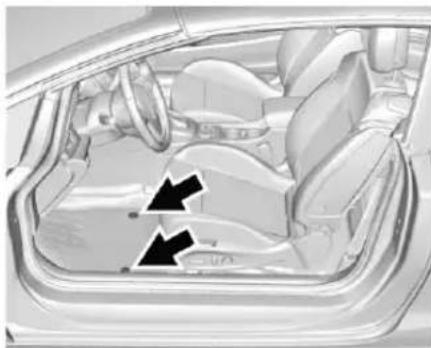
natural_image
Interior view of a car showing the dashboard and seat area with two black arrows indicating directional flow or movement (no text or symbols present)Reinstallbyliningupthefloormat retaineropeningsoverthecarpet retainersandsnapintoposition.
Makesurethefloormatisproperly securedinplace.
Verifythefloormatdoesnot interferewiththepedals.
Service and Maintenance
GeneralInformation
GeneralInformation......330
MaintenanceSchedule
MaintenanceSchedule......331
SpecialApplicationServices
SpecialApplication Services....337
AdditionalMaintenance andCare
AdditionalMaintenance andCare....337
RecommendedFluids, Lubricants,andParts
RecommendedFluidsand Lubricants....340
MaintenanceReplacement Parts....341
MaintenanceRecords
MaintenanceRecords......342
GeneralInformation
Yourvehicleisanimportant investment. Thissectiondescribes therequiredmaintenanceforthe vehicle. Followthischeduletohelp protectagainstmajorrepair expensesresultingfromneglector inadequatemaintenance. It may also help maintain the value of the vehicle if it is sold. It is the responsibility of the owner to have all required maintenance performed.
Yourdealerhastrainedtechnicians whocanperformrequired maintenanceusinggenuine replacementparts.Theyhave up-to-datetoolsandequipmentfor fastandaccuratediagnostics.Many dealershaveextendedeveningand Saturdayhours,courtesy transportation,andonline schedulingtoassistwithservice needs.
Yourdealerrecognizesthe importanceofproviding competitivelypricedmaintenance andrepairservices.Withtrained technicians,thedealeristheplace forroutinemaintenancesuchasoil
changesandtirerotationsand additionalmaintenanceitemslike tires,brakes,batteries,andwiper blades.
Caution
Damagecausedbyimproper maintenancecanleadtocostly repairsandmaynotbecovered bythevehiclewarranty. Maintenanceintervals,checks, inspections,recommendedfluids, andlubricantsareimportantto keepthevehicleingoodworking condition.
The Tire Rotation and Required Services are the responsibility of the vehicle owner. It is recommended to have your dealer perform these services every 12000 km/7,500 mi. Propervehicle maintenance helps to keep the vehicle in good working condition, improves fuel economy, and reduces vehicle emissions.
Becauseofthewaypeopleuse vehicles,maintenanceneedsvary. Theremayneetobemore
frequentchecksandservices. The AdditionalRequiredServices-Normalareforvehiclesthat:
- Carrypassengersandcargo withinrecommendedlimitson the Tire and Loading Information label. See Vehicle Load Limits 223.
- Aredrivenonreasonableroad surfaceswithinlegaldriving limits.
- Usetherecommendedfuel.See Fuel→248.
Refertotheinformationinthe MaintenanceScheduleAdditional RequiredServices-Normalchart.
TheAdditionalRequiredServices-Severeareforvehiclesthatare:
- Mainlydriveninheavycitytraffic inhotweather.
• Mainlydriveninhillyor mountainousterrain.
• Frequentlytowingatraler.
• Usedforhighspeedor competitivedriving.
• Usedfortaxi, police, ordelivery service.
Refertotheinformationinthe MaintenanceScheduleAdditional RequiredServices-Severechart.
Warning
Performingmaintenanceworkcan bedangerousandcancause seriousinjury.Perform maintenanceworkonlyifthe requiredinformation,propertools, andequipmentareavailable. Iftheyarenot,seeyourdealerto haveatrainedtechniciandothe work.SeeDoingYourOwn ServiceWork→256.
Maintenance Schedule
OwnerChecksandServices
AtEachFuelStop
- Checktheengineoillevel.See EngineOil→260.
OnceaMonth
- Checkthetireinflation pressures.See Tire Pressure→295.
- Inspectthetiresforwear.See TireInspection→300.
- Checkthewindshieldwasher fluidlevel.See Washer Fluid→269.
EngineOilChange
When the CHANGE ENGINEOIL SOON messaged displays, have the engine oil and filter changed within then next 1000 km/600 mi. If driven under the best conditions, the engine oil lifesystem may not indicate the need for vehicles service for up to year. The engine oil and filter must be changed at least once
332ServiceandMaintenance
ayearandtheoillifesystemmust bereset.Yourtraineddealer techniciancanperformthiswork. Iftheengineoilifesystemisreset accidentally,servicethevehicle within5000km/3,000misincethe lastservice.Resettheoilife systemwhentheoilischanged. SeeEngineOilLifeSystem→262.
TireRotationandRequired ServicesEvery12000km/ 7,500mi
Rotatethetires, if recommended for the vehicle, and perform the followingservices. See Tire Rotation 301.
- Checkengineoillevelandoil lifepercentage.Ifneeded, changeengineoilandfilter,and resetoillifesystem.SeeEngine Oil→260andEngineOilLife System→262.
- Checkenginecoolantlevel.See EngineCoolant→265.
- Checkwindshieldwasherfluid level.SeeWasherFluid→269.
- Visuallyinspectwindshieldwiper bladesforwear, cracking, orcontamination and replace wornordamaged blades. See ExteriorCare→321. Replace wiperblades every 20000km/12,000mior 12 months. See WiperBlade Replacement→273.
- Checktireinflationpressures. See TirePressure→295.
- Inspecttirewear. See Tire Inspection→300.
- Visuallycheckforfluidleaks.
-
Inspectengineaircleanerfilter. SeeEngineAirCleaner/Filter→263.
-
Inspectbrakesystem.See ExteriorCare→321.
- Visuallyinspectsteering, suspension, and chassis components for damaged, loose, or missing parts or sign sof wear. See Exterior Care 321.
- Checkrestraintsystem components.SeeSafetySystem Check→57.
- Visuallyinspectfuelsystemfor damageorleaks.
- Visuallyinspectexhaustsystem andnearbyheatshieldsfor looseordamagedparts.
- Lubricatebodycomponents.See ExteriorCare→321.
-
Checkstarterswitch.SeeStarter SwitchCheck→272.
-
Checkautomatictransmission shiftlockcontrolfunction.See AutomaticTransmissionShift LockControlFunction Check→272.
- Checkignitiontransmissionlock. SeelgnitionTransmissionLock Check→273.
- Checkparkingbrakeand automatictransmissionpark mechanism. See Park Brake and P(Park) Mechanism Check 273.
- Checkacceleratorpedalfor damage, higheffort, orbinding. Replace if needed.
- Visuallyinspectgasstrutfor signsofwear,cracks,orother damage.Checktheholdopen abilityofthestrut.Seeyour dealerifserviceisrequired.
334ServiceandMaintenance
| MaintenanceScheduleAdditionalRequiredServices-Normal | 12000 km/7,500 mi | 24000 km/15,000 mi | 36000 km/22,500 mi | 48000 km/30,000 mi | 60000 km/37,500 mi | 72000 km/45,000 mi | 84000 km/52,500 mi | 96000 km/60,000 mi | 108000 km/67,500 mi | 120000 km/75,000 mi | 132000 km/82,500 mi | 144000 km/90,000 mi | 156000 km/97,500 mi | 168000 km/105,000 mi | 180000 km/112,500 mi | 192000 km/120,000 mi | 204000 km/127,500 mi | 216000 km/135,000 mi | 228000 km/142,500 mi | 240000 km/150,000 mi |
| RotatetiresandperformRequiredServices.Checkengineoillevelandoillifepercentage.Changeengineoilandfilter,ifneeded. | √√ | √√ | √√ | √√ | √√ | √√ | √√ | √√ | √√ | √ | ||||||||||
| Replacepassengercompartmentairfilter.(1)√√√√ | √√ | |||||||||||||||||||
| Inspectevaporativecontrolsystem.(2)√√√ | ||||||||||||||||||||
| Replaceengineaircleanerfilter.(3)√√√ | ||||||||||||||||||||
| Replacesparkplugs.Inspectsparkplugwires.√√ | ||||||||||||||||||||
| Drainandfillenginecoolingsystem.(4)√ | ||||||||||||||||||||
| Visuallyinspectaccessorydrivebelts.(5) | √ | |||||||||||||||||||
| Replacebrakefluid.(6) |
Footnotes—Maintenance ScheduleAdditionalRequired Services-Normal
(1)Oreverytwoyears,whichever comesfirst.Morefrequent passengercompartmentairfilter replacementmaybeneededif drivinginareaswithheavytraffic, poorairquality,highdustlevels, orenvironmentalallergens. Passengercompartmentairfilter replacementmayalsobeneededif thereisreducedairflow,window fogging,orodors.YourGMdealer canhelpdeterminewhentoreplace thefilter.
(2) Checkallfuelandvaporlines and hosesforproperhook-up, routing, and condition.
(3) Oreveryfouryears, whichever comesfirst. If driving industry conditions, inspect the filterate each oil change or more often as needed.
(4)Oreveryfiveyears,whichever comesfirst.SeeCooling System→264.
(5)Orevery10years,whichever comesfirst.Inspectforfraying, excessivecracking,ordamage; replace,ifneeded.
(6)Replacebrakefluideverythree years.SeeBrakeFluid→270.
336ServiceandMaintenance
| MaintenanceScheduleAdditionalRequiredServices-Severe | 12000 km/7,500 mi | 24000 km/15,000 mi | 36000 km/22,500 mi | 48000 km/30,000 mi | 60000 km/37,500 mi | 72000 km/45,000 mi | 84000 km/52,500 mi | 96000 km/60,000 mi | 108000 km/67,500 mi | 120000 km/75,000 mi | 132000 km/82,500 mi | 144000 km/90,000 mi | 156000 km/97,500 mi | 168000 km/105,000 mi | 180000 km/112,500 mi | 192000 km/120,000 mi | 204000 km/127,500 mi | 216000 km/135,000 mi | 228000 km/142,500 mi | 240000 km/150,000 mi |
| RotatetiresandperformRequiredServices.Checkengineoillevelandoillifepercentage.Changeengineoilandfilter,ifneeded. | √√ | √√ | √√ | √√ | √√ | √√ | √√ | √√ | √√ | √ | ||||||||||
| Replacepassengercompartmentairfilter.(1)√√√√ | √√ | |||||||||||||||||||
| Inspectevaporativecontrolsystem.(2)√√√ | ||||||||||||||||||||
| Replaceengineaircleanerfilter.(3)√√√ | ||||||||||||||||||||
| Changeautomatictransmissionfluid.√√√ | ||||||||||||||||||||
| Replacesparkplugs.Inspectsparkplugwires.√√ | ||||||||||||||||||||
| Drainandfillenginecoolingsystem.(4) | √ | |||||||||||||||||||
| Visuallyinspectaccessorydrivebelts.(5) | √ | |||||||||||||||||||
| Replacebrakefluid.(6) |
Footnotes—Maintenance ScheduleAdditionalRequired Services-Severe
(1)Oreverytwoyears,whichever comesfirst.Morefrequent passengercompartmentairfilter replacementmaybeneededif drivinginareaswithheavytraffic, poorairquality,highdustlevels, orenvironmentalallergens.
Passengercompartmentairfilter replacementmayalsobeneededif thereisreducedairflow,window fogging,orodors.YourGMdealer canhelpdeterminewhentoreplace thefilter.
(2) Checkallfuelandvaporlines and hosesforproperhook-up, routing, and condition.
(3)Oreveryfouryears,whichever comesfirst.lfdrivingindusty conditions,inspectthefilterateach oilchangeormoreoftenasneeded.
(4)Oreveryfiveyears,whichever comesfirst.SeeCooling System→264.
(5)Orevery10years,whichever comesfirst.Inspectforfraying, excessivecracking,ordamage; replace,ifneeded.
(6)Replacebrakefluideverythree years.SeeBrakeFluid→270.
SpecialApplication Services
- SevereCommercialUse VehiclesOnly:Lubricatechassis componentseveryoilchange.
- Haveunderbodyflushingservice performed. See "Underbody Maintenance" in Exterior Care 321.
Additional Maintenance and Care
Yourvehicleisanimportant investmentandcaringforitproperly mayhelptoavoidfuturecostly repairs. Tomaintainvehicle performance,additional maintenanceservicesmaybe required.
It is recommended that your dealer perform theseservices—their trained dealertechnicians know your vehiclebest. Your dealer can also performathorough assessment with amulti-point inspection to recommend when your vehicle may need attention.
The followinglistisintendedto explaintheservicesandconditions tolookforthatmayindicate servicesarerequired.
Battery
The 12-voltbatterysuppliespower to start the engine and operate any additionalelectrical accessories.
338ServiceandMaintenance
- To avoid break-downor failure to start the vehicle, maintain a battery with full cranking power.
- Traineddealertechnicianshave thediagnosticequipmenttotest thebatteryandensurethatthe connectionsandcablesare corrosion-free.
Belts
- Beltsmayneedreplacingifthey squeakorshowsignsof crackingorsplitting.
- Traineddealertechnicianshave accesstotoolsandequipment toinspectthebeltsand recommendadjustmentor replacementwhennecessary.
Brakes
Brakesstopthevehicleandare crucialtosafedriving.
- Signsofbrakewearmayinclude chirping,grinding,orsquealing noises,ordifficultystopping.
- Traineddealertechnicianshave accesstotoolsandequipment toinspectthebrakesand recommendqualityparts engineeredforthevehicle.
Fluids
Properfluid levels and approved fluids protect the vehicle's systems and components. See Recommended Fluids and Lubricants 340 for G M approved fluids.
- Engineoilandwindshield washerfluidlevelsshouldbe checkedateveryfuelfill.
- Instrumentclusterlightsmay comeontoindicatethatfluids maybelowandneedtobe filled.
Hoses
Hosestransportfluidsandshould beregularlyinspectedtoensure thattherearenocracksorleaks. Withamulti-pointinspection,your dealercaninspectthehosesand adviseifreplacementisneeded.
Lamps
Properlyworkingheadlamps, taillamps, and brakelamps are important to see and beseen on theroad.
- Signsthattheheadlampsneed attentionincludedimming,failure tolight,cracking,ordamage. Thebrakelampsneedtobe checkedperiodicallytoensure thattheylightwhenbraking.
- Withamulti-pointinspection, yourdealercancheckthelamps andnoteanyconcerns.
ShocksandStruts
Shocksandstrutshelpaidincontrol forasmootherride.
- Signsofwearmayinclude steeringwheelvibration,bounce/swaywhilebraking,longer stoppingdistance,oruneven tirewear.
- Aspartofthemulti-point inspection, trained dealer technicians can visually inspect theshocksandstrutsforsigns
ofleaking,blownseals, ordamage,andcanadvise whenserviceisneeded.
Tires
Tiresneedtobeproperlyinflated, rotated, and balanced. Maintaining the tirescansavemoneyandfuel, and can reduceetheriskoftire failure.
- Signsthatthetiresneedtobe replacedincludethreeormore visibletreadwearindicators;cord orfabricshowingthroughthe rubber;cracksorcutsinthe treadorsidewall;orabulgeor splitinthetire.
- Traineddealertechnicianscan inspectandrecommendtheright tires. Yourdealercanalso providetire/wheelbalancing servicestoensuresmooth vehicleoperationatallspeeds. Yourdealersellsandservices namebrandtires.
VehicleCare
To help keep the vehicle looking like new, vehicle care products are available from your dealer. For
informationonhowtocleanand protectthevehicle'sinteriorand exterior,seeInteriorCare⇒326and ExteriorCare⇒321.
WheelAlignment
Wheelalignmentiscriticalfor ensuringthatthetiresdeliver optimalwearandperformance.
- Signsthatthealignmentmay needtobeadjustedinclude pulling,impropervehicle handling,orunusualtirewear.
- Yourdealerhastherequired equipmenttoensureproper wheelalignment.
Windshield
Forsafety, appearance, and the bestviewing, keep the windshield clean and clear.
- Signsofdamageinclude scratches,cracks,andchips.
- Traineddealertechnicianscan inspectthewindshield and recommendproperreplacement ifneeded.
WiperBlades
Wiperbladesneedtobecleaned and keptingoodcondition to provide aclearview.
- Signsofwearincludestreaking, skippingacrossthewindshield, andwornorsplitrubber.
- Traineddealertechnicianscan checkthewiperbladesand replacethemwhenneeded.
RecommendedFluids,Lubricants,andParts
RecommendedFluidsandLubricants
| UsageFluid/Lubricant | |
| AutomaticTransmissionDEXRON | ®-VIAutomaticTransmissionFluid. |
| EngineCoolant50/50mixture | ofclean,drinkablewateranduseonlyDEX-COOL SeeEngineCoolant 265. |
| EngineOilEngineoilmeeting | thedexos1TMspecificationoftheproperSAEviscosity grade.ACDelcodexos1SyntheticBlendisrecommended.SeeEngine Oil 260. |
| HydraulicBrakeSystemDOT4HydraulicBrakeFluid(GMPartNo.19299570,in Canada19299571). | |
| KeyLockCylinders,Hood,Door,and TrunkLidHinges | Multi-PurposeLubricant,Superlube(GMPartNo.12346241,in Canada10953474). |
| WeatherstripConditioningWeatherstripLubricant(GMPartNo.3634770,inCanada10953518)or DielectricSiliconeGrease(GMPartNo.12345579,inCanada10953481). | |
| WindshieldWasherAutomotive | windshieldwasherfluidthatmeetsregionalfreezeprotection requirements. |
MaintenanceReplacementParts
Replacementpartsidentifiedbelowbyname, partnumber, orspecification can be obtained from your dealer.
| PartGMPartNumberACDelcoPartNumber | ||
| EngineAirCleaner/Filter13272719A3144C | ||
| PassengerCompartmentAirFilter13503677CF197 | ||
| EngineOilFilter55594652PF101G | ||
| SparkPlugs5549009741-151 | ||
| WiperBlades | ||
| Driver Side – 68.6 cm (27 in) | 13348838 | — |
| Passenger Side – 63.5 cm (25 in) | 13348836 | — |
MaintenanceRecords
After the scheduled services are performed, record the date, odometer reading, who performed the service, and the type of services performed in the boxes provided. Retain all maintain an encereceipts.
| Date | Odometer Reading | ServicedByServices | Performed |
TechnicalData
VehicleIdentification
VehicleIdentification Number(VIN)....343
ServicePartsIdentification Label....343
VehicleData
Capacities and Specifications....344
EngineDriveBeltRouting....345
VehicleIdentification VehicleIdentification Number(VIN)
Thislegalidentifierisinthefront corneroftheinstrumentpanel, on theleftsideofthevehicle. It can be seenthroughthewindshieldfrom outside. The VehicleIdentification Number(VIN) also appears on the VehicleCertificationandService Partslabelsandcertificatesoftitle andregistration.
Engineldentification
TheeighthcharacterintheVINis theenginecode. Thiscode identifiesthevehicle'sengine, specifications, and replacement parts. See "EngineSpecifications" under Capacities and Specifications → 344 for the vehicle's enginecode.
ServiceParts IdentificationLabel
Thislabel, ineitherthegloveboxor thetrunkarea, hasthefollowing information:
- VehicleIdentification Number(VIN).
- Modeldesignation.
- Paintinformation.
- Productionoptionsandspecial equipment.
Donotremovethislabelfromthe vehicle.
VehicleData
CapacitiesandSpecifications
| Application | Capacities | |
| MetricEnglish | ||
| AirConditioningRefrigerantFortheairconditioningsystemrefrigeranttypeandchargeamount,seetherefrigerantlabelunderthehood.Seeyourdealerformoreinformation. | ||
| EngineCoolingSystem6.3L6.7qt | ||
| EngineOilwithFilter5.5L5.8qt | ||
| FuelTank56L14.8gal | ||
| WheelNutTorque140N•m 100lbft | ||
| Allcapacitiesareapproximate.Whenadding,besuretofilltotheapproximatelevel,asrecommendedinthismanual.Recheckfluidlevelafterfilling. | ||
Engine Specifications
| Engine | VIN Code | Transmission | Spark Plug Gap |
| 1.6L L4 Engine | 5 | Automatic | 0.60–0.70 mm (0.0236–0.0276in) |
TechnicalData345
EngineDriveBeltRouting
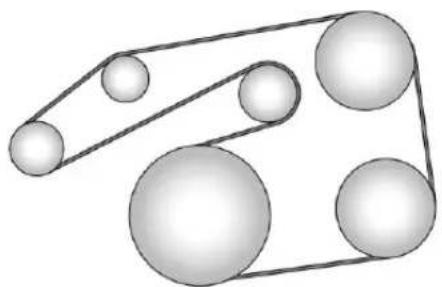
natural_image
Diagram of a pulley system with multiple spheres connected by rods (no text or labels)Customer Information
CustomerInformation
CustomerSatisfaction Procedure....346
CustomerAssistance Offices......348
CustomerAssistanceforText Telephone(TTY)Users.....348
OnlineOwnerCenter......349
GMMobilityReimbursement Program....349
Roadside Assistance Program....350
SchedulingService Appointments......351
Courtesy Transportation Program....352
CollisionDamageRepair.....353
ServicePublicationsOrdering Information....355
RadioFrequency Statement....356
ReportingSafetyDefects
Reporting Safety Defect to the United States Government....356
Reporting Safety Defect to the Canadian Government....357
ReportingSafetyDefectsto GeneralMotors......357
VehicleDataRecordingand Privacy
VehicleDataRecordingand Privacy....357
EventDataRecorders......358
OnStar ^® .....358 InfotainmentSystem.....359
CustomerInformation
CustomerSatisfaction Procedure
Yoursatisfactionandgoodwillare importanttoyourdealerandto Buick.Normally,anyconcernswith thesalestransactionorthe operationofthevehiclewillbe resolvedbyyourdealer'ssalesor servicedepartments.Sometimes, however,despitethebestintentions ofallconcerned,misunderstandings canoccur.Ifyourconcernhasnot beenresolvedoyoursatisfaction, thefollowingstepsshouldbetaken:
STEPONE: Discuss your concern with a member of dealership management. Normally, concerns can be quickly resolved at that level. If thematter has already been reviewed with the sales, service, or parts manager, contact the owner of your dealership or the general manager.
STEPTWO: If after contacting a member of dealership management, it appears your concern cannot be
resolvedbyyourdealershipwithout furtherhelp,intheU.S.,call 1-800-521-7300.InCanada,contact General Motors of Canada Customer Care Centreat 1-800-263-3777(English)or 1-800-263-7854(French).
Weencourageyoutocallthe toll-freenumberinordertogivethe inquirypromptattention.Havethe followinginformationavailableto givetheCustomerAssistance representative:
- VehicleIdentification Number(VIN). This is available from the vehicleregistration or title, or the plate at the top of the instrument panel and visible through the windshield.
• Dealershipnameandlocation. - Vehicledeliverydate and presentmileage.
When contacting Buick, remember that your concern will likely be resolved at a dealer's facility. That is why wesuggest following Step One first.
STEPTHREE—U.S.Owners: BothGeneralMotorsandyour dealerarecommittedtomaking sureyouarecompletely satisfied withthenewvehicle. However, ifyoucontinuetoremainunsatisfied afterfollowingtheprocedure outlinedinStepsOneandTwo,you canfilewiththeBetterBusiness Bureau(BBB)AutoLine ^® Program toenforceyourrights.
TheBBBAutoLineProgramisan out-of-courtprogramadministered bytheCouncilofBetterBusiness Bureaustosettleautomotive disputesregardingvehiclerepairsor theinterpretationoftheNewVehicle LimitedWarranty.Althoughyoumay berequiredtoresorttothisinformal disputesresolutionprogrampriorto filingacourtaction,useofthe programisfreeofchargeandyour casewillgenerallybeheardwithin 40days.Ifyoudonotagreewiththe decisiongiveninyourcase,you mayrejectitandproceedwithany othervenueforreliefavailable toyou.
YoumaycontacttheBBBAutoLine Programusingthetoll-free telephonenumberorwritethemat thefollowingaddress:
BBBAutoLineProgram CouncilofBetterBusinessBureaus, Inc. 3033WilsonBoulevard Suite600 Arlington,VA22201
Telephone:1-800-955-5100 http://www.bbb.org/council/ programs-services/ dispute-handling-and-resolution/ bbb-auto-line
Thisprogramisavailableinall 50statesandtheDistrictof Columbia. Eligibilityislimitedby vehicleage,mileage,andother factors.GeneralMotorsreserves therighttochangeeligibility limitationsand/ordiscontinueits participationinthisprogram.
STEPTHREE—Canadian Owners: Intheeventthatyoudo notfeelyourconcernshavebeen addressedafterfollowingthe procedureoutlinedinStepsOne andTwo, General Motors of Canada
348CustomerInformation
Companywantsyoutobeawareof itsparticipationinano-charge Mediation/Arbitrationprogram. General Motors of Canada Company has committed to binding arbitration of owner disputes involving factory-related vehicle service claims. The program provides for the view of the facts involved by an impartial third party arbiter, and may include an informal hearing before the arbiter. The program is designed so that the entire disputes settlement process, from the time you file your complaint to the final decision, should be completed in about 70 days. We believe our impartial program offers advantages over courts in most jurisdictions because it is informal, quick, and free of charge.
For further information concerning eligibility in the Canadian Motor Vehicle Arbitration Plan (CAMVAP), call toll-free 1-800-207-0685, or call the General Motors Customer Care Centre, 1-800-263-3777 (English), 1-800-263-7854 (French), or writeto:
Mediation/ArbitrationProgram c/oCustomerCareCentre GeneralMotorsofCanada Company MailCode:CA1-163-005 1908ColonelSamDrive Oshawa,OntarioL1H8P7
The inquiry should be accompanied by the Vehicle Identification Number(VIN).
CustomerAssistance Offices
Buickencouragescustomerstocall thetoll-freenumberforassistance. However,ifacustomerwishesto writeore-mailBuick,theletter shouldbeaddressedto:
UnitedStatesandPuertoRico
BuickCustomerAssistanceCenter P.O.Box33136 Detroit,MI48232-5136 www.Buick.com
1-800-521-7300 1-800-832-8425(ForText Telephonedevices(TTYs)) RoadsideAssistance: 1-800-252-1112
From U.S. Virgin Islands: 1-800-496-9994
Canada
General Motors of Canada Company Customer Care Centre, Mail Code: CA1-163-005 1908 Colonel Sam Drive Oshawa, Ontario L1H8P7 www.gm.ca
1-800-263-3777(English) 1-800-263-7854(French) 1-800-263-3830(ForText Telephonedevices(TTYs)) RoadsideAssistance: 1-800-268-6800
AllOverseasLocations
PleasecontactthelocalGeneral MotorsBusinessUnit.
CustomerAssistancefor TextTelephone(TTY) Users
Toassistcustomerswhoaredeaf, hardofhearing,orspeech-impaired andwhouseTextTelephones
(TTYs), BuickhasTTYequipment available at its Customer Assistance Center. Any TTY user can communicate with Buick by dialing: 1-800-832-8425.TTY users in Canadacandial 1-800-263-3830.
OnlineOwnerCenter
OnlineOwnerExperience (U.S.)my.buick.com
The Buickonlineowner experience allows interaction with Buick and keeps important vehicle-specific information in one place.
MembershipBenefits
Downloadownermanualsand viewvehicle-specificichow-tovideos.
:Viewmaintenanceschedules, alerts,andOnStaronboardvehicle diagnosticinformation.Schedule serviceappointments.
Viewandprintdealer-recorded servicerecordsandself-recorded servicerecords.
:Selectadealerandview locations,maps,phonenumbers, andhours.
:Trackyourvehicle'swarranty information.
:ViewactiverecallsbyVehicle IdentificationNumber(VIN).See VehicleIdentificationNumber (VIN)⇔343.
ViewGMCard, SiriusXM
Satelliteradio(ifequipped), and
OnStaraccountinformation.
■: Chatwithonlinehelp representatives.
Seemy.buick.comtoregisteryour vehicle.
BuickOwnerCentre(Canada) buickowner.ca
VisittheBuickOwnerCentre:
- Chatlivewithonlinehelp representatives.
- UsetheVehicleToolssection.
- Accessthirdpartyenthusiast sitesandsocialmedianetworks.
-
Locateownerresourcessuchas lease-end,financing,and warrantyinformation.
-
Retrieve your favorite articles, quizzes, tips, and multimedia galleries organized into the Featured Articles and Auto Care Sections.
- Downloadtheownermanualfor yourvehicle,quicklyandeasily.
- FindtheBuick-recommended maintenanceservicesforyour vehicle.
GMMobility ReimbursementProgram
GM MOBILITY™
Thisprogramisavailableto qualifiedapplicantsforcost reimbursementofeligible aftermarketadaptiveequipment requiredforthevehicle,suchas handcontrolsorawheelchair/ scooterliftforthevehicle.
350CustomerInformation
Formoreinformationonthelimited offer,visitwww.gmmobility.comor calltheGMMobilityAssistance Centerat1-800-323-9935.Text Telephone(TTY)users,call 1-800-833-9935.
General Motors of Canada also has a Mobility Program. Visit www.gm.ca or call 1-800-GM-DRIVE (463-7483) for details. TTY users call 1-800-263-3830.
Roadside Assistance Program
For U.S.-purchased vehicles, call 1-800-252-1112; (TextTelephone (TTY): 1-888-889-2438).
For Canadian-purchased vehicles, call 1-800-268-6800.
Serviceisavailable24hoursaday, 365daysayear.
CallingforAssistance
WhencallingRoadsideAssistance, havethefollowinginformation ready:
- Yourname,homeaddress,and hometelephonenumber.
- Telephonenumberofyour location.
- Locationofthevehicle.
- Model, year, color, and license platenumberofthevehicle.
- Odometerreading, Vehicle IdentificationNumber(VIN), and deliverydateofthevehicle.
• Descriptionoftheproblem.
Coverage
Servicesareprovidedforthe durationofthevehicle'spowertrain warranty.
IntheU.S.,anyonedrivingthe vehicleiscovered.InCanada,a persondrivingthevehiclewithout permissionfromtheownerisnot covered.
RoadsideAssistanceisnotapartof theNewVehicleLimitedWarranty. GeneralMotorsNorthAmericaand Buickreservetherighttomakeany changesordiscontinuethe RoadsideAssistanceprogramat anytimewithoutnotification.
General Motors North America and Buick reservetheright to limit services or payment to an owner or driver if they decide the claims are madetoo often, or the sametype of claimism made many times.
ServicesProvided
- EmergencyFuelDelivery: Deliveryofenoughfuelforthe vehicletogettothenearest servicestation.
- Lock-OutService:Serviceto unlockthevehicleifyouare lockedout.Aremoteunlockmay beavailableifyyouhave OnStar®.Forsecurityreasons, thedrivermustpresent identificationbeforethisservice isgiven.
-
EmergencyTowfromaPublic RoadorHighway:Towtothe nearestBuickdealerfor warrantyservice,orifthevehicle wasinacrashandcannotbe driven.Assistanceisnotgiven whenthevehicleisstuckin sand,mud,orsnow.
-
FlatTireChange:Serviceto changeaflattirewiththespare tire. Thesparetire, ifequipped, mustbeingoodconditionand properlyinflated. Itistheowner's responsibilityfortherepairor replacementofthetireifitisnot coveredbythewarranty.
- BatteryJumpStart:Serviceto jumpstartadeadbattery.
- TriplInterruptionBenefitsand Assistance:Ifyourtripis interruptedduetoawarranty event,incidentalexpensesmay bereimbursedwithinthe Powertrainwarrantyperiod. Itemsconsideredarereasonable andcustomaryhotel,meals, rentalcar,oravehiclebeing deliveredbacktothecustomer, upto805km(500mi).
ServicesNotIncludedin RoadsideAssistance
- Impoundtowingcausedby violationofanylaws.
-
Legalfines.
-
Mounting, dismounting, or changing of snowtires, chains, or other traction devices.
Serviceisnotprovidedifavehicle isinanareathatisnotaccessible totheservicevehicleorisnota regularlytraveledormaintained publicroad,whichincludesiceand winterroads.Off-roaduseisnot covered.
ServicesSpecificto Canadian-PurchasedVehicles
- FuelDelivery:Reimbursement isupto7liters.Dieselfuel deliverymayberestricted. Propaneandotherfuelsarenot providedthroughthisservice.
- Lock-OutService: Vehicle registration is required.
- TripInterruptionBenefitsand Assistance:Mustbeover 150kmfromwhereyourtripwas startedtoqualify. Pre-authorization,original detailedreceipts,andacopyof therepairordersarerequired. Onceauthorizationhasbeen received,theRoadside
Assistanceadvisorwillhelpyou makearrangementsandexplain howtoreceivepayment.
- AlternativeService:If assistance cannot be provided rightaway, the Roadside Assistance advisor may give permission to get local emergency road service. You will receive payment, upto \$100, aftersending the original receipt to Roadside Assistance. Mechanical failures maybe covered, however anycost for parts and labor for repairs not covered by the warranty are the owner responsibility.
SchedulingService Appointments
Whenthevehiclerequireswarranty service,contactyourdealer and requestanappointment.By schedulingaserviceappointment andadvisingtheserviceconsultant ofyourtransportationneeds,your dealercanhelpminimizeyour inconvenience.
352CustomerInformation
Ifthevehiclecannotbescheduled intotheservicedepartment immediately,keepdrivingituntil canbescheduledforservice, unless,ofcourse,theproblemis safetyrelated.Ifitis,pleasecall yourdealership,letthemknowthis, andaskforinstructions.
If your dealer requests you to bring the vehicle for service, you are urged todos to easily in the work day as possible to allow for same-day repair.
Courtesy Transportation Program
Toenhanceyourownership experience,weandourparticipating dealersareproudtoofferCourtesy Transportation,acustomersupport programforvehicleswiththe Bumper-to-Bumper(BaseWarranty CoverageperiodinCanada), extendedpowertrain,and/or hybrid-specificwarrantiesinboth theU.S.andCanada.
SeveralCourtesyTransportation optionsareavailabletoassistin reducinginconveniencewhen warrantyrepairsarerequired.
Courtesy Transportation is not a part of the New Vehicle Limited Warranty. A separate booklet entitled "Limited Warranty and Owner Assistance Information" furnished with each new vehicle provides detailed warranty coverage information.
TransportationOptions
Warrantyservicecangenerallybe completedwhileyouwait.However, ifyouareunabletodoso,your dealermayofferthefollowing transportationoptions:
ShuttleService
This includes one-way or round-trip shuttleservicewithinreasonable time and distance parameters of your dealer's area.
PublicTransportationorFuel Reimbursement
Ifovernightwarrantyrepairsare needed, and public transportation is used, the expense must be supported by original receipts and within the maximum amount allowed by GM for shuttleservice. If U.S. customers arrange their own transportation, limited reimbursement for reasonable fuel expenses may be available. Claim amount should reflect actual costs and be supported by original receipts. See your dealer for information.
CourtesyRentalVehicle
Foranovernightwarrantyrepair,the dealermayprovideanavailable courtesyrentalvehicleorprovidefor reimbursementofarentalvehicle. Reimbursementislimitedandmust besupportedbyoriginalreceiptsas wellasassignedandcompleted rentalagreementandmeetstate/provincial,local,andrentalvehicle providerrequirements. Requirementsvaryandmayinclude minimumagerequirements,
insurancecoverage, creditcard, etc. Additionalfeessuchasfuelusage charges, taxes, levies, usagefees, excessivemileage, orrentalusage beyond the completion of therepair are also your responsibility.
Itmaynotbepossibletoprovide a likevehicleasacourtesyrental.
AdditionalProgram Information
Allprogramoptions,suchasshuttle service,maynotbeavailableat everydealer.Contactyourdealer for specific availability.
GeneralMotorsreservetherightto unilaterallymodify,change, ordiscontinueCourtesy Transportationatanytimeandto resolveallquestionsofclaim eligibilitypursuanttothetermsand conditionsdescribedhereinatits solediscretion.
CollisionDamageRepair
If the vehicle is involved a collision and it is damaged, have the damage repaired by a qualified technician using the proper
equipmentandqualityreplacement parts.Poorlyperformedcollision repairsdiminishthevehicleresale value,andsafetyperformancecan becompromisedin subsequent collisions.
CollisionParts
GenuineGMCollisionpartsarenew partsmadewiththesamematerials andconstructionmethodsasthe partswithwhichthevehiclewas originallybuilt.GenuineGM Collisionpartsarethebestchoiceto ensurethatthevehicle'sdesigned appearance,durability,andsafety arepreserved.TheuseofGenuine GMpartscanhelpmaintaintheGM NewVehicleLimitedWarranty.
Recycledoriginalequipmentparts mayalsobeusedforrepair. These partsaretypicallyremovedfrom vehiclesthatweretotallossesin priorcrashes.Inmostcases,the partsbeingrecycledarefrom undamagedsectionsofthevehicle. ArecycledoriginalequipmentGM partmaybeanacceptablechoiceto maintainthevehicle'soriginally designedappearanceandsafety
performance;however,thehistoryof thesepartsisnotknown.Suchparts arenotcoveredbytheGMNew VehicleLimitedWarranty,andany relatedfailuresarenotcoveredby thatwarranty.
Aftermarketcollisionpartsarealso available. Thesearemadeby companiesotherthanGMandmay nothavebeentestedforthevehicle. Asaresult, thesepartsmayfit poorly, exhibitprematuredurability/corrosionproblems, and may not performproperlyin subsequent collisions. Aftermarketpartsarenot covered by the GMNewVehicle Limited Warranty, and any vehicle failurerelatedtosuchpartsisnot covered by that warranty.
RepairFacility
GMalsorecommendsthatyou chooseacollisionrepairfacilitythat meetsyourneedsbeforeyouever needcollisionrepairs. Yourdealer mayhaveacollisionrepaircenter withGM-trainedtechniciansand state-of-the-artequipment,orbe abletorecommendacollisionrepair
354CustomerInformation
centerthathasGM-trained techniciansandcomparable equipment.
InsuringtheVehicle
ProtectyourinvestmentintheGM vehiclewithcomprehensiveand collisioninsurancecoverage.There aresignificantdifferencesinthe qualityofcoverageaffordedby variousinsurancepolicyterms. Manyinsurancepoliciesprovide reducedprotectiontotheGM vehiclebylimitingcompensationfor damagerepairstroughtheuseof aftermarketcollisionparts.Some insurancecompanieswillnot specifyaftermarketcollisionparts. Whenpurchasinginsurance,we recommendthatyouensurethatthe vehiclewillberepairedwithGM originalequipmentcollisionparts. Ifsuchinsurancecoverageisnot availablefromyourcurrent insurancecarrier,considerswitching toanotherinsurancecarrier.
If the vehicle is leased, the leasing company may require you to have insurance that ensures repairs with Genuine GM Original Equipment
Manufacturer(OEM)partsor GenuineManufacturerreplacement parts.Readtheleasecarefully,as youmaybechargedattheendof theleaseforpoorqualityrepairs.
IfaCrashOccurs
Iftherehasbeenaninjury,call emergencyservicesforhelp.Donot leavethesceneofacrashuntilall mattershavebeentakencareof. Movethevehicleonlyifitsposition putsyouindanger,oryouare instructedtomoveitbyapolice officer.
Giveonlythenecessaryinformation topoliceandotherpartiesinvolved inthecrash.
Foremergencytowingsee RoadsideAssistance Program→350.
Gatherthefollowinginformation:
- Drivername, address, and telephonenumber.
- Driverlicensenumber.
- Ownername, address, and telephonenumber.
• Vehiclelicenseplatenumber.
- Vehiclemake, model, and modelyear.
- VehicleIdentification Number(VIN).
• Insurancecompanyandpolicy number.
- Generaldescriptionofthe damagetotheothervehicle.
Choose areputablerepairfacility that uses quality replacement parts. See "CollisionParts" earlier in this section.
If the airbag has inflated, see What Will You See after an Airbag Inflates? 62.
ManagingtheVehicleDamage RepairProcess
Intheeventthatthevehiclerequires damagerepairs, GMrecommends thatyoutakeanactiveroleinits repair. If you have apre-determined repair facility of choice, takethe vehicle there, or have it towed there. Specify to the facility that any required replacement collision parts be originalequipment parts, either
new GenuineGMpartsorrecycled originalGMparts.Remember, recycledpartswillnotbecovered by theGMvehiclewarranty.
Insurancepaysthebillfortherepair, butyoumustlivewiththerepair. Dependingonyourpolicylimits, yourinsurancecompanymay initiallyvaluetherepairusing aftermarketparts.Discussthiswith therepairprofessional,andinsiston GenuineGMparts.Remember, ifthevehicleisleased,youmaybe obligatedtohavethevehicle repairedwithGenuineGMparts, evenifyourinsurancecoverage doesnotpaythefullcost.
Ifanotherparty'sinsurance companyispayingfortherepairs, youarenotobligatedtoaccepta repairvaluationbasedonthat insurancecompany'scollisionpolicy repairlimits,asyouhaveno contractuallimitswiththatcompany. Insuchcases,youcanhavecontrol oftherepairandpartschoicesas longasthecoststayswithin reasonablelimits.
ServicePublications OrderingInformation
ServiceManuals
ServiceManualshavethediagnosis andrepairinformationonthe engines,transmission,axle, suspension,brakes,electrical, steering,body,etc.
ServiceBulletins
ServiceBulletinsgiveadditional technicalserviceinformation neededtoknowledgeablyservice GeneralMotorscarsandtrucks. Eachbulletincontainsinstructions toassistinthediagnosisand serviceofthevehicle.
OwnerInformation
Ownerpublicationsarewritten specificallyforownersandintended toprovidebasicoperational informationaboutthevehicle.The OwnerManualincludesthe MaintenanceScheduleforall models.
In-Portfolio: IncludesaPortfolio, OwnerManual, and Warranty Manual.
RETAILSELLPRICE:\35.00–\40.00(U.S.) plushandlingand shippingfees.
WithoutPouch:OwnerManualonly.
RETAILSELLPRICE: \$25.00(U.S.) plushandlingand shippingfees.
CurrentandPastModels
TechnicalServiceBulletinsand Manualsareavailableforcurrent andpastmodelGMvehicles.
ORDERTOLLFREE: 1-800-551-4123Monday–Friday 8:00AM–6:00PMEasternTime
ForCreditCardOrdersOnly (VISA-MasterCard-Discover), see Helm, Inc. at: www.helminc.com.
Orwriteto:
Helm, Incorporated Attention: CustomerService 47911 HalyardDrive Plymouth, MI48170
356CustomerInformation
Pricesaresubjecttochangewithout noticeandwithoutincurring obligation.Allowampletimefor delivery.
All listed prices are quoted in U.S. funds. Make checks payable in U.S. funds.
RadioFrequency Statement
This vehicle hassystem that operate on radio frequency that complies with Part 15/Part 18 of the Federal Communications Commission (FCC) rules and with Industry Canada Standards RSS-GEN/210/216/220/251/310, ICES-001.
Operationissubjecttothefollowing twoconditions:
-
Thedevicemaynotcause harmfulinterference.
-
Thedevicemustacceptany interferencereceived, including interferencethatmaycause undesiredoperationofthe device.
Changesormodificationstoanyof thesesystemsbyotherthanan authorizedservicefacilitycouldvoid authorizationtousethisequipment.
Reporting Safety Defects
Reporting Safety Defects to the United States Government
If you believethat your vehicle has a defect which could cause acrashor could cause injury or death, you should immediately inform the National Highway Traffic Safety Administration (NHTSA) in addition to notifying General Motors.
IfNHTSAreceivessimilar complaints, it may open an investigation, and if it find that as safety defect exists in a group of vehicles, it may order a recall and remedycampaign. However, NHTSA cannot become involved in individual problems between you, your dealer, or General Motors.
TocontactNHTSA,youmaycall theVehicleSafetyHotline toll-freeat1-888-327-4236(TTY: 1-800-424-9153);gotohttp://www.safercar.gov;orwriteto:
Administrator, NHTSA 1200 New Jersey Avenue, S.E. Washington, D.C. 20590
Youcanalsoobtainother informationaboutmotorvehicle safetyfromhttp://www.safercar.gov.
Reporting Safety Defects to the Canadian Government
IfyouliveinCanada, and you believethatthevehiclehasasafety defect, notify TransportCanada immediately, and notify General Motors of Canada Company. Call Transport Canada at 1-800-333-0510 or writeto:
TransportCanada RoadSafetyBranch 80rueNoel Gatineau, QCJ8Z0A1
ReportingSafetyDefects toGeneralMotors
In addition to notifying NHTSA (or Transport Canada) in asituation like this, notify General Motors.
Call1-800-521-7300, orwrite:
BuickCustomerAssistanceCenter P.O.Box33136 Detroit, MI48232–5136
InCanada, call 1-800-263-3777 (English) or 1-800-263-7854 (French), or write:
General Motors of Canada Company Customer Care Centre, Mail Code: CA1-163-005 1908 Colonel Sam Drive Oshawa, Ontario L1H8P7
VehicleData Recordingand Privacy
The vehicle has a number of computer that record information about the vehicle's performance and how it is driven. For example, the vehicle uses computer modules to monitor and control engine and transmission performance, to monitor the conditions for airbag deployment and deploy them in a crash, and, if equipped, to provide antilock braking to help the driver control the vehicle. These modules may stored at to help the dealer technicians servic the vehicle. Some modules may also stored data about how the vehicle is operated, such as rate off fuel consumption or averagespeed. These modules may retain personal preferences, such as radiopresets, seat positions, and temperatures settings.
EventDataRecorders
Thisvehicleisequippedwithan eventdatarecorder(EDR).The mainpurposeofanEDRisto record,incertaincrashornear crash-likesituations,suchasanair bagdeploymentorhittingaroad obstacle,datathatwillassistin understandinghowavehicle's systemsperformed.TheEDRis designedtorecorddatarelatedto vehicledynamicsandsafety systemsforashortperiodoftime, typically30secondsorless.The EDRinthisvehicleisdesignedto recordsuchdataas:
- Howvariousystemsinyour vehiclewereoperating;
- Whetherornotthedriverand passengersafetybeltswere buckled/fastened;
- Howfar(ifatall)thedriverwas depressingtheacceleratorand/orbrakepedal;and,
- Howfastthevehiclewas traveling.
Thesedatacanhelpprovidea betterunderstandingofthe circumstancesinwhichcrashesand injuriesoccur.
Note
EDRdataarerecordedbyyour vehicleonlyifanon-trivialcrash situationoccurs;nodataare recordedbytheEDRundernormal drivingconditionsandnopersonal data(e.g.,name,gender,age,and crashlocation)arerecorded. However,otherparties,suchaslaw enforcement,couldcombinethe EDRdatawiththetypeof personallyidentifyingdataroutinely acquiredduringacrash investigation.
ToreadatarecordedbyanEDR, specialequipmentisrequired,and accesstothevehicleortheEDRis needed.Inadditiontothevehicle manufacturer,otherparties,suchas lawenforcement,thathavethe specialequipment,canreadthe informationiftheyhaveaccessto thevehicleortheEDR.
GMwillnotaccessthisdataor shareitwithothersexcept:withthe consentofthevehicleowner, ifthevehicleisleased, withthe consentofthelessee;inresponse toanofficialrequestbypoliceor similargovernmentoffice;aspartof GM'sdefenseoflitigationthrough thediscoveryprocess;or, as requiredbylaw.DatathatGM collectsorreceivesmayalsobe usedforGMresearchneedsormay bemadeavailabletoothersfor researchpurposes,whereaneedis shownandthedataisnottiedtoa specificvehicleorvehicleowner.
OnStar®
Ifthevehicleisequippedwith OnStar® andhasanactive subscription,additionaldatamaybe collectedthroughtheOnStar system. Thisincludesinformation aboutthevehicle'soperation; collisionsinvolvingthevehicle;the useofthevehicleanditsfeatures; and,incertainsituations,the locationandapproximateGPS speedofthevehicle.Refertothe
OnStarTermsandConditionsand PrivacyStatementontheOnStar website.
See On Star Additional Information→364.
InfotainmentSystem
Ifthevehicleisequippedwitha navigationsystemaspartofthe infotainmentsystem,useofthe systemmayresultinthestorageof destinations,addresses,telephone numbers,andothertripinformation. See "NavigationSettings" under ConfigureMenu→183for informationonstoreddataandfor deletioninstructions.
OnStar
OnStarOverview
OnStarOverview......360
OnStarServices
Emergency......361
Security......361
Navigation......361
Connections......362
Diagnostics....364
OnStarAdditionallInformation
OnStarAdditional
Information......364
OnStarOverview



VoiceCommandButton
BlueOnStarButton
SOS RedEmergencyButton
This vehicle may be equipped with a comprehensive, in-vehiclesystem that can connect to an OnStar Advisor for Emergency, Security, Navigation, Connections, and Diagnostics Services. On Star services may require a paid subscription and data plan. On Star requires the vehicle battery and electrical system, cellular service, and GPS satellites signal to be available and operating. On Star acts as a link to existing emergency service providers. On Starmay collect information about you and your vehicle, including location information. See On Star's Terms &
ConditionsandPrivacyStatement formoredetailsincludingsystem limitationsatwww.onstar.com(U.S.) orwww.onstar.ca(Canada).
TheOnStarsystemstatuslightis nexttotheOnStarbuttons.Ifthe statuslightis:
• SolidGreen:Systemisready.
- FlashingGreen:Onacall.
- Red:Indicatesaproblem.
- Off:Systemisoff.Press twicetospeakwithanOnStar Advisor.
Press 📊orcall1-888-4ONSTAR (1-888-466-7827)tospeaktoan Advisor.
Press to:
• Makeacall, endacall, oransweranincomingcall.
- GiveOnStarHands-FreeCalling voicecommands.
- GiveOnStarTurn-by-Turn Navigationvoicecommands.
- ObtaintheWi-Fi ^® hotspotname orSSIDandpassword, ifequipped.
Press 📊 toconnecttoan Advisorto:
- Verifyaccountinformationor updatecontactinformation.
- Getdrivingdirections.
- ReceiveaDiagnosticcheckof thevehicle'skeyoperating systems.
- ReceiveRoadsideAssistance.
- ManageWi-FiSettings, ifequipped.
Press 🟢 togetapriorityconnection toanOnStarAdvisoravailable24/7to:
• Gethelpforanemergency.
- BeaGoodSamaritanor respondtoanAMBERAlert.
- Getassistanceinsevere weatherorothercrisissituations andfindevacuationroutes.
OnStarServices
Emergency
EmergencyServicesrequirean active, OnStarsubscriptionplan (excludesBasicPlan). With AutomaticCrashResponse, built-in sensorscanautomaticallyalerta speciallytrainedOnStarAdvisor who is immediately connected into the vehicletohelp.
Press 50S forapriorityconnection to an OnStarAdvisorwhocancontact emergencyserviceproviders, direct themtoyouexactlocation,and relayimportantinformation.
WithOnStarCrisisAssist, specially trainedAdvisorsareavailable 24hoursaday,7daysaweek,to provideacentralpointofcontact, assistance,andinformationduringa crisis.
WithRoadsideAssistance,Advisors canlocateanearbyserviceprovider tohelpwithaflattire,abattery jump,oranemptygastank.
Security
Ifequipped, OnStarprovidesthese services:
- WithStolenVehicleAssistance, OnStarAdvisorscanuseGPSto pinpointthevehicleandhelp authoritiesquicklyrecoverit.
- WithRemoteIgnitionBlock, ifequipped, OnStarcanblock theenginefrombeingrestarted.
- WithStolenVehicleSlowdown, ifequipped, OnStarcanwork withlawenforcement to graduallyslowthevehicledown.
Navigation
OnStarnavigationrequiresa specificOnStarsubscriptionplan.
Press 📊 on to receive Turn-by-Turn directions or havethemsent to the vehicle's navigation screen, if equipped.
Turn-by-TurnNavigation
- Press to connect to an Advisor.
362OnStar
- Requestdirectionstobe downloadedtothevehicle.
- Follow the voice-guided commands.
UsingVoiceCommands DuringaPlannedRoute
CancelRoute
- Press 📋. Systemresponds: "OnStarready," thenatone.
- Say "Cancelroute." System responds: "Doyouwantto canceldirections?"
- Say "Yes." System responds: "OK, request completed, thank you, goodbye."
RoutePreview
- Press 📋. Systemresponds: "OnStarready," thenatone.
- Say "Routepreview." System respondswiththenextthree maneuvers.
Repeat
-
Press 📋. Systemresponds: "OnStarready," thenatone.
-
Say "Repeat." System respond with the last direction given, then respond with "OnStarready," then at one.
GetMyDestination
- Press 📋. Systemresponds: "OnStarready," thenatone.
- Say "Getmydestination." Systemrespondswiththe addressanddistancetothe destination, thenrespondswith "OnStarready," thenatone.
DestinationDownload
Subscriberscanhavedirections senttothevehicle'snavigation screen,ifequipped.
Press 📊, then ask the Advisor to download direction to the vehicle's navigation system, if equipped. After the call ends, then navigation screen will provide prompt to begin driving directions. Routest hata resent to the navigation screencan only be canceled through then navigation system.
Seewww.onstar.com(U.S.)or www.onstar.ca(Canada).
Connections
The following On Starservices help with staying connected.
Forcoveragemaps, see www.onstar.com(U.S.) or www.onstar.ca(Canada).
EnsuringSecurity
- Changethedefaultpasswords fortheWi-Fihotspotand RemoteLinkmobileapplication. Makethesepasswordsdifferent fromeachotherandusea combinationofletters,numbers, andsymbolstoincreasethe security.
- Changethedefaultnameofthe SSID(ServiceSetIdentifier). Thisisyournetwork'snamethat isvisibletootherwireless devices.Chooseauniquename andavoidfamilynamesor vehicledescriptions.
OnStarWi-Fi ^® Hotspot(If Equipped)
The vehicle may have been built-in Wi-Fi hotspot that provides access to the Internet and web content at
4GLTEspeed.Uptosevenmobile devicescanbeconnected.Adata planisrequired.Usethein-vehicle controlsonlywhenitissafeto doso.
- ToretrieveWi-Fihotspot information, press 📋, waitfor the prompt, then say "Wi-Fi settings." On some vehicles, touch Wi-Fi Settings on the screen.
- The Wi-Fi settings will display the Wi-Fi hotspot name (SSID), password, and some vehicles, the connection type (no Internet connection, 3G, 4G, 4GLTE), and signal quality (poor, good, excellent).
- TochangetheSSIDor password, press 📊orcall 1-888-4ONSTARtoconnect withanAdvisor.
OnStarRemoteLink ^® MobileApp (IfEquipped)
DownloadtheOnStarRemoteLink mobileapptoselectApple ^® iOS, Android ^TM , BlackBerry ^® , orWindows ^® mobiledevices.
OnStarSubscriberscanaccessthe followingservicesfromamobile device:
- Remotelystart/stopthevehicle, iffactory-equipped.
- Lock/unlockdoors, if equipped with automatic clocks.
- Activatethehornandlamps.
- Checkthevehicle'sfuellevel,oil life,ortirepressure, iffactory-equippedwiththeTire PressureMonitorSystem.
- Senddirectionstothevehicle.
- Locatethevehicleonamap (U.S.marketonly).
- Turnthevehicle'sWi-Fihotspot on/off, managesettings, and monitor data consumption, if equipped.
ForOnStarRemoteLinkinformation andcompatibility,see www.onstar.com(U.S.)or www.onstar.ca(Canada).
RemoteServices
ContactanOnStarAdvisorto unlockthedoorsorsoundthehorn andflashthelamps.
OnStarAtYourService
OnStarAdvisorscanprovidespecial offersfromrestaurantsandretailers onyourroute,helplocatehotels, orbookaroom.
OnStarHands-FreeCalling
Makeandreceivecallswiththe built-inwirelesscallingservice, whichrequiresavailableminutes.
MakeaCall
- Press 📋. Systemresponds: "OnStarready."
- Say "Call." Systemresponds: "Call.Please say then a name or numbertocall."
- Saytheentirenumberwithout pausing, includinga "1" and the areacode.Systemresponds: "OK, calling."
Calling911Emergency
- Press 📋. Systemresponds: "OnStarready."
- Say "Call." Systemresponds: "Call. Pleasesaythenameor numbertocall."
- Say "911" without pausing. System responds: "911."
- Say "Call." Systemresponds: "OK, dialing911."
RetrieveMyNumber
- Press 🎨. Systemresponds: "OnStarready."
- Say "Mynumber." System responds: "YourOnStar Hands-FreeCallingnumberis," thensaysthenumber.
EndaCall
Press 📋. Systemresponds: "Call ended."
VerifyMinutesandExpiration
Press 📋 and say "Minutes" then "Verify" to check how many minutes remain and their expiration date.
Diagnostics
Advanced Diagnostics provides a status of the vehicle's key systems with a monthly e-mail, or by pressing on. If equipped, Diagnostic Alertscan bereceived in real-time viae-mailortext. The Proactive Alerts feature (if available) can help predict and alert of potential upcoming maintenance issues with select components on the vehicle, before they become a problem.
OnStarcanalsomonitorandreport tirepressure,ifthevehicleis equippedwithaTirePressure MonitoringSystem.
OnStarAdditional Information
In-VehicleAudioMessages
Audiomessagesmayplayimportant informationatthefollowingtimes:
- Priortovehiclepurchase. Press 📄 tosetupanaccount.
- WiththeOnStarBasicPlan, every60days.
- Afterchangeinownership and at90days.
TransferringService
Press on to request account transfer eligibility information. The Advisor cancancel or change account information.
Selling/Transferringthe Vehicle
Call1-888-4ONSTAR (1-888-466-7827)immediately to terminate your OnStarservices if the vehicle is disposed of, sold, transferred, or if the lease ends.
ReactivationforSubsequent Owners
Press on and follow the prompt to speak to an Advisor as soon as possible. The Advisor will update vehiclerecords and explain On Star service options.
HowOnStarServiceWorks
AutomaticCrashResponse, EmergencyServices,CrisisAssist, StolenVehicleAssistance, AdvancedDiagnostics, Remote Services,RoadsideAssistance, Turn-by-TurnNavigation,and Hands-FreeCallingareavailableon mostvehicles.NotallOnStar servicesareavailableeverywhere oronallvehicles.Formore information,afulldescriptionof OnStarservices,systemlimitations, andOnStartermsandconditions:
- Call1-888-4ONSTAR (1-888-466-7827).
• Seewww.onstar.com(U.S.).
• Seewww.onstar.ca(Canada). - CallTTY1-877-248-2080.
- Press 🟠 tospeakwithan Advisor.
OnStarservicescannotworkunless thevehicleisinaplacewhere OnStarhasanagreementwitha wirelessserviceproviderforservice inthatarea. Thewirelessservice providermustalsohavecoverage, networkcapacity,reception,and technologycompatiblewithOnStar services. Serviceinvolvinglocation informationaboutthevehiclecannot workunlessGPSsignalsare available, unobstructed, and compatiblewiththeOnStar hardware. OnStarservicesmaynot workiftheOnStarequipmentisnot properlyinstalledorithasnotbeen properlymaintained. Ifequipmentor softwareisadded, connected, ormodified, OnStarservicesmay notwork. Otherproblemsbeyond thecontrolofOnStar—suchas hills, tallbuildings, tunnels, weather, electricalsystemdesignand architectureofthevehicle,damage tothevehicleinacrash, orwireless phonenetworkcongestionor jamming—maypreventservice.
SeeRadioFrequency Statement→356.
ServicesforPeoplewith Disabilities
Advisorsprovideservicestohelp Subscriberswithphysicaldisabilities andmedicalconditions.
Press on to help:
- Locateagasstationwithan attendanttopumpgas.
- Findahotel,restaurant,etc., thatmeetsaccessibilityneeds.
- Providedirectionstotheclosest hospitalorpharmacyinurgent situations.
TTYUsers
OnStarhastheabilityto communicatetodeaf, hard-of-hearing,orspeech-impaired customerswhileinthevehicle.The availabledealer-installedTTY systemcanprovidein-vehicle accesstoallOnStarservices, exceptVirtualAdvisorandOnStar Turn-by-TurnNavigation.
OnStarPersonalIdentification Number(PIN)
APINisneededtoaccesssome OnStarservices. The PINwillneed tobechangedthefirsttimewhen speakingwithanAdvisor. To changetheOnStarPIN,contactan OnStarAdvisorbypassing on calling1-888-4ONSTAR.
Warranty
OnStarequipmentmaybe warrantedaspartofthevehicle warranty.
Languages
The vehicle can be programmed to respond in multiple languages.
Press 🟢 and ask for an Advisor. Advisors are available in English, Spanish, and French. Available languages may vary by country.
PotentialIssues
OnStarcannotperformRemote DoorUnlockorStolenVehicle Assistanceafterthevehiclehas beenoffcontinuouslyforfivedays withoutanignitioncycle.Ifthe
vehiclehasnotbeenstartedfor fivedays,OnStarcancontact RoadsideAssistanceoralocksmith tohelpgainaccesstothevehicle.
GlobalPositioning System(GPS)
- ObstructionoftheGPScan occurinalargecitywithtall buildings;inparkinggarages;aroundairports;intunnelsand underpasses;orinanareawith verydensetrees.IfGPSsignals arenotavailable,theOnStar systemshouldstilloperateto callOnStar.However,OnStar couldhavedifficultyidentifying theexactlocation.
- Inemergencysituations, OnStar canusethelaststoredGPS locationtosendtoemergency responders.
AtemporarylossofGPScancause lossoftheabilitytosenda Turn-by-TurnNavigationroute. The Advisormaygiveaverbalrouteor mayaskforacallbackafterthe vehicleisdrivenintoanopenarea.
CellularandGPSAntennas
Cellularreceptionisrequiredfor OnStartosendremotesignalsto thevehicle.Donotplaceitemsover orneartheantennatoprevent blockingcellularandGPSsignal reception.
UnabletoConnecttoOnStar Message
If there is limited cellular coverage or the cellular network has reached maximum capacity, this message may come on. Press ☑ to try the call again or try again after driving a few miles into another cellular area.
VehicleandPowerIssues
OnStarservicesrequireavehicle electricalsystem,wirelessservice, andGPSsatellitetechnologiestobe availableandoperatingforfeatures tofunctionproperly.Thesesystems maynotoperateifthebatteryis dischargedordisconnected.
Add-onElectricalEquipment
TheOnStarsystemisintegrated intotheelectricalarchitectureofthe vehicle.Donotaddanyelectrical equipment.SeeAdd-OnElectrical Equipment→252.Addedelectrical equipmentmayinterferewiththe operationoftheOnStarsystemand causeittonotoperate.
VehicleSoftwareUpdates
OnStarorGMmayremotelydeliver softwareupdatesorchangestothe vehiclewithoutfurthernoticeor consent. Theseupdatesorchanges mayenhanceormaintainsafety, security, ortheoperationofthe vehicleorthevehiclesystems. Softwareupdatesorchangesmay affectorerasedataorsettingsthat arestoredinthevehicle,suchas OnStarHands-FreeCallingname tags,savednavigationdestinations, orpre-setradiostations.Neither OnStarnorGMisresponsiblefor anyaffectedoreraseddataor settings.Theseupdatesorchanges mayalsocollectpersonal information.Suchcollectionis describedintheOnStarprivacy
statementorseparatelydisclosedat the timeofinstallation. These updatesorchangesmayalsocause asystemtoautomatically communicatewithGMserversto collectinformationaboutvehicle systemstatus, identifywhether updatesorchangesareavailable, ordeliverupdatesorchanges.An activeOnStaragreementconstitutes consenttothesesoftwareupdates orchangesandagreementthat eitherOnStarorGMmayremotely deliverthemtothevehicle.
Privacy
ThecompleteOnStarPrivacy Statementmaybefoundat www.onstar.com(U.S.), orwww.onstar.ca(Canada).We recommendthatyoureviewit.Ifyou haveanyquestions,call 1-888-4ONSTAR(1-888-466-7827) orpress 🟢 on tospeakwithan Advisor.Usersofwireless communicationsarecautionedthat theprivacyofanyinformationsent viawirelesscellularcommunications cannotbeassured.Thirdparties
mayunlawfullyinterceptoraccess transmissionsandprivate communicationswithoutconsent.
OnStar-Software Acknowledgements
CertainOnStarcomponentsinclude libcurlandunzipsoftwareandother thirdpartysoftware.Belowarethe noticesandlicensesassociatedwith libcurlandunzipandforotherthird partysoftwarepleaseseehttp://www.lg.com/global/support/ opensource/indexandhttps://www.onstar.com/us/en/support/getdocuments.html
libcurl:
COPYRIGHTANDPERMISSION NOTICE
Copyright(c)1996-2010, Daniel Stenberg, daniel@haxx.se.
Allrightsreserved.
Permissiontouse, copy, modify, and distribute this software for any purpose with or without fees is hereby granted, provided that the
368OnStar
abovecopyrightnoticeandthis permissionnoticeappearinall copies.
THESOFTWAREISPROVIDED "ASIS," WITHOUT WARRANTY OF ANY KIND, EXPRESSOR IMPLIED, INCLUDING BUT NOT LIMITED TOTHEWARRANTIES OF MERCHANTABILITY, FITNESS FOR APARTICULAR PURPOSE AND NONINFRINGEMENT OF THIRD PARTY RIGHTS. INNO EVENT SHALL THE AUTHORS OR COPYRIGHT HOLDERS BE LIABLE FOR ANY CLAIM, DAMAGES OR OTHER LIABILITY, WHETHER IN ANACTION OF CONTRACT, TORTOR OTHERWISE, ARISING FROM, OUTOFORIN CONNECTION WITH THESOFTWARE OR THE USE OR OTHER DEALINGS IN THESOFTWARE.
Exceptascontainedinthisnotice, thenameofacopyrightholdershall notbeusedinadvertisingor otherwisetopromotethesale,use orotherdealingsinthisSoftware withoutpriorwrittenauthorizationof thecopyrightholder.
unzip:
Thisisversion2005-Feb-10ofthe Info-ZIPcopyrightandlicense.The definitiveversionofthisdocument shouldbeavailableatftp://ftp.info-zip.org/pub/infozip/license.htmlindefinitely.
Copyright(c)1990-2005Info-ZIP.All rightsreserved.
Forthepurposesofthiscopyright andlicense, "Info-ZIP"isdefinedas thefollowingsetofindividuals:
MarkAdler, JohnBush, KarlDavis, HaraldDenker, Jean-MichelDubois, Jean-loupGailly, HunterGoatley, Ed Gordon, IanGorman, Chris Herborth, DirkHaase, GregHartwig, RobertHeath, JonathanHudson, PaulKienitz, DavidKirschbaum, JohnnyLee, OnnovanderLinden, IgorMandrichenko, SteveP.Miller, SergioMonesi, KeithOwens, GeorgePetrov, GregRoelofs, Kai UweRommel, SteveSalisbury, DaveSmith, StevenM.Schweda, ChristianSpieler, CosminTruta, AntoineVerheijen, PaulvonBehren, RichWales, MikeWhite.
Thissoftwareisprovided“asis,” withoutwarrantyofanykind, expressorimplied.Innoeventshall Info-ZIPoritscontributorsbeheld liableforanydirect,indirect, incidental,specialorconsequential damagesarisingoutoftheuseofor inabilitytousethissoftware.
Permissionisgrantedtoanyoneto usethissoftwareforanypurpose, includingcommercialapplications, andtoalteritandredistributeit freely,subjecttothefollowing restrictions:
-
Redistributionsofsourcecode mustretaintheabovecopyright notice, definition, disclaimer, and thislistofconditions.
-
Redistributionsinbinaryform (compiledexecutables) must reproducetheabovecopyright notice, definition, disclaimer, and thislistofconditions in documentation and/or other materials provided with the distribution. Thesole exception to this condition is redistribution of a standard UnZip SFX binary (including SFXWiz) as part of a
self-extractingarchive;thatis permittedwithoutinclusionof thislicense,aslongasthe normalSFXbannerhasnot beenremovedfromthebinary ordisabled.
- Altered versions—including, but not limited to, portstonew operating systems, existing portswithnew graphical interfaces, and dynamic, shared, or static library versions—must be plainly marked such and must not be represented as being the original source. Such altered versions also must not be represented as being Info-ZIP releases—including, but not limited to, labeling of the altered versions with the names “Info-ZIP” (or any variation thereof, including, but not limited to, different capitalizations), “Pocket UnZip,” “WiZ” or “MacZip” without the explicit permission of Info-ZIP. Such altered versions are further prohibited from misrepresentative use of
theZip-BugsorInfo-ZIPe-mail addressesorofthe Info-ZIPURL(s).
- Info-ZIP retainstherighttouse thenames "Info-ZIP," "Zip," "UnZip," "UnZipSFX," "WiZ," "PocketUnZip," "PocketZip," and "MacZip" for its own source and binary releases.
Index
A
Accessoriesand
Modifications......255
AccessoryPower......230
AdaptiveForward
Lighting(AFL)......121
AdaptiveForwardLighting
(AFL)Light.....109
AdaptiveForwardLighting
Lamps....275
Add-On Electrical Equipment...252
Additional Information
OnStar ^® 364
Additional Maintenance
andCare....337
Adjustments
Lumbar, FrontSeats......48
Agreements
TrademarksandLicense.....206
AirCleaner/Filter,Engine.....263
AirFilter, Passenger
Compartment......215
AirVents....214
AirbagSystem
Check......68
HowDoesanAirbag
Restrain?......61
PassengerSensingSystem....63
AirbagSystem(cont'd)
WhatMakesanAirbag
Inflate?......61
WhatWillYouSeeafteran
AirbagInflates?......62
WhenShouldanAirbag
Inflate?......60
WhereAretheAirbags?......59
Airbags
AddingEquipmenttothe
Vehicle......68
PassengerStatusIndicator...101
ReadinessLight......101
ServicingAirbag-Equipped
Vehicles......67
SystemCheck....58
Alarm
VehicleSecurity......31
All-SeasonTires......289
AM-FMRadio....136
Antenna
Multi-band....145
AntilockBrakeSystem(ABS)...236
WarningLight.....105
AppearanceCare
Exterior......321
Interior......326
AssistanceProgram,
Roadside......350
AssistanceSystemsfor
ParkingandBacking......243
Audio
Bluetooth....164
AudioPlayers
CD....155
MP3....157
Automatic
DoorLocks....28
HeadlampSystem....121
Transmission....233
TransmissionFluid....263
AutomaticTransmission
ManualMode....234
ShiftLockControlFunction
Check....272
Auxiliary
Devices....164
AvoidingUntrustedMedia Devices....155
B Battery ExteriorLightingBattery Saver....125 LoadManagement....124
Battery(cont'd)
PowerProtection.....125
Battery-NorthAmerica....271,315
BladeReplacement, Wiper.....273
Bluetooth....197
BluetoothAudio....164
Brake
SystemWarningLight.....104
Brakes....270
Antilock....236
Assist......238
Fluid....270
Parking......236
Braking......218
Break-In, NewVehicle......226
BulbReplacement....281
Back-upLamps....279
FogLamps....276
FrontTurnSignalLamps.....276
HeadlampAiming......274
Headlamps....275
HighIntensityDischarge (HID)Lighting....275
LicensePlateLamps......280
SideTurnSignalLamps.....278
SidemarkerLamps......277
BuyingNewTires......302
C
Calibration....95
California
FuelRequirements......249
PerchlorateMaterials
Requirements......255
California
Proposition
65Warning......255,271,315
CanadianVehicleOwners.....2
Capacities and Specifications....344
CarbonMonoxide
EngineExhaust.....232
Trunk.....29
WinterDriving.....221
Caution, Danger, and Warning....2
CDPlayer.....155
CenterConsoleStorage......91
Chains, Tire......307
ChargingSystemLight .....102
Check
IgnitionTransmissionLock...273
MalfunctionIndicator
EngineLight.....102
ChildRestraints
InfantsandYoungChildren.....71
372Index
ChildRestraints(cont'd)
LowerAnchorsandTethers forChildren....76
OlderChildren......69
Securing....83,86
Systems....73
CircuitBreakers......282
Cleaning
ExteriorCare....321
InteriorCare....326
ClimateControlSystems
DualAutomatic......212
Clock....96
Cluster,Instrument......98
CollisionDamageRepair......353
CompactSpareTire......314
Compartments
Storage....89
Compass....95
ConfigureMenu......183
Connections
OnStar ^® 362
Control
TractionandElectronic Stability....239
ControlofaVehicle......218
Controls
SteeringWheel......130
ConvertibleTop....37
RollBars....63
ConvexMirrors....33
Coolant
Engine......265
EngineTemperatureGauge..100
CoolingSystem......264
CourtesyLamps......123
Courtesy Transportation
Program....352
CoverageExplanations......191
CruiseControl......241
Light....109
CustomerAssistance......348
Offices......348
TextTelephone(TTY) Users......348
CustomerInformation
ServicePublications OrderingInformation......355
CustomerSatisfaction Procedure....346
D
DamageRepair, Collision.....353
Danger, Warning, and Caution....2
DataRecorders, Event......358
DatabaseCoverage Explanations......191
DaytimeRunning
Lamps(DRL)....120
DefensiveDriving......217
DelayedLocking....28
Destination.....172
DestinationDownload
OnStar ^® ......182
Devices
Auxiliary....164
USB....158
Diagnostics
OnStar ^® 364
DistractedDriving......217
DomeLamps....123
Door
AjarLight....109
DelayedLocking.....28
Locks....27
PowerLocks......28
DriveBeltRouting,Engine.....345
DriverInformation
Center(DIC)......110
Driving
Defensive......217
Drunk......217
ForBetterFuelEconomy......19
HillandMountainRoads.....221
IftheVehicleisStuck......223
Driving(cont'd)
LossofControl......219
Off-RoadRecovery......219
VehicleLoadLimits......223
WetRoads......220
Winter....221
DualAutomaticClimate
ControlSystem......212
E
ElectricParkingBrakeLight....105
Electrical Equipment,
Add-On....252
ElectricalSystem
EngineCompartmentFuse Block....282
FusesandCircuitBreakers...282
InstrumentPanelFuse Block......285
Overload.....281
RearCompartmentFuse Block....286
Emergency
OnStar ^® 361
Engine
AirCleaner/Filter......263
CheckandServiceEngine SoonLight......102
CompartmentOverview.....259
Engine(cont'd)
Coolant....265
Coolant Temperature Gauge....100
CoolingSystem......264
DriveBeltRouting......345
Exhaust......232
OilLifeSystem......262
OilPressureLight......107
Overheating....268
RunningWhileParked.....232
Starting......229
EntryLighting....124
EventDataRecorders......358
ExitLighting....124
Extender, Safety Belt.....56
ExteriorLampControls......119
ExteriorLightingBattery Saver....125
F
Filter,
EngineAirCleaner.....263
Flash-to-Pass......120
Flashers, HazardWarning.....122
FlatTire....307
Changing....309
FloorMats....329
Fluid
AutomaticTransmission.....263
Brakes....270
Washer....269
FogLamps....122
BulbReplacement......276
FoldingMirrors....33
ForwardCollisionAlert
(FCA)System......245
FrequencyStatement
Radio....356
FrontFogLamp
Light.....109
FrontSeats
Heated....49
FrontTurnSignalLamps.....276
Fuel......248
Additives......249
EconomyDriving......19
FillingaPortableFuel
Container.....251
FillingtheTank......250
ForeignCountries......249
Gauge....99
LowFuelWarningLight.....108
Requirements, California.....249
374Index
Fuses
EngineCompartmentFuse
Block......282
FusesandCircuitBreakers...282
InstrumentPanelFuse
Block....285
RearCompartmentFuse
Block....286
G
Gauges
EngineCoolant
Temperature......100
Fuel....99
Odometer....99
Speedometer....99
Tachometer....99
TripOdometer....99
WarningLightsand
Indicators......97
GeneralInformation
ServiceandMaintenance.....330
Towing....252
VehicleCare....255
GlobalPositioning
System(GPS)......189
GloveBox......89
GMMobilityReimbursement
Program....349
Guidance
ProblemswiththeRoute.....190
H
HazardWarningFlashers.....122
HeadRestraints......46
HeadlampLevelingControl.....122
Headlamps
AdaptiveForward
Lighting(AFL)......121
Aiming....274
Automatic....121
BulbReplacement......275
DaytimeRunning
Lamps(DRL)....120
Flash-to-Pass......120
HighIntensityDischarge
(HID)Lighting......275
High-BeamOnLight.....108
High/LowBeamChanger.....120
LampsOnReminder......109
Heated
SteeringWheel....94
HeatedFrontSeats......49
HeatedMirrors....33
High-BeamOnLight.....108
HillandMountainRoads.....221
HillStartAssist(HSA)......238
Hood....257
Horn....94
HowtoWearSafetyBelts
Properly....53
|
IftheSystemNeedsService....190
IgnitionPositions......227
IgnitionTransmissionLock
Check....273
Immobilizer....32
Indicator
VehicleAhead......106
InfantsandYoungChildren,
Restraints....71
Information
Quick....145
InfotainmentSystem......359
InstrumentCluster......98
InstrumentPanel
StorageArea......89
InstrumentPanelOverview......6
InteriorRearviewMirrors......34
InternetRadio
Pandora....146
Stitcher....150
Introduction......2
J
JumpStarting-North
America....315
K
KeylessEntry
Remote(RKE)System......23
Keys......21
L
Labeling, TireSidewall.....290
Lamps
AdaptiveForwardLighting....275
Courtesy......123
DaytimeRunning(DRL).....120
Dome....123
ExteriorControls......119
ExteriorLightingBattery
Saver....125
FrontTurnSignal.....276
LicensePlate......280
MalfunctionIndicator.....102
OnReminder......109
Reading......124
SideTurnSignal.....278
Lamps(cont'd)
Sidemarker......277
LaneDeparture
Warning(LDW)......247
LaneDepartureWarning
Light....106
Lap-ShoulderBelt....54
LATCHSystem
ReplacingPartsaftera
Crash......83
LATCH, LowerAnchorsand
TethersforChildren......76
Latches, Seatback......49
LEDLighting......275
LevelingControl
Headlamp....122
Light
AdaptiveForwardLighting
(AFL)Light......109
Lighting
AdaptiveForward......121
Entry......124
Exit......124
IlluminationControl......123
LED....275
Lights....106
AirbagReadiness......101
Lights(cont'd)
AntilockBrakeSystem
(ABS)Warning......105
BrakeSystemWarning.....104
ChargingSystem......102
CruiseControl.....109
DoorAjar......109
ElectricParkingBrake.....105
EngineOilPressure......107
Flash-to-Pass......120
FrontFogLamp 109
High-BeamOn.....108
High/LowBeamChanger.....120
LaneDepartureWarning.....106
LowFuelWarning......108
OperatePedal......105
SafetyBeltReminders......100
Security......108
ServiceElectricParking
Brake....105
StabiliTrak ^® OFF......106
TirePressure......107
TractionControlSystem
(TCS)/StabiliTrak ^® .....107
Warning, PowerSteering.....106
Locks
AutomaticDoor......28
DelayedLocking....28
376Index
Locks(cont'd)
Door....27
LockoutProtection......29
PowerDoor.....28
LossofControl......219
LowFuelWarningLight.....108
Low-ProfileTires......290
LowerAnchorsandTethers
forChildren(LATCH
System)....76
LumbarAdjustment......48
FrontSeats......48
M
Maintenance
Records......342
MaintenanceandCare
Additional....337
MaintenanceSchedule......331
RecommendedFluidsand
Lubricants....340
MalfunctionIndicatorLamp.....102
ManualMode......234
MapDataUpdates......190
Maps....170
Media
AvoidingUntrustedDevices..155
Menu
Configure......183
Messages
Vehicle....113
Messaging
Text......204
Mirrors
AutomaticDimming
Rearview....34
Convex 33
Folding....33
Heated....33
Power....33
Mirrors,InteriorRearview......34
MonitorSystem, Tire
Pressure....296
MP3....157
Multi-bandAntenna....145
N
Navigation
Destination....172
OnStar ^® 361
UsingtheSystem......166
NavigationSymbols......170
NewVehicleBreak-In.....226
0
Odometer....99
Trip....99
Off-Road
Recovery......219
Oil
Engine......260
EngineOilLifeSystem.....262
PressureLight......107
OlderChildren,Restraints......69
OnlineOwnerCenter......349
OnStar 358
OnStarSystem......165
OnStar® Additional
Information......364
OnStar® Connections......362
OnStar® Destination
Download......182
OnStar® Diagnostics......364
OnStar® Emergency......361
OnStar® Navigation......361
OnStar® Overview......360
OnStar® Security......361
OperatePedalLight......105
Operation
FogLamps....122
Ordering
ServicePublications......355
Outlets
Power....96
Overheating,Engine......268
Overview......127
P
PandoraInternetRadio......146
Park
ShiftingInto......230
ShiftingOutof......231
Parking
Brake......236
BrakeandP(Park)
MechanismCheck......273
OverThingsThatBurn.....231
ParkingorBacking
AssistanceSystems......243
PassengerAirbagStatus
Indicator.....101
PassengerCompartmentAir
Filter.....215
PassengerSensingSystem.....63
PerchlorateMaterials
Requirements, California.....255
Personalization
Vehicle....113
Pictures....154
Positioning
Vehicle....189
Power
DoorLocks......28
Mirrors....33
Outlets......96
Protection,Battery......125
RetainedAccessory(RAP)...230
SeatAdjustment......47
Windows....34
PowerSteeringWarning
Lights 106
Pregnancy, Using Safety Belts...56
Privacy
VehicleDataRecording......357
ProblemswithRoute
Guidance....190
Program
Courtesy Transportation.....352
Proposition
65Warning,
California......255,271,315
Q
QuickInfo....145
R
RadioDataSystem(RDS).....138
RadioFrequencyStatement ....356
RadioReception......144
Radios
AM-FMRadio....136
Satellite....139
ReadingLamps......124
RearSeats 50
RearStorage 89
RearviewMirrors
AutomaticDimming......34
RecliningSeatbacks......48
Recognition
Voice....191
RecommendedFluidsand
Lubricants....340
Records
Maintenance....342
RecreationalVehicleTowing....319
ReimbursementProgram,
GMMobility......349
RemoteKeylessEntry(RKE)
System......23
RemoteVehicleStart .....26
ReplacementBulbs.....281
378Index
ReplacementParts
Airbags....69
Maintenance....341
ReplacingAirbagSystem......69
ReplacingLATCHSystem
PartsafteraCrash......83
ReplacingSafetyBeltSystem
PartsafteraCrash......57
ReportingSafetyDefects
Canadian Government......357
GeneralMotors......357
U.S.Government......356
Restraints
WheretoPut....75
RetainedAccessory
Power(RAP)......230
Roads
Driving, Wet.....220
Roadside Assistance
Program......350
RollBars....63
Rotation, Tires......301
Routing,EngineDriveBelt.....345
RunningtheVehicleWhile
Parked....232
s
SafetyBelts....52
Care....57
Extender....56
HowtoWearSafetyBelts Properly....53
Lap-ShoulderBelt....54
Reminders......100
ReplacingafteraCrash......57
UseDuringPregnancy......56
SafetyDefectsReporting
CanadianGovernment......357
GeneralMotors......357
U.S.Government......356
SafetySystemCheck ....57
SatelliteRadio....139
SchedulingAppointments......351
SeatbackLatches......49
Seats
HeadRestraints......46
HeatedFront......49
LumbarAdjustment,Front.....48
PowerAdjustment, Front.....47
Rear....50
RecliningSeatbacks......48
SecuringChildRestraints ....83,86
Security
Light....108
Security(cont'd)
OnStar ^® 361
Vehicle....31
VehicleAlarm ....31
Service
Accessoriesand
Modifications......255
DoingYourOwnWork......256
EngineSoonLight......102
MaintenanceRecords......342
Maintenance, General
Information......330
PartsIdentificationLabel.....343
PublicationsOrdering
Information......355
SchedulingAppointments.....351
ServiceElectricParking
BrakeLight 105
Services
SpecialApplication......337
ServicingSystem......190
ServicingtheAirbag......67
ShiftLockControlFunction
Check, Automatic
Transmission......272
Shifting
IntoPark......230
OutofPark......231
SideTurnSignalLamps.....278
SidemarkerLamps......277
Signals, Turnand Lane-Change......122
SoftwareUpdates......136
SpareTire Compact....314
SpecialApplicationServices....337
Specifications and Capacities....344
Speedometer....99
StabiliTrak OFFLight.....106
StartAssist,Hill......238
StartVehicle,Remote......26
StarterSwitchCheck......272
StartingtheEngine......229
Steering....218 HeatedWheel....9
Power,WarningLights......106
WheelAdjustment......93
WheelControls....93
SteeringWheelControls.....130
StitcherInternetRadio......150
Storage Rear....89
StorageAreas CenterConsole....91
StorageAreas(cont'd)
GloveBox....89 InstrumentPanel....89
StorageCompartments......89
StuckVehicle......223
SunVisors....36
Symbols....3 Navigation....170
System ForwardCollision Alert(FCA)....245
GlobalPositioning....189 Infotainment....359
T
Tachometer....99
TextMessaging......204
TextTelephone(TTY)Users....348
Theft-DeterrentSystems....32 Immobilizer....32
Time....96
Tires....288
All-Season......289
BuyingNewTires......302
Chains....307
Changing....309
CompactSpare......314
Designations......292
DifferentSize......304
Tires(cont'd)
IfaTireGoesFlat......307
Inspection......300
LowProfile.....290
PressureLight......107
PressureMonitorOperation..297
PressureMonitorSystem.....296
Rotation....301
SidewallLabeling......290
TerminologyandDefinitions..293
UniformTireQuality Grading....304
WheelAlignmentandTire Balance....306
WheelReplacement......306
When It Is Time for New Tires....302
Winter....289
Towing
GeneralInformation......252
RecreationalVehicle......319
Vehicle....318
Traction
ControlSystem(TCS)/StabiliTrak® Light......107
TractionControl/Electronic StabilityControl....239
380Index
TrademarksandLicense
Agreements......206
Transmission
Automatic....233
Fluid, Automatic.....263
TransportationProgram,
Courtesy....352
TripOdometer....99
Trunk......29
TurnandLane-Change
Signals......122
U
UniformTireQualityGrading...304
Updates
MapData.....190
Software....136
USB....158
UsingtheNavigationSystem...166
UsingtheSystem......131
UsingThisManual......2
V
Vehicle
AlarmSystem......31
CanadianOwners......2
Control.....218
IdentificationNumber(VIN)...343
LoadLimits....223
Vehicle(cont'd)
Messages......113
Personalization......113
RemoteStart......26
Security......31
Towing....318
VehicleAheadIndicator.....106
VehicleCare
TirePressure......295
VehicleDataRecordingand
Privacy....357
VehiclePositioning......189
Ventilation,Air......214
Viewing
Pictures....154
Visors......36
VoiceRecognition......191
W
Warning
BrakeSystemLight......104
CautionandDanger......2
LaneDeparture(LDW).....247
WarningLights, Gauges, and
Indicators......97
Warnings
HazardFlashers......122
WasherFluid....269
Wheels
AlignmentandTireBalance..306
DifferentSize......304
Replacement......306
WhenItIsTimeforNew
Tires....302
WheretoPuttheRestraint.....75
Windows....34
Power....34
Windshield
Wiper/Washer....94
Winter
Driving....221
WinterTires......289
WiperBladeReplacement.....273
- 2Introduction
- Introduction
- CanadianVehicleOwners
- Danger, Warning, and Caution
- Danger
- Warning
- Caution
- Symbols
- VehicleSymbolChart
- D:FogLamps
- 4Introduction
- InBrief
- InstrumentPanel
- InitialDrivelnformation
- VehicleFeatures
- PerformanceandMaintenance
- InstrumentPanelOverview
- 8InBrief
- InitialDrive Information
- RemoteKeylessEntry (RKE)System
- RemoteVehicleStart
- StartingtheVehicle
- CancelingaRemoteStart
- DoorLocks
- 10InBrief
- Windows
- SeatAdjustment
- PowerDriverSeatAdjustment
- RearSeats
- 12InBrief
- HeadRestraint Adjustment
- SafetyBelts
- PassengerSensing System
- MirrorAdjustment
- InteriorMirrors
- AutomaticDimmingRearview Mirror
- 14InBrief
- D: Ifequippedwithfoglamps, presstoturnthelampsonoroff.
- ClimateControls
- Transmission
- DriverShiftControl(DSC)
- 16InBrief
- SteeringWheelControls
- DriverInformation Center(DIC)
- ForwardCollisionAlert (FCA)System
- LaneDeparture Warning(LDW)
- RearVision Camera(RVC)
- ParkingAssist
- PowerOutlets
- Convertible
- Performance and Maintenance
- TractionControl/ElectronicStability Control
- TirePressureMonitor
- EngineOilLifeSystem
- ResettingtheOilLifeSystem
- DrivingforBetterFuel Economy
- 20InBrief
- Roadside Assistance Program
- Keys, Doors, and Windows
- KeysandLocks
- Doors
- VehicleSecurity
- ExteriorMirrors
- Roof
- Keys
- Warning(Continued)
- RemoteKeylessEntry (RKE)SystemOperation
- 24Keys, Doors, and Windows
- ProgrammingTransmittersto theVehicle
- ProgrammingwithaRecognized Transmitter
- Programmingwithouta RecognizedTransmitter
- BatteryReplacement
- ExtendingEngineRunTime
- ConditionsinWhichRemoteStart WillNotWork
- 28Keys, Doors, and Windows
- Free-TurningLocks
- PowerDoorLocks
- DelayedLocking
- AutomaticDoorLocks
- LockoutProtection
- Trunk
- TrunkRelease
- 30Keys, Doors, and Windows
- VehicleAlarmSystem
- ArmingtheAlarmSystem
- DisarmingtheAlarmSystem
- 32Keys, Doors, and Windows
- HowtoDetectaTamper Condition
- Immobilizer
- ImmobilizerOperation
- ConvexMirrors
- PowerMirrors
- FoldingMirrors
- ManualFoldingMirrors
- HeatedMirrors
- InteriorRearviewMirrors
- AutomaticDimming RearviewMirror
- PowerWindows
- ExpressWindowOperation
- ExpressWindowAnti-Pinch Feature
- ExpressWindowAnti-Pinch Override
- 36Keys, Doors, and Windows
- WindowIndexing
- ComfortOpen
- ProgrammingthePower Windows
- SunVisors
- ConvertibleTop
- Caution(Continued)
- OpeningtheConvertibleTop
- 38Keys, Doors, and Windows
- ClosingtheConvertibleTop
- OpeningConvertibleTopwith RKETransmitter
- Troubleshooting
- PartialTopCycling
- ManualClosingofTop
- Keys, Doors, and Windows41
- 42Keys, Doors, and Windows
- CleaningtheConvertibleTop
- WindDeflector
- LargeWindDeflector
- 44Keys, Doors, and Windows
- StowingtheWindDeflectors
- Seatsand Restraints
- HeadRestraints
- FrontSeats
- AirbagSystem
- ChildRestraints
- ActiveHeadRestraints
- PowerSeatAdjustment
- LumbarAdjustment
- RecliningSeatbacks
- Obstructions
- HeatedFrontSeats
- 50SeatsandRestraints
- RemoteStartHeatedSeats
- 52SeatsandRestraints
- QuestionsandAnswersAbout SafetyBelts
- HowtoWearSafetyBelts Properly
- 54SeatsandRestraints
- Lap-ShoulderBelt
- SafetyBeltPresenter
- SafetyBeltPretensioners
- 56SeatsandRestraints
- RearSafetyBeltComfort Guides
- SafetyBeltUseDuring Pregnancy
- SafetyBeltExtender
- SafetySystemCheck
- SafetyBeltCare
- ReplacingSafetyBelt SystemPartsaftera Crash
- 58SeatsandRestraints
- 60SeatsandRestraints
- WhenShouldanAirbag Inflate?
- WhatMakesanAirbag Inflate?
- HowDoesanAirbag Restrain?
- 62SeatsandRestraints
- WhatWillYouSeeafter anAirbagInflates?
- RollBars
- 64SeatsandRestraints
- IftheOnIndicatorIsLitfora ChildRestraint
- 66SeatsandRestraints
- 6.Restartthevehicle.
- IftheOffIndicatorIsLitforan Adult-SizedOccupant
- AdditionalFactorsAffecting SystemOperation
- Servicingthe Airbag-EquippedVehicle
- AddingEquipmenttothe Airbag-EquippedVehicle
- AirbagSystemCheck
- ReplacingAirbagSystem PartsafteraCrash
- ChildRestraints OlderChildren
- 70SeatsandRestraints
- Q: Whatistheproperway to wearsafetybelts?
- InfantsandYoung Children
- 72SeatsandRestraints
- Q: Whatarethedifferenttypes of add-onchildrestraints?
- ChildRestraintSystems
- Rear-FacingInfantSeat
- 74SeatsandRestraints
- SecuringanAdd-OnChild RestraintintheVehicle
- SecuringtheChildWithinthe ChildRestraint
- WheretoPutthe Restraint
- LowerAnchorsand TethersforChildren (LATCHSystem)
- 78SeatsandRestraints
- SecuringaChildRestraint DesignedfortheLATCH System
- 80SeatsandRestraints
- 82SeatsandRestraints
- HeadRestraintRemovaland Reinstallation
- ReplacingLATCHSystem PartsAfteraCrash
- SecuringChildRestraints (RearSeat)
- 84SeatsandRestraints
- SecuringChildRestraints (FrontPassengerSeat)
- 88SeatsandRestraints
- Storage
- StorageCompartments
- Storage Compartments
- InstrumentPanelStorage
- GloveBox
- RearStorage
- RearTrunkPartition
- 90Storage
- CenterConsoleStorage
- Instruments and Controls
- Controls
- WarningLights, Gauges, and Indicators
- InformationDisplays
- VehicleMessages
- VehiclePersonalization
- SteeringWheel Adjustment
- HeatedSteeringWheel
- Horn
- WindshieldWiper/Washer
- WiperParking
- Rainsense
- WiperArmAssemblyProtection
- Compass
- Clock
- SettingtheClock
- WarningLights, Gauges,and Indicators
- InstrumentCluster
- Speedometer
- Odometer
- TripOdometer
- Tachometer
- 100InstrumentsandControls
- SafetyBeltReminders DriverSafetyBeltReminder Light
- PassengerSafetyBelt ReminderLight
- AirbagReadinessLight
- PassengerAirbagStatus Indicator
- 102InstrumentsandControls
- ChargingSystemLight
- MalfunctionIndicator Lamp(CheckEngine Light)
- Ifthelightisflashing:A
- Ifthelightisonsteady:A
- EmissionsInspection and MaintenancePrograms
- BrakeSystemWarning Light
- BRAKE
- ElectricParkingBrake Light
- ServiceElectricParking BrakeLight
- AntilockBrakeSystem (ABS)WarningLight
- OperatePedalLight
- PowerSteeringWarning Light
- LaneDepartureWarning (LDW)Light
- VehicleAheadIndicator
- StabiliTrak® OFFLight
- TractionControlSystem (TCS)/StabiliTrak® Light
- TirePressureLight
- WhentheLightIsOnSteady
- WhentheLightFlashesFirstand ThenIsOnSteady
- EngineOilPressureLight
- LowFuelWarningLight
- SecurityLight
- High-BeamOnLight
- AdaptiveForward Lighting(AFL)Light
- FrontFogLampLight
- LampsOnReminder
- CruiseControlLight
- DoorAjarLight
- DICOperationandDisplays
- Trip/FuelMenultems
- DigitalSpeedometer
- Trip1andTrip2
- FuelRange
- AverageFuelEconomy
- InstantaneousFuelEconomy
- AverageVehicleSpeed
- Timer
- Navigation
- 112InstrumentsandControls
- VehicleInformationMenu Items
- Unit
- TirePressure
- RemainingOilLife
- BatteryVoltage
- Vehicle Personalization
- InfotainmentSystemAudio SystemControls
- UsingtheFaceplate
- ←→Knob
- BACK
- 114InstrumentsandControls
- UsingtheTouchScreen
- PersonalizationMenus
- Languages
- TimeandDate
- RadioSettings
- AutoVolume
- GracenoteOptions
- Normalization
- XMChannelArt
- MaxStartupVolume
- NumberofFavoritePages
- XMCategories
- SoftwareVersionsMenu
- PhoneSettings
- Bluetooth
- DeviceList
- PairDevice
- NavigationSettings
- DisplaySettings
- HomePageMenu
- Customize
- Sort
- 116InstrumentsandControls
- RestoreHomePageDefaults
- RearCameraOptions
- GuideLines
- DisplayOff
- MapSettings
- VehicleSettings
- ClimateandAirQuality
- AutoFanSpeed
- RemoteStartAutoHeatSeat
- AutoRearDefog
- ComfortandConvenience
- ChimeVolume
- ButtonChime
- CollisionDetectionSystems
- ParkAssist
- Lighting
- VehicleLocatorLights
- ExitLighting
- OpenDoorAntiLockOut
- AutoDoorUnlock
- DelayDoorLock
- RemoteLock/Unlock/Start
- 118InstrumentsandControls
- RemoteUnlockFeedback
- RemoteLockFeedback
- RemoteDoorUnlock
- ReturntoFactorySettings?
- ExteriorLighting
- InteriorLighting
- LightingFeatures
- ExteriorLampControls
- 120Lighting
- D: Ifequipped, presstoturnthe foglampsonoroff.
- HeadlampHigh/ Low-BeamChanger
- Flash-to-Pass
- DaytimeRunning Lamps(DRL)
- AutomaticHeadlamp System
- LightsOnwithWipers
- AdaptiveForward Lighting(AFL)
- CurveLighting
- CornerLighting
- ReversingFunction
- 122Lighting
- HeadlampLeveling Control
- InteriorLighting InstrumentPanel IlluminationControl
- CourtesyLamps
- DomeLamps
- 124Lighting
- ReadingLamps
- EntryLighting
- BatteryLoad Management
- BatteryPowerProtection
- ExteriorLightingBattery Saver
- Infotainment System
- Radio
- AudioPlayers
- OnStarSystem
- VoiceRecognition
- BluetoothPhone/Devices
- TrademarksandLicense
- Agreements
- Overview
- CustomerAssistance
- InfotainmentSystemOverview
- 128InfotainmentSystem
- InfotainmentControlButtons
- ◀◀◀:
- DEST:
- O/ :
- ▶▶▶:
- NAVI:
- PHONE:
- 130InfotainmentSystem
- ←→Knob:
- Autostore
- TouchScreenButtons
- UsingtheSystem
- 132InfotainmentSystem
- HomePageFeatures
- 134InfotainmentSystem
- CleaningHighGlossSurfaces and VehicleInformation and RadioDisplays
- 136InfotainmentSystem
- SoftwareUpdates
- AM-FMRadio
- PlayingtheRadio
- RadioOperation
- AudioSource
- InfotainmentSystemSettings
- ToneSettings
- FindingaStation
- SeekingaStation
- 138InfotainmentSystem
- StoringRadioStationPresets
- Mixed-BandPresets
- RecallingaPresetStation
- RadioDataSystem(RDS)
- TostoreanArtistorSong:
- 140InfotainmentSystem
- SiriusXMCategories
- AddingorRemovingXM Categories
- SiriusXMChannelArt
- NavTraffic ® (IfEquipped)
- SiriusXMTravelLink (IfAvailable)
- SiriusXMTravelLinkFuelPricing
- SiriusXMTravelLinkMovie Listings
- SiriusXMTravelLinkWeather
- 3Hour/6HourForecast
- 5DayForecast
- 144InfotainmentSystem
- ForecastAlongRoute
- NearbySkiConditions
- Location
- CurrentWeatherAdvisories
- TravelLinkMessages
- RadioReception
- FM
- AM
- SiriusXM® SatelliteRadio Service
- CellularPhoneUsage
- Multi-BandAntenna
- QuickInfo
- PandoralInternetRadio
- LaunchingPandora
- UsinganiPhone,iPodtouch, oriPad
- UsinganAndroidPhone
- UsingaBlackBerryPhone
- 148InfotainmentSystem
- PandoraFeatures
- :Whentouched,Pandorastores thisinformationand is highlightedfortheremainderofthe
- TuningPandoraStations: When
- PandoraSkipLimit
- PandoraAdvertisement
- SwitchingBetweenPandoraand Stitcher
- PandoraTroubleshooting
- UnabletoConnectDeviceto Vehicle
- UnabletoStartPandora
- ThumbsUporThumbsDown Error
- LossofAudio
- 150InfotainmentSystem
- CommonPandoraMessages
- PausedorAudioPaused:
- PleaseUnlockthePhoneor RestarttheAppandTryagain:
- StitcherInternetRadio
- LaunchingStitcher
- UsingtheiPhone,iPodtouch, oraniPad
- 152InfotainmentSystem
- StitcherStationCategories:
- CurrentStationPlaylist:While
- StitcherFeatures
- :Whentouched, Stitcherstores thisinformationand is
- StitcherAdvertisement
- StitcherTroubleshooting
- UnabletoStartStitcher
- 154InfotainmentSystem
- CommonStitcherMessages
- PleaseChooseaNewStation:
- Pictures
- Avoiding Untrusted Media Devices
- CDPlayer
- LoadingandEjectingDiscs
- 156InfotainmentSystem
- ErrorMessage
- MP3
- PlayinganMP3CD
- MP3MusicMenu
- 158InfotainmentSystem
- RootDirectory
- EmptyFolders
- NoFolder
- FileSystemandNaming
- PreprogrammedPlaylists
- USB
- PlayingfromaUSB
- USBMediaFormats
- Gracenote®
- SearchingMusicLibraryUsing VoiceRecognition
- MoreLikeThis
- GracenotelIndexing
- USBMP3PlayersandUSBDrives
- 160InfotainmentSystem
- USBMenu
- PlayMoreLikeThis:
- Playlists:
- Artists:
- Albums:
- Genres:
- Songs:
- PlayingfromaniPod®
- 162InfotainmentSystem
- Podcasts:
- Composers:
- AudioBooks:
- PlayingfromaniPhone oriPad®
- iPhone,iPodtouch,andiPad Troubleshooting
- USBTroubleshooting
- 164InfotainmentSystem
- BluetoothAudioandVoice Recognition
- Auxiliary Devices
- BluetoothAudio
- BluetoothAudioMenu
- 166InfotainmentSystem
- UsingtheNavigation System
- DestinationEntry/RouteMenu
- Traffic
- ShowPOIs
- NearbyPOIs
- POIsAlongRoute
- ExitList
- SwitchRouteTime/Destination
- CurrentPositionInfo
- DestinationPositionInfo
- MapAdjustments
- Maps
- DetailedAreas
- NavigationSymbols
- 172InfotainmentSystem
- DrivingonaRoute
- UrgentManeuverAlert
- Destination
- Alpha-NumericKeyboard
- AddressEntry
- ToEnteraDestinationinCanada
- 174InfotainmentSystem
- EnteringaDestinationinOther Countries
- PointofInterest(POI)
- PreviousDestinations
- AddressBook
- 176InfotainmentSystem
- Latitude/LongitudeCoordinates
- FavoriteRoutes
- 178InfotainmentSystem
- 180InfotainmentSystem
- CancelGuidance
- DestinationList
- TurnList
- AvoidList
- VoicePrompt
- Detour
- RouteOptions
- Waypoints
- Toaddawaypoint:
- 182InfotainmentSystem
- OnStar® Destination Download
- UsingDestinationDownload
- RouteGuidanceNotActive
- RouteGuidanceActive
- ConfigureMenu
- TimeandDateSettings
- NavigationSettingsButton
- TrafficSettings
- 186InfotainmentSystem
- RouteBasedonTraffic
- ShowTrafficEventsonMap:
- TrafficFlowStatus
- ClosedRoads, TrafficDelays, Roadworks, Incidents, and Advisories
- TrafficConditions
- BreadCrumbs
- 188InfotainmentSystem
- RouteSimulation
- GlobalPositioning System(GPS)
- VehiclePositioning
- ProblemswithRoute Guidance
- IftheSystemNeeds Service
- MapDataUpdates
- DatabaseCoverage Explanations
- UsingVoiceRecognition
- CancelingVoiceRecognition
- HelpfulHintsforSpeaking Commands
- 192InfotainmentSystem
- VoiceRecognitionHelp
- VoiceRecognitionCommands
- RadioCommands
- PhoneCommands
- MyMediaCommands
- 194InfotainmentSystem
- PlayGenre(genrename):
- SearchArtist(artistname):
- SearchAlbum(albumname):
- SearchGenre(genrename):
- SearchFolder(foldername):
- SearchPlaylist(playlistname):
- SearchAudioBook(audiobook
- SearchPodcast(podcastname):
- SettingsCommands
- OtherCommands
- GoBack, Back, Previous:
- No, Nope, Na, Noway, Wrong, Incorrect, Negative, Notreally, No Isaid, NolDidNot, NolDoNot:
- NavigationCommands (IfEquipped)
- OnStarCommand(If Equipped)
- HelpCommands
- Hands-FreeCalling(ifavailable)
- Turn-by-TurnDirections(if available)
- OnStarInfo(ifavailable)
- VirtualAdvisor(ifavailable)
- VoicePass-Thru
- BluetoothControls
- InfotainmentSystemControls
- AudioSystem
- PairingwithInfotainment Controls
- PairingInformation
- PairingaPhone/Device
- ListingAllPairedandConnected Phones/Devices
- DeletingaPairedPhone/Device
- ConnectingtoaDifferentPhone
- PairingwithVoiceRecognition
- PairingaPhone
- 200InfotainmentSystem
- ListingAllPairedandConnected Phones
- DeletingaPairedPhone
- ConnectingtoaDifferentPhone orDevice
- Say "ChangePhone."
- MakingaCallUsingPhone BookandInfotainment Controls
- MakingaCallUsingthe InfotainmentControls
- AcceptingorDecliningaCall
- UsingtheInfotainmentControls
- UsingSteeringWheelControls
- CallWaitingUsingthe InfotainmentControls
- SwitchingBetweenCalls(Call WaitingCallsOnly)
- CallWaitingUsingSteering WheelControls
- ConferenceCallingUsingthe InfotainmentControls
- EndingaCall
- UsingthelnfotainmentControls
- MutingaCall
- TransferringaCall
- ToTransferAudiofromthe BluetoothSystemtoaCellPhone
- ToTransferAudiototheBluetooth SystemfromaCellPhone
- DualToneMulti-Frequency (DTMF)Tones
- Hands-FreePhone
- UsingBluetoothVoice Recognition
- MakingaCall
- Usingthe“DigitDial”Command
- 204InfotainmentSystem
- Usingthe"Redial"Command
- ClearingtheSystem
- TextMessaging
- InfotainmentSystem205
- IncomingTextMessages
- 206InfotainmentSystem
- Trademarksand LicenseAgreements
- Gracenote
- Pandora(IfEquipped)
- DOLBY®
- DIGITAL
- MapEndUserLicense Agreement(Optional EquipmentAppliesWhere Equipped)
- ENDUSERTERMS
- TERMSANDCONDITIONS
- Restrictions
- NoWarranty
- DisclaimerofWarranty
- DisclaimerofLiability
- ExportControl
- 210InfotainmentSystem
- EntireAgreement
- GoverningLaw
- GovernmentEndUsers
- NOTICEOFUSE
- ClimateControlSystems
- AirVents
- Maintenance
- ClimateControl Systems
- DualAutomaticClimate ControlSystem
- AutomaticOperation
- Forautomaticoperation:
- ManualOperation
- AirDeliveryModes:Press
- RearWindowDefogger
- 214ClimateControls
- Thumbwheel
- FixedAirVents
- OperationTips
- PassengerCompartment AirFilter
- PollenFilter
- Driving and Operating
- DrivingInformation
- StartingandOperating
- EngineExhaust
- AutomaticTransmission
- Brakes
- RideControlSystems
- CruiseControl
- DriverAssistanceSystems
- Fuel
- TrailerTowing
- ConversionsandAdd-Ons
- DistractedDriving
- DefensiveDriving
- DrunkDriving
- ControlofaVehicle
- Braking
- Steering
- ElectricPowerSteering
- CurveTips
- SteeringinEmergencies
- Off-RoadRecovery
- LossofControl
- Skidding
- 220DrivingandOperating
- DrivingonWetRoads
- Hydroplaning
- OtherRainyWeatherTips
- HillandMountainRoads
- WinterDriving
- DrivingonSnoworIce
- ForSlipperyRoadDriving:
- 222DrivingandOperating
- BlizzardConditions
- IftheVehiclesStuck
- RockingtheVehicletoGet itOut
- VehicleLoadLimits
- TireandLoadingInformation Label
- "StepsforDeterminingCorrect LoadLimit—
- Example1
- Example2
- Example3
- LabelExample
- Starting and Operating
- NewVehicleBreak-In
- 228DrivingandOperating
- KeyLockRelease
- StartingtheEngine
- StartingProcedure
- 230DrivingandOperating
- RetainedAccessory Power(RAP)
- ShiftingIntoPark
- LeavingtheVehiclewiththe EngineRunning
- TorqueLock
- ShiftingoutofPark
- AutomaticTransmission ShiftLock
- ParkingoverThings ThatBurn
- RunningtheVehicle WhileParked
- Automatic Transmission
- 234DrivingandOperating
- ManualMode
- DrivingandOperating235
- AntilockBrake System(ABS)
- UsingABS
- BrakinginEmergencies
- EPBApply
- EPBRelease
- 238DrivingandOperating
- AutomaticEPBRelease
- BrakeAssist
- HillStartAssist(HSA)
- SystemOperation
- 240DrivingandOperating
- SettingCruiseControl
- Tosetaspeed:
- 242DrivingandOperating
- ResumingaSetSpeed
- IncreasingSpeedWhileUsing CruiseControl
- ReducingSpeedWhileUsing CruiseControl
- PassingAnotherVehicleWhile UsingCruiseControl
- UsingCruiseControlonHills
- EndingCruiseControl
- ErasingSpeedMemory
- DriverAssistance Systems
- AssistanceSystemsfor ParkingorBacking
- RearVisionCamera(RVC)
- 244DrivingandOperating
- TurningtheFeaturesOnorOff
- DetectingtheVehicleAhead
- 246DrivingandOperating
- CollisionAlert
- SelectingtheAlertTiming
- UnnecessaryAlerts
- CleaningtheSystem
- HowtheSystemWorks
- WhentheSystemDoesNot SeemToWorkProperly
- UseofSeasonalFuels
- ProhibitedFuels
- CaliforniaFuel Requirements
- FuelsinForeign Countries
- FuelAdditives
- FillingtheTank
- FillingaPortableFuel Container
- GeneralTowing Information
- Conversionsand Add-Ons
- Add-On Electrical Equipment
- VehicleCare
- GeneralInformation
- VehicleChecks
- HeadlampAiming
- BulbReplacement
- ElectricalSystem
- WheelsandTires
- JumpStarting
- TowingtheVehicle
- AppearanceCare
- CaliforniaProposition 65Warning
- CaliforniaPerchlorate MaterialsRequirements
- Accessories and Modifications
- 256VehicleCare
- DoingYourOwn ServiceWork
- Hood
- 258VehicleCare
- Toclosethehood:
- EngineCompartmentOverview
- 260VehicleCare
- EngineOil
- CheckingEngineOil
- WhentoAddEngineOil
- SelectingtheRightEngineOil
- Specification
- ViscosityGrade
- 262VehicleCare
- EngineOilAdditives/Engine OilFlushes
- WhattoDowithUsedOil
- WhentoChangeEngineOil
- HowtoResettheEngineOil LifeSystem
- AutomaticTransmission Fluid
- HowtoCheckAutomatic TransmissionFluid
- EngineAirCleaner/Filter
- WhentoInspecttheEngineAir Cleaner/Filter
- HowtoInspecttheEngineAir Cleaner/Filter
- 264VehicleCare
- CoolingSystem
- EngineCoolant
- WhattoUse
- CheckingCoolant
- HowtoAddCoolanttothe CoolantSurgeTank
- EngineOverheating
- IfSteamIsComingfromthe EngineCompartment
- IfNoSteamIsComingfrom theEngineCompartment
- WasherFluid
- AddingWasherFluid
- BrakePedalTravel
- ReplacingBrakeSystemParts
- BrakeFluid
- CheckingBrakeFluid
- WhattoAdd
- Battery-NorthAmerica
- VehicleStorage
- StarterSwitchCheck
- AutomaticTransmission ShiftLockControl FunctionCheck
- IgnitionTransmission LockCheck
- ParkBrakeandP(Park) MechanismCheck
- WiperBladeReplacement
- 274VehicleCare
- HighIntensityDischarge (HID)Lighting
- LEDLighting
- AdaptiveForward LightingLamps
- 276VehicleCare
- FogLamps
- 278VehicleCare
- SideTurnSignalLamps
- Back-UpLamps
- RearPositionLights
- 280VehicleCare
- ElectricalSystem Overload
- HeadlampWiring
- WindshieldWipers
- FusesandCircuit Breakers
- EngineCompartment FuseBlock
- FusesUsage
- InstrumentPanelFuse Block
- RearCompartmentFuse Block
- Tires
- All-SeasonTires
- WinterTires
- lfusingwintertires:
- Low-ProfileTires
- TireSidewallLabeling
- Passenger(P-Metric)TireExample
- (2)TPCSpec(Tire PerformanceCriteria
- (3)DOT(Department of Transportation): The
- DOTTireDateof
- TireDesignations
- TireSize
- TireTerminology and Definitions
- 294VehicleCare
- VehicleMaximumLoadonthe
- 296VehicleCare
- WhentoCheck
- HowtoCheck
- TirePressureMonitor System
- TirePressureMonitor Operation
- TPMSMalfunctionLightand Message
- TPMSSensorMatching Process
- TireInspection
- Replacethetireif:
- TireRotation
- 302VehicleCare
- WhenItIsTimeforNew Tires
- BuyingNewTires
- 304VehicleCare
- DifferentSizeTiresand Wheels
- UniformTireQuality Grading
- Treadwear200TractionAA TemperatureA
- Treadwear
- Traction
- Temperature
- WheelAlignmentandTire Balance
- WheelReplacement
- UsedReplacementWheels
- TireChains
- lfaTireGoesFlat
- TireChanging
- RemovingtheSpareTireand Tools
- RemovingtheFlatTireand InstallingtheSpareTire
- 310VehicleCare
- 312VehicleCare
- StoringaFlatorSpareTire andTools
- StoringtheFlatTireandTools
- 314VehicleCare
- StoringtheCompactSpareTire andTools
- CompactSpareTire
- JumpStarting-North America
- 316VehicleCare
- GoodBatteryPositive Terminal
- JumperCableRemoval
- FrontTowEye
- RearTowEye
- Recreational Vehicle Towing
- 320VehicleCare
- DinghyTowing
- DollyTowing
- ExteriorCare
- Locks
- WashingtheVehicle
- 322VehicleCare
- FinishCare
- ProtectingExteriorBrightMetal Moldings
- CleaningExteriorLamps/ Lenses, Emblems, Decals, and Stripes
- AirlIntakes
- 324VehicleCare
- WindshieldandWiperBlades
- Weatherstrips
- WheelsandTrim—Aluminum orChrome
- BrakeSystem
- Steering, Suspension, and ChassisComponents
- BodyComponentLubrication
- UnderbodyMaintenance
- SheetMetalDamage
- FinishDamage
- ChemicalPaintSpotting
- InteriorCare
- InteriorGlass
- SpeakerCovers
- CoatedMoldings
- Fabric/Carpet/Suede
- CleaningHighGlossSurfaces and VehicleInformationand RadioDisplays
- InstrumentPanel, Leather, Vinyl, Other Plastic Surfaces, Low Gloss Paint Surfaces, and Natural Open Pore Wood Surfaces
- CargoCoverand ConvenienceNet
- CareofSafetyBelts
- FloorMats
- RemovingandReplacingthe FloorMats
- Service and Maintenance
- MaintenanceSchedule
- SpecialApplicationServices
- AdditionalMaintenance andCare
- RecommendedFluids, Lubricants,andParts
- MaintenanceRecords
- Maintenance Schedule
- OwnerChecksandServices
- AtEachFuelStop
- OnceaMonth
- EngineOilChange
- 332ServiceandMaintenance
- TireRotationandRequired ServicesEvery12000km/ 7,500mi
- Footnotes—Maintenance ScheduleAdditionalRequired Services-Normal
- Footnotes—Maintenance ScheduleAdditionalRequired Services-Severe
- SpecialApplication Services
- Additional Maintenance and Care
- Battery
- 338ServiceandMaintenance
- Belts
- Fluids
- Hoses
- Lamps
- ShocksandStruts
- WheelAlignment
- Windshield
- WiperBlades
- RecommendedFluids,Lubricants,andParts
- MaintenanceReplacementParts
- TechnicalData
- VehicleIdentification
- VehicleData
- VehicleIdentification VehicleIdentification Number(VIN)
- Engineldentification
- ServiceParts IdentificationLabel
- Customer Information
- CustomerInformation
- ReportingSafetyDefects
- VehicleDataRecordingand Privacy
- CustomerSatisfaction Procedure
- 348CustomerInformation
- CustomerAssistance Offices
- UnitedStatesandPuertoRico
- Canada
- AllOverseasLocations
- CustomerAssistancefor TextTelephone(TTY) Users
- OnlineOwnerCenter
- OnlineOwnerExperience (U.S.)my.buick.com
- MembershipBenefits
- BuickOwnerCentre(Canada) buickowner.ca
- GMMobility ReimbursementProgram
- GM MOBILITY™
- 350CustomerInformation
- CallingforAssistance
- Coverage
- ServicesProvided
- ServicesNotIncludedin RoadsideAssistance
- ServicesSpecificto Canadian-PurchasedVehicles
- SchedulingService Appointments
- 352CustomerInformation
- Courtesy Transportation Program
- TransportationOptions
- ShuttleService
- PublicTransportationorFuel Reimbursement
- CourtesyRentalVehicle
- AdditionalProgram Information
- CollisionDamageRepair
- CollisionParts
- RepairFacility
- 354CustomerInformation
- InsuringtheVehicle
- IfaCrashOccurs
- ManagingtheVehicleDamage RepairProcess
- ServicePublications OrderingInformation
- ServiceManuals
- ServiceBulletins
- OwnerInformation
- CurrentandPastModels
- 356CustomerInformation
- RadioFrequency Statement
- Reporting Safety Defects
- Reporting Safety Defects to the United States Government
- Reporting Safety Defects to the Canadian Government
- ReportingSafetyDefects toGeneralMotors
- VehicleData Recordingand Privacy
- EventDataRecorders
- Note
- OnStar®
- InfotainmentSystem
- OnStar
- OnStarOverview
- OnStarServices
- OnStarAdditionallInformation
- Emergency
- Security
- Turn-by-TurnNavigation
- 362OnStar
- UsingVoiceCommands DuringaPlannedRoute
- CancelRoute
- RoutePreview
- Repeat
- GetMyDestination
- DestinationDownload
- Connections
- EnsuringSecurity
- OnStarWi-Fi ® Hotspot(If Equipped)
- OnStarRemoteLink ® MobileApp (IfEquipped)
- RemoteServices
- OnStarAtYourService
- OnStarHands-FreeCalling
- MakeaCall
- Calling911Emergency
- RetrieveMyNumber
- EndaCall
- VerifyMinutesandExpiration
- Diagnostics
- OnStarAdditional Information
- In-VehicleAudioMessages
- TransferringService
- Selling/Transferringthe Vehicle
- ReactivationforSubsequent Owners
- HowOnStarServiceWorks
- ServicesforPeoplewith Disabilities
- Press on to help:
- TTYUsers
- OnStarPersonalIdentification Number(PIN)
- Warranty
- PotentialIssues
- CellularandGPSAntennas
- UnabletoConnecttoOnStar Message
- VehicleandPowerIssues
- Add-onElectricalEquipment
- VehicleSoftwareUpdates
- Privacy
- OnStar-Software Acknowledgements
- libcurl:
- 368OnStar
- unzip:
- Index
- A
- Airbags
- Alarm
- Antenna
- 372Index
- 374Index
- Fuses
- G
- Gauges
- GlobalPositioning
- GMMobilityReimbursement
- H
- Headlamps
- Heated
- |
- Indicator
- Information
- 376Index
- 378Index
- s
- T
- 380Index
- U
- V
- W
Brand : Buick
Model : Cascada (2016)
Category : Car