
Bluetooth Optical Mouse - Computermaus MACALLY - Kostenlose Bedienungsanleitung
Finden Sie kostenlos die Bedienungsanleitung des Geräts Bluetooth Optical Mouse MACALLY als PDF.


| Produkttyp | Computermaus |
| Modell | BTDYNAMOUSE |
| Verbindungstyp | Bluetooth |
| Sensor | Optisch, 600/1000/1200 DPI umschaltbar |
| Stromversorgung | 2 AAA-Batterien (im Lieferumfang enthalten) |
| Batterielebensdauer | Bis zu 3 Monate bei 8 Stunden täglicher Nutzung |
| Gewicht | Ca. 100 g (mit Batterien) |
| Abmessungen | Ca. 120 x 70 x 35 mm |
| Farbe | Matt schwarz |
| Kompatibilität | Mac OS X 10.6+, Windows 7/8/10 |
| Tasten | 2 Haupttasten (leise), DPI-Taste, Scrollrad (auch als mittlere Taste) |
| Design | Beidhändig (ambidextrous) |
| Reichweite | Bis zu 10 m (je nach Umgebung) |
| Betriebstemperatur | 0 °C bis 40 °C |
| Lagertemperatur | -20 °C bis 65 °C |
| Luftfeuchtigkeit | 20 % bis 80 % (nicht kondensierend) |
| Lieferumfang | Maus, 2 AAA-Batterien, Bedienungsanleitung |
| Garantie | 2 Jahre in Europa, Naher Osten und Afrika; 1 Jahr in Nordamerika |
Häufig gestellte Fragen - Bluetooth Optical Mouse MACALLY
Benutzerfragen zu Bluetooth Optical Mouse MACALLY
0 Frage zu diesem Gerät. Beantworten Sie die, die Sie kennen, oder stellen Sie Ihre eigene.
Eine neue Frage zu diesem Gerät stellen
Laden Sie die Anleitung für Ihr Computermaus kostenlos im PDF-Format! Finden Sie Ihr Handbuch Bluetooth Optical Mouse - MACALLY und nehmen Sie Ihr elektronisches Gerät wieder in die Hand. Auf dieser Seite sind alle Dokumente veröffentlicht, die für die Verwendung Ihres Geräts notwendig sind. Bluetooth Optical Mouse von der Marke MACALLY.
BEDIENUNGSANLEITUNG Bluetooth Optical Mouse MACALLY
BLUETOOTH OPTICAL MOUSE
User guide
USER GUIDE
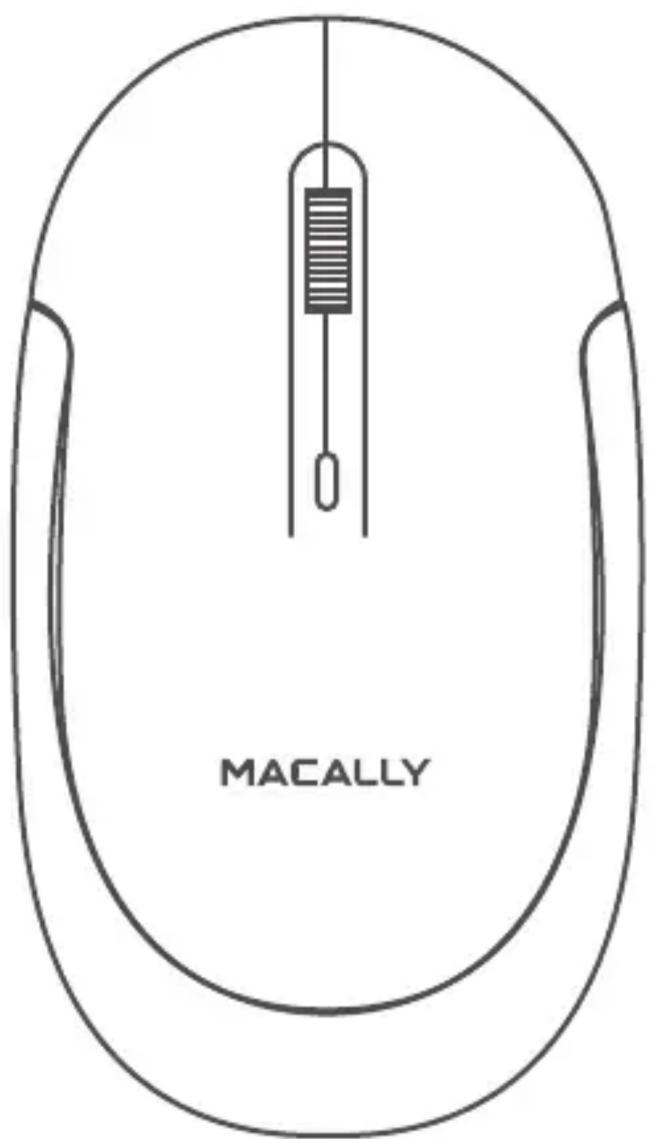
Thank you for purchasing the Macally BTDYNAMOUSE. Sensitive, soft, silent, smooth, stylish and slim...all words that define the Macally BTDYNAMOUSE Bluetooth optical silent click mouse for Mac and PC. This mouse has a DPI button that allows you to switch between a sensor resolution of 600, 1000 and 1200 DPI so you can set the tracking speed and precision to your preference. The soft-click buttons are sensitive and extremely silent so you can do your job without distraction. The scrollwheel has a double function as it allows you to scroll smoothly through web pages/documents and acts as a third button. Bluetooth technology gives you wireless freedom and keeps your other computer ports free. The mouse works with two "AAA" batteries that last up to 3 months of use (at 8 hours of daily use).* The Macally BTDYNAMOUSE has a stylish, matte finish and ambidextrous design that offers maximum comfort to both left-handed and right-handed users and helps to increase your productivity.
About this guide
Before you start using the Macally BTDYNAMOUSE, be sure to read this guide in its entirety.
Safety intructions
Please read the following carefully before using this Macally product. Incorrect use of this product may result in reduced performance, permanent damage and void warranty:
- Do not place this product near a heat source.
- Operating temperature of 0^ C to 40^ C. Storage temperature of -20^ C to 65^ C.
- Do not place this product near moisture nor liquids.
- Operate and store at humidity of 20% to 80% (non-condensing)
- Do not place heavy objects on this product.
- Do not drop this product.
- Do not dispose this product in the garbage. Take it to your local recycling centre.
Package contents
- BTDYNAMOUSE
- 2 AAA batteries
- User guide
Hardware basics

Installation instructions
The Macally BTDYNAMOUSE does not require a driver, only a Bluetooth enabled computer with Mac OS X v10.6 and later or Microsoft Windows 7/8/10. Simply follow the steps below and you are ready to go!
Pairing the mouse with a Mac
- Insert 2 "AAA" batteries (included) in the battery compartment and turn the Bluetooth mouse On by pressing the On/Off switch.
- To connect the Bluetooth mouse to your computer, bring it within 25 cm (1 ft) range from your computer.
- In your Mac, open ‘Bluetooth’ in ‘System preferences’. Make sure Bluetooth is On.
- Then, press the mouse scroll wheel and right button at the same time for 3 seconds until the green light flashes underneath the scroll wheel.
- Macally Bluetooth Mouse' will appear in the list of Bluetooth Devices. Please click on 'Connect'.
- When ‘Macally Bluetooth Mouse’ shows connected, you are ready to use the BTDYNAMOUSE.
Pairing the mouse with Windows PC
-
Insert 2 "AAA" batteries (included) in the battery compartment and turn the Bluetooth mouse On by pressing the On/Off switch.
-
In your Windows PC, go to 'Devices and Printers' and select 'Bluetooth Devices'. Make sure Bluetooth is On.
- Click 'Add a device' at the top left corner (like shown in the picture).
- 'Macally Bluetooth Mouse' will appear, please select it and press 'Next'.
- After a short period, Windows will show a screen (like shown) indicating that the mouse is paired with the computer. You are ready to use the BTDYNAMOUSE.
The standard button functions are as follows:
- Left button: Set as single click
- Right button: Set as control plus mouse click
- Scroll wheel: Scroll speed is set as medium
However, if you wish to configure the mouse settings to your personal preferences you can do this in the settings of the operating system:
Mac OS
To configure the tracking speed, scrolling speed, double click speed and primary mouse button, go to Mouse in System Preferences. To configure the mouse button functions, go to Mission Control in System Preferences.
Windows
To configure the mouse buttons, pointer, pointer options and wheel, go to Mouse in Hardware/Control Panel.
Press the DPI button to change the sensor resolution (600/1000/1200 DPI) and set the tracking speed and precision to your preference. Click the mouse button to wake up the mouse from sleep mode
Blue LED light (below scroll wheel)
Low battery level indicator. The blue LED light below the scroll wheel shows the battery level status. When the blue LED light blinks, the battery level is low and the batteries should be replaced.
* Battery life may vary depending on user and computing conditions.
Technical support
For technical support in Europe, Middle East and Africa, please call to +31 24 373 14 10 or email to techsupport@macally-europe.com. Technical support hours in Europe, Middle East and Africa are from 9h00 to 17h00 (CET), from Monday to Friday. In USA, please call to +1 909 230 6888. or email to techsupport@macally.com. Technical support hours in USA, Canada and South America are from 8:30 AM to 5:30 PM (PT), from Monday to Friday.
Warranty
Macally Peripherals warrants that this product will be free from defects in title, materials and manufacturing workmanship for one year in North America and two (2) years in Europe, Middle East and Africa from the date of the purchase. If the product is found to be defective then, as your sole remedy and as the manufacturer's only obligation, Macally will repair or replace the product. This warranty is exclusive and is limited to the Macally BTDYNAMOUSE. This warranty shall not apply to products that have been subjected to abuse, misuse, abnormal electrical or environmental conditions, or any condition other than what can be considered normal use. The liability of Macally Peripherals arising from this warranty and sale shall be limited to a refund of the purchase price. In no event shall Macally Peripherals be liable for costs of procurement of substitute products or services, or for any lost profits, or for any consequential, incidental, direct or indirect damages, however caused and on any theory of liability, arising from this warranty and sale. These limitations shall apply notwithstanding any failure of essential purpose of any limited remedy.

Marke : MACALLY
Modell : Bluetooth Optical Mouse
Kategorie : Computermaus