
UT661D - Kamera Uni-T - Kostenlose Bedienungsanleitung
Finden Sie kostenlos die Bedienungsanleitung des Geräts UT661D Uni-T als PDF.


| Produkttyp | Rohrleitungsblockierungsdetektor |
| Marke | Uni-T |
| Modell | UT661D |
| Maximale Erfassungstiefe | 50 cm |
| Genauigkeit | ±5 cm |
| Signalkabellänge | 35 m |
| Senderakku | Lithium-Ionen, 3,7 V, 1800 mAh |
| Empfängerakku | Lithium-Ionen, 3,7 V, 1800 mAh |
| Betriebsdauer | Ca. 10 Stunden |
| Ladestrom | 450–550 mA |
| Ladeanschluss | Micro-USB |
| Schalldruckpegel (1 cm Abstand) | >93 dB |
| Schutzart (Sonde) | IP67 |
| Erkennbare Rohrmaterialien | Kunststoffrohre, Metallrohre |
| Anzeigen | LED, Summer, Blinklicht |
| Betriebstemperatur | -20 bis 60 °C |
| Luftfeuchtigkeit | 10–80 % RH |
| Empfohlene Ladeintervalle bei Lagerung | Alle 6 Monate |
| Mitgeliefertes Zubehör | Ladekabel, Sonden-Set (Schutzkappe, Sonde, Lötzinn, Schrumpfschlauch), Sekundenkleber, Bedienungsanleitung |
| Farbe | Rot + Grau |
Häufig gestellte Fragen - UT661D Uni-T
Benutzerfragen zu UT661D Uni-T
0 Frage zu diesem Gerät. Beantworten Sie die, die Sie kennen, oder stellen Sie Ihre eigene.
Eine neue Frage zu diesem Gerät stellen
Laden Sie die Anleitung für Ihr Kamera kostenlos im PDF-Format! Finden Sie Ihr Handbuch UT661D - Uni-T und nehmen Sie Ihr elektronisches Gerät wieder in die Hand. Auf dieser Seite sind alle Dokumente veröffentlicht, die für die Verwendung Ihres Geräts notwendig sind. UT661D von der Marke Uni-T.
BEDIENUNGSANLEITUNG UT661D Uni-T
P/N:110401110746X
MAR. 2021 REV. 0

natural_image
Abstract geometric pattern of gray squares arranged in a scattered square (no text or symbols)UNI-T.
UNI-TREND TECHNOLOGY (CHINA) CO., LTD.
No6, Gong Ye Bei 1st Road.
Songshan Lake National High-Tech Industrial
Development Zone, Dongguan City,
Guangdong Province, China
Made in China
UNI-T®

UT661C/D
Pipeline Blockage Detector User Manual
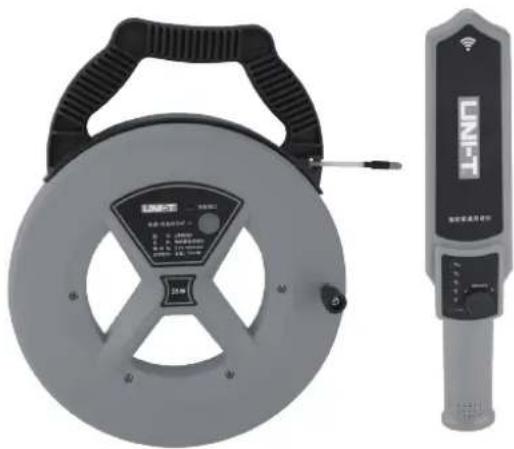
natural_image
Two types of metal detector devices: a circular frame with control panel and a vertical digital display unit (no visible text or symbols on the device body)UNI-T®
UT661 series manual
1. Introduction
Blockages and obstructions in pipelines can result in significant losses in revenue and severe disruption to operations. It is often critical to correctly identify the location of any blockages or obstructions to allow swift remedial actions to be taken.
UT661C/D can quickly locate any blockages or obstructions to avoid large scale overhaul. It is able to penetrate up to 50cm wall with accuracy of ±5 cm.
2. Cautions
- Turn off the device after use.
- Pull out the probe from the pipe before clearing the pipe.
- Detecting distance may be shortened slightly for detecting steel pipe.
- If the green LEDs of transmitter and receiver are lit normally but no voice is present during detection, please replace the probe.
UNI-T®
UT661 series manual
3. Power On/Off
Transmitter: Long press power button for 1s to power on the device, and short/long press the same button to power off the device. The device will automatically power off after 1 hour. Long press power button for more than 10s to compulsively power off the device.
Receiver: Rotate the power switch clockwise until the power indicator turns on to power on the device. And rotate the power switch anticlockwise until the power indicator turns off to power off the device. The device will automatically power off after 1 hour.
4. Inspection before Use
Turn on both the transmitter and receiver, rotate the power switch of the receiver clockwise to the end and place it closer to the probe, if the buzzer goes off, it is in well-condition. If not, take off the plastic cap of the probe to check if it is broken or short circuited.
UT661 series manual
UNI-T®
5. Detection
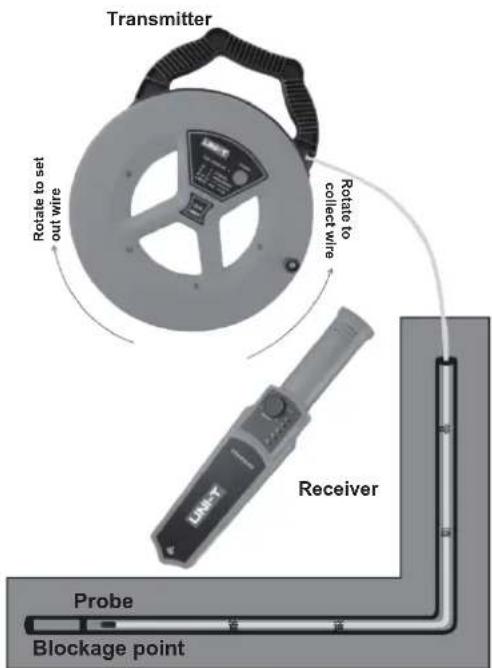
Note: Please hold the handle tightly and rotate the wire coil when setting out or collecting the wire.
Step 1: Insert the probe into the pipe, extend the probe to the longest length possible, to where the blockage is located. Step 2: Turn on the transmitter and receiver, set the sensitivity of the receiver to MAX by rotating the power switch, then use the receiver to scan from the probe entrance, when the buzzer goes off strongest, mark the point and pull out the probe.
6. Sensitivity Adjustment
Users can turn the power switch to increase the sensitivity for blockage detection. Users can use high sensitivity position to locate the approximate range then lower the sensitivity to precisely locate the blockage point: Increase sensitivity: rotate the power switch clockwise; Decrease sensitivity: rotate the power switch anticlockwise.
7. Power Indicator
| LED | Power |
| Solid green | Full power; when charging: fully charged |
| Flashing green | Low power, please charge |
| Solid red | Charging |
- Charge the device by using standard 5V 1A charger with micro USB adapter.
- If not being used for a long time, please fully charge the device and store it in a safe location.
- It is suggested to charge the device once per half year to protect the battery of the device and lengthen lifetime.
9. Demonstration
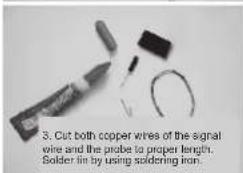
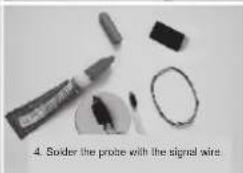
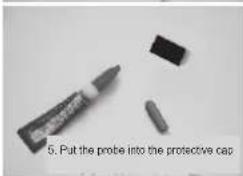
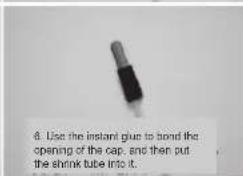
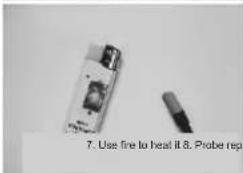
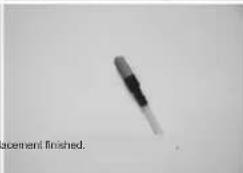
10. Probe Replacement
11. Specification
| Functions | Basic Accuracy | |
| UT661C | UT661D | |
| Transmitter | √ | √ |
| Signal wire | 25m | 35m |
| Receiver | √ | √ |
| Maximum detection depth | 50cm | 50cm |
| Transmitter current | Shutdown current<2uA, operating current: 230~310mA | |
| Receiver current | Shutdown current<2uA, standby current<40mA, maximum operating current: 150~450mA (1cm distance) | |
| Charging current | 450~550mA | |
| Sound (1cm distance) | >93dB | |
| Sound (0.5cm distance) | >75dB | |
| Battery duration | 10 hours | |
| Operating temperature and humidity | -20°C~60°C 10~80%RH | |
| Measurable pipe materials | Plastic pipes, metal pipes | |
| Buzzer | √ | |
| Flash | √ | |
| Low battery indication | √ | |
| IP rating | IP 67 (probe) | |
| General Characteristics | ||
| Transmitter battery | Built-in lithium battery (3.7V 1800mAh) | |
| Receiver battery | Built-in lithium battery (3.7V 1800mAh) | |
| Product color | Red + gray | |
| Standard accessories | Charging cable, probe kit | |
| Standard individual packing | Gift box, user manual | |
| Standard quantity per carton | 5pcs | |
| Standard carton measurement | 405×90×350mm | |
Note: The measurement distance refers to the maximum effective distance that can be detected when there is no obstruction between the transmitter and the receiver. If there is a metal or wet object between them, the effective distance will be reduced.
UNI-T®
UT661 series manual
| NO. | Item | Quantity | Remarks |
| 1 | Transmitter | 1 | |
| 2 | Receiver | 1 | |
| 3 | Charging cable | 1 | |
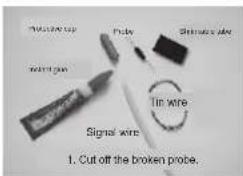
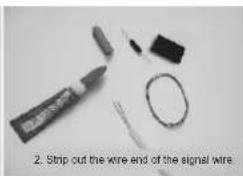
| 4 | Probe kit | 1 | Protective cap, probe, tin wire, shrinkable tube |
| 5 | Instant glue | 1 | |
| 6 | User manual | 1 | |
| 7 | Lithium batteries | 2 | Built-in batteries for transmitter and receiver |
Marke : Uni-T
Modell : UT661D
Kategorie : Kamera