
513-54087 - Armbanduhr LA CROSSE TECHNOLOGY - Kostenlose Bedienungsanleitung
Finden Sie kostenlos die Bedienungsanleitung des Geräts 513-54087 LA CROSSE TECHNOLOGY als PDF.


| Produkttyp | Atom-Funk-Uhr mit Wunschzeitfunktion |
| Modell | 513-54087 (auch 513-1422) |
| Marke | La Crosse Technology |
| Abmessungen | 27,9 x 2,8 x 21,7 cm (B x T x H) |
| Gewicht | ca. 200 g (ohne Batterien) |
| Stromversorgung | 2x AA-Batterien (nicht im Lieferumfang) |
| Anzeige | Zifferblatt mit Uhrzeit, Datum, Innentemperatur |
| Atomzeitsignal | WWVB (USA) – automatische Suche |
| Zeitzonen | Atlantic, Eastern, Central, Mountain, Pacific, Alaskan, Hawaiian |
| Sommerzeit (DST) | Automatisch, Aus, Dauer-DST |
| Wunschzeit (Desired Hour) | Einstellbare zweite Zeitzone (nur Stunden) |
| Alarm | Ein/Aus, mit Schlummerfunktion (Snooze nicht explizit erwähnt, aber typisch) |
| Temperaturbereich innen | 0°C bis 37°C (32°F bis 99°F) |
| Garantie | 1 Jahr (Herstellungsfehler) |
| Pflege und Reinigung | Staubwischen, keine aggressiven Reiniger; Batteriekontakte reinigen |
| Batterierichtlinien | Keine Mischung von Alkaline, Lithium, Standard oder Akkus; Polarität beachten |
| Sicherheitshinweise | FCC-konform; eigenmächtige Änderungen können Betriebserlaubnis erlöschen lassen |
Häufig gestellte Fragen - 513-54087 LA CROSSE TECHNOLOGY
Benutzerfragen zu 513-54087 LA CROSSE TECHNOLOGY
0 Frage zu diesem Gerät. Beantworten Sie die, die Sie kennen, oder stellen Sie Ihre eigene.
Eine neue Frage zu diesem Gerät stellen
Laden Sie die Anleitung für Ihr Armbanduhr kostenlos im PDF-Format! Finden Sie Ihr Handbuch 513-54087 - LA CROSSE TECHNOLOGY und nehmen Sie Ihr elektronisches Gerät wieder in die Hand. Auf dieser Seite sind alle Dokumente veröffentlicht, die für die Verwendung Ihres Geräts notwendig sind. 513-54087 von der Marke LA CROSSE TECHNOLOGY.
BEDIENUNGSANLEITUNG 513-54087 LA CROSSE TECHNOLOGY

Atomic Digital Clock
with Desired Hour

Model: 513-1422
DC:061620
For more product information visit: bit.ly/laxtech_support
POWER UP
- Insert 2-AA batteries into your Clock.
- Configure Basic Settings.

BASIC SETTINGS
- Hold the SET button to enter the Settings Menu.
- Use the + or - button to adjust, and SET to confirm.
- Press the TIME ADVANCE button at any time to exit.
Settings Menu Order:
- Beep ON/OFF
- Atomic ON/OFF
• DST AUTOMATIC/ DST OFF / DST ON - Time Zone
• Hour
• Temperature Fahrenheit/Celsius
Note: If Atomic OFF is selected, menu will skip to Hour setting next.
Time Zone:
○Atlantic ○Pacific
●Eastern ○Alaskan
○Central ○Hawaiian
○Central
○Mountain
O Mountain
DAYLIGHT SAVING TIME (DST) SETTINGS
DST AUTOMATIC: Clock gains 1 hour in spring and loses 1 hour in the fall (default).
DST OFF: Clock remains in Standard Time all year long.
DST ON: Clock remains in Daylight Saving Time all year long.
ATOMIC TIME SIGNAL-WWVB
- The clock will search for the WWVB Atomic Time Signal when powered on. If no reception is made, it will search or automatically at UTC: 7:00, 8:00, 9:00, 10:00, and 11:00.
- Press the SET button to start or stop a search for the WWVB signal.
- The Tower Icon (") will flash while searching, and be solid on screen when the signal is received.
- For information about WWVB Atomic time visit: bit.ly/AtomicTime
CUSTOM DISPLAY
Press the + (PLUS) button to switch between Indoor Temperature or Seconds displayed.

Page: 3Page 2
DESIRED HOUR (TIME ADVANCE)
Your clock allows you to set a Desired Hour to other times around the world. You can only change the Hour.
Set Desired Hour:
-
Hold the TIME ADVANCE button until the Hour flashes, "Desired Hour" will show.
-
Press the + (PLUS) button to adjust the hour. Press the - (MINUS) button to reset hour to "current hour".
-
Press the TIME ADVANCE button to confirm and exit.
Switch between Desired Time and Local time:
- Press the TIME ADVANCE button to switch between Desired Time and Local Time.
- Desired Time is indicated with this icon.
Set Desired Hour View Desired Hour
View Local Time

Note: In the even of battery change or reset, these settings will need to be readjusted.
TIME ALARM
Set Alarm:
- Hold the ALARM button to enter Alarm Settings. "AL" will show. Use the + or - button to adjust values.
- Press the ALARM button to confirm and move to next item.
- Press the TIME ADVANCE button any time to exit.
TIME ALARM
Activate/Deactivate Alarm:
• The alarm is active when set.
- Press the ALARM button to deactivate or activate the alarm. The alarm time will show for 2 seconds.
- Alarm Icon ⏻ will show when active.
Note: The alarm will only sound based on the local time and not the time advance time.

WE'RE HERE TO HELP!
If you require additional support, get in touch with our friendly customer support team based out of La Crosse, WI.
Phone: 1-608-782-1610
Online: bit.ly/contact_techsupport
Our knowledgeable customer support team is available:
Monday-Friday, 8am-6pm CST
JOIN THE CONVERSATION
Ask questions, watch detailed setup videos, and provide feedback on our social
media outlets!

SPECIFICATIONS
Indoor Temperature Range: 32°F to 99°F (0°C to 37°C)
Power Requirements: 2 "AA" Batteries (sold separately)
Dimensions: 11" W x 1.1" D x 8.54" H (27.9 cm x 2.8 cm x 21.7 cm)
WARRANTY INFO
La Crosse Technology, Ltd. provides a 1-year limited time warranty (from date of purchase) on this product relating to manufacturing defects in materials & workmanship.
relating to manufacturing defects in materials & workmanship: La Crosse Technology, Ltd. 2830 S. 26th St. La Crosse, WI 54601
For Full Warranty Details, Visit: www.lacrossetechnology.com/support
CARE + MAINTENANCE
• Do not mix Alkaline, Lithium, standard, or rechargeable batteries.
• Always purchase the correct size and grade of battery most suitable for intended use.
- Clean the battery contacts and also those of the device prior to battery installation - Ensure the batteries have with correct polarity (±/−)
- Remove batteries from equipment that will not to be used for an extended period.
- Promptly remove expired batteries.
FCC STATEMENT
This equipment has been tested and found to comply with the limits for a Class B digital device, pursuant to part 15 of the FCC Rules. These limits are designed to provide reasonable protection against harmful interference in a residential installation. This equipment generates, uses and can radiate radio frequency energy and, if not installed and used in accordance with the instructions, may cause harmful interference to radio communications. However, there is no guarantee that interference will not occur in a particular installation. If this equipment does cause harmful interference to radio or television reception, which can be determined by turning the equipment off and on, the user is encouraged to try to correct the interference by one or more of the following measures:
• Reorient or relocate the receiving antenna.
- Increase the separation between the equipment and receiver. Connect the equipment into an outlet on a circuit different from
- Connect the equipment into an outlet on a circuit different from that to which the receiver is connected. - Consult the dealer or an experienced radio/TV technician for help.
This device complies with Part 15 of the FCC Rules. Operation is subject to the following two conditions:
(1) This device may not cause harmful interference, and
(2) This device must accept any interference received, including interference that may cause undesired
operation.
CAUTION!
Any changes or modifications not expressly approved by the party responsible for compliance could void the user's authority to operate the equipment.
All rights reserved. This manual may not be reproduced in any form, even in part, or duplicated or processed
using electronic, mechanical or chemical process without the written permission of the publisher.
This booklet may contain errors or misprints. The information it contains is regularly checked and corrections are included in subsequent editions. We disclaim any responsibility for any technical error or printing error, or their consequences. All trademarks and patents are recognized.
WARNING: This product can expose you to chemicals including styrene, which is known to the State of California to cause cancer. For more information go to: www.P65Warnings.ca.gov


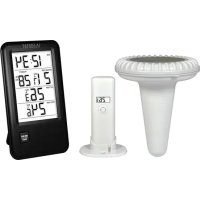
Marke : LA CROSSE TECHNOLOGY
Modell : 513-54087
Kategorie : Armbanduhr