
Melbourne - Bluetooth lautsprecher Urbanista - Kostenlose Bedienungsanleitung
Finden Sie kostenlos die Bedienungsanleitung des Geräts Melbourne Urbanista als PDF.


| Produkttyp | Tragbarer Bluetooth-Lautsprecher |
| Marke | Urbanista |
| Modell | Melbourne |
| Bluetooth-Version | 4.0 |
| Bluetooth-Reichweite | 10 Meter |
| Wasserschutz | IPX4 (spritzwassergeschützt) |
| Akku-Laufzeit (Musikwiedergabe) | 6 Stunden |
| Ladezeit | 2 Stunden |
| Bereitschaftszeit (Standby) | 30 Stunden |
| Stromversorgung | Integrierter Akku, aufladbar über Micro-USB |
| Audioeingang | 3,5-mm-Klinkenanschluss (Auxiliary) |
| Bedienelemente | Ein/Aus-Taste, Bluetooth-Pairing-Taste, Lautstärke +/- |
| Anzeige | LED-Anzeige (blau) |
| Kopplung | Automatisch nach erstmaligem Pairing |
| Freisprechfunktion | Ja (über Mikrofon) |
| Abmessungen (ca.) | 15 x 7 x 7 cm (geschätzt) |
| Gewicht (ca.) | 300 g (geschätzt) |
| Lieferumfang | Lautsprecher, Micro-USB-Kabel, Bedienungsanleitung |
| Pflege und Reinigung | Mit einem weichen, trockenen Tuch reinigen; kein Wasser direkt aufs Gerät |
| Sicherheitshinweise | Nicht extremen Temperaturen aussetzen; kein offenes Feuer in der Nähe |
| Reparierbarkeit | Keine austauschbaren Teile durch den Benutzer; bei Defekt Fachhändler kontaktieren |
Häufig gestellte Fragen - Melbourne Urbanista
Benutzerfragen zu Melbourne Urbanista
0 Frage zu diesem Gerät. Beantworten Sie die, die Sie kennen, oder stellen Sie Ihre eigene.
Eine neue Frage zu diesem Gerät stellen
Laden Sie die Anleitung für Ihr Bluetooth lautsprecher kostenlos im PDF-Format! Finden Sie Ihr Handbuch Melbourne - Urbanista und nehmen Sie Ihr elektronisches Gerät wieder in die Hand. Auf dieser Seite sind alle Dokumente veröffentlicht, die für die Verwendung Ihres Geräts notwendig sind. Melbourne von der Marke Urbanista.
BEDIENUNGSANLEITUNG Melbourne Urbanista
MELBOURNE CONTROLS

On/Off: Press the power button for 3 seconds
Sync: Press the bluetooth pairing button button for 3 seconds
Volume: Press + or - buttons to adjust
Playing Time: 6 hours
Charging Time: 2 hours
Bluetooth Distance: 10 meters
Bluetooth Version: 4.0
Water Resistance: IPX4
Standby Time: 30 Hours
New Bluetooth Connection: In the off mode, press and hold the multifunction button for 10 seconds until you hear a beep repeated three times and the blue LED flashes
HOW TO SYNC THE SPEAKER WITH YOUR BLUETOOTH DEVICE:
To turn on your Melbourne speaker, press and hold the On/Off button for 3 seconds. The small blue light in the above panel will show continuous blinking.
Switch on Bluetooth from your phone or your computer and search for “Urbanista Melbourne”. Once the blue light stops blinking, the two devices are paired and you can start using Melbourne for listening to music or receive phone calls.
If your device do not support Bluetooth you can connect it to your Melbourne speaker by using the 3.5mm audio jack connector.
To charge the batteries of Melbourne, connect the complimentary cable A to the micro USB connection and the USB to a power source.
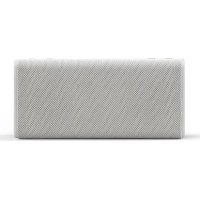


Marke : Urbanista
Modell : Melbourne
Kategorie : Bluetooth lautsprecher