NC-185VM - Kopfhörer Andrea - Kostenlose Bedienungsanleitung
Finden Sie kostenlos die Bedienungsanleitung des Geräts NC-185VM Andrea als PDF.


Benutzerfragen zu NC-185VM Andrea
0 Frage zu diesem Gerät. Beantworten Sie die, die Sie kennen, oder stellen Sie Ihre eigene.
Eine neue Frage zu diesem Gerät stellen
Laden Sie die Anleitung für Ihr Kopfhörer kostenlos im PDF-Format! Finden Sie Ihr Handbuch NC-185VM - Andrea und nehmen Sie Ihr elektronisches Gerät wieder in die Hand. Auf dieser Seite sind alle Dokumente veröffentlicht, die für die Verwendung Ihres Geräts notwendig sind. NC-185VM von der Marke Andrea.
BEDIENUNGSANLEITUNG NC-185VM Andrea
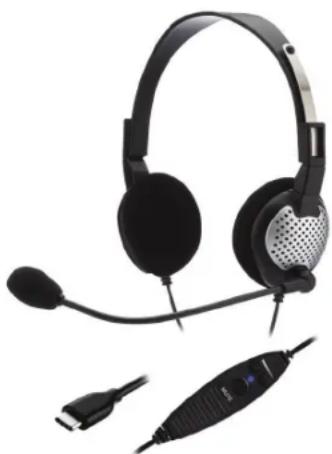
Congratulations on your purchase of the Andrea NC-185VM USB-C Stereo Headset!
This product features state-of-the-art, noise canceling microphone technology that removes background noise and speaker noise for optimal intelligibility. Users receive:
• Andrea microphone technology in a high-fidelity headset that can be easily folded flat for convenient storage.
• A quality metal flex boom which keeps the
- Increased speed and accuracy of PC speech-driven applications
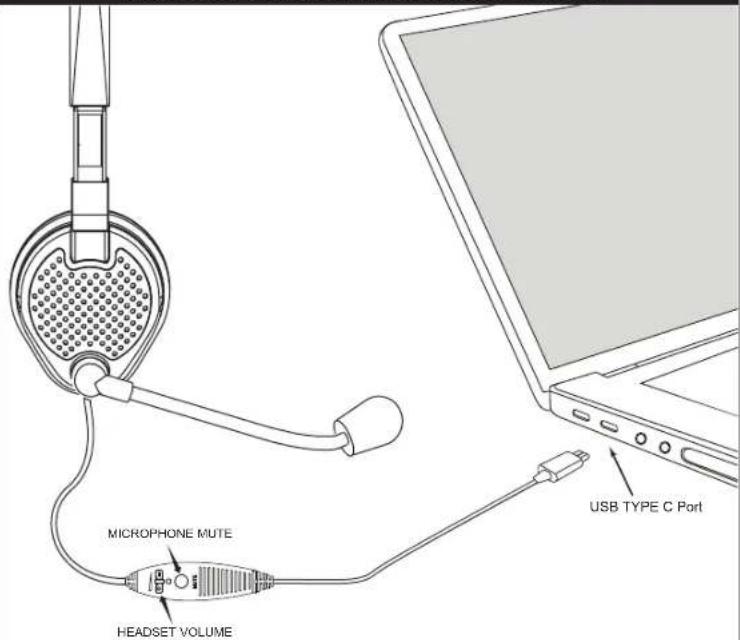
- Cable module with earphone volume control and microphone on/off mute switch.
CONNECTING THE HEADSET TO YOUR COMPUTER:
-
Plug the headset USB type C connector into a USB slot on your computer.
-
Fit the adjustable headband over your head to secure the headset with the speakers resting comfortably around your ears.
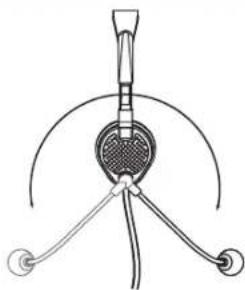
Note: The microphone boom can rotate to adapt to either the right or left side of your head.
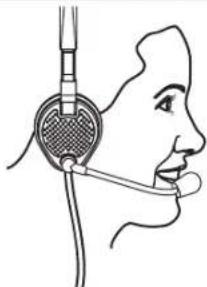
- Adjust the microphone boom so that the microphone is approximately 3/4" in front of your mouth, making sure that you are talking into the voice side of the microphone, indicated by the white dot.
C46-5435 Rev M
TROUBLESHOOTING
No sound from headset ear phone while an audio CD plays from computer.
A. Check all connections.
B. Check sound and audio device's properties that Andrea USB audio device is selected.
C. Check output volume level adjustment in software and on cable module.
Microphone does not record sound when using a voice-recording application.
A. Check all connections.
B. Check sound and audio device's properties that Andrea USB audio device is selected. C. Bring the microphone closer to your mouth.
D. Check input control for proper level in software.
E. Check that microphone is not muted on cable module or in the PCs microphone audio panel.
TECHNICAL SERVICE
We hope that you enjoy your Andrea NC-185VM USB-C Headset. If you have additional questions, please visit our website at:
www.andreacommunications.com/support
or call Andrea Communications Technical Service team at 1-800-442-7787 (USA & Canada) for assistance.
NOTES:
WARRANTY INFORMATION
Please visit our website at: www.andreacommunications/warranty for all warranty information.
natural_image
Headset and connector device with microphone and connector (no visible text or symbols)NC-185VM USB-C
STEREO HEADSET
Package includes: One (1) NC-185 VM USB-C
Headset and one (1) NC-185 VM USB-C
Headset Publication
Retail Version also includes one (1) Carry bag.


To prevent possible hearing damage, do not listen at high volume levels for long periods.
(IEC 60417-6044)
POSITION MICROPHONE 3/4" (20 MM) FROM MOUTH
natural_image
Line drawing of a person using a handheld device to interact with a microphone (no text or symbols present)CONNECTION OF THE NC-185VM USB-C HEADSET TO YOUR COMPUTER
text_image
MICROPHONE MUTE HEADSET VOLUME USB TYPE C Port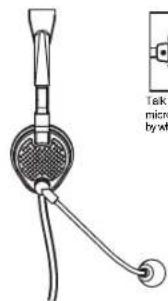
text_image
Task micro by w
Talk into side of microphone indicated by white dot
HEADSET ADJUSTABLE FOR USE ON RIGHT/LEFT EAR