
Fortishred HS-1010 - Aktenvernichter FELLOWES - Kostenlose Bedienungsanleitung
Finden Sie kostenlos die Bedienungsanleitung des Geräts Fortishred HS-1010 FELLOWES als PDF.


| Produkttyp | Aktenvernichter (Papier) |
| Marke | Fellowes |
| Modell | Fortishred HS-1010 |
| Schnittart | Micro-Cut (Hochsicherheit, DIN 6) |
| Schnittgröße | 0,8 mm x 5,0 mm |
| Maximale Blattanzahl pro Durchgang | 10 Blätter (80 g/m², 120 V) |
| Einlassbreite | 305 mm |
| Spannung | 120 V |
| Frequenz | 60 Hz |
| Stromstärke | 15 A |
| Empfohlene tägliche Nutzung | 5.000 Blätter |
| Auto-Öl-System | Ja (automatische Schmierung der Schneidwalzen) |
| Energiesparmodus (Schlafmodus) | Ja (nach 1 Stunde Inaktivität) |
| Sicherheitsmerkmale | Überlastschutz, Sicherheitsklappe, Türschalter, automatische Rückwärtsfunktion, Abschalten bei offener Tür |
| Anzeigen | Behälter voll, Tür offen, Sicherheitsklappe offen, Ölstand niedrig, Überhitzung |
| Papierkapazitätsanzeige | Elektronische Messung zur Vermeidung von Papierstaus |
| Wartung | Regelmäßiges Ölen (Auto-Öl-System) und Reinigung der Infrarotsensoren |
| Garantie | 1 Jahr auf Teile und Messer |
| Geeignet für | Papier |
| Nicht geeignet für | Etiketten, Endlospapier, Folien, Zeitungen, Kreditkarten, CDs/DVDs, Heftklammern, Büroklammern, Karton, Laminate, Ordner, Röntgenaufnahmen |
| Stromversorgung | Nur an geerdete Steckdose (120 V, 15 A) anschließen, keine Verlängerungskabel |
| Geräuschpegel | Nicht angegeben |
Häufig gestellte Fragen - Fortishred HS-1010 FELLOWES
Benutzerfragen zu Fortishred HS-1010 FELLOWES
0 Frage zu diesem Gerät. Beantworten Sie die, die Sie kennen, oder stellen Sie Ihre eigene.
Eine neue Frage zu diesem Gerät stellen
Laden Sie die Anleitung für Ihr Aktenvernichter kostenlos im PDF-Format! Finden Sie Ihr Handbuch Fortishred HS-1010 - FELLOWES und nehmen Sie Ihr elektronisches Gerät wieder in die Hand. Auf dieser Seite sind alle Dokumente veröffentlicht, die für die Verwendung Ihres Geräts notwendig sind. Fortishred HS-1010 von der Marke FELLOWES.
BEDIENUNGSANLEITUNG Fortishred HS-1010 FELLOWES
Fellowes.
POWERSHRED® HS-1010
THE WORLD'S TOUGHEST SHREDDERS™
natural_image
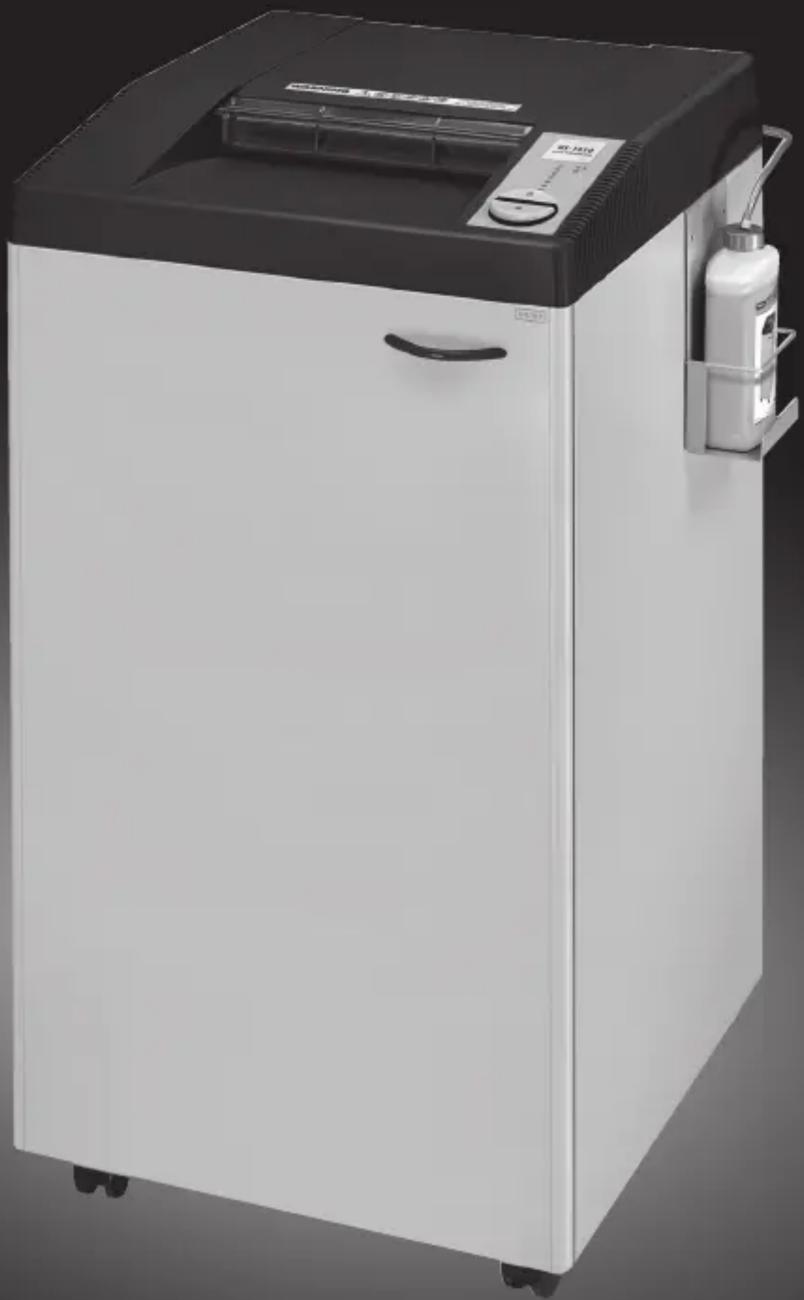
Exterior view of a modern white industrial machine with black lid and control panel (no visible text or symbols)Please read these instructions before use. Do not discard: keep for future reference.
Fellowes
Quality Office Products Since 1917
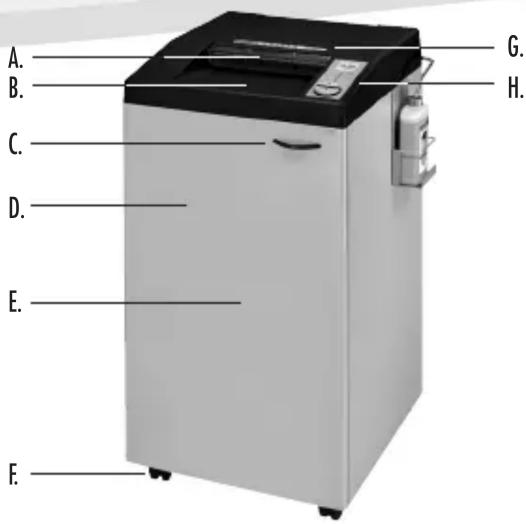
KEY
A. Safety Flap
B. Paper entry
C. Disconnect switch (open door)
D. Door
E. Basket - paper (inside)
F. Casters
G. See safety instructions
H. Control Panel and LEDs
ON/OFF
R 2. Reverse
3. Bin full
4. Door open
5. Safety Flap Open
6. Low oil
7. Auto oil complete
INDICATOR LIGHTS
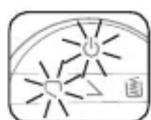
Stops automatically when door is opened. Symbols flash alternately
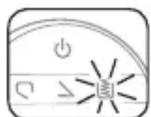
Stops automatically when bin is full. Empty bag when bag full indicator lights up
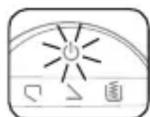
Stops automatically if too much paper is inserted. Automatic reverse if paper jams
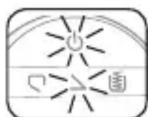
Stops automatically if safety flap is opened. Symbols flash alternately
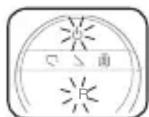
Overload protection. Machine stops to cool down- approx. 10-15 minutes. Symbols flash alternately
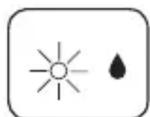
Cutting shafts are automatically oiled

Oil bottle is empty
CAPABILITIES
Will shred: Paper only
Will not shred: Adhesive labels, continuous form paper, transparencies, newspaper, junk mail, credit cards, CD/DVDs, staples, paper clips, cardboard, laminates, file folders, X-rays or plastic other than noted above Paper shred size:
High Security Micro-Cut....(Din 6) 1/32 in. x 3/16 in. (0.8mm x 5.0mm)
Maximum:
Sheets per pass ....10* Paper entry width ....12 in. (305mm)
* 8.5 in. x 11 in., 20lb., (75g) paper at 120V, 60 Hz, 15Amps; heavier paper, humidity or other than rated voltage may reduce capacity. Recommended maximum daily usage rates: 5,000 sheets per day. 10 sheets per pass.
* In order to perform at capacity, shredder must be plugged into a dedicated 20Amp, 120V outlet and auto oil system must be engaged.
ADVANCED PRODUCT FEATURES

Auto Oil™
Lubricates the cutters automatically to enhance performance and extend shredder life

Sleep Mode
Energy saving feature shuts down the shredder after 1 hour of inactivity
WARNING: IMPORTANT SAFETY INSTRUCTIONS — Read Before Using!


- Keep away from children and pets. Keep hands away from paper entry. Always set to off or unplug when not in use.
- Keep foreign objects — gloves, jewelry, clothing, hair, etc. — away from shredder openings. If object enters top opening, switch to Reverse (R) to back out object.
- Never use aerosol products, petroleum based lubricants or other flammable products on or near shredder. Do not use canned air on shredder.
-
Do not use if damaged or defective. Do not disassemble shredder. Do not place near or over heat source or water.
-
This shredder has a Disconnect Power Switch (C) in the door. The door must be closed to operate shredder. In case of emergency, open door. This action will stop shredder immediately.
- Avoid touching exposed cutting blades under shredder head.
- Shredder must be plugged into a properly grounded wall outlet or socket of the voltage and amperage designated on the label. The grounded outlet or socket must be installed near the equipment and easily accessible. Energy converters, transformers, or extension cords should not be used with this product.
- Do not operate the machine without the safety flap closed (A).
BASIC SET-UP BASIC SHREDDING OPERATION
SHREDDER SET-UP
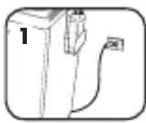
Ensure access to a dedicated 20Amp, 120V outlet
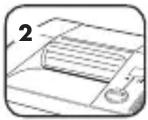
Make sure safety flap is securely in place
PAPER
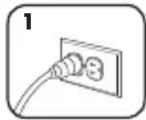
Plug in and make sure door is closed
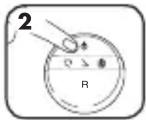
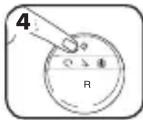
Press (○) ON to activate
Feed paper
straight into paper
entry and release
When finished shredding set to (○) OFF
01
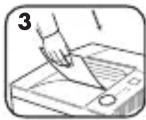
Do nothing and shredder will go automatically to sleep mode after 1 hour
OILING SET-UP
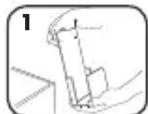
Remove oil bottle holder from cabinet
Hook oil
bottle holder
into side of
cabinet
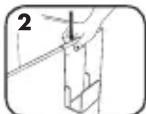
Remove lid from oil bottle
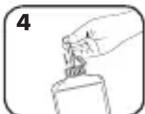
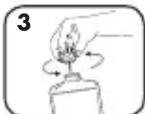
Put oil tube into oil bottle and screw stopper on
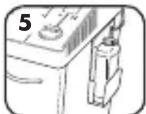
Place oil bottle
into oil holder on
side if cabinet
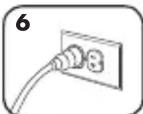
Close door. Plug into socket-outlet
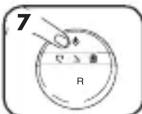
Oil pump starts automatically on first use. To stop Oil Indicator (△) from blinking red, press ON (○) after 15 seconds
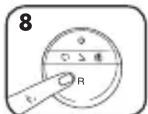
After changing oil bottle, press Reverse (R) until Oil Indicator (△) no longer blinks red
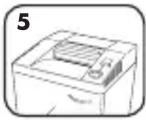
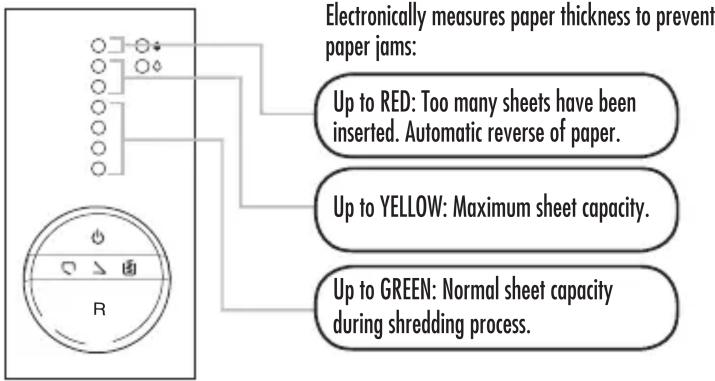
SHEET CAPACITY GAUGE
Eliminates frustrating jams by preventing overloads.
SLEEP MODE
WHEN IN SLEEP MODE
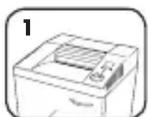
In sleep mode
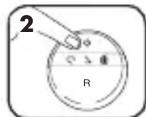
To get out of sleep or press ON (○)
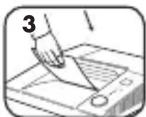
insert paper
TROUBLESHOOTING AND PREVENTIVE MAINTENANCE
- Empty wastebasket when bin full indicator lights up.
- Shredder won't run if the door is open, or bin needs to be emptied.
- Maintenance is an important part of protecting your investment. Don't forget to purchase our oil (3505801) and shredder bags (3604101).
Go to Support Section at www.fellowes.com or see back page of manual for useful telephone numbers.
PAPER JAM
Set to Off ( ⬇) and empty bin. Replace bin and follow the below procedures.
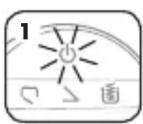
Stops automatically if too much paper is inserted.
Automatic reverse if paper jams
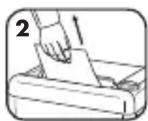
Gently pull uncut paper from paper entry. Machine runs for a short time in reverse. Repeat if necessary
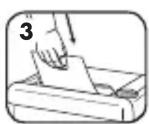
Shred One Sheet
CLEANING AUTO-START INFARED SENSORS
Paper detection sensors are designed for maintenance free operation. However, on rare occasions the sensors may become blocked by paper dust causing the motor to run even if there is no paper present (Note: two paper detection sensors are located in the center of the paper entry).
TO CLEAN THE SENSORS
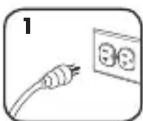
Turn off and
unplug shredder
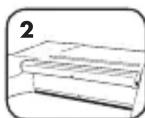
Locate Auto-start infrared sensor
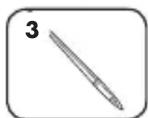
Use thin, long-handled brush to clean sensors. Make sure brush is clean and dry
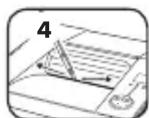
Clean any contamination from the paper sensors
WARRANTY
Limited Warranty: Fellowes, Inc. ("Fellowes") warrants the parts of the machine to be free of defects in material and workmanship and provides service and support for 1 year from the date of purchase by the original consumer. Fellowes warrants the cutting blades of the machine to be free from defects in material and workmanship for 1 year from the date of purchase by the original consumer. If any part is found to be defective during the warranty period, your sole and exclusive remedy will be repair or replacement, at Fellowes' option and expense, of the defective part. This warranty does not apply in cases of abuse, mishandling, or unauthorized repair. The responsible for any additional costs incurred by Fellowes in servicing the paper shredder
to outside of the country where the shredder is initially sold. ANY IMPLIED WARRANTY, INCLUDING THAT OF MERCHANTABILITY OR FITNESS FOR A PARTICULAR PURPOSE, IS THE HEREBY LIMITED IN DURATION TO THE APPROPRIATE WARRANTY PERIOD SET FORTH ABOVE. In no event shall Fellowes be liable for any consequential or incidental damages attributable to this product. This warranty gives you specific legal rights. The duration, terms, and conditions of this warranty are valid worldwide, except where different limitations, restrictions, or conditions may be required by local law. For more details or The obtain service under this warranty, please contact us or your dealer.
Questions or Concerns?
www.fellowes.com

Troubleshooting
Registration
Manuals
Customer Service & Support
Troubleshooting
Replacement parts
General questions
Australia +1-800-33-11-77
Canada +1-800-665-4339
Europe 00-800-1810-1810
Mexico +1-800-234-1185
United States +1-800-955-0959

- Fellowes.
- POWERSHRED® HS-1010
- THE WORLD'S TOUGHEST SHREDDERS™
- KEY
- INDICATOR LIGHTS
- CAPABILITIES
- ADVANCED PRODUCT FEATURES
- WARNING: IMPORTANT SAFETY INSTRUCTIONS — Read Before Using!
- BASIC SET-UP BASIC SHREDDING OPERATION
- SHEET CAPACITY GAUGE
- SLEEP MODE
- TROUBLESHOOTING AND PREVENTIVE MAINTENANCE
- PAPER JAM
- CLEANING AUTO-START INFARED SENSORS
- WARRANTY
- Questions or Concerns?
Marke : FELLOWES
Modell : Fortishred HS-1010
Kategorie : Aktenvernichter