
Walkman WM-F3010 - Kassettenabspieler SONY - Kostenlose Bedienungsanleitung
Finden Sie kostenlos die Bedienungsanleitung des Geräts Walkman WM-F3010 SONY als PDF.


Benutzerfragen zu Walkman WM-F3010 SONY
0 Frage zu diesem Gerät. Beantworten Sie die, die Sie kennen, oder stellen Sie Ihre eigene.
Eine neue Frage zu diesem Gerät stellen
Laden Sie die Anleitung für Ihr Kassettenabspieler kostenlos im PDF-Format! Finden Sie Ihr Handbuch Walkman WM-F3010 - SONY und nehmen Sie Ihr elektronisches Gerät wieder in die Hand. Auf dieser Seite sind alle Dokumente veröffentlicht, die für die Verwendung Ihres Geräts notwendig sind. Walkman WM-F3010 von der Marke SONY.
BEDIENUNGSANLEITUNG Walkman WM-F3010 SONY

text_image
my first SonyStereo Radio Cassette Player
WM-F3010
Operating Instructions
These instructions are intended for the guardian. Please read through the instructions before allowing your child to use the Stereo Radio Cassette Player.
WALKMAN
Precautions
Notes on using batteries
- When inserting the dry batteries, match the + and - on the dry batteries to the + and - in the battery compartment.
- Do not use different types of batteries together.
- Do not charge the batteries.
- When the WALKMAN is not to be used for an extended period of time, remove the batteries to avoid damage caused by battery leakage and the subsequent corrosion.
Handling the unit
- Do not leave the WALKMAN in a location subject to direct sunlight, heat or moisture.
- Do not use the WALKMAN where water or sand can get into it.
• The use of cassettes longer than 90 minutes is not recommended except for long continuous playback.
• The AVLS function is activated only when you use the supplied headphones.
Notes on Headphones
Road safety
Do not use headphones while driving, cycling, or operating any motorized vehicle. It may create a traffic hazard and is illegal in many areas. It can also be potentially dangerous to play your headsets at high volume while walking, especially at pedestrian crossings. You should exercise extreme caution or discontinue use in potentially hazardous situations.
Warning to the guardian
Take care that children do not tear away plastic sponge of headphone cover as swallowing may cause suffocation.
Information
You are cautioned that any changes or modifications not expressly approved in this manual could void your authority to operate this equipment.
Welcome!
Thank you for purchasing the Sony WM-F3010 Stereo Radio Cassette Player. You can listen to the radio as well as the tape. The Automatic Volume Limiter System (AVLS) protects your child's ears from excessive sound pressure when used with the supplied headphones.
The dry batteries (alkaline) should power the WALKMAN for about 8 hours (tape playback) when used continuously. Replace both dry batteries with new ones when the sound becomes distorted or unstable.
- Do not use any type of battery other than size AA (R6) dry batteries.
- When inserting the dry batteries, match the + and – on the dry batteries to the + and – in the battery compartment.
When to replace the dry batteries
natural_image
Line drawing of a mechanical device with handle and clamping mechanism (no text or symbols)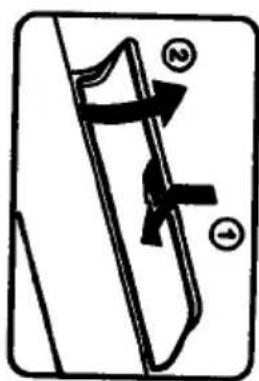
text_image
Diagram showing a mechanical or electrical component with labeled parts ① and ②, indicating positions or sections.1 Open the lid.
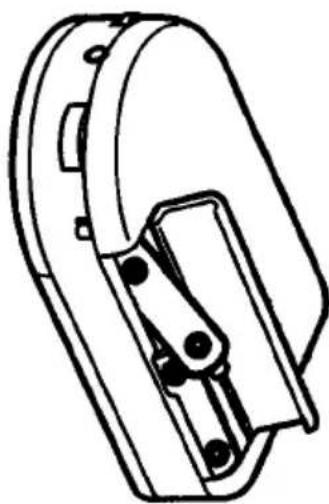
Insert two size AA (R6) dry batteries ===(not supplied).
Installing batteries
Batteries should be installed by an adult.
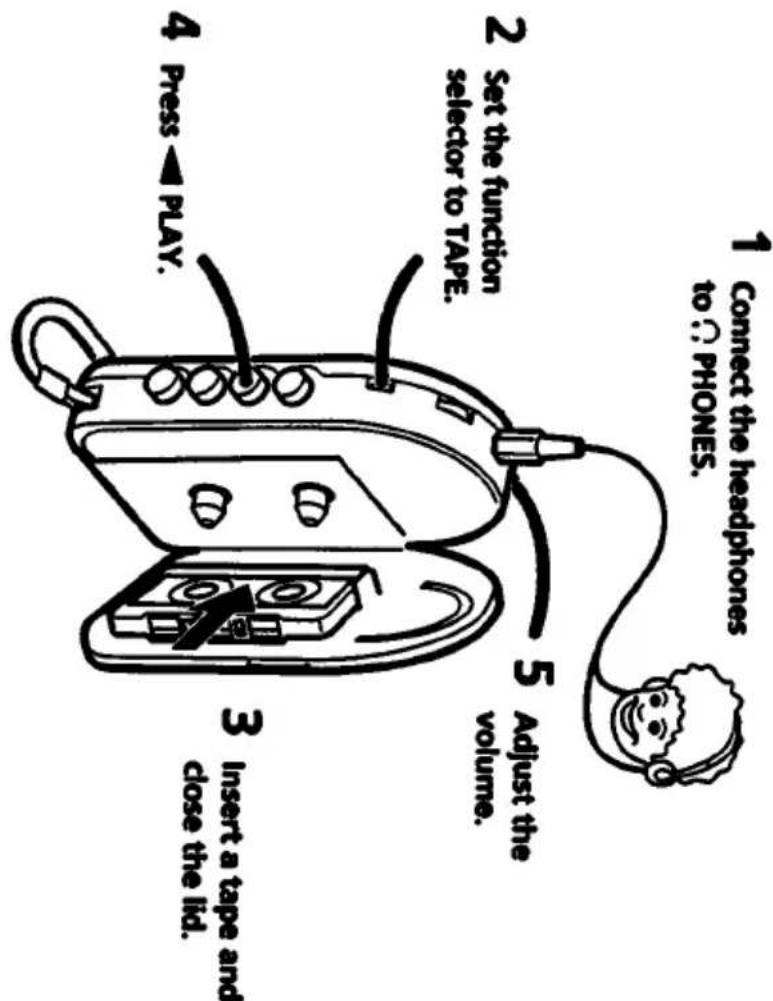
Playing a tape
Listening to the radio
Connect the headphones to Ⓞ PHONES.
to Ⓞ PHONES.
5 Adjust the
volume.
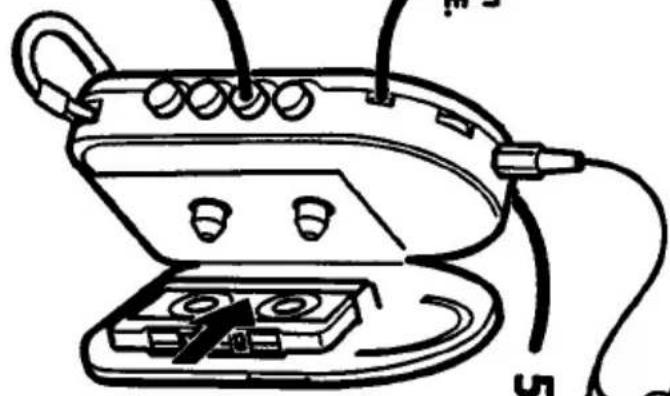
2 Set the function selector to TAPE.
text_image
1 Connect the headphones to Ⓞ PHONES. 2 Set the function selector to TAPE. 3 Insert a tape and close the lid. 4 Press PLAY. 5 Adjust the volume.close the lid.
Insert a tape and
4 Press ◀ PLAY.
natural_image
Technical line drawing of a mechanical device with clamps and wiring (no text or symbols)Additional operations
■ Press to stop playback.
Press to fast-forward.
Press to rewind.
When the tape reaches to its end while fast-forwarding or rewinding it, be sure to press ■STOP.
Set the function selector to TAPE (RADIO OFF).
To turn off the radio
text_image
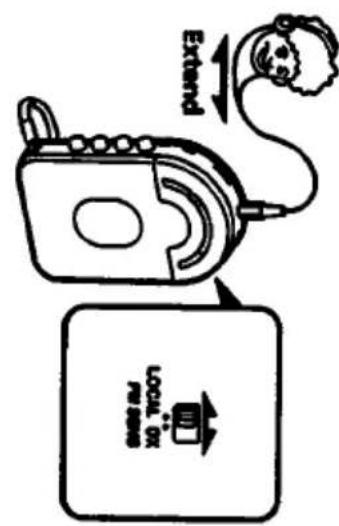
Extend LOCAL OX PIN SENSFM
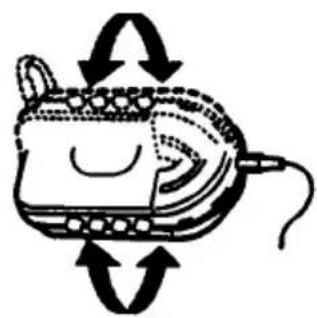
For better radio reception
AM
natural_image
Diagram of a device with rotating arrows indicating rotation or movement (no text or symbols)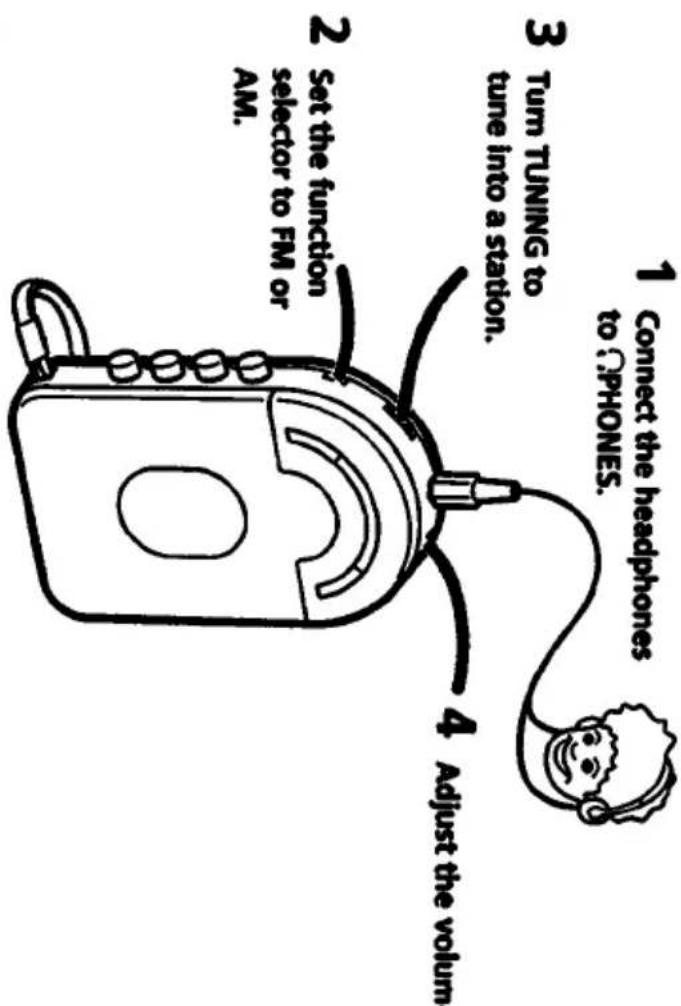
flowchart
graph TD
    A["1 Connect the headphones to ΩPHONES."] --> B["2 Set the function selector to FM or AM."]
    B --> C["3 Turn TUNING to tune into a station."]
    C --> D["4 Adjust the volum."]
3 Turn TUNING to
tune into a station.
4 Adjust the volum
Maintenance
Clean the head, the capstan and the pinch roller from time to time with a cotton swab slightly moistened with alcohol. Press PLAY so that you can see the parts to be cleaned.
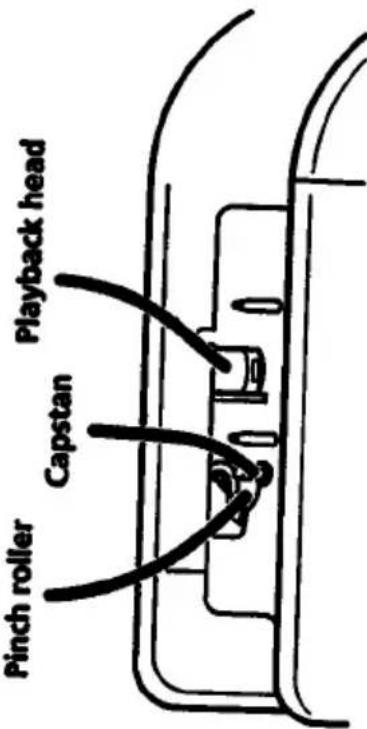
text_image
Pinch roller Capstan Playback headPreventing hearing damage
Avoid using headphones at high volume. Hearing experts advise against continuous, loud and extended play. If you experience a ringing event, you can't have
experience a ringing in your ears, reduce volume or discontinue use.
Caring for others
Keep the volume at a moderate level. This will allow you to hear outside sounds and to be considerate to the people around you.
Troubleshooting
- There is no sound.
• The sound is weak. • The sound is noisy.

- Adjust the VOLUME control.
- Check if the headphones are connected firmly.
- Replace both batteries with new ones if they become weak.
For tape operation
- Set the function selector to TAPE. - Clean the tape head.
For radio operation
- Set the function selector to FM or AM.
- Turn TUNING.
- For FM program, change the position of FM SENS or extend
For AM program, rotate the WALKMAN horizontally.
If you have any questions or problems concerning your WALKMAN, please consult your nearest Sony Service Center.
Specifications
Radio section
FM: 87.6 - 108 MHz
Cassette player section and general
Output PHONES jack: stereo minijack
Power requirements
3 V DC =
Battery life
Sony alkaline AM3 (N): approx.8 h (playback),
Sony SUM-3 (NS): approx. 3.5 h (playback),
approx. 15 h (radio)
inches)
Mass
Approx. 210 g (7.4 oz.)
Accessory supplied
Stereo headphones (1)
Design and specifications are subject to change without notice.