
RQ-S50 - Hi-Fi PANASONIC - Kostenlose Bedienungsanleitung
Finden Sie kostenlos die Bedienungsanleitung des Geräts RQ-S50 PANASONIC als PDF.


Benutzerfragen zu RQ-S50 PANASONIC
0 Frage zu diesem Gerät. Beantworten Sie die, die Sie kennen, oder stellen Sie Ihre eigene.
Eine neue Frage zu diesem Gerät stellen
Laden Sie die Anleitung für Ihr Hi-Fi kostenlos im PDF-Format! Finden Sie Ihr Handbuch RQ-S50 - PANASONIC und nehmen Sie Ihr elektronisches Gerät wieder in die Hand. Auf dieser Seite sind alle Dokumente veröffentlicht, die für die Verwendung Ihres Geräts notwendig sind. RQ-S50 von der Marke PANASONIC.
BEDIENUNGSANLEITUNG RQ-S50 PANASONIC
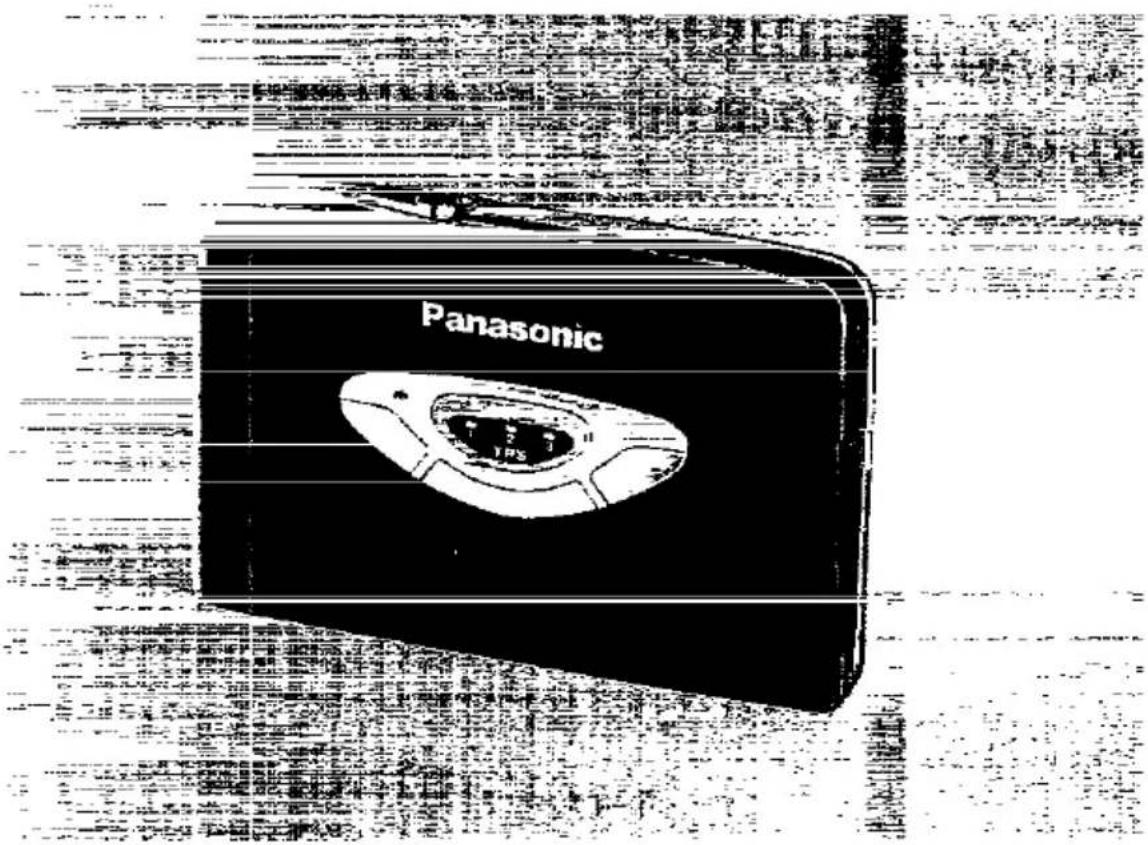
Panasonic
Stereo Cassette Player
RQ-S50
Operating Instructions
text_image
PanasonicNotes:
- Specifications differ according to the area code.
- The "EB" area code, for example, indicates United Kingdom specifications.
●The "EB" indication is shown on the packing case.
Before connecting, operating or adjusting this product, please read these instructions completely.
E | EB
RQT2043-B
Dear Customer
Thank you for purchasing this product.
For optimum performance and safety, please read these instructions carefully.
Table of Contents
Location of Controls ..... 3
Power Source 4
Tape Playback .... 6
Remote Control Operation .....10
Changing the Tone ....12
Cautions 13
Maintenance 15
Specifications ....Back Cover
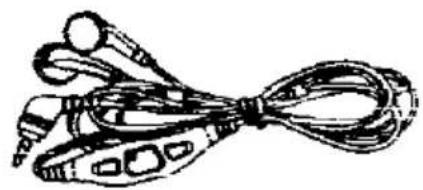
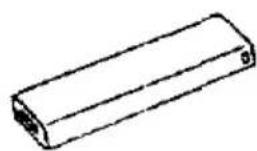
■ Supplied accessories A
• Stereo earphones with remote controller
- Charger
●Rechargeable battery
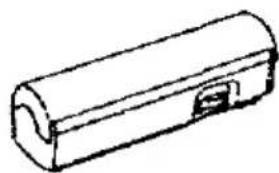
●Battery case
- Carrying bag
A
natural_image
Illustration of a ribbon cable with multiple connectors (no text or symbols)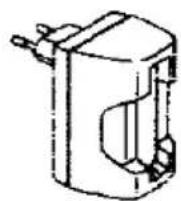
For UK, the shape of the charger is different!
natural_image
Simple line drawing of a cylindrical object with a small rectangular opening (no text or symbols)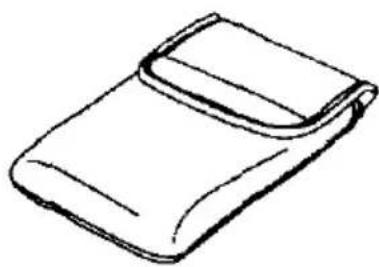
natural_image
Simple line drawing of a folded or wrapped object (no text or symbols)Location of Controls
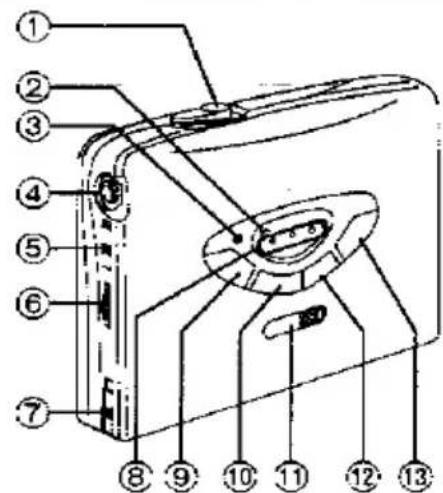
Open lever (OPEN)
Power access Indicator
(POWER ACCESS)
Lights during fast forward, rewind or IPS.
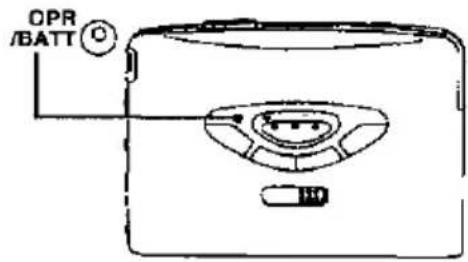
Operation/battery check indicator (OPR/BATT)
Headphones Jack(Ω)
s-XBS/amenity sound control
elector (S-XBS/ASC)
Volume control (VOLUME)
Live switch (LIVE)
TPS Indicator (TPS)
Rewind/review/TPS button
REW/REV(TPS)
stop button (■)
Hold switch (HOLD)
Play/direction button (◀ ▶)
-ast forward/cue/TPS button
FF/CUE TPS
-play mode selector
Reverse mode/blank skip)
polby noise reduction switch □□ NR)
Connection part for battery case
:chargeable battery compaRt-
nent cover
Remote controls
slider
when not in use, slide up the slider to prevent entanglement of the cord.
text_image
Labeled diagram of a device interior with numbered parts for identification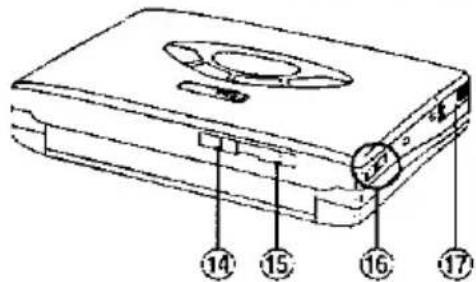
text_image
Diagram of a device with numbered parts labeled 14 to 17, showing internal components and a circular feature.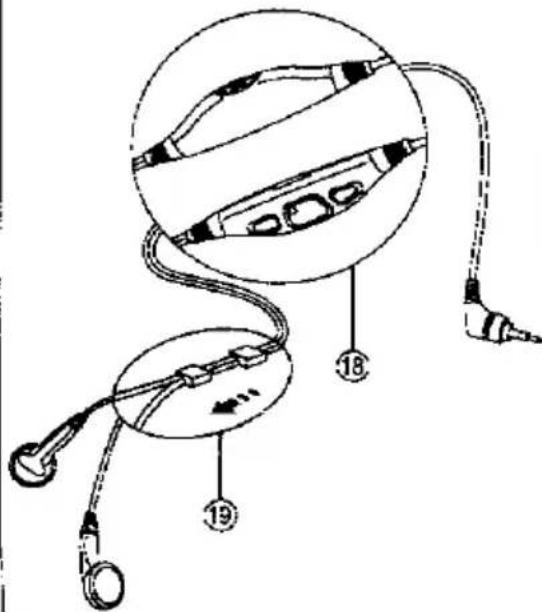
text_image
Diagram of medical or diagnostic device components with numbered labels pointing to different partsPower Source
This player can operate on any of 2 different power sources:
- Rechargeable battery (included)
- Dry cell battery (not included)
Rechargeable battery
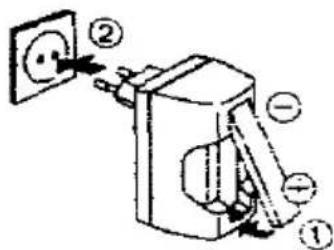
For its initial use after purchasing or after a long time interval (more than three months). be sure to recharge the rechargeable battery.
Normally 2 hours recharging will give approximately 5 hours tape playback (at 25°C).
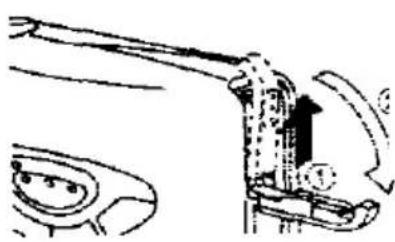
1 Recharge the rechargeable battery.
2 insert the charged battery into the unit.
1
text_image
Diagram of a wall-mounted electrical socket with labeled components and directional arrows indicating installation or connection.For UK, the shape of the charger is different.
2
natural_image
Mechanical assembly diagram showing a lever mechanism with motion arrows (no text or labels)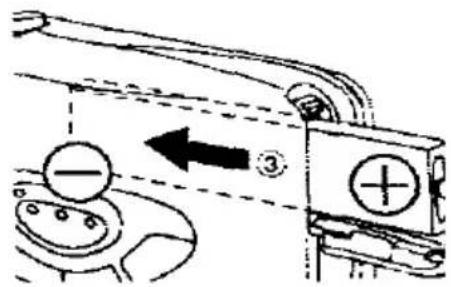
text_image
Diagram showing mechanical components with labeled parts and directional arrows, including a plus sign and minus symbol.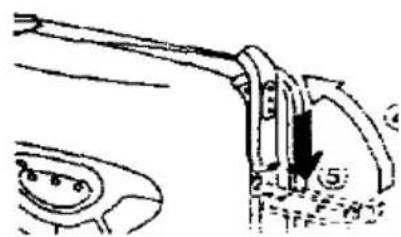
natural_image
Mechanical assembly diagram showing a lever mechanism with a numbered component (no text or symbols)cell battery A
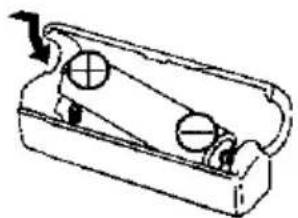
Insert a R6/LR6 battery (UM-3 or equivalent, not included) into the battery case.
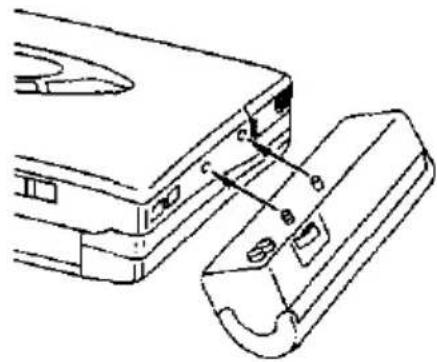
Attach to the unit.
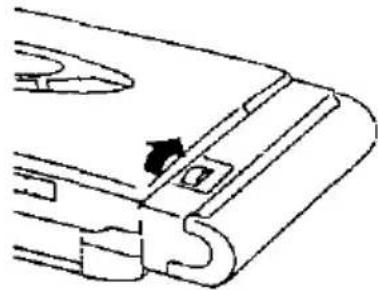
Turn the screw until it locks.
to extend the playback time
all both types of battery (rechargeable H6/LR6 battery) in the unit.
when the battery becomes
B
OPR/BATT indicator will dim or turn Hecharge the rechargeable battery or see the dry cell battery with new one.
included rechargeable battery can be larged about 300 times. After that, its after time becomes shortened. That's for replacing the rechargeable bat-
A
1
natural_image
Mechanical component diagram showing a sliding mechanism with pulleys and a directional arrow (no text or symbols)2
natural_image
Technical line drawing of a mechanical component with labeled parts (no text or symbols)3
natural_image
Pure mechanical component diagram without any text, numbers, or symbolsB
text_image
OPR /BATTTape Playback
This unit is equipped with an auto tape select function, so you can use normal. CrO_2 or metal types of tape.
1 Turn OPEN to open the cover and insert the cassette.
Closing the cover, the tape slack will be wound automatically and play-back will be expected to start from the forward side.
Ⓐ=Forward side
⑧=Reverse side
2 Plug the stereo earphones into the headphones jack.
Install the jack completely so that outer ring is seated into place firmly.
3 Release the hold state.
You cannot activate front panel buttons when the unit is in the hold state. Before operating front panel buttons, release the hold state
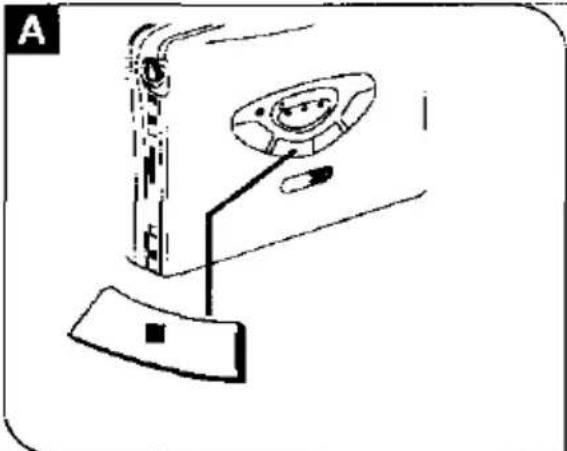
4 Press ◀▶ to start playback.
5 Adjust the volume.

text_image
Diagram illustrating a device operation sequence with labeled steps and components including door, lamp, and hold.stop playback
e381.
change the tape direction B
-ss ◀▶ during playback.
· select the play mode ⓒ
...se mode
For playback of one side and then the opposite side
However, if playback starts from the reverse side, only that side will be played.
: For continuous playback of both sides
ik skip (B.S)
∴ For playback with the blank skip function
During playback, when there is a silent space longer than about thirteen seconds, the tape will fast forward to play the opposite side.
:ink skip may not operate correctly in the owing cases:
When there is a silent space longer than fifteen seconds between the tunes the play starts from the point near the of the last tune
natural_image
Diagram of a device with a handle and control panel, no visible text or symbols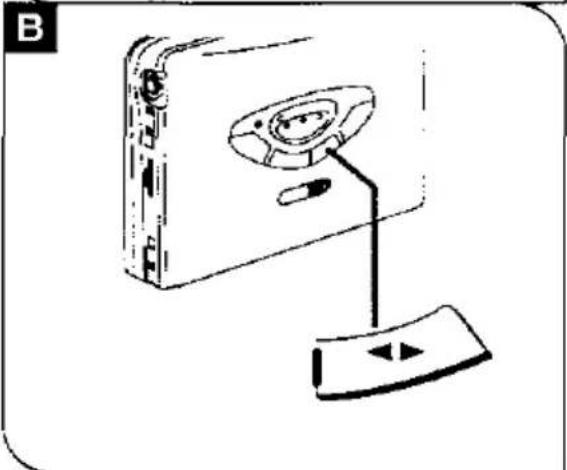
natural_image
Line drawing of a computer monitor with an open rear panel and cable, no text or symbols present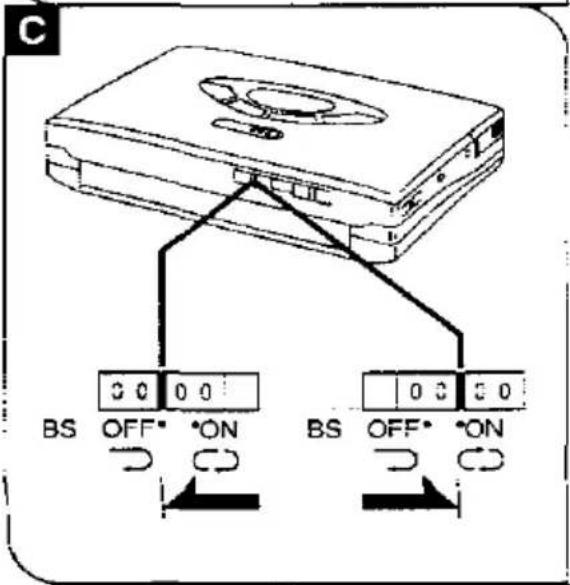
text_image
C 3 0 0 0 BS OFF* ON BS OFF* ONTape Playback
To playback the tape with Dolby\* NR A
Set the ☐ NR switch to ON.
* Dolby noise reduction manufactured under license from Dolby Laboratories Licensing Corporation.
"DOLBY" and the double-D symbol ☐ are trademarks of Dolby Laboratories Licensing Corporation.
To fast forward or rewind
Press FF or REW in the stop mode.
FF: Fast forward
REW: Rewind
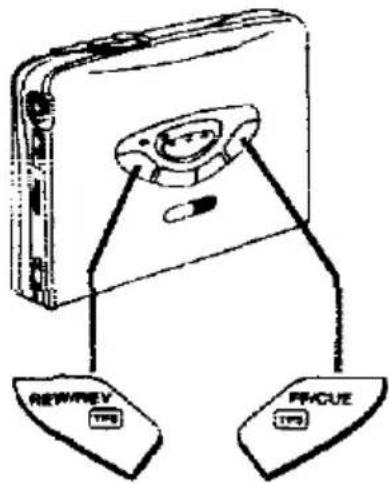
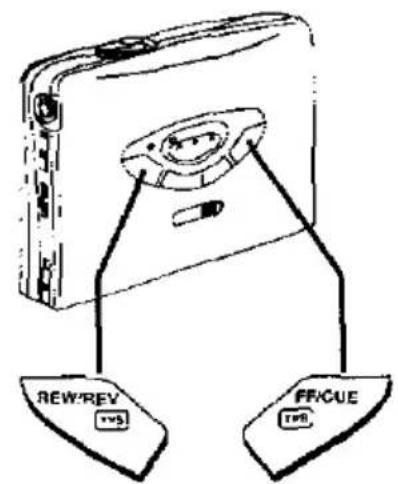
To locate a certain portion on the tape ☐
(Cue/Review)
Press and hold CUE or REV during play.
Sound can be monitored at a high speed as long as the button is held down. Normal playback will resume from the point the button is released.
CUE: Forward
REV: Backward
A
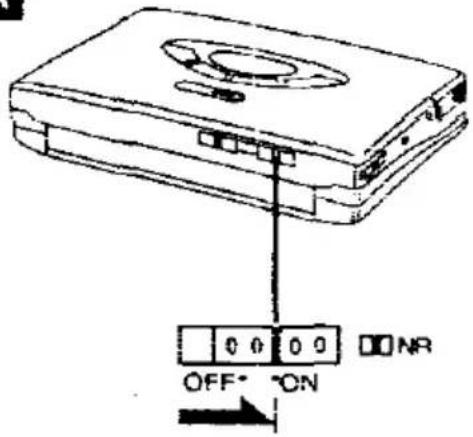
text_image
OFF* ON NRB
text_image
REWREV TPS FPGUE TPSfind the beginning of a tune
5: Tape Program Sensor)
a function is used to fast forward or find to play from beginning of a tune. You can skip as many tunes as the fiber of times the button is pressed (up times).
FF TPS or REW TPS once, ice or three times during play- k
TPS: You can skip forward. W | PS: You can skip backward. member that in a backward skip, the e:it tune is included in the count.
[Unreadable]
3 function may fail to operate correctly the following situations.
then there is not a silent space between the program (for example, when you are playing a tape recorded from a microphone)
men the interval between programs is less than 4 seconds
When there is a particular low-level passage or silent passage in the middle of a billion
the TPS operation starts at the point here is left less than 10 seconds to next vent passage
text_image
NEW REV TVS FF/CUE TVSRemote Control Operation
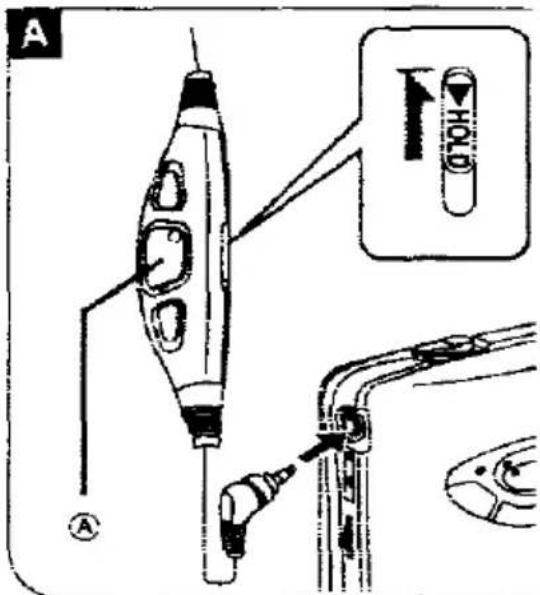
Before using, plug the stereo earphones into the jack, and be sure to release the hold state of the remote control. A
■ Main button (A) B
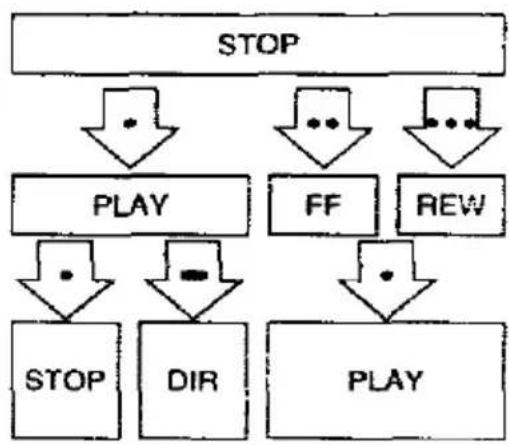
• : Press once to play and stop.
: Press and hold to change the direction.
• • : Press twice to last forward.
••• : Press three times to rewind.
When pressing the button twice or three times in succession, press it within one second and at equal intervals.
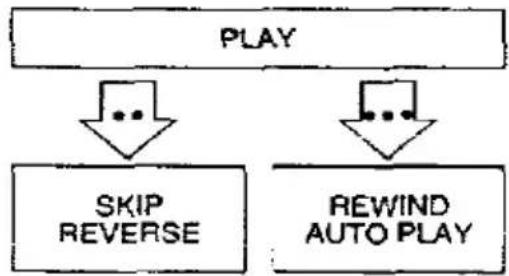
SKIP REVERSE
Tape will fast forward and playback will start from the beginning of the opposite side.
REWIND AUTO PLAY
Tape will rewind and playback will start from the beginning of the same side.
Confirmation beep
| PLAY | —— |
| STOP | Bee...p |
| DIR | Beep |
| FF | Beep Beep |
| REW | Beep Beep Beep |
| A tape is not in. | Alarm beep |
text_image
A H10 ①B
flowchart
graph TD
    A["STOP"] --> B["PLAY"]
    A --> C["FF"]
    A --> D["REW"]
    B --> E["STOP"]
    B --> F["DIR"]
    C --> G["PLAY"]
    D --> G
flowchart
graph TD
    A["PLAY"] --> B["SKIP REVERSE"]
    A --> C["REWIND AUTO PLAY"]
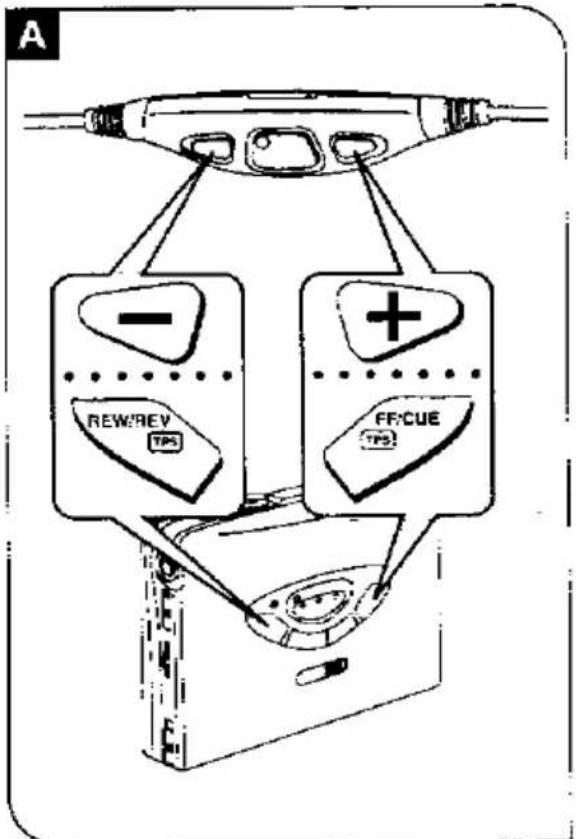
+/- button A
as during playback.
-TPS or cue
IPS or review
“I can operate them as the same way as
: CUE TPS or REV TPS on the main
(See pages 8-9.)
For VOLUME adjustment 8
The using, be sure to adjust the volume. the main unit. ("5-7" is the average
OPR indicator
minates during operation.
flowchart
graph TD
    A["Start"] --> B["Check Point"]
    B --> C{Check Point}
    C -->|Yes| D["Rever/Rev TPS"]
    C -->|No| E["FF:Cue TPS"]
    D --> F["End"]
    E --> F
    style A fill:#f9f,stroke:#333
    style B fill:#ccf,stroke:#333
    style C fill:#cfc,stroke:#333
    style D fill:#fcc,stroke:#333
    style E fill:#cff,stroke:#333
    style F fill:#ffc,stroke:#333
B

text_image
VOLUME OPRChanging the Tone
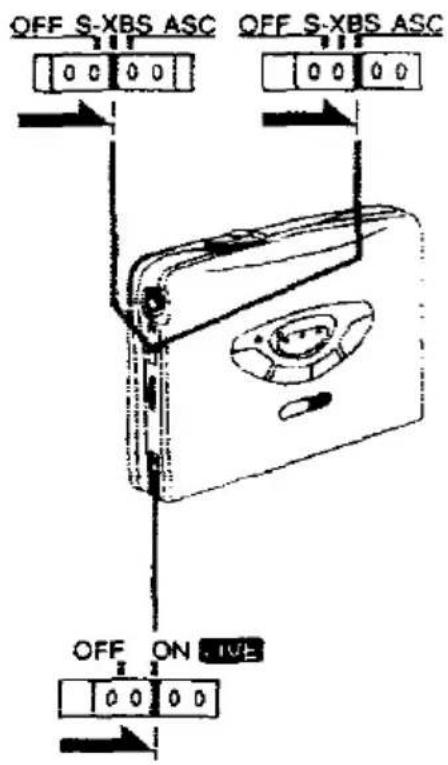
■ For extra bass sound (S-XBS)
Set the S-XBS/ASC selector to S-XBS.
If the function caused the sound distortion, turn down the volume.
For a more dynamic and mellow sound
Set the S-XBS/ASC selector to ASC.
Gives a more natural quality to the sound when you are listening on a train. It also cuts down the audible level of sound which disturbs people around you and reduces strain and fatigue when you listen for long periods of time.
■ To add gloss to the vocals
Set the LIVE switch to ON.
Makes you feel as if you were hearing a live stage performance.
- This function may not be effective according to the source.
text_image
OFF S-XBS ASC OFF S-XBS ASC OFF ON LIVE-utions
old using or placing this unit near mices of heat. Do not leave it in an auto- while exposed to direct sunlight for a long ood of time with the doors and windows used, as this may deform the cabinet.
cautions for Listening with the sphones
do not play your headset at a high volume. Hearing experts advise against continuous extended play.
you experience a ringing in your ears. reduce volume or discontinue use.
to not use while operating a motorized vehicle. It may create a traffic hazard and illegal in many areas.
you should use extreme caution or temporarily discontinue use in potentially hazardous situations.
Even if your headset is an open-air type designed to let you hear outside sounds, don't turn up the volume so high that you can't hear what's around you.
Rechargeable battery and charger
- Use only the included charger when re-charging.
- During recharging, it is normal for the charger and the rechargeable battery to become slightly warm.
- Do not leave the charger iumed on for more then 24 hours at one time, otherwise, the rechargeable battery life may be shortened.
- Avoid recharging of placing the rechargeable battery near sources of heat or humidity.
Dry cell/rechargeable battery
- Load new battery with their polarities (⊖ and ⊖) aligned correctly.
- Do not apply heat to batteries, or internal shortcircuit may occur.
- If this unit is not to be used for a long period of time, remove the batteries and store them in a cool and dry place.
- Remove spent batteries immediately.
Battery case
Do not carry the battery case in your pocket or bag with the battery installed. It may possible that a metal object will short-circuit the battery pack and become hot.
TPS Indicator
TPS indicator will start flashing when and ◀▶ are pressed at the same time.
When ■ is pressed, flashing will stop
Cautions
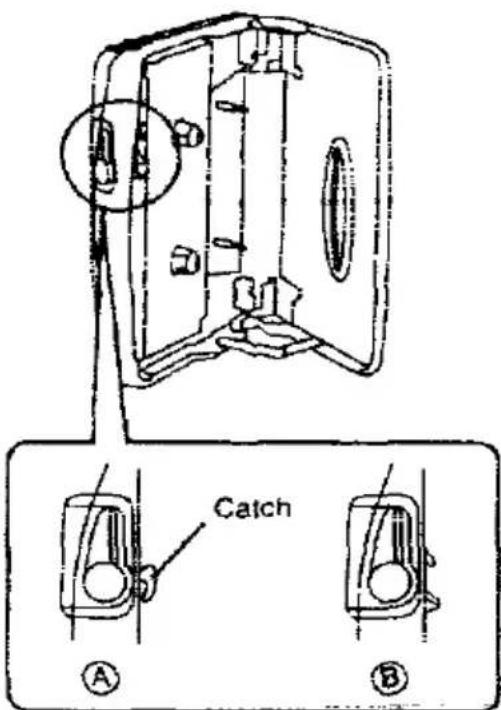
Cassette compartment cover A
If the catch is in the position shown in the figure Ⓐ, the cassette compartment cover won't close. The compartment cover may be bent out of shape if an attempt is made to forcibly close the cover. If this occurs, slide OPEN so that the catch is in the position shown in the figure Ⓑ.
Cassette tapes
Improper tape storage
You can damage a tape if you store it in the following ways:
• In high temperature or high humidity areas
• In a strong magnetic field (near a speaker, on top of a TV, etc.)
• In direct sunlight
Cassette tapes exceeding 90 minutes
These tapes are handy for their long play-back and recording time but be careful about repeatedly stopping and starting, rewinding and fast forwarding these tapes in short intervals as they are thin, tend to stretch and may become entangled in the machine.
A
text_image
Catch A BMaintenance
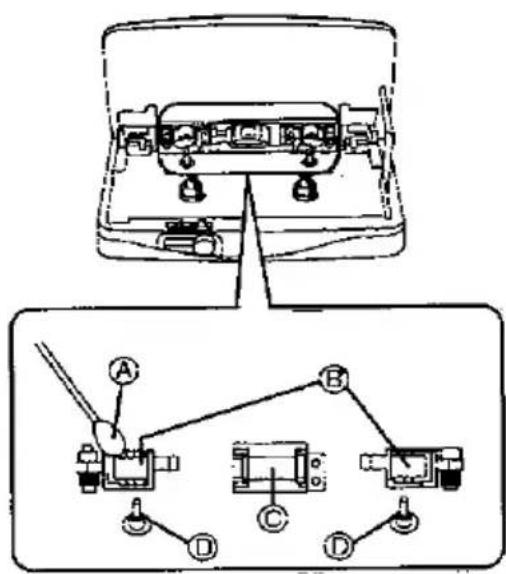
: 3 care A
Cotton swab
Pressure rollers
Head
Capstans
ensure good sound quality for tape option, be sure to clean the head approximately every 10 hours of use.
can it with a cotton swab dampened with the alcohol.
not bring metal articles or magnetic serial, such as a screwdriver, near the assembly.
in unit
can it with a cloth, dampened in a mild tion of soap and water.
not clean the cabine: with benzine or fer.
did excessive moisture.
did spray aerosol type cleaner. Some therers contain corrosive chemicals that y cause internal damage and cabinet formation.
A
text_image
Technical diagram showing electrical switch components with labeled parts A, B, C, D and connection pointsSpecifications
| Tape Player | Dimensions | ||
| Track system: | 4 track, 2 channel, stereo | (W×H×D): | 107.5×77.2×20.2 mm |
| Frequency range(Normal/CrO2/Metal): | 15-20.000 Hz(-6 dB) | Weight: | 172 g(with rechargeable battery) |
| Charger | |||
| General | Input: | AC 220 V (For UK,240 V) 50 Hz 4 W | |
| Output jack: | PHONES | ||
| Power output: | 5 mW+5 mW | Output: | DC 350 mA 1.2 V |
| Power requirement: | Note: | ||
| Rechargeable battery; | 1.2 V (included rechargeable battery) | Specifications are subject to change without notice. | |
| Battery; | 1.5 V (one R6/LR6 battery) | Weight and dimensions are approximate | |
Matsushita Electric Industrial Co., Ltd.
Central P.O. Box 288, Osaka 530-91, Japan
Printed in Japan
RQT2043
F0593: