
i80 - Lautsprecher MERIDIAN - Kostenlose Bedienungsanleitung
Finden Sie kostenlos die Bedienungsanleitung des Geräts i80 MERIDIAN als PDF.


Benutzerfragen zu i80 MERIDIAN
0 Frage zu diesem Gerät. Beantworten Sie die, die Sie kennen, oder stellen Sie Ihre eigene.
Eine neue Frage zu diesem Gerät stellen
Laden Sie die Anleitung für Ihr Lautsprecher kostenlos im PDF-Format! Finden Sie Ihr Handbuch i80 - MERIDIAN und nehmen Sie Ihr elektronisches Gerät wieder in die Hand. Auf dieser Seite sind alle Dokumente veröffentlicht, die für die Verwendung Ihres Geräts notwendig sind. i80 von der Marke MERIDIAN.
BEDIENUNGSANLEITUNG i80 MERIDIAN
Playing your iPod
To see the iPod options
press ♦ followed by Aux, i80.

Browsing your iPod

Connecting the iPod
The i80 iPod Dock allows you to play the
sound from your iPod through the PBO.
This section explains how you control the
iPod from the FEO, using the front panel coelms at panels coelms.
• Social life 70 years by service
- Stated the 100 source by pressing followed by Aux. 180.
After a delay of up to the seconds the
iPod displays a message showing that it is answered.
Playing and pausing
To play a track
- Press
While a face is playing the display shows
the elapsed time, the file of the back, and location in the above or below
and to produce in the (for example, 1 cf 8).
While a label is placing the ▶ label
charges to III.
To pause the disc
• F1256 II
While a trace is caused a || symbol is
disLayout or top right of the display set
the Ⅱ soil change to ▶:

To resume play
• F1256
Stepping between tracks
You can step between tracks while the
iPod is playing or paused
To step to the start of the next track
- Press
To restart the current track
• Press
To select a track
• Press is of the display shows the pack key want to play
The following table
Shuffle and repeat
Press to display the keys for shuffle
and repes.
To shuffle the tracks in the current
album/playlist
- Less shumle
To repeat the current back/playlist. • Press Report
Scanning through a track
Press → to display the words for
scanning
To scan at faster than normal speed
• Fluss ◀️ for reverse action ▶
for software scan.
While scanning a size symbol is much when right of the division.


• Eames to record to normal play
( \text{P} _ { 1 } \text { ( ) } \text { ( ) } \text { ( ) } \text { ( ) } \text { ( ) } \text { ( ) } \text { ( ) } \text { ( ) } \text { ( ) } \text { ( ) } \text { ( ) } \text { ( ) } \text { ( ) } \text { ( ) } \text { ( ) } \text { ( ) } \text { ( ) } \text{ ( ) } \text { ( ) } \text { ( ) } \text { ( ) } \text { ( ) } \text { ( ) } \text { ( ) } \text { ( ) } \text { ( ) } \text { ( ) } \text { ( ) } \text { ( ) } \text { ( ) } \text { ( ) } \text { ( ) } \text { ( ) } \text { ( ) } ,]
Play resumes from the point you reached.
Browsing your music
To browse for music
• Press Menu from the playing screen.
The first five you press Menu you will
see the music MUSIC screen with the first
meru, Playlists, show:

- Press ▼ or ▲ to also between
the main menu: Playlists,
Albums, Artists, Songs, Genres
Camperians, Posters, 9-10 Audiobooks
(1)
If you subsequently press menu while me is playing you will return to the last
must be you were looking at
Navigating the menus
To step between items on the
current menu
• P1855 ▼ CI ▲
The name of the current menu of
category is shown at the top of
display; 15 example ALBUMS.

Selecting an item
To show the contents of an item
- Select a playlist, album, artist, genre
composer, počitel, et studboek.
- Press Enter
To play a track
• Select a song. • Press Enter.
- 10.1458
Returning to the previous
menu
To return to the previous menu
- Press Menu.
Freezing Menu from the MUSIC sensor
returns to the playing screen.
Returning to the playing
screen
• Press 📁, or press and hold Menu on
Uno remote central.
Alternatively if you do not press anything
the display inserts for the playing seven after 20 seconds.
Connecting the i80 dock
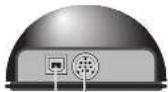
USE ISO
dock cable
To connect the iPod
- Correct one end of the 60 Duck cable to the corrector on the back of the 80 Duck.
- Connect the other end of the cable to the 150 Dock connector on the 150. - Insert the plastic cover supplied with your Post unit the 150 Dock.
- Mount your iPod on the 180 Deck. Write connected the iPod battery is red vapor from the product.
USB Connector
The USB connector optionally allows you to charge your iPod from an external USB power supply or computer. The USB light changes from green to red when changing.
Setting iPod control
The instructions on his self expiring how to contact the Pod from the P80 using the front panel controls or remote control.
If you prefer x disable iPod carbox, for example to view video on the iPod while playing the sound through the product, proceed as follows:
To enable/disable Pod control
- Press ▲ Adjust, Setup to display the SETUP menu.
- Press → to display the 180 Ctrl nation.
You can choose between Enabled which allows you to control the iPod from the product, or Disabled, which allows you to play the iPod without controlling it.
i80IPoddocktorF80
DesignedandEngineeredby MeridianAudioLimited CambridgeshireEngland

natural_image
3D mesh model of a curved surface with red grid lines, labeled 'MERIDIAN' at bottom (no other text or symbols)Safety instructions
This product is only intended for use with an iPod in conjunction with a Meridian PDU. Please refer to the F2C User Guide for additional search information.
80 compatibility
The i80 is fully compatible with the iPod Mini, iPod Nano, iPod Classic, and Touch.
It may also be usable with the iPhone when connecting select Apple Music to avoid incoming calls and messages interrupting the music.
Acknowledgements Mendan is a registered trade mark of Mendan Audio Ltd.
iPhone and iPod are trade marks or registered trade marks of Apple Inc. Copyright © 2007-2008 Munich Aucic Ltd.
Part number: P86017 This guide was produced by: Human-Computer Interface Ltd. http://www.mterco.com/
Sales and services in the UK
Lahama Board
Huntington
Cambridgeshire
Pazere, England
Tel: +14 (0)1480 445678
Fax: 144 (0)1489 225555
Sales and service in the USA
1065.1234
Sune C
64301091-7849 USA
Tel: 1 (406) 344 7111
1m+ (404)346/11
Visit on the Web
http://www.erdan.sudp.com/
Designed and manufactured in the UK by Meridian Audio Ltd. Meridian Audio reserves the right to make changes and improvements to any of the products described in this encumment without prior notice.