
Aud 5 - Lautsprecher ILUV - Kostenlose Bedienungsanleitung
Finden Sie kostenlos die Bedienungsanleitung des Geräts Aud 5 ILUV als PDF.


| Produkttyp | Apple Lightning Lautsprecher-Dock |
| Modell | Aud 5 (AUD5BLK) |
| Marke | iLuv |
| Abmessungen (B x H x T) | 319 mm x 137 mm x 172 mm |
| Gewicht | 1,4 kg |
| Stromversorgung | Netzadapter (12 V, 2,5 A) |
| Ausgangsleistung | 7,5 W x 2 (bei 1% THD) |
| Kompatible Geräte | iPhone 5, iPod touch (5. Gen.), iPod nano (7. Gen.) |
| Anschlüsse | Apple Lightning Connector, AUX-IN (3,5 mm Klinke) |
| Steuerung | Ein/Aus, Wiedergabe/Pause, Lautstärke, Titelsprung |
| Lieferumfang | Haupteinheit, Netzadapter |
| Garantie | 1 Jahr (EU: 2 Jahre) |
| Reinigung | Nur mit weichem, trockenem Tuch reinigen. Keine Flüssigkeiten oder Reinigungsmittel verwenden. |
| Sicherheitshinweise | Nur im Innenbereich verwenden. Vor Feuchtigkeit und Hitze schützen. |
| Entsorgung | Elektrogeräte nicht im Hausmüll entsorgen (WEEE-Richtlinie). |
Häufig gestellte Fragen - Aud 5 ILUV
Benutzerfragen zu Aud 5 ILUV
0 Frage zu diesem Gerät. Beantworten Sie die, die Sie kennen, oder stellen Sie Ihre eigene.
Eine neue Frage zu diesem Gerät stellen
Laden Sie die Anleitung für Ihr Lautsprecher kostenlos im PDF-Format! Finden Sie Ihr Handbuch Aud 5 - ILUV und nehmen Sie Ihr elektronisches Gerät wieder in die Hand. Auf dieser Seite sind alle Dokumente veröffentlicht, die für die Verwendung Ihres Geräts notwendig sind. Aud 5 von der Marke ILUV.
BEDIENUNGSANLEITUNG Aud 5 ILUV
iLuv®
Designed by iLuv in New York
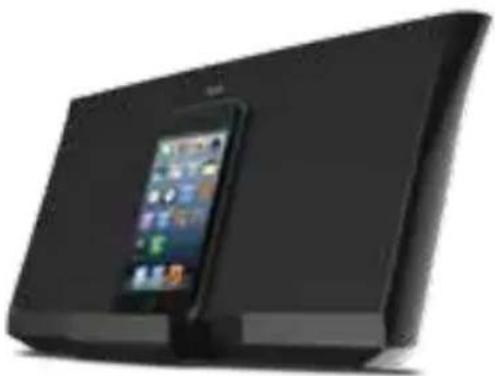
Aud 5
Apple Lightning Speaker Dock
Model No: AUD5BLK
natural_image
Black foldable tablet device with a smartphone displaying the iPad (no visible text or symbols)Quick Start Guide
Welcome.
Thank you for your purchase. Visit our website at www.iLuv.com or support.iLuv.com for more information.
iLuv®
Innovative Lifestyle Unquestionable Value®
CONTENTS
Apple Lightning Speaker Dock | Model No: AUD5BLK

WHAT'S INCLUDED 3,4

POWERING UP 5,6

CHARGING/PLAYING 7,8

CONTROLS 9,10

CONNECTING OTHER DEVICES 11, 12

SPECIFICATIONS 13
WARRANTY 14

WHAT'S INCLUDED
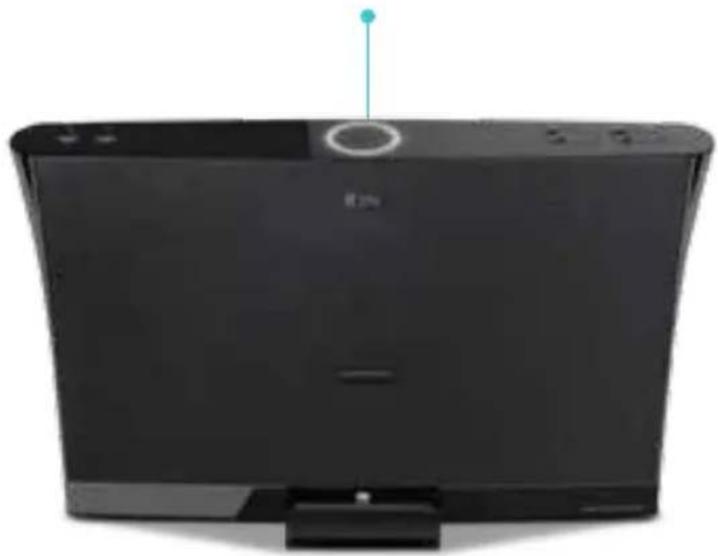
1 Aud 5 Main Unit
natural_image
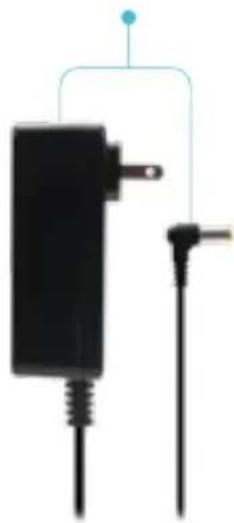
Front view of a black electronic device with a circular top and indicator lights (no visible text or symbols)2 AC Adapter
natural_image
Pure electrical circuit lines without any symbols| FR | CE QUI EST INCLUS1 Unité principale2 Adaptateur secteur | FN | TOIMITUKSEEN KUULUU1 Päälaite2 AC-adapteri |
| ES | QUÉ SE INCLUYE1 Unidad principal2 Adaptador Corriente | SE | VAD INKLUDERAS1 Huvudenhet2 AC-adapter |
| IT | COSA È INCLUSO1 Unità principale2 Adattatore AC | CH | 包装内包含1 主机2 电源 |
| DE | WAS IST ENTHALTEN1 Haupteinheit2 AC-Adapter | KR | 구성품1 본체2 AC 이댑터 |
| RU | КОМПЛЕКТ ПОСТАВКИ1 Основное устройство2 Адаптер питания | JP | この製品に含まれるもの1 本体2 ACアダプタ4 |

POWERING UP
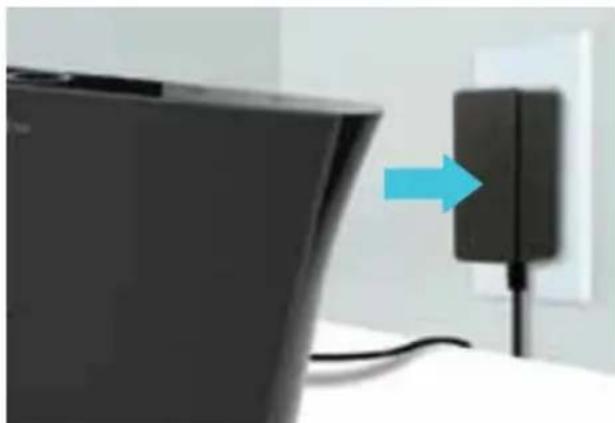
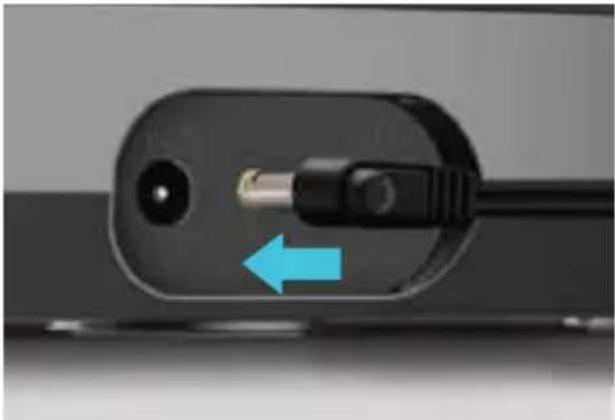
Connect AC adapter to an outlet.1 2
natural_image
Close-up of a black TV mounted on a wall with a blue arrow pointing to a charging plug (no text or symbols visible)Connect other end of the adapter to the port behind the main unit.
natural_image
Close-up of a black electrical plug with a blue arrow pointing to a terminal socket (no text or symbols visible)| FR | METTEZ EN MARCHE1 Branchez l'adaptateur secteur dans la prise.2 Connectez l'autre extrémité de l'adaptateur au port derrière l'unité principale. | FN | KÄYNNISTETÄÄN1 Liitä AC-adapteri pistorasiaan.2 Liitä adapterin toinen pää päälaitteen takana olevaan porttiin. |
| ES | ENCENDERLO1 Conecte el adaptador AC a la toma de corriente.2 Conecte el otro extremo del adaptador al puerto posterior de la unidad principal. | SE | STARTA1 Anslut AC-adaptern till uttaget.2 Anslut den andra änden av adaptern till porten bakom huvudenheten. |
| IT | ACCENSIONE1 Connetti l'adattatore AC alla presa elettrica.2 Connetti l'altra uscita dell'adattatore alla porta situata dietro l'unità principale. | CH | 电源连接1 将电源插进交流电源插座里,2 将电源的另一端插入主机的后背DC插座里。 |
| DE | EINSCHALTEN1 Verbinden Sie den AC-Adapter mit der Steckdose.2 Verbinden Sie das andere Ende des Adapters mit dem Anschluss an der Rückseite der Haupteinheit. | KR | 전원 켜기1 AC 이 dép터를 コンセ트에 연결합니다.2 어 dép터의 다른 끓을 본세 뒤의 포트에 연결합니다. |
| RU | ПОДКЛЮЧЕНИЕ ПИТАНИЯ1 Включите адаптер питания в розетку.2 Подключите другой конец адаптера к разъему позади основного устройства. | JP | 起動中1 ACアダプタをアウトレットに接続してください。2 アダプタのもう一方の端を、本体の後部にあるポートに接続してください。6 |

CHARGING/PLAYING
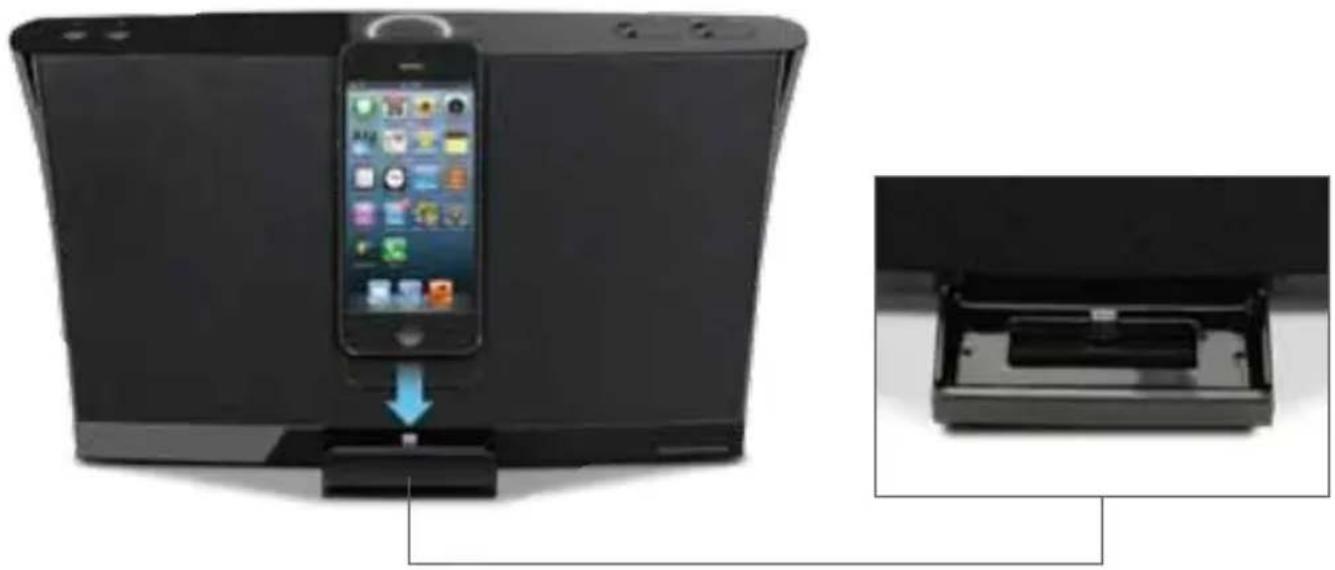
1 Align your iPhone 5, iPod Touch (5th generation), or iPod Nano (7th generation) with the Lightning connector and connect.
natural_image
Device with smartphone mounted on a stand, showing internal components and a close-up view of the device's internal structure (no text or symbols visible)| FR | CHARGEMENT / LECTURE1 Alignez votre iPhone 5, iPod touch (5e génération) ou iPod nano (7e génération) avec le connecteur Lightning, et connectez-vous. | FN | LADATAAN/TOISTETAAN1 Kohdista iPhone 5, iPod touch (5. sukupolvi) tai iPod nano (7. sukupolvi) Lightning-liittimeen ja muodosta yhteys. |
| ES | CARGAR/REPRODUCIR1 Alínea tu iPhone 5, iPod touch (de 5.a generación), o el iPod nano (de 7.a generación) con el conector de Lightning y conéctate. | SE | LADDA / SPELA1 Anpassa och anslut din iPhone 5, iPod touch (5:e generationen) eller iPod nano (7:e generationen) till Lightning-kontakten. |
| IT | CARICAMENTO/RIPRODUZIONE1 Allinea il tuo iPhone 5, iPod touch (5a generazione) o iPod nano (7a generazione) con il connettore Lightning e connettilo. | CH | 充电/播放1 將你的iPhone 5, iPod touch (第五代)或者iPod nano (第7代)對齊Lightning連接器並連接。 |
| DE | AUFLADEN/ABSPIELEN1 Stecken Sie den Lightning-Stecker an Ihr iPhone 5, Ihren iPod touch (5. Generation) oder Ihren iPod nano (7. Generation) und stellen Sie eine Verbindung her. | KR | 충전/재생1 iPhone 5. iPod touch (5세대) 또는 라이트닝 키넥터가 있는 iPod nano (7세대)를 징렬하고 연결합니다. |
| RU | ЗАРЯДКА/ВОСПРОИЗВЕДЕНИЕ1 Подведите iPhone 5, iPod touch (5-го поколения) или iPod nano (7-го поколения) к коннектору Lightning и соедините. | JP | 充電中/再生中1 iPhone 5、iPod touch (5th generation)またはiPod nano (7th generation)にLightningコネクタを繋げ、接続してください。8 |

CONTROLS
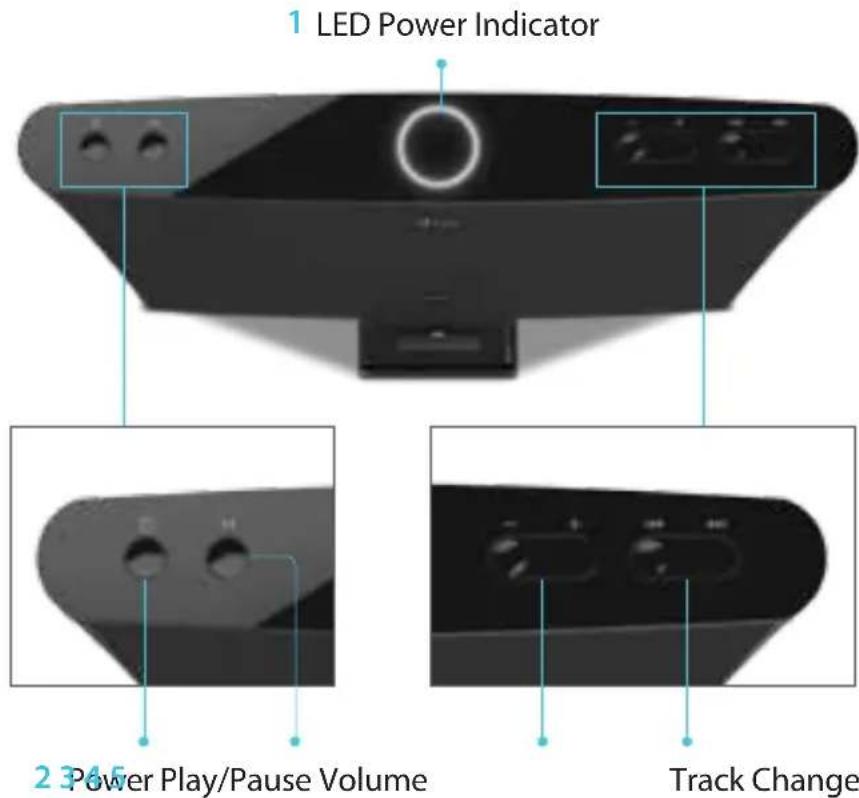
press to go to beginning
or previous track,
press and hold to rewind
press▶ for next track,
press and hold to fast forward
| FR | COMMANDES1 DEL Indicateur d'alimentation2 Marche3 Lecture / Pause4 Volume5 Changer les pistes | FN | OHJAIMET1 LED Virtaosoitin2 Virta3 Toista/tauko4 Äänenvoimakkuus5 Raidan vaihto |
| ES | CONTROLES1 Indicador LED de energía2 Energía3 Reproducir/pausar4 Volumen5 Cambio de pista | SE | KONTROLLER1 LED-strömindikator2 Ström3 Spela / Pausa4 Volym5 Byt lät |
| IT | CONTROLLI1 Indicatore LED accensione2 Accensione3 Riproduzione/Pausa4 Volume5 Cambio traccia | CH | 控制按钮1 电源/功能指示灯2 电源钮3 播放/暂停钮4 音量钮5 选曲钮 |
| DE | STEUERUNGEN1 LED-Stromanzeige2 Leistung3 Abspielen/Pause4 Lautstärke5 Track wechseln | KR | 컨트롤1 LED 전원 표시능2 전원3 제생/일시종지4 유량5 트랙 렌징 |
| RU | СРЕДСТВА УПРАВЛЕНИЯ1 LED-индикатор питания2 Питание3 Воспроизведение/Пауза4 Громкость5 Смена трека | JP | 操作1 LED 電源インジケータ2 電源3 再生/一時停止4 音量5 曲の変更 |

CONNECTING OTHER DEVICES
1 Plug AUX-IN cable into the back of the main unit (cable not included).
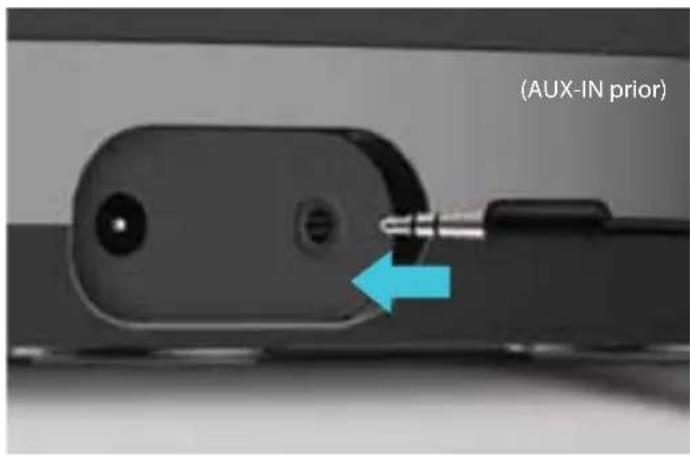
2 Connect the other end of cable to your audio device.
MP3 Player Smartphone Tablet
| FR | CONNEXION D'AUTRES APPAREILS1 Branchez câble AUX-IN à l'arrière de l'unité principale (câble non fourni).2 Branchez l'autre extrémité du câble à votre périphérique audio. | FN | LIITETÄÄN MUITA LAITTEITA1 Liitä AUX-IN -kaapeli päälaitteen taakse (kaapeli ei kuulu toimitukseen).2 Liitä kaapelin toinen pää audiolaitteeseesi. |
| ES | CONECTAR OTROS DISPOSITIVOS1 Conecte el cable AUX-IN en la parte posterior de la unidad principal (cable no incluido).2 Conecte el otro extremo del cable a su dispositivo de audio. | SE | ANSLUT ANDRA ENHETER1 Sätt i AUX-IN-kabeln på baksidan av huvudenheten (kabel inkluderas inte).2 Anslut den andra änden av kabeln till din ljudenhet. |
| IT | CONNESSIONE ALTRI DISPOSITIVI1 Inserisci il cavo AUX-IN nel retro dell'unità principale (cavo non incluso).2 Connetti l'altra uscita del cavo al tuo dispositivo audio. | CH | 连接其他设备1 将外接音频线插人主机后背的AUX接口(不包含電纜)。2 将音频线的另一端插人你的音频设备相应接口。 |
| DE | ANDERE GERÄTE ANSCHLIEßEN1 Stecken Sie das Kabel „AUX-IN" in die Rückseite der Haupteinheit ein (Kabel nicht im Lieferumfang enthalten).2 Verbinden Sie das andere Kabelende mit Ihrem Audiogerät. | KR | 기타 기기 연결1 AUX-IN 케이블을 본체 뒤에 연결합니다 (케이블은 포함되지 않음).2 케이블의 나쁜 끊을 오디오 기기에 연결합니다. |
| RU | ПОДКЛЮЧЕНИЕ ДРУГИХ УСТРОЙСТВ1 Подсоедините кабель AUX-IN к основному устройству сзади (кабель не входит в комплект поставки).2 Подключите другой конец кабеля к своему аудио-устройству. | JP | 他のデバイスを接続1 本体の後部にAUX ケーブルをプラグインしてください(ケーブルは別売り)。2 ケーブルのもう一方の端をオーディオデバイスに接続してください。12 |

SPECIFICATIONS
| 1 Weight | 1.4Kg / 3lb 1.38oz |
| 2 Dimensions(W x H x D) | 319mm x137mm x 172mm12.5in x 6.8in x 5.4in |
| 3 Compatibility | iPhone 5, iPod Touch (5th generation),iPod Nano (7th generation) |
| 4 Connectors | AUX-IN,Apple Lightning Connector |
| 5 Input Power | 12V 2.5A |
| Output Power6 | 7.5W x 2 @1% THD |
WARRANTY
ONE YEAR LIMITED WARRANTY | UNE GARANTIE LIMITEE D'AN GARANTIA LIMITADA DE UM ANO | GARANTÍA LIMITADA DE UN AÑO EINEM JAHR EINGESCHRÄNKTE GARANTIE | GARANZIA LIMITATA UN ANNO 1년 제한 보증 | 壹年有限保証 | 一年有限保证 1年 制限保証 | 1 JAARVOOR BEPERKTE GARANTIE
EUROPEAN UNION
TWO YEAR LIMITED WARRANTY | GARANTIE LIMITEE DE DEUX ANS GARANTIA LIMITADA DE DOIS | GARANTÍA LIMITADA 2 AÑOS ZWEI JAHREN EINGESCHRÄNKTE GARANTIE | ARANZIA LIMITATA DUE ANNI 2년 제한 보증 | 两年有限保证 2年 制限保證 | 2 JAAR VOOR BEPERKTE GARANTIE
Please register your product at www.iLuv.com/reg
iLuv ^® , Innovative Lifestyle Unquestionable Value ^® and GreeNology ^® trademarks are the exclusive properties of jWIN Electronics Corp. and are registered with the U.S. Patent and Trademark Office, and may be registered or pending registration in other countries. All other iLuv ^® trademarks, service marks, and logos may be registered or pending registration in the U.S. or in other countries. All other trademarks or registered trademarks are the property of their respective owners. iPhone, iPod and iTunes are trademarks of Apple Inc. registered in the US and other countries. "Made for iPod" and "Made for iPhone" mean that an electronic accessory has been designed to connect specifically to iPod or iPhone respectively, and has been certified by the developer to meet Apple performance standards. Apple is not responsible for the operation of this device or its compliance with safety and regulatory standards. Please note that the use of this accessory with iPod or iPhone may affect wireless performance. © 2013 iLuv Creative Technology. Printed in China.
iLuv Creative Technology
2 Harbor Park Drive
Port Washington, NY 11050
MEMO
MEMO

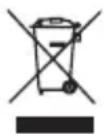
This product conforms to all applicable EU Directive requirements.
When this crossed-out wheeled bin symbol is attached to a product it means that the product is covered by the European Directive 2002/96/EC (WEEE).
Please inform yourself about the local separate collection system for electrical and electronic products.
Please act according to your local rules and do not dispose of your old products with your normal household waste. Correct disposal of your old product helps to prevent potential negative consequences for the environment and human health.

natural_image
Completely dark image with no visible content, text, or symbols.

Marke : ILUV
Modell : Aud 5
Kategorie : Lautsprecher