
PS-2370 - Auto Halterung Cyber Acoustics - Kostenlose Bedienungsanleitung
Finden Sie kostenlos die Bedienungsanleitung des Geräts PS-2370 Cyber Acoustics als PDF.


| Produkttyp | Autohalterung (Handyhalterung) |
| Marke | Cyber Acoustics |
| Modell | PS-2370 |
| Kompatibilität | Smartphones bis 6,5 Zoll Bildschirmdiagonale |
| Befestigungsmethode | Klemme für Lüftungsschlitze + Saugnapfhalterung |
| Material | Hochwertiger Kunststoff, gummierte Auflage |
| Abmessungen (ca.) | 10 cm × 8 cm × 5 cm (B × T × H) |
| Gewicht | 120 g |
| Drehbar | Ja, 360° drehbar |
| Schwenkbar | Ja, neigbar für optimale Sicht |
| Einhandbedienung | Ja, Federklappmechanismus |
| Stromversorgung | Keine (passive Halterung) |
| Lieferumfang | Halterung, Lüftungsklemme, Saugnapf, Montageanleitung |
| Reinigung | Mit einem feuchten Tuch abwischen; keine scharfen Reiniger |
| Sicherheitshinweis | Sicht nicht beeinträchtigen; keine scharfen Gegenstände in der Nähe |
| Ersatzteile | Saugnäpfe und Klemmbacken separat erhältlich |
| Garantie | 1 Jahr |
Häufig gestellte Fragen - PS-2370 Cyber Acoustics
Benutzerfragen zu PS-2370 Cyber Acoustics
0 Frage zu diesem Gerät. Beantworten Sie die, die Sie kennen, oder stellen Sie Ihre eigene.
Eine neue Frage zu diesem Gerät stellen
Laden Sie die Anleitung für Ihr Auto Halterung kostenlos im PDF-Format! Finden Sie Ihr Handbuch PS-2370 - Cyber Acoustics und nehmen Sie Ihr elektronisches Gerät wieder in die Hand. Auf dieser Seite sind alle Dokumente veröffentlicht, die für die Verwendung Ihres Geräts notwendig sind. PS-2370 von der Marke Cyber Acoustics.
BEDIENUNGSANLEITUNG PS-2370 Cyber Acoustics
Herzlichen Glückwunsch
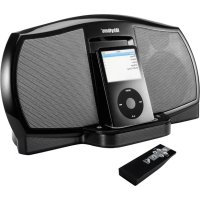
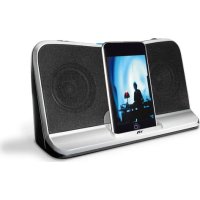
Ihr PS-2370-Lautsprecher enthält Bluetooth®-Technologie, mit der Sie Musik drahtlos von fast jedem Bluetooth-fähigen Gerät abspielen können. Jetzt können Sie den Raum betreten, Musik auf den meisten Smartphones, Tablets oder Laptops auswählen und Ihr Hörvergnügen bequem von Ihrem Schoß aus steuern. Von Ihrem Gerät aus können Sie problemlos Musiktitel und Wiedergabelisten steuern und ändern, die Lautstärke erhöhen oder verringern oder sogar Podcasts und viele andere Audioanwendungen auf Ihrem Gerät anhören.
Lieferumfang
Kabelloser Monolautsprecher
Kabel
Tragebeutel
Bedienungsanleitung mit Anschlussdiagramm
Vorsicht
- Anweisungen sorgfältig lesen – Alle Sicherheits- und Betriebsanweisungen sollten gelesen werden, bevor dieses Gerät in Betrieb genommen wird.
- Hitze – Halten Sie Lautsprecher von extremer Hitze und von Wärmequellen wie Heizlüftern, Heizkörpern, Öfen und anderen Geräten, die Wärme abgeben, fern.
- Wasser und Feuchtigkeit – Halten Sie Lautsprecher von Regen und feuchten Bedingungen fern, um einen elektrischen Schlag zu vermeiden. Halten Sie Lautsprecher von Wasser fern, wie z. B. Waschbecken, Badewannen, Schwimmbecken, Waschmaschinen, Wassertrögen usw., um einen elektrischen Schlag zu vermeiden. Vermeiden Sie, dass Wasser auf das Gerät tropft, stellen Sie keine Gegenstände mit Wasser, wie z. B. Vasen, auf das Gerät und stellen Sie das Gerät nicht in die Nähe von stehendem Wasser.
- Reinigung – Verwenden Sie ein trockenes Tuch zur Reinigung. Wischen Sie keine Teile des Systems mit Reinigungslösungsmitteln wie Möbelpolitur, Bleichmittel, Benzol oder Ammoniak ab.

Lautsprecheranschluss
Bitte lesen Sie die Schritt-für-Schritt-Anleitung zusammen mit den bereitgestellten Diagrammen.

Aufladen
- Schalten Sie den Lautsprecher aus.
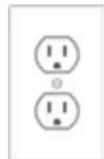
- Schließen Sie das mitgelieferte USB-Ladekabel zum Laden an (Mini-USB-Stecker an den Lautsprecher und Standard-USB-Stecker an eine USB-Stromquelle) oder klappen Sie die eingebauten Netzstecker aus und stecken Sie den Lautsprecher in eine verfügbare Steckdose.
• Die LED leuchtet rot, während der Lautsprecher lädt.
(Die LED leuchtet lila, während der Lautsprecher eingeschaltet ist und lädt)
110V-Netzsteckdose zum Laden

USB-Kabel zum Laden


Erstmaliges Koppeln mit den Lautsprechern
Bevor Sie beginnen, laden Sie den PS-2370-Lautsprecher vollständig auf.
Stellen Sie sicher, dass die Bluetooth-Funktion Ihres Quellgeräts eingeschaltet und bereit ist, neue Geräte zu erkennen. Schlagen Sie bei Bedarf in der Anleitung Ihres Geräts nach, wie Sie ein Bluetooth-Gerät hinzufügen oder einrichten.
Wenn Sie das PS-2370-Lautsprechersystem zum ersten Mal einschalten, ist die Bluetooth-Funktion nicht aktiviert. Die folgenden Schritte sind die Richtlinien für die Verbindung mit dem PS-2370-Lautsprecher.
So verbinden Sie sich drahtlos mit der Bluetooth-Funktion Ihrer Lautsprecher:
- Stellen Sie sicher, dass der Lautsprecher vollständig aufgeladen ist. Schalten Sie das Gerät ein, indem Sie die Ein-/Aus-/Bluetooth-Taste 3 Sekunden lang gedrückt halten, bis Sie eine hörbare Melodie hören. Das Gerät ist jetzt eingeschaltet und die blaue LED leuchtet.
- Drücken Sie die Ein-/Aus-/Bluetooth-Taste einmal, um den "Bluetooth-Kopplungsmodus" zu aktivieren. Sie hören eine weitere hörbare Melodie und die LED blinkt nun abwechselnd rot und blau.
- Suchen Sie auf Ihrer Audioquelle (Smartphone, Tablet, iPod usw.) die Bluetooth-Geräteliste und suchen Sie nach "PS-2370". Wählen Sie es aus, um es mit den Lautsprechern zu koppeln/zu verbinden.
- Wenn das Gerät verbunden ist, hören Sie einen kurzen Signalton, die LED hört auf zu blinken und leuchtet dauerhaft.
- Jetzt können Sie zu Ihren Musik-Apps gehen; drücken Sie Play und genießen Sie Ihre Musik.
Wenn Sie Ihr Quellgerät ausschalten, werden Ihre Lautsprecher automatisch getrennt. Wenn Sie vorhaben, Ihre Lautsprecher für eine Stunde oder länger nicht zu verwenden, empfehlen wir Ihnen, Ihre PS-2370-Lautsprecher auszuschalten, um Batterie zu sparen, bis Sie wieder bereit sind, zuzuhören.
Koppeln mit den Lautsprechern nach dem ersten Mal
Nachdem Sie Ihre Lautsprecher erfolgreich gekoppelt haben, verbindet sich Ihr Gerät automatisch mit ihnen, wenn Sie in den Raum zurückkehren, in dem sie sich befinden. Sie können sofort zur Audio-App Ihrer Wahl gehen, Ihre Audiotitel auswählen und fast sofort mit dem Genießen beginnen.
Das Ausschalten der Lautsprecher durch Drücken und Halten für etwa 3 Sekunden trennt automatisch die Verbindung zu Ihrem Quellgerät. Schalten Sie Ihre Lautsprecher wieder ein, indem Sie die Ein-/Aus-Taste 3 Sekunden lang gedrückt halten. Während Ihr Gerät weiterhin Bluetooth-fähig ist, kann sich Ihr Gerät innerhalb weniger Sekunden ohne weitere Mühe wieder verbinden.
Trennen und Koppeln mit einem neuen Gerät
Stellen Sie sicher, dass der Lautsprecher vollständig aufgeladen ist. Schalten Sie das Gerät ein, indem Sie die Ein-/Aus-/Bluetooth-Taste 3 Sekunden lang gedrückt halten, bis Sie eine hörbare Melodie hören.
Das Gerät ist jetzt eingeschaltet und die blaue LED leuchtet.
Wiederholen Sie die Schritte 2 bis 5 wie beim ersten Verbinden mit dem Lautsprecher.
Audio über den AUX-Eingang abspielen*
- Stellen Sie sicher, dass der Lautsprecher vollständig aufgeladen ist.
- Schalten Sie das Gerät ein, indem Sie die Ein-/Aus-/Bluetooth-Taste etwa 3 Sekunden lang gedrückt halten.
- Stecken Sie ein 3,5-mm-AUX-Kabel in den AUX-Eingang.
- Verbinden Sie das andere Ende des AUX-Kabels mit Ihrer sekundären Audioquelle.
- Die Musik wird über das Lautsprechersystem abgespielt, wenn Sie die Wiedergabe auf der sekundären Audioquelle starten.
* Der AUX-Eingang hat Priorität (überschreibt die Bluetooth-Audioquelle), sobald ein 3,5-mm-Kabel eingesteckt ist.
Fehlerbehebung
| Symptom | solution |
| Speaker System Will Not Power | Make sure the speaker is charged up. |
| Speaker Does Not Produce Sound. | Verify the speaker is getting power. Check above steps. |
| Verify that all cables are plugged into the correct jacks or that the Bluetooth is paired correctly. | |
| Sound Is Distorted. | Adjust the sound source's master volume control by balancing the volume until it's centered. |
Fehlerbehebung bei Bluetooth-Verbindungen
Erstmalige Verbindung fehlgeschlagen
- Schalten Sie den Lautsprecher vollständig aus, indem Sie die Ein-/Aus-/Bluetooth-Taste etwa 3 Sekunden lang gedrückt halten, bis die LED erlischt.
- Überprüfen Sie Ihr Bluetooth-Quellgerät und stellen Sie sicher, dass Sie den Bereich gefunden haben, in dem Sie in der Nähe befindliche Bluetooth-Produkte sehen können. Wenn Sie den PS-2370 in der Liste sehen, aber keine Verbindung herstellen können, müssen Sie möglicherweise erneut synchronisieren. Um neu zu beginnen, wählen Sie auf Ihrem Bluetooth-Gerät "Gerät vergessen", um den PS-2370 aus der Liste zu entfernen. Möglicherweise müssen Sie die Bluetooth-Funktion auf Ihrem Gerät ausschalten, um die Liste vollständig zu leeren.
- Schalten Sie den Lautsprecher wieder ein, indem Sie die Ein-/Aus-/Bluetooth-Taste etwa 3 Sekunden lang gedrückt halten. Gehen Sie dann in den "Kopplungsmodus", indem Sie die Schritte 2–5 wie beim ersten Verbinden mit dem Lautsprecher wiederholen.
- Kehren Sie zu Ihrem Quellgerät zurück und aktivieren Sie die Bluetooth-Funktion erneut. Suchen Sie nach den PS-2370-Lautsprechern, die wieder in der Liste erscheinen.
- Wählen Sie diese Lautsprecher auf Ihrem Bildschirm aus und achten Sie auf den hörbaren Piepton, um die Kopplung zu bestätigen.
Verbindung beim Zurückkehren fehlgeschlagen
- Wenn der PS-2370 aus irgendeinem Grund nicht automatisch wieder mit Ihrem Bluetooth-fähigen Gerät verbunden wird, müssen Sie möglicherweise manuell in die Bluetooth-Einstellungen Ihres Geräts gehen und "PS-2370" auswählen, um die Verbindung wiederherzustellen.
- Wenn der obige Schritt nicht funktioniert, befolgen Sie die Schritte 1–5 im Abschnitt "Erstmalige Verbindung fehlgeschlagen" oben.
Der Ton ist abgehackt, hat unregelmäßiges Rauschen oder die Verbindung bricht ständig ab
- Überprüfen Sie unbedingt die Umgebung Ihres Raums. Die heutige Bluetooth-Technologie hat eine geplante Reichweite von ungefähr 9 Metern (30 Fuß) bei Sichtverbindung. Das bedeutet im Allgemeinen, dass Sie die besten Ergebnisse erzielen, wenn Sie Ihr Quellgerät und die Lautsprecher im selben Raum platzieren. Sehr große Räume oder Räume mit vielen drahtlosen elektronischen Geräten, Routern usw. können die Klangqualität, die Verbindung oder die Verbindungsstabilität beeinträchtigen.
- Prüfen Sie auf Hindernisse, Wände oder andere Objekte, die das Bluetooth-Signal behindern könnten.
- Versuchen Sie, sich mit Ihrem Quellgerät näher an Ihre Lautsprecher zu begeben.
Immer noch keine Verbindung möglich
- Überprüfen Sie die Umgebung des Raums. Die heutige Bluetooth-Technologie hat eine konstruktionsbedingte Reichweite von etwa 9 Metern (30 Fuß) bei Sichtverbindung. Das bedeutet in der Regel, dass Sie für beste Ergebnisse Ihr Quellgerät und die Lautsprecher im selben Raum platzieren sollten. Sehr große Räume oder Räume mit vielen drahtlosen elektronischen Geräten, WLAN-Routern, Funksendern usw. können die Kopplung beeinträchtigen.
- Prüfen Sie, ob bereits andere Geräte mit dem PS-2370 verbunden sind. Die Lautsprecher können jeweils nur mit einem Gerät gekoppelt werden. Wenn Sie die Kopplung aufheben möchten, wählen Sie auf Ihrem Quellgerät "Dieses Gerät vergessen". Befolgen Sie dann die oben beschriebenen Schritte zur Kopplung.
- Überprüfen Sie den Akkustand Ihres Quellgeräts und laden Sie es bei Bedarf auf. Die meisten Geräte funktionieren am besten, wenn sie zu mindestens 20 % aufgeladen sind.
Eingehende Anrufe
Bei der Verbindung mit einigen Android-Smartphones (abhängig von der Betriebssystemversion) kann eingehende Sprachaudio an den Bluetooth-Lautsprecher übertragen werden. Um sicherzustellen, dass Sie Anrufe nur über Ihr Telefon annehmen können, deaktivieren Sie die Option "Telefonaudio" für den Gerätenamen in den Bluetooth-Einstellungen. Oder Sie können bei einem eingehenden Anruf manuell auf Telefonaudio umschalten.
Weitere Unterstützung
Online
Die neuesten Video-Tutorials, FAQ und Produktfunktionsspezifikationen sind rund um die Uhr online verfügbar: http://cyberacoustics.com
Persönlich
Technischer Support ist ebenfalls erreichbar unter 360-883-0333, Mo-Fr 8-17 Uhr (Westküstenzeit).
FCC-Informationen
Dieses Gerät wurde getestet und entspricht den Grenzwerten für ein digitales Gerät der Klasse B gemäß Teil 15 der FCC-Bestimmungen. Diese Grenzwerte sollen einen angemessenen Schutz vor schädlichen Störungen bei der Installation in Wohngebieten bieten. Dieses Gerät erzeugt, verwendet und kann Hochfrequenzenergie ausstrahlen. Wenn es nicht gemäß den Anweisungen installiert und verwendet wird, kann es schädliche Störungen des Funkverkehrs verursachen.
Es gibt jedoch keine Garantie, dass in einer bestimmten Installation keine Störungen auftreten. Wenn dieses Gerät schädliche Störungen des Radio- oder Fernsehempfangs verursacht, was durch Ein- und Ausschalten des Geräts festgestellt werden kann, wird der Benutzer aufgefordert, die Störungen durch eine oder mehrere der folgenden Maßnahmen zu beheben:
- Richten Sie die Empfangsantenne neu aus oder verlegen Sie sie an einen anderen Ort.
- Vergrößern Sie den Abstand zwischen dem Gerät und dem Empfänger.
- Schließen Sie das Gerät an eine Steckdose an, die zu einem anderen Stromkreis gehört als der des Empfängers.
- Wenden Sie sich an den Händler oder einen erfahrenen Radio-/Fernsehtechniker um Hilfe.
Warnung: Änderungen oder Modifikationen an diesem Gerät, die nicht ausdrücklich von der für die Konformität verantwortlichen Partei genehmigt wurden,
können die Berechtigung des Benutzers zum Betrieb des Geräts aufheben.
Dieses Gerät erfüllt die Anforderungen von Teil 15 der FCC-Bestimmungen. Der Betrieb unterliegt den folgenden zwei Bedingungen: (1) Dieses Gerät darf keine schädlichen Störungen verursachen, und (2) dieses Gerät muss alle empfangenen Störungen akzeptieren, einschließlich solcher, die einen unerwünschten Betrieb verursachen können.


- HERZLICHEN GLÜCKWUNSCH
- LIEFERUMFANG
- VORSICHT
- LAUTSPRECHERANSCHLUSS
- AUFLADEN
- ERSTMALIGES KOPPELN MIT DEN LAUTSPRECHERN
- SO VERBINDEN SIE SICH DRAHTLOS MIT DER BLUETOOTH-FUNKTION IHRER LAUTSPRECHER
- KOPPELN MIT DEN LAUTSPRECHERN NACH DEM ERSTEN MAL
- TRENNEN UND KOPPELN MIT EINEM NEUEN GERÄT
- AUDIO ÜBER DEN AUX-EINGANG ABSPIELEN
- FEHLERBEHEBUNG BEI BLUETOOTH-VERBINDUNGEN
- ERSTMALIGE VERBINDUNG FEHLGESCHLAGEN
- VERBINDUNG BEIM ZURÜCKKEHREN FEHLGESCHLAGEN
- DER TON IST ABGEHACKT, HAT UNREGELMÄSSIGES RAUSCHEN ODER DIE VERBINDUNG BRICHT STÄNDIG AB
- IMMER NOCH KEINE VERBINDUNG MÖGLICH
- EINGEHENDE ANRUFE
- WEITERE UNTERSTÜTZUNG
- ONLINE
- PERSÖNLICH
- FCC-INFORMATIONEN
Marke : Cyber Acoustics
Modell : PS-2370
Kategorie : Auto Halterung