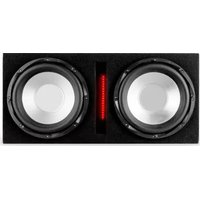
X 10L - Freisprecheinrichtung fürs Auto Auna - Kostenlose Bedienungsanleitung
Finden Sie kostenlos die Bedienungsanleitung des Geräts X 10L Auna als PDF.


| Produkttyp | Freisprecheinrichtung fürs Auto |
| Marke | Auna |
| Modell | X 10L |
| Abmessungen (ca.) | 120 x 60 x 20 mm |
| Gewicht (ca.) | 80 g |
| Stromversorgung | Eingebauter Akku, USB-Ladeanschluss |
| Akkulaufzeit (Standby) | Bis zu 200 Stunden |
| Akkulaufzeit (Gespräch) | Bis zu 10 Stunden |
| Bluetooth-Version | Bluetooth 5.0 |
| Lautsprecher | Integrierter Lautsprecher, 3W |
| Mikrofon | Rauschunterdrückendes Mikrofon |
| Tonsteuerung | Lautstärkeregelung am Gerät |
| Anruffunktionen | Annehmen, Beenden, Stummschalten, Wahlwiederholung |
| Multi-Point-Verbindung | Gleichzeitige Verbindung mit 2 Geräten |
| Freisprechfunktion | Ja |
| Musik-Streaming | Ja (A2DP) |
| Sprachassistent | Kompatibel mit Siri, Google Assistant |
| Befestigung | Clip oder Saugnapf (je nach Modell) |
| Reichweite | Bis zu 10 Meter |
| Anzeige | LED-Statusanzeige |
| Reinigung und Pflege | Nur mit einem trockenen oder leicht feuchten Tuch reinigen. Keine aggressiven Reinigungsmittel verwenden. |
| Sicherheitshinweise | Nicht während der Fahrt bedienen. Vor Nässe und direkter Sonneneinstrahlung schützen. |
Häufig gestellte Fragen - X 10L Auna
Benutzerfragen zu X 10L Auna
0 Frage zu diesem Gerät. Beantworten Sie die, die Sie kennen, oder stellen Sie Ihre eigene.
Eine neue Frage zu diesem Gerät stellen
Laden Sie die Anleitung für Ihr Freisprecheinrichtung fürs Auto kostenlos im PDF-Format! Finden Sie Ihr Handbuch X 10L - Auna und nehmen Sie Ihr elektronisches Gerät wieder in die Hand. Auf dieser Seite sind alle Dokumente veröffentlicht, die für die Verwendung Ihres Geräts notwendig sind. X 10L von der Marke Auna.
BEDIENUNGSANLEITUNG X 10L Auna

auna
multimedia
OPERATION
- Prior to switching on, turn volume down to minimum.
- Connect the audio source to the appropriate input socket.
3 Another speaker can be connected to the output socket, so that several boxes can be daisy chained. - Connect to the mains supply.
5.Switch on the audio source, followed by the active speaker. - Set the volume with the ap
- Adjust the volume
INSTRUCTIONS
- Do not overload the box to avoid damage to the speakers.
- Do not place an open fire on top or next to the box-FIRE HAZARD.
- For indoor use only. If the box is used outdoors, you need to make sure that no humidity can enter the box.
- When not in use, unplug the unit from the mains.
● Unplug the unit from the mains prior to checking or replacing the fuse.
● Make sure that the box is placed on a stable, strong surface.
● The boxes can be hung. Use only strong and approved mounting material. During the mounting, make sure that nobody is standing below the mounting area. - Do not place liquids on the box and protect it against humidity. Humidity can shorten the life time considerably.
● Only use suitable means of transportation if you want to move the box-BEWARE OF YOUR BACK!!
● Always unplug the unit during a thunderstorm or when it is not in use. - If the unit has not been used for a long period of time, condensation can occur inside the housing. Please let the unit reach room temperature prior to use.
● Never try to repair the unit yourself. It does not contain any user serviceable parts.
● Run the mains lead in such a way that nobody can fall over it and nothing can be put in it. - Set the unit to the lowest volume prior to switching it on.
- Keep the unit out of reach of children.
CONTROLS AND CONNECTIONS

① FREQUENCY RESPONSE:50HZ-250HZ
② FULL/BASS
③ POWER TIPS
④ AC POWER IN
⑤ HIGH SPK
⑥ HIGH IN
⑦ LEFT LINE INPUT
⑧ RIGHT LINE INPUT
⑨ MP3 INPUT
⑩ VOLUME CONTROL
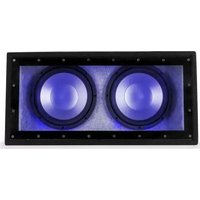
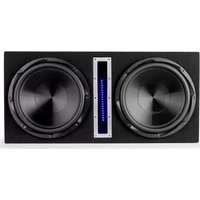

Marke : Auna
Modell : X 10L
Kategorie : Freisprecheinrichtung fürs Auto