DiskGO Mini Portable - Externe Festplatte EDGE - Kostenlose Bedienungsanleitung
Finden Sie kostenlos die Bedienungsanleitung des Geräts DiskGO Mini Portable EDGE als PDF.


| Produkttyp | Externe Festplatte |
| Marke | EDGE |
| Modell | DiskGO Mini Portable |
| Kapazität | 500 GB (auch in 1 TB erhältlich) |
| Schnittstelle | USB 3.0 (abwärtskompatibel zu USB 2.0) |
| Stromversorgung | Busbetrieben über USB (kein externes Netzteil erforderlich) |
| Abmessungen (B x T x H) | ca. 120 x 80 x 15 mm |
| Gewicht | ca. 150 g |
| Kompatibilität | Windows, macOS, Linux (keine Treiberinstallation erforderlich) |
| Dateisystem | FAT32 (für Windows und Mac geeignet) |
| Datenübertragungsrate | bis zu 100 MB/s (abhängig von USB-Version) |
| Plug-and-Play | Ja, sofort einsatzbereit |
| Farbe | Schwarz (auch in Weiß erhältlich) |
| Gehäusematerial | Kunststoff mit rutschfester Oberfläche |
| LED-Anzeige | Ja, zeigt Betriebsstatus an |
| Reinigung | Mit einem trockenen, fusselfreien Tuch reinigen. Keine Flüssigkeiten verwenden. |
| Sicherheitshinweis | Vor dem Trennen immer sicher auswerfen. Regelmäßige Datensicherung empfohlen. |
| Reparatur | Das Gerät enthält keine vom Benutzer reparierbaren Teile. Bei Defekt bitte Fachhändler kontaktieren. |
| Lieferumfang | Externe Festplatte, USB-Kabel, Kurzanleitung |
Häufig gestellte Fragen - DiskGO Mini Portable EDGE
Benutzerfragen zu DiskGO Mini Portable EDGE
0 Frage zu diesem Gerät. Beantworten Sie die, die Sie kennen, oder stellen Sie Ihre eigene.
Eine neue Frage zu diesem Gerät stellen
Laden Sie die Anleitung für Ihr Externe Festplatte kostenlos im PDF-Format! Finden Sie Ihr Handbuch DiskGO Mini Portable - EDGE und nehmen Sie Ihr elektronisches Gerät wieder in die Hand. Auf dieser Seite sind alle Dokumente veröffentlicht, die für die Verwendung Ihres Geräts notwendig sind. DiskGO Mini Portable von der Marke EDGE.
BEDIENUNGSANLEITUNG DiskGO Mini Portable EDGE

1" Mini Hard Drive Installation Guide
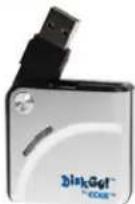
This Product is backed a One Year Limited Warranty.
For complete warranty information visit www.edgetechcorp.com/register
Minimum System Requirements:
USB 1.1 or 2.0 port (USB 2.0 port required for High Speed data transfer) running one of the following operating systems: Windows 98SE, Windows ME, Windows 2000/XP, MacOS 9.0 or higher.
Note: Windows 98SE does not support the built-in USB Mass Storage Driver. If using Windows 98SE, you must install a driver we provide which is for this operating system only (see below).
Installing your DiskGO! 1" Mini Hard Drive
If you are using Windows ME/2000/XP, MacOS 9.0 or higher, no additional drivers or software are required. To begin using your DiskGO! 1" Mini Hard Drive, simply plug the Mini Hard Drive into an available USB port.
Software Installation (Windows 98SE Only)
Note: Drivers are required only if using Windows 98SE. Install the driver PRIOR to connecting the DiskGO! 1" Mini Hard Drive for the first time.
- Download the self-extracting driver file from our website (www.edgetechcorp.com/suport/downloads).
- Unzip the WIN98Driver.zip file and double click the WIN98Driver folder. When folder is opened, runsetup.exe and follow the onscreen instructions.
- After setup is complete, restart your computer. Then plug your DiskGO! into any available USB port.
Removing your DiskGO! 1" Mini Hard Drive Safely:
Please follow these directions to safely remove your device:
Windows 98SE: Unplug the DiskGO! ONLY when the LED is off.
Windows ME/2000/XP: Use the "Unplug or Eject Hardware" icon in the system tray to safely stop the DiskGO! 1" Mini Hard Drive
MacOS: Drag the removable disk icon to the trash bin and unplug the DiskGO! 1" Mini Hard Drive
If you are using the product in a networked environment, consult your System Administrator to determine if you have any mapped network drives, which can override the built-in drive lettering features of and prevent your DiskGO! from being properly recognized by your system.
FCC Notice:
This device complies with Part 15 of the FCC rules. Operation is subject to the following two conditions
(1) This device may not cause harmful interference, and
(2) This device must accept any interference received, including interference that may cause undesired operation.
This equipment has been tested and found to comply with the limits of a class B digital device, pursuant to Part 15 of the FCC Rules. These limits are designed to provide reasonable protection against harmful interference in a residential installation. This equipment generates, uses and can radiate radio frequency energy and, if not installed and used in accordance with the instructions, may cause harmful interference to radio communications, however, there is no guarantee that interference will not occur in particular installations. If this equipment does cause harmful interference to radio or television reception, which can be determined by turning the equipment off and on, the user is encouraged to try to correct the interference by one or more of the following measures:
- Reorient / Relocate the receiving antenna.
- Increase the distance between the mouse and receiver.
- Connect the equipment into an outlet on a circuit different from that the receiver is connected.
- Consult the dealer or an experienced radio /TV technician for help
ELECTRO-STATIC DISCHARGE (ESD) CAUTION:
The DiskGO! 1" Mini Hard Drive can be damaged by electro-static discharge (ESD). Please touch a grounded surface prior to operating your DiskGO! 1" Mini Hard Drive.
IMPORTANT
PLEASE CONTACT A QUALIFIED TECHNICIAN FOR ASSISTANCE IN INSTALLING OR USING THIS PRODUCT IF YOU ARE NOT FAMILIAR WITH DOING SO. ANY INSTRUCTIONS INCLUDED WITH THE PRODUCT ARE FOR CONVENIENCE ONLY AND ARE NOT INTENDED TO BE ALL-INCLUSIVE.

TECH | CORP
327 East 14th Street / Ada OK 74820 (800) 332-6581 / (580) 332-6581 / www.edgetechcorp.com
EDGE™ and DiskGO!™ are trademarks of EDGE Tech Corp. Trademarked words or logos used herein are property of their respective owners.