
DM-389 - CD-Player DENVER - Kostenlose Bedienungsanleitung
Finden Sie kostenlos die Bedienungsanleitung des Geräts DM-389 DENVER als PDF.


| Produkttyp | CD-Player |
| Modell | DM-389 |
| Marke | Denver |
| Abmessungen (ca.) | 30 x 25 x 8 cm |
| Gewicht (ca.) | 1,5 kg |
| Stromversorgung | AC 230 V, 50 Hz |
| Leistungsaufnahme | 10 W |
| Standby-Verbrauch | <1 W |
| CD-Formate | CD, CD-R, CD-RW |
| Wiedergabemodi | Wiederholung, Zufallswiedergabe, Programm |
| Programmierbare Titel | 20 |
| Display | LED-Anzeige |
| Audioausgänge | Kopfhörer (3,5 mm), Line-Out (Cinch) |
| Fernbedienung | Ja, im Lieferumfang |
| Betriebstemperatur | 5 °C bis 35 °C |
| Luftfeuchtigkeit | 20 % bis 80 % |
| Reinigung | Staub mit weichem Tuch entfernen; keine aggressiven Reinigungsmittel |
| Sicherheit | Gerät nicht öffnen; vor Feuchtigkeit schützen |
| Reparatur | Nur durch autorisiertes Fachpersonal |
| Lieferumfang | CD-Player, Fernbedienung, Bedienungsanleitung |
Häufig gestellte Fragen - DM-389 DENVER
Benutzerfragen zu DM-389 DENVER
0 Frage zu diesem Gerät. Beantworten Sie die, die Sie kennen, oder stellen Sie Ihre eigene.
Eine neue Frage zu diesem Gerät stellen
Laden Sie die Anleitung für Ihr CD-Player kostenlos im PDF-Format! Finden Sie Ihr Handbuch DM-389 - DENVER und nehmen Sie Ihr elektronisches Gerät wieder in die Hand. Auf dieser Seite sind alle Dokumente veröffentlicht, die für die Verwendung Ihres Geräts notwendig sind. DM-389 von der Marke DENVER.
BEDIENUNGSANLEITUNG DM-389 DENVER
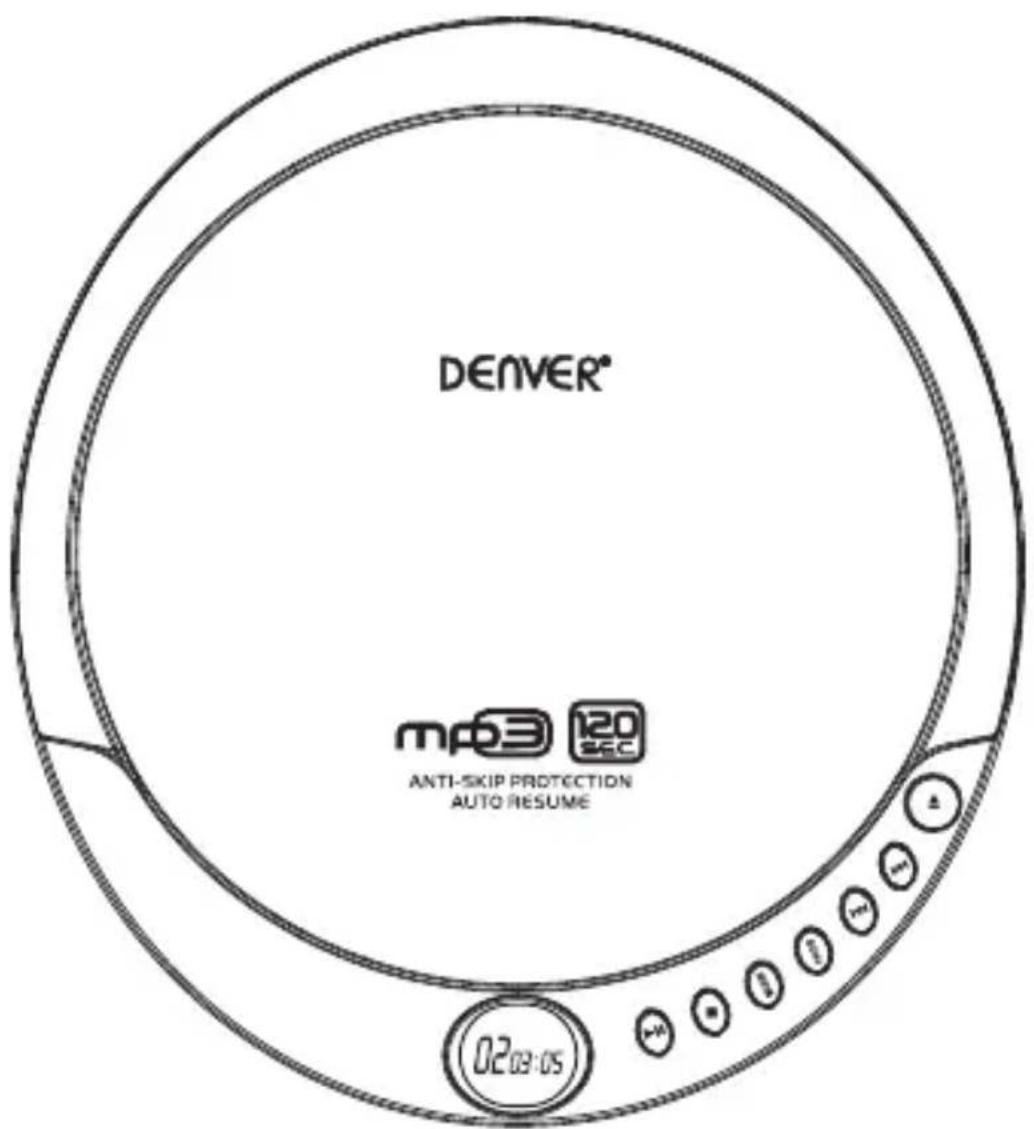
Personal MP3/CD Player
Operating and Safety Instructions
Definitions
Whenever used, the following terms identify safety and property damage messages and designate a level of hazard seriousness.
- This is the safety alert symbol. It alerts you to potential personal injury hazards. Obey all safety messages that follow this symbol to avoid possible injury or death.
DANGER - Indicates an imminently hazardous situation, which, if not avoided, will result in death or serious injury. Usage of this signal word is limited to the most extreme situations.
WARNING - Indicates a potentially hazardous situation, which, if not avoided, could result in death or serious injury.
CAUTION - Indicates a potentially hazardous situation, which, if not avoided, may result in minor/moderate injury.
NOTICE - Addresses practices not related to personal injury, such as product and/or property damage.

READ ALL INSTRUCTIONS BEFORE USE.
natural_image
Warning symbol with a black triangular triangle containing a central black starburst (no text or numbers)LASER SAFETY
This set employs an optical laser beam system in the CD mechanism designed with built-in safeguards. Do not attempt to disassemble. Exposure to this invisible laser light beam may be harmful to the human eye. This is a Class-1 laser product. Use of controls, adjustments or procedures other than those specified herein may result in hazardous laser light beam exposure. This compact disc player should not be adjusted or repaired by anyone except qualified service personnel. The laser mechanism in the set corresponds to the stylus (needle) of a record player. Although this product uses a laser pick-up lens, it is completely safe when operated according to directions.
CAUTION-- To reduce the risk of personal injury:
- Keep the product out of the reach of children and pets. This product is not intended for use by children.
NOTICE-- To reduce the risk of product/property damage:
• This product is intended solely for non-industrial, non-commercial use.
- Do not expose the product to extreme temperature changes, inclement weather, moisture, electrostatic discharges, strong magnetic fields, or extended periods of direct sunlight.
- Do not immerse the product in or use it near water (e.g. a bathtub or swimming pool).
- Do not drop the product or subject it to strong impacts.
- Do not insert any objects or allow any liquids into any opening of this product.
- Keep the product away from sources of heat such as radiators, heat registers, stoves, or other products (including amplifiers) that produce heat.
- Do not attempt to examine or repair this product yourself as this may cause damage requiring a technician to repair. Only qualified service personnel should perform any servicing; take the product to the electronics repair shop of your choice for inspection and repair.
- Do not wall- or ceiling-mount this product.
Earphone Safety:
WARNING- To reduce the risk of serious personal injury:
- Do not listen to earphones at a high volume for an extended period, as this may cause hearing damage.
- Do not use earphones while operating a motorized vehicle, as it may create a traffic hazard and is illegal in many areas.
CAUTION-- To reduce the risk of personal injury:
- Reduce volume or discontinue use if a ringing in the ears occurs.
• Discontinue use if discomfort or allergic reaction occurs.
Battery Handling and Usage:
WARNING-- To reduce the risk of serious personal injury:
- Keep batteries away from children and pets. Only adults should handle batteries. Follow the battery manufacturer's safety and usage instructions.
- Do not mix a used battery with a new battery, or mix different chemistries or sizes of batteries.
- Never throw batteries into a fire. Do not expose batteries to fire or other heat sources.

CAUTION-- To reduce the risk of personal injury:
- Insert the batteries observing the proper polarity (+/-) as indicated inside the battery compartment.
Parts and Controls
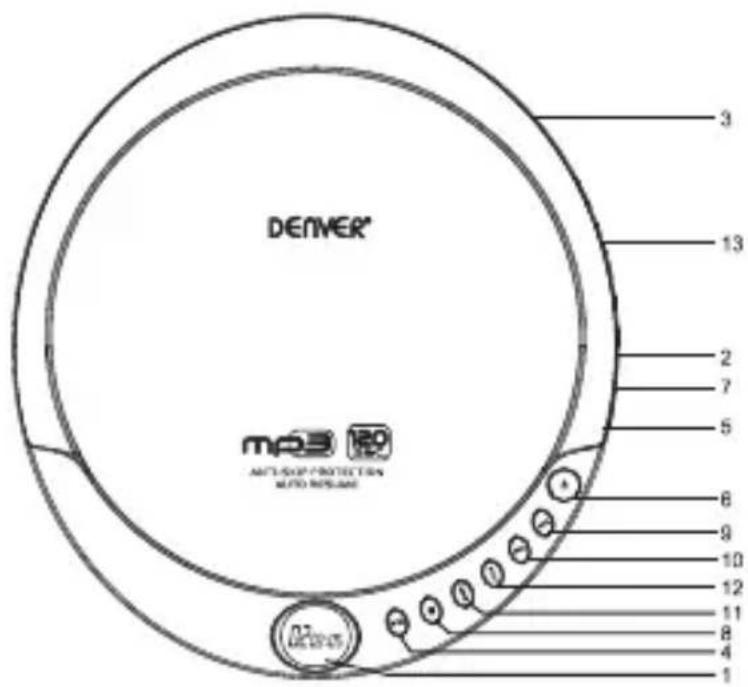
- LCD Display
- DC Power Jack
- Battery Compartment Cover (bottom)
- Play/Pause Button
- Volume Dial
-
Door Open Button
-
Earphones Jack
- Stop/Power Off Button
- Next Button
- Previous Button
- Mode Button
- Program Button
- Unit Door
Power Supply
Battery Installation:
- Open the Battery Compartment by sliding the Battery Compartment Cover in the direction of the arrow and lifting it up.
- Place two new "AA" size batteries (not included) into the Battery Compartment, observing the polarity (+/-) as indicated inside the Compartment.
CAUTION: Failure to properly align the battery polarity can cause personal injury and/or property damage. - Replace the Battery Compartment Cover.
To Use
NOTICE: Do not use discs that have been scratched or damaged in this product, as they may cause the product to skip or stop.
Basic Operation:
- Open the Unit Door by pushing the Door Button.
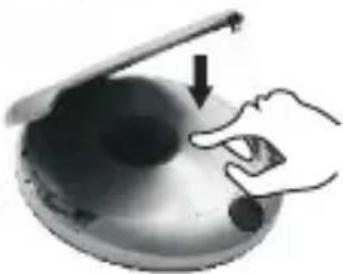
- Place the CD Disc or MP3 Disc, label side up, onto the spindle until it snaps into place, and then close the Unit Door.
natural_image
Hand pressing down on a circular object with a pointer (no text or symbols visible)-
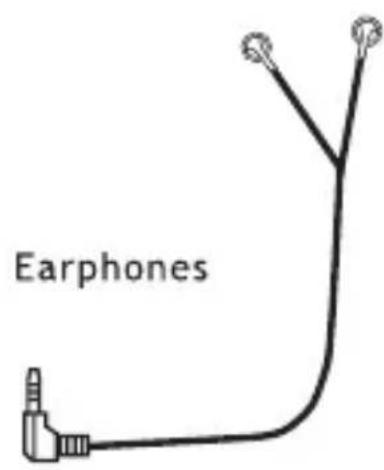
Connect the Headphones to the Headphones Jack in the side of the unit.
-
To turn the unit on and begin playback from the first track, press the Play/Pause Button.
-
Once the CD Disc / MP3 Disc is playing, the Electronics Anti-Shock Protection will be automatically turn on. The "ESP" will be flash & show on the LCD Display.
-
Adjust the volume by turning the Volume Dial.
WARNING: Avoid prolonged exposure to high sound levels, as this may cause permanent hearing damage.
- Use the other controls as follows:
| BUTTON | FUNCTION(S) |
| Play/Pause | Press to start playback.Press to pause playback and again to resume playback. |
| IPrevious | Press once to restart the current track.Press once or repeatedly to skip to a previous track.Press and hold to scan backward through the current track. |
| INext | Press once or repeatedly to skip forward to a track.Press and hold to scan forward through the current track. |
| Stop/Power Off | Press once to stop playback or twice to turn the unit off. |
- To turn the unit off, press the Stop/Power Off Button twice during playback or once while the CD is stopped.
NOTE: The unit will turn off at the end of the CD or after 30 seconds of inactivity.
-
To remove the CD Disc/MP3 Disc, open the Unit Door, ensure the CD/MP3 Disc has stopped spinning, and then carefully remove it from the spindle.
-
Close the Unit Door.
CAUTION: If using the product with an adapter, disconnect it from the outlet.
NOTE: When the Battery Replacement Indicator, flashes in the Display, replace the batteries.
Playback Modes:
Repeat
- To play a single track repeatedly, press the Mode Button repeatedly until "REP 1" appears. Press the Play Button if playback is stopped.
• To play the entire CD repeatedly, press the Mode Button repeatedly until "REP ALL" appears. Press the Play Button if playback is stopped. - To cancel the Repeat Function, press the Mode Button repeatedly until "REP 1" or "REP ALL" disappears.
Random Play
- Press the Mode Button repeatedly until the "RND" Indicator appears. Press the Play Button to begin playback of tracks in a random sequence.
- To cancel this function, press the Mode Button repeatedly until "RND" disappears.
Programmed Play:
- Press the Stop Button during playback.
- Press the Program Button and select the desired track by pressing the Previous I◄ or Next ►I Button, and then press the Program Button again to program the track.
- Repeat Step 2 for all tracks to be programmed.
- Press the Play Button to begin the programmed playback. NOTE: When playback stops, the programming will be erased.
- To cancel programmed playback, press the Stop Button.
Resume Playback
- Press ▶ once to pause the current track, press ▶ once more to resume playback.
- Press ▶ to resume playback.
Electric and electronic equipment contains materials, components and substances that can be hazardous to your health and the environment, if the waste material (discarded electric and electronic equipment) is not handled correctly.
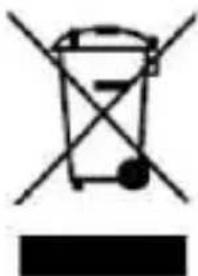
Electric and electronic equipment is marked with the crossed out trash can symbol, seen below. This symbol signifies that electric and electronic equipment should not be disposed of with other household waste, but should be disposed of separately.
natural_image
Symbol of a trash bin with crossed lines indicating no waste or discharge (no text or labels)All cities have established collection points, where electric and electronic equipment can either be submitted free of charge at recycling stations and other collection sites, or be collected from the households. Additional information is available at the technical department of your city.
ALL RIGHTS RESERVED
COPYRIGHT DENVER ELECTRONICS A/S
WWW.DENVER-ELECTRONICS.COM
Importer:
DENVER ELECTRONICS A/S
Stavneagervej 22
DK-8250 EGAA
DENMARK
- Personal MP3/CD Player
- Definitions
- READ ALL INSTRUCTIONS BEFORE USE.
- LASER SAFETY
- CAUTION-- To reduce the risk of personal injury:
- NOTICE-- To reduce the risk of product/property damage:
- Earphone Safety:
- WARNING- To reduce the risk of serious personal injury:
- Battery Handling and Usage:
- WARNING-- To reduce the risk of serious personal injury:
- Power Supply
- Battery Installation:
- To Use
- Basic Operation:
- Playback Modes:
- Repeat
- Random Play
- Programmed Play:
- Resume Playback
Marke : DENVER
Modell : DM-389
Kategorie : CD-Player