M873U - Computermaus Emprex - Kostenlose Bedienungsanleitung
Finden Sie kostenlos die Bedienungsanleitung des Geräts M873U Emprex als PDF.


| Produkttyp | Computermaus |
| Modell | M873U |
| Marke | Emprex |
| Verbindung | Kabelgebunden (USB) |
| Kabelänge | ca. 1,5 m |
| Auflösung | 1000 dpi (optisch) |
| Anzahl Tasten | 3 (links, rechts, Scrollrad als Taste) |
| Scrollrad | Ja |
| Kompatibilität | Windows, Mac OS, Linux (Plug & Play) |
| Stromversorgung | Über USB (keine Batterien) |
| Abmessungen (ca.) | 100 x 60 x 35 mm |
| Gewicht (ca.) | 80 g |
| Gehäusematerial | Kunststoff |
| Farbe | Schwarz (typisch) |
| Reinigung | Mit weichem, trockenem Tuch abwischen; keine aggressiven Reiniger |
| Sicherheitshinweise | Nicht öffnen, nicht in Flüssigkeiten tauchen; bei Beschädigung nicht mehr verwenden |
| Ersatzteile | Nicht vorgesehen; das Gerät ist nicht reparierbar |
| Entsorgung | Elektroaltgeräte nicht im Hausmüll; gemäß lokalen Vorschriften entsorgen |
Häufig gestellte Fragen - M873U Emprex
Benutzerfragen zu M873U Emprex
0 Frage zu diesem Gerät. Beantworten Sie die, die Sie kennen, oder stellen Sie Ihre eigene.
Eine neue Frage zu diesem Gerät stellen
Laden Sie die Anleitung für Ihr Computermaus kostenlos im PDF-Format! Finden Sie Ihr Handbuch M873U - Emprex und nehmen Sie Ihr elektronisches Gerät wieder in die Hand. Auf dieser Seite sind alle Dokumente veröffentlicht, die für die Verwendung Ihres Geräts notwendig sind. M873U von der Marke Emprex.
BEDIENUNGSANLEITUNG M873U Emprex
Quick Installation Guide
Important Information
For more detailed information, please refer to the Help file in the Driver CD in the Help directory. The ways to display Help file are as follows:
- After driver installation, please click the driver icon at the right-bottom in the Window system tray. Click the Help button on the left-bottom of the driver Configuration dialog box and the help file will pop up. Or
- Please see "Help\ Help.htm" in the Driver CD.
System Requirements
- Available USB port
- Microsoft® Windows® 98SE, Windows® ME, Windows® 2000 or Windows® XP operating system
- CD-ROM drive (for CD or Video operation)
- Standard sound card (for CD or Video operation)
- Microsoft® Office 97 or later version
- Microsoft® Internet Explorer 5.0 or later version (for the Internet keys)
Hardware Installation
Just directly plug the USB connector into the USB port on PC.
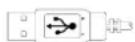
USB Connector
Driver Installation
USB Device Driver
The USB device driver is included in Windows operating system.
During initial installation of the USB device, the system will automatically detect a new hardware being added, and then bring up "Add New Hardware Wizard" dialogue box. Please follow the Wizard's USB driver installation steps. Once this installation step is completed the basic functions of the USB device will work under the operating system. The additional functions are provided only after the MouseMaestro application is installed.
- MouseMaestro Input Device Driver
- Insert the CD labeled "MouseMaestro Input Device Driver" into your CD-ROM.
- The CD will run automatically and bring up the Setup dialogue box.
- Then follow the on-screen instruction to install the driver.
- The driver icon will show at the right-bottom in the Windows system tray when the driver is loaded.
Usage Information
- This optical mouse senses light to detect mouse's movement; therefore, it cannot work on a glass, translucent, reflective, or dark color surface.
- The mouse can work only on a clean, flat, non-slippery, opaque, and light color surface in order to ensure smooth and accurate cursor action.
FCC GUIDELINES
This equipment has been tested and found to comply with the limits for a Class B digital device, pursuant to Part 15 of the FCC Rules. These limits are designed to provide reasonable protection against harmful interference in a residential installation. This equipment generates, uses and can radiate radio frequency energy and, if not installed and used in accordance with the instructions may cause harmful interference to radio communications. However, there is no guarantee that interference will not occur in a particular installation. If this equipment does cause harmful interference to radio or television reception, which can be determined by turning the equipment off and on, the user is encouraged to try to correct the interference by one or more of the following measures:
♦ Reorient or relocate the receiving antenna.
- Increase the separation between the equipment and receiver.
Connect the equipment into an outlet on a circuit different from that to which the receiver is connected.
- Consult the dealer or an experienced radio/TV technician for help.
Use only shielded cables to connect I/O devices to this equipment.
FCC Warning: This device complies with Part 15 of the FCC Rules. Operation is subject to the following two conditions: (1) this device may not cause harmful interference, (2) this device must accept any interference received, including interference that may cause undesired operation.
Information to user: The users manual or instruction manual for an intentional or unintentional radiator shall caution the user that changes or modifications not expressly approved by the party responsible for compliance could void the user's authority to operate the equipment.
FCC Caution: Any changes or modifications not expressly approved by the party responsible for compliance could void the user's authority to operate this equipment. Shielded interface cable, if any, must be used in order to comply with emission limits.
低功本音波辐射性音機管理辦法:
第十四條:經型式需合格之低功率射频活機,非經計下,公司、商牌的使用量均不對牌自磁性频率、加大功率的磁性設計之特性或功能。
前十一条:除本射频所機之使的下爭影著被被安及又已握合法通目;經發現可援現等時,遂亦即伸时,立按省全然已握兩為得繼續 則。
前项合法通信,指体通信法甲乙作废之类线通信。
低功射频有感而忍受合法通信或二类、科学及健康可音波辐射性音模抑制,
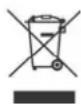
Do not litter