
XLf 8120 AD - Subwoofer BLAUPUNKT - Gratis brugsanvisning og manual
Find enhedens vejledning gratis XLf 8120 AD BLAUPUNKT i PDF-format.


Brugerspørgsmål om XLf 8120 AD BLAUPUNKT
0 spørgsmål om dette apparat. Besvar dem du kender, eller stil dit eget.
Stil et nyt spørgsmål om dette apparat
Download vejledningen til din Subwoofer i PDF-format gratis! Find din vejledning XLf 8120 AD - BLAUPUNKT og tag din elektroniske enhed tilbage i hånden. På denne side er alle dokumenter nødvendige for brugen af din enhed offentliggjort. XLf 8120 AD af mærket BLAUPUNKT.
BRUGSANVISNING XLf 8120 AD BLAUPUNKT
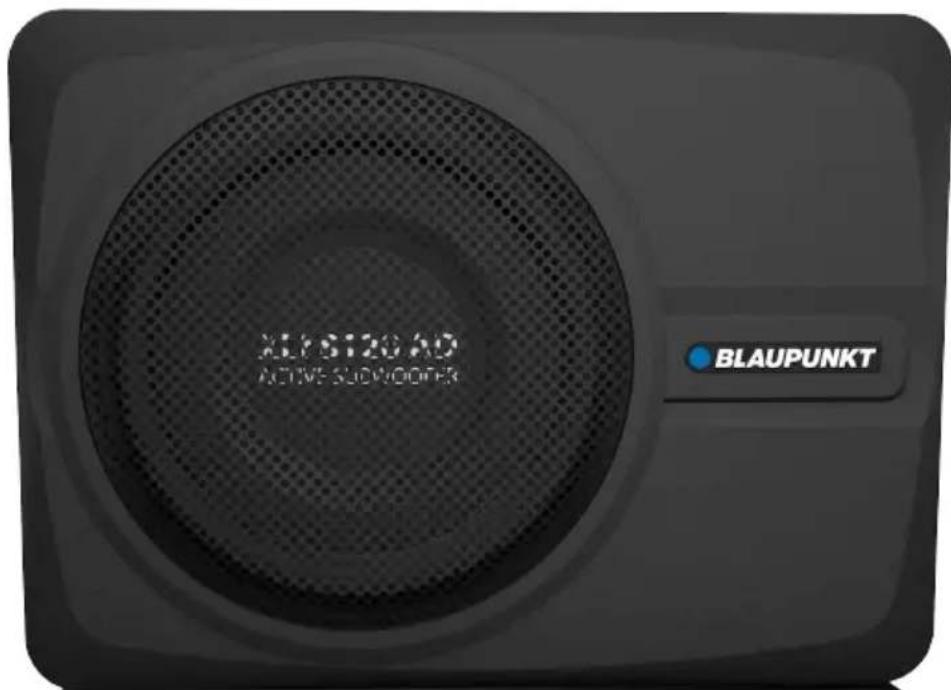
ACTIVE SUBWOOFER with DSP XLf 8120 AD
Enjoy it.
This device has been manufactured according to established safety guidelines. However, dangers may still occur if the safety notes in this manual is not observed. This manual is intended to familiarize the user with the device's important functions. Read this carefully, prior to using the car radio. Keep this manual in an easily accessible location. In addition, do observe the instructions of other devices used in conjunction with this device.
Installation Safety Notes
Always observe the following safety notes:
- Device must be used in a way that compliments safety of the user when driving the vehicle. It is recommended for the user to install at an appropriate location when operating the device. While driving, user is not recommended to use applications that can be prone to distraction.
- Before installation, disconnect the negative terminal of the battery. Refer to the safety vehicle manufacturer's user manual.
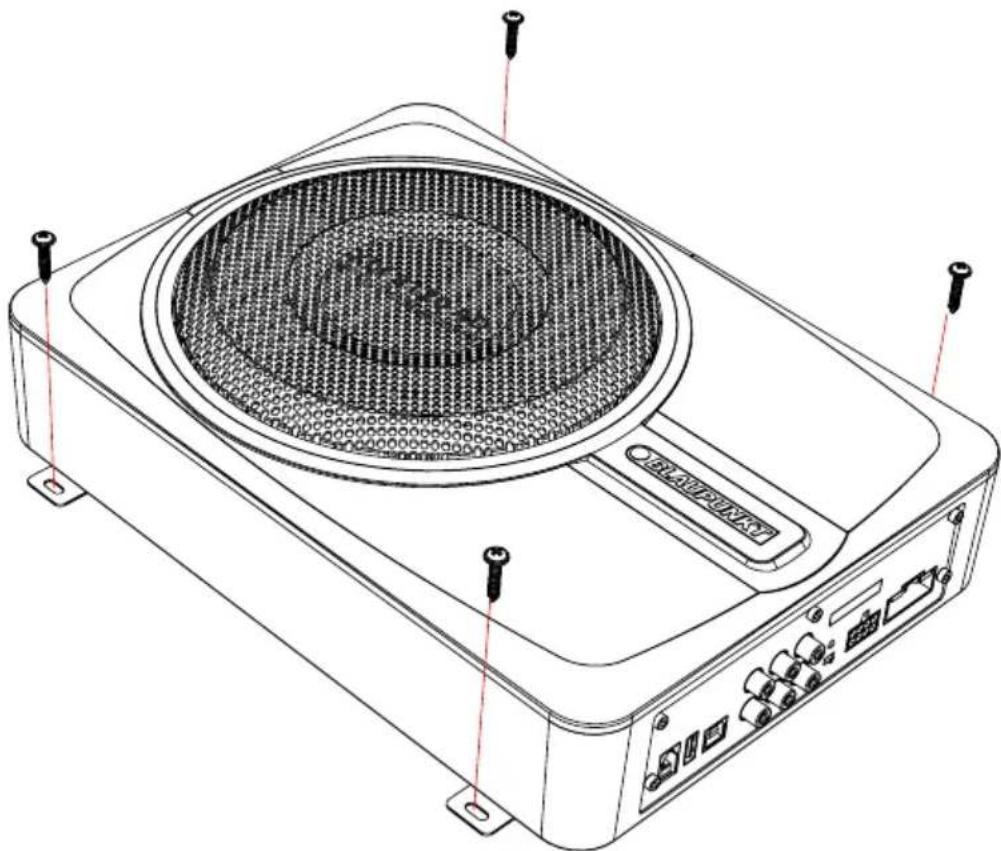
- Ensure positions of the holes are nowhere near the vehicle component to avoid any damage during drilling.
- Ensure corss section of the cables i no less than 2.5mm if the positive and the negative cables are too long. incorrect installation may result in malfunction of the device or the car sound system.
- Select a dry and well-ventilated location to install the device.
- The device must not be installed in overly exposed location.
- The installation location must be suitable for screw holes and stable ground support
General Safety Notes:
Observe the following for protection against injuries:
- User is advised to keep the volume of the car radio to a moderate level for the protection of the ears and to increase the ability to hear any emergency warning signals (e.g. police and ambulance sirens). Do not increase the car radio volume while the car radio is muted as it is not audible. The car radio volume can be too loud when the car radio is unmuted.
Disclaimer
- Blaupunkt is not liable for any loss or damage caused or resulting from unauthorized disassembly or modification to the product.
- In no event shall Blaupunkt be liable for any direct, indirect, punitive, incidental, special consequential damages, to property or life, improper storage, whatsoever arising out of or connected with the use or misuse of our products.
- USA & CANADA: Products not intended for sales in the United States and Canada. If purchased in the U.S. or Canada, this product is purchased as-is. No warranty, expressed or implied is provided in the U.S. and Canada.
Voltage Supply
- +12V: Positive connection terminal for car 12V power supply.
- GND : Power supply negative connection terminal.
- Firmly and carefully connect the ground lead to a bare metal point on the vehicle chassis.
• Operation temperature : 0^ - 70^ C
Compatible PC OS
• PC - with or higher than Windows XP
Scope of Delivery
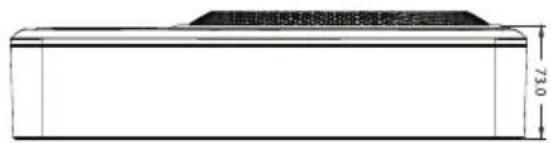
• Active Subwoofer with DSP (330 x 240 x 73mm)
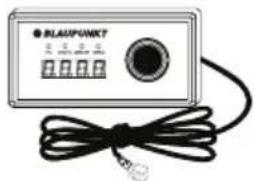
• 3.0m Wired Remote Controller
• 1.5m USB Cable
• 4 x Screws (Parker-Type) : 4 x 20mm
• 8 x Screws (M-Type) : 3 x 6mm
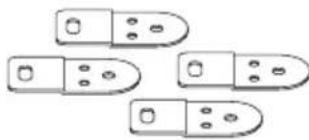
• 4 x Mounting Bracket A : 46mm x 22mm
- 1x Power Cable
• 1x High Level Input Cable
Disposal Notes

Do not dispose of your old unit in the household trash!
Use the return and collection systems available to dispose of the old device.
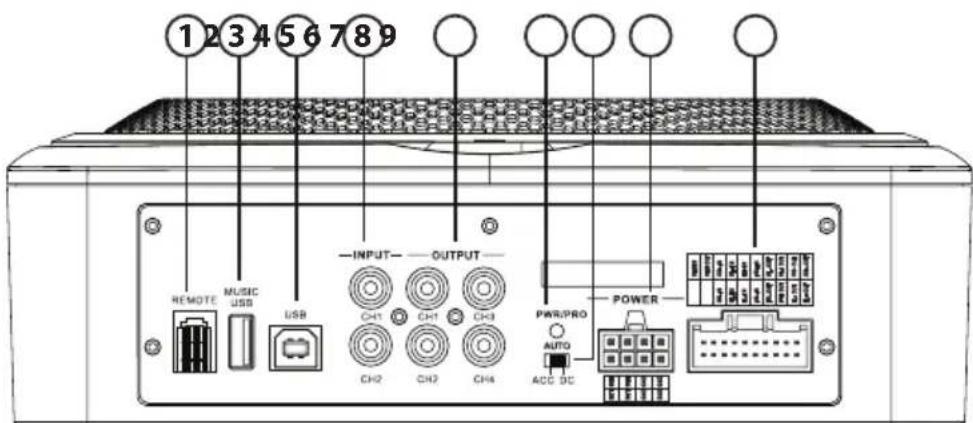
- Remote Control Input
- USB Player
- USB2.0 Port
- Low Level RCA Input
- Low Level RCA Output
-
Power & Protection LED
-
ACC/DC Converter
- Power Input
- Hi Level Input/ Speaker Output/ Remote In/ Remote Out
INSTALLATION
natural_image
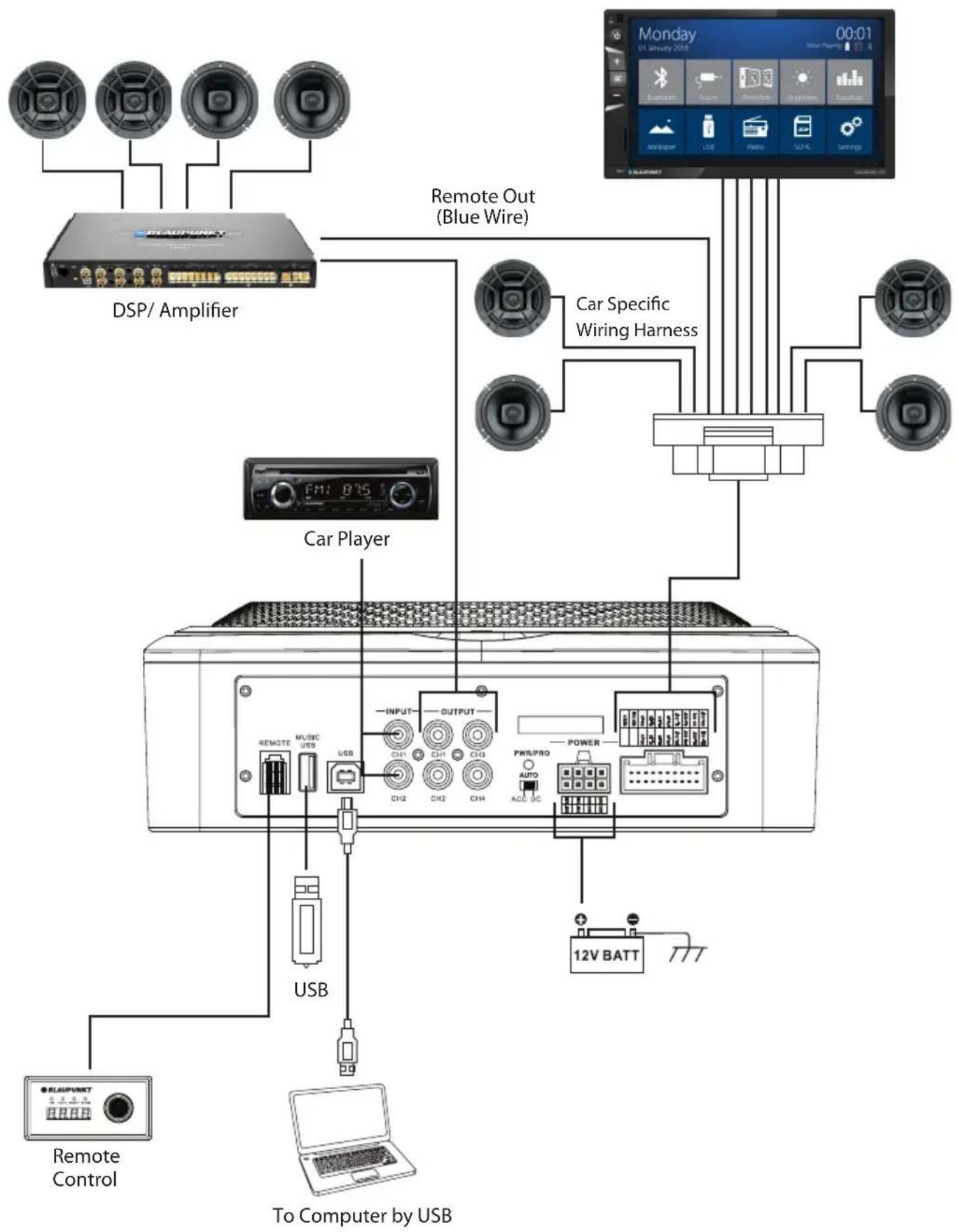
Line drawing of a portable electronic device with a circular vent and labeled ports (no text or symbols beyond basic labels)Car Specific Wiring Method
flowchart
graph TD
    A["DSP/ Amplifier"] -->|USB| B["Remote Control"]
    A -->|USB| C["To Computer by USB"]
    D["Car Player"] -->|USB| B
    D -->|USB| E["12V BATT"]
    F["Remote Out (Blue Wire)"] --> G["Car Specific Wiring Harness"]
    G --> H["12V BATT"]
    I["Power"] --> J["12V BATT"]
    K["USB"] --> B
    L["12V BATT"] --> M["12V BATT"]
    N["12V BATT"] --> O["12V BATT"]
    P["12V BATT"] --> Q["12V BATT"]
    R["12V BATT"] --> S["12V BATT"]
    T["12V BATT"] --> U["12V BATT"]
    V["12V BATT"] --> W["12V BATT"]
    X["12V BATT"] --> Y["12V BATT"]
    Z["12V BATT"] --> AA["12V BATT"]
Universal Wiring Method
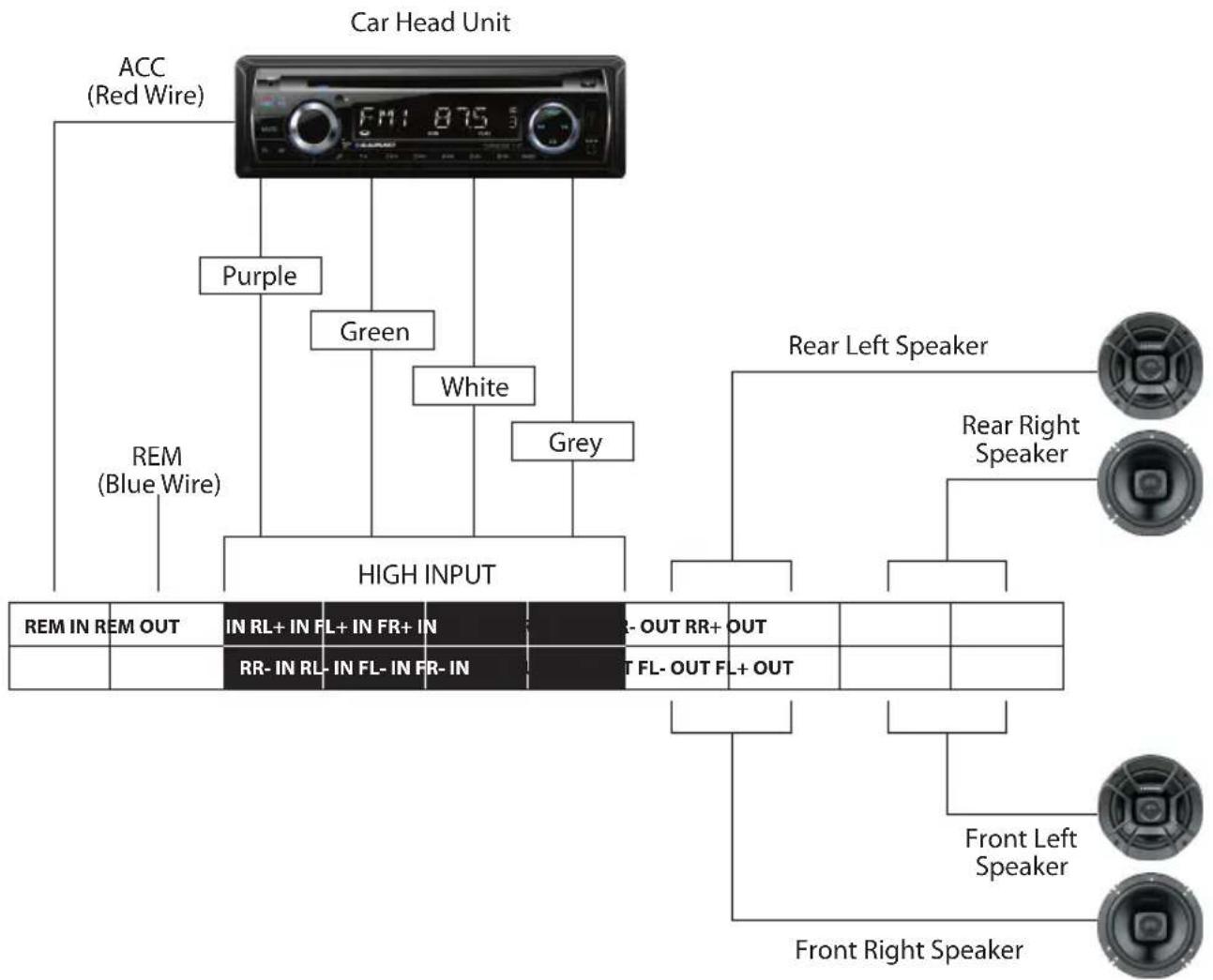
flowchart
Car head unit connection diagram showing color-coded wires, speaker groups, and status indicators for rear left/right speakers.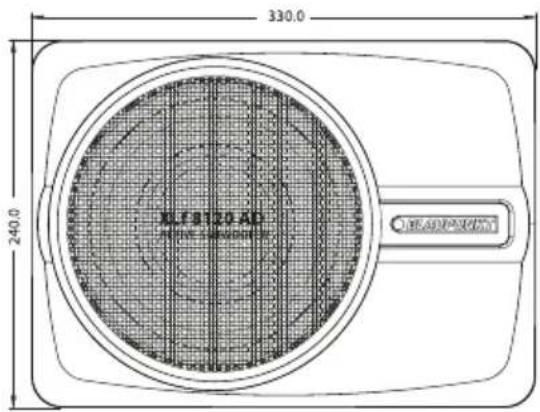
Audio
• DSP RMS Power: 35Wx4(4Ω), 50Wx4(2Ω)
• DSP Resolution : 24 Bit
• DSP Output Power RMS @ 4 Ohms (≤1% THD +N) : 4x35W
• DSP Output Power RMS @ 2 Ohms (≤1% THD +N) : 4x50W
• Active Subwoofer RMS Power : 200W
• Active Subwoofer Output Power RMS @ 2 Ohms ( ≤ 1% THD +N): 120W
• Distortion (THD) : <0.005%
• Operating Voltage : 10 -14.4V
• Sampling Rate : 48KHz/24Bit
• Signal Converter A/D : AKM5358
• Signal Converter D/A : Cirrus Logic CS4344
Input
- 2 x RCA/ Aux-in
• 4 High Level Speaker Input - 1 x Remote-in
- 1 x USB
• RCA/ Cinch Sensitivity : 300mV
• High Level Input Sensitivity : 2.5V
• Impedence High Level : 240 Ohms
• S/N Ratio Analog-in : ≥100dB
Output
- 4 x RCA/ Cinch
• 4 High Level Speaker Output - 1 x Remote-out
• Voltage RCA/ Cinch : 4V RMS
Feature
• Class AB Amplifier
• 15-Band Equalizer/ Phase & Time Alignment Setting
• PC Tuner Software & Mobile Application
• Built-in BT
• Max. Output Power : 300W
• Frequency Response : 20Hz-20kHz
• Dimension (W x H x D) : 330 x 240 x 73mm
- Weight: 4.1 kg
Accessories

4x Tapping Screws (4x20mm)
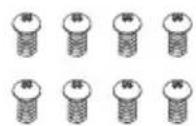
8x Machine Screws (3x6mm)
natural_image
Simple line drawing of five rounded rectangular objects with holes, arranged in a row (no text or symbols)4x Mounting Bracket (46x22x2mm)
natural_image
Front view of a BLAMPUNKT device with a black cable and indicator lights (no visible text or symbols on the device body)1x Wired Remote Control

natural_image
Coiled cable with connectors and connector (no text or symbols visible)

1x Power Cable1.5m USB Cable 1x High Level Input Cable
Blaupunkt XLf 8120 AD Software
Visit www.blaupunkt.com/ase to download the software.

XLf 8120 AD.exe
Car entertainment enthusiast / experts may now begin to tone signal details. Enhance the sound effect according to your very own preference for optimum music enjoyment with the DSP software.
![XLF B120 AD [Memory] Option Mixer Encrypt BLAUPUNKT Input source AUX High-pass filter Freq: OFF Type butter w Oct: 24MB/Oct BLAUPUNKT F:\2600\Q\5.00GB 5.0 EQ PASS Unconnected CH1 CH2 CH3 CH4 CH5 ID Freq Q Gain 2000Hz Type butter w Oct: 24MB/Oct Volume 0.140 CH2 Null CH3 Null CH4 Null CH5 Null CH6 0.000 Reset TO Reset Output Link Output LockedOutput](/content/2026/05/890324/images/29987601514222f301b2d374ac40225528aa89cb2e1ed87108f9782e3746ce10.jpg)
Channel Panel (15-band Tuning)
1. 15-Band Tuning Waveform

line
| Point | Value | |-------|-------| | 1 | 0 | | 2 | 0 | | 3 | 0 | | 4 | 0 | | 5 | 0 | | 6 | 0 | | 7 | 0 | | 8 | 0 | | 9 | 0 | | 10 | 0 | | 11 | 0 | | 12 | 0 | | 13 | 0 | | 14 | 0 | | 15 | 0 |2. 15-band Equalizer Control

3. 6-Channel Control
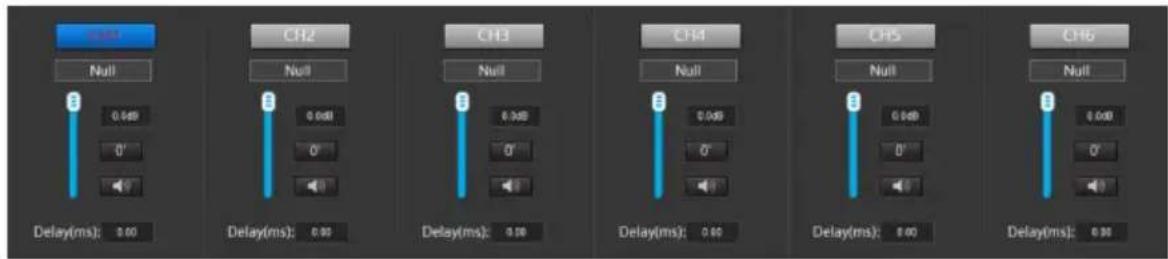
4. Main Volume Control
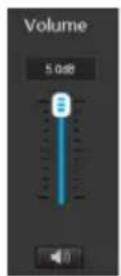
5. Crossover Frequency Setting :
• 3 Types of High-pass Frequency
• 3 Types of Low-pass Frequency
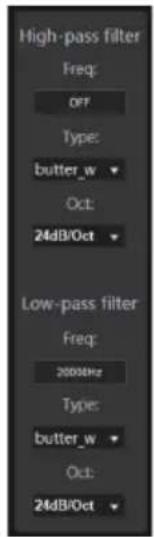
6. Memory
- 8 Presets
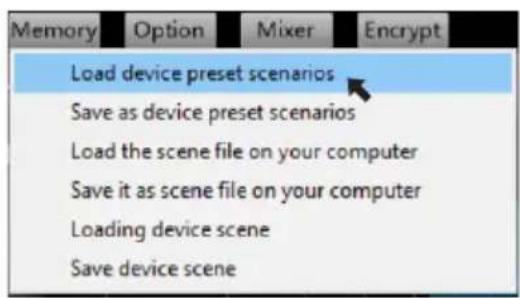
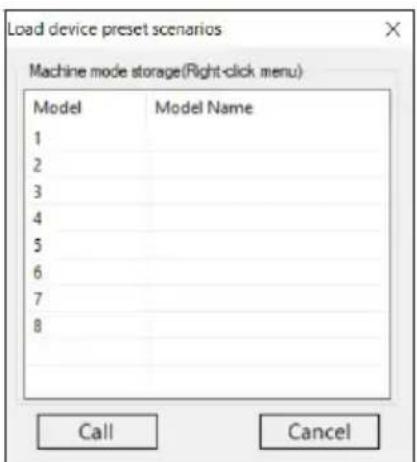
Mobile Application
- Download "Blaupunkt XLf 8120 AD" App from Google Play (Android) or App Store (iOS).

Blaupunkt XLf 8120 AD
Main Interface
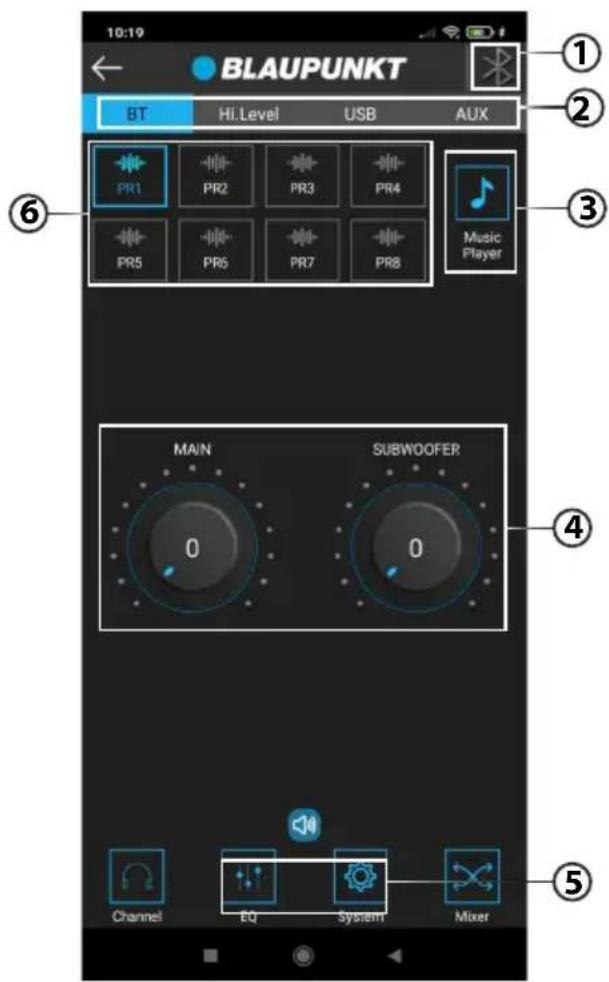
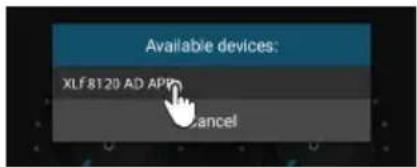
1. BT Connection
- Click on the BT icon to turn on the BT.

- Click on the available device & connect to "XLf 8120 AD APP".
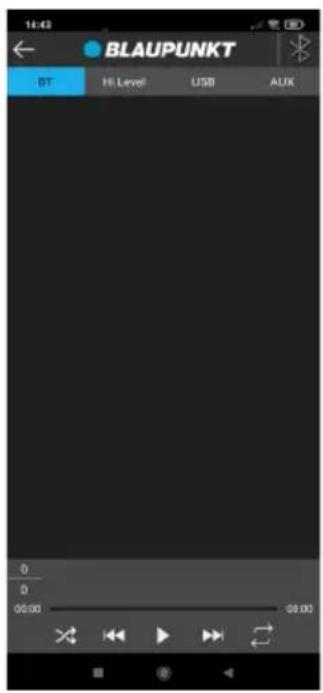
2. Input Sources
- Click on preferable input source
| BT | Hi.Level | USB | AUX |
3. Music Player
- Click on the Music Player icon to enter music player interface.
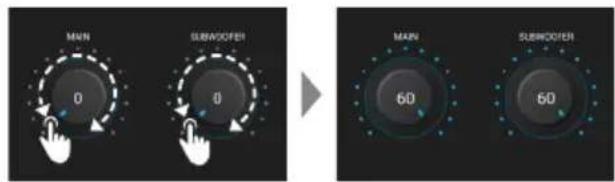
4. Adjustment of Main Volume/ Subwoofer Volume
- Adjust the main volume/ subwoofer volume by clicking on the scale clockwise or counterclockwise.
5. Advanced
- Click on Advanced & enter the password "888888".
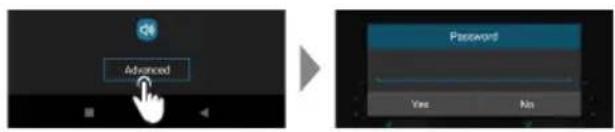
• Enter Advanced interface.
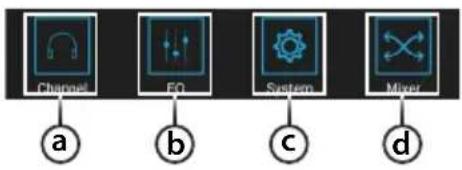
flowchart
graph TD
    A["Channel"] -->|a| B["EO"]
    C["EO"] -->|b| D["System"]
    E["Systems"] -->|c| F["Mixer"]
    G["Mixer"] -->|d| H["Output"]
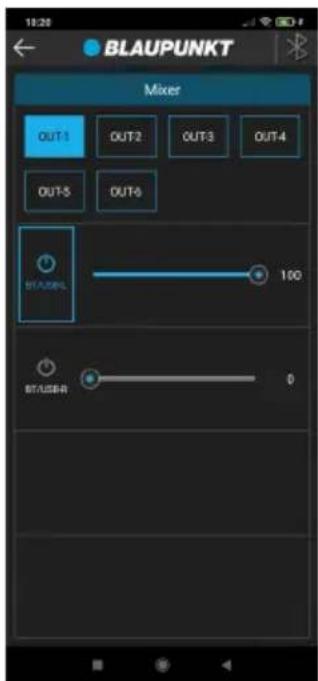
a. Channel Interface
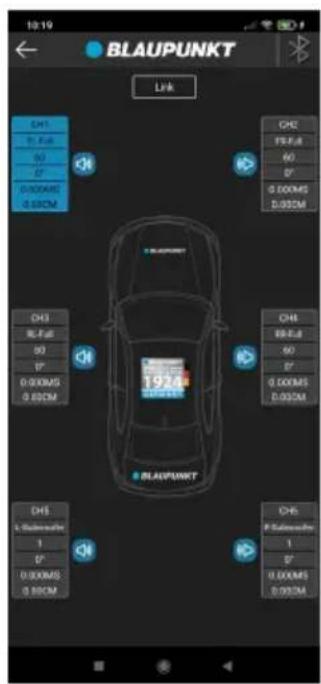
b. EQ Interface
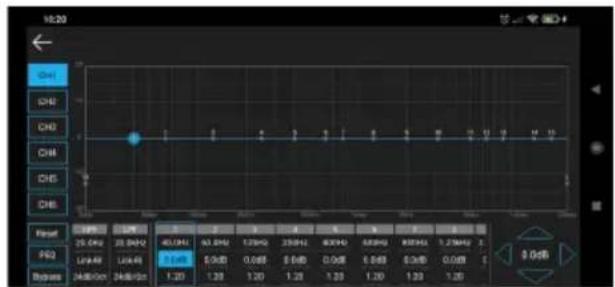
c. System Interface
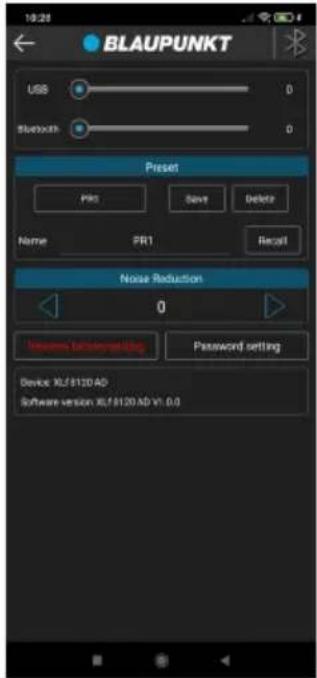
d. Mixer Interface
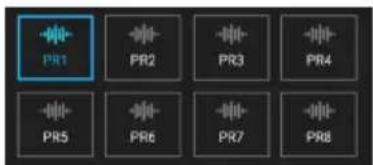
6. Memory
- 8 Presets
If any of the following problem occur, please resort to Troubleshooting for the possible solutions. Consult Blaupunkt authorized dealer if problem persist.
| Problem | Solution |
| Active subwoofer power up failure | Examine if the ground connection is intact. |
| Examine if remote input has at least 5V DC. | |
| Examine if battery power is connected correctly to the + terminal. | |
| Ensure supplied voltage is minimum 12V. | |
| Examine if fuse is broken and replace if necessary. | |
| Restart the device if protection LED light is on. | |
| No sound output | Examine fuses and replace if necessary. |
| Examine ground connection is intact. | |
| Examine if remote input has at least 5V DC. | |
| Examine if RCA audio cables are connected to the right inputs. | |
| Examine if speaker wiring is intact. | |
| Low sound output | Reset Level Control |
| Examine the Crossover Control setting. | |
| Buzzing noise | Observe if the device is still producing noise after turning on and off the amplifier. If yes, examine if the cables are correctly connected and if the cables and radio are in good condition. |
| Repair or replace if the cables or the radio are not in good condition. | |
| Squealing noise interference | Ensure RCA connections are properly connected. |
| Distorted sound output | Ensure input level of the device matches the signal level of the head unit. |
| Always set the input level to the lowest. | |
| Examine if crossover frequency is set correctly. | |
| Examine if speaker wire had short-circuit. | |
| Active subwoofer temperature increased | Examine the minimum speaker impedance for the amp models is correct. |
| Ensure good air ventilation around the device. Add external cooling fan if necessary. | |
| Engine noise (static sound) interference | Usually caused by poor RCA cable quality, which release noise. Use only the best quality cables, and route them away from power cables. |
| Engine noise (alternator whine) interference | Examine if RCA cable are nowhere near or attached to the vehicle chassis. |
| Examine if head unit is properly connected to the wires. |

Designed and engineered by Blaupunkt Competence Centre