
GPSMAP 923 - GPS GARMIN - Gratis brugsanvisning og manual
Find enhedens vejledning gratis GPSMAP 923 GARMIN i PDF-format.


Brugerspørgsmål om GPSMAP 923 GARMIN
0 spørgsmål om dette apparat. Besvar dem du kender, eller stil dit eget.
Stil et nyt spørgsmål om dette apparat
Download vejledningen til din GPS i PDF-format gratis! Find din vejledning GPSMAP 923 - GARMIN og tag din elektroniske enhed tilbage i hånden. På denne side er alle dokumenter nødvendige for brugen af din enhed offentliggjort. GPSMAP 923 af mærket GARMIN.
BRUGSANVISNING GPSMAP 923 GARMIN
GARMIN®
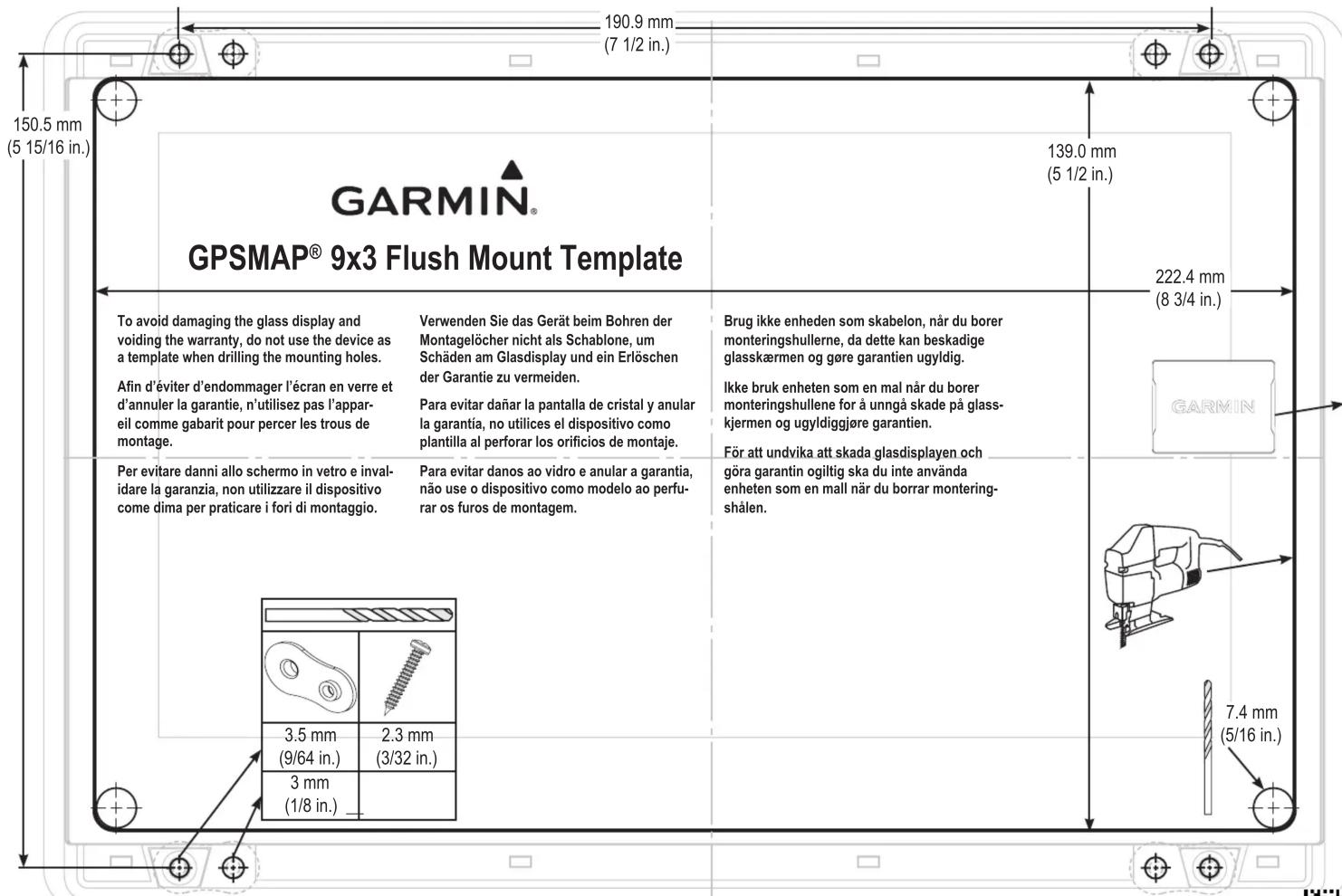
Printing a Mounting Template
NOTICE
It is not recommended that you print a mounting template on your own. Use the template that came in the product box.
If you do print the template, you must follow these instructions for printing a mounting template precisely. To print large templates, you need large enough paper and printer. Failure to have the correct sized paper and printer, or a failure to follow these instructions, may result in an incorrectly sized template and therefore an incorrect cutout (too large or too small) on the mounting surface of your boat.
1 Select File > Print.
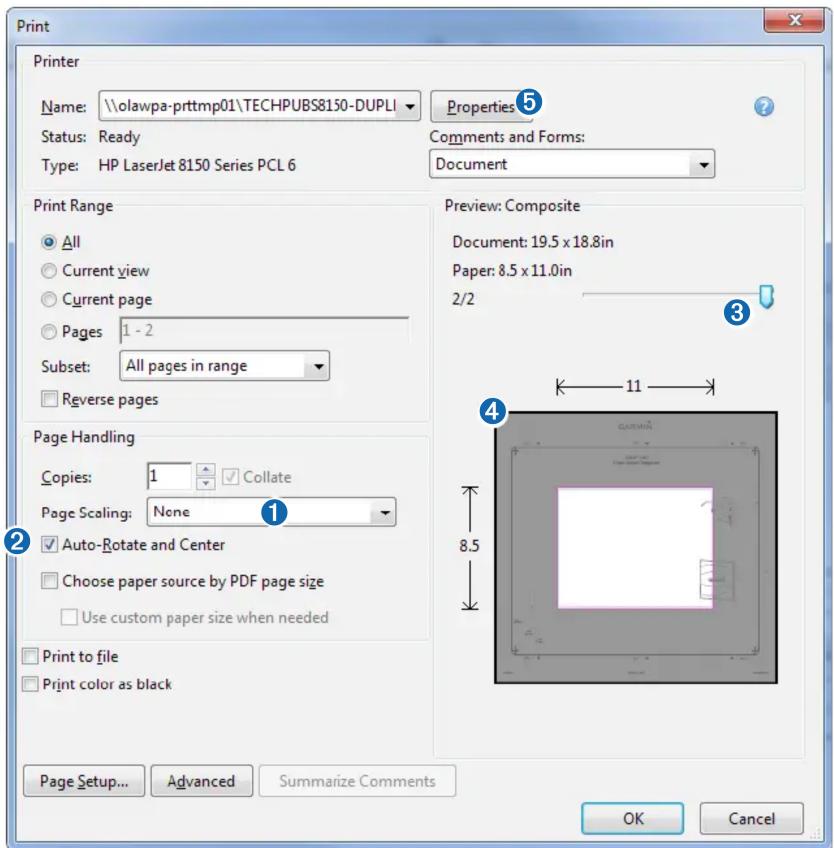
2 Select None for Page Scaling 1.
3 Ensure the check mark is next to Auto-Rotate and Center ②.
4 Drag the arrow ③ to the right, to view page 2 in the window below.
4 Verify that the paper size is larger than the template ④.
In this example, the paper is not larger than the template.
5 If the paper size is not large enough, select Properties ⑤ and select a Page Size that is larger than the template.
NOTICE
Garmin is not responsible for any damages or expenses resulting from a miscut mounting surface arising from a failure to follow these instructions.
Mærke : GARMIN
Model : GPSMAP 923
Kategori : GPS