
HB-BU10 - USB-hub Sabrent - Gratis brugsanvisning og manual
Find enhedens vejledning gratis HB-BU10 Sabrent i PDF-format.


Brugerspørgsmål om HB-BU10 Sabrent
0 spørgsmål om dette apparat. Besvar dem du kender, eller stil dit eget.
Stil et nyt spørgsmål om dette apparat
Download vejledningen til din USB-hub i PDF-format gratis! Find din vejledning HB-BU10 - Sabrent og tag din elektroniske enhed tilbage i hånden. På denne side er alle dokumenter nødvendige for brugen af din enhed offentliggjort. HB-BU10 af mærket Sabrent.
BRUGSANVISNING HB-BU10 Sabrent
SABRENT Connecting Differently™
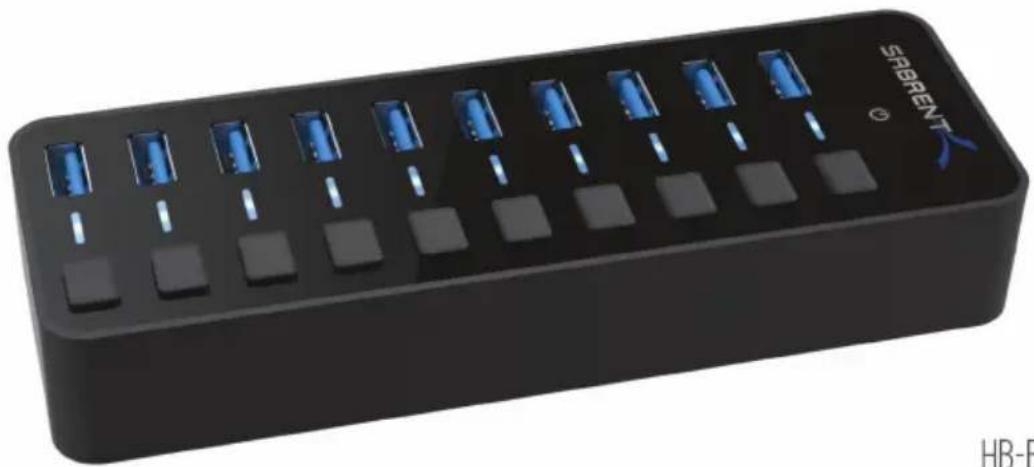
USB 3.0 10-PORT HUB WITH POWER SWITCHES
natural_image
Black rectangular electronic device with blue indicator lights and a 'SABRENT' logo on top (no readable text or symbols beyond branding)HB-BU10 USER GUIDE
SABRENT
HB-BU10 USER GUIDE
You can now attach your collection of USB devices to one SuperSpeed hub with the Sabrent USB 3.0 10-PORT HUB with power switches. Easily expand an available USB 3.0 port on your computer to 10 USB 3.0 ports with a sleek design. Plug and Play installation makes for an easy setup.
FEATURES
- Plug & Play, no driver installation required
• Windows, Mac OS & Linux Supported - Fashionable mirrored surface with a compact design
- Blue LED to indicate power status for each port
• 10 USB 3.0 ports allows data transfer speeds up to 5Gbps - Backward compatible with USB 2.0 and 1.1
- Sync Card Readers, Phones, Hard Drives and other USB peripherals
PACKAGE CONTENTS
• USB 3.0 10-PORT HUB with Power Switches
• 12V3A Power adapter
- USB 3.0 Cable
SABRENT
HB-BU10 USER GUIDE
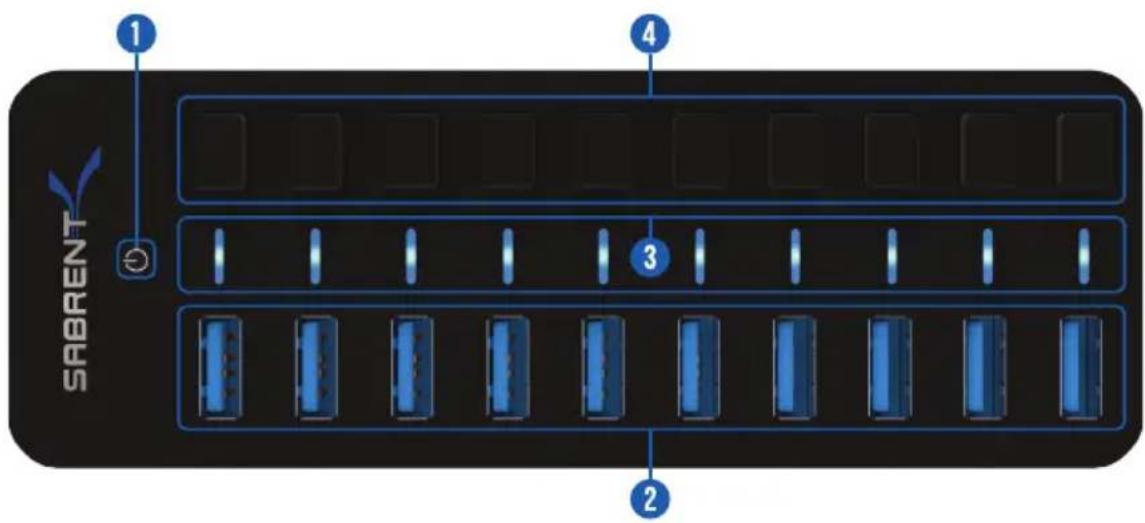
OVERVIEW
SABRENT
HB-BU10 USER GUIDE
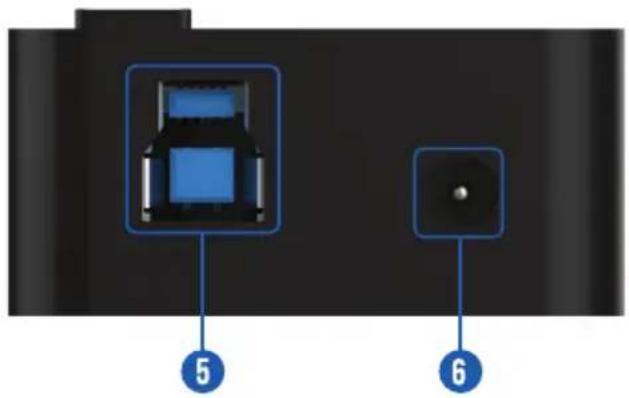
OVERVIEW
5 - USB 3.0 Port (to Computer)
6 - Power Port (to Power Adapter)
3
INSTRUCTIONS
CONNECT THE POWER ADAPTER TO THE HUB
THEN TO A POWER OUTLET
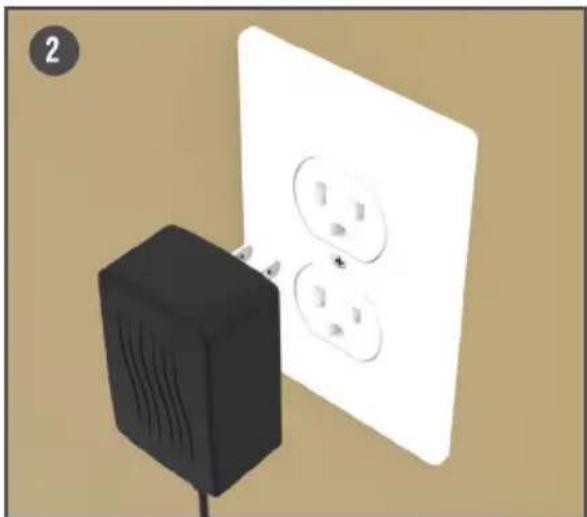
natural_image
Illustration of a black electrical plug next to a white wall with three outlets (no text or symbols)INSTRUCTIONS
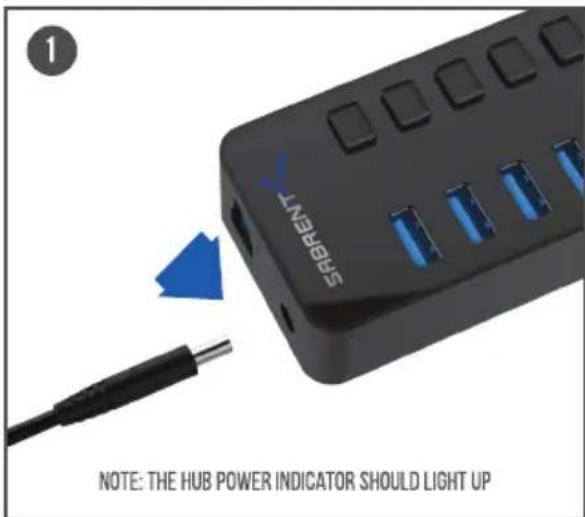
CONNECT THE USB CABLE TO THE HUB
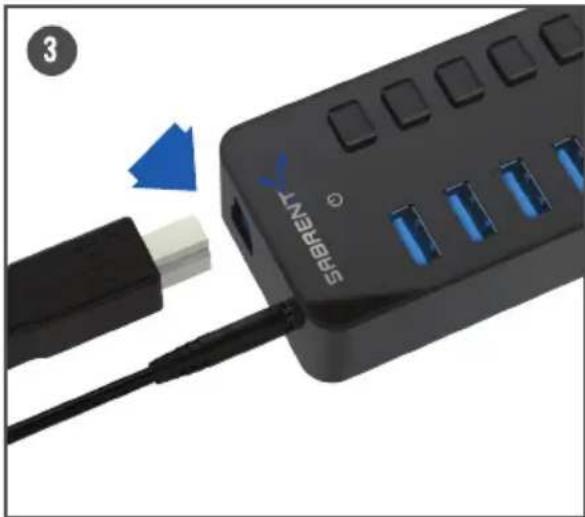
natural_image
Close-up of a black SABRENT device with blue LED ports and a blue arrow pointing to its cable (no text or symbols on the device itself)THEN TO YOUR COMPUTER
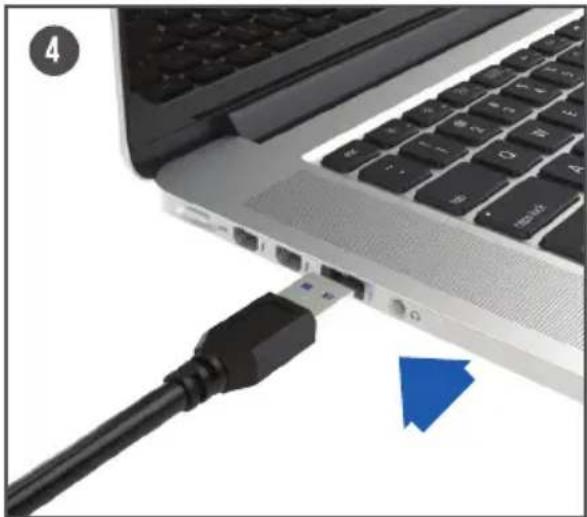
natural_image
Close-up of a laptop keyboard with an attached USB cable and a blue arrow pointing to a component (no text or symbols visible)INSTRUCTIONS
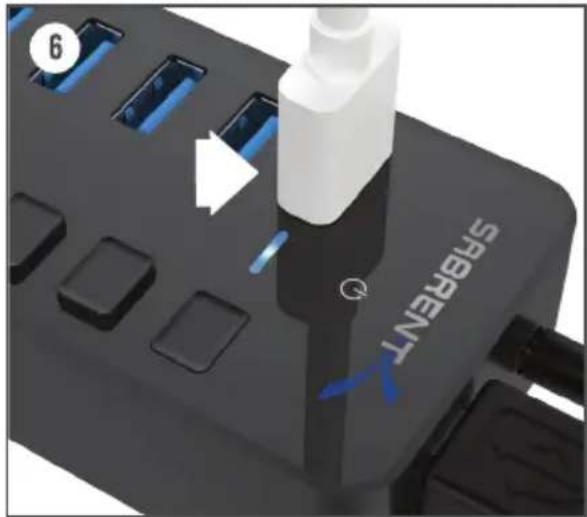
ACTIVATE A PORT BY PRESSING ANY OF THE PORT POWER SWITCHES
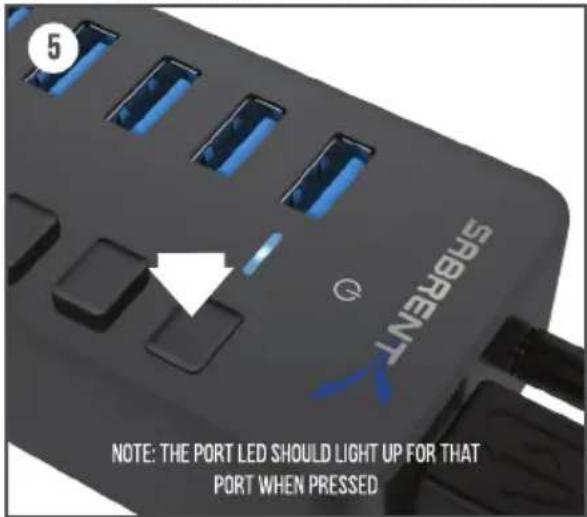
CONNECT YOUR USB DEVICES TO ANY OF THE 3.0 USB PORTS

HB-BU10 USER GUIDE
TROUBLESHOOTING/SUPPORT
POWER LED DOES NOT COME ON?
- Make sure that you have a tight connection between the power adapter and Hub.
- Try it on a different power outlet.
COMPUTER DOES NOT RECOGNIZE THE HUB?
• Make sure that you have a tight connection between the Hub and 3.0 cable.
- Try the USB cable on a different USB port on your computer.
Please contact our Technical Support Team for additional troubleshooting
WWW.SABRENT.COM
SABRENT

WWW.SABRENT.COM
Mærke : Sabrent
Model : HB-BU10
Kategori : USB-hub