Striker Plus 9sv - Elektronik GARMIN - Gratis brugsanvisning og manual
Find enhedens vejledning gratis Striker Plus 9sv GARMIN i PDF-format.


Brugerspørgsmål om Striker Plus 9sv GARMIN
0 spørgsmål om dette apparat. Besvar dem du kender, eller stil dit eget.
Stil et nyt spørgsmål om dette apparat
Download vejledningen til din Elektronik i PDF-format gratis! Find din vejledning Striker Plus 9sv - GARMIN og tag din elektroniske enhed tilbage i hånden. På denne side er alle dokumenter nødvendige for brugen af din enhed offentliggjort. Striker Plus 9sv af mærket GARMIN.
BRUGSANVISNING Striker Plus 9sv GARMIN
GARMIN®
Printing a Mounting Template
NOTICE
It is not recommended that you print a mounting template on your own. Use the template that came in the product box.
If you do print the template, you must follow these instructions for printing a mounting template precisely. To print large templates, you need large enough paper and printer. Failure to have the correct sized paper and printer, or a failure to follow these instructions, may result in an incorrectly sized template and therefore an incorrect cutout (too large or too small) on the mounting surface of your boat.
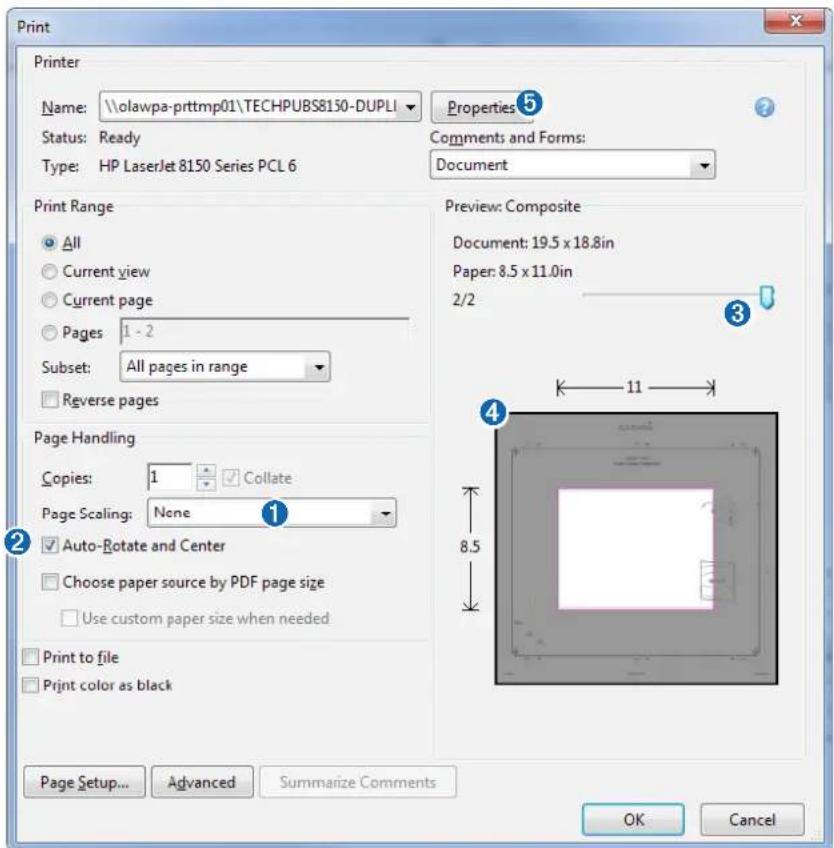
1 Select File > Print.
text_image
Print Printer Name: \olawpa-prttmp01\TECHPUBS8150-DUPLI Status: Ready Type: HP LaserJet 8150 Series PCL 6 Properties 5 Comments and Forms: Document Print Range All Current view Current page Pages 1 - 2 Subset: All pages in range Reverse pages Preview: Composite Document: 19.5 x 18.8in Paper: 8.5 x 11.0in 2/2 Page Handling Copies: 1 Collate Page Scaling: None Auto-Rotate and Center Choose paper source by PDF page size Use custom paper size when needed Print to file Print color as black 8.5 11 4 Page Setup... Advanced Summarize Comments OK Cancel2 Select None for Page Scaling ①.
3 Ensure the check mark is next to Auto-Rotate and Center ②.
4 Drag the arrow ③ to the right, to view page 2 in the window below.
4 Verify that the paper size is larger than the template ④.
In this example, the paper is not larger than the template.
5 If the paper size is not large enough, select Properties ⑤ and select a Page Size that is larger than the template.
NOTICE
Garmin is not responsible for any damages or expenses resulting from a miscut mounting surface arising from a failure to follow these instructions.
text_image
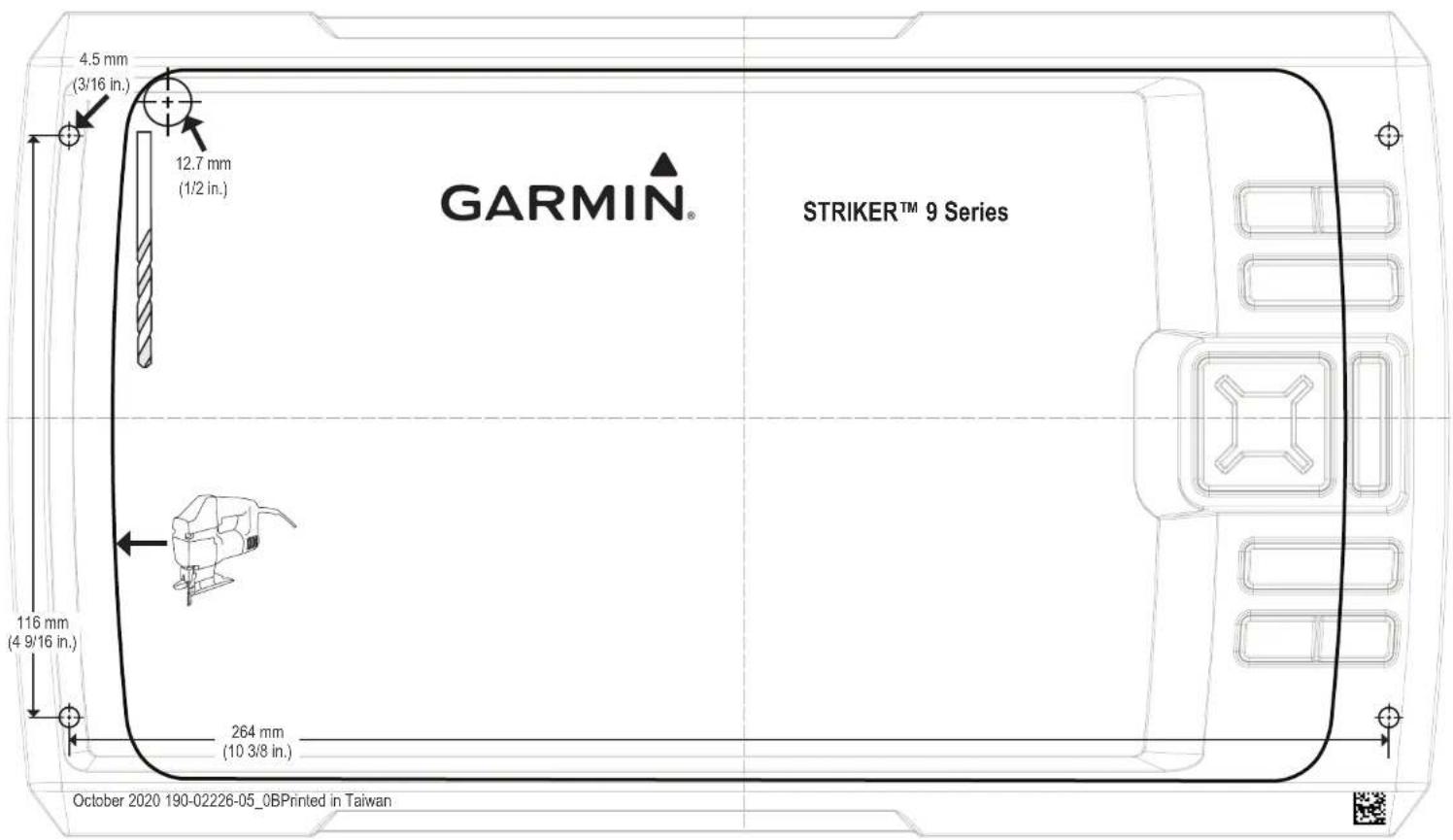
4.5 mm (3/16 in.) 12.7 mm (1/2 in.) GARMIN® STRIKERT™ 9 Series 116 mm (4 9/16 in.) 264 mm (10 3/8 in.) October 2020 190-02226-05_0BPrinted in Taiwan- Compass Safe Distance • Distance de sécurité du compas • Distanza di sicurezza dalla bussola • Sicherheitsabstand zum Kompass • Consumo eléctrico máximo • Distância segura da büssola • Sikkerhedsafstand for kompas • Trygg avstand fra et kompass • Säkerhetsavständ till kompass • 45 cm (17.7 in.)