
ECHOMAP UHD 72sv - Browser GARMIN - Gratis brugsanvisning og manual
Find enhedens vejledning gratis ECHOMAP UHD 72sv GARMIN i PDF-format.


Brugerspørgsmål om ECHOMAP UHD 72sv GARMIN
0 spørgsmål om dette apparat. Besvar dem du kender, eller stil dit eget.
Stil et nyt spørgsmål om dette apparat
Download vejledningen til din Browser i PDF-format gratis! Find din vejledning ECHOMAP UHD 72sv - GARMIN og tag din elektroniske enhed tilbage i hånden. På denne side er alle dokumenter nødvendige for brugen af din enhed offentliggjort. ECHOMAP UHD 72sv af mærket GARMIN.
BRUGSANVISNING ECHOMAP UHD 72sv GARMIN
GARMIN®
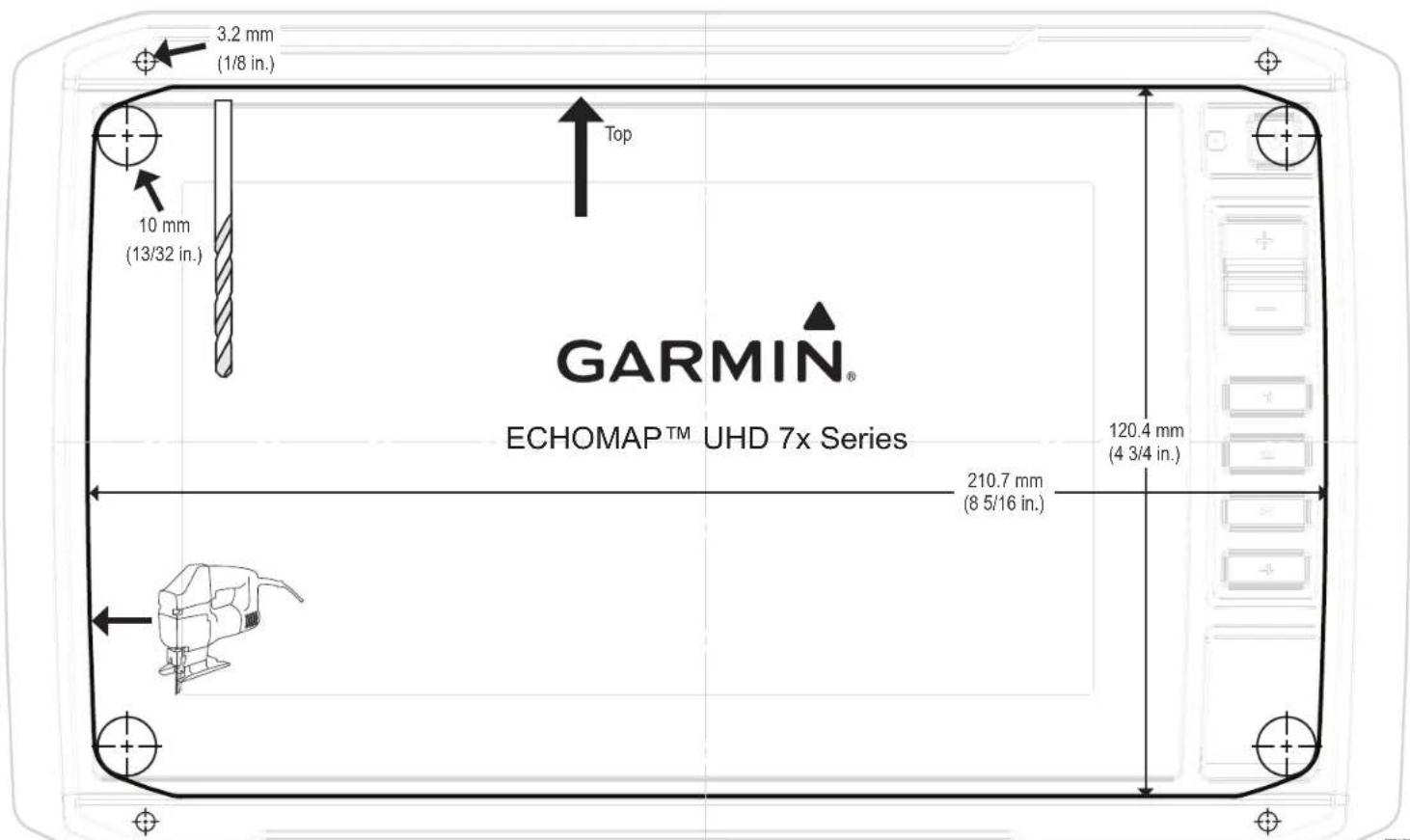
Printing a Mounting Template
NOTICE
It is not recommended that you print a mounting template on your own. Use the template that came in the product box.
If you do print the template, you must follow these instructions for printing a mounting template precisely. To print large templates, you need large enough paper and printer. Failure to have the correct sized paper and printer, or a failure to follow these instructions, may result in an incorrectly sized template and therefore an incorrect cutout (too large or too small) on the mounting surface of your boat.
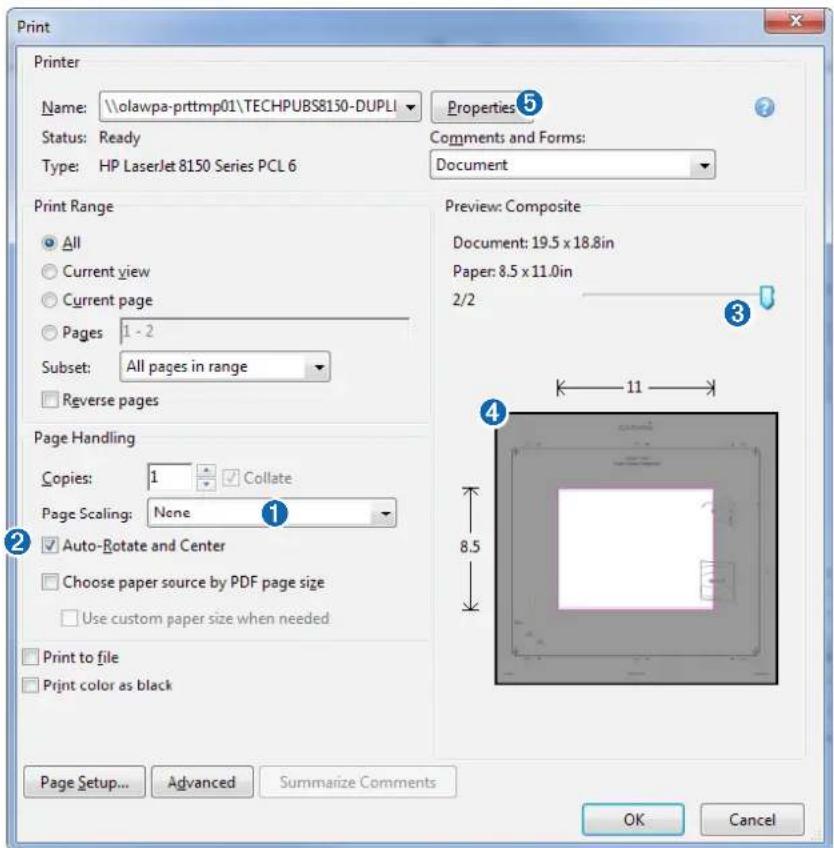
1 Select File > Print.
text_image
Print Printer Name: \olawpa-prttmp01\TECHPUBS8150-DUPLI Status: Ready Type: HP LaserJet 8150 Series PCL 6 Properties 5 Comments and Forms: Document Print Range All Current view Current page Pages 1 - 2 Subset: All pages in range Reverse pages Preview: Composite Document: 19.5 x 18.8in Paper: 8.5 x 11.0in 2/2 Page Handling Copies: 1 Collate Page Scaling: None Auto-Rotate and Center Choose paper source by PDF page size Use custom paper size when needed Print to file Print color as black Page Setup... Advanced Summarize Comments OK Cancel2 Select None for Page Scaling ①.
3 Ensure the check mark is next to Auto-Rotate and Center ②.
4 Drag the arrow ③ to the right, to view page 2 in the window below.
4 Verify that the paper size is larger than the template ④.
In this example, the paper is not larger than the template.
5 If the paper size is not large enough, select Properties ⑤ and select a Page Size that is larger than the template.
NOTICE
Garmin is not responsible for any damages or expenses resulting from a miscut mounting surface arising from a failure to follow these instructions.
text_image
3.2 mm (1/8 in.) 10 mm (13/32 in.) Top GARMIN® ECHOMAP™ UHD 7x Series 120.4 mm (4 3/4 in.) 210.7 mm (8 5/16 in.) FXWSeptember 2019
Printed in Taiwan
190-02598-04_0A
