
70-1160-12 - Ukategoriseret Extron - Gratis brugsanvisning og manual
Find enhedens vejledning gratis 70-1160-12 Extron i PDF-format.


Brugerspørgsmål om 70-1160-12 Extron
0 spørgsmål om dette apparat. Besvar dem du kender, eller stil dit eget.
Stil et nyt spørgsmål om dette apparat
Download vejledningen til din Ukategoriseret i PDF-format gratis! Find din vejledning 70-1160-12 - Extron og tag din elektroniske enhed tilbage i hånden. På denne side er alle dokumenter nødvendige for brugen af din enhed offentliggjort. 70-1160-12 af mærket Extron.
BRUGSANVISNING 70-1160-12 Extron
SMB Table Clamp Kit • Setup Guide
The SMB Table Clamp Kit secures Extron SMB boxes to table edges. The kit includes the following items:
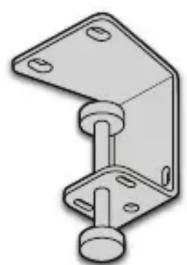
natural_image
Technical drawing of a mechanical bracket component (no text or symbols)Clamp
6-32 Screws

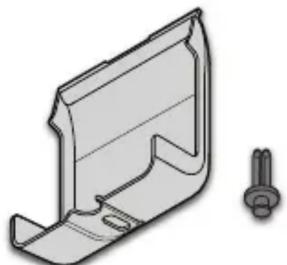
natural_image
Technical drawing of a mechanical bracket with a separate view of a bolt (no text or symbols)Cable Shield & Rivet
(SMB 210 Series only)
SMB Table Clamp Compatibility
The chart below lists the number of recommended clamps for each SMB model.
SMB 110 Series
| SMB Model Clamp Quantity | |
| SMB 111 1 | |
| SMB 112 1 | |
| SMB 113 1 | |
| SMB 114 2 | |
| SMB 115 2 | |
SMB 210 Series
| SMB Model Clamp Quantity | |
| SMB 212 1 | |
| SMB 213 1 | |
| SMB 214 1 or 2 | |
NOTE: Footpads are required if only one clamp is used for the SMB 213 and 214.
Installation
Follow these steps to install the clamp kit.
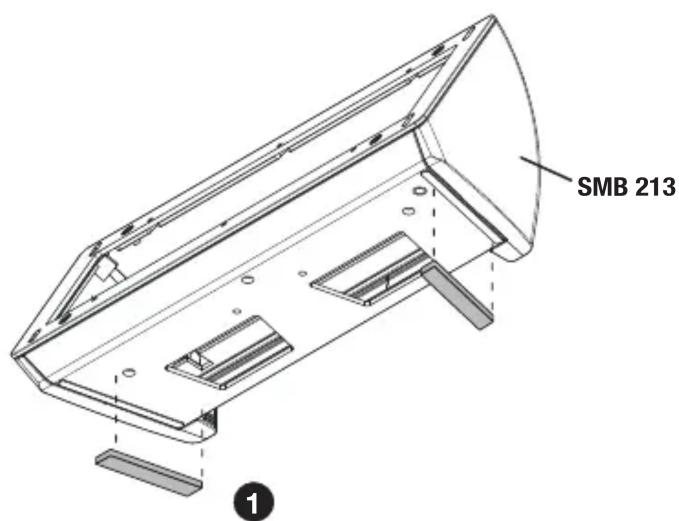
If needed, apply the additional anti-pivot footpads to the left and right sides of the SMB bottom panel.
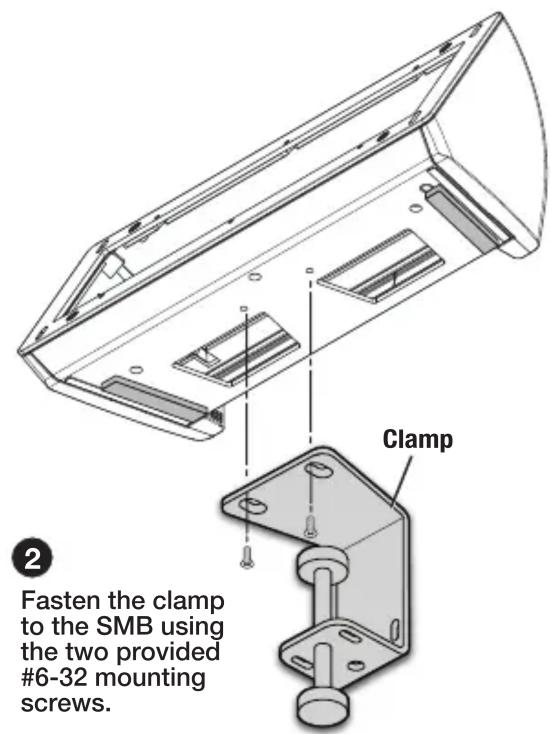
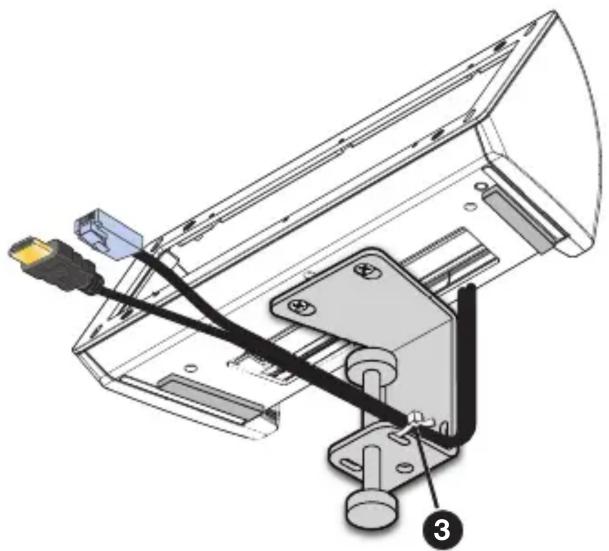
natural_image
Technical diagram of a mechanical assembly with labeled parts, showing wiring and mounting bracket (no text or symbols present)Route cables out the rear of the SMB and secure them to the clamp using a zip tie.
NOTE: The cable shield below is compatible only with SMB 210 Series boxes.
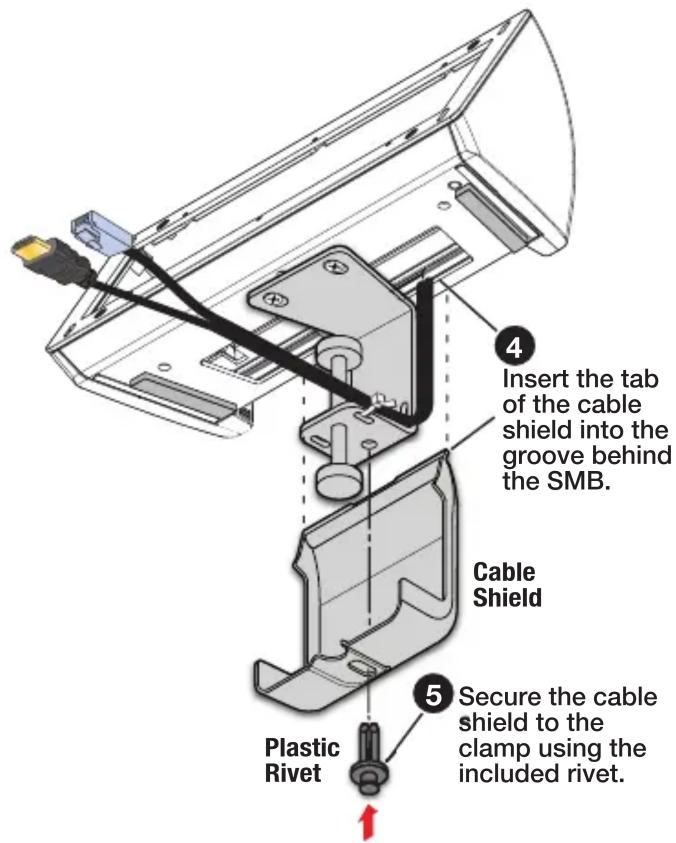
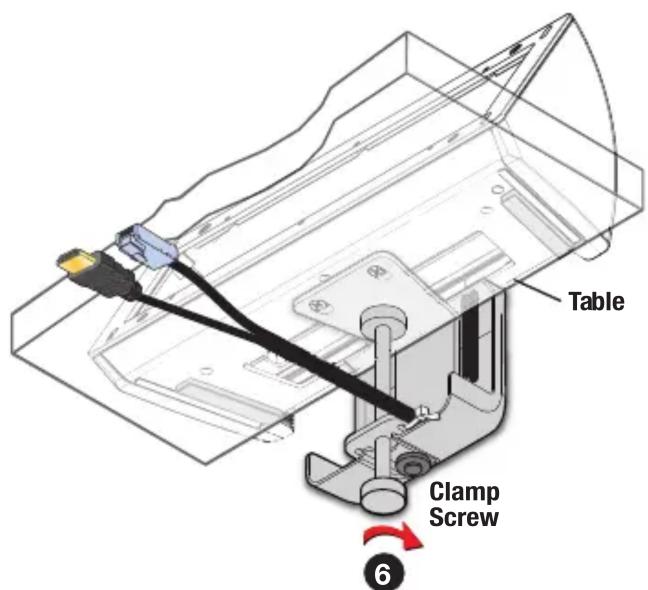
Tighten the clamp to the table edge.
68-2877-01
Rev. B
10 17
| Extron Headquarters+1.800.633.9876 (Inside USA/Canada Only) | Extron Asia+65.6383.4400 | Extron China+86.21.3760.1568 | Extron Korea+82.2.3444.1571 |
| Extron Europe+31.33.453.4040 | Extron Japan+81.3.3511.7655 | Extron Middle East+971.4.299.1800 | Extron India+91.80.3055.3777 |