HE330 V2 - Hjemmeautomatisering Home Easy - Gratis brugsanvisning og manual
Find enhedens vejledning gratis HE330 V2 Home Easy i PDF-format.


Brugerspørgsmål om HE330 V2 Home Easy
0 spørgsmål om dette apparat. Besvar dem du kender, eller stil dit eget.
Stil et nyt spørgsmål om dette apparat
Download vejledningen til din Hjemmeautomatisering i PDF-format gratis! Find din vejledning HE330 V2 - Home Easy og tag din elektroniske enhed tilbage i hånden. På denne side er alle dokumenter nødvendige for brugen af din enhed offentliggjort. HE330 V2 af mærket Home Easy.
BRUGSANVISNING HE330 V2 Home Easy
X3
X1
GB: HE330
Contents:
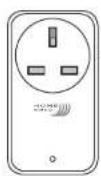
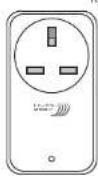
- HE330 w 3000W On/Off plug-in socket (Receiver)
Max Load: 3000W Resistive Load
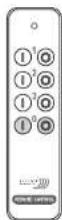
- HE312 w Remote Control (Transmitter)
-30 Metre Range
-CR3032 Battery Powered (Included)
Each remote control socket is preprogrammed to a
On/OFF button on the remote control.

Plug-in Receiver Socket 1 On/Off

Group Plug-in Receiver Sockets On/OFF
To alter the program settings, see instructions below
X2
GB: Programming the Plug-in Receiver
Each remote control socket must be programmed to the remote
control button:
1: Remove the plug-in receiver form the socket
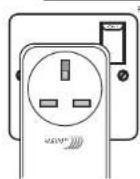
2: Wait +5Sec and plug the receiver in to a socket Fig 1.
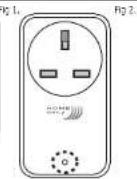
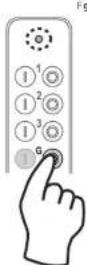
2: The LED on the front of the plug-in unit will flash Fig 2
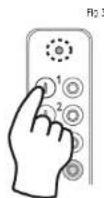
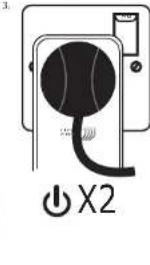
3: Hold the remote control dose to the plug-in receiver socket
4: Press the 'On' button on the remote control Fig. 3.
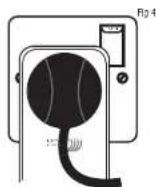
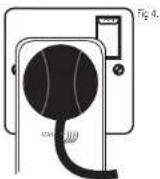
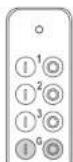
5: The plug-in receiver will now switch On/Off to indicate that the
remote control has been learnt Fig 4.
6: The socket is now ready to be used
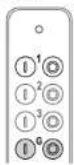
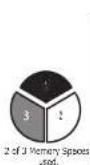
up to 3 remote control buttons can be learnt to a single receiver socket Fig 5
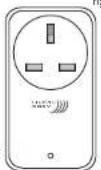
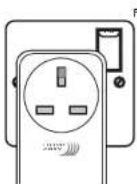
g 1 Fig 2.
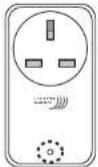
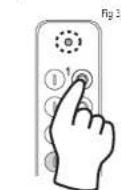
X2
GB: Deleting a Remote Control from a the Plug-in Receiver
1: Remove the plug-in receiver form the socket
2: Plug the receiver in to a socket
3: Wait +5Sec and plug the receiver in to a socket
4: The LED on the front of the plug-in unit will flash
5: Hold the remote control close to the plug-in receiver socket
6: Press the 'Off' button (Fig)
7: The plug-in receiver will now switch On/Off to indicate that the
remote control has been removed from plug-in receiver's memory.
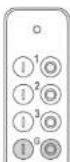

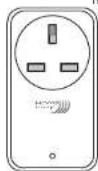
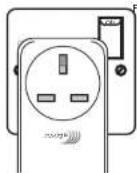
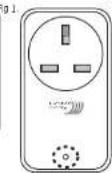
Fig 2.
GB: Resting Plug-in Socket
To reset and remove all the remote controls learnt to the receiver socket.
1: Remove the plug-in receiver form the socket
2: Plug the receiver in to a socket.
3: Wait +5Sec and plug the receiver in to a socket.
4: The LED on the front of the plug-in unit will flash
5: Hold the remote control dose to the plug-in receiver socket
6: Press the Group Off button
7: The plug-in receiver will now switch On/Off to indicate that the plug-in
remote control socket has been reset.
natural_image
Pure electrical circuit lines without any symbolsFig 4.

natural_image
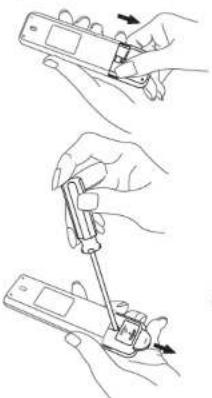
Three-step illustration showing hands using a handheld device to adjust or install a device (no text or symbols present)GB: Replacing Remote Control Battery.
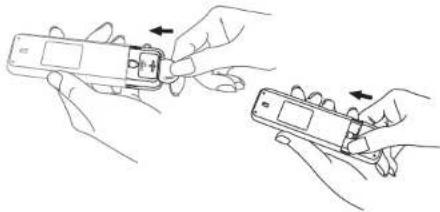
1: Remove the battery cover from the Remote Control
2: Remove the 'CR2032' battery using a small screw
driver
2: Insert the new 'CR2032' battery, making sure the '+'
positive terminal is facing up
3: Replace the battery cover on the remote control.
Only use 'CR2032' battery.
WARNING Fire Hazard! Do not burn old batteries.
Dispose or recycle batteries according to local
regulations, do not dispose of as house hold waste.
Do not store batteries in any location where
temperatures may exceed 40°C.
natural_image
Illustration of two hands holding a handheld electronic device with a close-up view (no text or symbols)GB: Specification
Plug-in Receiver Socket: HE330 v2 Remote Control: HE312 v2
Input: 230-240V 50Hz
Max Resistive Load: 3000W
Range: 30Metres
Battery: CR2032


Warning: Never exceed the product specification


http://www.
GB: CH Byron
Byron House
Sherwood Rd
Astonfields
Bromstrue
B60 3DP
UK
Tel: 0845 2301231 (UK)
Fax: 01527 57701
www.chbwron.com
support@chbyren.com
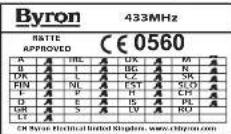
- 1023-104
[Signature]