Ozone Blade (Nordic) - Tastatur

Blade (Nordic) - Tastatur Ozone - Gratis brugsanvisning og manual

Find enhedens vejledning gratis Blade (Nordic) Ozone i PDF-format.

📄 8 sider Dansk DA Download 💬 AI-spørgsmål
Notice Ozone Blade (Nordic) - page 1
Pick your language and provide your email: we'll send you a specifically translated version.

Brugerspørgsmål om Blade (Nordic) Ozone

0 spørgsmål om dette apparat. Besvar dem du kender, eller stil dit eget.

Stil et nyt spørgsmål om dette apparat

E-mailen forbliver privat: den bruges kun til at underrette dig, hvis nogen svarer på dit spørgsmål.

Ingen spørgsmål endnu. Vær den første til at stille et.

Download vejledningen til din Tastatur i PDF-format gratis! Find din vejledning Blade (Nordic) - Ozone og tag din elektroniske enhed tilbage i hånden. På denne side er alle dokumenter nødvendige for brugen af din enhed offentliggjort. Blade (Nordic) af mærket Ozone.

BRUGSANVISNING Blade (Nordic) Ozone

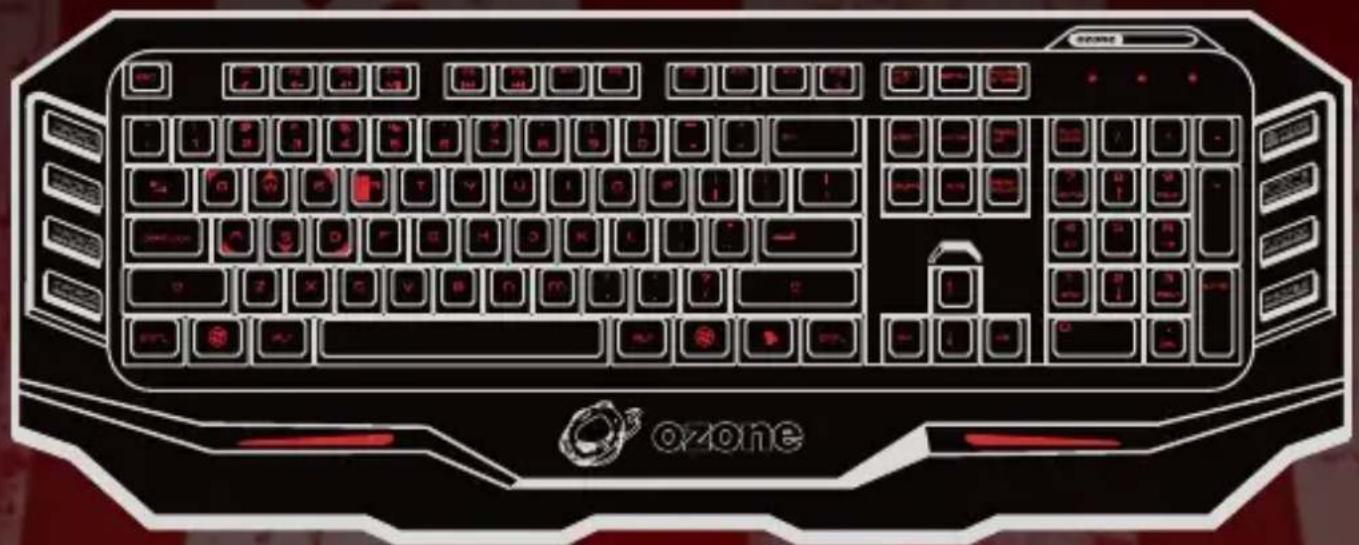
ozone

BLADE

MEMBRANE PROGAMING KEYBOARD
ozone ozone

DRIVER V1.0

USER MANUAL

OZONE BLADE

MEMBRANE PROGRAMING KEYBOARD

Software Installation

  1. Before installation, please be sure to save other open applications and then exit, to avoid data loss after installation.
  2. Connect the gaming keyboard with PC, open the driver files and then install the driver as the instructions as below.
  3. When starting installation application, click "NEXT"

Welcome to the Immittelfinal Wizard for Grace Chrome Windows® This installed version will install some Android keyboard or your computer. To continue all then.

  1. Then it starts to install.
    Ozone Blade (Nordic) - Software Installation - 2
  1. It comes out an option page as below after a while. Click "YES" and "FINISH" to restart the computer. After the computer restart, the installation would be finished.

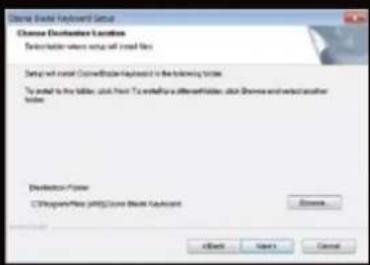
  2. Choose the destination folder, then click "NEXT"
    Ozone Blade (Nordic) - Software Installation - 3

Name: Chrome Keyboard Setup Chrome Shade Keyboard Setup The installed keyboard was successfully installed (see the Keyboard). Click Flashboard and press. ✓ Insert the keyboard key now

OZONE BLADE

MEMBRANE PROGAMING KEYBOARD

Operating Interface

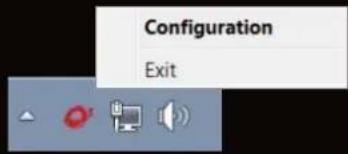
After the computer restart, you could find an Ozone keyboard icon on the lower right corner of the page. Right click it, chose "CONFIGURATION".
Configuration Exit

Then you could see the Blade's driver on your screen.

Ozone BLADE DRIVER 1.0 Ozone MOBUSTEER MOBUSTEER MOBUSTEER Ozone Ozone www.plb.org/olm.com OK Cancel Apply

3

BACK LIGHTING

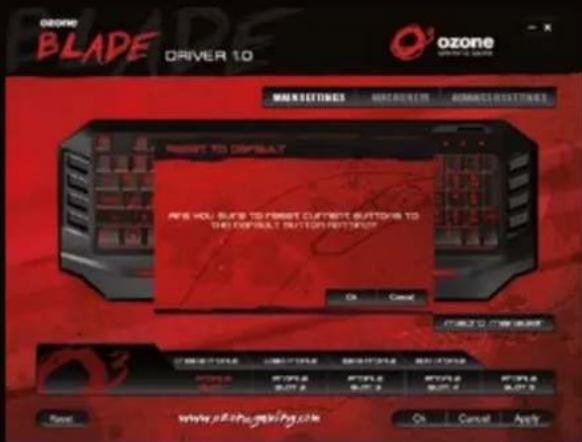
  1. If you find there's no back light on the keyboard, don't worry. You should click the "Reset" button on the driver. Then click "OK" and the back-lighting starts to turn on.
OZONE BLADE DRIVER 10 Ozone SPRING SWITCHER MAKE TO DISPLAY ANS YOU SUE TO FIRST CURRENT SWITCH TO THE DEFAULT BUTTON NOT TOUCH OK Cancel OK Cancel Apply

  1. If you want to switch the color of the back light, you should press the R&B key on the keyboard. There are two colors to be chosen, red and blue.

Ozone Blade (Nordic) - BACK LIGHTING - 2

4

OZONE BLADE

MEMBRANE PROGAMING KEYBOARD

CURRENT PROFILE

  1. Five groups of profiles can be saved in the Blade's internal memory.
PROFILESLOT 1PROFILESLOT 2PROFILESLOT 3PROFILESLOT 4PROFILESLOT 5
  1. You can press the "Profile" key on the keyboard to shift between different profiles.

Ozone Blade (Nordic) - CURRENT PROFILE - 1

THE PROGRAMMABLE KEYS

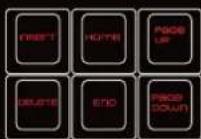
The macro keys and the function keys on the right side both are programmable. If you don't program them, the function keys still have their original function.

Ozone Blade (Nordic) - THE PROGRAMMABLE KEYS - 1

Ozone Blade (Nordic) - THE PROGRAMMABLE KEYS - 2

5

MACRO FUNCTION

  1. If you want to program Macros with the macro recording function first click the Macro key you want to edit in the software window, then click "assign macro" and then "macro manager".

Ozone BLADE DRIVER 10 Ozone BLADE DRIVER 10 MACRO BUTTONS MACRO KEY ADAMOUNT BUTTONS MACRO FUNCTION POSITION MACRO HOME Control Switch & Locks Machines Internal Ecosystem Mouse Layered Analog & installed Launch Program Climbion MACRO BUTTONS MACRO KEY MACRO INPUTS MACRO OUTPUTS MACRO INPUTS MACRO OUTPUTS MACRO INPUTS MACRO OUTPUTS MACRO INPUTS MACRO OUTPUTS MACRO INPUTS MACRO OUTPUTS MACRO INPUTS MACRO OUTPUTS MACRO INPUTS MACRO OUTPUTS MACRO INPUTS MACRO OUTPUTS MACRO INPUTS MACRO OUTPUTS MACRO INPUTS MACRO OUTPUTS MACRO INPUTS MACRO OUTPUT S MACRO OUTPUT S MACRO OUTPUT S MACRO OUTPUT S MACRO OUTPUT S MACRO OUTPUT S MACRO OUTPUT S MACRO OUTPUT S MACRO OUTPUT S MACRO OUTPUT S MACRO OUTPUT S MACRO OUTPUT S MACRO OUTPUT S MACRO OUTPUT S MACRO OUTPUT S MACRO OUTPUT S MACRO OUTPUT S MACRO OUTPUT S MACRO OUTPUT S MACRO OUTPUT S MACRO OUTPUT T MACRO OUTPUT T MACRO OUTPUT T MACRO OUTPUT T MACRO OUTPUT T MACRO OUTPUT T MACRO OUTPUT T MACRO OUTPUT T MACRO OUTPUT T MACRO OUTPUT T MACRO OUTPUT T MACRO OUTPUT T MACRO OUTPUT T MACRO OUTPUT T MACRO OUTPUT T MACRO OUTPUT T MACRO OUTPUT T MACRO OUTPUT T MACRO OUTPUT T MACRO OUTPUT T MACRO OUTPUT S MACRO OUTPUT S MACRO OUTPUT S MACRO OUTPUT S MACRO OUTPUT S MACRO OUTPUT S MACRO OUTPUT S MACRO OUTPUT S MACRO OUTPUT S MACRO OUTPUT S MACRO OUTPUT S MACRO OUTPUT S MACRO OUTPUT S MACRO OUTPUT S MACRO OUTPUT S MACRO OUTPUT S MACRO OUTPUT S MACRO OUTPUT S MACRO OUTPUT S MACRO OUTPUT A MACRO OUTPUT A MACRO OUTPUT A MACRO OUTPUT A MACRO OUTPUT A MACRO OUTPUT A MACRO OUTPUT A MACRO OUTPUT A MACRO OUTPUT A MACRO OUTPUT A MACRO OUTPUT A MACRO OUTPUT A MACRO OUTPUT A MACRO OUTPUT A MACRO OUTPUT A MACRO OUTPUT A MACRO OUTPUT A MACRO OUTPUT A MACRO OUTPUT A MACRO OUTPUT A MACRO OUTPUT B MACRO OUTPUT B MACRO OUTPUT B MACRO OUTPUT B MACRO OUTPUT B MACRO OUTPUT B MACRO OUTPUT B MACRO OUTPUT B MACRO OUTPUT B MACRO OUTPUT B MACRO OUTPUT B MACRO OUTPUT B MACRO OUTPUT B MACRO OUTPUT B MACRO OUTPUT B MACRO OUTPUT B MACRO OUTPUT B MACRO OUTPUT B MACRO OUTPUT B

6

OZONE BLADE

MEMBRANE PROGAMING KEYBOARD

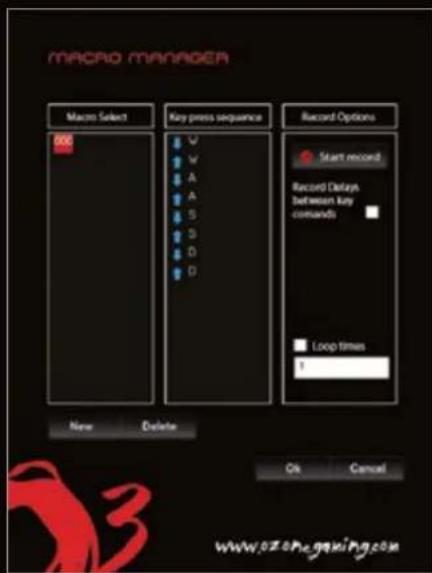
  1. To create a new Macro for macro 1 key, click "NEW" and input a file name. Then press the "ENTER" key on the keyboard.

MACROC MANAGER Macro Select Key press sequence Record Options Start record Record Delays between key commands Loop times 1 New Delete On Cancel www.02.0Pegaming.com

  1. If you click the "RECORD" option, then you could start to record. For example you want to record "WAS D", you could press "WAS D" on your keyboard now. When you finish it, click "STOP". You can also tick "loop time" and fill in the loop times you want to configure or also tick "auto delay".

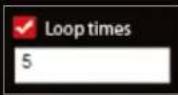
  2. The "loop times" option means how many times the command would repeat. For example, if you want the "W A S D" command repeat 5 times, once you stop recording, choose the "loop time" and modify "1" into "5".
MACRO MANAGER Macro Select 800 Key press sequence V W A A S B D D Record Options Start record Record Delays between key commands Loop times 1 New Delete Ok Cancel www.07.07e.gaxia.com

Ozone Blade (Nordic) - MEMBRANE PROGAMING KEYBOARD - 3

Ozone Blade (Nordic) - MEMBRANE PROGAMING KEYBOARD - 4

  1. "Auto Delay" means that while recording the commands the driver will memorize the delay time between each key stroke.

OZONE BLADE

MEMBRANE PROGAMING KEYBOARD

FUNCTION KEYS

  1. When you don't program them, the six function keys on the keyboard still have the default function as it marked. For example these keys below.
Ozone BLADE DRIVER 1.0 Ozone DRIVER 1.0 ADVANCED SETTINGS ASSIGNMENT Control PARAMETER Balance PACTING Pressure OFF PRESSURE CLOSING PROMERO COLD AVOCOM PAGE ORDER APPROG REDUCE CONTENTS CONTENTS CONTENTS CONTENTS CONTENTS CONTENTS CONTENTS CONTENTS CONTENTS CONTENTS CONTENTS CONTENTS CONTENTS CONTENTS CONTENTS CONTENTS CONTENTS CONTENTS CONTENTS CONTENTS CONTENTS CONTENTS CONTENTS CONTENTS CONTENTS CONTENTS CONTENTS CONTENTS CONTENTS CONTENTS CONTENTS CONTENTS CONTENTS CONTENTS

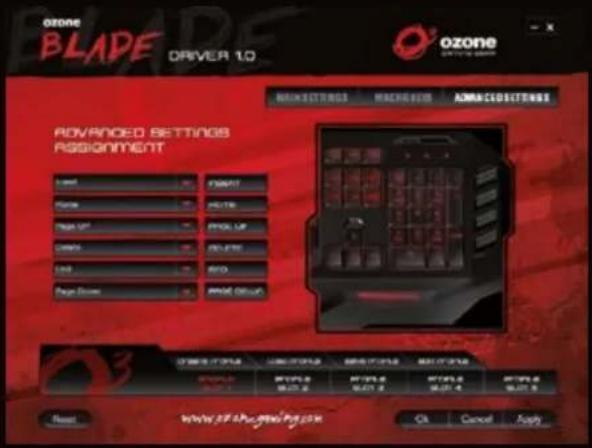
  1. The function keys are programmable; including the macro recording, multimedia and all the other functions.

Ozone BLADE DRIVER 10 Ozone SPRING REDRIDGE MANAGEMENT MASSACHING MASSACHING ADVANCED SETTINGS PASSIGNMENT Start Start Start Start Start Start Start Start Start Start Start Start Start Start Start Start Start Start Start Start Start Start Start Start Start Start Start Start Start Start Start Start Start Start Start Start Start Start Start Start Start Start Start Start Start Start Start Start Start Start End www.plechogelping.com OK Cancel Ready

  1. Program the key with your preferred function and then click "APPLY" to finish editing.

Ozone Blade (Nordic) - FUNCTION KEYS - 3

  1. If you want to restore its default functions just click the "Reset" button on the driver.

  2. 'Macro' keys and function keys can be programmable. You can record 'Macro' as the above-mentioned instruction or you can program these keys with the functions showed in the software such as 'shortcut', 'Mouse' and so on.

OZONE BLADE

MEMBRANE PROGAMING KEYBOARD

Specifications

18K gold plated USB CONNECTOR
Anti-ghosting capability
8x Faster -1000 Hz Polling Rate (1 millisecond Response time)
Dimensions: 510 x 199.8 x 30 mm (Length*Width*Height)
▶ Approximate Weight: 1.14 kg
▶ Cable lenght: 160 cm

Accessories List

  1. Keyboard 1 pc
  2. Driver Disk 1 pc
  3. User Manual 1 pc
  4. Package Box 1 pc

System requirements

Windows 98 / XP / 2000 / Windows Vista / Windows 7 / 8
▶ PC with built-in USB (1.1 / 2.0 / 3.0) Port
CD-ROM drive
50 MB of free hard disk space

If you have any questions regarding technical problems please contact us via our website:

www.ozonegaming.com

OZONE reserves the right for any modifications in text and / or images.

You may also like ozone RAGE 7HX 7.1 SURROUND HEADSET ozone XENOM OPTICAL PRO GAMING MOUSE 7.1 SURROUND SOUND OZONE OZONE ORGONOMIC DESIGN You're likely to forget you're wearing headsets at all. DETACHABLE MICROPHONE Flexible and detachable microphone with advanced noise canceling technology. XL EAR CUSHIONS Rage ear cups are covered with an advanced micro-texture cloth for a comfortable fit. ATBIDENTROUS ERGONOMIC DESIGN ADVANCED 3500 DPI OPTICAL SENSOR EXTRAURARGE TEFLON PADS ON-THE-FLY DPI TOOGLE LED INDICATOR RUBBER GRIPS CONFIGURATION SOFTWARE

Vejledningsassistent
Drevet af Anthropic
Venter på din besked
Produktinformation

Mærke : Ozone

Model : Blade (Nordic)

Kategori : Tastatur