Leisure C3MQ - Projektor Vankyo - Gratis bruksanvisning och manual
Hitta enhetens manual gratis Leisure C3MQ Vankyo i PDF-format.


Användarfrågor om Leisure C3MQ Vankyo
0 fråga om denna apparat. Svara på dem du kan eller ställ din egen.
Ställ en ny fråga om denna apparat
Ladda ner instruktionerna för din Projektor i PDF-format gratis! Hitta din manual Leisure C3MQ - Vankyo och ta tillbaka ditt elektroniska enhet i hand. På denna sida publiceras alla dokument som behövs för att använda din enhet. Leisure C3MQ av märket Vankyo.
BRUKSANVISNING Leisure C3MQ Vankyo

VANKYO
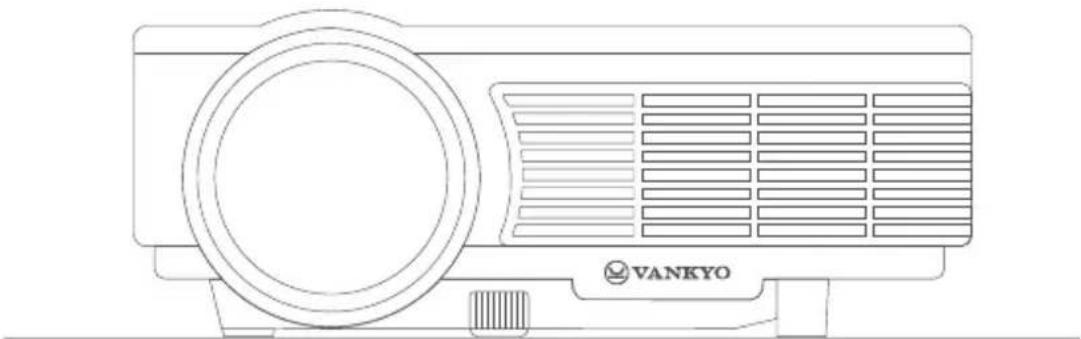
natural_image
Line drawing of a Vankyo air conditioner unit with ventilation grille and fan (no text or symbols on the device itself)LEISURE C3MQ
USER MANUAL
Please read this manual thoroughly before using this product and keep it for future reference.
PACKING LIST
natural_image
Line drawing of a projector with front panel and side screen (no text or symbols)LEISURE C3MQ
Remote
(Batteries Not Included)
User Manual
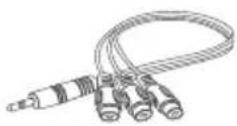
AV Cable
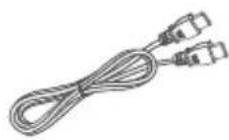
HDMI Cable
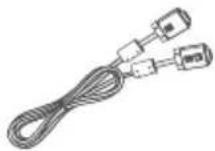
VGA Cable
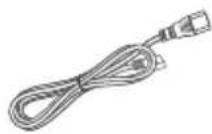
Power Cable
NOTICE
Recommended
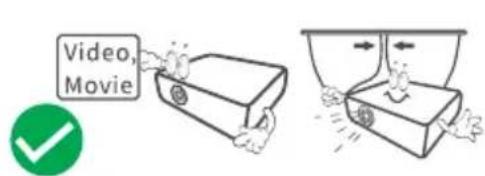
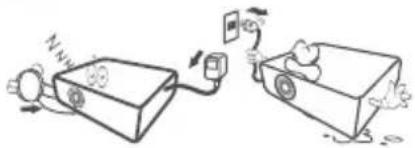
natural_image
Illustration of two cartoon-style vehicles connected by a power switch, with no visible text or symbolsNOT Recommended
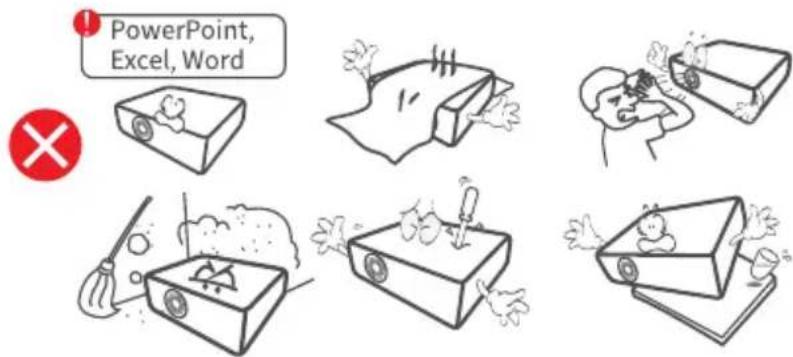
EN
FUNCTION OVERVIEW

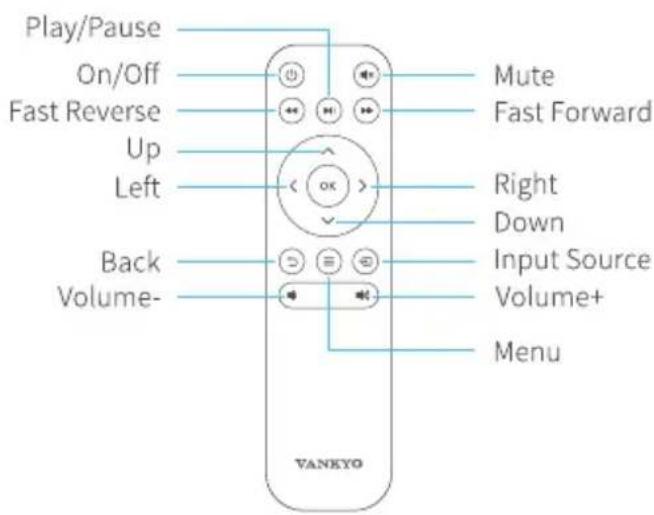
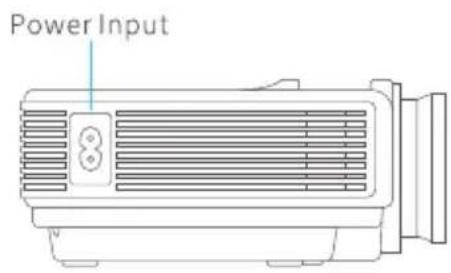
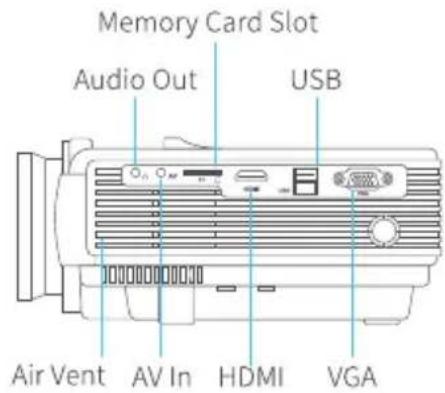
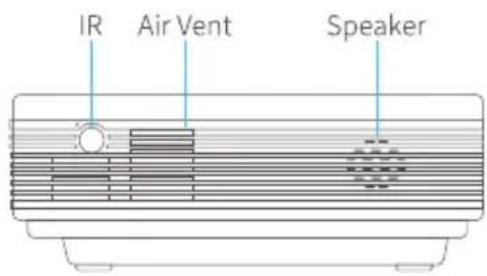
QUICK START
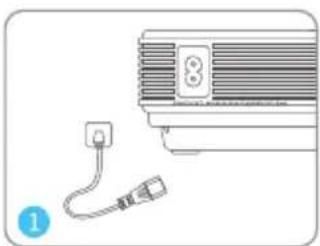
natural_image
Diagram of a ventilation system with a plug and socket connected to a fan (no text or symbols)Plug the power cord into an outlet.
natural_image
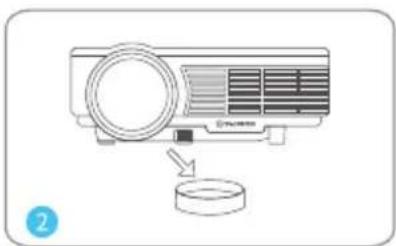
Illustration of a projector with a circular base and a magnifying glass, no text or symbols presentTake off the lens cover.
flowchart
graph TD
    A["Product"] -->|Sold Separately| B["Switch"]
    B --> C["Device 1"]
    C --> D["Device 2"]
    D --> E["Device 3"]
    E --> F["Device 4"]
    F --> G["Device 5"]
    G --> H["Device 6"]
    H --> I["Device 7"]
    I --> J["Device 8"]
    J --> K["Device 9"]
    K --> L["Device 10"]
    L --> M["Device 11"]
    M --> N["Device 12"]
    N --> O["Device 13"]
    O --> P["Device 14"]
    P --> Q["Device 15"]
    Q --> R["Device 16"]
    R --> S["Device 17"]
    S --> T["Device 18"]
    T --> U["Device 19"]
    U --> V["Device 20"]
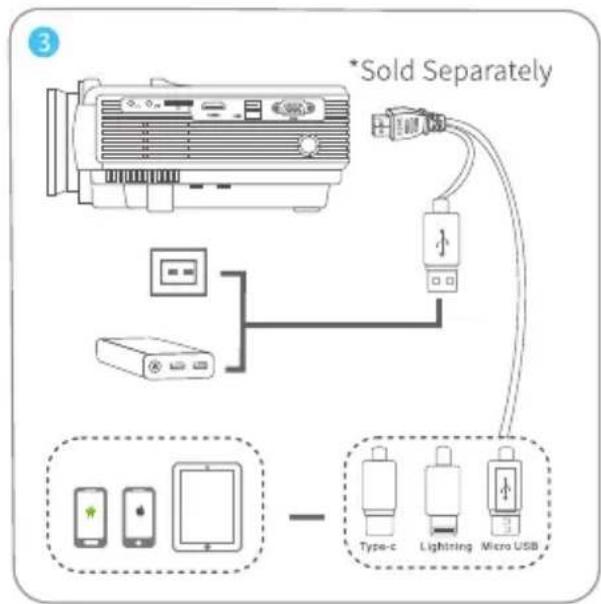
Connect your device to the projector correctly.
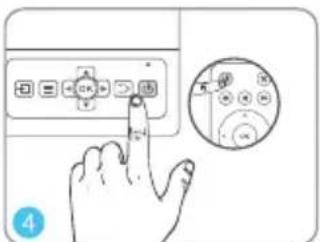
Press the Power Button to turn on the projector.
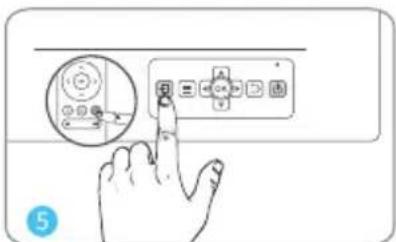
Select the correct input source to project your device.
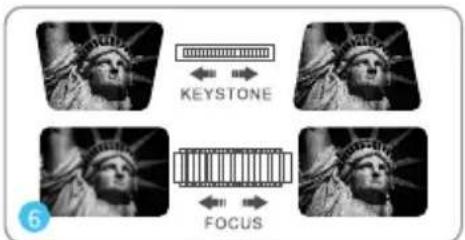
Adjust the keystone and focus ring to get the best image performance.
natural_image
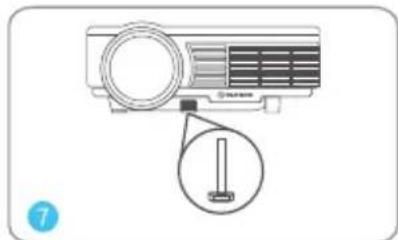
Illustration of a projector with a magnified view showing the internal structure (no text or symbols)Adjust the kickstand accordingly.
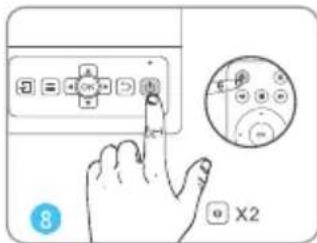
Press the Power Button twice to turn off the projector.
EN
INPUT SOURCE
Press ☑ on the projector/remote to enter the interface of Input Source.
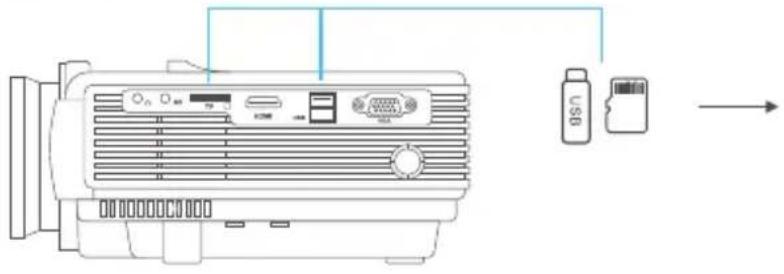
A. Multimedia Connection
| Input Source |
| VGA |
| HDMI |
| AV |
| USB |
| TF |
B.HDMI Connection
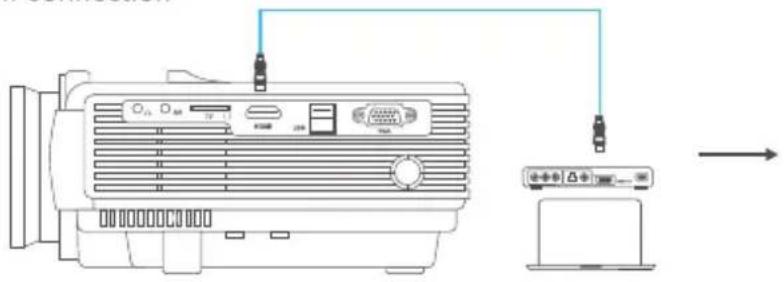
natural_image
Line drawing of an electronic device connected to a computer via cable (no text or symbols present)| Input Source |
| VGA |
| HDMI |
| AV |
| USB |
| TF |
C.VGA Connection
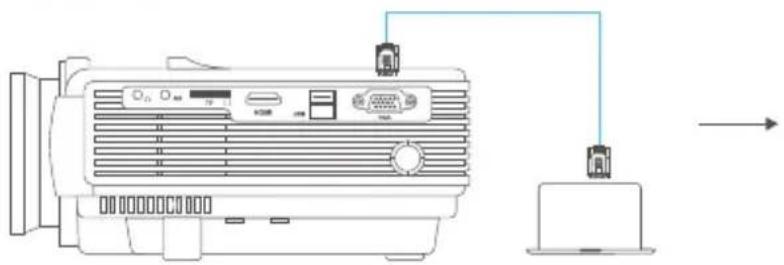
natural_image
Line drawing of an electronic device connected to a laptop via a cable (no text or symbols present)| Input Source |
| VGA |
| HDMI |
| AV |
| USB |
| TF |
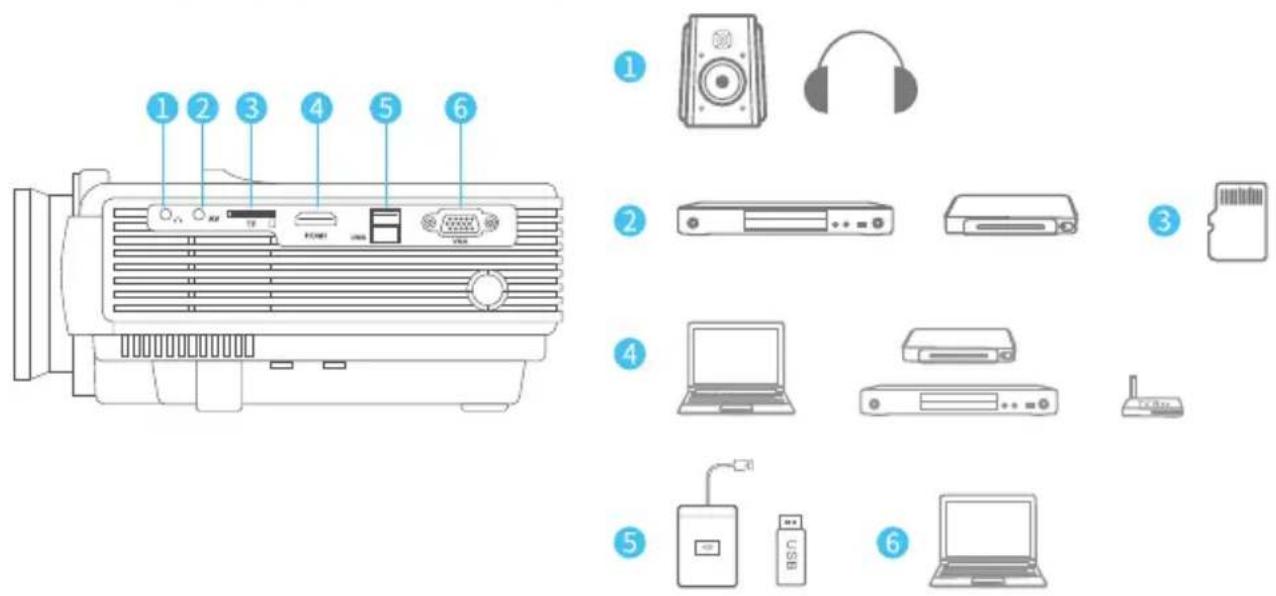
PROJECTOR CONNECTION
PROJECTION DISTANCE&SIZE
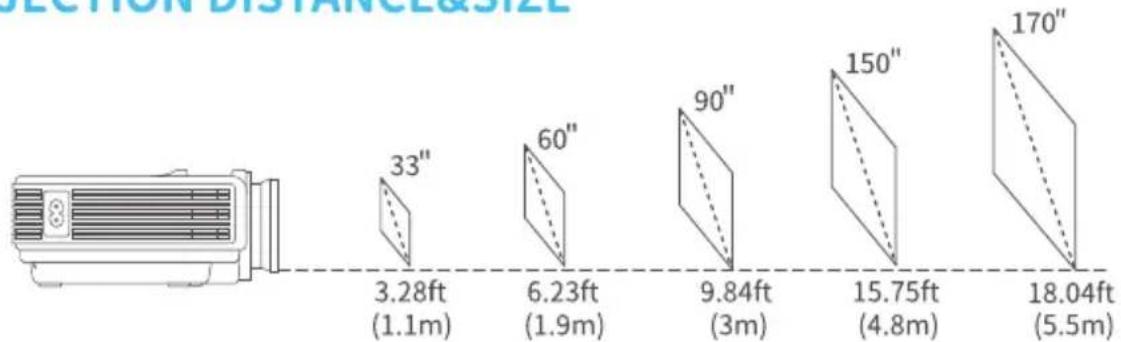
* The recommended projection distance varies with different projection contents. Please adjust the distance between the wall/screen and the projector properly as needed.
* Ambient darkness will improve the clarity of the projected images.
SPECIFICATION
| Display Technology | LCD | Light Source | LED |
| Resolution | Native 800 x 480 | Input Signal | 576i、576P、720i、720P、1080i、1080P |
| Installation Type | Front/Rear/Ceiling | Aspect Ratio | 4:3/16:9/Auto |
| Focus | Manual | Keystone | ±15° |
| Speaker | 2W/8ohm x 2 | Power Supply | AC 100-240V, 50/60Hz |
| Unit Dimension | 198 x 148.6 x 68mm(7.8 x 5.9 x 2.7inches) | Unit Net Weight | 0.9kg(1.98lb) |
| Photo Format Supported | BMP/JPG/PNG/GIF/JPEG | Audio Format Supported | ACC/MP2/MP3/PCM/FLAC/WMA |
| Video Format Supported | AVI/MP4/MKV/FLV/MOV/RMVB/3GP/MPEG1/MPEG2/H.264/XVID | Ports | HDMI In x 1/USB Port x 1/VGA Port x 1/AV In x 1/Audio Out x 1/Memory Card Slot x 1 |
| Mounting Screw | M4 Metric | Number of Screw | 1 |
EN
CAUTION
To avoid replacement of a battery with an incorrect type.
Don't dispose of a battery into fire or a hot oven, or mechanically crush or cut a Battery.
Don't leave a battery in an extremely high temperature surrounding environment.
To avoid battery subjected to extremely low air pressure.
The mains plug is used as the disconnect device, the disconnect device shall remain readily operable.

The symbol indicates for indoor use only

Class II equipment

The symbol indicates DC voltage

The symbol indicates AC voltage

RECYCLING
This product bears the selective sorting symbol for Waste electrical and electronic equipment (WEEE). This means that this product must be handled pursuant to European directive 2012/19/EU in order to be recycled or dismantled to minimize its impact on the environment. User has the choice to give this product to a competent recycling organization or the retailer when he buys a new electrical or electronic equipment.
This product can be used across EU member states.
EU Compliance Statement: Shenzhen VanTop Technology & Innovation Co., Ltd. hereby declares that this device is in compliance with the essential requirements and other relevant provisions of the LVD Directive 2014/35/EU and EMC Directive 2014/30/EU.
A copy of the EU Declaration of Conformity is available online at https://doc.vantop.com/.
VANKYO SUPPORT
North America support@ivankyo.com

www.ivankyo.com

@VankyoOfficial

VANKYO