NQ-E7020 - Kontroll Bogen - Gratis bruksanvisning och manual
Hitta enhetens manual gratis NQ-E7020 Bogen i PDF-format.


Användarfrågor om NQ-E7020 Bogen
0 fråga om denna apparat. Svara på dem du kan eller ställ din egen.
Ställ en ny fråga om denna apparat
Ladda ner instruktionerna för din Kontroll i PDF-format gratis! Hitta din manual NQ-E7020 - Bogen och ta tillbaka ditt elektroniska enhet i hand. På denna sida publiceras alla dokument som behövs för att använda din enhet. NQ-E7020 av märket Bogen.
BRUKSANVISNING NQ-E7020 Bogen
NQ-E7020 Digital Call Switch Application Manual
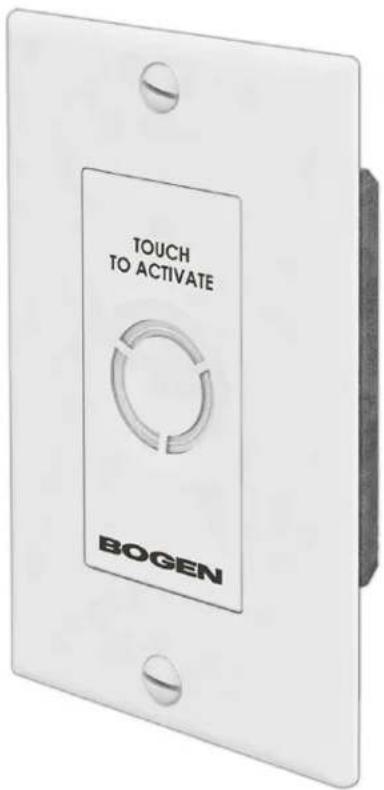
The NQ-E7020 is a single gang-box style wall mounted push-button switch that allows users to initiate a normal, urgent, or emergency call from staff locations via an associated Nyquist intercom speaker.
The switch uses a capacitive touch button interface. A color LED ring is used to confirm user actions and to indicate status (for example, changing color and/or state from solid color to blinking) or to acknowledge a button press when a user initiates a call or when a call has been terminated. The LED status ring is also used to indicate when Nyquist system's call queue containing the station's call request is cleared or if the station's call request is individually cleared by the administrative station without responding.
Installation
The NQ-E7020 mounts into a standard single gang outlet box and is outfitted with a standard decora plate (color based on the switch's specific application and/or customer need). The back has four screw-terminal connections (GND, CL, CH, 5V). These get connected to the matching terminals on the CAN Bus source/master device using standard CAT5 cabling. Load resistance needs to be set on the end-of-line DCS. Refer to Figure 1.
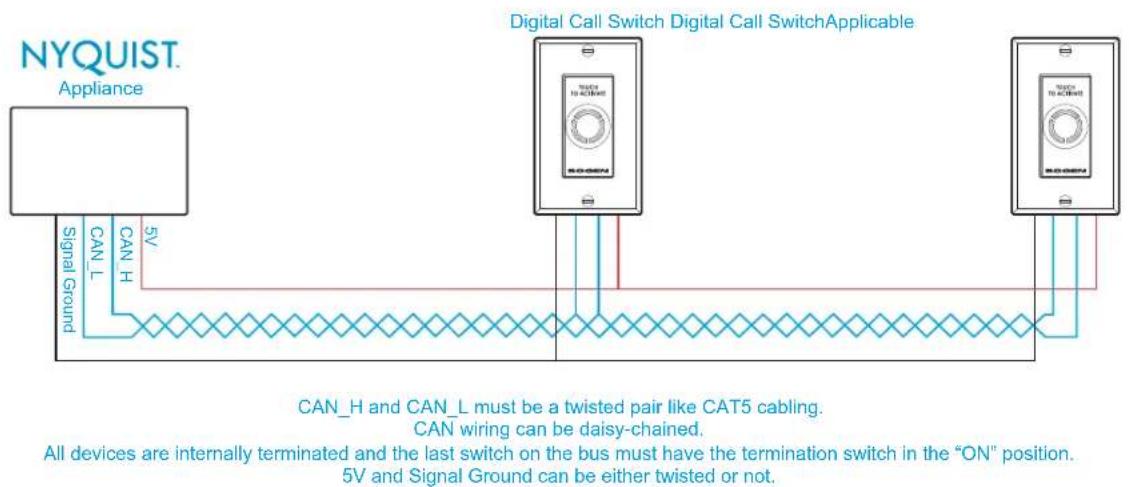
Figure 1
Recommended CAT5 Cable Lengths
CAT5 cable lengths and the number of CAT5 wire pairs determine the number of digital call switches that can be daisy-chained. (See Figure 2.)
Length limits are due to voltage drop across the power conductors. For 2-pair or 3-pair, it is best to tie the solids together and to tie the stripes together at each end of a long run. This will make it easier to keep up with which wires are V+ and V-.
| Number of CAT5 Wires to Carry 5V to Parallel Switches | |||
| 1 Pair | 2 Pair (Twisted) | 3 Pair (Twisted) | |
| CAT 5 Length (in feet) | Number of Digital Call Switches That Can Be Deployed | ||
| 600 | 8 | 16 | 24 |
| 500 | 9 | 18 | 29 |
| 400 | 12 | 24 | 35 |
| 300 | 16 | 30 | 48 |
| 200 | 24 | 48 | 68 |
Figure 2
CAUTION:
These calculations are based on standard 24 AWG solid copper wire. Calculations will not be accurate for copper-plated aluminum wire or wire guage less than 24 AWG.
Configuring
NOTE: Refer to the System Administrator Manual for detailed instructions on how to configure the DCS. DCS configuration is part of setting System Parameters and Class of Service parameters.