MCF-LW06485 - Hemautomation MCF88 - Gratis bruksanvisning och manual
Hitta enhetens manual gratis MCF-LW06485 MCF88 i PDF-format.


Användarfrågor om MCF-LW06485 MCF88
0 fråga om denna apparat. Svara på dem du kan eller ställ din egen.
Ställ en ny fråga om denna apparat
Ladda ner instruktionerna för din Hemautomation i PDF-format gratis! Hitta din manual MCF-LW06485 - MCF88 och ta tillbaka ditt elektroniska enhet i hand. På denna sida publiceras alla dokument som behövs för att använda din enhet. MCF-LW06485 av märket MCF88.
BRUKSANVISNING MCF-LW06485 MCF88
1. DESCRIPTION
MCF-LW06485 is able to interface a Modbus slave to a LoRaWAN™ network. This allows to read and write any register of a Modbus slave. MCF-LW06485 acts as a Modbus master, addressing one or more slaves. The setup of registers to be read is done thru a simple excel file. This file must be first prepared and then downloaded to the device using the USB interface. Template files are available by mcf88.
MCF-LW06485 is available with DIN rail option as follow:
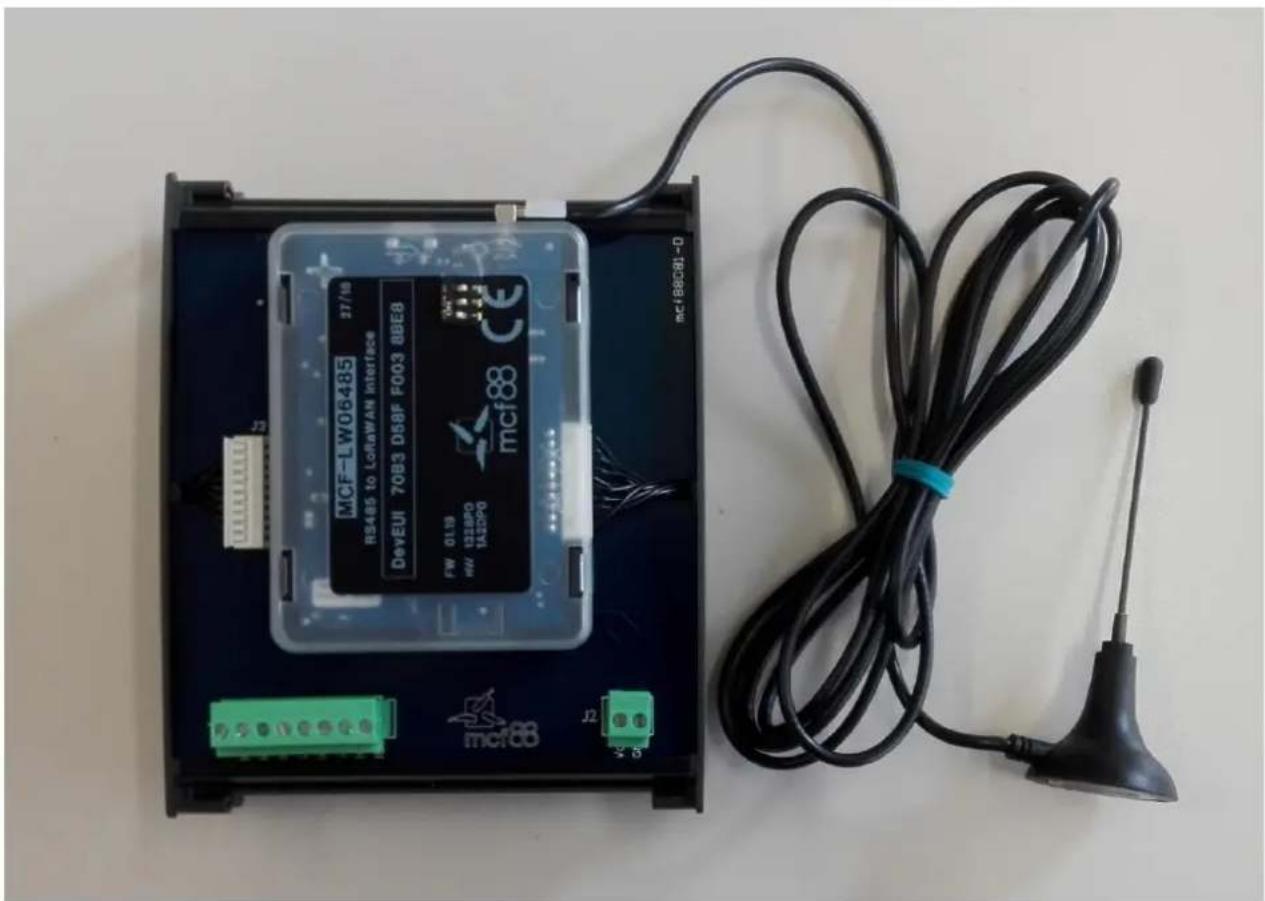
natural_image
Electronic device with MCF88 module and wireless cable, no visible text or symbols on main body2. CONNECTION OF THE DEVICE
2.1 Connection as stand-alone device:
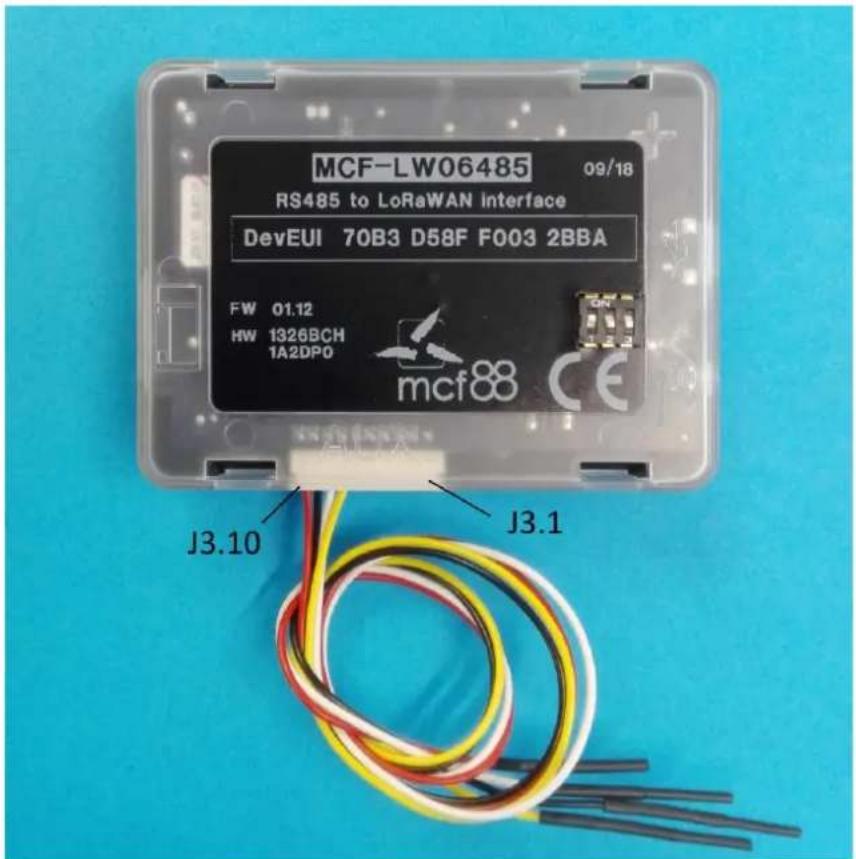
| Pin | Name | Description |
| J3.1 | ||
| J3.2 | ||
| J3.3 | IO3 | Terminal for Normally Open switch (test trigger for Modbus retrieve) |
| J3.4 | GND | Terminal for Normally Open switch (test trigger for Modbus retrieve) |
| J3.5 | ||
| J3.6 | ||
| J3.7 | IO5 | Modbus A (+) yellow wire |
| J3.8 | IO6 | Modbus B (-) white wire |
| J3.9 | GND | Negative power supply |
| J3.10 | VDD | Positive power supply range [10-36Vdc] |
Power can also be supplied by USB.
2.2 Connection with DIN rail option:
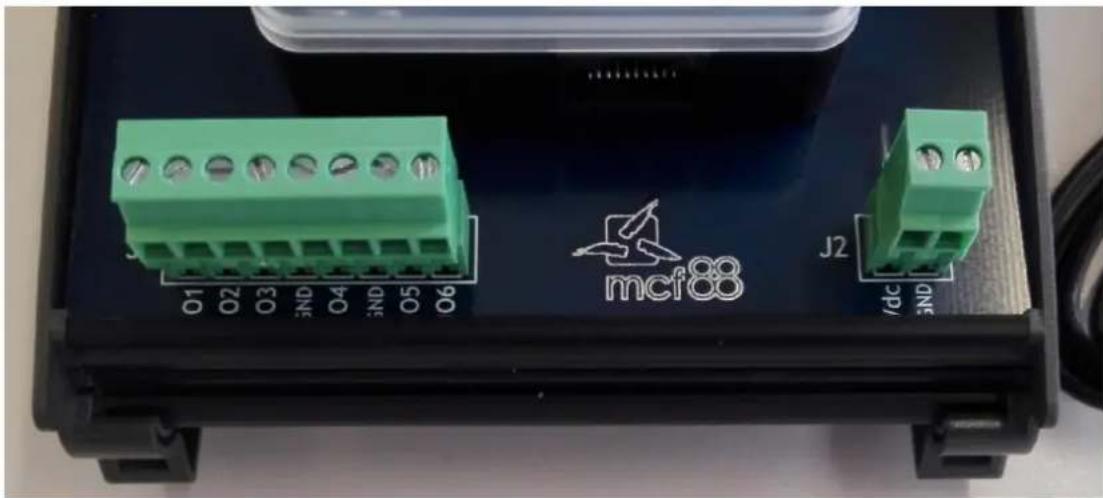
natural_image
Close-up of a green industrial electronic component labeled 'mcf88' with terminal blocks (O1–O6) and connectors, no readable text beyond labels.2.2.1 Modbus data lines:
| Pin | Name | Description |
| J1.1 | ||
| J1.2 | ||
| J1.3 | IO3 | Terminal for Normally Open switch (test trigger for Modbus retrieve) |
| J1.4 | GND | Terminal for Normally Open switch (test trigger for Modbus retrieve) |
| J1.5 | ||
| J1.6 | ||
| J1.7 | IO5 | Modbus A (+) |
| J1.8 | IO6 | Modbus B (-) |
2.2.2 Power supply:
| Pin | Name | Description |
| J2.1 | VDD | Positive power supply range [10-36Vdc] |
| J2.2 | GND | Negative power supply |
Power can also be supplied by USB.
2.2.3 Dip switches:
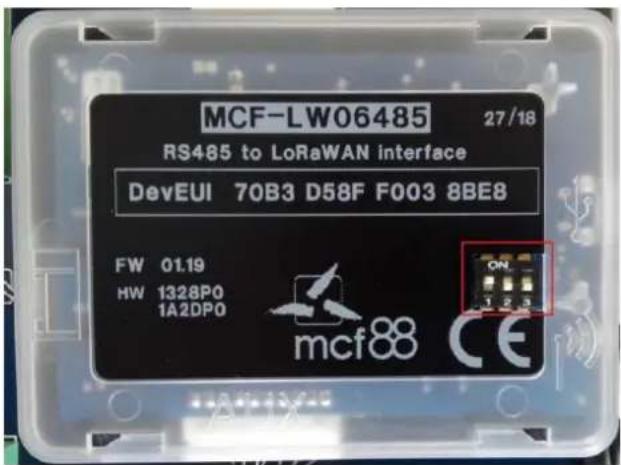
dip1 ON/OFF = 120 OHM termination on Modbus INSERTED/NOT INSERTED
dip2 ON/OFF = Modbus B line polarization INSERTED/NOT INSERTED*
dip3 ON/OFF = Modbus A line polarization INSERTED/NOT INSERTED*
* Polarizations are available only if MCF-LW06485 is 10-36Vdc supplied. Please note dip2 and dip3 must have same status.
3. LORAWAN™ ACTIVATION
The device supports the following activations on a LoRaWAN ^™ network:
NONE: sensor not activated
OTAA: needs settings of appkey and appEUI
OTAA MCF88: Over the air activation according to mcf88 specifications
ABP: needs settings of NwkSkey, AppSkey, DevAddr
The device exits factory activated with NONE mode. The devEUI of the device is shown on the product label. MCF-LW06485 is a Class C LoRaWAN ^™ device.
4. DEVICE CONFIGURATION
The activation parameters and the device settings can be read and modified via USB using the appropriate "LoRaWEB" desktop application (https://iot.mcf88.cloud/LoRaWeb/#/configuration):
LoRaWAN® Parameters

![LoRaWAN® Network Key App Key Device Address AppEUI DevEUI 70B3D 689V 2013014 LoRa Band Europe EU [868 MHz] LoRaWAN® Activation NONE OTAA MCF88 OTAA ABP Carrier Any Objurious Network Public Network Private Network](/content/2026/06/1181523/images/47103f975b2465da09a0ab51de277af2d0ff551cd5434fa4a86ddfb664710632.jpg)
Read
Save File
Cancel
Save LoRaWAN® parameters
![ioT.mcf88.cloud/LoRaWeb/#/configuration Setup Download Resources info Request offer Status: DISABLED NONE Device MCF-LW06485 DevEUI 70B3D598-70B130VM Class C Firmware version 0.02.07 CheckSum 0388982A LoRa Version 2.00.159 Last Reading Device: 2020/04/30 12:47:50 Local: 2020/04/30 14:47:52 Help LoRaBridge Port 8100 COM Port COM3 - mcf88 USB YCom Password 1 End node info SETUP DIAGNOSTIC ADVANCED Options Led working Yes No Time Sync uplink Yes No Confirmed Uplinks Yes No Single Join/Day Yes No Period [min] 10 Serial Protocol Baudrate [bps] Default Parity Odd Evan None (1 STOP) None (2 STOP) ModBus Settings Data retrieval interval (minutes)](/content/2026/06/1181523/images/9b7c07ef4e976cb3841983638b66e94eefef49cbed705845182ecf8bd43e6a9f.jpg)
5. INSTALLATION
The magnetic antenna must be positioned on a metal body. It should preferably be vertical and at least 30 cm away from other metal bodies.
The installation must take place in a place where the LoRaWAN ^TM signal coverage is good (SF=7 optimal, SF=12 weak).
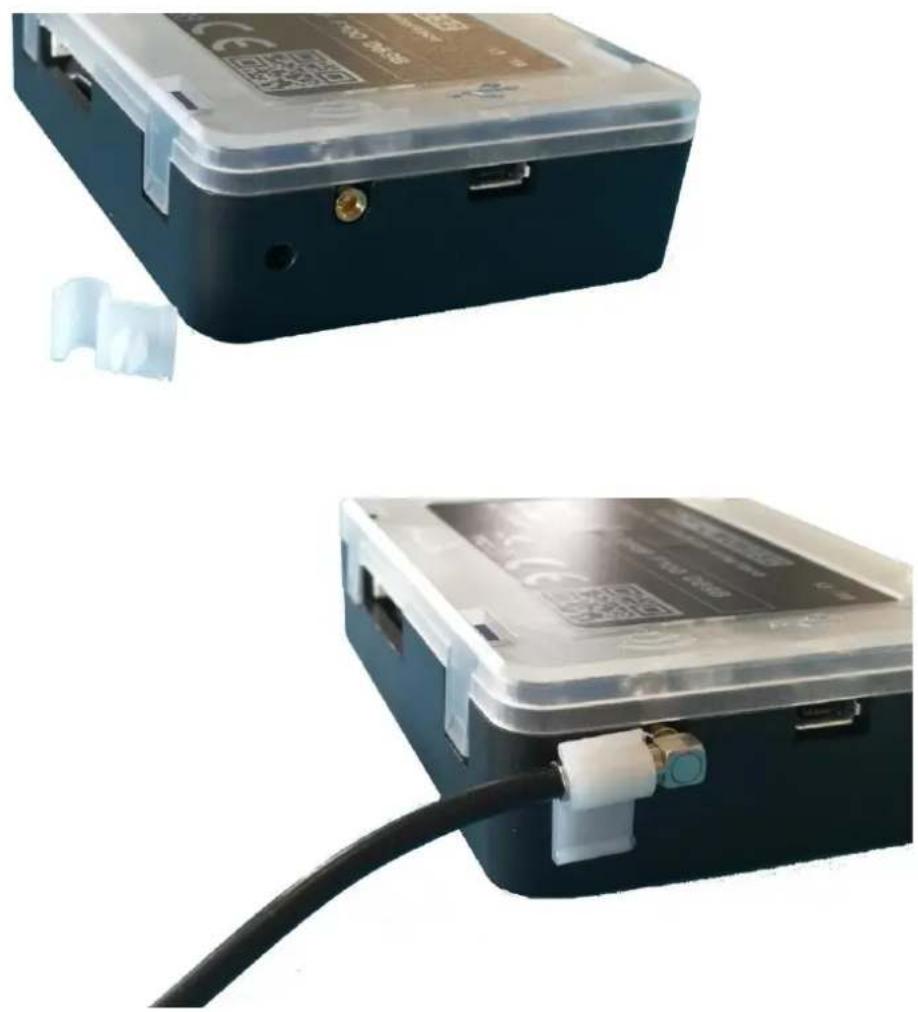
Use the provided clip to hold the antenna connector in place, as in the pictures:
6. ORDERING CODE
| Ordering Code | Description |
| MCF-LW06485 | ModBus to LoRaWAN interface EU863-870 |
| MCF-LW06485-AS | ModBus to LoRaWAN interface AS923 |