UDAC5 - Ljud/video-omvandlare OPTOMA - Gratis bruksanvisning och manual
Hitta enhetens manual gratis UDAC5 OPTOMA i PDF-format.


Användarfrågor om UDAC5 OPTOMA
0 fråga om denna apparat. Svara på dem du kan eller ställ din egen.
Ställ en ny fråga om denna apparat
Ladda ner instruktionerna för din Ljud/video-omvandlare i PDF-format gratis! Hitta din manual UDAC5 - OPTOMA och ta tillbaka ditt elektroniska enhet i hand. På denna sida publiceras alla dokument som behövs för att använda din enhet. UDAC5 av märket OPTOMA.
BRUKSANVISNING UDAC5 OPTOMA
NU FORCE
μDAC5
User Manual
natural_image
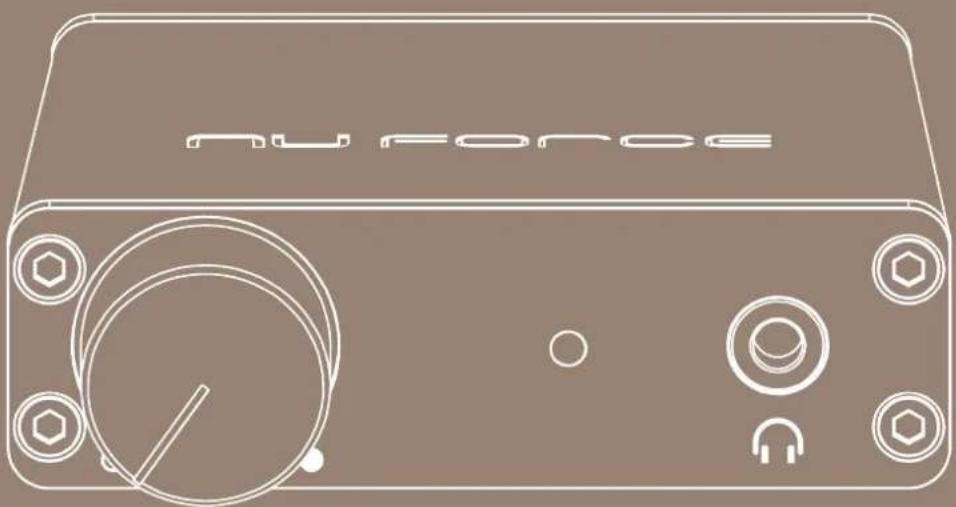
Line drawing of a Nu Force device with control knob and buttons (no text or symbols on body)FCC Statement
This device has been tested and found to comply with the limits for a Class B digital device, pursuant to Part 15 of the FCC Rules. These limits are designed to provide reasonable protection against harmful interference in a residential installation.
This equipment generates, uses and can radiate radio frequency energy and, if not installed and used in accordance with the instructions, may cause harmful interference to radio communications. However, there is no guarantee that interference will not occur in a particular installation. If this equipment does cause harmful interference to radio or television reception, which can be determined by turning the equipment off and on, the user is encouraged to try to correct the interference by one of the following measures:
- Reorient or relocate the receiving antenna.
- Increase the separation between the equipment and receiver.
- Connect the equipment into an outlet on a circuit different from that to which the receiver is connected.
- Consult the dealer or an experienced radio/TV technician for help.
Safety Precautions
Observe the following Safety Precautions when operating the device.
- Only use the accessories that are included in the package.
- Do not expose the device to direct sunlight.
- Do not place the device in a damp condition or high humidity.
- Do not cover or block any ventilation openings of the device.
- Do not drop the device or subject it to severe impact.
- Do not operate the device during thunderstorms.
- Protect all cables and power cord from being walked on or pinched.
- Keep the device away from water.
- Unplug the power cord before cleaning. Wipe the device with a clean, dry cloth.
- Do not attempt to repair this device yourself.
- For proper ventilation, make sure there is at least 10cm clearance at the back of the unit.
Features
- The ultimate hi-resolution mobile DAC with high-powered headphone amplifier
• Supports virtually all file formats including hi-res files, DSD256 and up to 24bit/384kHz PCM
• ESS SABRE Hyperstream DAC for the best file conversion - High performance 140mW@32 Ohm headphone amplifier, capable of driving any headphone on the market
• Aircraft-grade aluminum chassis
• Supports Windows and MAC
Package Contents
natural_image
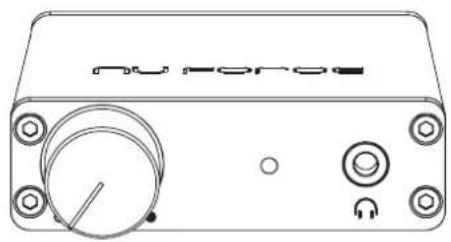
Line drawing of a rectangular electronic device with ports and a dial (no readable text or symbols)& • Quick start guide
- Safety booklet
natural_image
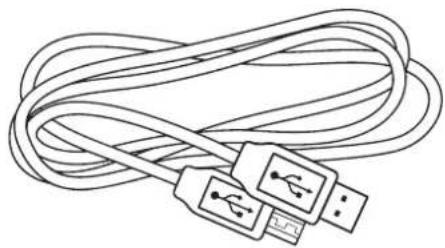
Line drawing of a coiled cable with USB connectors (no text or symbols)- Driver link insert
Product Overview
GETTING STARTED
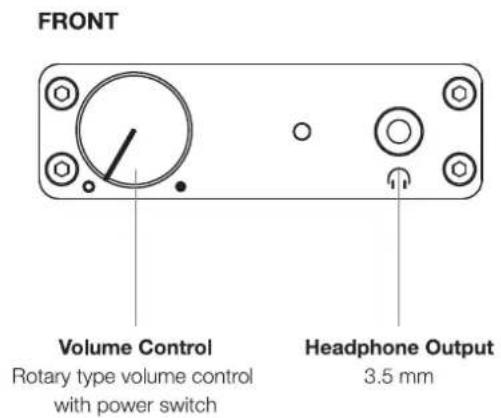
If you're using a PC please refer to the driver Installation instructions below and install the driver first. Connect the μDAC5 to your PC or MAC via a USB cable. Plug your headphones into the μDAC5. Turn the volume knob clockwise to turn the μDAC5 on and set the volume to the desired level. The color of the LED will indicate the format of the music being played—white for PCM and blue for DSD.
Driver Installation
Windows
You'll need to install the NuForce μDAC5 Windows driver on your PC in order for it to work with the μDAC5.
- Connect the DAC5 to your PC before starting the installation.
- Double-click the driver file and follow the on-screen instructions to complete the installation.
- OS requirement: Microsoft Window Vista, 7, 8 or later.
- Please download the latest version at http://nuforce.optoma.com/downloads/
MAC
Mac OS already include USB Audio 2.0 and no special driver is needed
USB Cable recommendation
It is recommended to use an USB cable shorter than 3 meters to avoid any transmission disruption.
Specifications
| Input | USB 2.0 compatible - Digital Asynchronous |
| Sample Rate | up to PCM 384KHz/24bit and DSD256 (11.2MHz) |
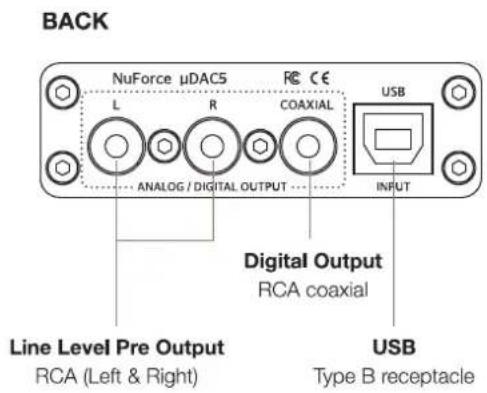
| Outputs | Headphones 3.5mm, Analog RCA, Coaxial S/PDIF |
| Power Output | 140mW @ 32 ohm |
| THD+N | 0.01% |
| S/N Ratio | 112 dB |
| Dynamic range | 98 dB |
| Power Requirements | USB-powered |
| Dimensions | 68 x 45 x 21 mm |
| Weight | 100g |