176538 - Тастатура MANHATTAN - Besplatni korisnički priručnik
Pronađite besplatno priručnik za uređaj 176538 MANHATTAN u PDF formatu.


Pitanja korisnika o 176538 MANHATTAN
0 питање о овом уређају. Одговорите на оне које знате или поставите своје.
Постави ново питање о овом уређају
Preuzmite uputstvo za vaš Тастатура u PDF formatu besplatno! Pronađite svoj priručnik 176538 - MANHATTAN i uzmite svoju elektronsku napravu nazad u ruke. Na ovoj stranici su objavljeni svi dokumenti potrebni za korišćenje vaše naprave. 176538 marke MANHATTAN.
KORISNIČKI PRIRUČNIK 176538 MANHATTAN
MULTI-MEDIA
KEYBOARD
QUICK
START
GUIDE
ModelS 176415
& 176538
natural_image
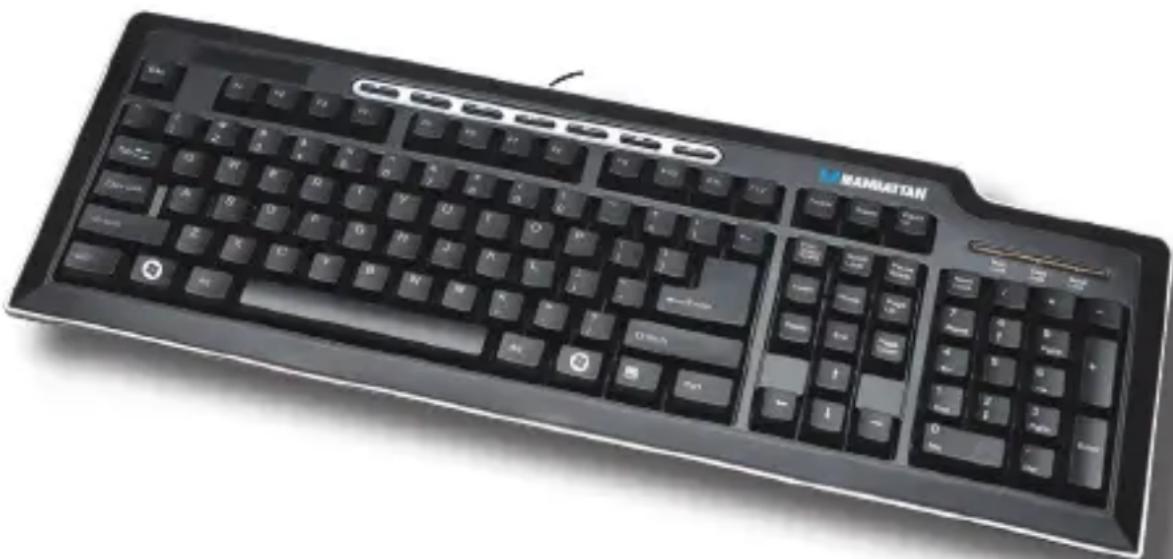
Black Manhattan computer keyboard with standard keys and control buttons (no visible text or symbols on the keys themselves)Thank you for purchasing the MANHATTAN® Multi-Media Keyboard, Model 176415 (USB) or Model 176538 (PS/2).
In addition to MANHATTAN's unsurpassed Lifetime Warranty, this keyboard features an efficient design that helps improve comfort and productivity:
- Ergonomic key arrangement with Power, Sleep and Wake keys
- 7 hotkeys for quick, one-touch access to frequent multi-media and Internet functions
- Low-force key switches for quiet and positive tactile response
- Adjustable tilt mechanism for comfortable typing positions
Before Getting Started
Before connecting or disconnecting a this keyboard, it's recommended that the computer be turned off. Also, to reduce the risk of damage or data loss, don't unplug the keyboard while the computer is functioning.
Connecting Cables
PS/2 Models: Connect the keyboard to the PS/2 port on the back of the computer. (Most computers have color-coded connections: The mouse usually connects to the purple port.) After connecting the keyboard, turn on the computer.

USB Models: Connect the keyboard to the USB port on the front or back of the computer. If you're using a MANHATTAN USB hub, the keyboard may be connected to an unused hub port. After connecting the keyboard cable, turn on the computer.
Type A Slot
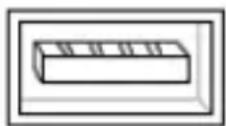
Type B Slot

SPECIFICATIONS
General
- Multi-media keys (Home, Prev Track, Next Track, Play/Pause, Volume Up, Volume Down and Mute)
• Number, Scroll and Caps Lock LED indicators - Compatibility:
- Model 176415: Windows 2000/XP/Vista
- Model 176538: Windows 98SE/Me/2000/NT/XP/Vista
Electrical (working levels)
• Voltage: 5 V; tolerance +/- 0.5 V
Physical
• Key cap force: 40 +/- 5 g
• 10,000,000-keystroke switch life
• Key height: 8.8 mm
• Key operating travel: 3.0 +/- 0.3 mm
- Cable: 1.6 m (63 in.)
- 45 x 16 x 1.3 cm (18 x 6 x 1 in.); 500 g (18 oz.)
Package Contents
- Multi-Media Keyboard
- Quick start guide
MANHATTAN™
BRINGING COMPUTERS TO LIFE
www.manhattan-products.com
Are you completely satisfied with this product? Please contact your MANHATTAN® dealer with comments or questions.
Copyright © MANHATTAN
All products mentioned are trademarks or registered trademarks of their respective owners.