REVEAL External Solar Panel V2 - Video kamera Tactacam - Brezplačna navodila za uporabo
Brezplačno poiščite navodila za napravo REVEAL External Solar Panel V2 Tactacam v formatu PDF.


Vprašanja uporabnikov o REVEAL External Solar Panel V2 Tactacam
0 vprašanje o tej napravi. Odgovorite na tiste, ki jih poznate, ali zastavite svoje.
Zastavite novo vprašanje o tej napravi
Prenesite navodila za vaš Video kamera v formatu PDF brezplačno! Poiščite svoja navodila REVEAL External Solar Panel V2 - Tactacam in vzemite svojo elektronsko napravo nazaj v roke. Na tej strani so objavljeni vsi dokumenti, potrebni za uporabo vaše naprave. REVEAL External Solar Panel V2 znamke Tactacam.
NAVODILA ZA UPORABO REVEAL External Solar Panel V2 Tactacam
REVEAL
CELLULAR CAMERA
TACTACAM
SOLAR
PANEL
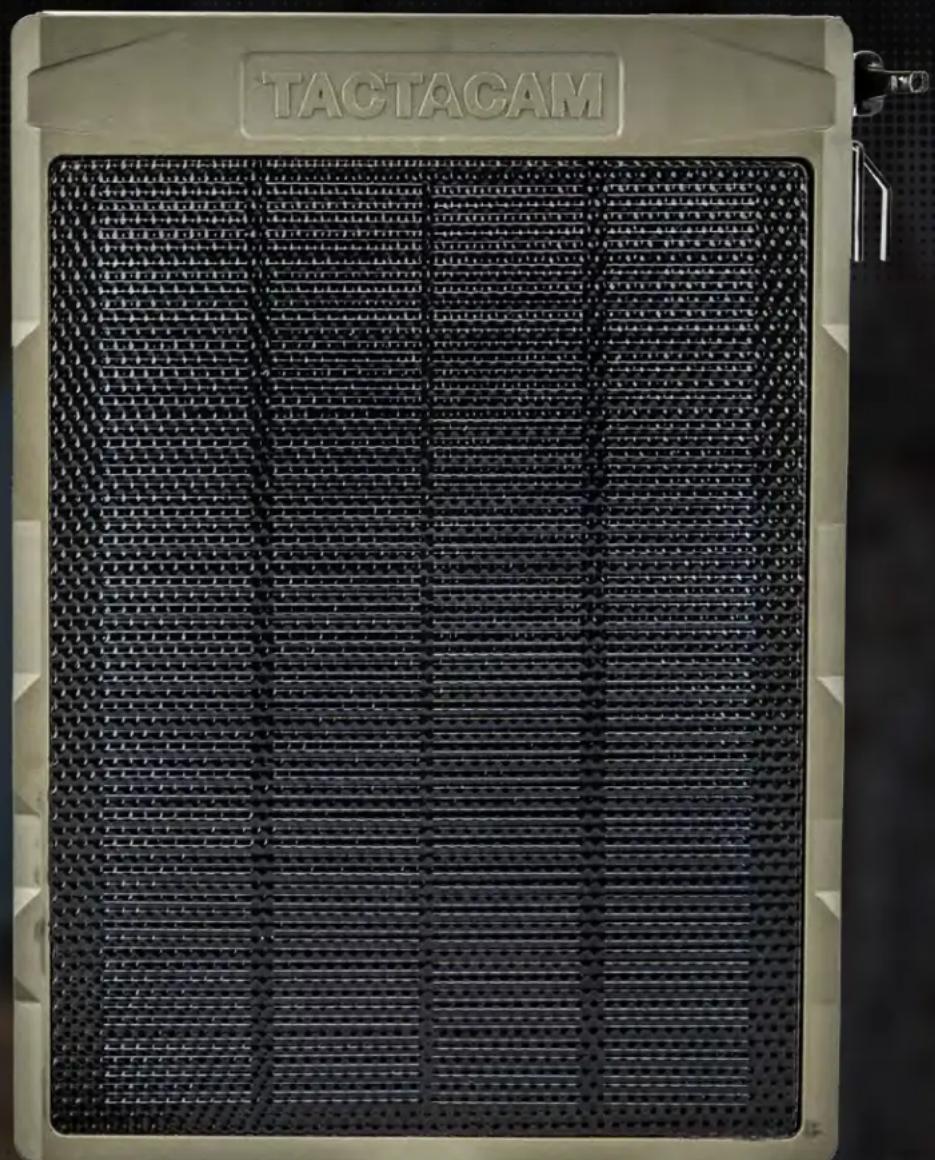
INSTRUCTION MANUAL
TACTACAM.COM
TABLE OF CONTENTS
3 INTRODUCTION
3 Important Safety Instructions
4 GET TO KNOW YOUR SOLAR PANEL
4 What's in the Box
4 Solar Panel Anatomy
5 GENERAL FEATURES
5 APPLICATION/SPECIFICATIONS
5 Application
5 Specification
6 MOUNTING/OPERATING
6 Mounting
6 Connecting
6 Charging
7 PRECAUTIONS
8 FCC REGULATIONS
INTRODUCTION
IMPORTANT SAFETY INSTRUCTIONS READ AND FOLLOW ALL INSTRUCTIONS SAVE THESE INSTRUCTIONS
Must charge this solar panel with the included USB-C charging cable for a minimum of 4 hours before use.
Congratulations on your purchase of the TACTACAM™ SOLAR PANEL. We truly value your business and will strive to provide you top quality customer service. Check out our other products on our website at www.tactacam.com
The TACTACAM SOLAR PANEL is an external power supplier device with a built in battery. The solar panel converts the sun's energy to electricity, which is then stored in the built in rechargeable battery. This solar panel is durable, waterproof, and easy to use. In addition, when paired with the Tactacam Lithium Cartridge the TACTACAM SOLAR PANEL will recharge your camera's internal battery.
The built-in high-capacity lithium Li-ion internal battery can be charged using solar light or the included USB-C charging cable.
The TACTACAM SOLAR PANEL is especially suitable for TACTACAM trail camera: Pro 3.0, X-Gen 3.0, X-Pro, X-Gen 2.0, REVEAL XB/SK, REVEAL X, and REVEAL.
If you use this solar panel with devices other than the TACTACAM trail cameras, please carefully check your product manual and contact your device supplier to ensure compatibility before connecting. TACTACAM assumes no responsibility for any damage that may happen with the improper operation of this product.
GET TO KNOW YOUR SOLAR PANEL
WHAT'S INCLUDED
1 Solar Panel
2 USBC Cable
3 Mounting Strap
4 Output Cable
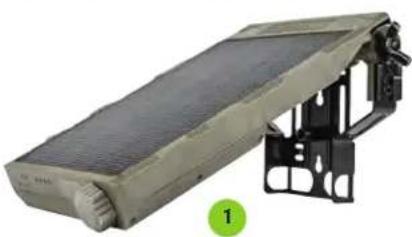
natural_image
Exterior view of a beige mechanical device with black structural brackets and a green circular marker labeled '1' (no text or symbols on the device itself)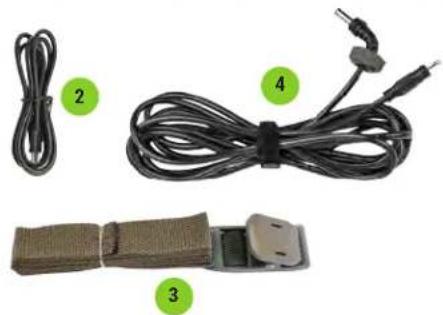
natural_image
Product photo showing four types of cable and connector packages with numbered labels (no text or symbols on the cables themselves)SOLAR PANEL ANATOMY
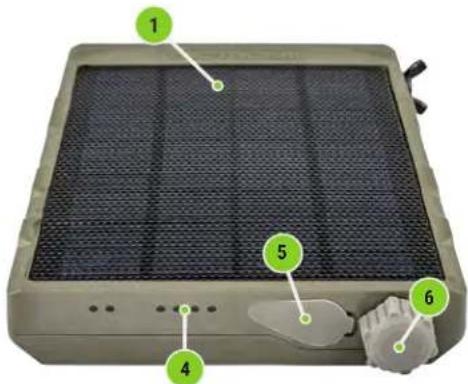
1 Solar Panel
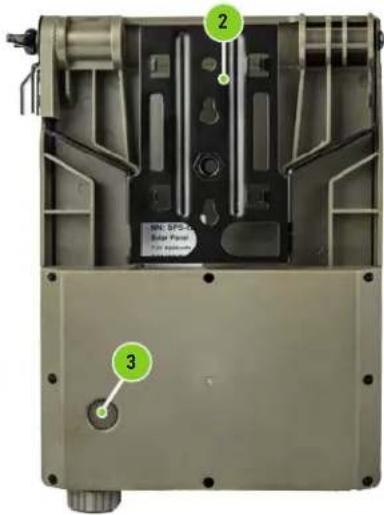
2 Support
3 Key
4 Battery Light
5 Type-C Charging Port
6 DC Outlet
*The side that connects with power cable must face down, to prevent water damage in case of rain.
OTHER CAMERA ACCESSORIES (NOT INCLUDED)
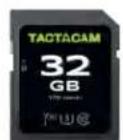
SD Card
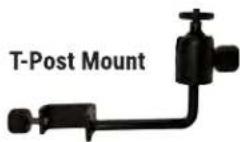
Lockable Security Box
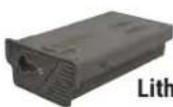
Lithium Cartridge
natural_image
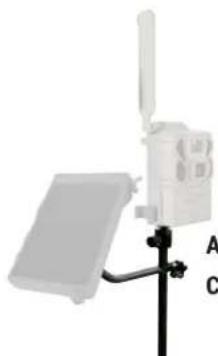
Diagram of a weather station with a mounted device and a sensor, labeled A and C (no text or symbols on the device itself)Adjustable Camera Stake
VIEW AND PURCHASE ALL ACCESSORIES AT TACTACAM.COM
GENERAL FEATURES
High-efficiency power supply: This solar panel is safe and reliable. It can power your device for a long time. The solar panel automatically converts light energy into electrical energy and stores it into the internal lithium battery every day.
Safe and reliable: Designed with short-circuit protection, over-charge and over-discharge protection, protecting the battery and ensuring its long-term use and reliability.
Environmental protection, energy conservation: Use of green solar energy. Contributes to environmental protection.
Waterproof and durable: Waterproof design suitable for outdoor use.
Easy to use: Comes with a built in, sturdy, adjustable and easy-to-use mount, making it easy for you to put it in direct sunlight. Whenever and wherever you can.
Battery Indicator: Press the button located on the back of the panel, and the green LEDs will light up, 4 LED stands for 76%\~100% power, 3 stands for 51% \~ 75% power, 2 stands for 26% \~ 50% power, 1 LED stands for 1\~25%.
APPLICATION / SPECIFICATIONS
APPLICATION
Back-up power supply for uninterrupted operation for electronic devices. (Trail Cameras and Security Cameras)
SPECIFICATION
| Electrical | Input voltage/current USB | -0.5V 0.15V 2A |
| Output voltage/current 12 | V/2V 5A.5A | |
| Built-in Lithium Polymer Battery | 7.4V/3000mAh | |
| Solar panel 2.5W(11V / 230mA) | 0.5V/11V / 230mAh) | |
| Solar energy conversion efficiency | >18% | |
| Charging time | 75h-120h(Using Solar Light)3-5h(Using AC Adapter) | |
| Output Plug 5.5mm×2.1mm | 5.5mm×2.1mm |
| Dimensions | Depth 22.7mm | 22.7mm |
| Width 126.7mm | 126.7mm | |
| Height 182.7mm | 182.7mm | |
| Weight 341g | 341g | |
| Mounting Adjustable brack | ||
| Operating Temperature 4~#1-40°40'20-20-60°60°C | ||
| Operation Humidity 5% ~95% ~ 95% | ||
MOUNTING / OPERATING
MOUNTING
Adjust the angle of the holder so that the solar panel is facing the sun directly, 30-degree, 60-degree and 90-degree adjustable. Generally, in the northern hemisphere, this means the panel is facing south. However, please note the ideal orientation depends on the specific situation of the set-up site.
Attach the solar panel to the tree with the included 1.7m strap.
NOTE: The side that connects with the power cable must be facing down, to prevent water damage in case of rain.
CONNECTING
Plug one side of power cable into the output socket (at the right side of solar panel), and then plug the other end into TACTACAM REVEAL trail cameras. If the inner lithium battery is charged, the camera will be immediately powered.
ATTENTION:
If the solar panel is connected to TACTACAM REVEAL series scouting cameras, it is strongly recommended that the batteries be installed inside the camera (even when connected with the solar charger), otherwise, the camera may stop operating due to power shortage (during intensive use of the camera, the solar charger may not be charging fast enough, and therefore is not ideal to be used alone without the AA batteries or Lithium Cartridge).
The solar panel is NEVER to be used in parallel connection with any other power sources, any damages resulted from this incorrect usage will not be covered by the warranties.
CHARGING
It is important to completely charge the solar panel before using. We strongly encourage you to charge 4-5 hours using the included USB-C charging cable before operating.
The solar panel can be charged by the solar light or the included USB-C charging cable. The charging indicator will be illuminated when it is charged. The white lights flashing means it's charging now, when four lights all turn to white, it means the solar panel charged fully.
NOTE: Please fully charge the battery at least one time every 3 months especially when not using it for a long time.
PRECAUTIONS
Do not scratch the surface of the solar panel with a sharp object.
Use the adapter in the package for charging. Please do not use low-quality charging adapter, or other adapter which does not match our solar panel, so as not to damage the product or other possible danger.
As a result of short-circuit protection, just unplug the short circuit load; and place it under the sun light for 10 seconds, it can resume normal operation, or use the AC adapter to charge and activate it.
Do not clean the solar panel with volatile liquids such as solvent, cleaning fluids or strong detergent. Use a soft cloth slightly moistened with water.
Do not drop the solar panel.
Do not attempt to disassemble or service the solar panel.
Do not open the solar panel for service. This could cause serious damage to the device and will void the warranty.
Do not expose the solar panel to extreme heat, such as leaving it on a car dashboard in hot weather.
Keep it away from fire.
Only use this device with the recommended power sources.
When not in use, please disconnect from power sources.
FCC REGULATIONS
FEDERAL COMMUNICATIONS COMMISSION - PART 15

This equipment has been tested and found to comply with the limits for a Class B digital device, pursuant to Part 15 of the Federal Communications Commission rules. These limits are designed to provide reasonable protection against harmful interference in a residential installation. This equipment generates, uses and can radiate radio frequency energy and, if not installed and used in accordance with the instructions, may cause harmful interference to radio communications. However, there is no guarantee that interference will not occur in a particular installation. If this equipment does cause harmful interference to radio or television reception, which can be determined by turning the equipment off and on, the user is encouraged to try to correct the interference by one or more of the following measures:
Reorient or relocate the receiving antenna.
Increase the separation between the equipment and receiver.
Connect the equipment into an outlet on a circuit different from that to which the receiver is connected.
Consult the dealer or an experienced radio/TV technician for help.
Changes or modifications to this equipment not expressly approved by the party responsible for compliance could void the user's authority to operate the equipment. This device complies with Part 15 of the FCC rules. Operation is subject to the following two conditions: (1) this device may note cause harmful interference, and (2) this device must accept any interference received, including interference that may cause undesired operation.
DO NOT RETURN THIS PRODUCT TO YOUR RETAILER
For warranty issues or for customer support:
1668 Jordan West Rd, Decorah, IA 52101
www.tactacam.com
CALL 218-282-5650
I EMAIL SUPPORT@TACTACAM.COM