GVGA-CONV - Convertor audio/video Genie - Manual de utilizare gratuit
Găsiți gratuit manualul dispozitivului GVGA-CONV Genie în format PDF.


Întrebările utilizatorilor despre GVGA-CONV Genie
0 întrebare despre acest aparat. Răspundeți la cele pe care le cunoașteți sau puneți-vă propria.
Pune o întrebare nouă despre acest aparat
Descărcați instrucțiunile pentru Convertor audio/video în format PDF gratuit! Găsiți manualul dvs. GVGA-CONV - Genie și luați din nou în mână dispozitivul dvs. electronic. Pe această pagină sunt publicate toate documentele necesare pentru utilizarea dispozitivului dvs. GVGA-CONV mărcii Genie.
MANUAL DE UTILIZARE GVGA-CONV Genie
Hi Resolution Video to VGA Converter
ITEM NO.: GVGA-CONV Hi Resolution Video to VGA Converter with BNC loop out
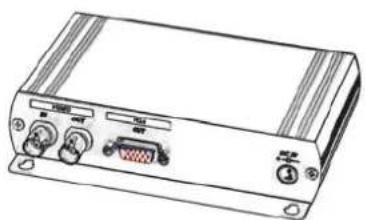
natural_image
Line drawing of a rectangular electronic device with ports and connectors (no text or symbols)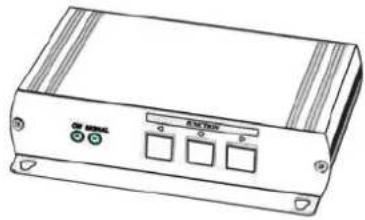
natural_image
Line drawing of a portable electronic device with control buttons and indicator lights (no text or symbols)Features:
● Special designed for computer VGA monitor, LCD color monitor.
Dual output: DB15 x 1 for VGA monitor and BNC x 1 for TV monitor.
● Support NTSC, PAL video system.
- Input video system 50 to 60Hz frame rate detection (NTSC/ PAL).
- The DEINTERLACED and Scan rate conversion output mode: 800 x 600, 1024 x 768, up to 1280* 1024@60Hz.
● Frequency output: 60Hz, 75Hz, 85Hz.
● On screen display function: Contrast, Brightness, Color, Tint, Features, Resolution.
• Built in ESD protection.
● Built in video auto gain control for good quality picture.
● Power Supply Included.
Operation Controls and Function:
- Conversion LED off: Press ● button to start conversion mode.
- Conversion LED on and OSD off: press ◀ or ▶ to exit mode, press ● button to exit. The OSD will be auto off if no any button is pressed for over 10 seconds.
- Conversion LED on and OSD off: Press ◀ or ▶ to display OSD main menu OSD.
- Conversion LED on and Press ◀ and ▶ button together to Initialize factory default value.
Main Menu:
Picture
Features
Resolution
Exit
Button Function:
◀ ▶ Up, down ● Enter
Picture Menu:
Contrast
Brightness
Color
Tint
Save
Button Function:
◀ ▶ Decrease / increase ● Next item
Features Menu:
OSD Mode
Sharpness
Motion
Motion Value
Save
Button Function:
Select feature setup Next item
Resolution Menu:
800x600@60Hz, 800x600@75Hz, 800x600@85Hz, 1024x768@60Hz, 1024x768@75Hz, 1280x1024@60Hz
Save
Button Function:
Select resolution setup Next item
NOTE: Wrong Resolution setting will cause the picture not display, please initialize factory default value.
View of Connection and Installation:
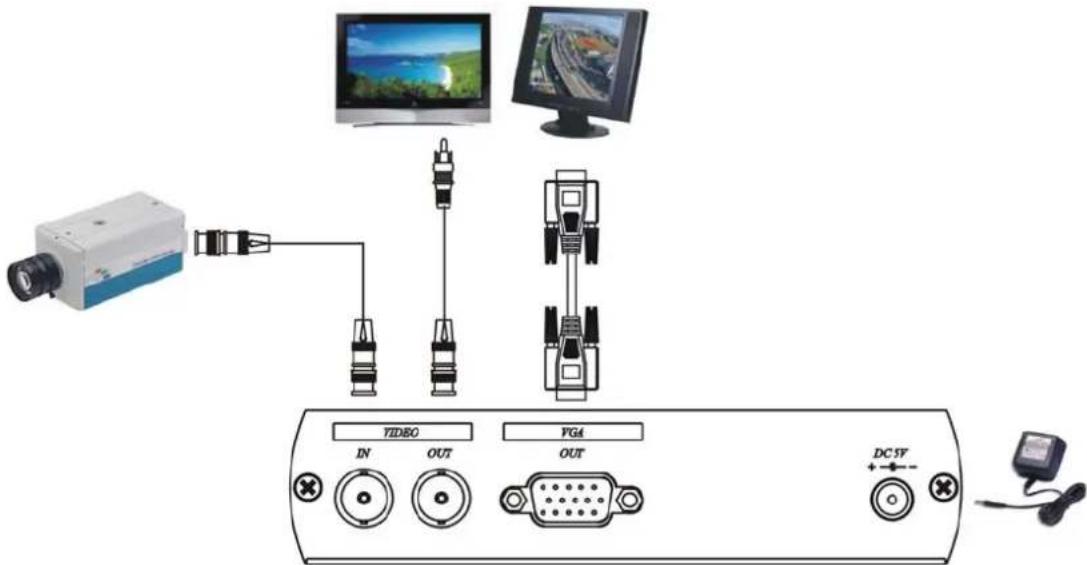
Panel View:
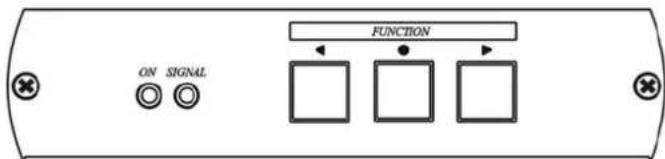
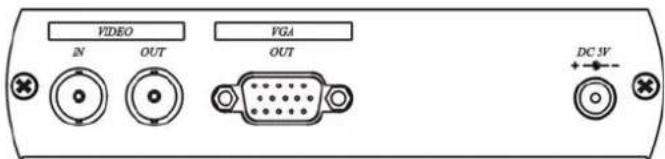
Specification:
| ITEM NO. GVGA-CONV | |
| Input Signal | BNC, 75Ω, 0.7 Vp-p |
| VGA: 0.7 Vp-p RGB, 15 pin D female connector Output Signal | |
| BNC BNC, 75Ω, 0.7 Vp-p | |
| Power Consumption 1200mA (Max.) | |
| Power Supply DC5V 2Amp Regulated Power Supply | |
| Temperature | Operation: 0 to 55°C, Storage: -20 TO 85°C, Humidity: up to 95% |
| Dimension W x H x D mm | 140 x 112 x 320 |
| Weight g | 360 |