Iris 349 Sleek - Smartfon LAVA - Bezpłatna instrukcja obsługi
Znajdź bezpłatnie instrukcję urządzenia Iris 349 Sleek LAVA w formacie PDF.


| Typ produktu | Smartfon |
| Marka | LAVA |
| Model | Iris 349 Sleek |
| Wymiary (wys. × szer. × gł.) | 116 × 61 × 12 mm |
| Waga | 110 g |
| Bateria | Li-Ion 1500 mAh, wymienna |
| Wyświetlacz | 3,5 cala TFT, 320×480 px |
| System operacyjny | Android 2.3 Gingerbread |
| Procesor | 1 GHz jednordzeniowy |
| Pamięć RAM | 512 MB |
| Pamięć wewnętrzna | 4 GB (dostępne ok. 2 GB) |
| Karta pamięci | microSD do 32 GB |
| Aparat tylny | 3,2 MP z lampą błyskową LED |
| Aparat przedni | 0,3 MP (VGA) |
| Sieć | GSM 900/1800, GPRS/EDGE |
| Łączność | Wi-Fi 802.11 b/g, Bluetooth 3.0, microUSB 2.0 |
| Czujniki | Akcelerometr, czujnik zbliżeniowy |
| GPS | Tak, A-GPS |
| Radio FM | Tak, z RDS |
| Gniazdo słuchawkowe | 3,5 mm |
Często zadawane pytania - Iris 349 Sleek LAVA
Pytania użytkowników dotyczące Iris 349 Sleek LAVA
0 pytanie dotyczące tego urządzenia. Odpowiedz na te, które znasz, lub zadaj własne.
Zadaj nowe pytanie dotyczące tego urządzenia
Pobierz instrukcję dla swojego Smartfon w formacie PDF za darmo! Znajdź swoją instrukcję Iris 349 Sleek - LAVA i weź swoje urządzenie elektroniczne z powrotem w ręce. Na tej stronie opublikowane są wszystkie dokumenty niezbędne do korzystania z urządzenia. Iris 349 Sleek marki LAVA.
INSTRUKCJA OBSŁUGI Iris 349 Sleek LAVA
natural_image
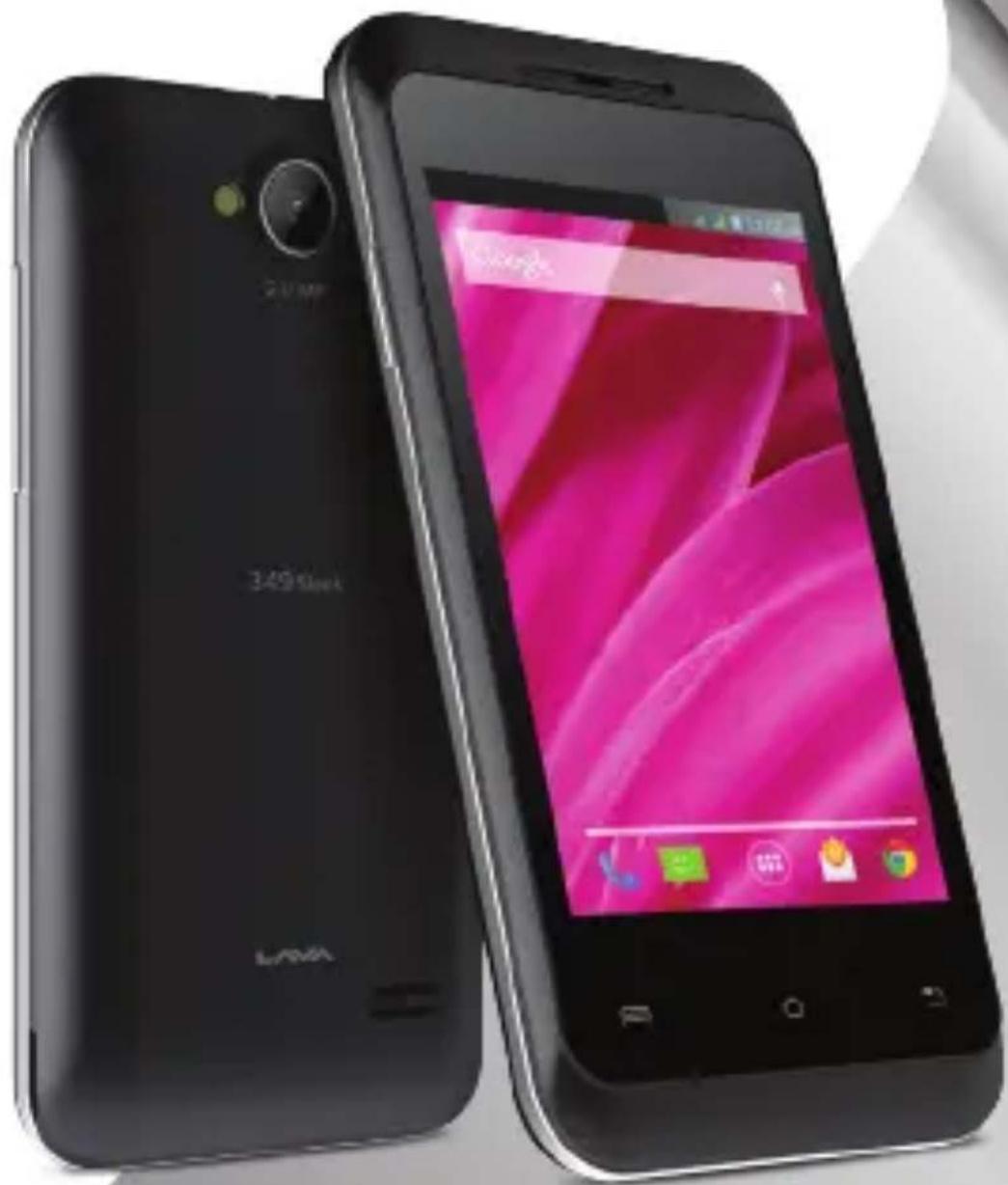
Two black smartphones with visible logos and a pink screen displaying the smartphone interface (no readable text or symbols on the devices themselves)User Manual
LAVA
User Manual
Lava iris 349 Sleek
WELCOME
Congratulations on your purchase of the LAVA mobile phone. Your phone provides many functions which are practical for daily use, such as a hands-free loudspeaker, camera, MP3 player, Ultra clear video
You can read the manual to understand how to use LAVA mobile phone and experience the well-established functions and simple operation method. Please use the original accessory in order to achieve the best use of effects. Lava shall not be responsible for any damage in machinery due to use of non-original components.
All the configurations mentioned in this user manual is only for reference; please refer to the actual phone.
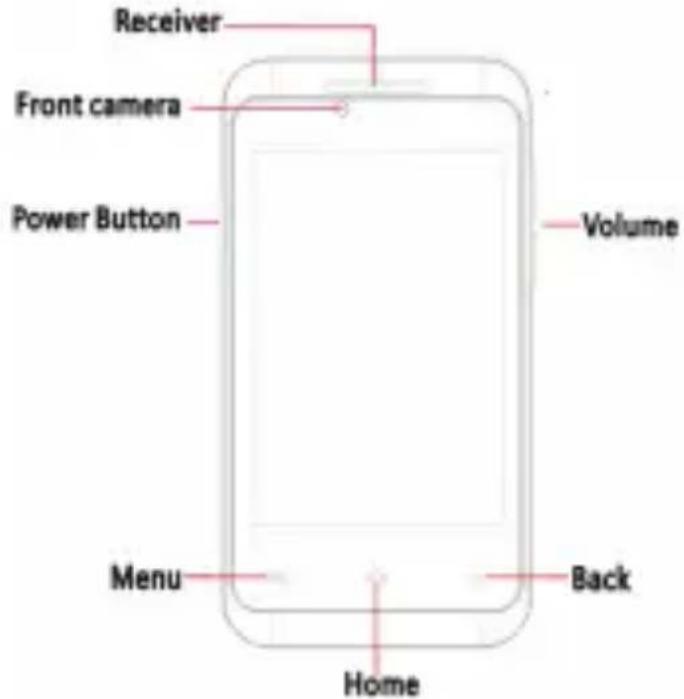
PHONE-FRONT VIEW
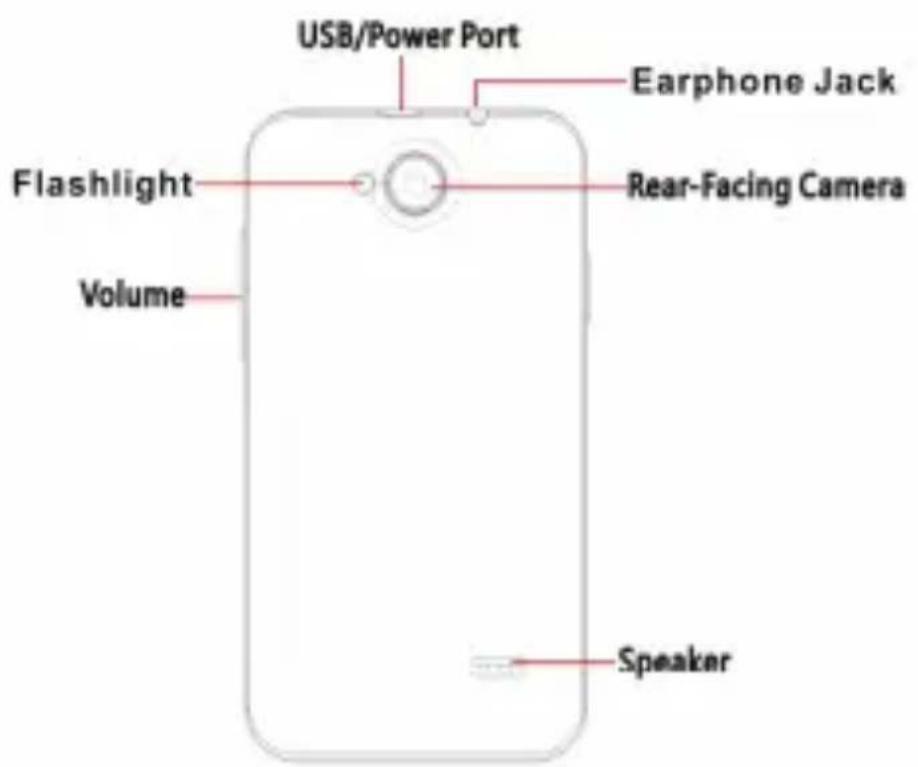
YOUR PHONE-BACK VIEW
natural_image
Top-down schematic of a smartphone showing internal components and ventilation ducts (no text or labels)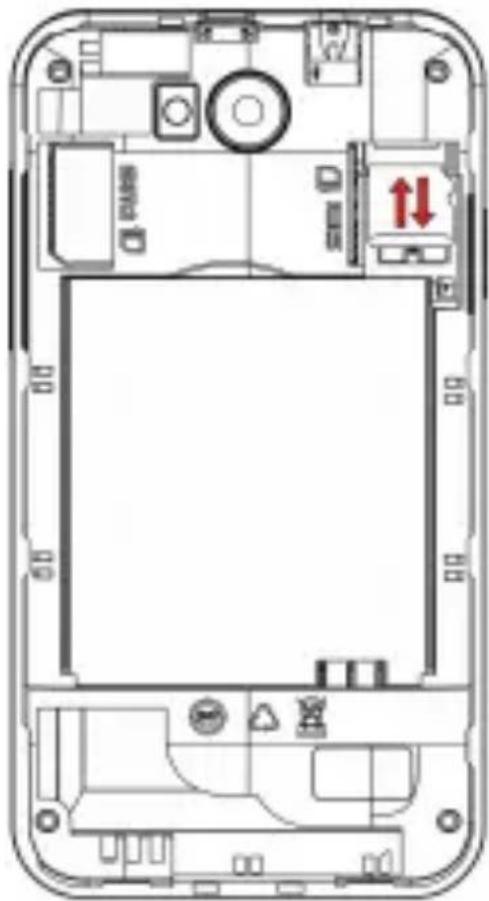
natural_image
Top-down schematic of a smartphone showing internal components and wiring (no text or labels)CHARGE THE BATTERY
natural_image
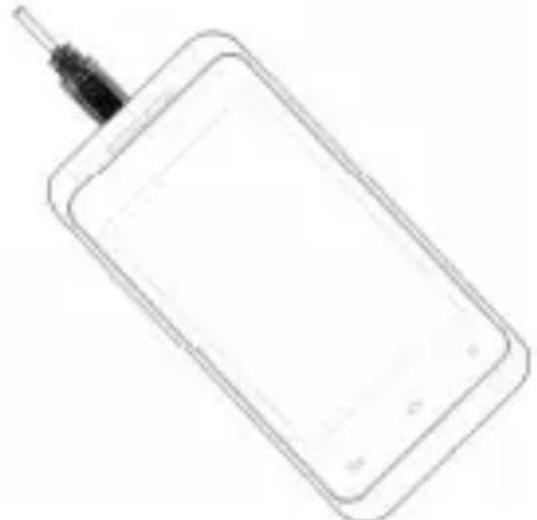
Line drawing of a rectangular electronic device with a black cable inserted (no text or symbols)Connect this end to phone's USB port.
Tip: Please make sure to charge your phone's battery for 4 hours after inserting it in the phone for the first time.
INSERT SIM AND MicroSD CARD
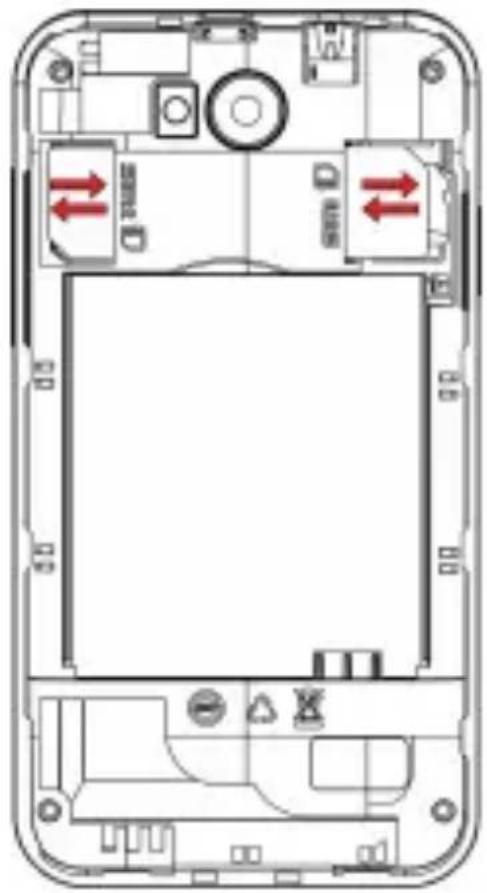
Please insert the SIM card(s) according to the label on the phone. Make sure that the clipped corner of the SIM card and the metallic contacts are facing the correct direction. Slide the SIM card into the until it doesn't move up any further.
On the right most side(refer diagram above)is the micro SD card slot. The direction in which the microSD card has to be inserted into the designated slot is shown by an arrow in the above diagram
Tip: For additional media storage insert a microSD card.
TURN THE PHONE ON& OFF

Hold the power button to turn the phone on.
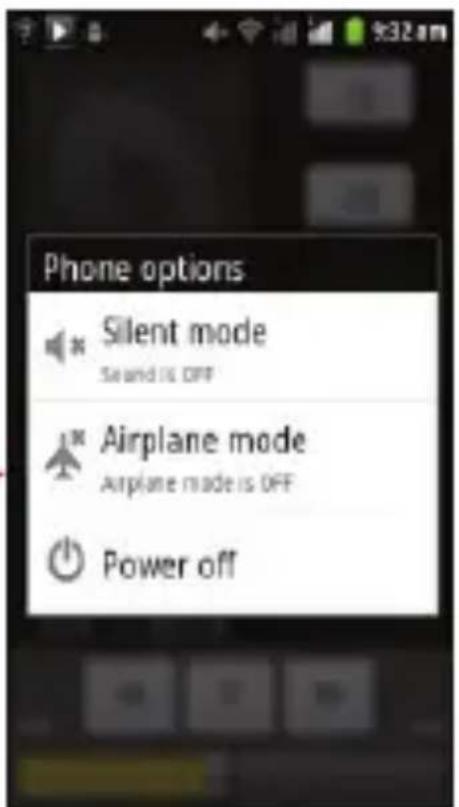
Hold down the power button, then touch Power off to turn the phone off
DIM LOCK & WAKE THE PHONE
When the power is on and you want to dim the screen, press the power button.
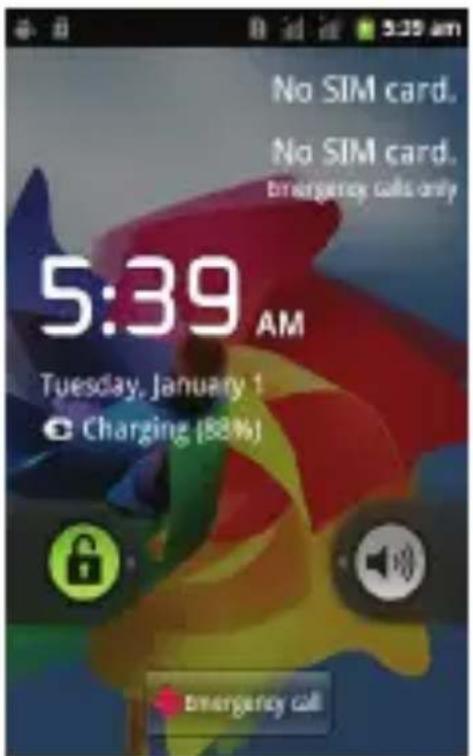
When the screen is dimmed and you want to wake the phone, press the power button and then drag the lock to the right.
HOME SCREEN
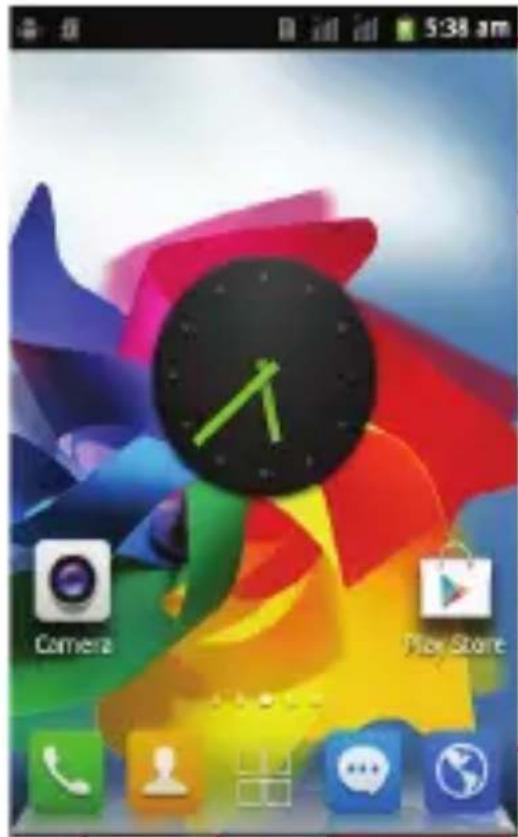
Phone status bar and notifications.
Touch and hold an empty spot to change the wallpaper
Slide left or right to see more panels
Touch it to enter message
Touch it to enter contacts interface
Touch it to enter dial pad interface
APPS
natural_image
Row of five colored square icons representing communication and information (no text or symbols)- Touch it to enter app tray.
STATUS BAR
The status bar shows your phone's status and notifications. (Notifications are described on the next page.)
Notification icons
Status icons

Status icons
The following status icons may appear on your screen:
| Icon | Statement | Icon | Statement |
 | SIM Network signal level |  | Headset is inserted |
 | Indicates battery capacity |  | BT activated |
 | Unread messages |  | Wi-Fi is connected |
 | Missed calls |  | Airplane mode is activated |
 | Alarm is activated |  | USB is connected |
NOTIFICATION PANEL
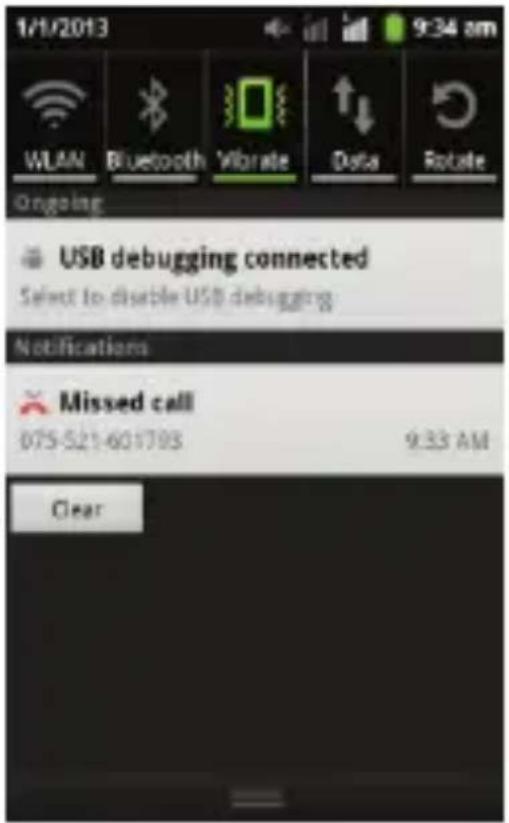
The notification panel is your center for new events: like new e-mail, voicemail, updates, and more.
Drag down to display notifications
Touch a notification to respond
MAKE & ANSWER A CALL
-
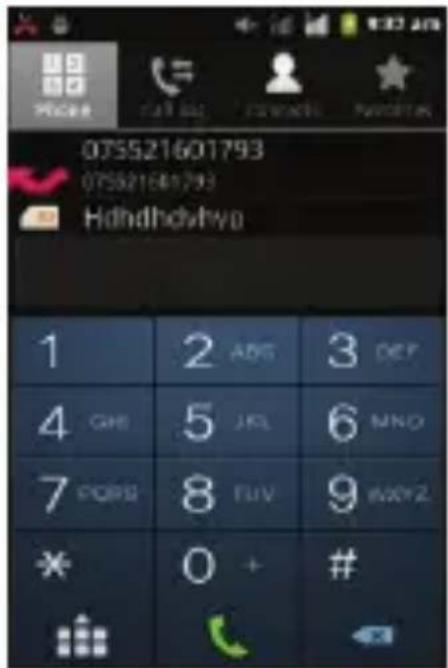
From the Hom screen.touch
-
Dial a number using the dial pad.
3.Touch to initiate the call

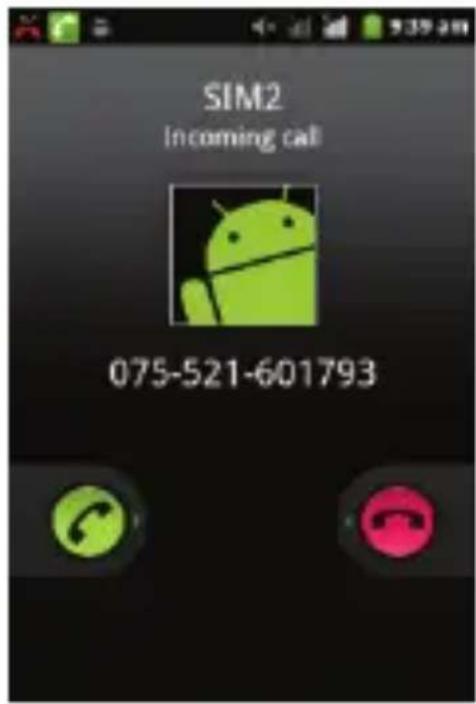
Answer a call

Drag

Decline a call
Drag

SEND A TEXT
- From the Home screen, touch
- Touch New message
Composite new message
- Touch the To field, than enter a recipient.
- Touch the Type message field, then enter a message
- Touch SIN1 SIN2 Send the message

SETTINGS
the settings for various features of the phone
Get to know the settings in your phone so that you can personalize them to your own requirements. Go to Settings to configure how your phone looks, sounds, communication, privacy, and operations in a variety of ways:
Dual SIM settings
Set preferences on how you use SIMs inserted in your phone.
| Manage your wireless connections and connections settings. Let you configure and manage connections to networks and devices by Using Wi-Fi, Bluetooth, and mobile networks. | |
| Wireless & networks | |
| Call settings | Let you configure phone call settings, such as call forwarding, call barring, and other special features offered by your carrier. |
| Audio profiles | Configure how your phone rings, vibrates, or alerts you in other ways when you receive communications, etc. |
| Display | Let you set the screen brightness, select to switch orientation when you rotate your phone, and configure other screen settings. |
| Location & Security | Set location preferences. Protect your phone by setting up different locks and passwords. |
| Applications | Manage installed applications. |
| Accounts & sync | Let you add, remove and manage supported accounts. |
| Privacy | Let you manage your personal information, restore your settings and other data when you install an application, and erase all of your personal data from internal phone storage. |
| Storage | Let you check out available space on your phone's internal storage and on your T-Flash card. |
| Language & keyboard | Let you select the language for the text on your phone and for configuring the onscreen keyboard. |
| Voice input & output | Configure the voice input feature to enter text by speaking. |
| Accessibility | Enable your installed accessibility applications and adjust related settings. |
| Data & time | Let you choose preferences such as format and time zones. |
| Timer Switch Machine | Schedule automatic powering on/off of the phone. |
| About phone | View information about your phone, such as system updates, status, and battery use. |
SET A RINGTONE
Press → Audio profiles, select the profiles you want to set, you can customize the ringtone and volume of incoming call, notification ringtone in this interface.
MULTIMEDIA
listen it, watch it, capture it, enjoy it!
FM RADIO
- Insert earphone, then Tap the Power icon to stop or play FM.
- Tap the forward by 0.1 MHz or scroll the knob icon to change channel frequency. Press volume key to adjust the volume.
- Tap Auto search, Settings, Record and Favorites icon to adjust.
MUSIC PLAYER
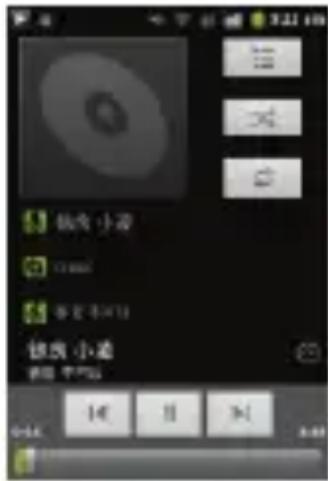
Controls
Play/Pause
Previous/Next
Touch
Touch


| Rewind/Forward | Touch and hold |
| Volume adjust | Press side key |
| Now playing: Touch to open the current playlist. | Touch  |
| Shuffle: Touch to shuffle the current playlist. | Touch  |
| Repeat: Touch to repeat the current playlist; touch again to repeat the current track. | Touch  |
TAKE A PICTURE
- Press and hold the camera button and then release
- In the camera app, tap the screen to focus on a specific area.
- Press the camera button all the way down to take a picture.
TIP: Also launch the camera by pressing the camera icon on the home screen capture the photo using on the screen camera button.
SHOOT A VIDEO
- Press and hold the camera button until it vibrates then release.
- In the Camera app, select video
- Press the camera button to begin filming, and press again to stop filming.

SHARE A PHOTO

- From the Home screen, touch
then touch
-
Touch an album to open it, and then touch the picture you want to share.
-
Now touch Share
-
Select a medium for sending the photo(Such as Gmail to mail the photo, or Message to send the photo via messaging).
CONNECT TO Wi-Fi NETWORKS
Wi-Fi is a wireless networking technology that can provide Internet access at distances of up to 100 meters, depending on the Wi-Fi router and your surroundings.
Touch Settings>Wireless & networks > WLAN settings. Wi-Fi to turn it on. The scans for available Wi-Fi networks and displays the of those it finds. Secured networks are indicated with icon.
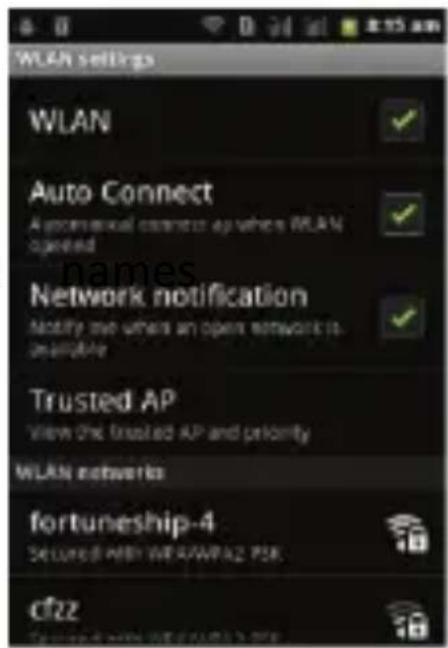
Check phone
a Lock
All the configurations mentioned in this user manual is only for reference; please refer to the actual phone.
Troubleshooting
Check www.Lavamobiles.com web site for additional information, downloads, and services related to your LAVA product.
To check for the nearest LAVA service center location for maintenance services, you may like to visit www.lavamobiles.com/support-services
Service Center number
No.:+919560394002
Kindly note please send area code of place through SMS to this No. and in return you will get address of service center nearest to you by SMS.
Lava Customer Care Service
No: 1860-200-7500
SAR declaration
The highest SAR value for this mobile phone is < 1.6 W/Kg, in accordance with the requirements of the ICNIRP, which recommended the limit for exposure to radio waves is 1.6 watts/kilogram (W/kg) averaged over 1 gram of tissue. For more information, please visit (www.lavamobiles.com) to query Safety precautions:
a. Use a wireless hands-free system (Headphone, headset) with a low power Bluetooth emitter b. Make sure the cell phone has a low SAR
c. Keep your calls short or send a text message (SMS) instead. This advice applies especially to children, adolescents and pregnant women
d. Use cell phone when the signal quality is good
e. People having active medical implants should preferably keep
the cell phone at least 15cm away from the implant.
E-waste Disposal Mechanism
'E-waste' means waste electrical and electronic equipment (WEEE). In other words E-waste is a popular, informal name for electronic products nearing the end of their "useful life". For more details about e-waste please refer e-waste rules, 2011 www.moef.nic.in
Do's and Don'ts for disposal e-waste
Do's:
a. Ensure that an Authorized Person repairs your Lava products
b. Call Our Local Authorized Collection Centers to Dispose Lava products
c. Always drop your used electronic products, batteries or any accessories thereof after the end of their life at nearest Authorized Collection Point or Collection Center.
d. Separate the packaging material according to responsible waste disposal options and sorting for recycling.
e. Always remove the battery from the product, when you do not intend to use the product anymore it in future.
Don'ts:
a. Do not Dismantle your Lava Product on your own
b. Do not give your e-waste to Kabbadi Wala / Scrap Dealer/ Rag Pickers.
c. Do not dispose-off the e-waste in landfills.
d. Never dump E-waste in garbage bins.
e. Do not dispose of your product at municipal waste bins or rooms. f. Do not throw used batteries into household waste.
g. Consequences of improper handling and disposal of E-Waste h. Improper disposal of waste prevents natural resources from being re-used.
i. Some waste contains hazardous chemicals and if not disposed of properly may release toxins into the soil and water, and also releases greenhouse gases into the environment
j. If e-waste is not properly disposed of, it can threat to the health and well-being of humans and animals and it also has adverse effect on the environment.
k. Placing of batteries or devices on or in heating devices, such as microwave, ovens, stoves, or radiators and improper disposal of batteries may lead to explosion.
I. If the battery terminals are in contact with metal objects, it may cause a fire.
m. For more details on how to dispose of your Lava products at the end of life, Please refer the list of our Services Centers on Pan India basis on our website www.lavamobiles.com or please view this link for the details of Service Centers
http://www.lavamobiles.com/support-services.
LAVA WARRANTY CERTIFICATE
Limited warranty:
LAVA international Ltd. (LAVA) provides limited warranty for your mobile phone and original accessories delivered with your mobile phone (hereinafter referred to as “product”)
The warranty period for the transceiver is one (1) year and for battery, charger and headset is six (6) months from the date of purchase.
LAVA Warranty
Subject to the conditions of this Limited Warranty, LAVA
warrants a product to be free from defects in design, material and workmanship at the time of its original purchase by you, and for a subsequent period of one (1) year for transceiver and six (6) months for battery & charger.
You shall have coverage or benefits under this warranty in the event that any of the following conditions are applicable:
The product has been subjected to abnormal use or conditions, improper storage, exposure to 1.excessive moisture or dampness, exposure to excessive temperature, unauthorized modification, unauthorized repair (including but not limited to use of unauthorized spare parts in repairs),abuse, accidents, Acts of God, spills of food or liquids, improper installation
You have not notified Lava of the defect in the product during the applicable warranty period.
The product serial no. code or the accessories date code has been removed, defaced or altered.
The product has been used with or connected to an accessory (i) Not supplied by Lava or its affiliates, (ii) Not fit for use with the product or (iii) Used otherwise than in manner intended.
The seals of the product's battery enclosure have been broken or shown evidence of tempering or the product's battery has been used in equipment other than that for which it has been specified usable by LAVA.
All plastic surfaces and all other externally exposed part that is scratched or damaged due to normal use.
To get maximum of your new product, we recommend you to:
Read the guidelines for safe and efficient use as mentioned in the manual.
Read the terms and conditions of your Lava warranty in the
manual.
Keep your original receipt; you will need it for warranty services if asked to produce.
Present this Lava Warranty Certificate along with original proof of purchase whenever you require any warranty services.
In case Lava product needs service, please visit the nearest Lava service centers given in the service guide. Please visit our Website www.lavamobiles.com for updated list of Authorized Service Centers near to your location.
Important note: for your warranty to be valid, all information on the warranty certificate has to be completed including the stamp from the authorized distributor/retailer.
All warranty information, product features and specifications are subject to change without notice.
IMEI No.
Dealer Stamp
DateOf Purchase ....
Model No.
IMEI No.