CSV-1568 - Akcesoria komputerowe CLUB3D - Bezpłatna instrukcja obsługi
Znajdź bezpłatnie instrukcję urządzenia CSV-1568 CLUB3D w formacie PDF.


Pytania użytkowników dotyczące CSV-1568 CLUB3D
0 pytanie dotyczące tego urządzenia. Odpowiedz na te, które znasz, lub zadaj własne.
Zadaj nowe pytanie dotyczące tego urządzenia
Pobierz instrukcję dla swojego Akcesoria komputerowe w formacie PDF za darmo! Znajdź swoją instrukcję CSV-1568 - CLUB3D i weź swoje urządzenie elektroniczne z powrotem w ręce. Na tej stronie opublikowane są wszystkie dokumenty niezbędne do korzystania z urządzenia. CSV-1568 marki CLUB3D.
INSTRUKCJA OBSŁUGI CSV-1568 CLUB3D
Thank you for purchasing our CSV-1568 Product.
After unpacking the product, please make sure you have all the items provided and checked for any damages. In case of any missing/ damaged parts please inform your supplier immediately.
You should have:
• CSV-1568 Docking Station
• PowerSupply. Input: 100-110/240VAC. Output: up to 120W
• 1x USB Type-C cable connection to Host 1m / 3.28ft
- Detachable stand
- Quick Install Guide
Please make sure:
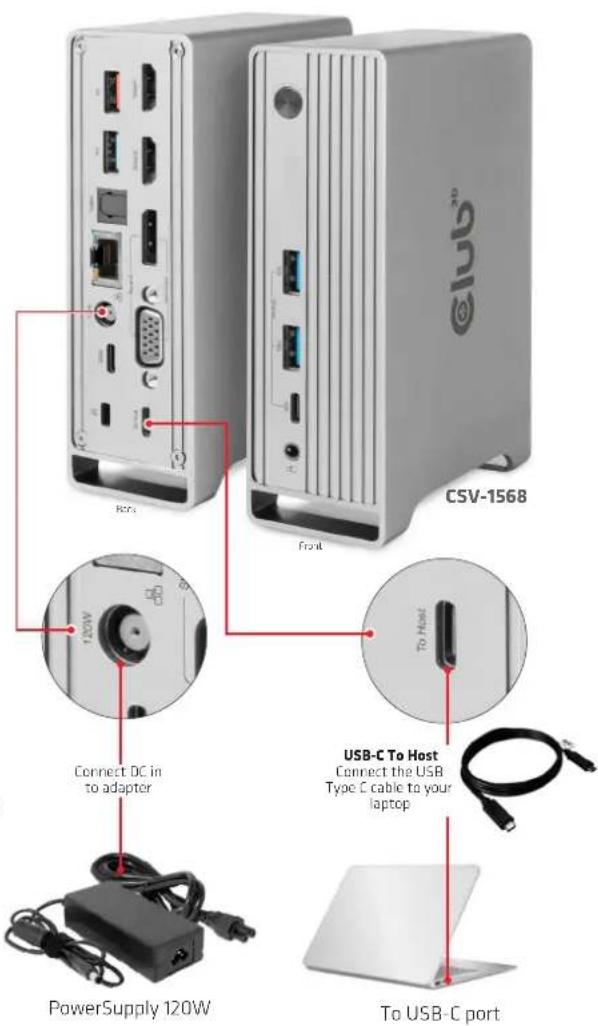
Your Host System has the latest drivers updates, and is connected to the external power supply.
Note:
- This dock will not work without external power supply
- After connecting to the host, the product and the white light will turn on by default. Press the power button, the product and the white light will be turn off. The keystroke interval should be greater than 2 seconds.
- To achieve the above max resolution of each port, the connected host should support DP1.4 Alt mode. The above resolution will be decreased if the host only support DP1.2 due to bandwidth limitation.
- The above resolution combination is for reference, the actual video output resolution depends on the connected host and displays.
- Designed for DP 1.4 Alternate Mode supported Type C and Thunderbolt 3 Hosts (PC, Laptop, Mobile Phones etc).
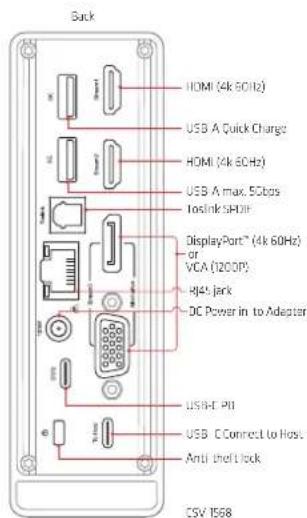
- Supports Output through MST up to 3 displays (2 HDMI + VGA or 2 HDMI + DP). DP and VGA are alternate (DP is has priority over VGA).
How to connect:
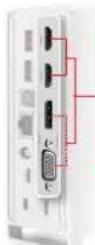
- Support to output 3 videos (2 HDMI+VGA or 2 HDMI+DP) simultaneously under both SST and MST mode, DP and VGA are alternative (DP is prior to VGA when 2 ports are connected simultaneously)
• 3 videos share max 16.2Gbps bandwidth - When one video port is connected, support HDMI max 4K/60Hz, DP max 4K/60Hz, VCA max 1920x1200/60Hz
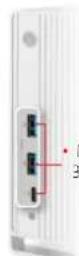
Max 10Gbps.
3 ports share max 10Gbps
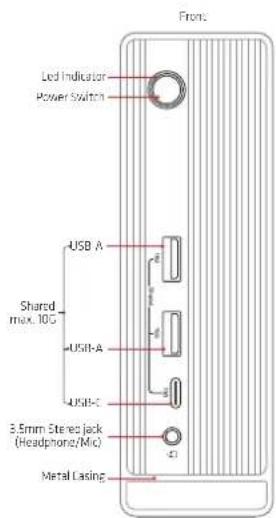
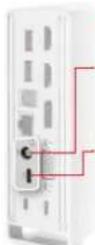
• Support dual power supplies: Type-C PD charging or DC Jack
- Max 120W power supply from DC Adapter, support smart power according to actual consumption of the connected devices the host can get power ranging from 60W to 100W - Type-C female supports max 100W PD Charging with fast role swap of PD3.0, support smart power which allows to distribute power according to actual consumption of the connected devices
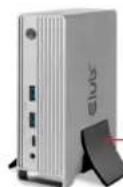
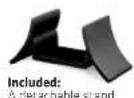
No assembly required:
Simply slide it in!